This topic describes how to hide a department and add a department whitelist.
Procedure
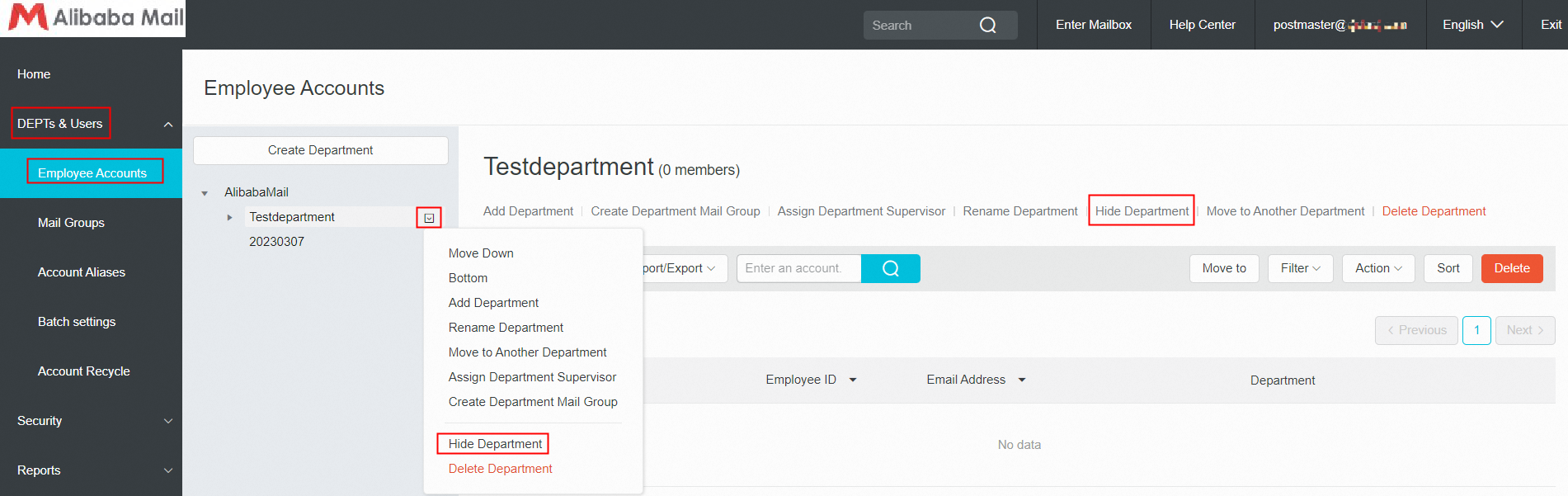
Method 1: Use postmaster account login Alibaba Mail and enter the domain management page by default, click DEPTs & Users-> Employee Accounts-> select the corresponding department and click Hide Department.
Remarks
After a department is hidden, this department will be added an identity in the organizational structure and not appear in the address book. If the postmaster needs to open the display for individual departments, you can set a department whitelist.
How to Add the Department Whitelist?
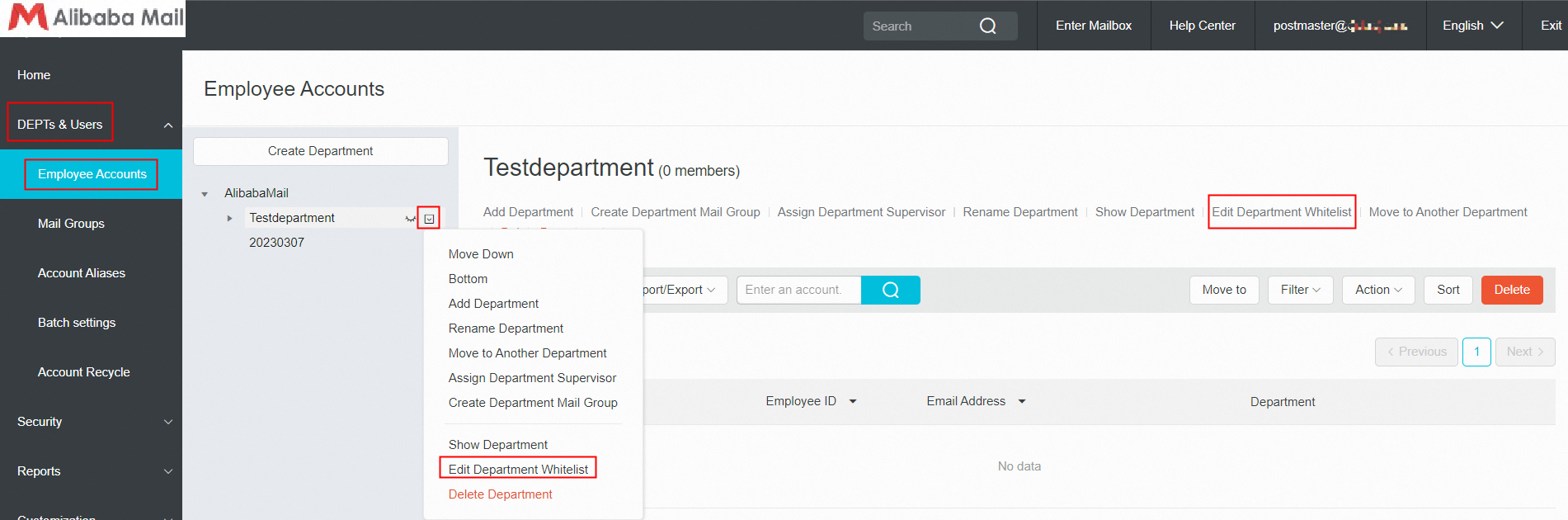
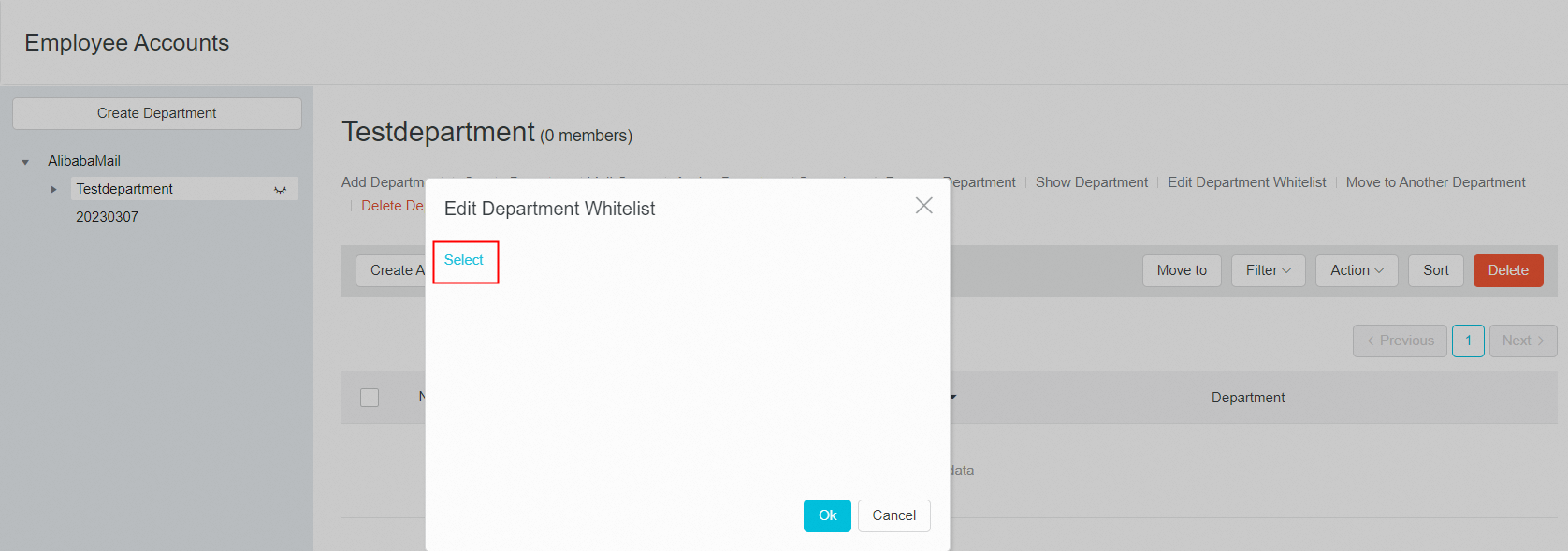
Method 1: Use postmaster account login Alibaba Mail and enter the domain management page by default, click DEPTs & Users-> Employee Accounts-> select the corresponding hidden department which needs add department whitelist-> click Edit Department Whitelist-> click Select in the pop-up window-> select the department to add to the whitelist>> click Ok to save the change.
Method 2: Use postmaster account login Alibaba Mail and enter the domain management page by default, click DEPTs & Users-> Employee Accounts-> place the mouse over the corresponding department then a drop-down icon will appear on the right side-> click Edit Department Whitelist-> click Select in the pop-up window-> select the department to add to the whitelist>> click Ok to save the change.