This article focuses on how to hide email account in enterprise address book of Alibaba Mail.
Configuration Method
1. Use postmaster account to login Alibaba Mail and enter the domain management page by default.
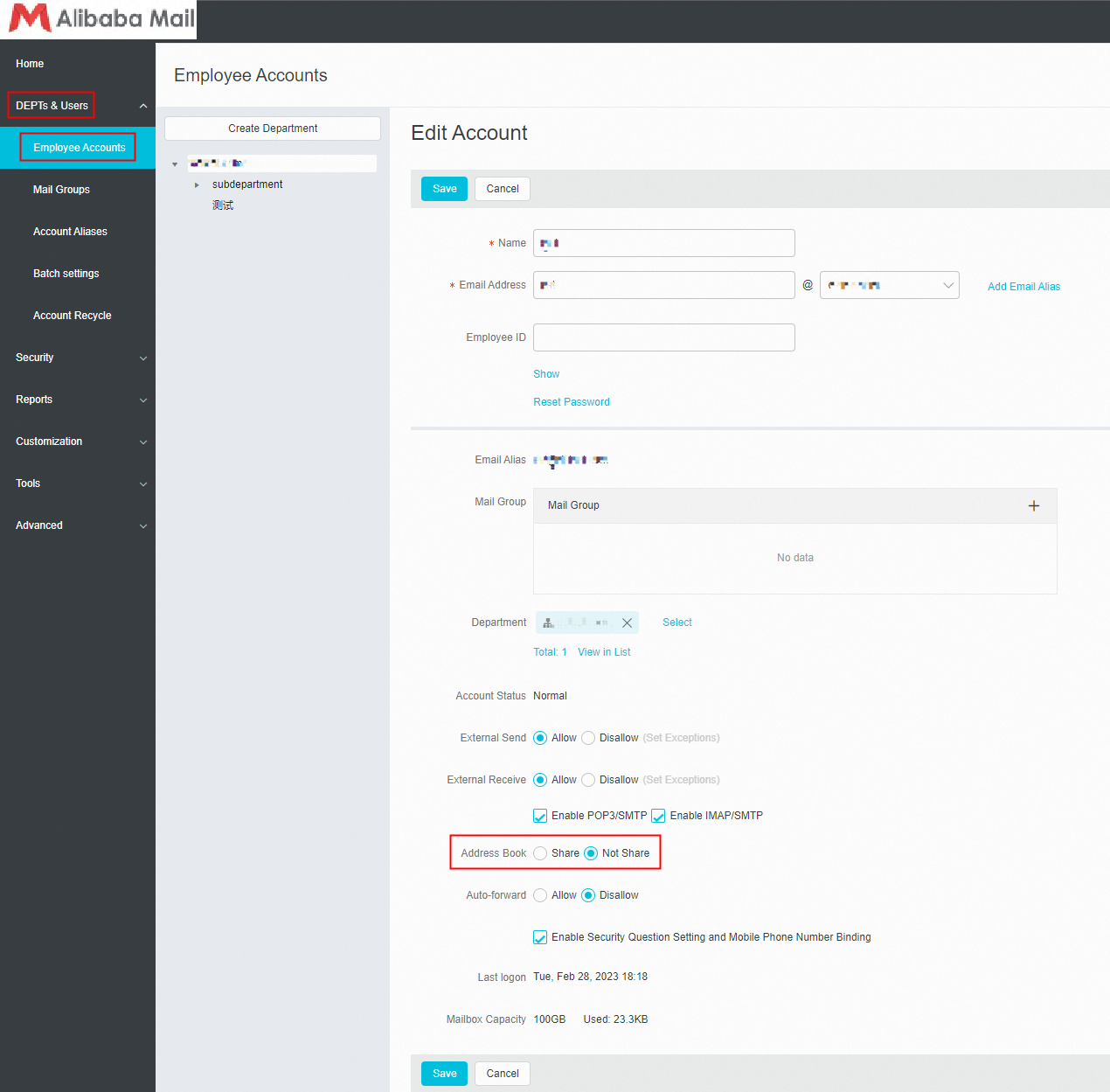
2. In the left-side navigation pane, choose DEPTs & Users> Employee Accounts, click the name of selected email account and enter the edit page.
3. Select Not Share of Address Book, then this account will not be seen in enterprise address book. Select Share of Address Book will make this account be displayed in every address book under enterprise' s domain name.
Postmaster Account Setting Interface:
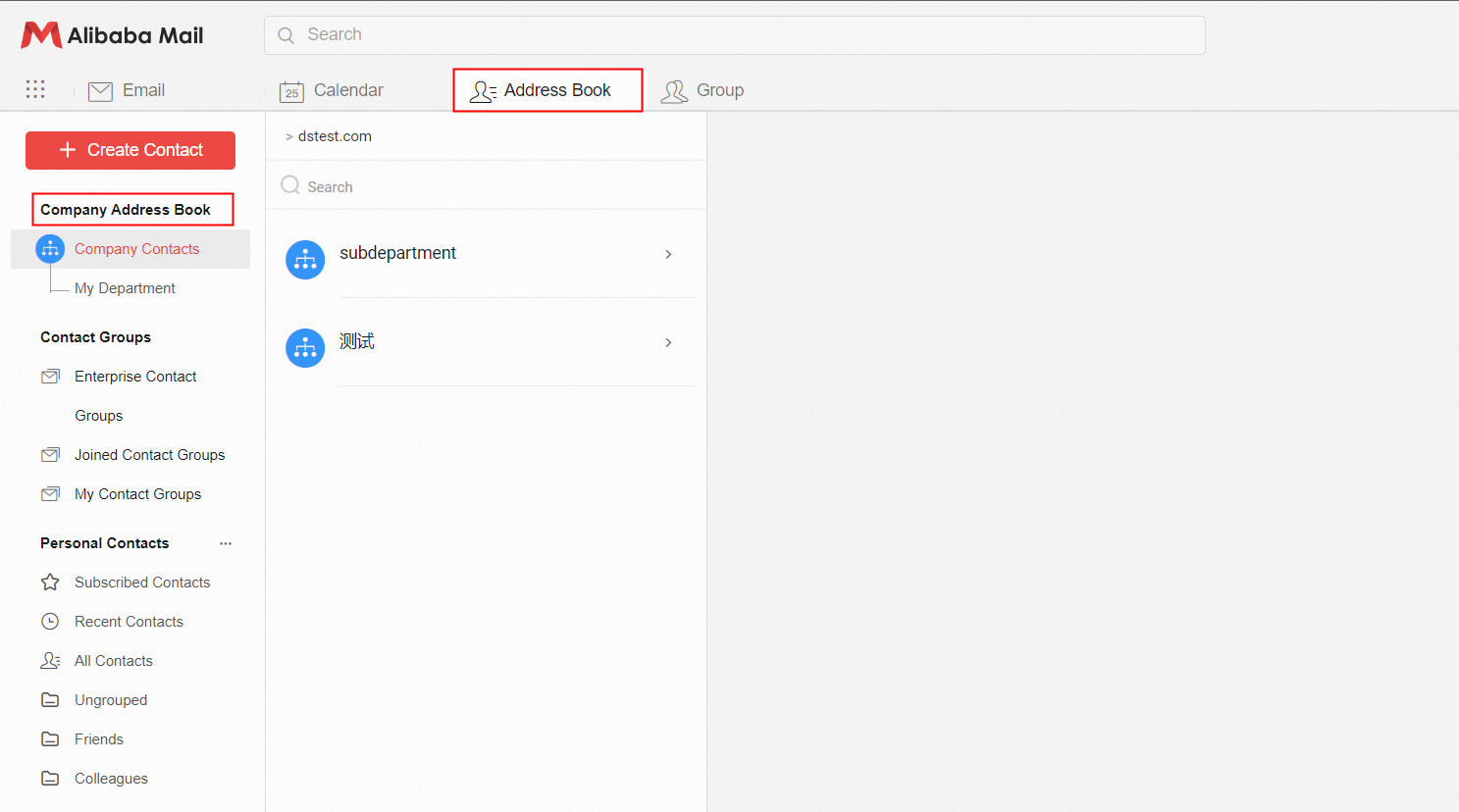
How to View the Address Book by Employee Account?
Position 1: Click Address Book> Company Address Book.
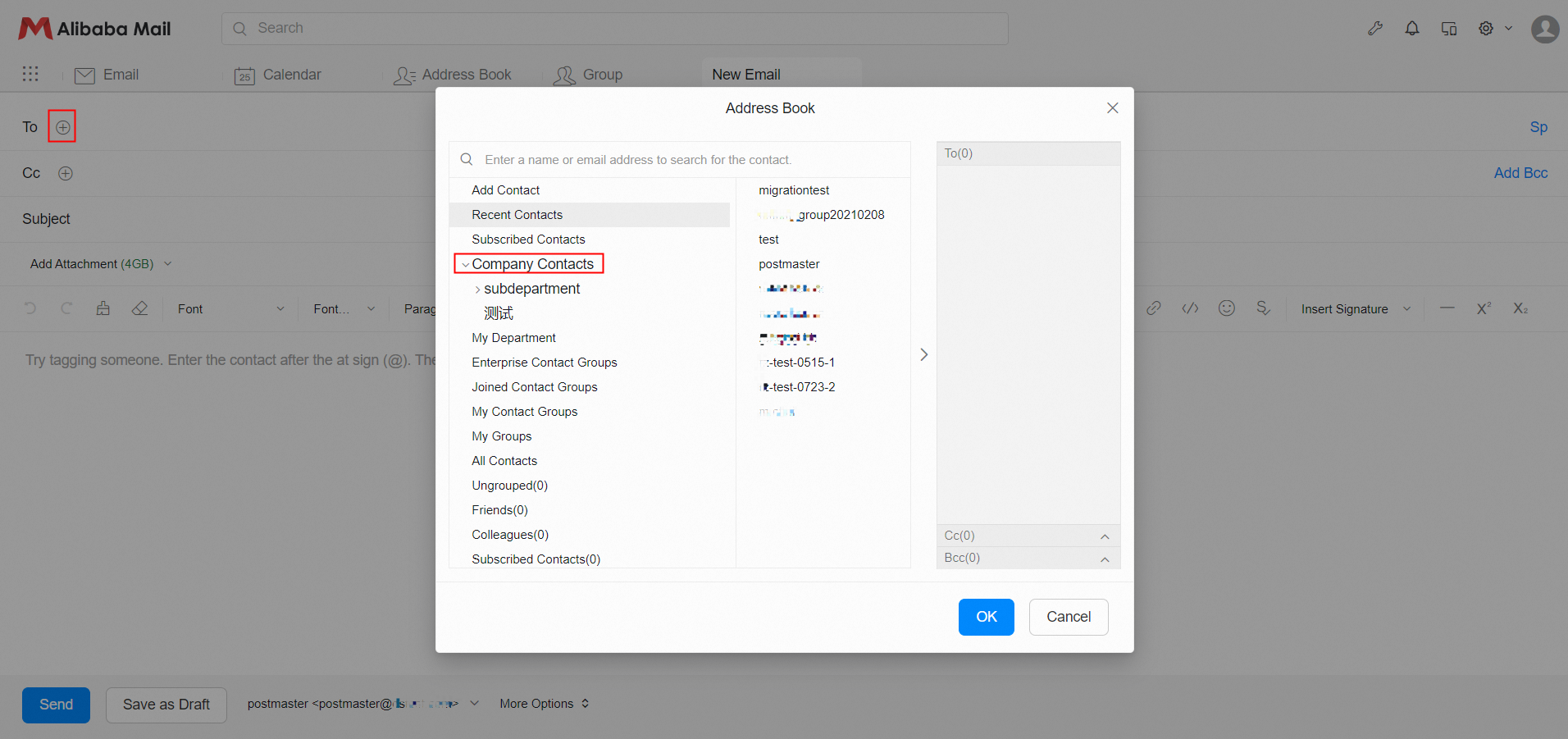
Position 2: When you write an email, click the button next to the recipient and select Company Contacts to find out.