You can delete employee accounts from the Alibaba Mail management console. Deleted accounts are moved to the Recycle Bin and can be recovered within 30 days.
Log on to Alibaba Mail with an administrator account and go to the mail management console.
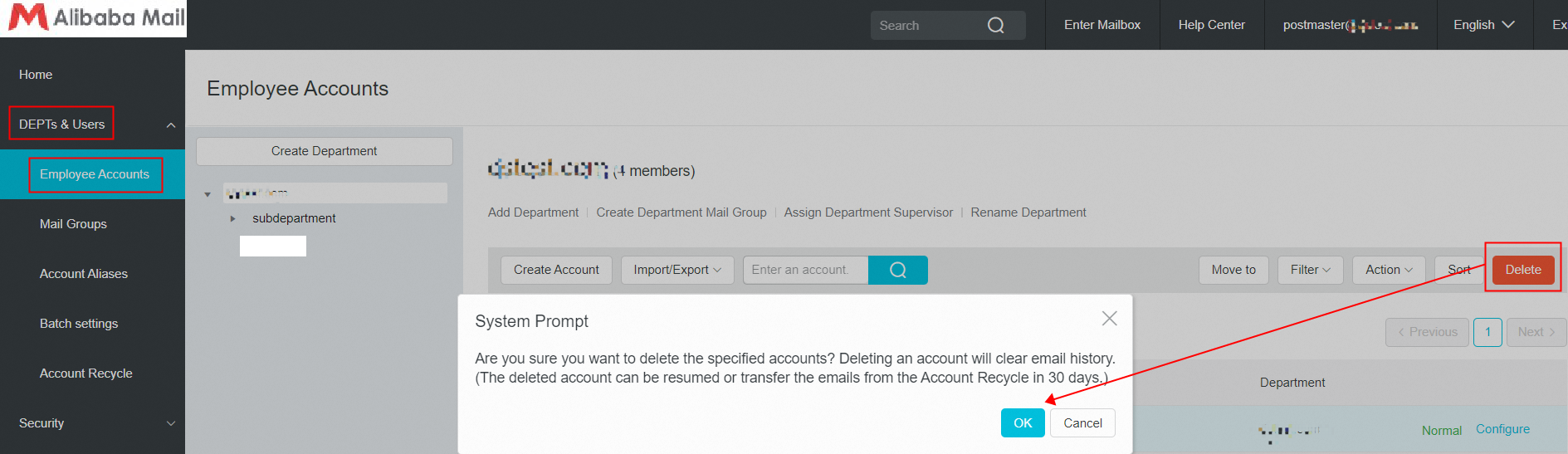
Select the accounts that you want to delete and click the Delete button in the upper-right corner. When prompted with the message "Deleting the account will delete all historical emails. Are you sure you want to delete the account?", click OK. The deleted accounts are then moved to the Recycle Bin.
Deleted accounts do not count toward your mailbox usage limit.
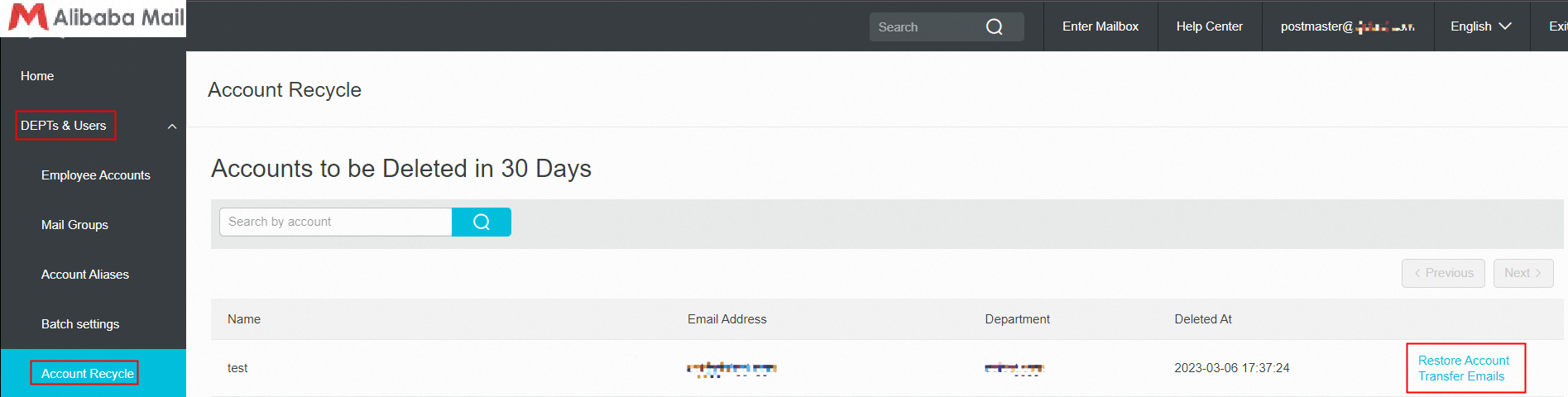
1. You can recover a deleted account or transfer its emails from the Recycle Bin within 30 days.
2. Email transfer: Historical emails from the deleted account are transferred to a folder named after the account's email address in the destination mailbox. A system notification email is sent when the transfer is complete.
3. If an employee manually and permanently deletes emails in the mailbox (by clicking Permanent Delete in the Deleted folder), these emails are permanently removed from the server. Even if the administrator deletes the employee's account and uses Email Transfer in the Recycle Bin, these emails cannot be recovered or transferred.