Alibaba Mail provides the meeting invitation function, user can create meeting invitations on Webmail.
Procedure
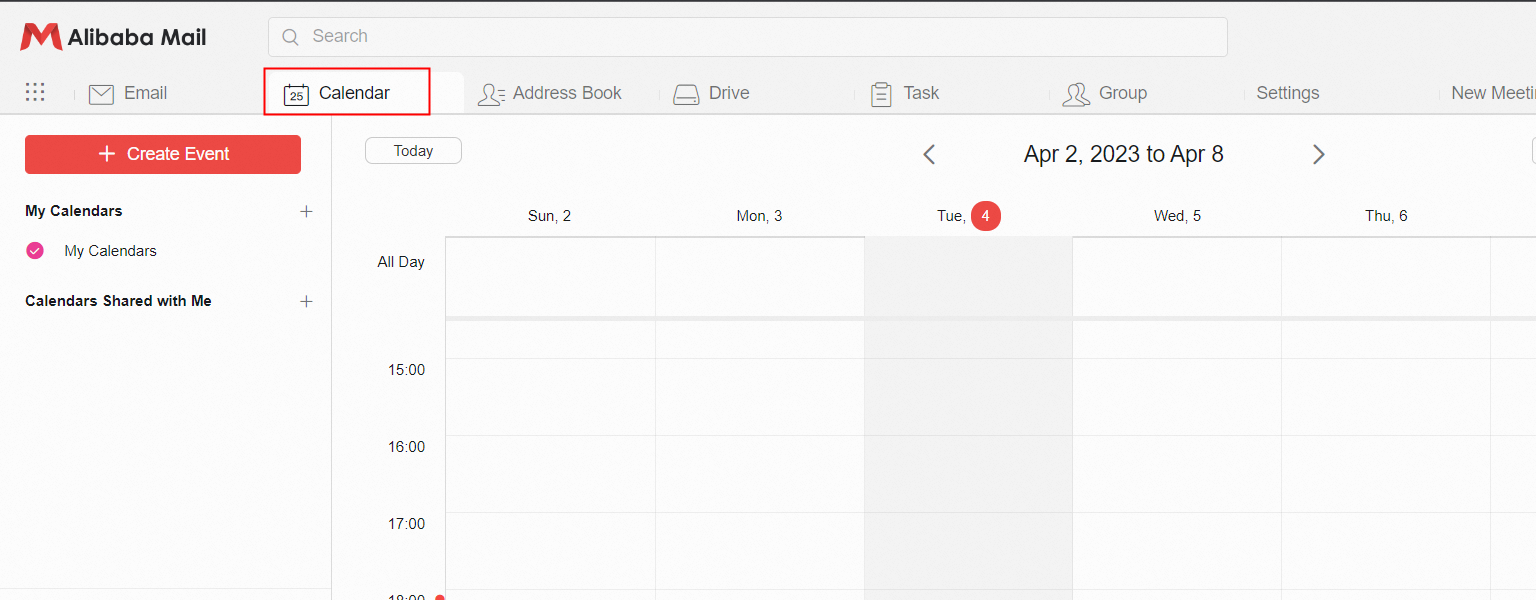
1. Click the Calendar icon in the upper-left corner to go to the Calendar page.
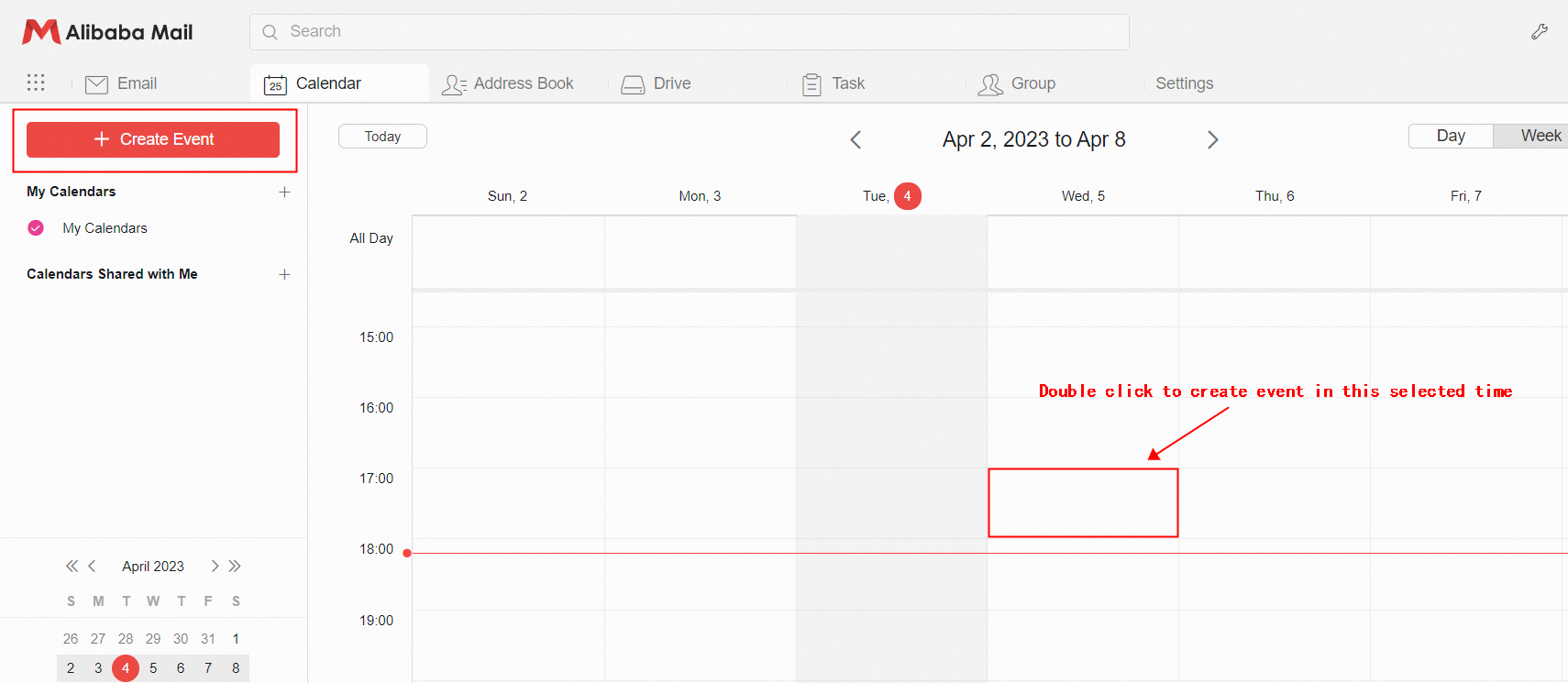
2. You can click Create Event in the upper-left corner to create a meeting at the current time. You can also double-click to create a meeting at the selected time.
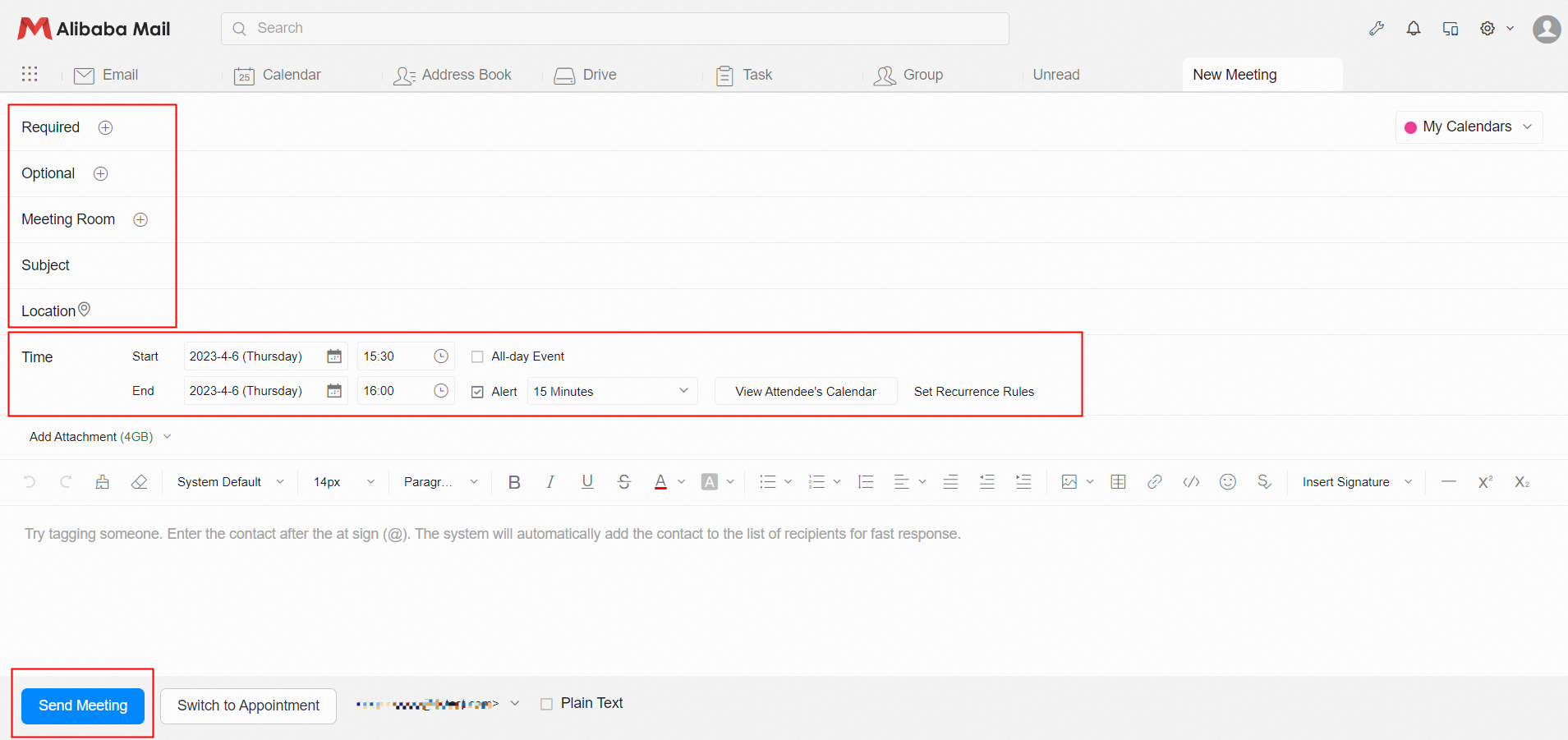
3. User can edit the meeting invitation by fill the Recipient Address (Required)> Meeting Room (Postmaster must create a meeting room in the domain management platform in advance)> Subject> Location> Time> Meeting Content. Click Send Meeting.