General Search
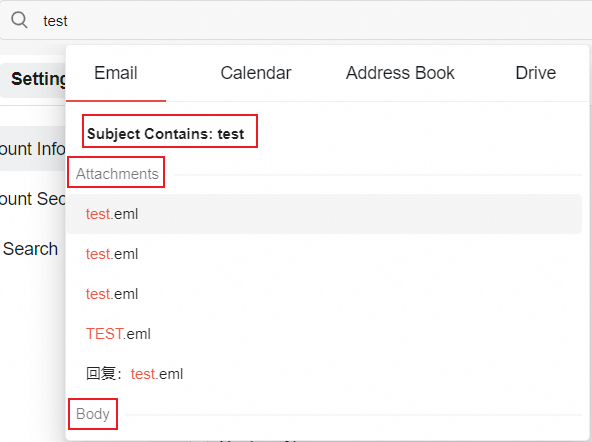
After filling in a keyword, you can search the email by Subject, Attachments or Body.
Advanced Search
The results of ordinary search will display information such as the number of related emails, the folder where they are located, and whether they have attachments.
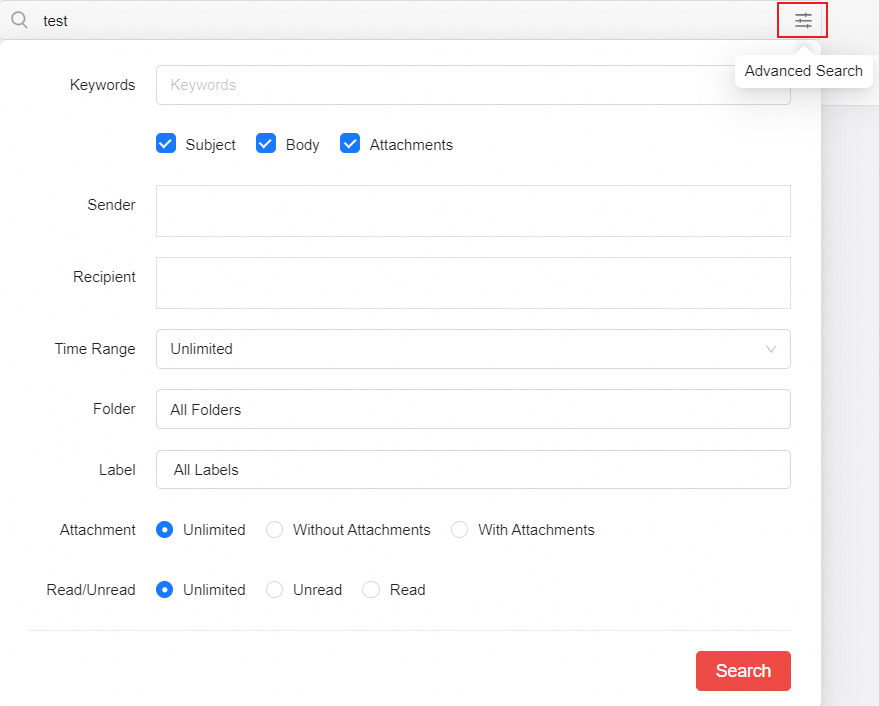
You can set the specific contacts, folders, attachments, and email reading status for further filtering. Multi-condition filtering is supported.
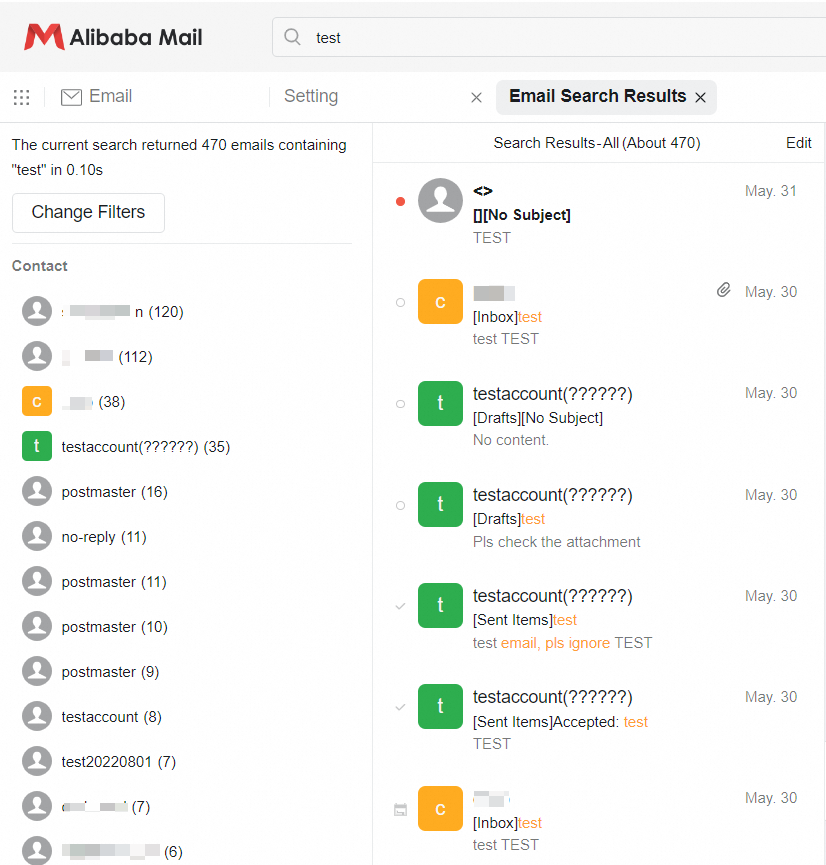
You can also click Change Filers to filter conditions.


You can also use the advanced search from the very beginning. After the mouse clicks on the input box, there will be an advanced search button on the right.