Learn how a domain administrator can enable security passwords for third-party clients.
By default, email services are open and accessible through standard protocols. This allows users to access their email accounts from any third-party client, such as Outlook or Foxmail. However, a drawback is that these protocols only support basic account and password authentication.
If your organization lets employees use third-party clients and you need to ensure account security, enable the security password feature.
Security password for third-party clients
A security password is an independent password used for signing in to your Alibaba Mail account from a third-party client.
Procedure
Sign in to the Alibaba Mail console as the postmaster domain administrator.
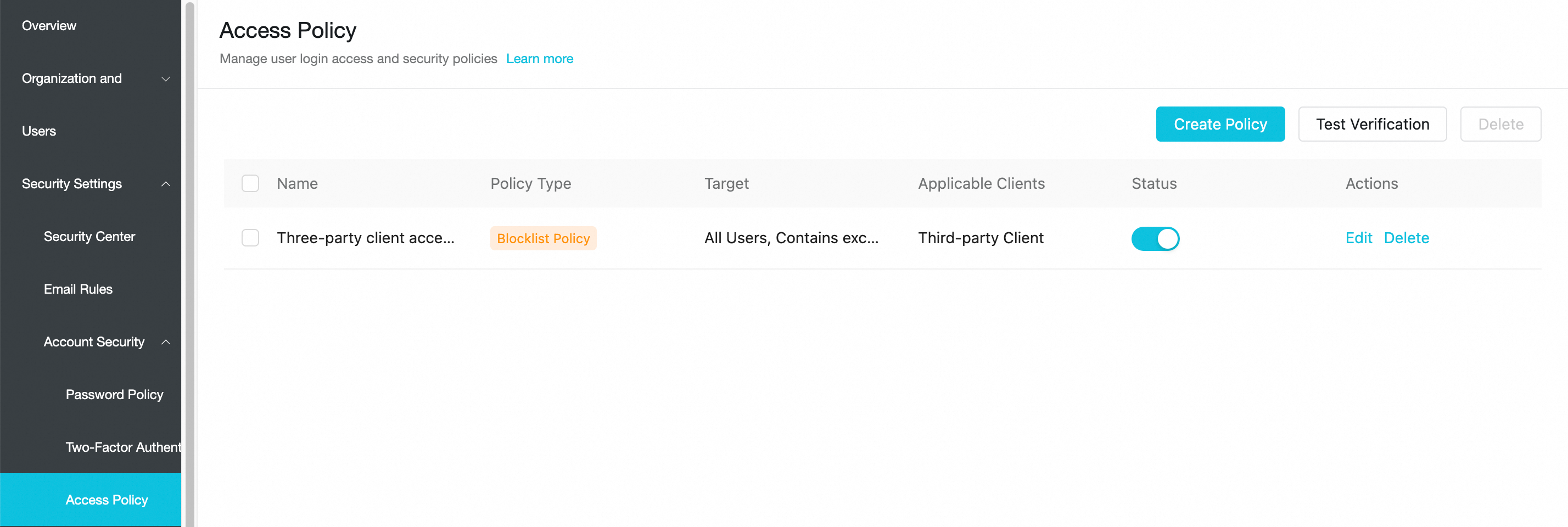
To enhance account security, new Alibaba Mail subscriptions include a default, enabled blacklist policy named "Third-party Client Access Policy." This policy blocks logins from all third-party clients. If an account needs to use a third-party client, navigate to the mail admin console > security management > account security > access policy. Click Edit to add the account as an exception or disable the policy entirely. The change takes effect within five minutes.
Go to Security Settings > Account Security > Password Policy. Turn on the switch, configure the scope of the policy, and save the settings.
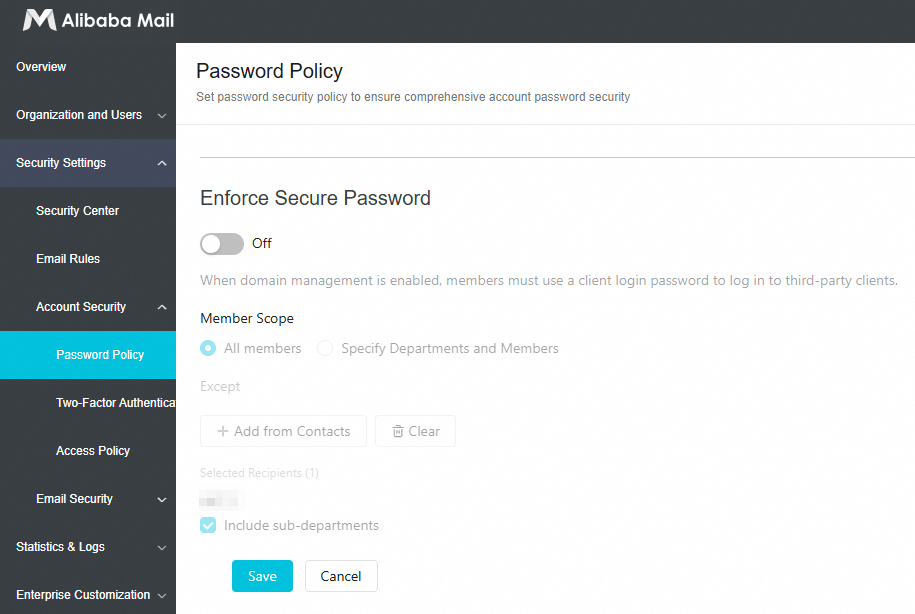
You must either add members who need a security password to the policy's exclusion list, or disable the policy for all members.
When enforce security password is enabled, employees must generate a security password from the web-based mail client before they can use it to sign in to a third-party client. For more information, see How employees can enable and use a security password for a third-party client.