This topic describes how to add members to a mail group after creation.
Procedure
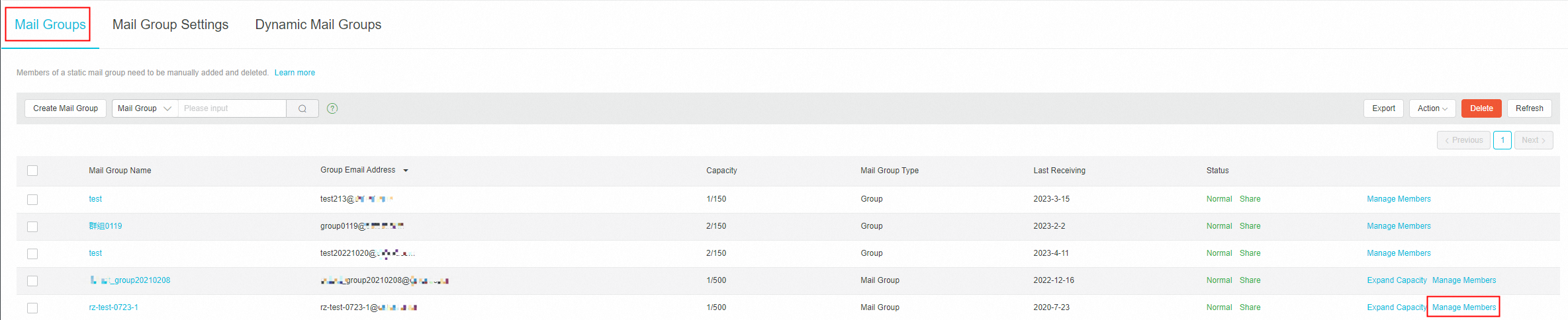
1. Login domain management page by postmaster account>> DEPTs & Users>> Mail Groups>> Mail Groups>> find the mail group to be expanded>> click Manage Members on the right.

2. You can add members by using the following methods: Add from Address Book, Manually Add, and Import Members.
2.1 Add from Address Book
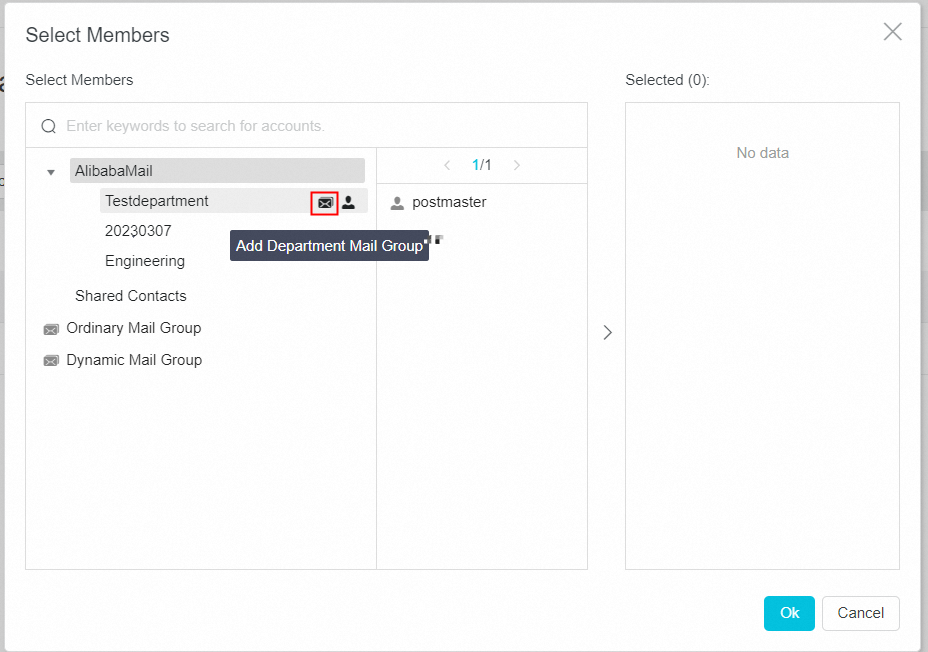
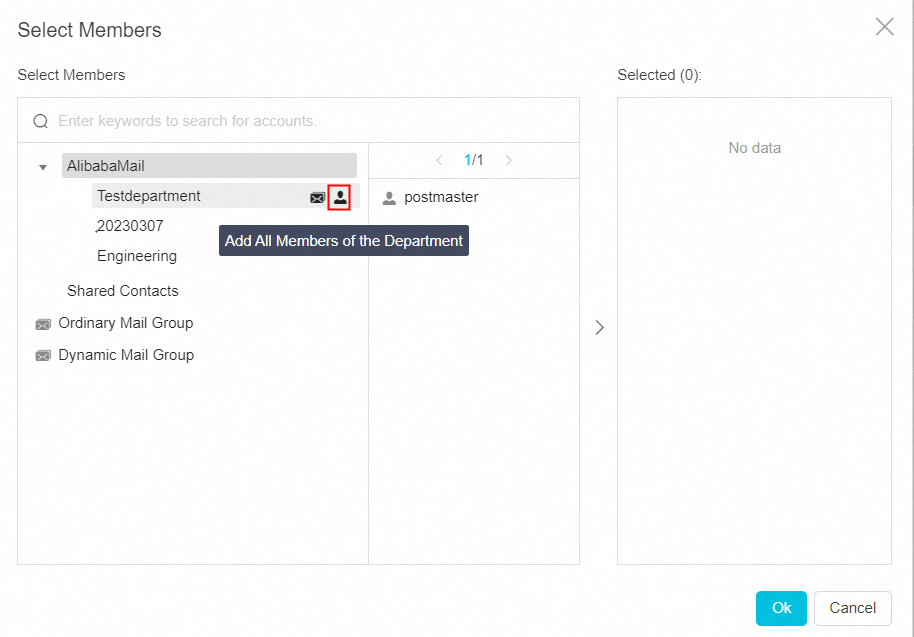
Click Add from Address Book. In the employee account list section, select the email icon next to the department to add a department mail group (The prerequisite is that a dynamic mail group has been created for this department). Select the address book icon next to the department, add all accounts in the department, and then click OK.
2.2 Manually Add
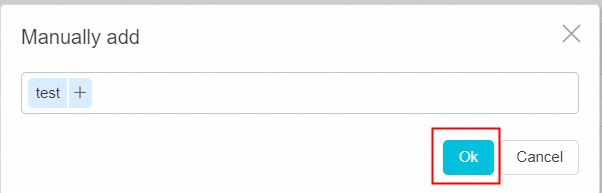
Click Manually Add, enter the keyword of the email account, select the name of the email account, and then click the account.
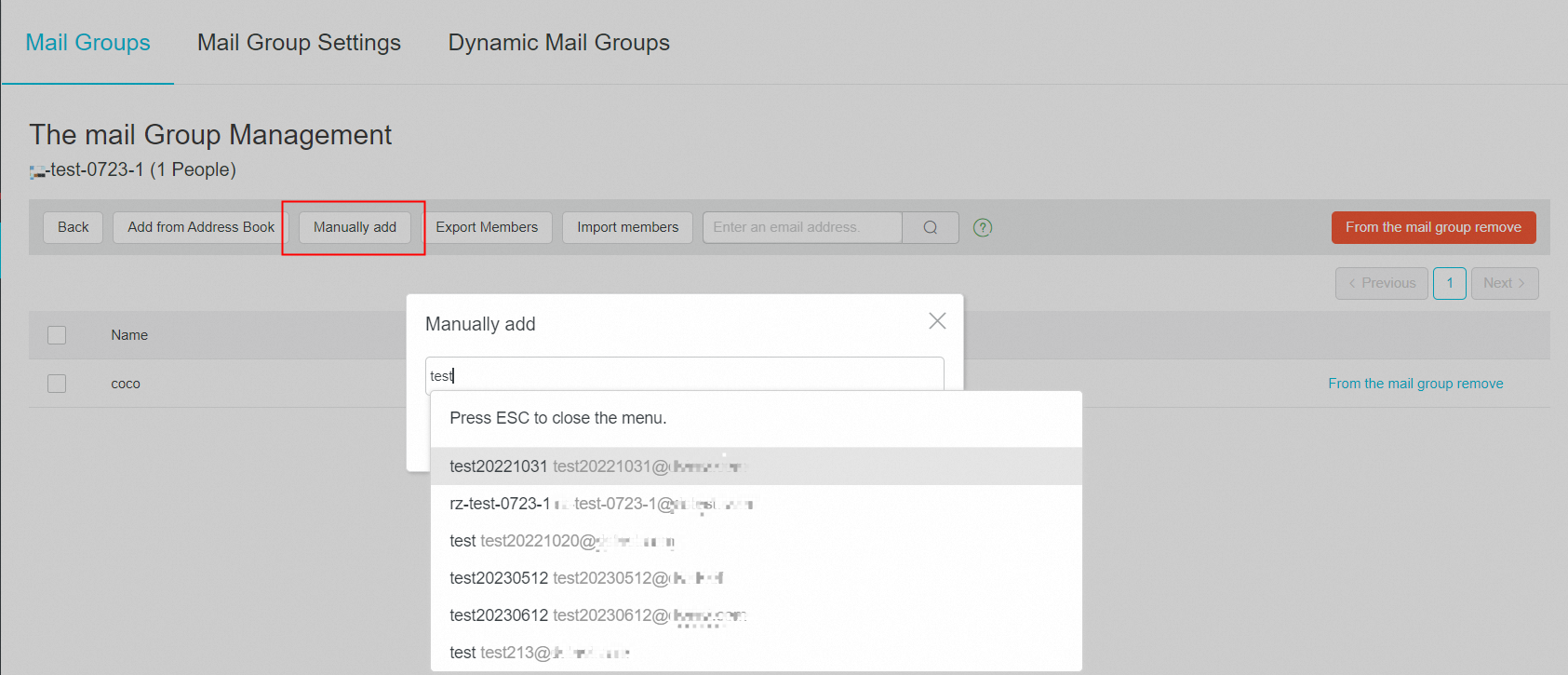
Click OK to add.
2.3 Import Members
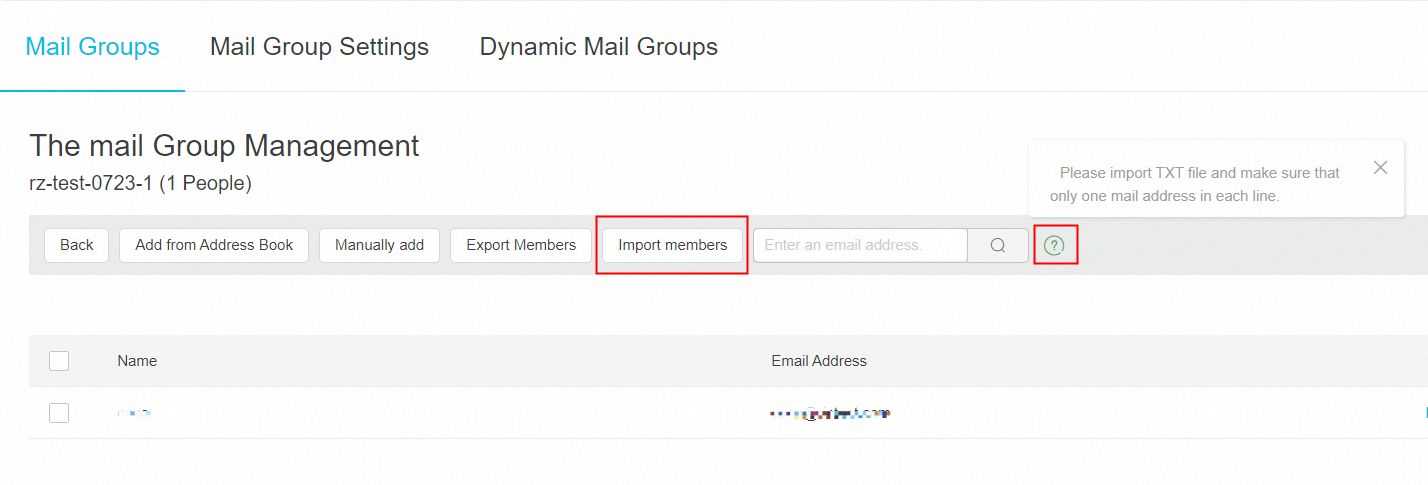
Edit the imported file according to the requirements, click Import Members, select the file, and then click Open.
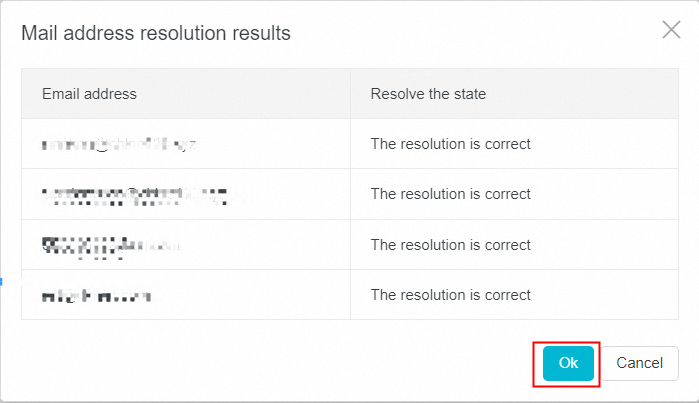
Click OK to finish the process.
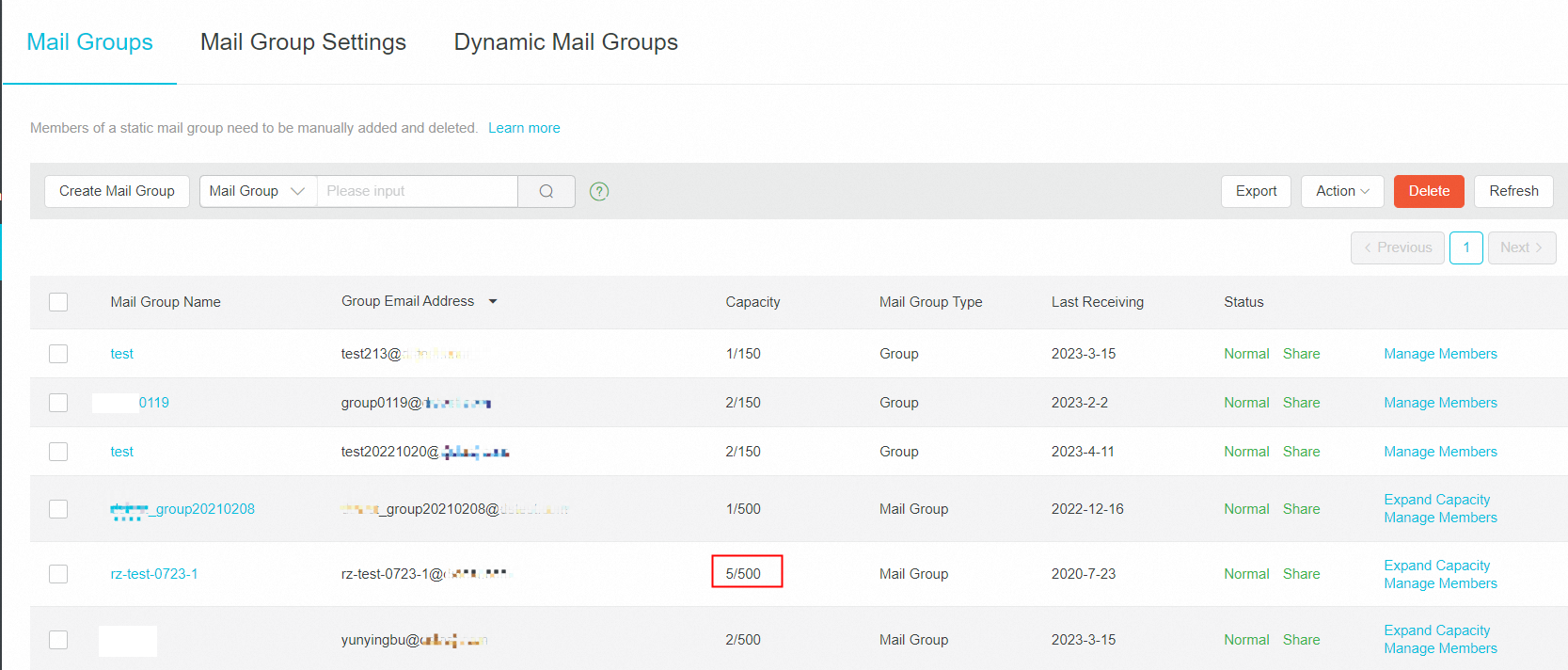
3. In the Mail Groups page, if the number in the group name column is 5/500, and 5 is the current number of group members.