Folders Management
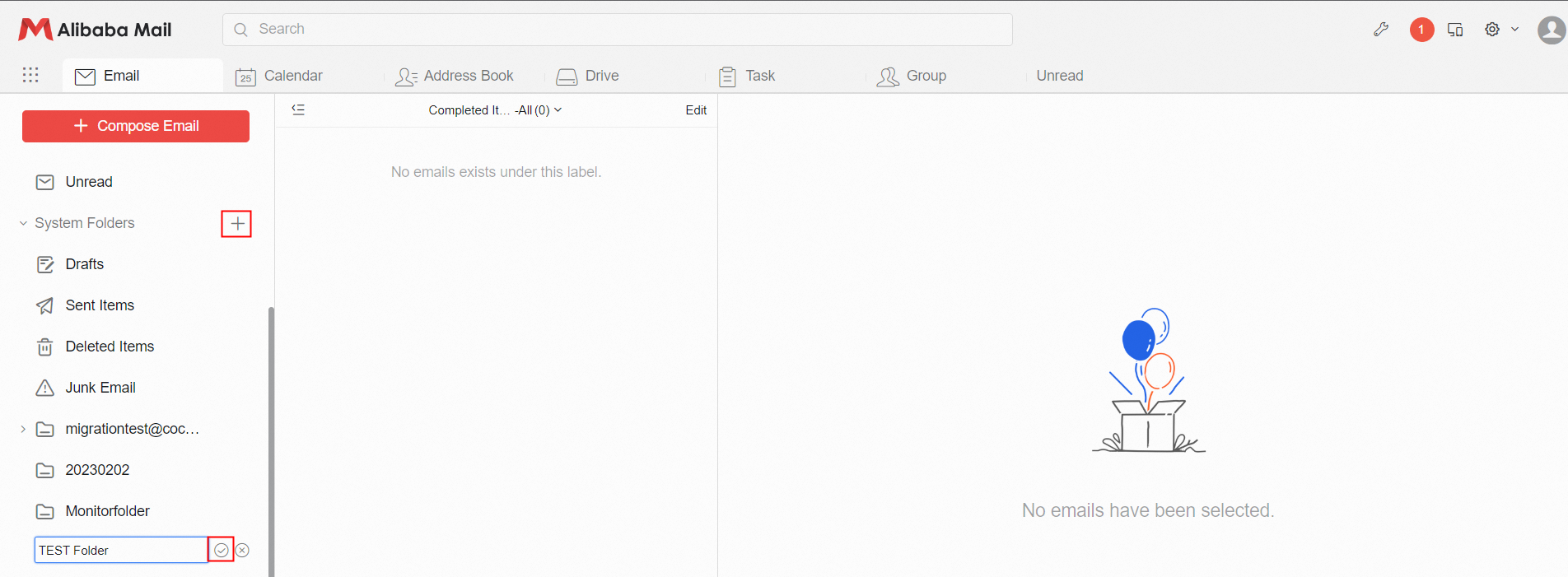
1. After logging in to the mailbox, click "+" behind the System Folders, fill the folder name and save the created folder.
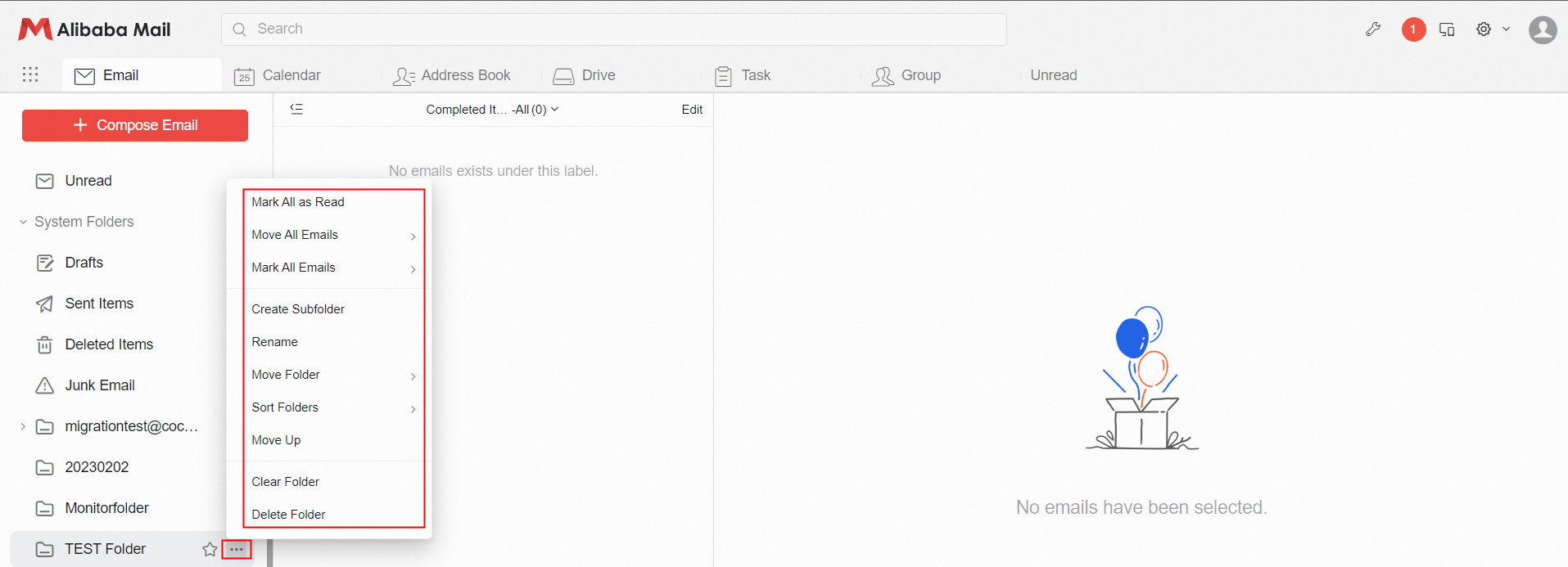
2. Click the more option behind the created folder to Create Subfolder, Rename, Clear, Delete, Move Up/down, Mark, etc.
Tags Management
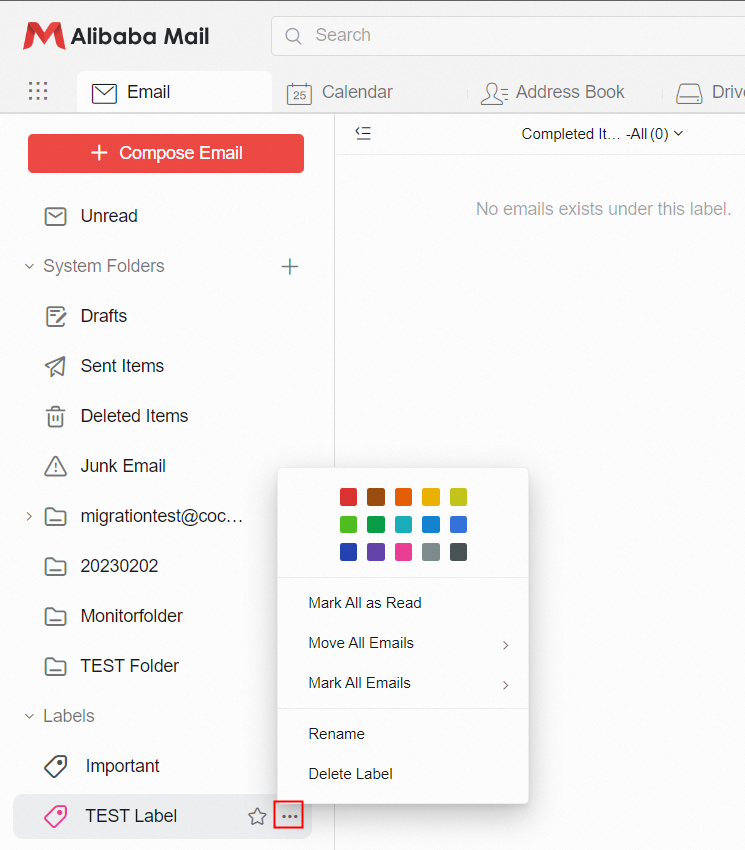
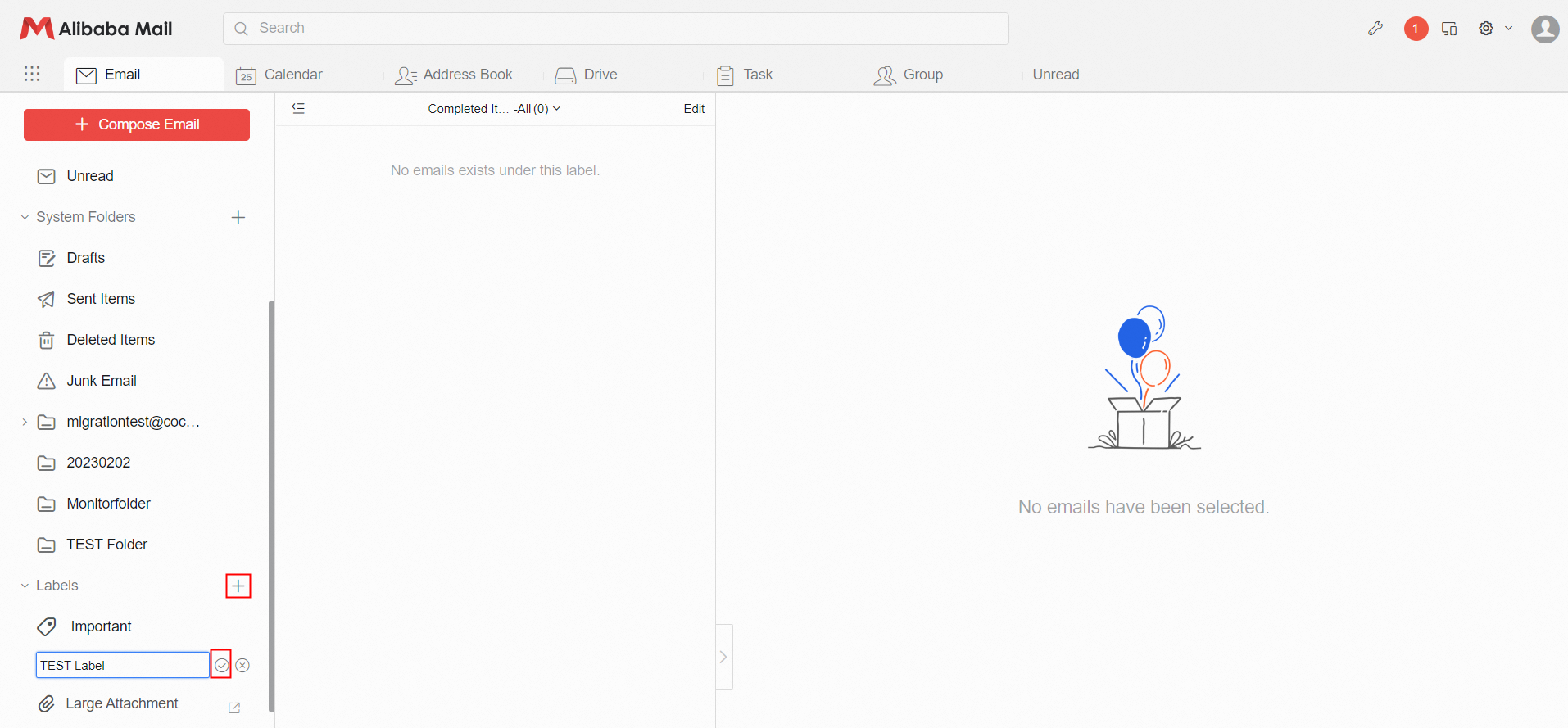
1. After logging in to the mailbox, click the "+" sign and enter the label name to save in the Labels management interface.
2. You can Rename, Delete, or change the label color of the created label.