Problem Description
Receive the email with the subject of Bounce From postmaster@sg.aliyun.com.
Cause
If fails to send emails through the Alibaba Mail, the system will return a bounce message.
Solution
Sending Failed
If you receive this bounce message, it means that you failed to send the email.
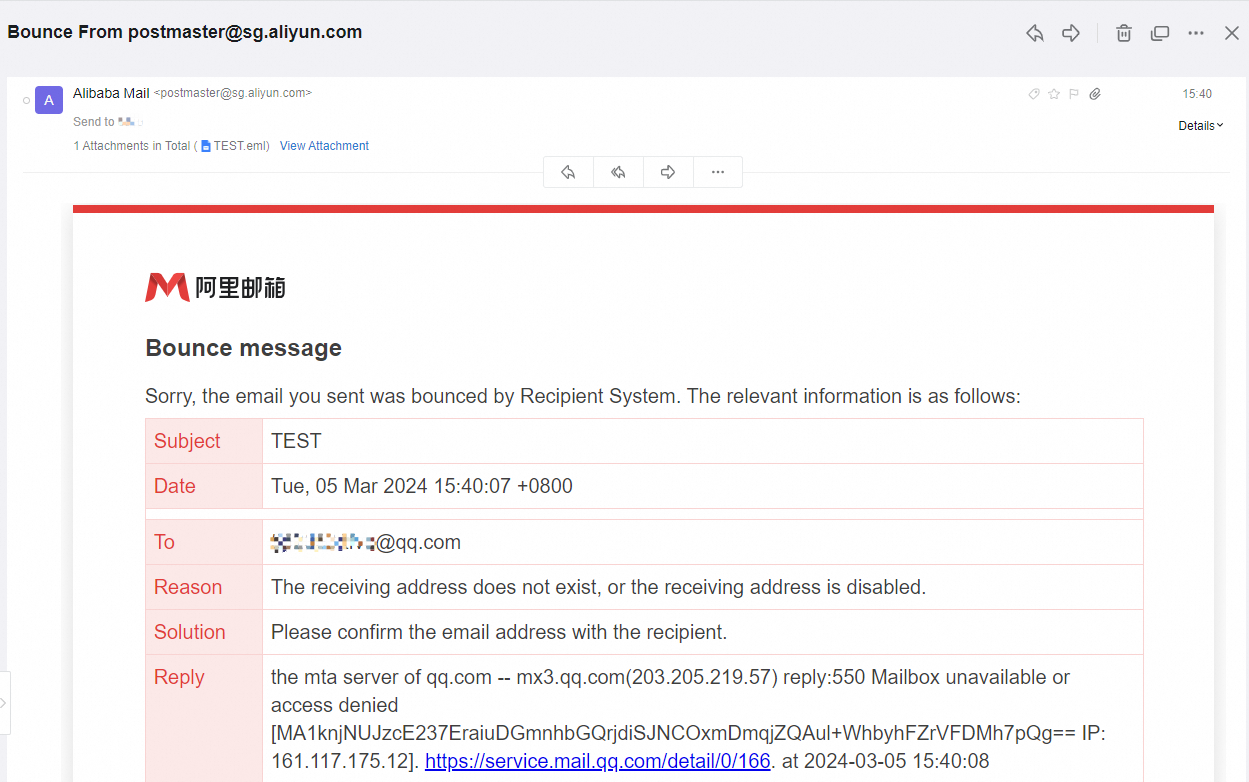
The bounce message usually includes the email subject, date, recipient, reason for returning the email, solution and reply information. If the original email is not large, it will be added to the attachment and returned for your reference.
We recommend that you obtain the reason based on the content in bounce message and refer to the corresponding solution. The Reply contains the semantics of the email bounce from the recipients' server.
Your email server cannot obtain the email data sent to the server of recipient. So if you still cannot determine the cause of the problem, we recommend that you perform the following operations:
Contact the recipient by other means to check whether the recipient has received the email.
You need to verify if the recipient's email server has an exception during email transmission.
Resend the Email
After you troubleshoot and resolve the issue in the previous step, you need to send the email again through the Alibaba Mail. If you do not receive a bounce notification, the email has been successfully pushed from the Alibaba Mail email sending server to the recipient's email receiving server.
For more information about how to determine whether an email is sent to the sending server, see the following topics:
1. Log in to the Alibaba Mail website.
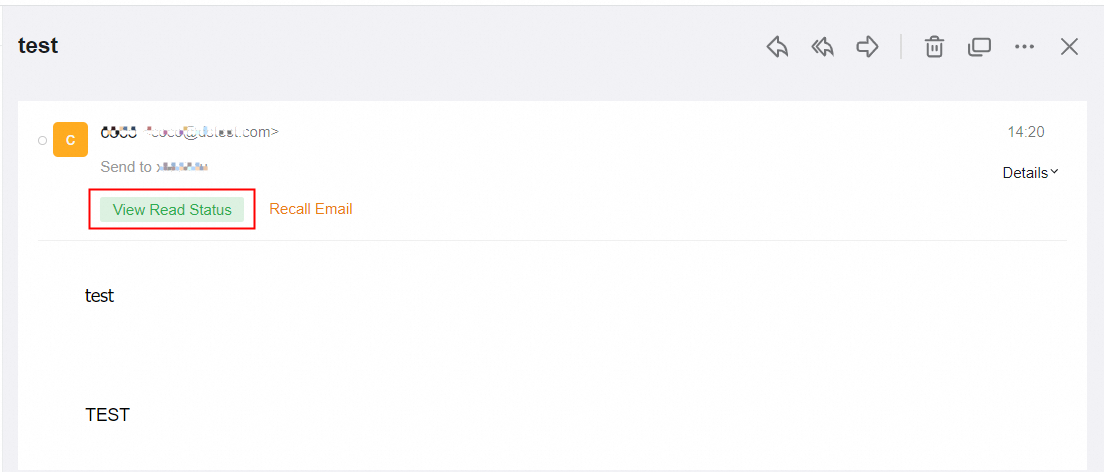
2. Click View Read Status in the sent email page.
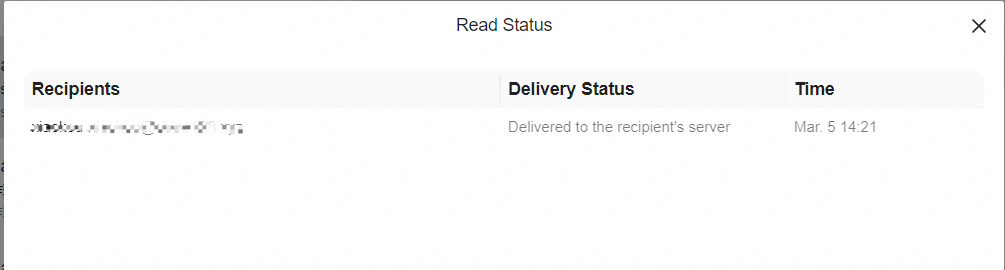
3. In the Read Status page, check whether the status is Delivered to the recipient's server.