Issue description
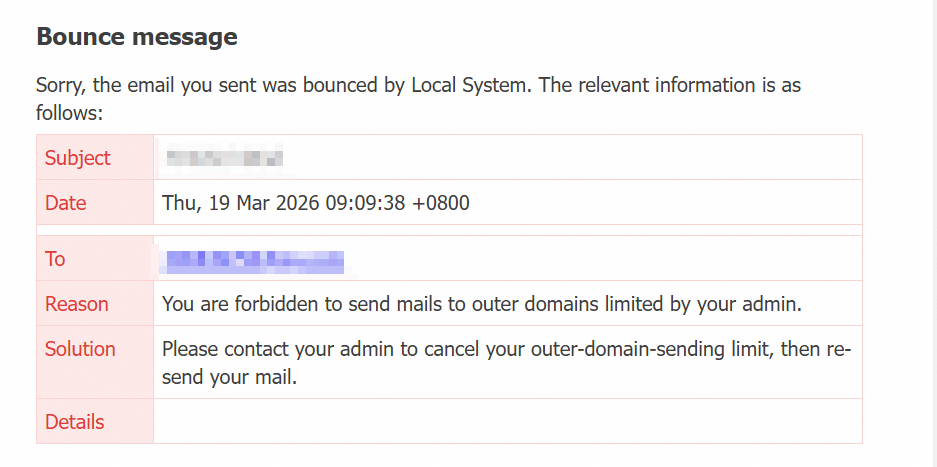
When you send an email using Alibaba Mail, you receive the following message: Your mailbox account is blocked by the administrator from sending emails to external domains, and the system returns the email.
Root cause
The mailbox administrator has not granted the current account permission to send emails to external domains. Consequently, the email fails to send.
Solution
Contact your company's mailbox administrator. Follow these steps to grant the current account permission to send emails to external domains. Once you confirm that the account has outbound permission, try resending the email.
1. Log on to the Alibaba Mail domain management page with an administrator account. Then, choose Organization & Users > Employee Account Management.
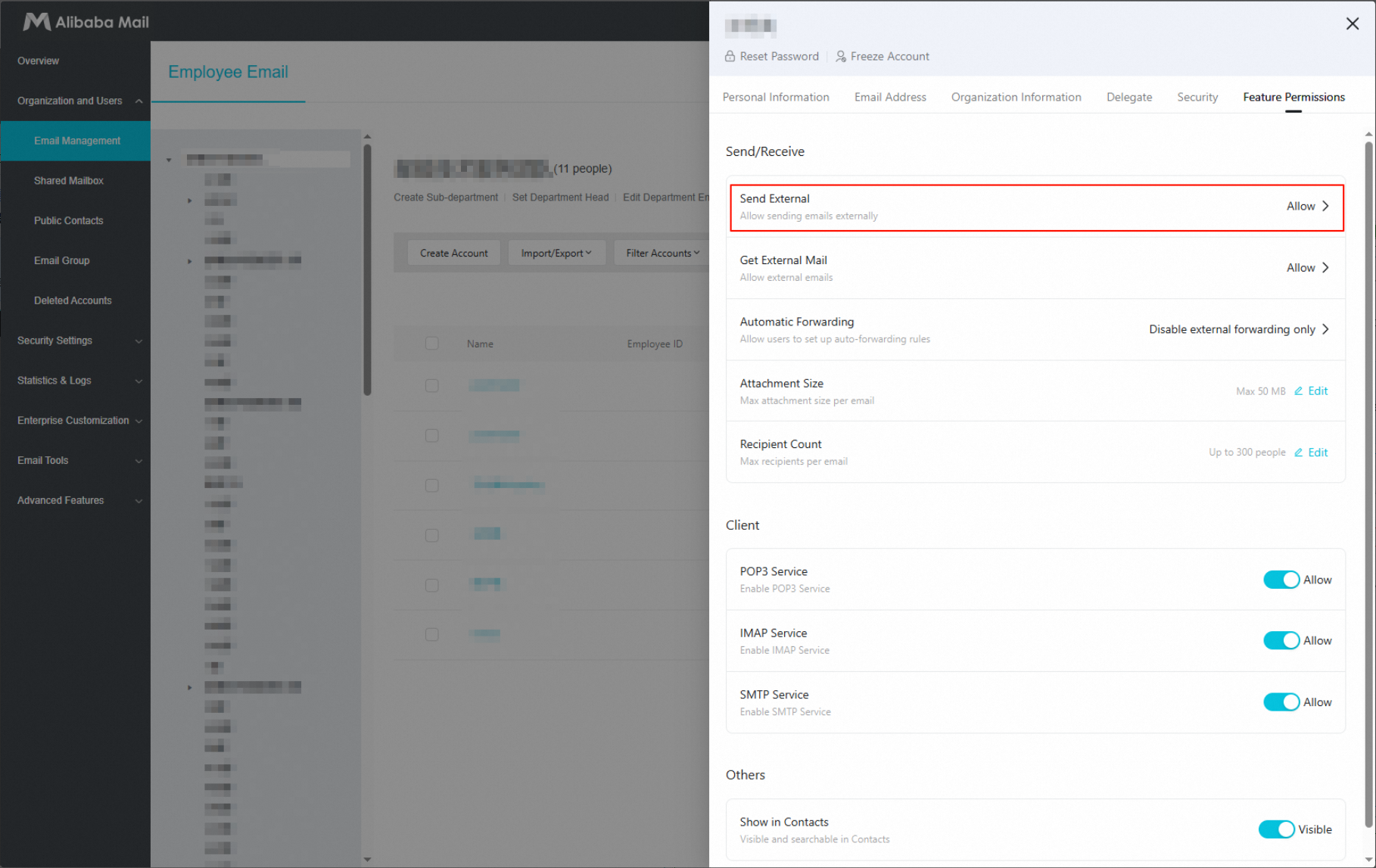
2. Click the mailbox account you want to configure. Set Send to External Domains to Allow, and then click Save.
To also allow this account to receive emails from external domains, set Receive from External Domains to Allow, and then click Save.