Block requests based on combined domain, path, and header conditions with AScript on ALB listeners.
Billing
AScript includes a free quota of 25 lines of code in the scriptContent field of the ConfigMap. Lines beyond the free quota are billed under ALB billing rules.
Prerequisites
Before you begin, ensure that you have:
-
ALB Ingress controller version 2.15.0 or later installed in the cluster.
NoteFor ACK dedicated clusters, authorize the cluster to access the ALB Ingress controller first.
-
kubectl connected to the ACK cluster.
-
An AlbConfig and IngressClass created.
Configure AScript rules on an ALB Ingress
To configure AScript, store the script in a ConfigMap, then reference the ConfigMap from the AlbConfig.
Scenario
An application receives malicious requests that increase backend load and degrade response times. The ALB Ingress blocks them with the following logic:
If all three conditions are true:
-
The request uses the
example.comdomain name -
The request URI starts with
/order/create -
The
User-Agentheader does not contain the stringtrusted
The ALB Ingress returns 403 with message The order data is abnormal. Non-matching requests pass to the backend.
Step 1: Configure a script in a ConfigMap
-
Create
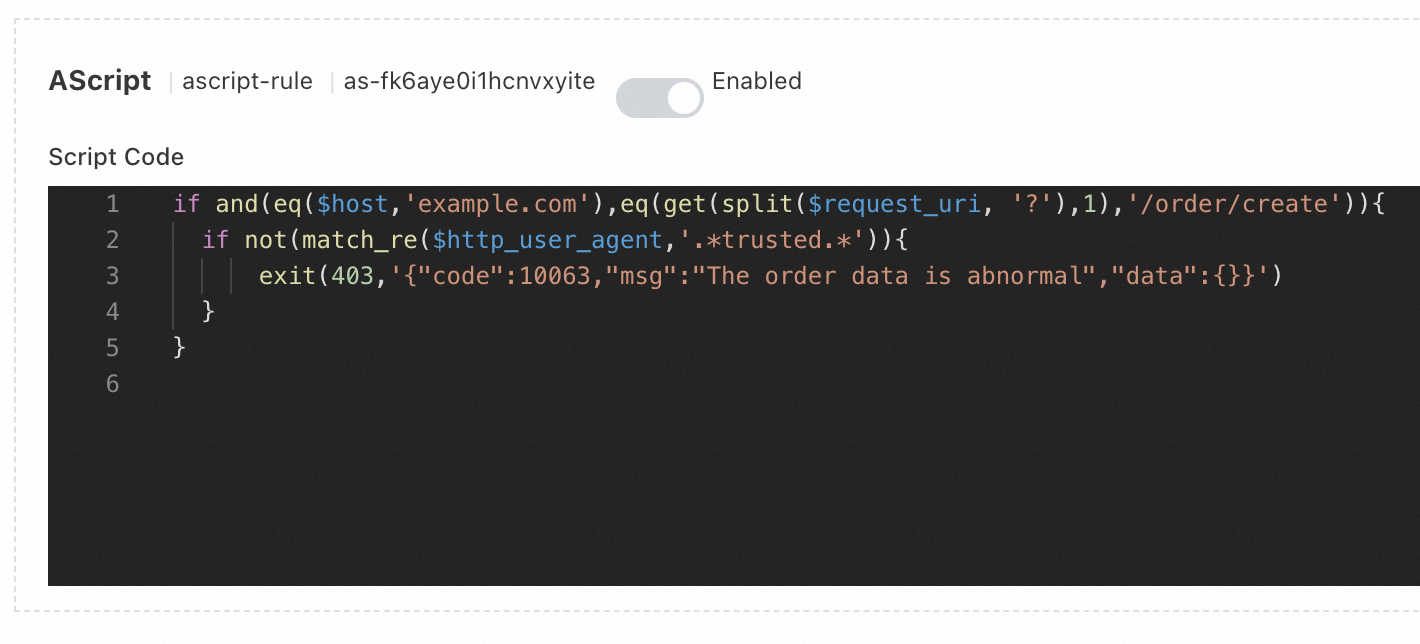
ascript_configmap.yamlwith the following content.and()requires all conditions to be true;eq()checks exact string equality;split()strips the query string;match_re()tests a regex. See References for all functions. This script is 5 lines, within the 25-line free quota.apiVersion: v1 kind: ConfigMap metadata: name: ascript-rule namespace: default data: scriptContent: | if and(eq($host,'example.com'),eq(get(split($request_uri, '?'),1),'/order/create')){ if not(match_re($http_user_agent,'.*trusted.*')){ exit(403,'{"code":10063,"msg":"The order data is abnormal","data":{}}') } } -
Apply the ConfigMap:
kubectl apply -f ascript_configmap.yaml
Step 2: Associate the script with an AlbConfig
-
Open the AlbConfig for editing:
kubectl edit albconfig <ALBCONFIG_NAME>Replace
<ALBCONFIG_NAME>with your AlbConfig name. -
Add the
aScriptConfigfield under the listener configuration. Save and exit to apply the changes.apiVersion: alibabacloud.com/v1 kind: AlbConfig metadata: name: default spec: config: name: alb-test-1 addressType: Intranet listeners: - port: 80 protocol: HTTP aScriptConfig: - aScriptName: ascript-rule # The name of the script. enabled: true # Set to false to disable without removing the config position: RequestFoot # The position at which you want to execute the script. A value of RequestFoot specifies that the script is executed after the routing rules of the Ingress are applied. configMapNamespace: default # Namespace of the ConfigMapExecution positions are documented in AScript.
Verify the result
-
Send a test request that matches all three blocking conditions:
curl -v -H "Host:example.com" -H "User-Agent:suspicious test" http://<Domain name>/order/createIf the script is active, the response contains HTTP status code
403and the body{"code":10063,"msg":"The order data is abnormal","data":{}}.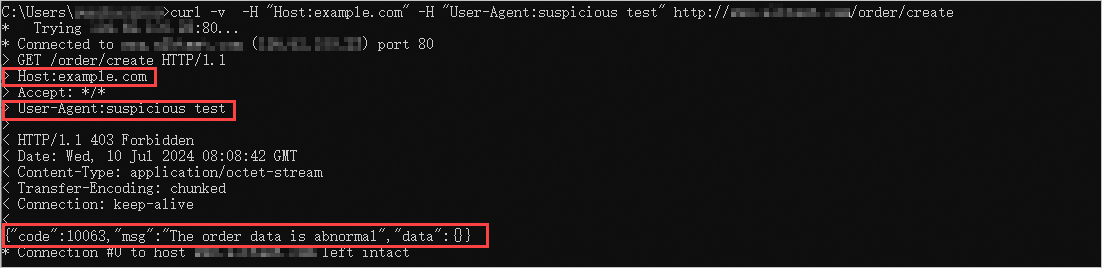
-
In the ALB console, go to your ALB instance listener to verify the script.