OSS bucket endpoints force file downloads instead of rendering previews. Map a custom domain to your bucket to enable in-browser previews and flexible access control.
Effective 00:00:00 (UTC+8) on March 20, 2025, new OSS users will be blocked from accessing data APIs for buckets in Chinese mainland regions via default public endpoints (such as
oss-cn-hangzhou.aliyuncs.com). Such requests will be rejected with thePublicEndpointForbiddenerror (HTTP 400, EC 0048-00000401). To maintain public access to these APIs, you must use a custom domain as described in the OSS Update Notice.Before you map a custom domain name, ensure that you have a registered domain name or register a new one. If the bucket is in the Chinese mainland, the mapped domain name must have an ICP filing. If the bucket is in a region outside the Chinese mainland (such as China (Hong Kong) or Singapore), the mapped custom domain name does not require an ICP filing. Cross-border access from the Chinese mainland to buckets outside the Chinese mainland may experience higher network latency. Choose the bucket region based on the location of your users.
How it works
A CNAME (Canonical Name) record maps your custom domain to the bucket's endpoint. When users access your custom domain, DNS resolves the CNAME and routes requests to the bucket endpoint.
Choose a mapping method based on your needs:
For standard access: Map a domain name to a public endpoint
For cross-region or long-distance acceleration: Map a domain name to an acceleration endpoint
Map a domain name to the public endpoint
Map your domain to the public endpoint to host static files (images, scripts) and enable online previews.
Step 1: Map the domain to the bucket
Go to the Buckets page, click the name of your target bucket, then, in the left navigation pane, click .
Click Map Custom Domain Name and enter the domain you want to map, such as
oss-example.cn. The system automatically checks if the domain meets the mapping requirements.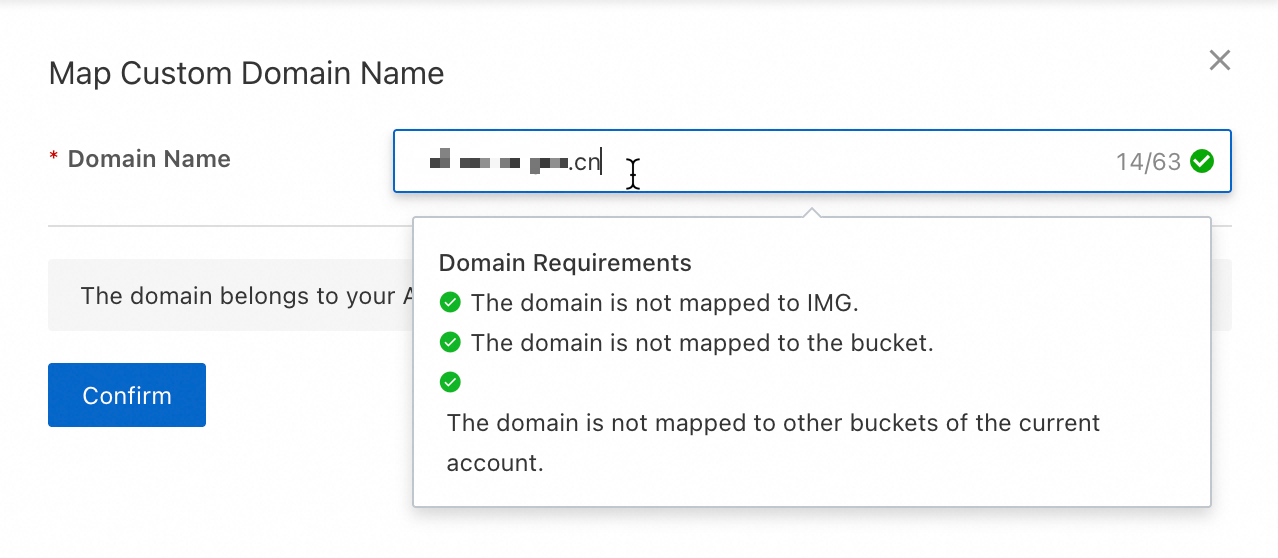
After the check passes, map the domain to the bucket.
Direct mapping
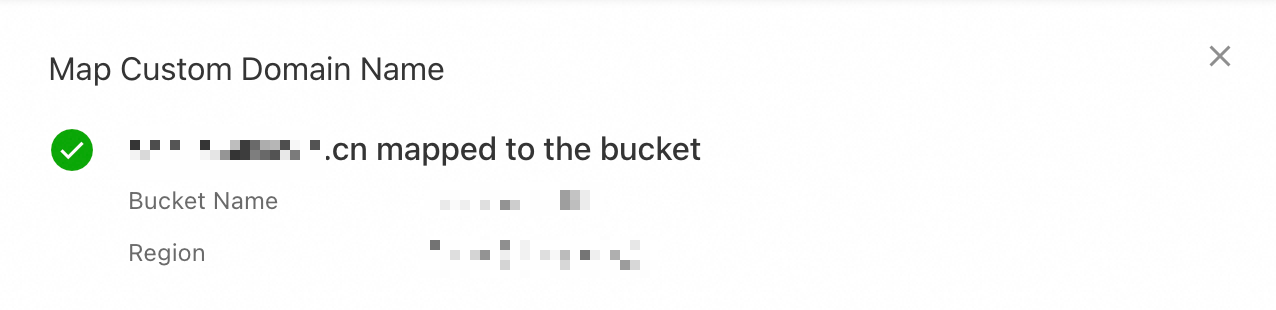
If the domain belongs to your current Alibaba Cloud account, map it directly. Click Confirm to map the domain to the bucket.
Verify domain ownership and map
If the domain belongs to another Alibaba Cloud account or uses a different DNS provider, verify domain ownership first. The following steps describe the process for a domain owned by another Alibaba Cloud account.
Log on to the Alibaba Cloud DNS console with the account that owns the domain. In the Actions column for the target domain, click Settings.
Click Add Record. Fill in the record information as described below and leave the other settings at their default values.
Record Type: Select TXT.
Hostname: Enter the hostname displayed in the OSS console, such as
_dnsauth. If you are mapping a subdomain, such asimage.oss-example.cn, add the subdomain prefix to the hostname. For example,_dnsauth.image.Record Values: Enter the record value displayed in the OSS console, such as
21a0****************************.
Click OK. In the Change Resource Record Confirmation dialog box that appears, click OK again.
Return to the OSS console and click Verify Domain Name Ownership. This maps the domain to the bucket. DNS records may take some time to take effect. If you see an error, wait a few minutes and try again.
NoteTXT record can only be used to verify domain ownership. Delete it after the verification is successful. It does not affect subsequent use.
Step 2: Configure a CNAME record to point to the public endpoint
After mapping the domain to the bucket, configure a CNAME record pointing to the CNAME domain name (recommended) or public endpoint to activate it.
You must map the custom domain to the target bucket before creating the CNAME record. Without this mapping, requests cannot be resolved to the correct bucket and may return unexpected content.
When you remove a domain mapping, also delete the corresponding CNAME record to prevent routing errors.
Automatic configuration
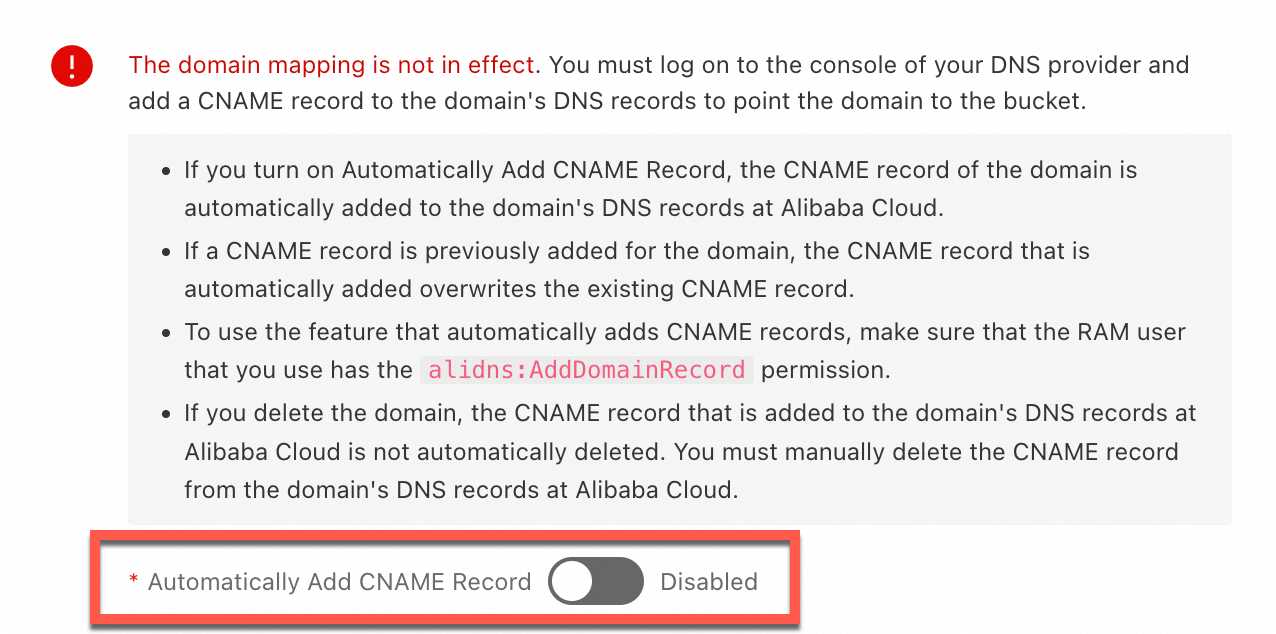
If the domain belongs to your current Alibaba Cloud account, enable Automatically Add CNAME Record in the console after mapping the domain. The system will automatically add a CNAME record for the domain in Alibaba Cloud DNS.
If a message indicates that the CNAME record cannot be added automatically because a record with the same hostname already exists, it means a CNAME record was previously created for this domain. Log on to the Alibaba Cloud DNS console to check if the CNAME record is still in use. If not, delete it and then add the correct CNAME record.
Manual configuration
If a CNAME record already exists for the domain, or if the domain belongs to another Alibaba Cloud account or DNS provider, you must configure the CNAME record with your DNS provider. The following steps show how to configure a CNAME record by using Alibaba Cloud DNS.
Go to the Buckets page, click the name of your target bucket, and then in the left-side navigation pane, click Overview. Copy the CNAME Domain Name (recommended) or Bucket Domain Name to the right of Access Over Internet.
Log on to the Alibaba Cloud DNS console with the account that owns the domain. In the Actions column for the target domain, click Settings.
Click Add Record. Fill in the record information as described below and leave the other settings at their default values.
NoteIf a CNAME record already exists, click Edit in the Actions column for the record and change the record value to the CNAME domain name (recommended) or public endpoint of the OSS bucket.
Record Type, select CNAME.
Hostname: If you are mapping an apex domain (root domain), enter
@. If you are mapping a subdomain, such asimage.oss-example.cn, enter the subdomain prefix, for example,image.Record Values: Enter the CNAME domain (recommended) or public endpoint, such as
p******.cn-hangzhou.taihang***.cnorpub******.oss-cn-hangzhou.aliyuncs.com.
Click OK. In the Change Resource Record Confirmation dialog box that appears, click OK again to complete the DNS configuration.
DNS propagation depends on the TTL setting and can take minutes to hours. If the domain is not immediately accessible, wait or clear your local DNS cache.
Step 3: Verify access through the custom domain name
After completing the domain mapping and DNS configuration, choose a verification method based on your bucket's access control list (ACL) settings.
Public-read and public-read/write buckets
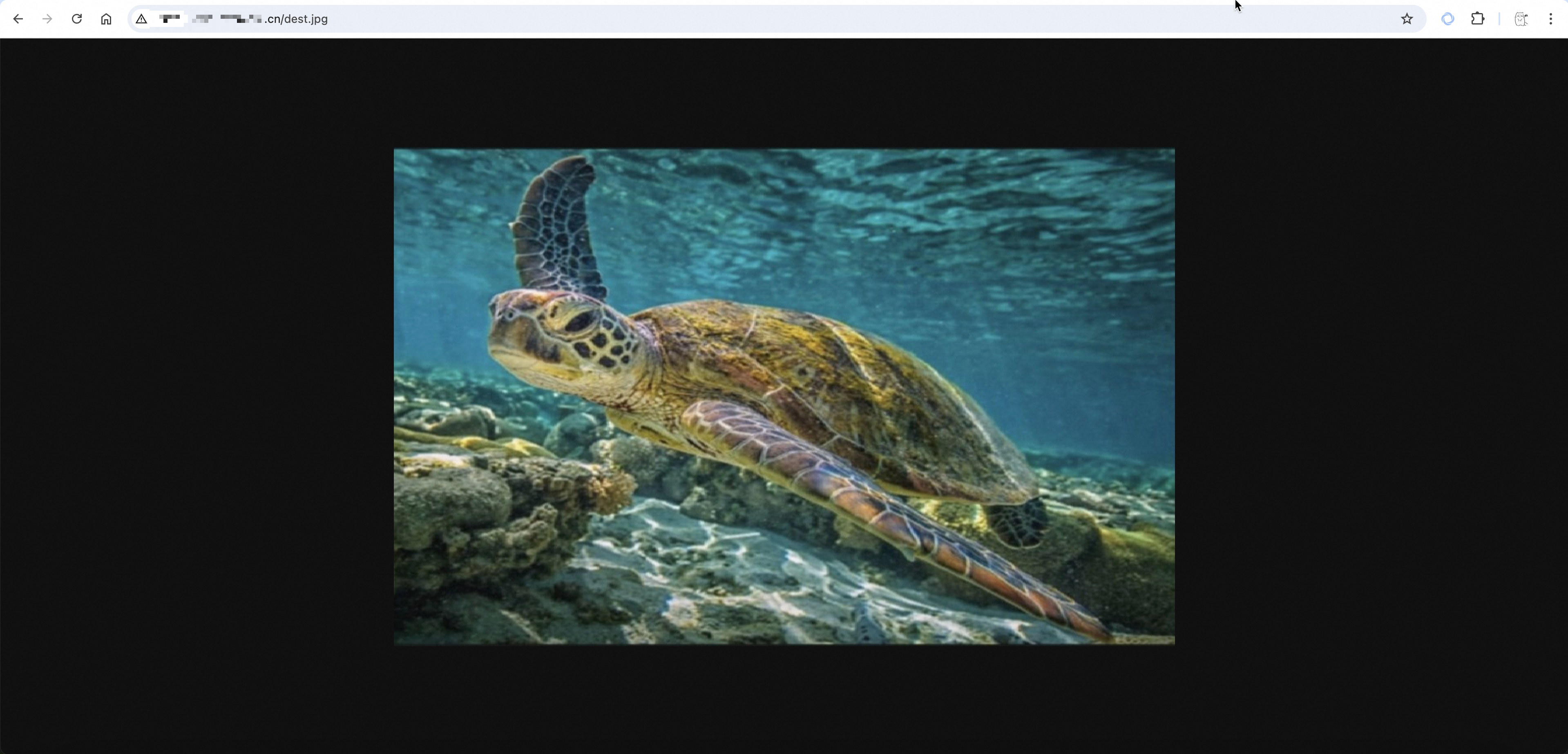
In a browser, access an object in the bucket by using the URL format http://your_domain_name/object_path, where your_domain_name is your mapped custom domain and object_path is the access path of the object within the bucket. For example, if the object dest.jpg is stored in the exampledir directory of the bucket, the object_path is exampledir/dest.jpg. The following figure shows the access result:
Private buckets
Private bucket access requires a signed URL. The following steps show how to obtain a presigned URL from the console. To generate signatures programmatically, use Signature Version 4 (recommended).
Go to the Buckets page and click the name of the target bucket.
In the Actions column for the target object you want to access, click View Details.
Set the Domain to Custom Domain Name, select your mapped custom domain from the drop-down list, and then click Copy Object URL.
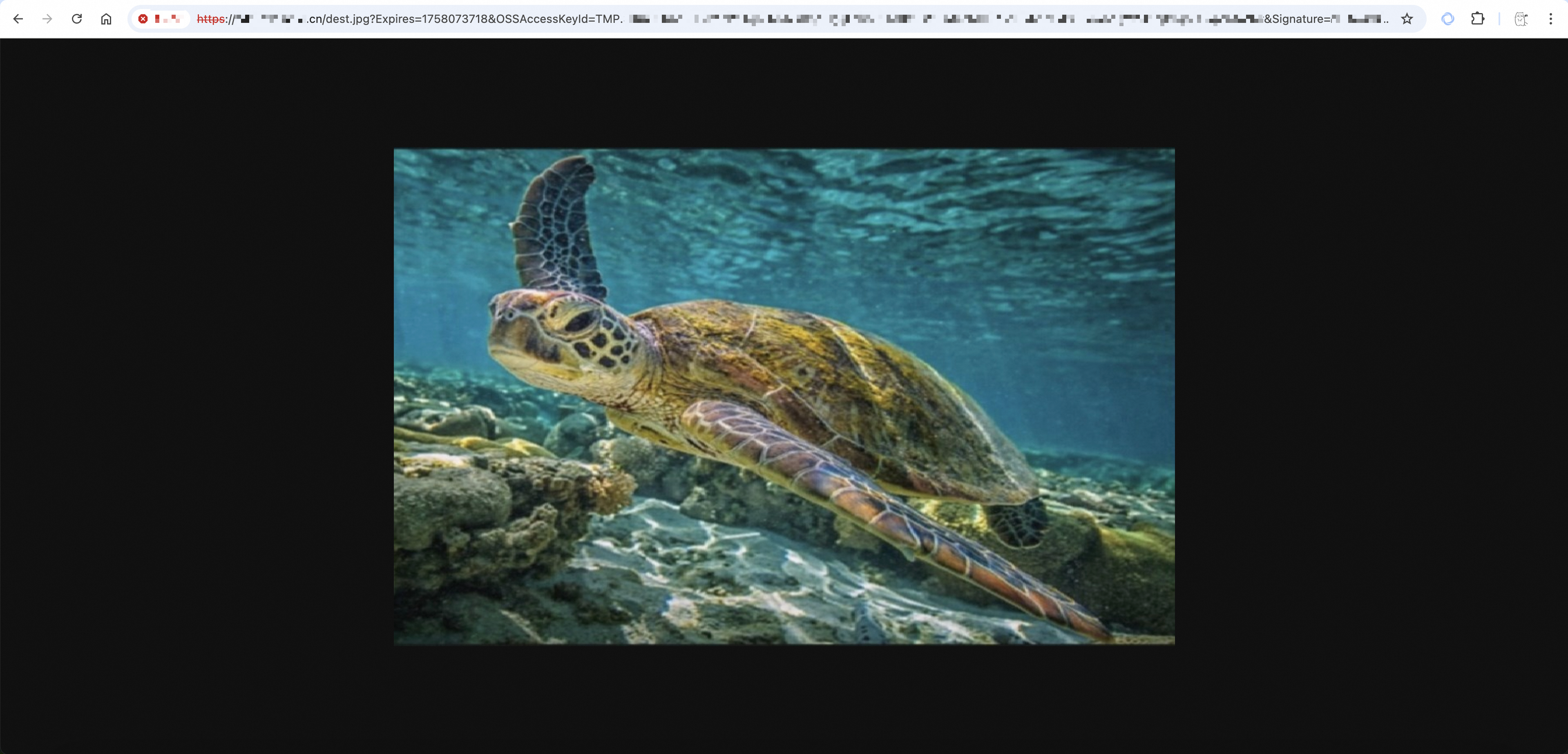
Access the URL in a browser. The following figure shows the access result.
Map a domain to the acceleration endpoint
To accelerate cross-region data transfers (uploads and downloads), map the domain to the bucket, enable Transfer Acceleration, and point the CNAME record to the Acceleration Endpoint.
Step 1: Map the domain to the bucket
Go to the Buckets page, click the name of your target bucket, then, in the left navigation pane, click .
Click Map Custom Domain Name and enter the domain you want to map, such as
oss-example.cn. The system automatically checks if the domain meets the mapping requirements.After the check passes, map the domain to the bucket.
Direct mapping
If the domain belongs to your current Alibaba Cloud account, map it directly. Click Confirm to map the domain to the bucket.
Verify domain ownership and map
If the domain belongs to another Alibaba Cloud account or uses a different DNS provider, verify domain ownership first. The following steps describe the process for a domain owned by another Alibaba Cloud account.
Log on to the Alibaba Cloud DNS console with the account that owns the domain. In the Actions column for the target domain, click Settings.
Click Add Record. Fill in the record information as described below and leave the other settings at their default values.
Record Type: Select TXT.
Hostname: Enter the hostname displayed in the OSS console, such as
_dnsauth. If you are mapping a subdomain, such asimage.oss-example.cn, add the subdomain prefix to the hostname. For example,_dnsauth.image.Record Values: Enter the record value displayed in the OSS console, such as
21a0****************************.
Click OK. In the Change Resource Record Confirmation dialog box that appears, click OK again.
Return to the OSS console and click Verify Domain Name Ownership. This maps the domain to the bucket. DNS records may take some time to take effect. If you see an error, wait a few minutes and try again.
NoteTXT record can only be used to verify domain ownership. Delete it after the verification is successful. It does not affect subsequent use.
Step 2: Enable Transfer Acceleration
Go to the Buckets page, click the name of your target bucket, and then in the left navigation pane, click
Enable Transfer Acceleration. In the dialog box that appears, carefully read the notice, and then click OK.
Copy the Acceleration Endpoint.
Step 3: Configure a CNAME record to point to the acceleration endpoint
The following steps show how to configure a CNAME record by using Alibaba Cloud DNS.
You must map the custom domain to the target bucket before creating a CNAME record for the Transfer Acceleration endpoint. Without this mapping, requests cannot be resolved to the correct bucket and may return unexpected content.
When you remove a domain mapping, also delete the corresponding CNAME record to prevent routing errors.
Log on to the Alibaba Cloud DNS console with the account that owns the domain. In the Actions column for the target domain, click Settings.
Click Add Record. Fill in the record information as described below and leave the other settings at their default values.
NoteIf a CNAME record already exists, click Edit in the Actions column for the record and change the Record Value to the Acceleration Endpoint.
Record Type, select CNAME.
Hostname: If you are mapping an apex domain (root domain), enter
@. If you are mapping a subdomain, such asimage.oss-example.cn, enter the subdomain prefix, for example,image.Record Values, Enter the Acceleration Endpoint.
Click OK. In the Change Resource Record Confirmation dialog box that appears, click OK again to complete the DNS configuration.
DNS propagation depends on the TTL setting and can take minutes to hours. If the domain is not immediately accessible, wait or clear your local DNS cache.
Step 4: Verify access through the custom domain name
After completing the domain mapping and DNS configuration, choose a verification method based on your bucket's access control list (ACL) settings.
Public-read and public-read/write buckets
In a browser, access an object in the bucket by using the URL format http://your_domain_name/object_path, where your_domain_name is your mapped custom domain and object_path is the access path of the object within the bucket. For example, if the object dest.jpg is stored in the exampledir directory of the bucket, the object_path is exampledir/dest.jpg. The following figure shows the access result:
Private buckets
Private bucket access requires a signed URL. The following steps show how to obtain a presigned URL from the console. To generate signatures programmatically, use Signature Version 4 (recommended).
Go to the Buckets page and click the name of the target bucket.
In the Actions column for the target object you want to access, click View Details.
Set the Domain to Custom Domain Name, select your mapped custom domain from the drop-down list, and then click Copy Object URL.
Access the URL in a browser. The following figure shows the access result.
Apply in production
Best practices
Secure transfer: Enable HTTPS
Configure an SSL certificate for your custom domain to enforce HTTPS. TLS/SSL encrypts data in transit, prevents interception and tampering, and eliminates browser "Not Secure" warnings.
Cross-origin access: Configure CORS rules
When a front-end application at
https://web.example.cnaccesses OSS resources athttps://oss.example.cn, configure CORS rules to allow cross-origin requests while blocking unauthorized access.Zero-downtime cutover: Switch domains without downtime
When you need to switch from a bucket endpoint to a mapped custom domain, use the following phased strategy to avoid service interruptions.
Preparation phase: Map the custom domain to the bucket and configure the CNAME record. In a test environment, use a
hostsfile or a test domain to fully verify the functionality and performance of the new custom domain configuration. Ensure all features work as expected.Canary release phase (Recommended during off-peak hours): Gradually switch a portion of your traffic to the custom domain. This phased approach minimizes the risk associated with the switch.
Verification phase: Closely monitor access logs and error rates. Analyze key metrics such as response time and success rate to ensure service stability.
Full release phase: After thorough verification, migrate all traffic to the custom domain to complete the domain migration.
Rollback playbook: If any issues occur, immediately roll back to the bucket endpoint, analyze the root cause, and redeploy.
Performance and security: Isolate usage with subdomains
Assign subdomains per purpose, such as
static.example.comfor web assets andimages.example.comfor images. Domain isolation optimizes browser concurrent connections, enables independent caching, and supports fine-grained security policies.Feature extension: Host a static website
To host a complete static website (including HTML, CSS, and JS files) on OSS, configure static website hosting after mapping your custom domain. This enables basic website functionalities such as a default homepage and a 404 error page.
Performance note optimization: Configure CDN acceleration
For use cases that require distributing static resources to users worldwide, we recommend configuring the CDN acceleration service on top of your custom domain. This caches content on globally distributed edge nodes, resulting in lower access latency, higher concurrency, and a better user experience.
Risk mitigation
Bandwidth theft protection: Configure Referer-based hotlink protection
To prevent other websites from hotlinking your resources and incurring unnecessary traffic costs, use a hotlink protection policy to prevent data transmission abuse. Restrict access sources via a whitelist to control costs and protect resources.
Behavioral audit and troubleshooting: Enable access logs
Enable Real-time Log Query to record access details (time, source IP, request type, response status) for security audits, performance analysis, and troubleshooting.
Limitations
Mapping limit: A maximum of 100 custom domain names can be mapped to each bucket.
Domain uniqueness: A custom domain name can only be mapped to one bucket at a time. To change the mapping, you must first unmap the domain from the original bucket to ensure that the domain name has a unique destination and a clear access path.
NoteFor some users of the legacy image processing feature, domains already used for image processing cannot be mapped to a bucket. The new image processing feature does not have this limitation.
Domain name types: Mapping Chinese domains and wildcard domains, such as
*.example.cn, is not supported. This ensures the stability and compatibility of DNS resolution.NoteWhen you accelerate OSS access by using a Content Delivery Network (CDN), map a wildcard domain, but the domain will not be displayed in the OSS console.
FAQ
What should I do if I receive a NeedVerifyDomainOwnership error when mapping a domain via the API?
This error indicates that you have not verified ownership of the domain. Verify domain ownership by performing the following steps:
Call the CreateCnameToken operation to create the
CnameTokenrequired for domain ownership verification.NoteBy default, a
CnameTokenexpires 72 hours after it is created. If you attempt to create a token again before it expires, the existingCnameTokenis returned.Follow the instructions in this document to configure a TXT record with your DNS provider to complete domain ownership verification.
Call the PutCname operation to map the custom domain name.
Do I need to verify domain ownership again in OSS if I have already completed TXT record verification in CDN?
Domain ownership verification in CDN and OSS are independent of each other. Completing TXT record verification in CDN does not automatically apply to OSS. When you map a custom domain to an OSS bucket, you must complete domain ownership verification (TXT record verification) separately in OSS. For the TXT record configuration steps, see the direct mapping and domain ownership verification sections earlier in this topic.
If the domain belongs to your current Alibaba Cloud account, you can map it directly without TXT record verification. If you receive a NeedVerifyDomainOwnership error when mapping the domain through the API, this indicates that domain ownership verification has not been completed. You must complete TXT record verification before the mapping can succeed.
What should I do if I receive a 502 or 504 error when accessing resources through an acceleration endpoint?
OSS Transfer Acceleration dynamically switches transmission paths to adapt to network fluctuations. During path switches, some requests may be interrupted, causing 502 or 504 errors. This cannot be completely avoided. Implement exponential backoff retry logic in your client code to handle these transient failures.
How do I troubleshoot network errors such as resolution failures or connection timeouts?
If you receive a response from OSS, obtain the Request ID and use the OSS self-service diagnostic tool to diagnose the issue.
If the request is interrupted before reaching the OSS server, meaning the Request ID is empty, follow these steps to troubleshoot:
Connection refused: This error usually indicates that the client and OSS are in the same region but the port is blocked, or an internal endpoint is used for cross-region access. Check and use the correct Public Endpoint for access. Also, use the
pingandtelnetcommands to check for client-side firewall settings or network connectivity restrictions.ConnectionTimeOut: This is usually caused by a poor network environment or a short timeout setting. Increase the connection timeout and read timeout values in your SDK and enable the retry mechanism. For large file transfers, use multipart upload and resumable upload to improve transfer stability. If it is a network link issue, consider using a CDN or the OSS Transfer Acceleration service.
Socket timeout or Socket closed: This indicates that the connection to OSS timed out or was closed unexpectedly. Increase the socket timeout in your SDK configuration (for example, the
ClientConfiguration.setSocketTimeoutmethod in the Java SDK).Connection reset: The connection was reset for various reasons, such as an incorrect endpoint configuration or the bucket being restricted for security reasons. Troubleshoot in the following order:
Use
pingor the Alibaba Cloud Kunlun diagnostic tool to check if the client's network connectivity is normal.Confirm that the endpoint configured in your code is correct and includes the proper protocol prefix (
http://orhttps://).Confirm that the bucket has not been placed in the OSS sandbox due to security attacks or policy violations, which would restrict access.
If the problem persists, use a tool like Wireshark to capture network packets and then contact Technical Support for further investigation.
What should I do if OSS upload or download speeds are very slow?
Transfer speed depends on client bandwidth, network link quality, and transfer policy configuration.
General troubleshooting: Confirm bandwidth usage has not reached the bucket's bandwidth limit. Then use the MTR tool for network link analysis to check for packet loss, latency, or routing anomalies. For cross-region transfers, enable and use transfer acceleration to optimize the network path.
Tool optimization: Use the command line interface ossutil 2.0 for transferring large or numerous files. Use its
probecommand to check network status.SDK optimization: For large files, you must use the multipart upload and resumable upload features. Configure the part size (
part_size) and the number of concurrent threads (num_threads) appropriately. When the network condition is good, increase the part size to reduce the number of requests. Additionally, disable CRC64 validation when initializing the SDK client (for example, setenable_crc=Falsein Python) and addContent-MD5to the request header for data integrity checks. This can improve transfer performance while ensuring data security.
How do I control whether a file is previewed or downloaded when accessed through a custom domain?
The Content-Disposition header determines whether a file is previewed or downloaded. OSS bucket endpoints force Content-Disposition: attachment for security. Custom domains do not add this header, making the behavior controllable.
To enable preview: Ensure that the
Content-Disposition: attachmentheader is not set in the object's metadata and that the object'sContent-Type(MIME type) correctly matches the file format. For file formats that are not natively supported by browsers, extend preview capabilities in the following ways:For office files such as .doc, .ppt, and .pdf files, integrate the WebOffice online preview service.
For special video formats such as .mov, use the video transcoding service to convert them to a web-compatible format for preview.
Install a browser extension for the corresponding file type.
To force download: Manually set the object's
Content-Dispositionmetadata toattachment. The browser will then skip the preview attempt and directly download the file.- Note
The
<video>or<audio>HTML tags will prioritize playing the media and may ignore theattachmentdownload directive.
What should I do if the domain mapping fails with a message that the domain is already mapped to another bucket?
If a domain is already mapped to another bucket, use one of the following two solutions:
Use a new subdomain for your current business. If the domain
oss-example.cnis already mapped to another bucket, use a new subdomain likestatic.oss-example.cnfor the mapping. This lets you isolate services at the domain level.Unmap the domain from the original bucket and then map it to the target bucket. Follow these steps to unmap a domain:
If you have enabled CDN acceleration, you must first modify the origin server information in the CDN service so that the accelerated domain no longer points to the OSS bucket endpoint. This prevents CDN back-to-origin failures. For instructions, see Configure an origin.
Go to the Buckets page, click the name of the bucket that the domain is currently mapped to, and then in the left navigation pane, click .
In the domain list, find the target domain and click Unmap in the Actions column. In the dialog box that appears, click OK to unmap the domain.
Why does access fail when "Domain B is CNAME'd to Domain A, and Domain A is mapped to OSS"?
OSS validates that the Host header matches the domain mapped to the bucket. When users access Domain B, the Host is "Domain B," which doesn't match Domain A, causing Host validation failure. Map the public-facing domain (Domain B) directly to the bucket instead of using a CNAME chain.
Why is the custom domain not working or still pointing to an old address after configuration?
This is likely due to DNS caching at your local machine or ISP. The issue typically resolves within 10 minutes after trying again.
DNS nodes cache resolution results based on the TTL value. After changing a CNAME record, stale caches may direct requests to the old address until the TTL expires. Clear your local DNS cache or wait for automatic refresh:
Windows
ipconfig /flushdnsmacOS
sudo dscacheutil -flushcache; sudo killall -HUP mDNSResponderLinux
sudo systemd-resolve --flush-cachesHow can I access OSS files with a long-lived URL that does not require a signature?
Create long-lived, signature-free URLs in two ways:
Set the file to public-read: The object becomes accessible to anyone. Configure hotlink protection to restrict access sources and prevent unauthorized usage costs.
Accelerate access to OSS through CDN: Keep objects Private and enable CDN private bucket back-to-origin for public read access with better performance and caching. Configure CDN-level hotlink protection to prevent resource theft.
After mapping a custom domain, can I still use the old file URLs?
Yes. Custom domain mapping does not affect access via the original bucket endpoint — both coexist. Use a presigned URL to download a file.
After I stop the CNAME resolution for a custom domain, can I still access the bucket through the default endpoint?
Yes. The OSS default endpoint (for example, your-bucket.oss-cn-hangzhou.aliyuncs.com) is automatically assigned when the bucket is created and is independent of any custom domain name. If you stop the DNS resolution for a custom domain name (by deleting its CNAME record), the custom domain name becomes inaccessible, but the default endpoint is not affected. As long as the bucket ACL is set to public-read, or you use a valid signed URL, the default endpoint remains accessible.
Unmapping a custom domain name and stopping its DNS resolution are two independent operations: you unmap the custom domain name on the Domain Names page in the OSS console, while you stop DNS resolution by deleting the CNAME record with your DNS provider. Stopping DNS resolution alone does not automatically unmap the domain name on the OSS side.
After mapping a custom domain to an OSS bucket, can it only be accessed via a public endpoint? Is it also possible to use it for internal (private) network access?
Custom domains are for public network access only — they cannot be used for internal (private) access.
Custom domains use a CNAME record pointing to the bucket's public endpoint (such as examplebucket.oss-cn-hangzhou.aliyuncs.com).
Internal access requires Alibaba Cloud internal endpoints (such as oss-cn-hangzhou-internal.aliyuncs.com), accessible only from resources in the same region and VPC. Internal endpoints are not resolvable by public DNS and cannot be CNAME targets.
Why are my HTTP requests being automatically redirected to HTTPS when using a custom domain?
This happens because the force redirect to HTTPS feature is enabled for your custom domain. This setting automatically redirects all incoming HTTP requests to their HTTPS equivalent.
While OSS itself does not natively support forced redirection, this behavior is enabled at the CDN level. When you use Alibaba Cloud CDN with your custom domain and an HTTPS certificate, you can activate the force redirect (HTTP → HTTPS) option in the CDN console. This instructs the CDN to return a 301 or 302 response to any HTTP request, prompting the browser to resend the request over HTTPS.
To permit both HTTP and HTTPS access, navigate to the Alibaba Cloud CDN console, select the relevant domain, and change the Redirect Type to Default. For detailed instructions, see Configure HTTP/S redirection.
What should I do if I encounter ERR_SSL_VERSION_OR_CIPHER_MISMATCH after configuring CDN acceleration for OSS?
When an accelerated domain name in CDN is configured with multiple origin servers (an IP origin and an OSS origin), CDN routes requests to the origin servers at random. If a request is routed to an IP origin that does not have HTTPS configured, the SSL handshake fails and the browser displays the ERR_SSL_VERSION_OR_CIPHER_MISMATCH error.
To resolve this issue, perform the following steps:
Log on to the CDN console, and check the origin server configuration of the accelerated domain name in domain management. If an IP origin exists, delete it and keep only the OSS origin.
In the HTTPS settings of the accelerated domain name, turn on HTTPS and select a valid SSL certificate that matches the accelerated domain name.
Can I upload files through a custom domain?
No, you cannot upload files directly through a custom domain URL. A custom domain mapped to OSS is essentially an OSS REST API endpoint. Sending an HTTP PUT request directly from a browser URL will be rejected due to a missing authentication signature (returning 403 AccessDenied). Custom domains are primarily used for HTTP GET access to files you have already uploaded (such as images, web pages, and other static resources).
To upload files to an OSS bucket, use one of the following tools:
ossbrowser: A GUI tool suitable for non-technical users. For installation instructions, see the ossbrowser installation guide.
ossutil: A CLI tool suitable for O&M personnel.
OSS SDK: Suitable for developers to integrate into applications.
When configuring the Endpoint in ossbrowser, you can use the OSS public endpoint or your custom domain. Ensure that your AccessKey is correctly configured.