EMR Serverless Spark Notebooks integrate DuckDB with pre-configured access to Object Storage Service (OSS) and OSS-HDFS, so you can query files directly without managing credentials or extensions. You can also run SQL queries against Data Lake Formation (DLF) catalogs for lightweight, interactive data lake exploration.
What is DuckDB
DuckDB is a lightweight, high-performance embedded analytical database engine optimized for Online Analytical Processing (OLAP). It runs in-process alongside your Python code — no separate server required.
Key capabilities:
-
Embedded architecture: Runs as a library inside your application, similar to SQLite. Supports both in-memory and on-disk modes.
-
Columnar storage: Stores data by column for fast aggregate queries and scans.
-
Vectorized execution: Processes data batches in parallel using single instruction multiple data (SIMD) instructions, reducing CPU overhead.
-
SQL standard compliance: Supports SQL-92 and SQL:2011, including common table expressions (CTEs), window functions, JOINs (including ASOF JOIN), and subqueries.
-
Direct file reads: Query Parquet, CSV, and JSON files without importing them first.
-
Zero-copy integration: Works directly with in-memory data structures like Pandas and Arrow, avoiding data copying overhead.
-
Federated query: Uses the
httpfsextension to access remote files, such as files on S3, or connect to external databases such as PostgreSQL.
Use cases
-
Interactive analytics: Analyze datasets ranging from gigabytes to terabytes — a performant alternative to Pandas or Excel for big data.
-
Data science: Integrates with the Python and R ecosystems as a pre-processing engine for machine learning (ML).
-
Real-time OLAP: Handles analytical workloads that mix frequent updates with complex queries.
-
Edge computing: Runs on edge devices for local data analytics.
Limitations
Version requirements:
-
esr-4.x: esr-4.7.0 and later.
-
esr-3.x: esr-3.6.0 and later.
Paimon tables:
-
Only append-only Paimon tables are supported. Reading primary key tables and write operations are not supported.
-
Only Paimon tables with
file.format = 'parquet'are supported.
DLF catalogs:
-
DLF catalogs created by data sharing are not supported.
Prerequisites
Before you begin, make sure you have:
-
An EMR Serverless Spark workspace with access to the Data Development feature
-
An activated OSS service with a bucket created and the required read/write permissions (for OSS file operations)
Set up DuckDB in a Notebook
-
On the EMR Serverless Spark page, click Data Development in the left navigation pane.
-
Create a Notebook.
-
On the Development tab, click the
 icon.
icon. -
In the dialog box that appears, enter a name, set Type to Interactive Development > Notebook, and click OK.
-
-
In the upper-right corner, select a Notebook session instance that has been created and started. To create a new session, select Create Notebook Session from the drop-down list. For details, see Manage Notebook sessions.
DuckDB is a single-node SQL engine that uses only the Notebook Spark driver's resources. If you're working with large datasets, increase the
spark.driver.coresandspark.driver.memorysettings for the driver. -
To use DuckDB in the Python code of a Notebook, run
import duckdb. The following examples demonstrate common use cases.Read files from OSS
EMR Serverless Spark pre-configures DuckDB with passwordless access to OSS and OSS-HDFS. No credentials or extension setup is required — use
oss://paths directly in your SQL queries.Query file content
Read a Parquet file:
import duckdb

duckdb.sql("SELECT * FROM 'oss://bucket/path/to/test.parquet'")
Read a CSV file:
import duckdb

duckdb.sql("SELECT * FROM 'oss://bucket/path/to/test.csv'")
Read a JSON file:
import duckdb

duckdb.sql("SELECT * FROM 'oss://bucket/path/to/test.json'")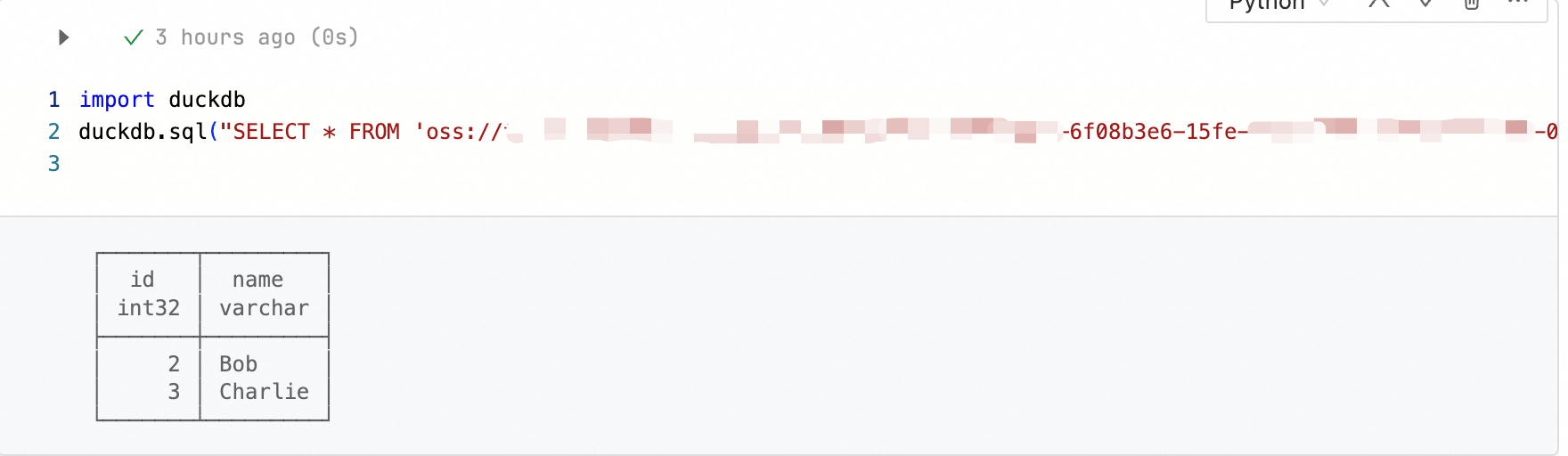
Inspect a Parquet schema
import duckdb

duckdb.sql("SELECT * FROM parquet_schema('oss://bucket/path/to/test.parquet')")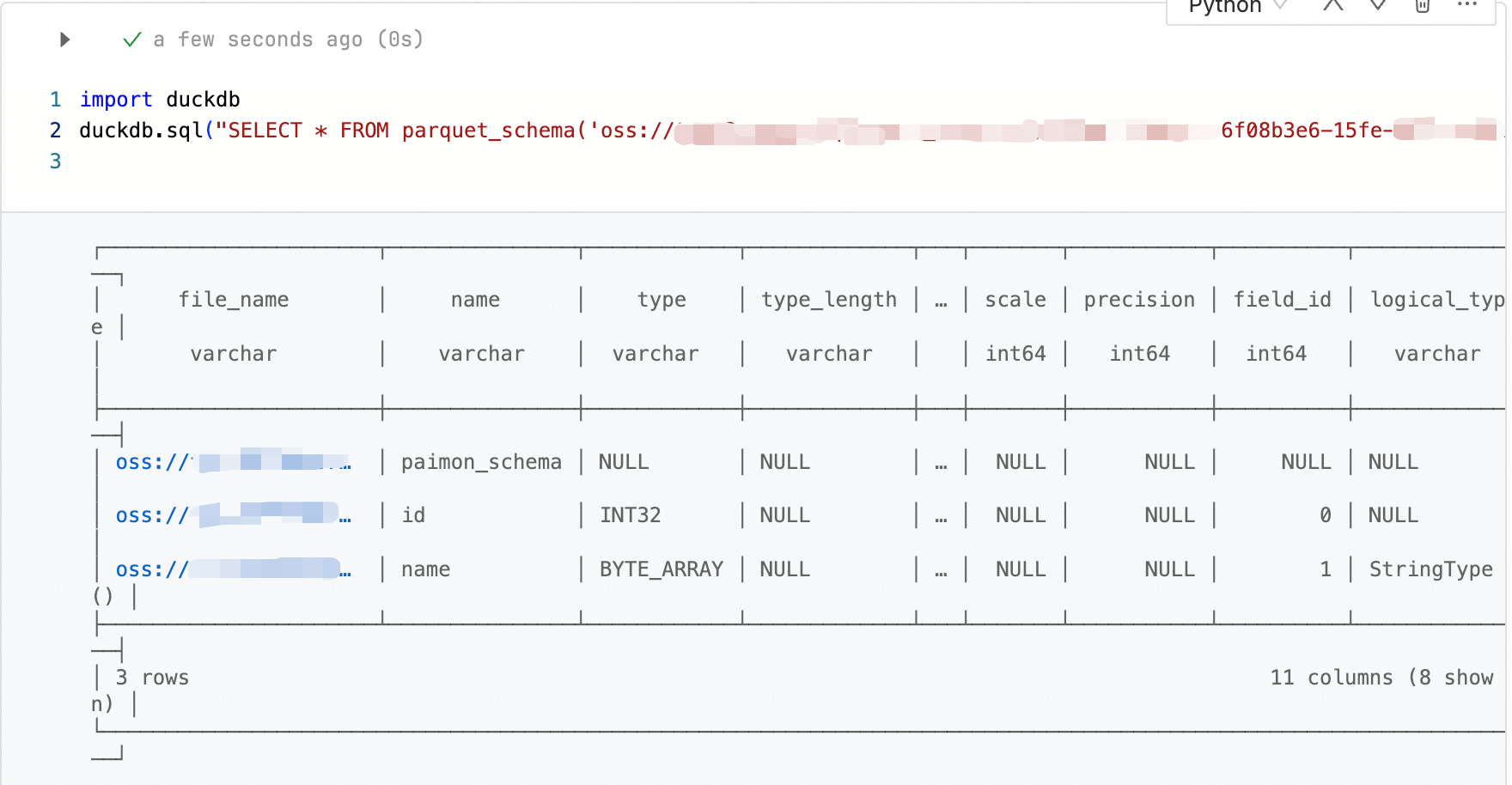
Export data to a CSV file
import duckdb

duckdb.sql("COPY (SELECT * FROM 'oss://bucket/path/to/test.parquet') TO 'oss://bucket/path/to/output.csv' (HEADER, DELIMITER ',')")
Query DLF catalogs
DuckDB in EMR Serverless Spark can query metadata tables in Data Lake Formation (DLF) directly using SQL. DLF catalogs mounted in your workspace are automatically available as databases.
List available catalogs
import duckdb

duckdb.sql("SHOW DATABASES")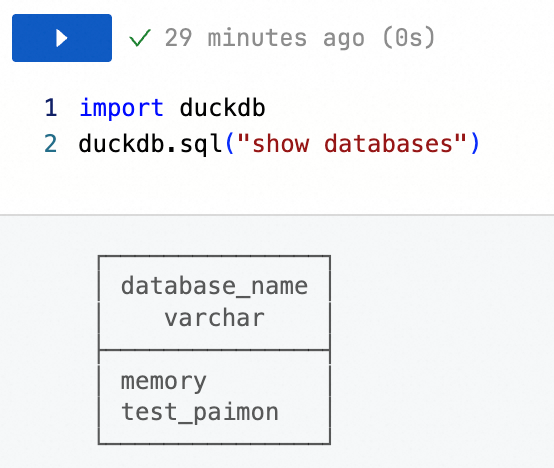
For details on managing DLF data catalogs, see Manage data catalogs.
Query a table in a DLF catalog
Switch to the target catalog and database:
import duckdb

duckdb.sql("USE <catalogName>.<databaseName>")
Query data from a table:
import duckdb

duckdb.sql("SELECT * FROM <tableName> LIMIT 10")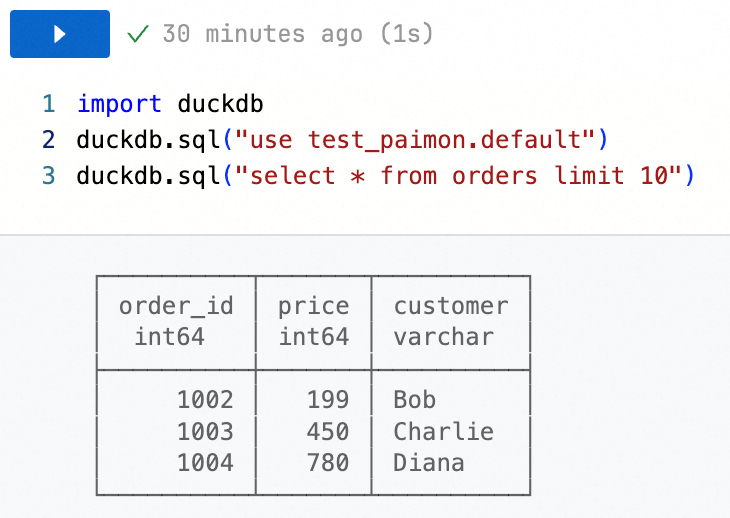
Replace the following placeholders with your actual values:
Placeholder Description <catalogName>The name of the DLF catalog <databaseName>The name of the database within the catalog <tableName>The name of the table to query
What's next
For the full DuckDB SQL reference, see the DuckDB documentation.