Recreate a secondary instance on a new host when the current secondary instance is abnormal or when you need to move it to a different dedicated cluster.
When to recreate
Recreate a secondary instance in these situations:
-
The secondary instance on a host is abnormal and the high-availability architecture needs to be restored.
-
You need to migrate a secondary instance to a host in another dedicated cluster.
Supported instance types
-
ApsaraDB MyBase for MySQL instances of the High-availability Edition
-
ApsaraDB MyBase for PostgreSQL instances
Usage notes
-
During recreation, minimize read and write operations on the primary instance. A high volume of read and write operations may cause data synchronization to fail.
-
Recreation time varies based on data volume and business traffic.
Recreate a secondary instance
-
Log on to the ApsaraDB for MyBase console.
-
In the upper-left corner of the page, select a region.
-
In the left-side navigation pane, click Clusters. Find the dedicated cluster you want to manage and click Details in the Actions column.
-
In the left-side navigation pane, click Instances.
-
Find the instance you want to manage and click Create New Secondary Instance in the Actions column.
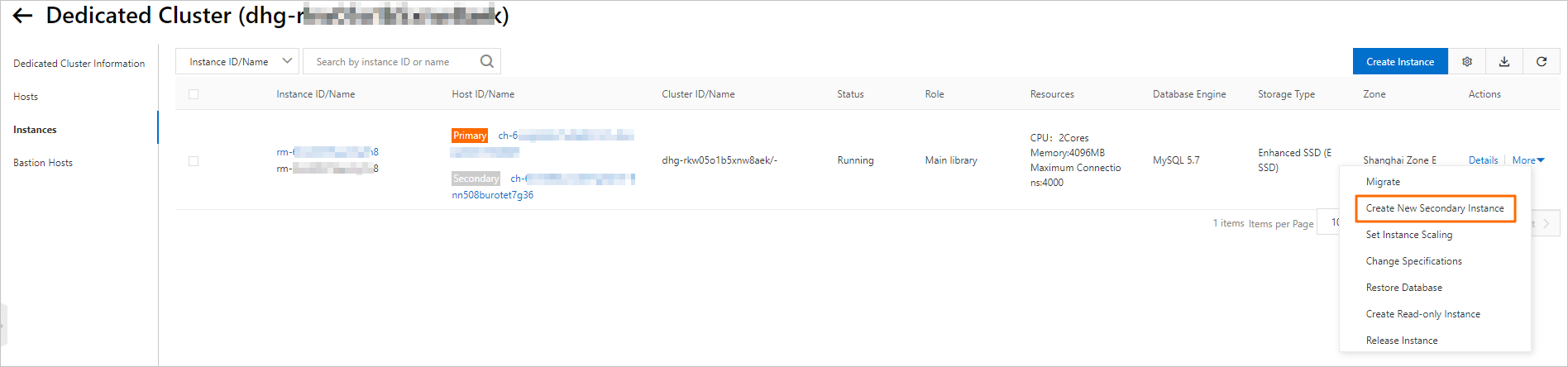
-
In the Create New Secondary Instance dialog box, choose one of the following options:
-
Without host specification: Click OK to let the system select a host automatically.
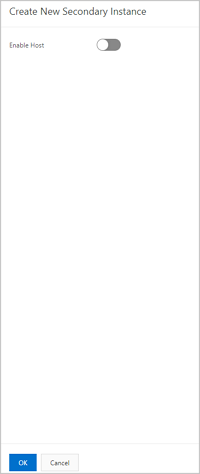
When Enable Host is off, the system selects a host using the following rules:
Condition System behavior The same host is available Recreates the secondary instance on the same host The same host is unavailable Selects a host in the dedicated cluster that does not run the primary instance No suitable host has enough space Displays an error message. Add a host or scale up an existing host, then retry. -
With host specification: Turn on Enable Host, select the target host, and click OK.
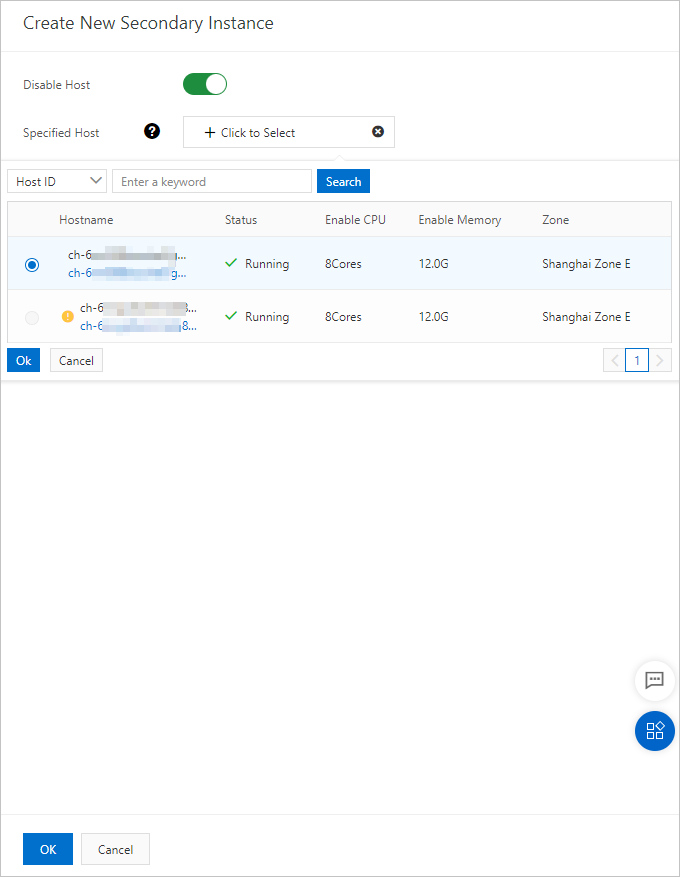
-
API reference
| API | Description |
|---|---|
| Rebuild instance | Recreates a secondary instance on the same host |