You can unbind a multi-factor authentication (MFA) device from a Resource Access Management (RAM) user, for example, if the device is lost or if the user needs to switch to a different MFA device.
Unbinding an MFA device only removes the specific device from the user's account. It does not disable the MFA requirement for that user. If MFA is still required for the user's account, they will be prompted to register a new MFA device at their next logon. To completely disable the MFA requirement for a user, you must modify their security settings. For more information, see the "How do I disable MFA for RAM users when they log on to the Alibaba Cloud Management Console" section in the FAQ about MFA topic.
Unbinding an MFA device removes an important layer of security from the user's account. If the user does not register a new MFA device, their account will be protected only by their password. Proceed with caution.
Unbind a virtual MFA device
Unbind your own virtual MFA device
RAM users can unbind their own virtual MFA devices if they have been granted the necessary permissions. For information about how to grant these permissions, see Manage the security settings of RAM users.
Log on to the Alibaba Cloud Management Console as a RAM user.
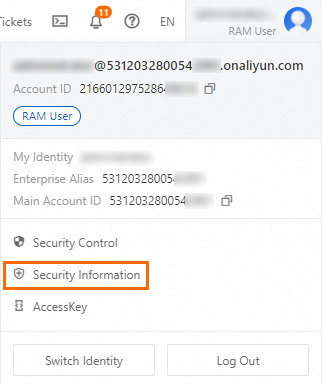
Hover over the profile picture in the upper-right corner and click Security Information.
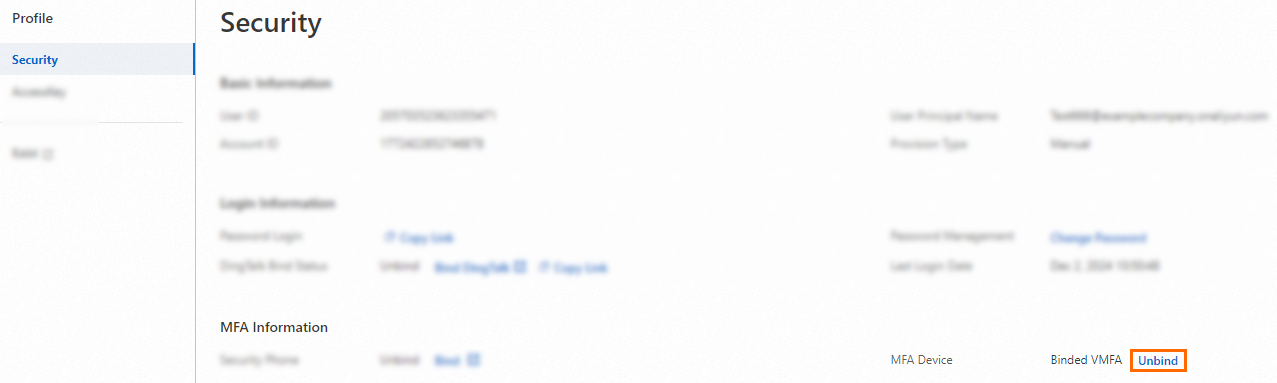
On the Security page, in the MFA Information section, click Unbind next to MFA Device.
In the Auth Virtual MFA Device dialog box, enter a code from your MFA device and click OK.
Unbind a virtual MFA device for a RAM user (as an administrator)
As a RAM administrator or using your Alibaba Cloud account, you can unbind a virtual MFA device for another RAM user in the RAM console.
Log on to the RAM console by using an Alibaba Cloud account or as a RAM administrator.
In the left-side navigation pane, choose .
On the Users page, click the username of the target RAM user.
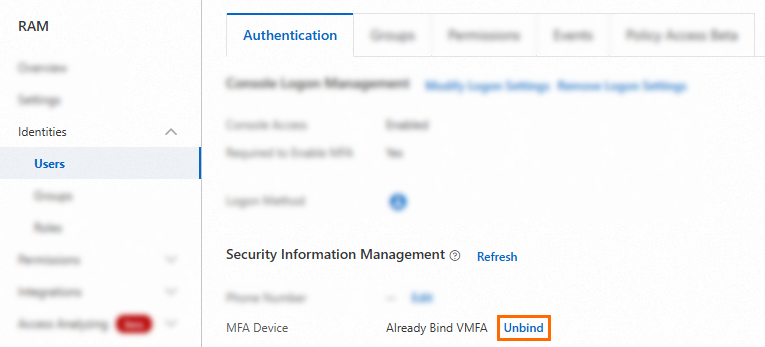
On the Authentication tab, in the Security Information Management section , click Unbind next to MFA Device.
Unbind an email address
Unbind your own email address
RAM users can unbind their own email address if they have been granted the necessary permissions. For information about how to grant these permissions, see Manage the security settings of RAM users.
Log on to the Alibaba Cloud Management Console as a RAM user.
Hover over the profile picture in the upper-right corner and click Security Information.
On the Security page, in the MFA Information section, click Unbind next to Security Email.

Unbind an email address for a RAM user (as an administrator)
As a RAM administrator or using your Alibaba Cloud account, you can unbind an email address for another RAM user in the RAM console.
Log on to the RAM console by using an Alibaba Cloud account or as a RAM administrator.
In the left-side navigation pane, choose .
On the Users page, click the username of the target RAM user.
On the Authentication tab, in the Security Information Management section , click Unbind next to Email Address.

In the Unbind Email Address dialog box, confirm the information and click Unbind.
Unbind a U2F security key
Unbind your own U2F security key
RAM users can unbind their own Universal 2nd Factor (U2F) security keys if they have been granted the necessary permissions. For information about how to grant these permissions, see Manage the security settings of RAM users.
Log on to the Alibaba Cloud Management Console as a RAM user.
Hover over the profile picture in the upper-right corner and click Security Information.
On the Security page, in the MFA Information section, click Unbind next to MFA Device.
Unbind a U2F security key for a RAM user (as an administrator)
As a RAM administrator or using your Alibaba Cloud account, you can unbind a U2F security key for another RAM user in the RAM console.
Log on to the RAM console by using an Alibaba Cloud account or as a RAM administrator.
In the left-side navigation pane, choose .
On the Users page, click the username of the target RAM user.
On the Authentication tab, in the Security Information Management section , click Unbind next to MFA Device.
Unbind a passkey
Log on to the Alibaba Cloud Management Console as a RAM user.
Hover over the profile picture in the upper-right corner and click Security Information.
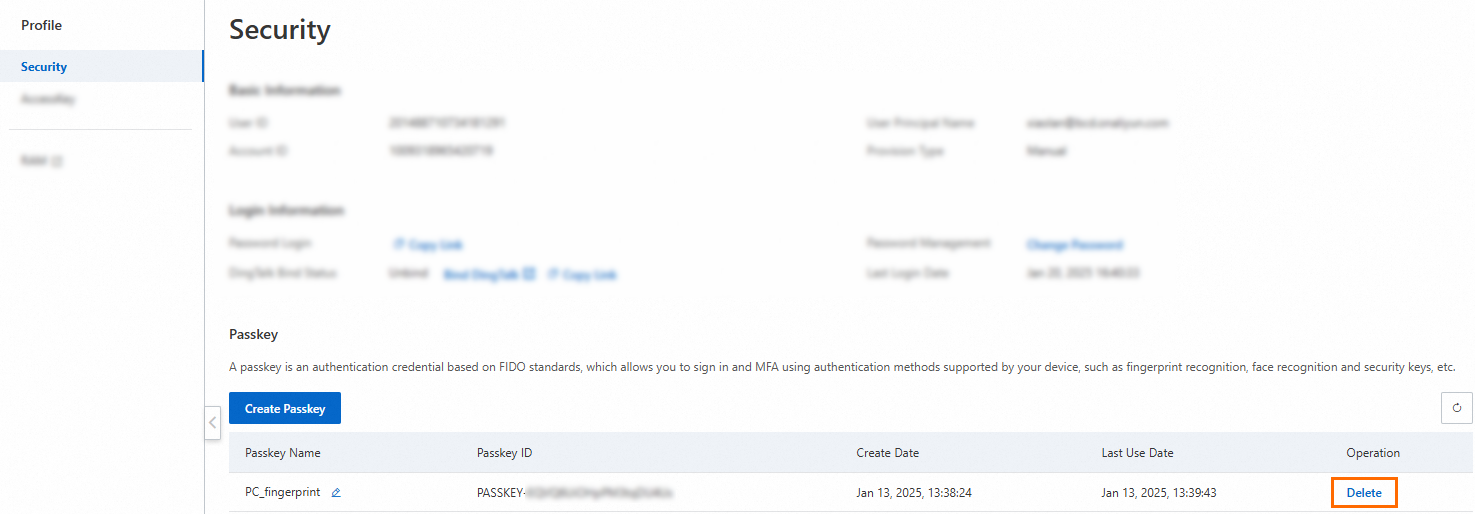
In the Passkey section of the Security page, find the passkey that you want to remove and click Delete in the Operation column.
In the Delete the passkey dialog box, click OK.