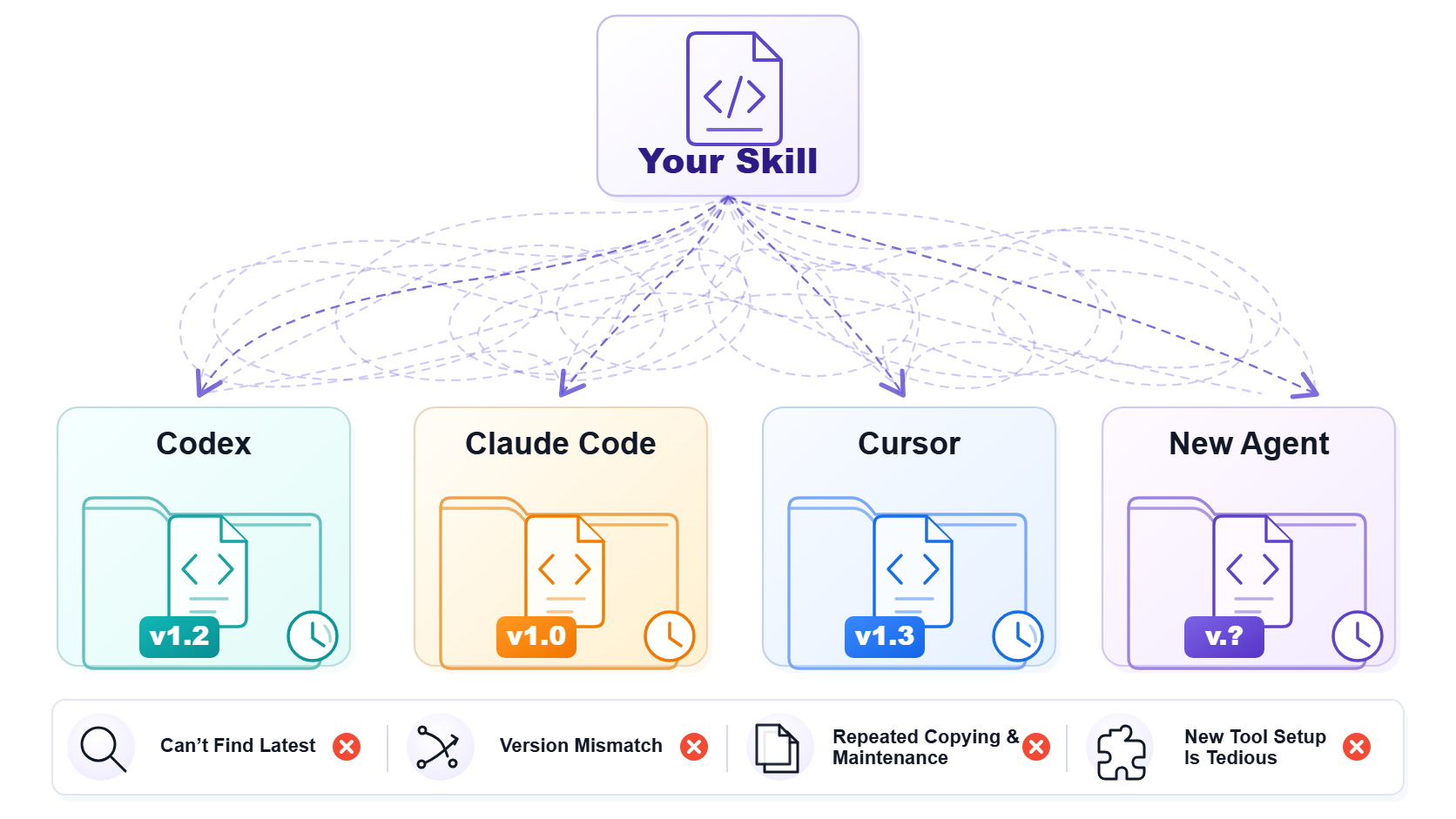
The AI coding landscape is currently fragmented, with no de facto standard. Models are getting stronger and stronger, with Cursor, Claude Code, and Codex taking turns as the preferred choice at different stages; combined with practical issues such as quota limits and response latency, developers have long been accustomed to "not putting all eggs in one basket."
In addition to programming tools, various general-purpose Agents are constantly emerging. Whenever a new one comes out, someone is always the first to try it.
Nowadays, using multiple AI Agents simultaneously to get work done, trying out newly emerged tools while while mitigating risks like latency spikes or service degradation in primary tools, has become the new development norm of this era.
However, while tools can be seamlessly switched, Skills cannot automatically follow. A Skill updated in Codex remains an old version in Claude Code, and a copy with the same name but vastly different content may coexist under the Cursor directory. At first, manual copying was tolerable, but over time it fell into chaos: which copy is the latest? Which one should overwrite which? Do we have to repeat the migration when connecting to a new tool?
This fragmented version management not only reduces work efficiency, but also constantly consumes people's mental energy in repeated confirmations.
In fact, the community has long been aware of this problem, and many solutions have emerged. Some people use Git submodule or Monorepo for unified management, but changing a Prompt still requires going through the commit/push/pull process, which is too heavy for daily coding; some have tried general file synchronization tools like Syncthing, but it only understands files and not Skill semantics, leading to frequent merge conflicts and data loss in bidirectional sync scenarios; others have turned to Prompt management platforms like LangSmith, only to find they are designed for LLM application development and completely ignore the lifecycle and management of local Agent configuration files.
The open-source community has also seen some attempts specifically targeting Agent Skill management, some providing basic classification retrieval and unified indexing, giving scattered Prompts a home; others focus on cross-project sharing, attempting to solve the problem of repeatedly maintaining the same Skill in multiple projects.
These explorations have all precisely hit certain sides of the pain points, but after trying them out, I found that they either solved "storage" but not "automatic distribution", or they solved "sharing" but not "real-time synchronization and conflict awareness of multi-Agent directories." When your Cursor, Claude Code, and Codex are open at the same time, what you need is for changes made in one place to take effect everywhere, and to know which copy is the latest at any time—the "last mile" of this workflow—real-time synchronization across heterogeneous agents—remains unsolved by existing tools.
Since existing solutions are all "partially solving" the problem, let's build one ourselves that can completely close the loop.
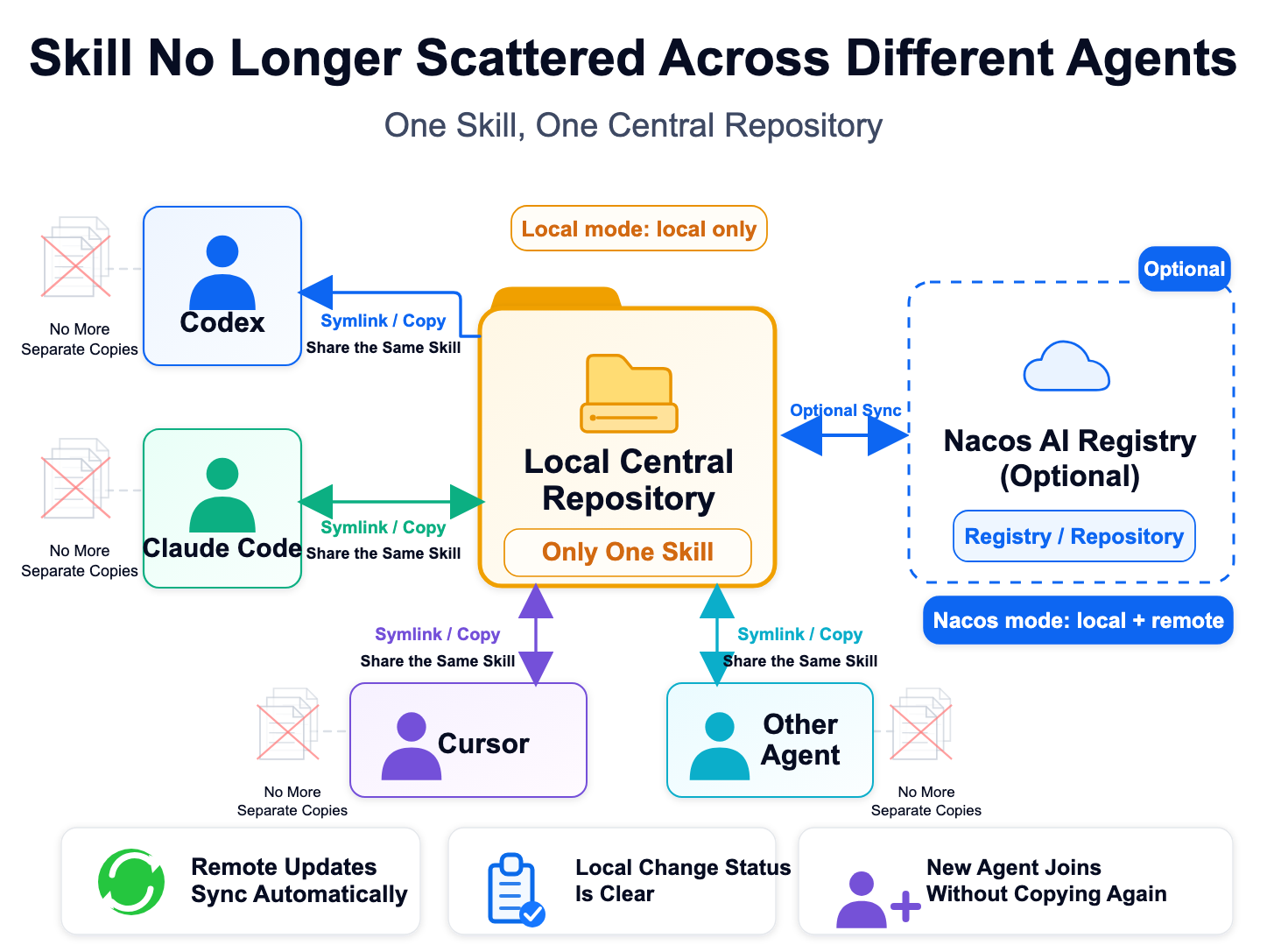
This is where Nacos Skill Sync came from. What it does can be summarized in one sentence: Converge Skills into a central repository, and then distribute them to various Agents on demand.
Specifically:
It provides two modes, which can be selected on demand:
| Mode | Summary in one sentence | Who is it for |
|---|---|---|
| Registry mode | Nacos AI Registry + Visual Management + Cross-device Sharing | People who want to systematically manage their Skill libraries, or scenarios requiring team co-construction of Skills |
| Local mode | Local Central Repository + Symlink/Copy Sync + Zero Service Dependency | Those who just want to unify their local multi-Agent Skills first and don't want to bother with deployment |
Both modes share a set of operation habits. Local mode is suitable for gathering Skills on the local machine first; Registry mode will maintain an independent Skill repo and synchronization status under the corresponding profile. This way, Skills of different profiles will not overwrite each other; when actually switching synchronization sources, the CLI will first safely fall back the symlinks of the old profile to the local copies of each Agent.
Starting with Local mode is perfectly fine, and later you can switch to Registry mode when you need cross-device sharing, team collaboration, or version governance.
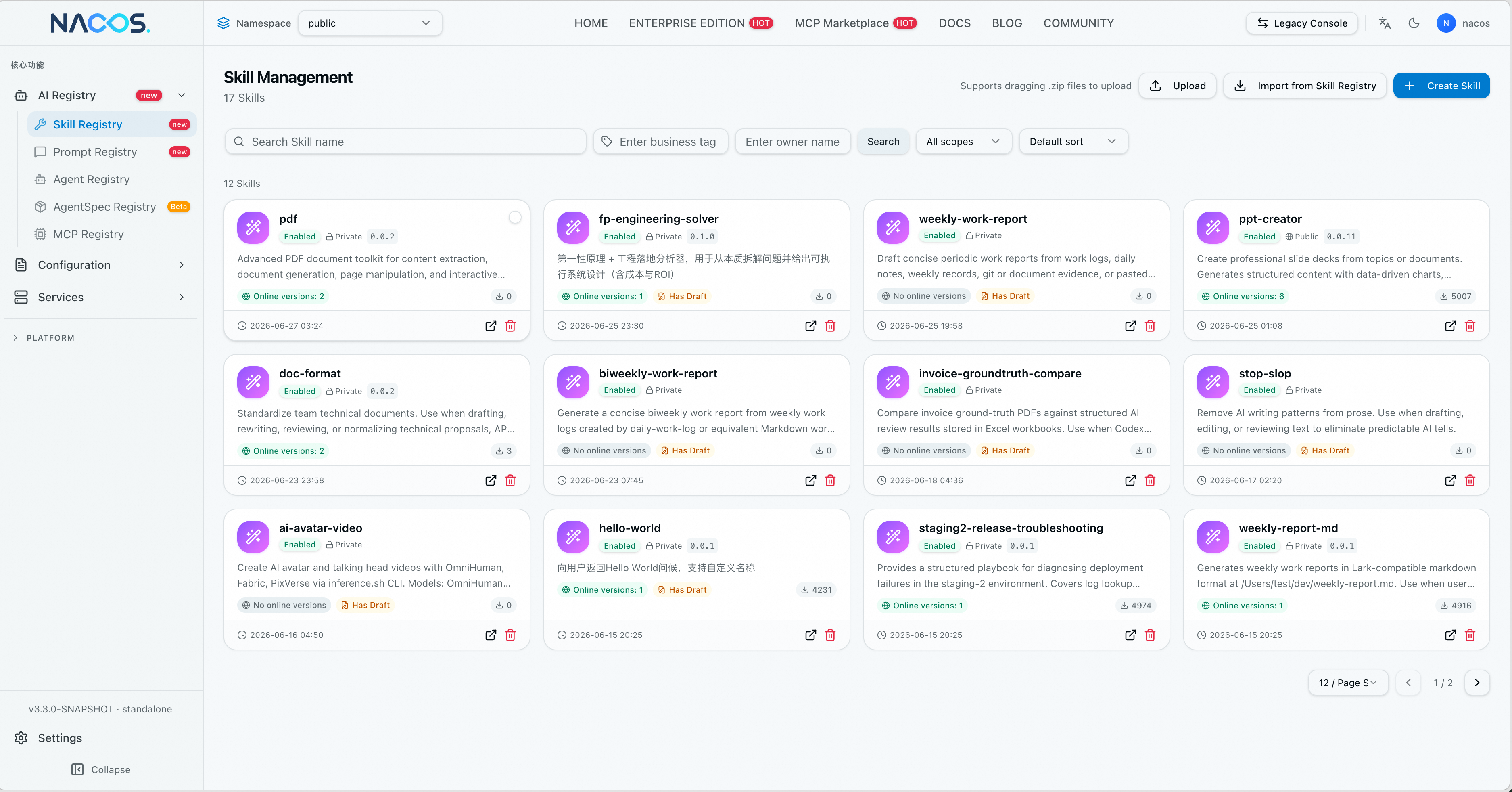
If you have a dozen Skills continuously iterating in your hands, or several people in a team are using the same set of Skills, scattering them in their respective local directories will cause problems sooner or later—inconsistent versions, modifications that no one synced, and new members not knowing where to find them.
What Registry mode does is to put Skills into Nacos AI Registry, a unified entry point:
In a word: Skills have turned from "local configuration files" into traceable, shareable, and manageable Registry assets.
Local mode is more lightweight—no connection to Nacos AI Registry is required; it merely builds a central repository locally and associates each Agent's Skill directory via symlinks by default.
Its core goal is to eliminate Skill redundancy and version inconsistency issues in multi-Agent environments. When the same Skill exists in multiple copies within tools such as Codex, Claude, Qoder, Cursor, Kiro, and Lingma, Local mode converges them into a single source of truth, ensuring that modifications in one place take effect globally.
Currently, it will automatically discover Codex, Claude, Qoder, QoderWork, Cursor, Kiro, Lingma, CoPaw, OpenClaw, as well as the generic ~/.agents/skills and ~/.skills; other directories can also be manually added via skill-sync agent add.
Skills already scattered across various Agent directories can also be gradually integrated into the central repository. When handling a single Skill, execute skill-sync add <skill>, and the CLI will check for content with the same name in each Agent directory and let you choose the source if there are discrepancies; if you want to scan existing directories in batches, confirm the scope and then execute skill-sync add --all. Consistent content will be directly unified, while inconsistent content will stop and let you choose which copy to keep.
Conversely, if you no longer want a Skill to be managed by Skill Sync, execute skill-sync remove <skill>; to cancel all synchronization at once, you can use skill-sync remove --all. This operation will not delete the Skills from the Agents, but will first copy the central repository content back to each Agent, and then remove the synchronization status.
Local mode can also naturally upgrade to Registry mode. If you want to upgrade to cross-device or team collaboration in the future, you don't need to re-organize; just bind a profile to access the remote end.
We provide a standard SKILL.md, which fully describes the usage specifications and interaction process of nacos-skill-sync. Simply send the command below to the Agent, and it will automatically read the Skill, check the local environment, and execute the synchronization; when encountering decision nodes such as mode selection or content conflict that require manual decision-making, it will proactively pause and confirm with you.
Read the following Skill and use it to sync my local Skills:
https://nacos.io/skill-sync/SKILL.mdIf you wish to control the synchronization process yourself, you can do so through the CLI.
Registry mode (Cross-device / Team Collaboration)
# 1. Prepare CLI (Choose one of two)
curl -fsSL https://nacos.io/nacos-installer.sh | bash -s -- --cli
# Or use npx directly
npx @nacos-group/cli@latest skill-sync --help

# 2. Configure CLI profile
npx @nacos-group/cli@latest profile edit test

# 3. Add Skill, start synchronization, and check status
npx @nacos-group/cli@latest --profile test skill-sync add pdf
npx @nacos-group/cli@latest --profile test skill-sync start
npx @nacos-group/cli@latest --profile test skill-sync status
Local mode (Lightweight single-machine synchronization, no profile required)
npx @nacos-group/cli skill-sync add pdf
npx @nacos-group/cli skill-sync start
npx @nacos-group/cli skill-sync statusThe following two examples correspond to Local mode and Registry mode respectively: one starts from an individual's local machine, gathering high-frequency workflows first; the other is geared towards cross-device and team collaboration, putting common specifications into the Registry.
Many people handle different tasks in multiple Agents every day: using Codex to modify code, using Claude Code to check logs, and using Cursor to supplement tests. After tasks are completed, work records also end up scattered in different conversations. Looking back to organize them on Friday, one often has to go through chats, fill in backgrounds, and merge duplicate items, resulting in disjointed, unstructured, or overly verbose weekly reports.
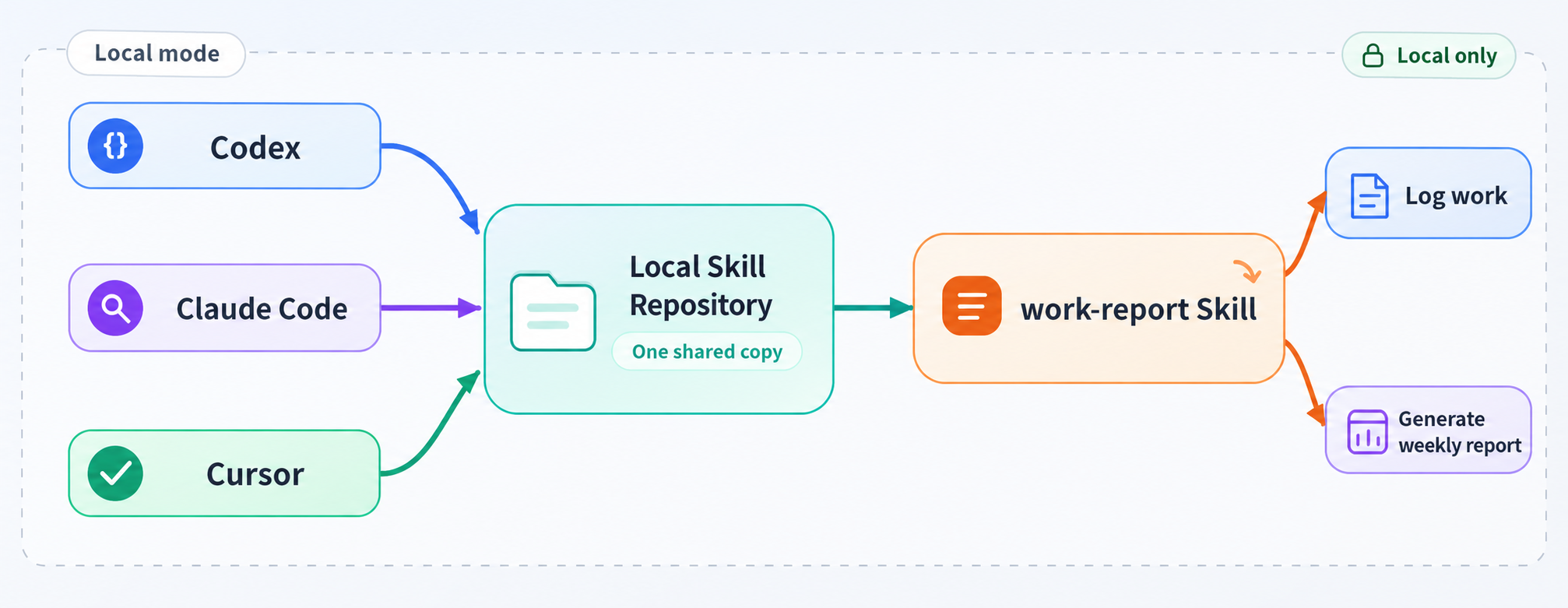
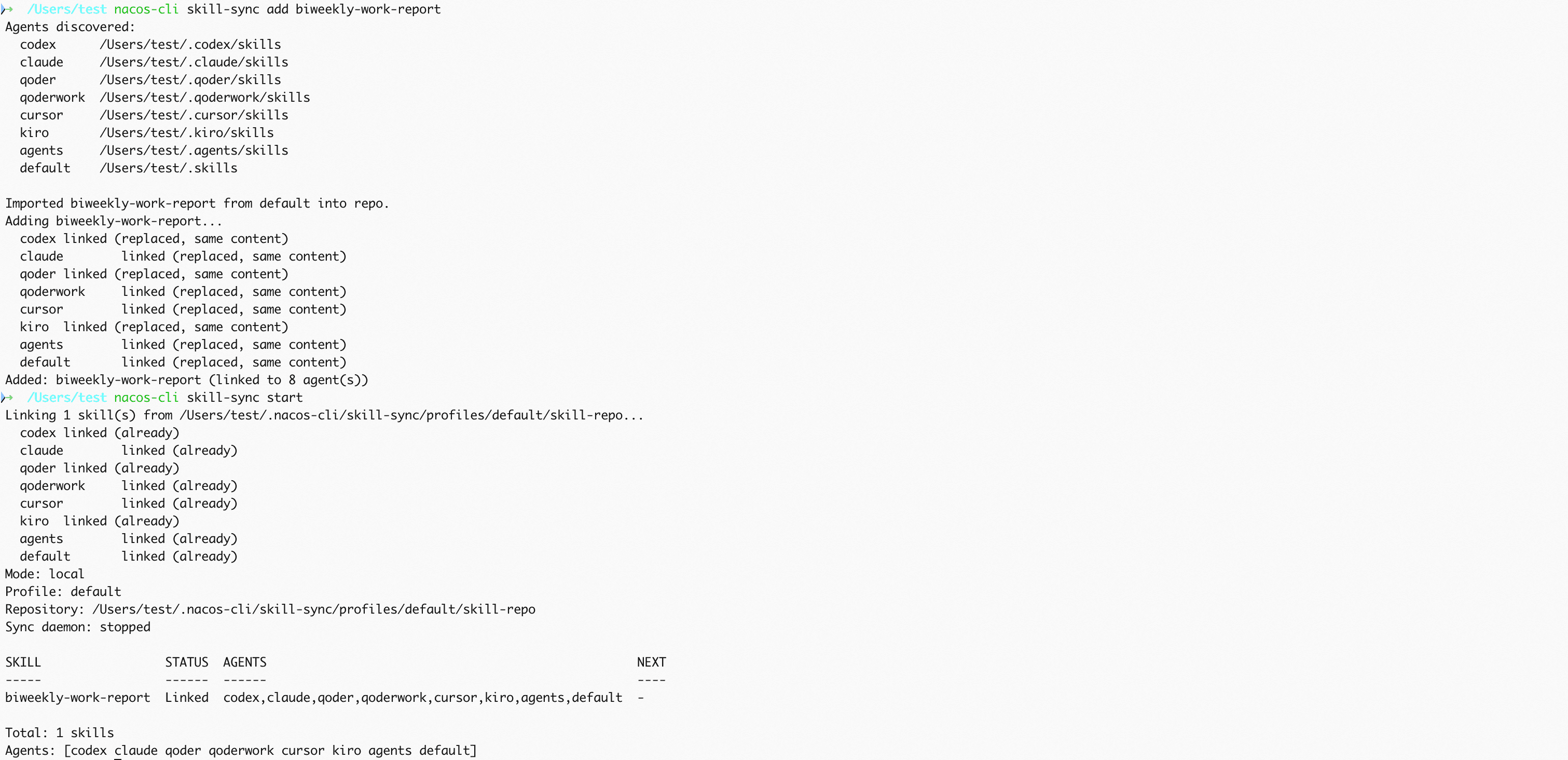
This problem can first be solved locally: consolidate habits such as how to record daily and how to merge weekly reports into a biweekly-work-report Skill, putting it in Local mode for local Agents to share. Record results and impact when tasks end, merge and update when encountering the same theme of work, and retain progress, risks, and next week's plans when generating weekly reports.
Use Skill Sync to sync a **biweekly-work-report** created by an Agent to all Agents:
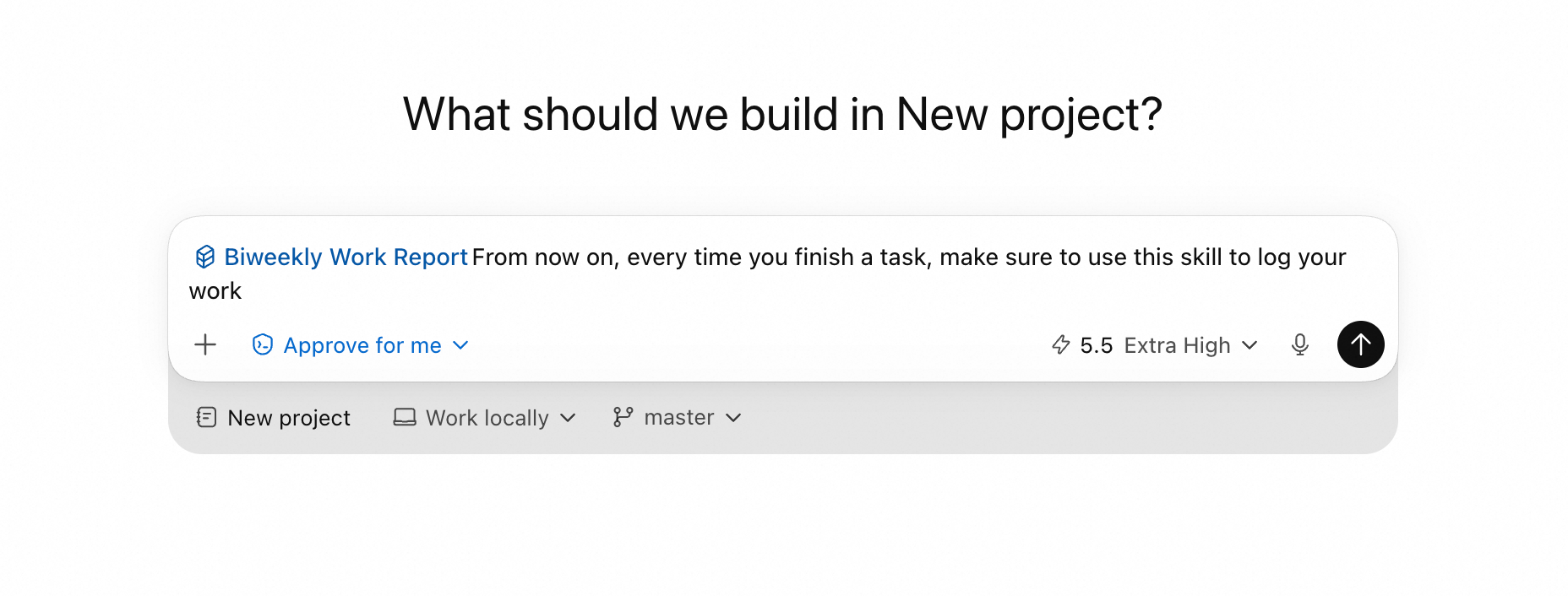
Subsequently, all Agents can use this Skill:
Codex:
Claude Code:
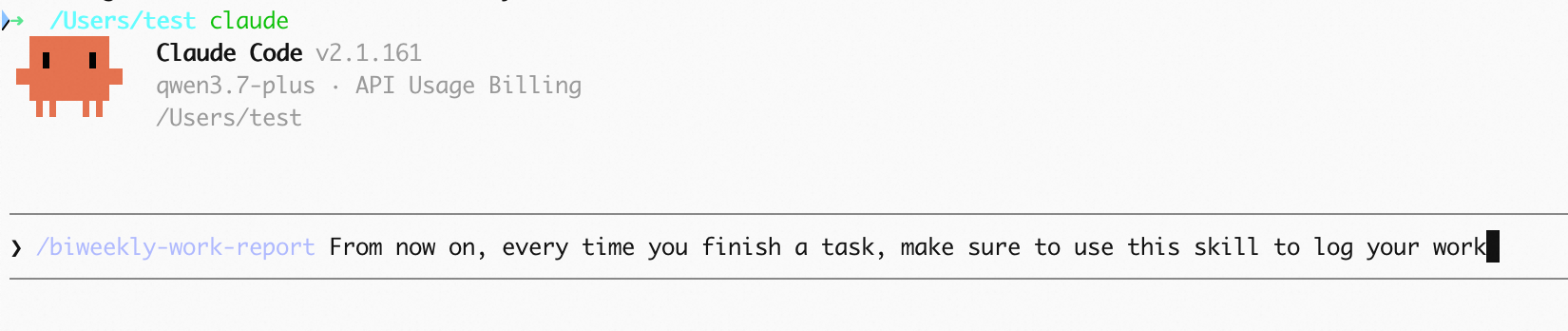
Doing this does not require preparing a server beforehand, nor does it require syncing private work records outward. More importantly, this doesn't end with copying the Skill once: when you adjust weekly report fields in Codex later, Claude Code and Cursor will also see the updated work-report.
Team document problems are even more typical. Interface documents, technical solutions, and post-mortems may be generated by different people, different devices, and different Agents, making heading levels, parameter table fields, risk descriptions, and review checklists easily written in their own ways. Relying on verbal reminders is unstable, and copying templates often leads to copying old versions.
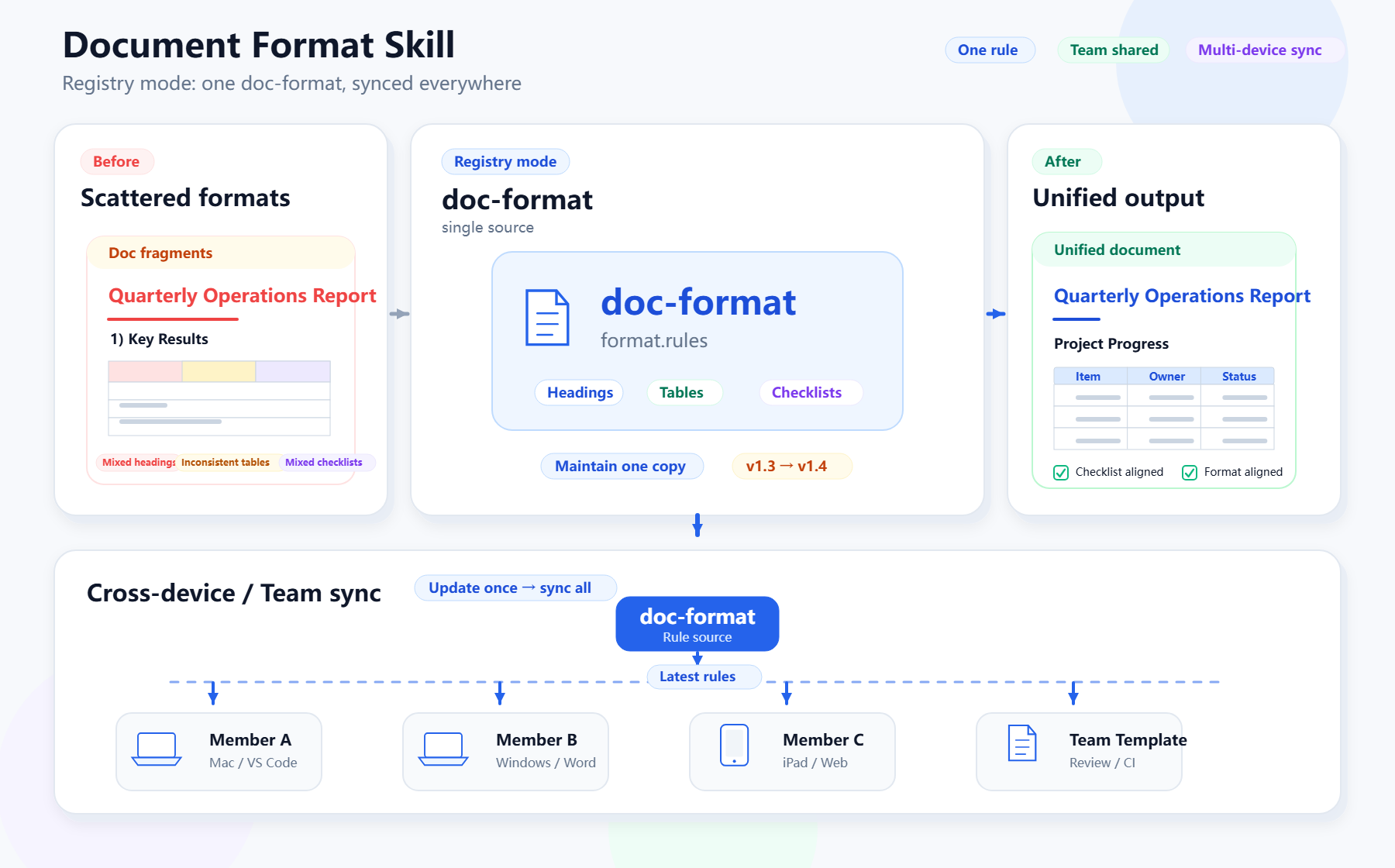
Such format specifications are more suitable for Registry mode. Teams can organize technical solution structures, API parameter table field ordering, terminology writing, screenshot descriptions, and review checklist items into a doc-format Skill.
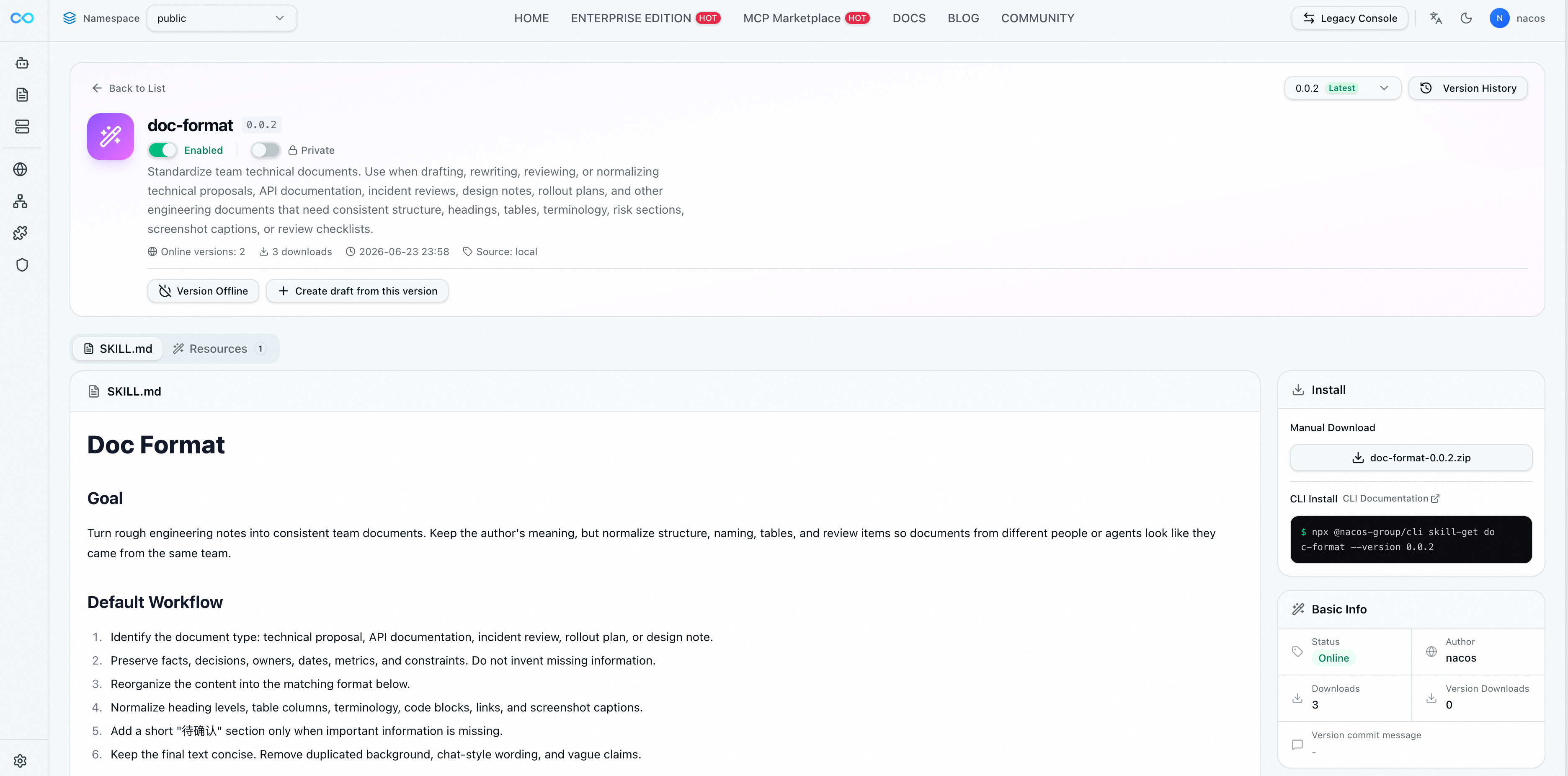
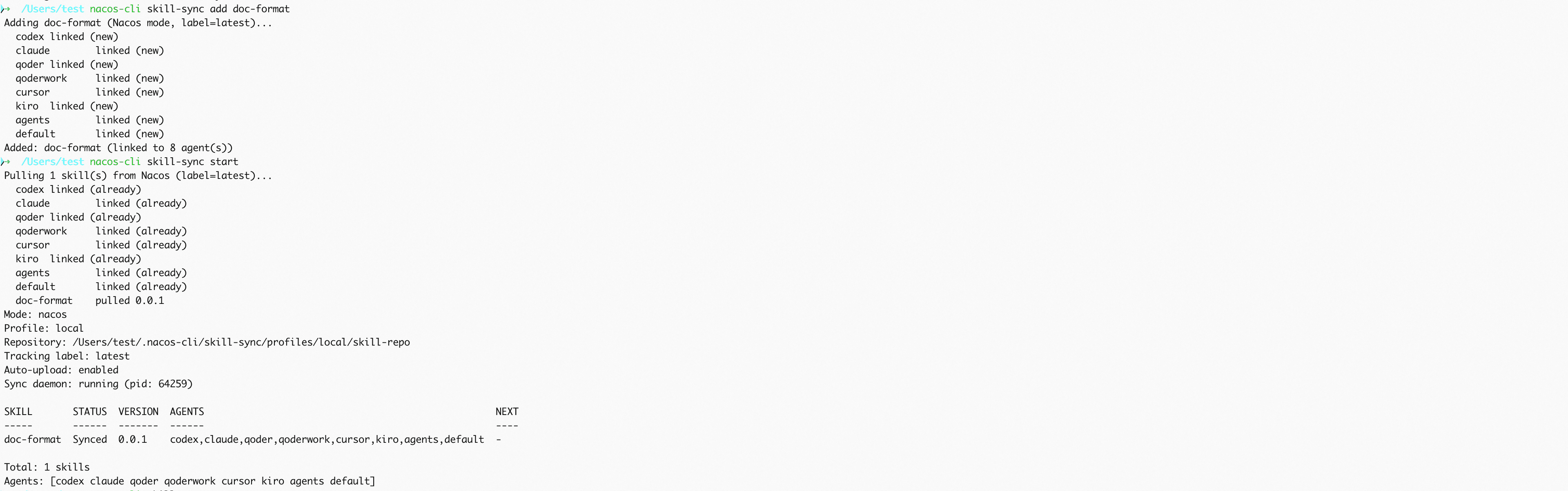
Use Skill Sync to sync **doc-format** from AI Registry to Agents on multiple devices:
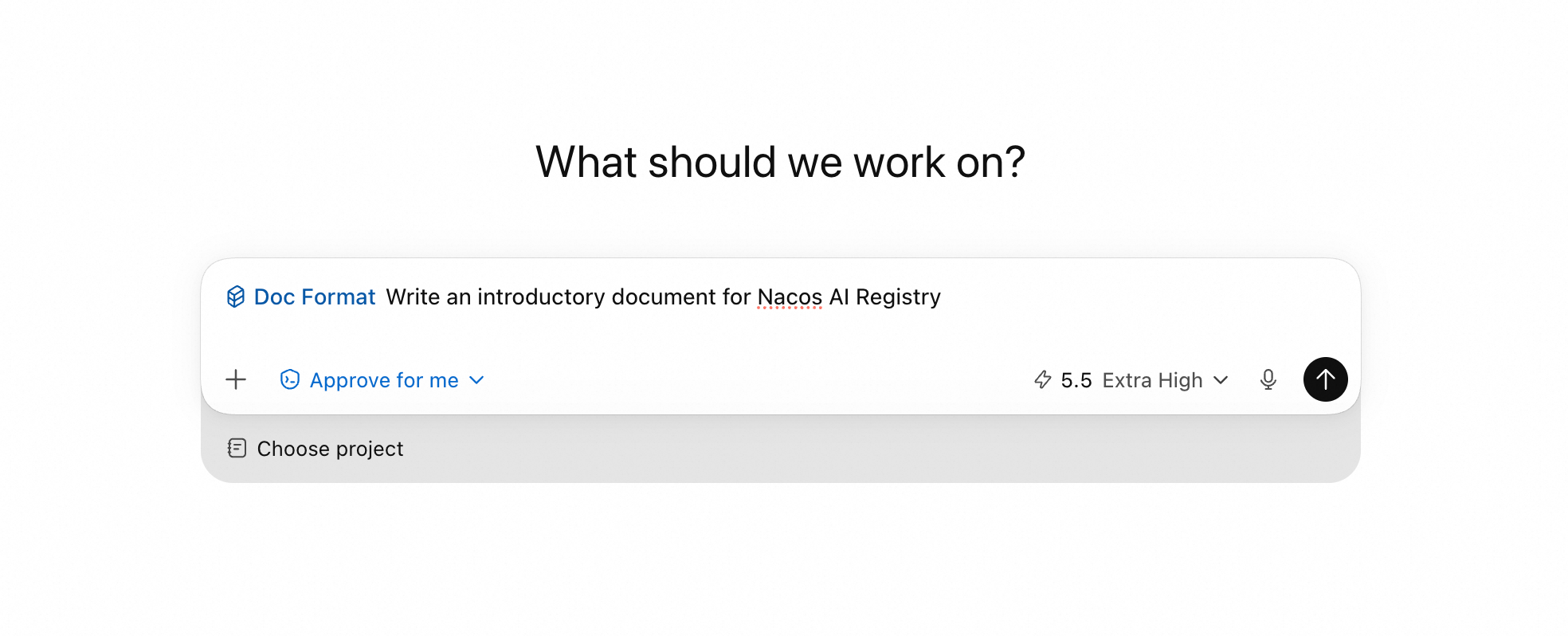
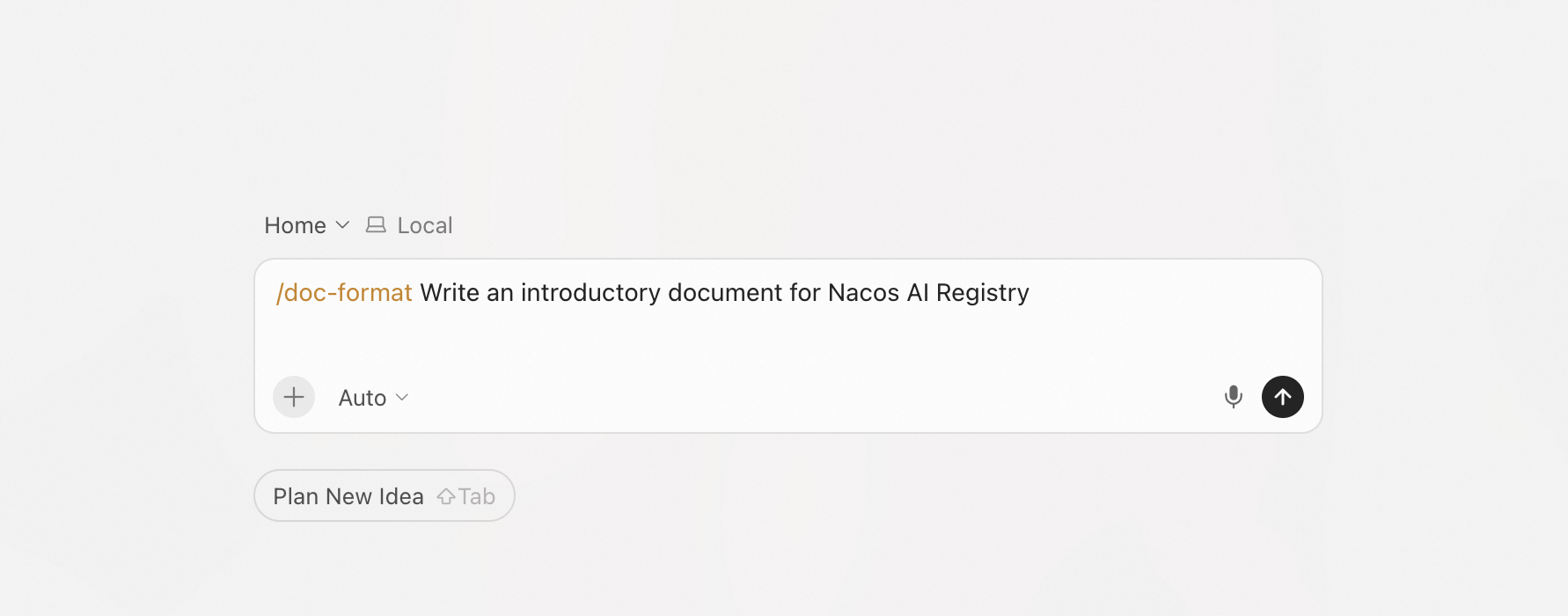
Subsequently, Agents on different devices can use this Skill:
Device A Codex:
Device B Qoder:
After the specifications are updated, only this single copy in the Registry is maintained. Company computers, home computers, new devices, and team members' Agents will all continue to use the same set of formats after syncing.
Once in use, you usually only need to look at the output of a single command:
Mode: nacos
Profile: team
Sync daemon: running (pid: 12345)

SKILL   STATUS          AGENTS              NEXT
pdf     Synced          codex,claude,qoder  -
review  Local changes   codex,claude,qoder  auto-upload pending
draft   Uploaded        codex,claude,qoder  waiting publish
block   Upload blocked  codex,claude,qoder  Nacos draft exists; review/clear it, auto-upload will retry
triage  Conflict        codex,claude,qoder  skill-sync resolve triage
The state of each Skill, which Agents it covers, and what to do next—are all right here.
| Status | What it means |
|---|---|
Synced |
Everything is normal, no action needed |
Linked |
Linked to the local central repository under Local mode |
Local changes |
Local modifications exist; when auto-upload is enabled, the daemon will automatically upload, and when disabled, they will remain local |
Uploaded |
Uploaded as a draft, waiting for review or publishing |
Conflict |
Modified both locally and remotely, you need to choose a version |
Upload blocked |
A draft or reviewing version already exists remotely, which needs to be handled in Nacos first; automatic retries will occur after handling |
Conflicts are handled gracefully. The resolve command allows you to, the resolve command allows you to choose to base it on the remote Registry, central repository, or the version of a certain Agent. The strategy is conservative by default—it won't make choices on your behalf without you explicitly specifying the source.
Running multi-Agents in parallel will become more and more common. What actually needs to be managed is not just which Agent to use, but the Skills that these Agents collectively rely on.
A more ideal way is to put Skills into Registry: with a unified entry, version records, and the ability to be shared between multiple devices and team members. Local mode provides a lighter entry point, allowing you to first converge Skills scattered locally without preparing a server beforehand.
No matter which method you start with, the goal is the same: to let Skills have a trusted source. Agents may come and go, but Skills should remain persistent and centralized.
Welcome everyone to use Nacos Skill Sync. If you find any problems during use or have better suggestions for improvement, you are welcome to feedback to us at any time.
Related Links
Kernel-Level X-Ray Vision: CloudMonitor 2.0 Achieves Full-Stack Observability with Zero Code Changes

776 posts | 60 followers
FollowAlibaba Cloud Native Community - July 17, 2026
CloudSecurity - April 9, 2026
ApsaraDB - June 24, 2026
Alibaba Cloud Native Community - May 26, 2026
Alibaba Cloud Native Community - April 10, 2026
Alibaba Cloud Native Community - October 11, 2025
776 posts | 60 followers
Follow QwenWork
QwenWork is dedicated to helping employees strengthen their professional competitiveness in the AI era and to enabling enterprises to improve organizational effectiveness.
Learn More Token Plan
Build more, spend less. One plan, every modality.
Learn More
Alibaba Cloud Model Studio
A one-stop generative AI platform to build intelligent applications that understand your business, based on Qwen model series such as Qwen-Max and other popular models
Learn More Qwen
Qwen
Full-range, open-source, multimodal, and multi-functional
Learn MoreMore Posts by Alibaba Cloud Native Community

