Introduction
As the adoption of AI-driven applications continues to expand across enterprises, data has become the primary foundation for business decision-making. However, business knowledge is typically distributed across multiple sources, with internal databases serving as the most accurate and reliable source of truth. Critical information such as transactional records, operational metrics, and historical business data resides within internal systems including relational databases, data warehouses, and analytics platforms. At the same time, supporting contexts such as regulations, market trends, and technical documentation are available through public sources on the internet. The challenge organizations face is not merely accessing these data sources but ensuring that AI-generated insights remain grounded in valid internal data while being enriched with relevant external contexts.
Dify introduces a hybrid knowledge approach through workflow-based orchestration that positions internal databases as the primary system of record. By integrating Dify with Alibaba Cloud services such as Data Management Service (DMS) for governed access to internal databases, and Qwen as a large language model for deep research on external sources, AI applications can dynamically determine the most appropriate processing path for each query. Within a unified workflow, AI prioritizes internal data for accuracy and reliability, then augments it with external information when necessary. This enables enterprises to bring AI directly to their data without compromising governance, security, or scalability.
Hybrid Agentic AI with Dify on DMS
To operationalize hybrid knowledge in enterprise environments, an orchestration layer is required to coordinate how AI interacts with both internal data systems and external information sources. This is where Dify, deployed within Alibaba Cloud Data Management Service (DMS), plays a central role. Rather than functioning as a standalone chatbot, Dify acts as an agentic workflow engine that manages decision logic, tool invocation, and data routing across multiple knowledge domains.
| Component | Role |
|---|---|
| DMS | Provides secure, governed access to internal enterprise databases |
| Dify | Orchestrates decision logic and workflow routing |
| Qwen LLM | Performs reasoning and web-based research |
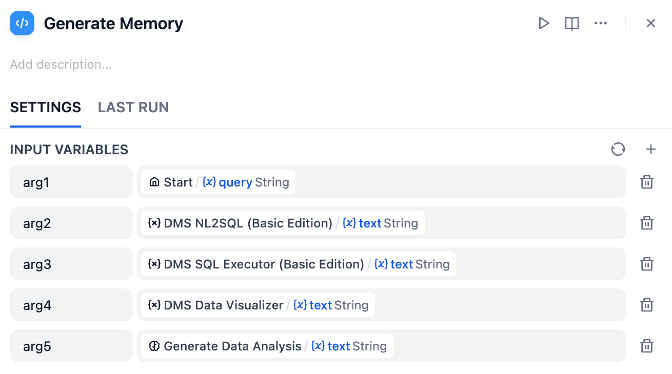
| DMS NL2SQL | Converts natural language questions into SQL queries |
| Hybrid Workflow | Ensures internal data is prioritized before external context is added |
Within this architecture, DMS provides governed and auditable access to internal databases, ensuring that structured enterprise data remains the primary system of record. Dify integrates directly with DMS to execute controlled queries against internal data sources without exposing raw databases to the language model layer. At the same time, Dify invokes Qwen as the reasoning engine for deep research tasks that require external knowledge, such as interpreting market trends, regulatory changes, or industry developments. By combining database-backed responses with Qwen-powered web intelligence inside a single orchestrated workflow, enterprises can build agentic AI systems that are both data-grounded and context-aware.
Use Case: Hybrid AI Analyst for Enterprise Decision Support
One of the most practical applications of hybrid agentic AI is enterprise decision support, where insights often require both internal operational data and external market intelligence. Consider the role of a regional sales director who needs to evaluate how the company’s performance aligns with broader industry trends. Traditionally, this analysis would involve extracting internal reports from business intelligence systems and separately researching market data from industry publications or news sources. The process is fragmented, time-consuming, and heavily dependent on manual interpretation.
With a hybrid AI workflow built on Dify and DMS, this experience becomes unified and conversational. Instead of switching between dashboards and research tools, the user can simply ask a question in natural language. The system then automatically determines which knowledge sources are required and orchestrates the appropriate data retrieval and reasoning steps behind the scenes.
For example, when the user asks:
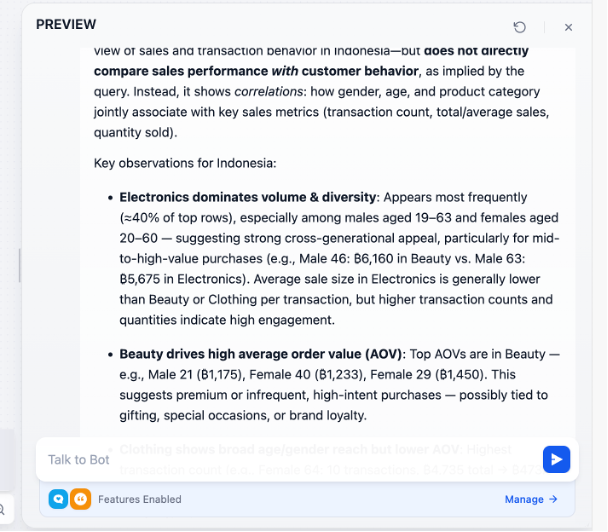
“How does our sales performance compare with current market growth in Indonesia?”
The AI does not rely on a single source. Instead, it performs coordinated reasoning across internal and external domains.
| Stage | What the AI Does | Outcome |
|---|---|---|
| Intent Analysis | Interprets whether the question requires internal data, external context, or both | Identifies the need for hybrid knowledge |
| Internal Retrieval | Queries governed enterprise databases via DMS | Obtains accurate Q1 sales metrics |
| External Research | Uses Qwen to gather market growth indicators and industry insights | Adds up-to-date regional market context |
| Fusion Reasoning | Compares internal performance against external benchmarks | Produces cross-domain analysis |
| Response Generation | Formats insights into a business-ready answer | Delivers clear, structured conclusions |
Create Workspace and Launch Dify
Log into Alibaba Cloud navigate to DMS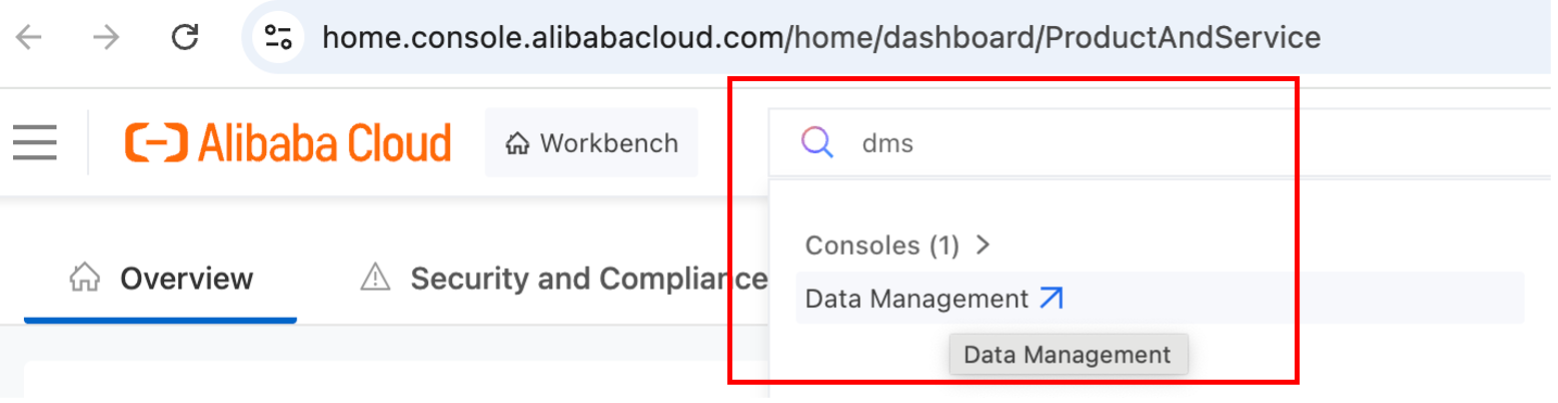
On the DMS console, navigate to Data+AI and select Dify. 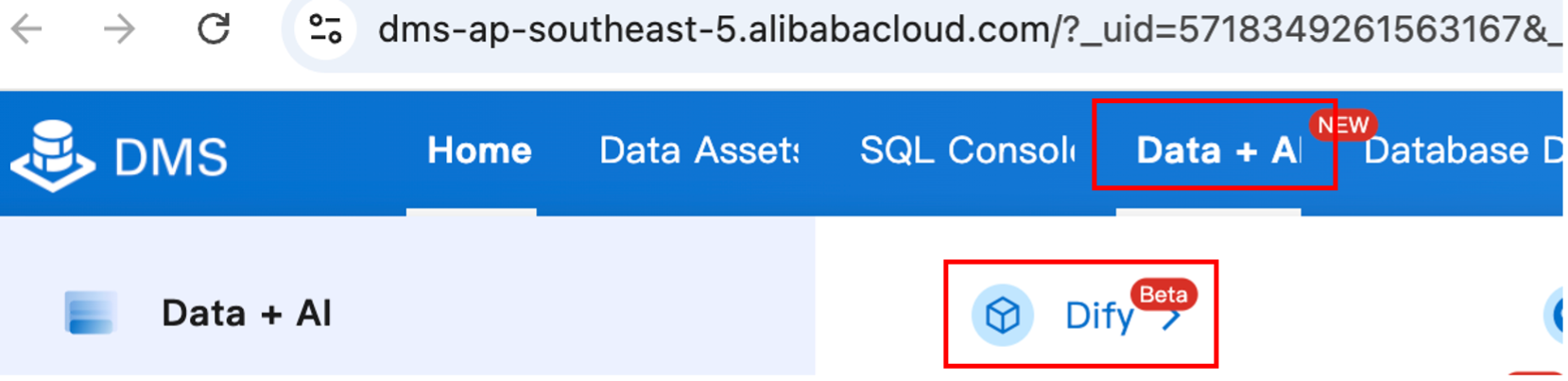
Create workspace in the same region and VPC as the endpoint databases
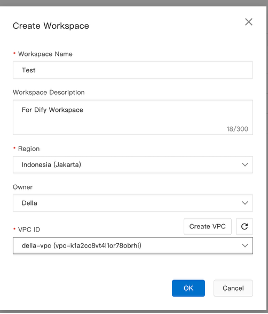
Set up Dify’s supporting infrastructure by configuring Redis for caching and session handling, a metadata database (MySQL or PostgreSQL) for application data, and a vector database to store embeddings for semantic search. Ensure all components run in the same VPC and region to enable secure, low-latency communication with Dify.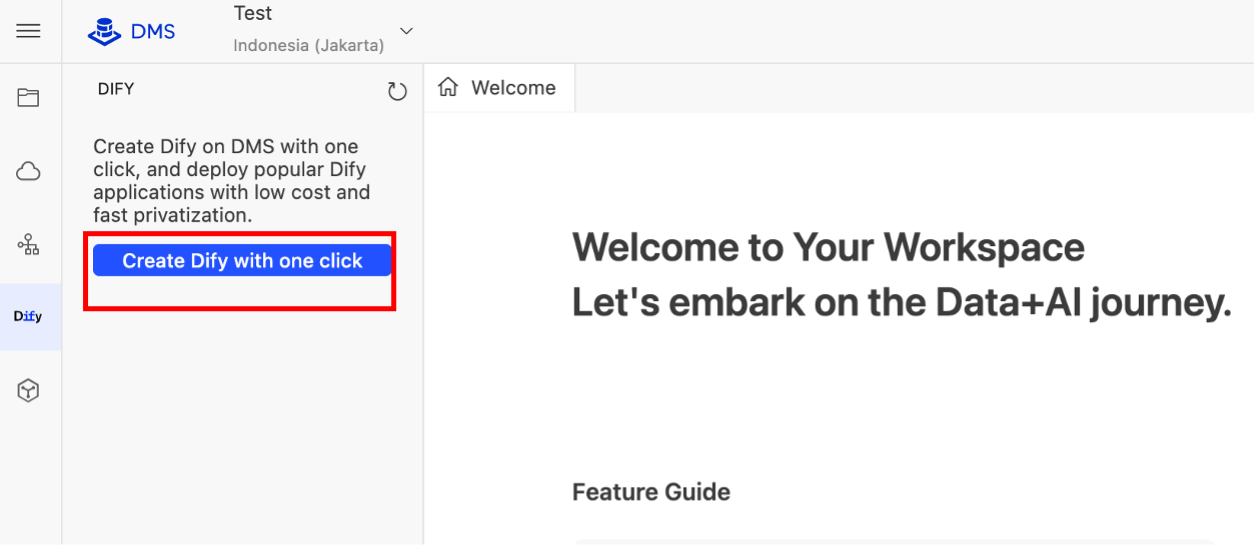
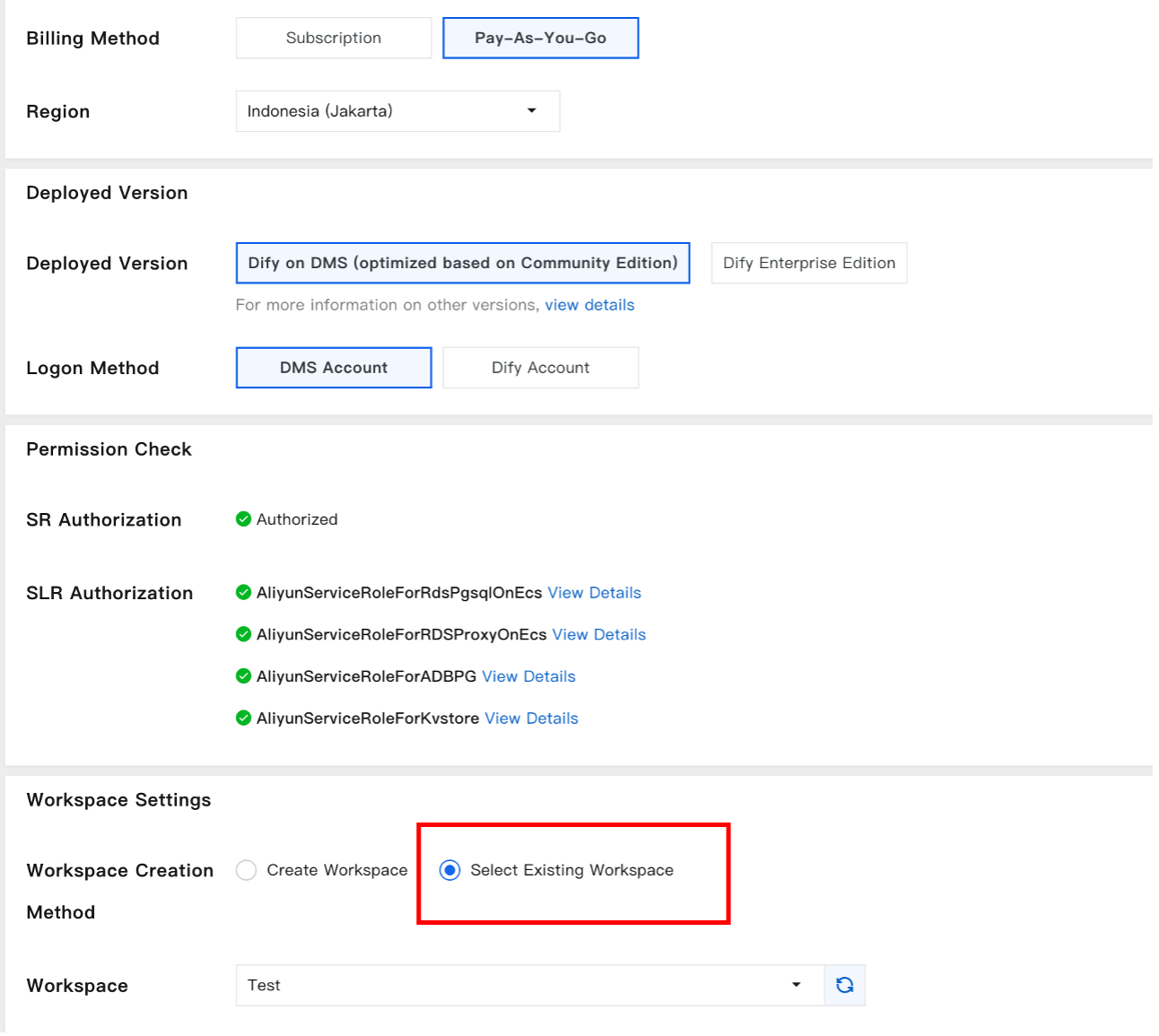
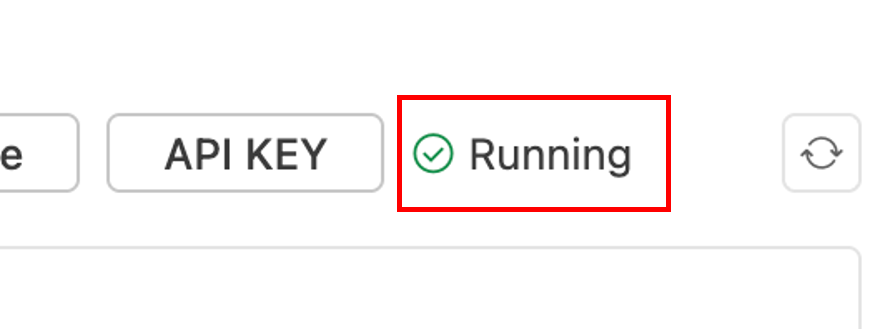
Wait for the deployment process to finish until it’s in Running status, then launch Dify.
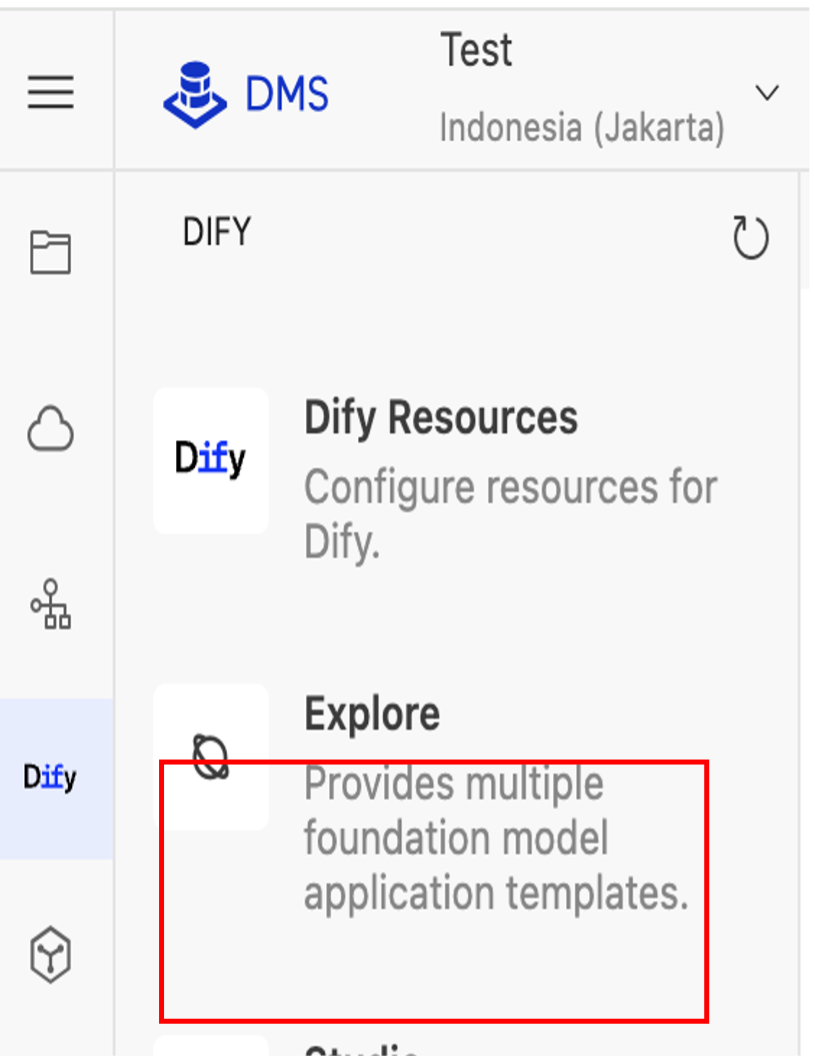
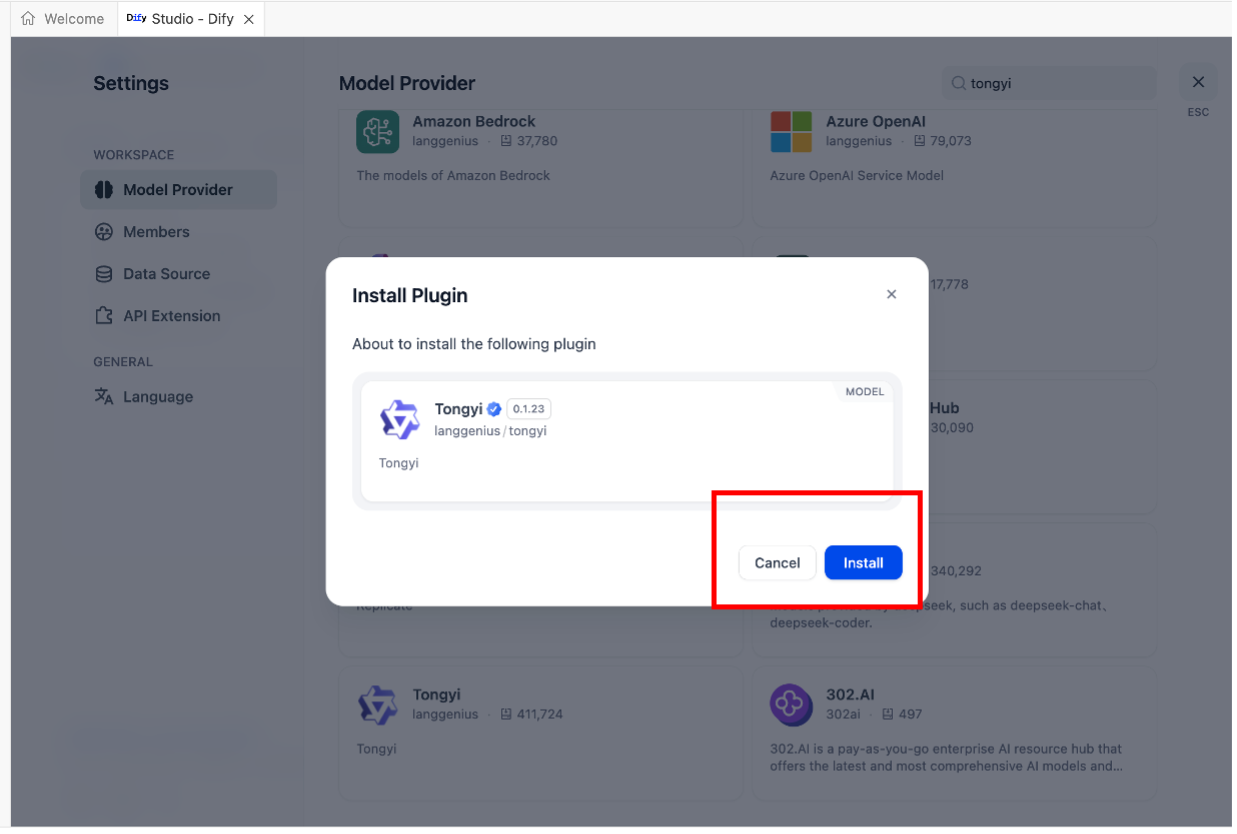
Install LLM plugins (for this article we use Alibaba Cloud Tongyi)
To enable language understanding and reasoning, first install an LLM provider in Dify.
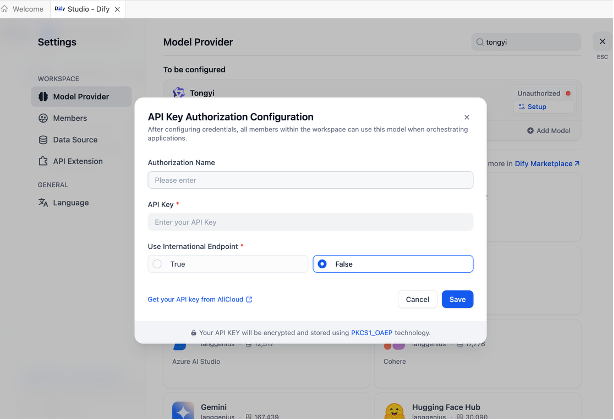
**Install DMS Plugin:
**
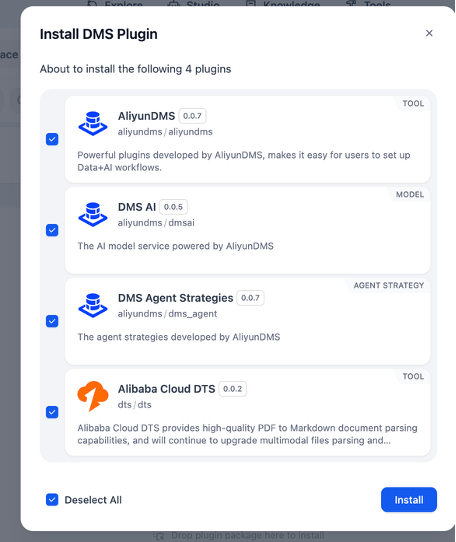
Go to Plugins → Install Plugin → DMS Plugin (AliyunDMS) and complete the installation.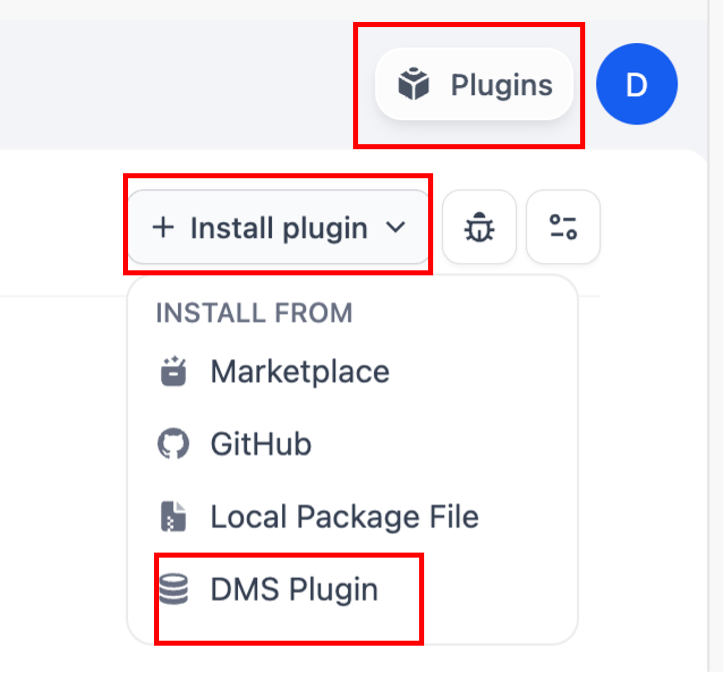
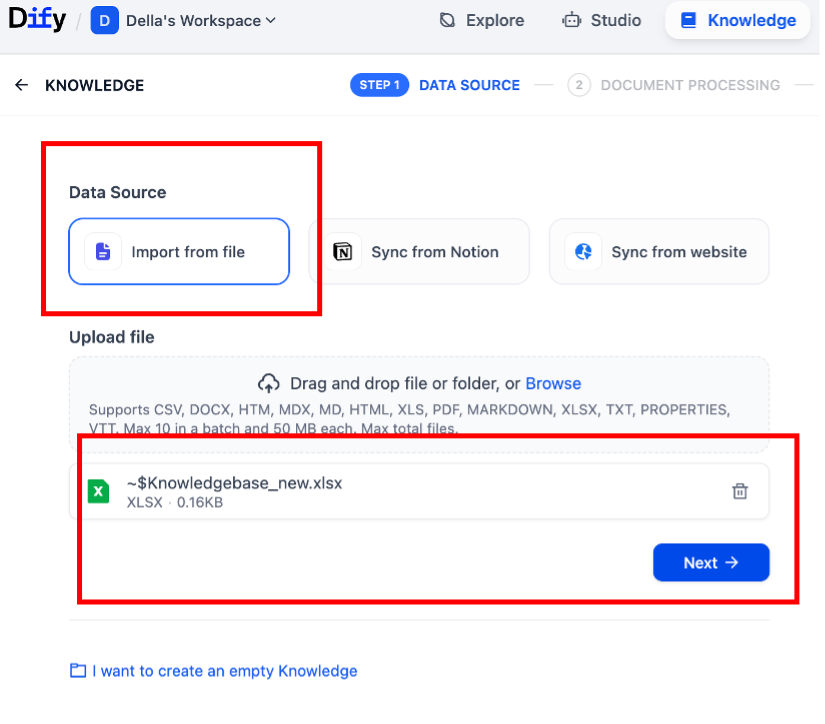
Setup Knowledge Base
When configuring text embeddings, select v3 or v4 for deployments in the international region (outside Mainland China)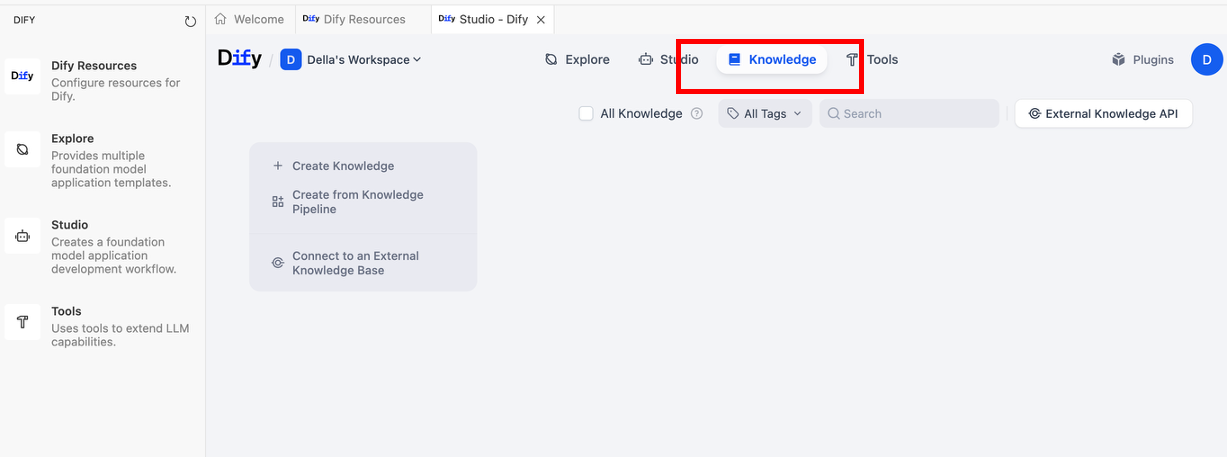
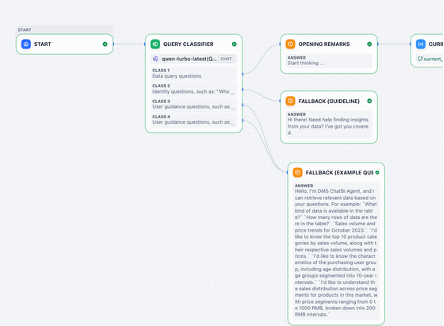
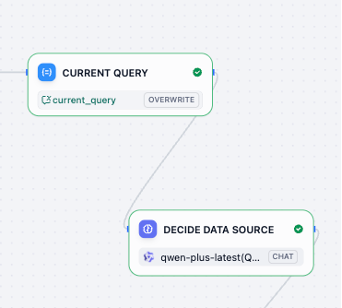
Setup Workflow:
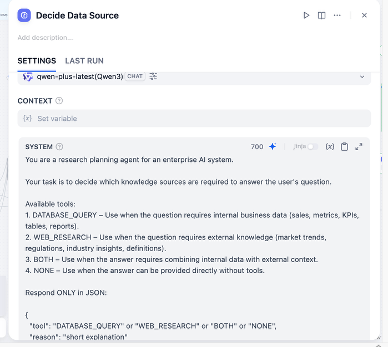
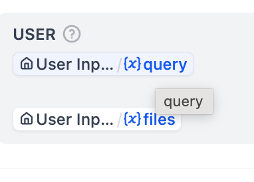
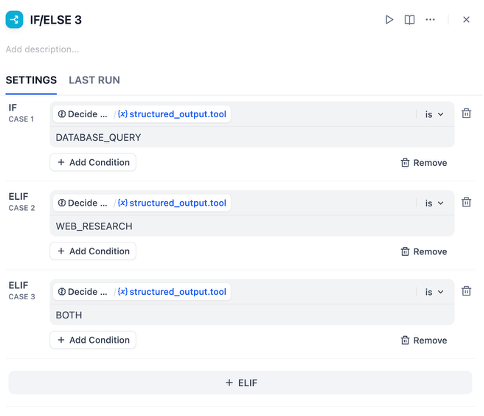
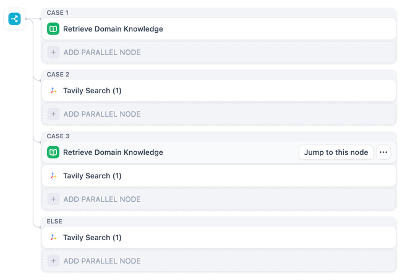
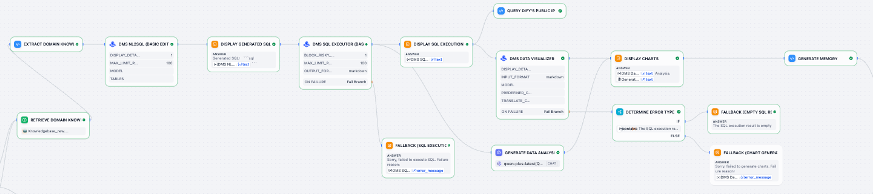
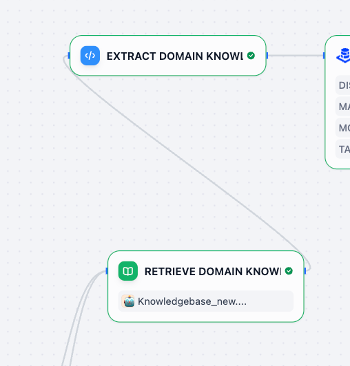
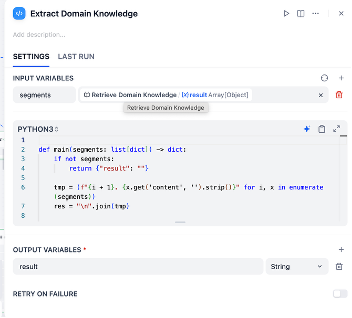
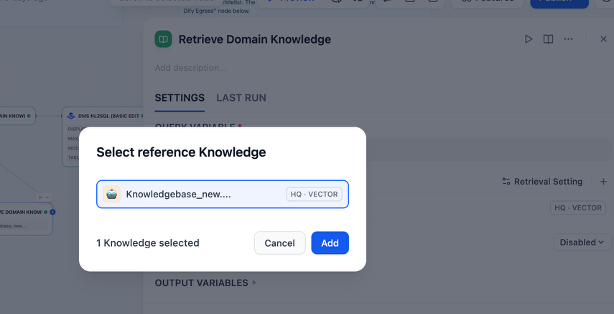
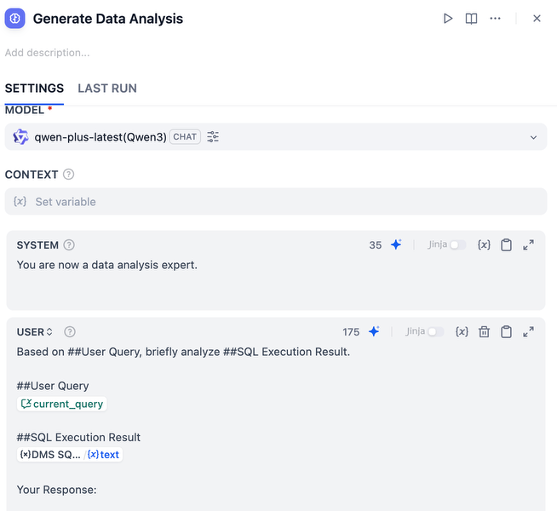
Select models for DMS NL2SQL (Natural Language to SQL) to translate user questions into SQL queries for the internal database.
When connecting to MySQL, use this connection string format:
mysql+pymysql://<user>:<password>@<host>:<port>/<database>When connecting to PostgreSQL, use:
postgresql+psycopg2://<user>:<password>@<host>:<port>/<database>When connecting to SQL Server, use:
mssql+pymssql://<user>:<password>@<host>:<port>/<database>When connecting to Oracle, use:
oracle+oracledb://<user>:<password>@<host>:<port>/<service_name>When connecting to ClickHouse, use:
clickhouse+native://<user>:<password>@<host>:<port>/<database>When connecting to MongoDB, use:
mongodb://<user>:<password>@<host>:<port>/<database>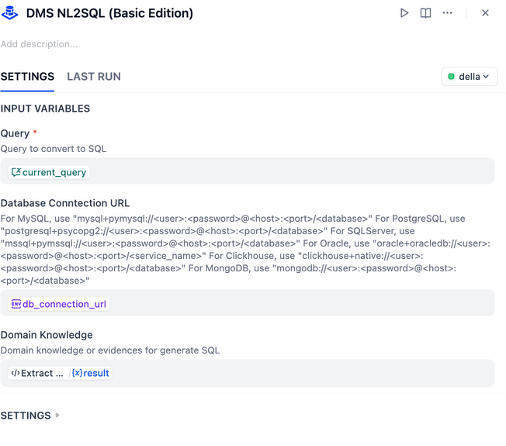
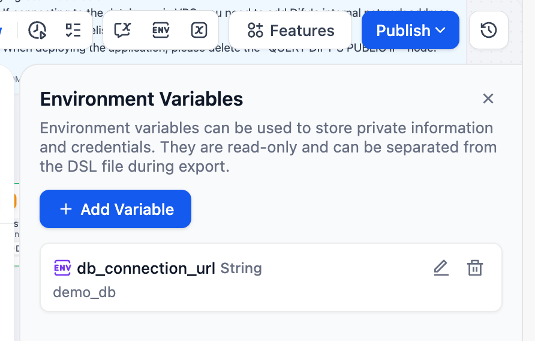
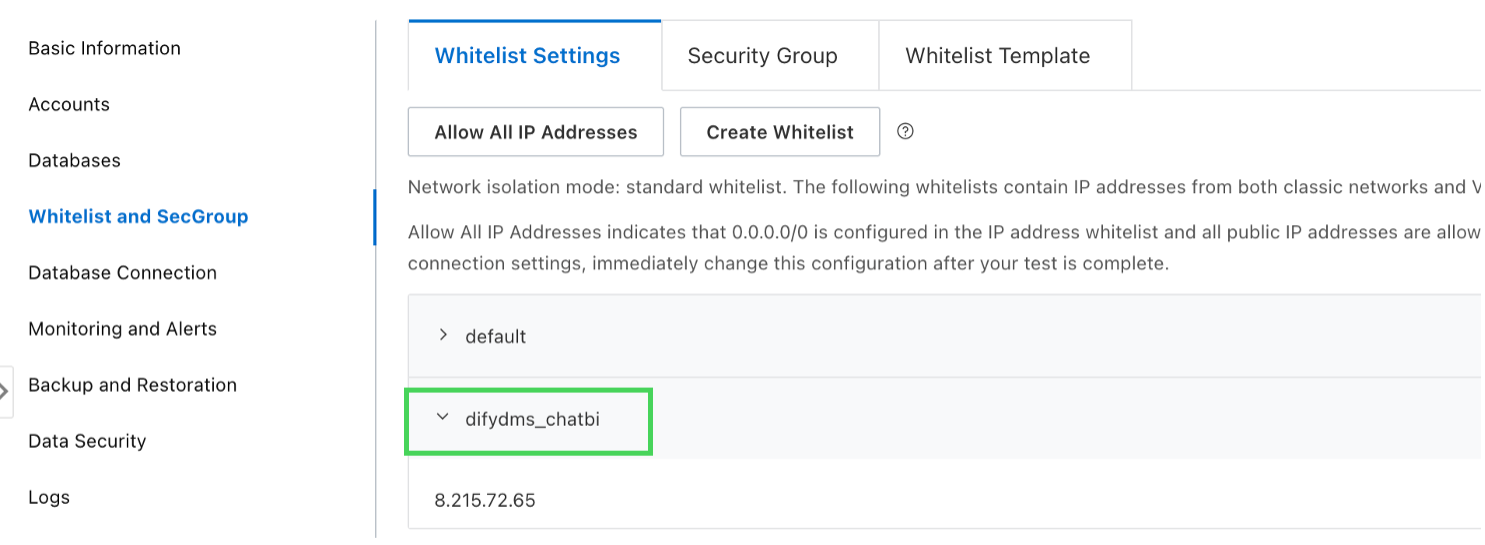
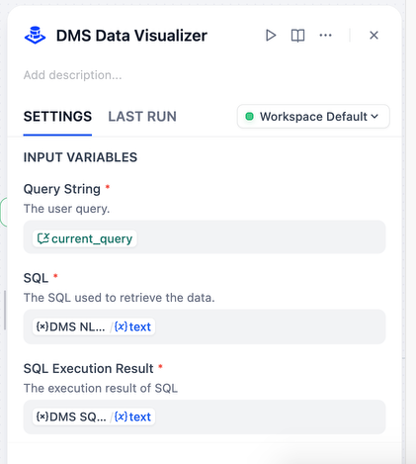
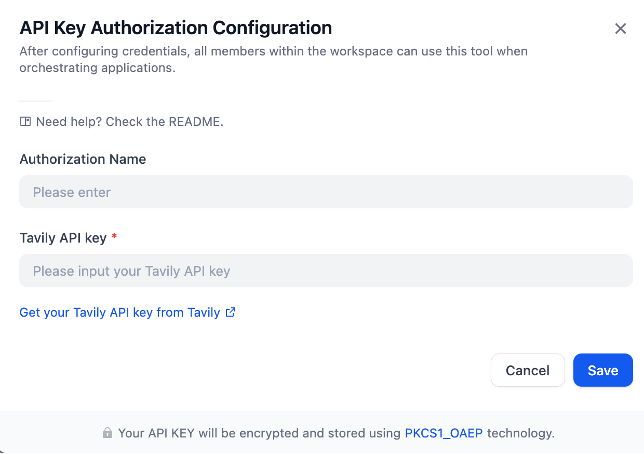
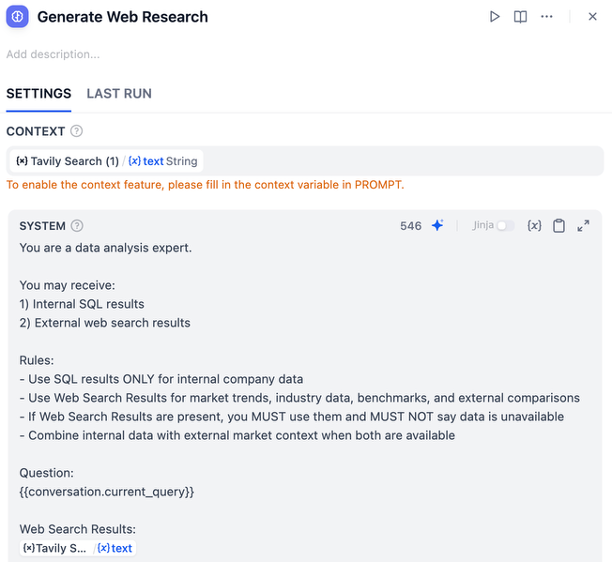
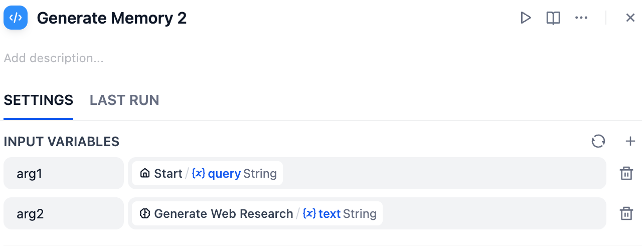
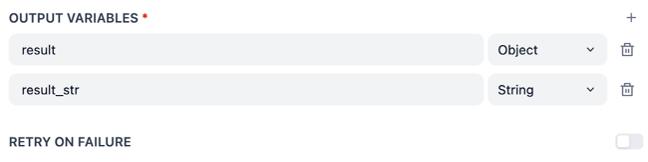
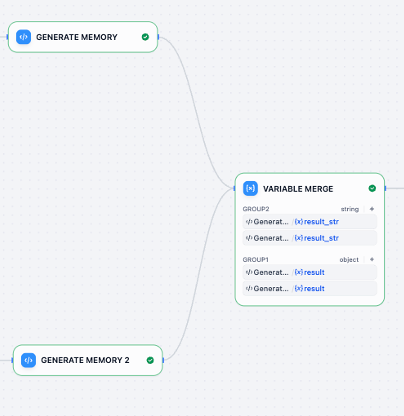
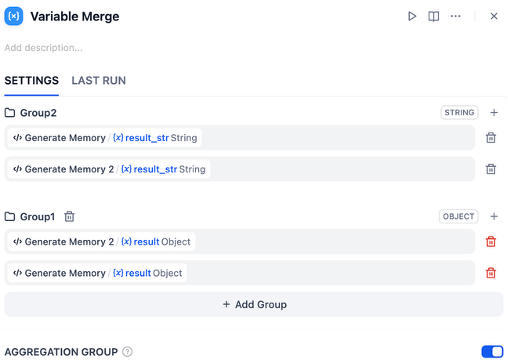
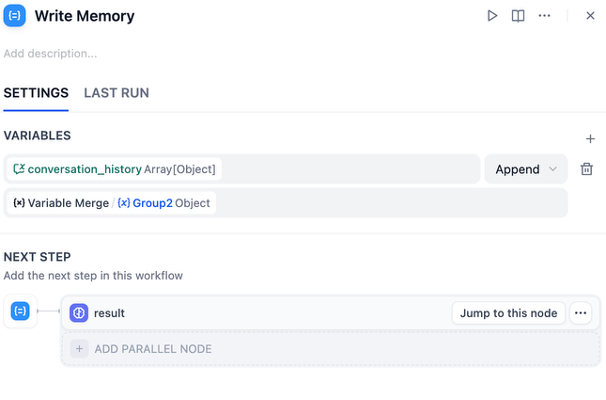
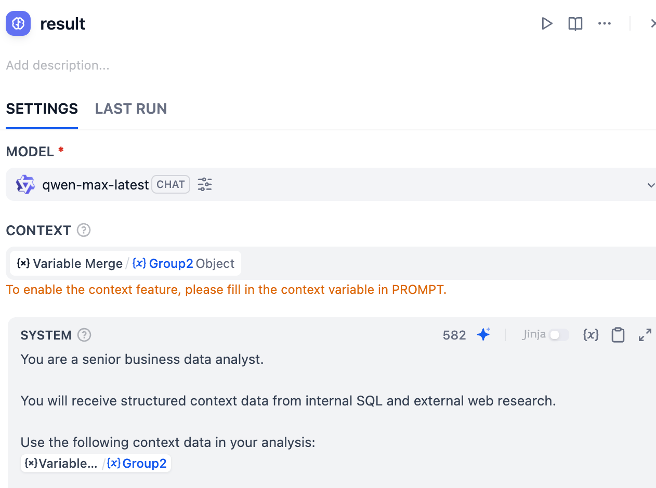
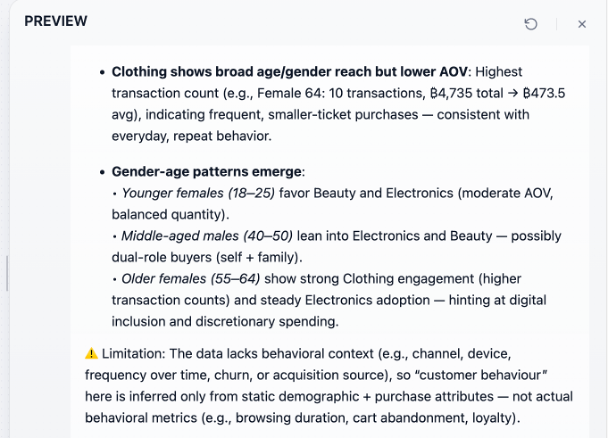
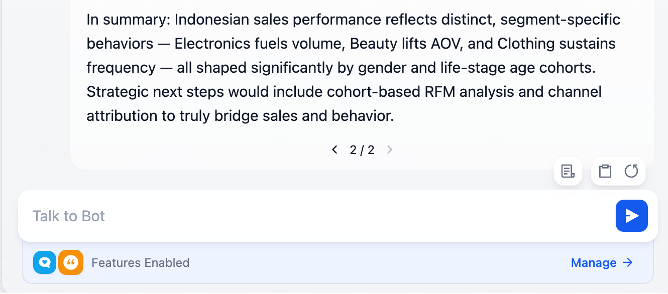
Output
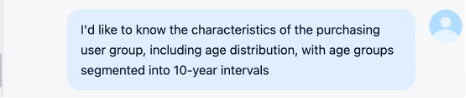
Answer: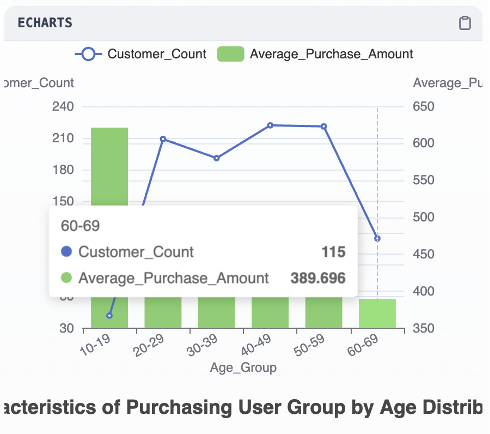
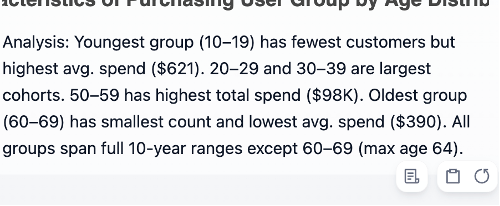
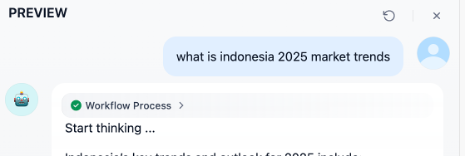
Answer: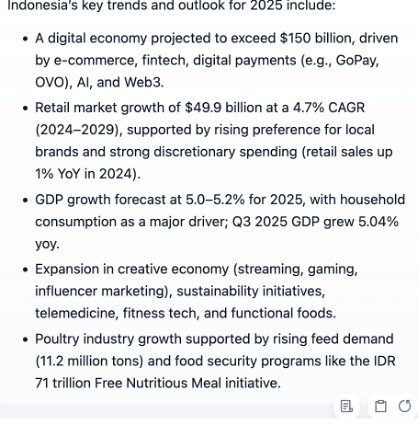
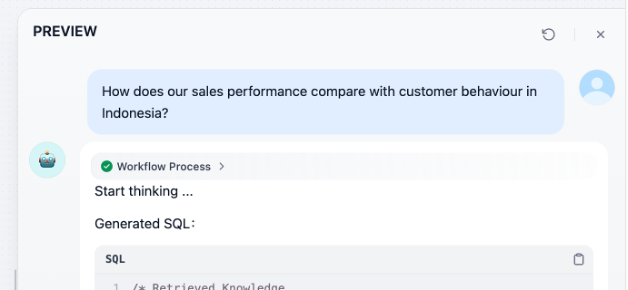
Answer: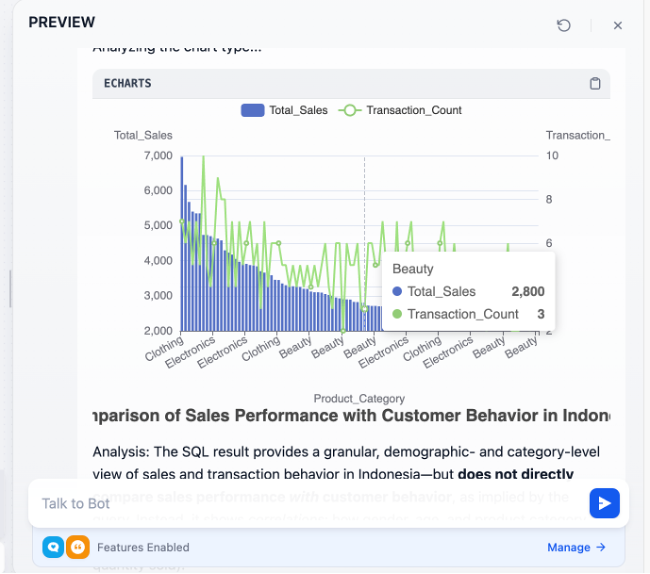
Conclusion
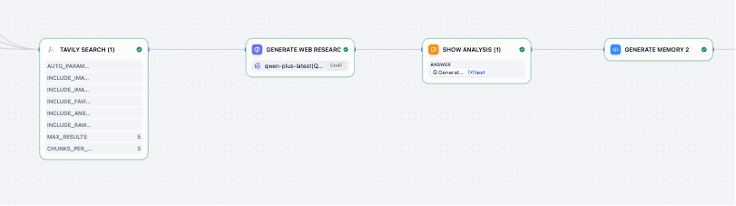
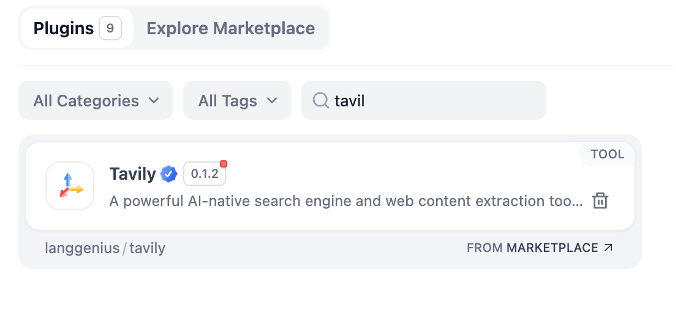
This hybrid AI architecture combines Dify’s workflow orchestration with Alibaba Cloud DMS and Qwen to create a governed, data-grounded intelligence layer for enterprise applications. User queries are first classified, then routed through controlled execution paths where DMS NL2SQL securely translates natural language into SQL and retrieves structured data from internal databases within the same VPC environment. When additional context is required, the workflow invokes external research tools such as Tavily Search, with Qwen performing reasoning and synthesis across both structured enterprise data and unstructured web sources. By enforcing internal data as the system of record while layering external intelligence through modular tool calls, the solution delivers explainable, auditable, and context-aware AI responses suitable for production-scale decision support.

3 posts | 0 followers
FollowAlibaba Cloud Native Community - April 15, 2025
Muhamad Miftah - February 23, 2026
Alibaba Cloud Native Community - June 13, 2025
Alibaba Cloud Native Community - September 4, 2025
Alibaba Cloud Indonesia - April 14, 2025
Alibaba Cloud Native Community - February 20, 2025
3 posts | 0 followers
Follow Big Data Consulting for Data Technology Solution
Alibaba Cloud provides big data consulting services to help enterprises leverage advanced data technology.
Learn More Big Data Consulting Services for Retail Solution
Alibaba Cloud experts provide retailers with a lightweight and customized big data consulting service to help you assess your big data maturity and plan your big data journey.
Learn More ApsaraDB for HBase
ApsaraDB for HBase is a NoSQL database engine that is highly optimized and 100% compatible with the community edition of HBase.
Learn More Container Compute Service (ACS)
A cloud computing service that provides container compute resources that comply with the container specifications of Kubernetes
Learn More
