Running Mapreduce Workload in Alibaba Cloud EMR Cluster
Introduction
E-MapReduce (EMR) is a cloud-native open-source big data platform that provides you with easy-to-integrate open-source big data computing and storage engines such as Hadoop, Hive, Spark, Flink, Presto, and ClickHouse. EMR allows you to adjust computing resources based on your business needs and deploy the resources on Alibaba Cloud Elastic Search Service (ECS), Alibaba Cloud Container Service for Kubernetes (ACK), and Apsara Stack. In this blog, we are going to see how to run map-reduce jobs in the Alibaba Cloud EMR Cluster.
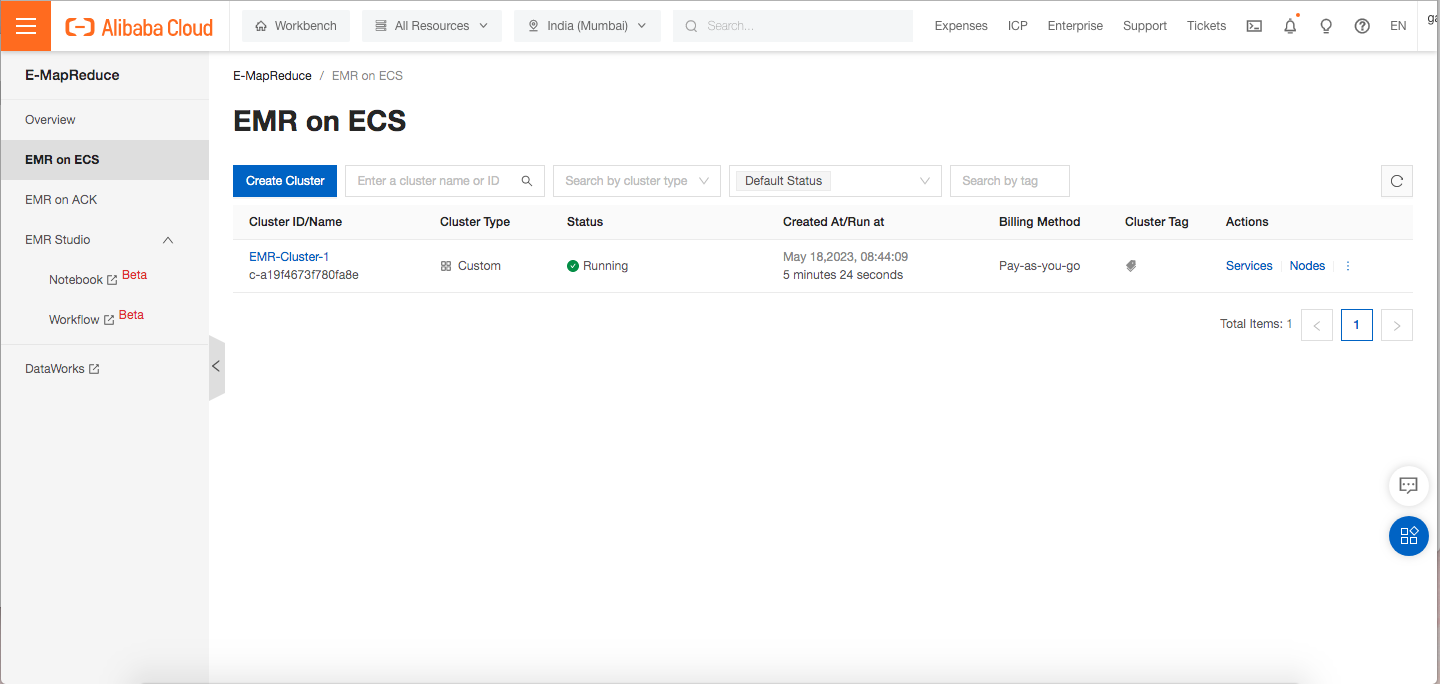
Step-1: Create an EMR cluster as shown in the image below.
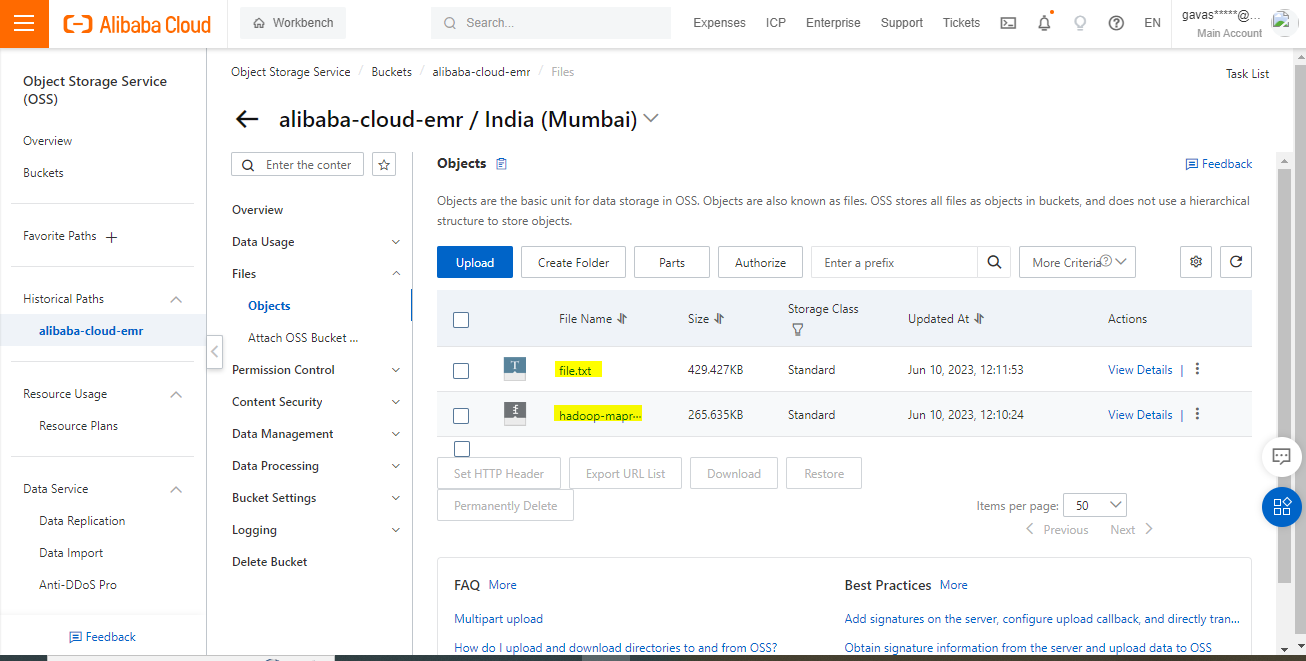
Step-2: Upload the hadoop-mapreduce-examples-2.7.2 and the file to be processed into the Alibaba Cloud OSS as shown below
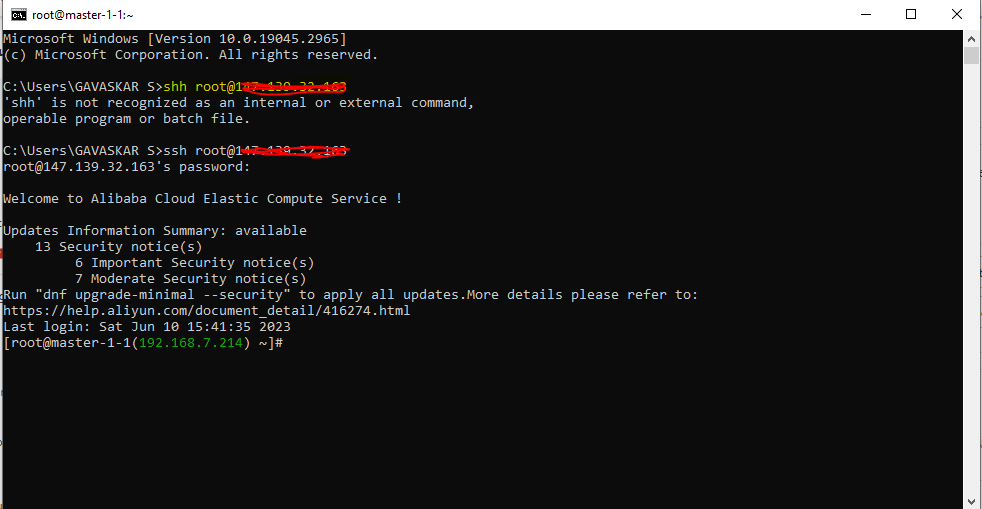
Step-3: Log in to the master node using ssh as shown below
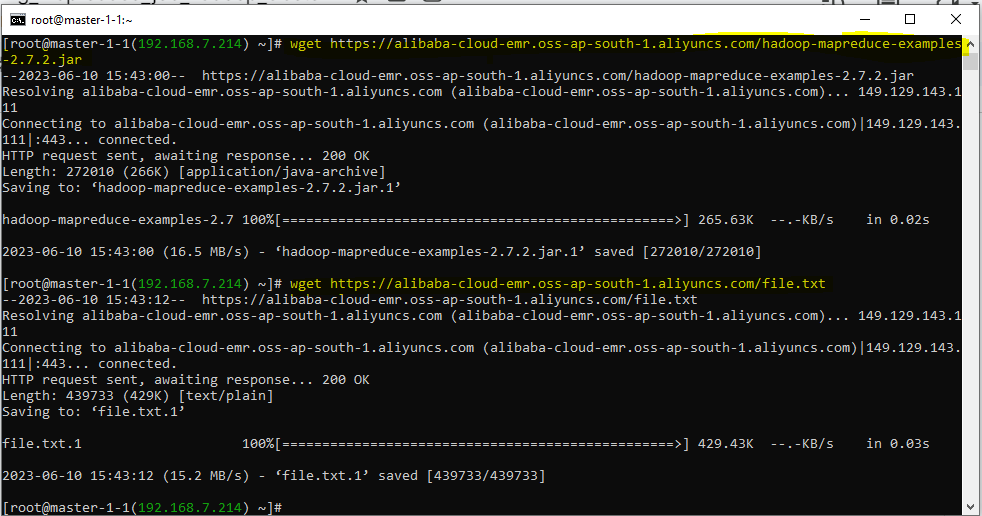
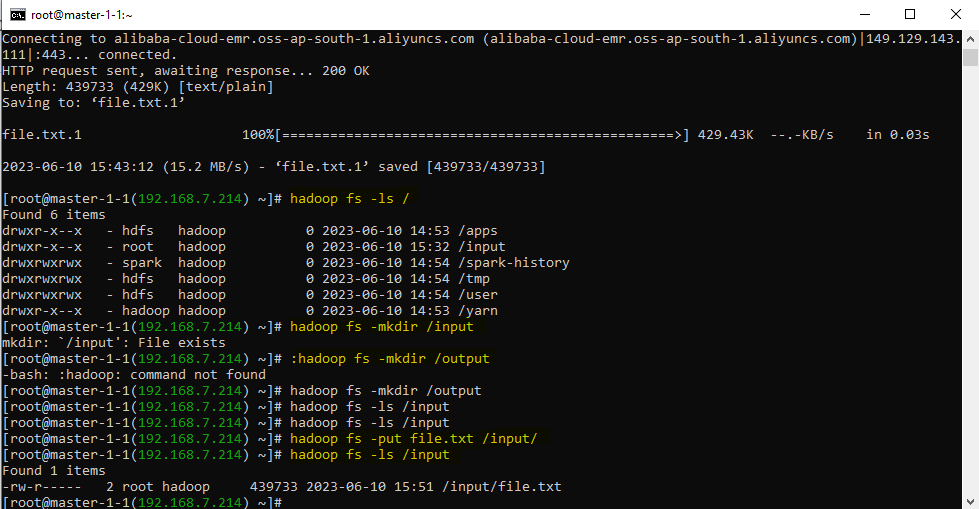
Step-4: Get jar file and txt file from OSS using the command wget.
Step-5: Run following commands
5.1: hadoop fs -ls / -> to check hadoop file system directory
5.2: hadoop fs -mkdir /input -> to create a directory input
5.3: hadoop fs -mkdir /output -> to create an output directory in the Hadoop file system
5.4: hadoop fs -put file.txt /input/ -> to upload the downloaded story file to the Hadoop file system
5.5: hadoop fs -ls /input -> to view the uploaded file
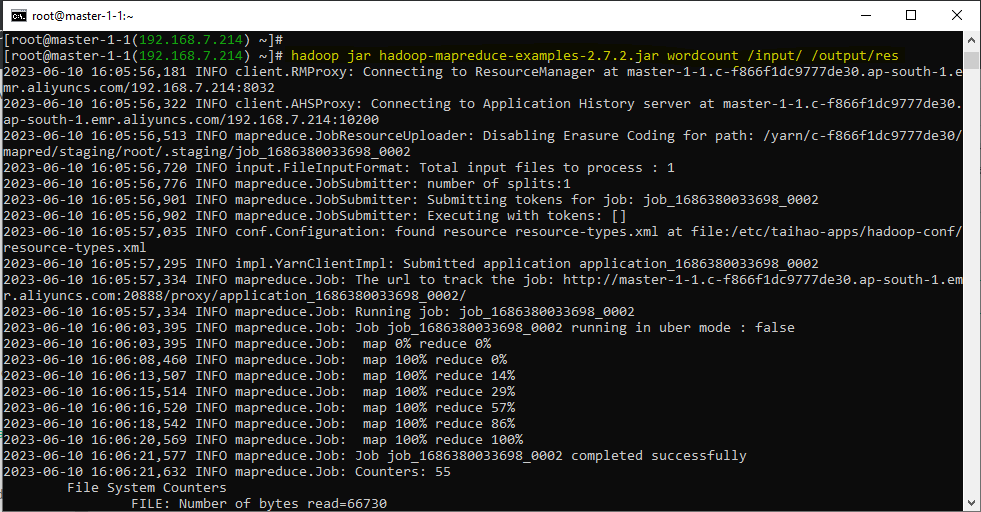
Step-6: Running the job using the command below
Step-7: Running the following command to view the file
7.2: hadoop fs -ls /output/res -> to view content in the /output/res directory
7.2: hadoop fs -get /output/res/part-r-00004
7.3: ls
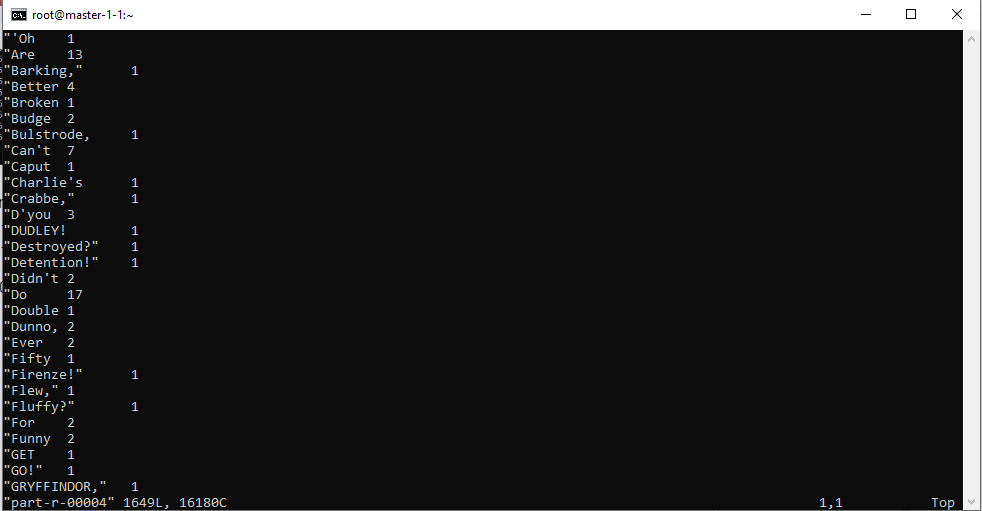
7.4: vim part-r-00004 -> to open the file as shown below
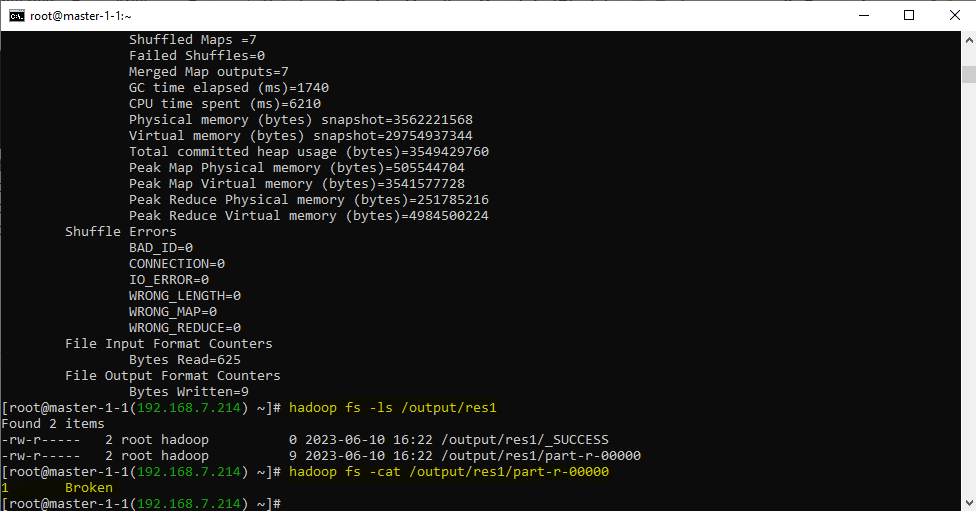
Step-8: Getting the frequency of the word Broken in the file
8.1: hadoop jar hadoop-mapreduce-examples-2.7.2.jar grep /input/ /output/res1 Broken
8.2: hadoop fs -ls /output/res1 -> move to the res1 folder
8.3: hadoop fs -cat /output/res1/part-r-00000 -> to view the result file
Step-9: Generating random text
9.1: hadoop jar hadoop-mapreduce-examples-2.7.2.jar randomtextwriter -D mapreduce.randomtextwriter.totalbytes=100000000 /output/res2 -> to generate random text
9.2: hadoop fs -ls /output/res2 -> to view resulted file
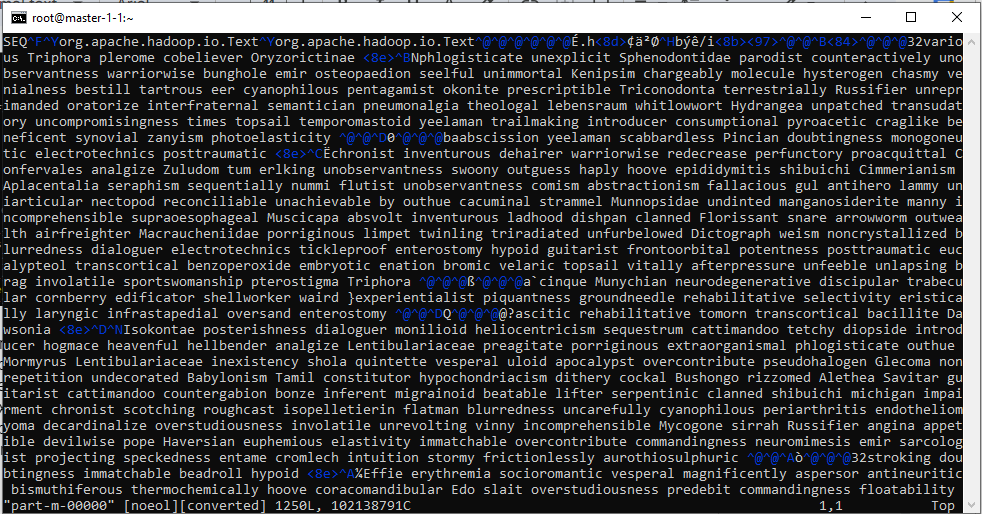
9.3: vim part-m-00000 -> to view the file generated as shown below
Conclusion
Alibaba Cloud E-MapReduce (EMR), a cloud-native open-source big data platform, provides easy-to-integrate open-source big data computing and storage engines such as Hadoop, Hive, Spark, Flink, Presto, and ClickHouse. The Alibaba Cloud EMR service can also be used to create an EMR cluster within minutes with just a few mouse clicks. In this blog, we have provided an overview of the steps involved in running MapReduce workloads in the Alibaba Cloud EMR Cluster.
Read previous post:
Read next post:
-

-
GAVASKAR S
13 posts | 3 followers
Follow
Comments
-
-
GAVASKAR S
13 posts | 3 followers
Follow
Related Products
-
 Big Data Consulting for Data Technology Solution
Alibaba Cloud provides big data consulting services to help enterprises leverage advanced data technology.
Learn More -
 Big Data Consulting Services for Retail Solution
Alibaba Cloud experts provide retailers with a lightweight and customized big data consulting service to help you assess your big data maturity and plan your big data journey.
Learn More -
 ApsaraDB for MyBase
ApsaraDB Dedicated Cluster provided by Alibaba Cloud is a dedicated service for managing databases on the cloud.
Learn More -
 E-MapReduce Service
A Big Data service that uses Apache Hadoop and Spark to process and analyze data
Learn More
More Posts by GAVASKAR S
- Unlock the Future of Automation: Introducing Alibaba Cloud AgentBay
- Hardness the Power of Gen AI Using Alibaba Cloud Model Studio API
- How Generative AI Can Revolutionize Data Engineering
- Working with E-MapReduce in Alibaba Cloud
- Working with Resource Sharing in Resource Management of Alibaba Cloud
- Working with Resource Group in Resource Management of Alibaba Cloud
- Working with Tags in Alibaba Cloud Resource Management
- Creating Business Insight Using Quick BI and an ApsaraDB for RDS Instance
- Implementing Enterprise Mail for the organization using Alibaba Cloud Mail