萬相影像編輯模型系列支援多圖輸入與多圖輸出,通過文本指令實現影像編輯、多圖融合、主體特徵保持、目標檢測與分割等能力。
快速開始
本樣本將示範如何使用wan2.7-image-pro模型,基於2張輸入圖片和提示詞產生編輯後的映像。
提示詞:把圖2的塗鴉噴繪在圖1的汽車上
輸入映像1 | 輸入映像2 | 輸出映像(wan2.7-image-pro) |
|
|
|

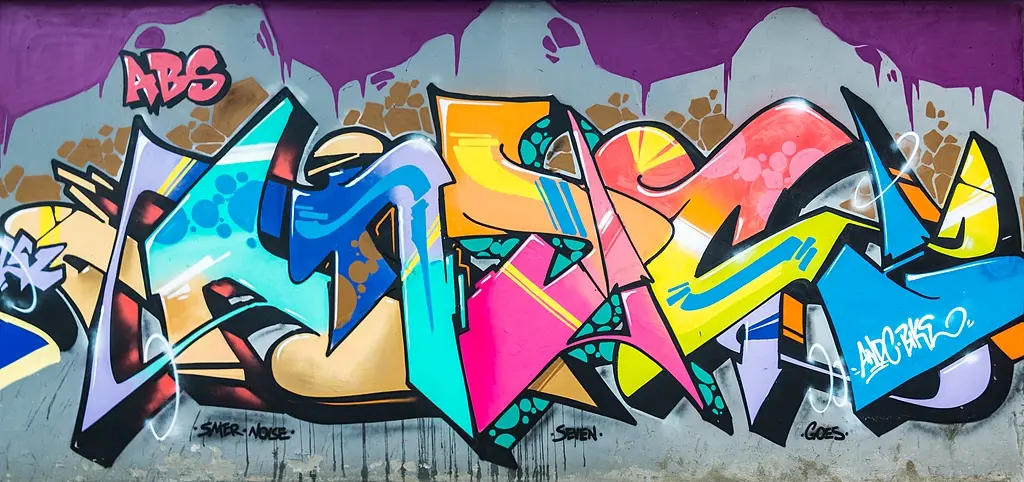
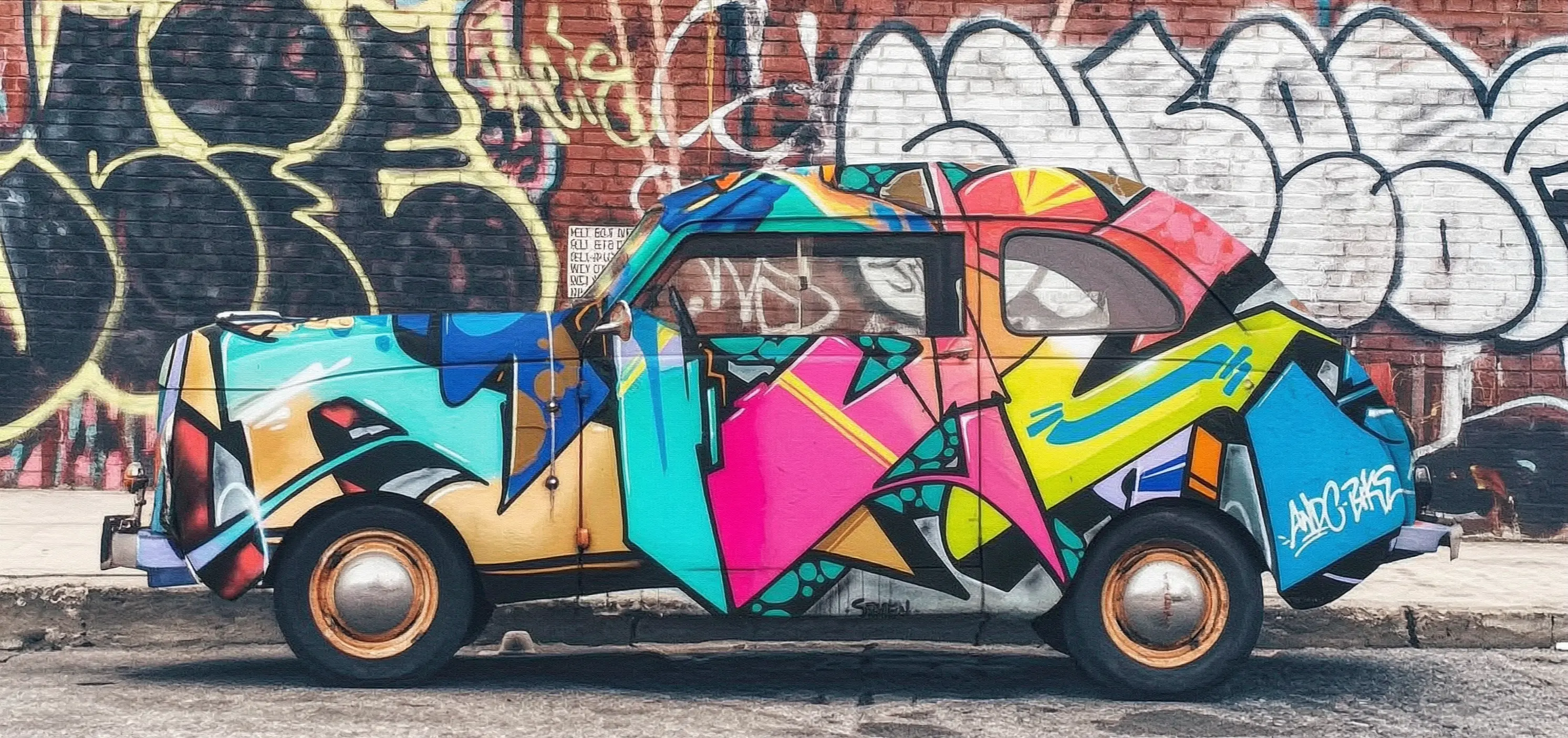
在調用前,先擷取API Key,再配置API Key到環境變數(準備下線,併入配置 API Key)。如需通過SDK進行調用,請安裝DashScope SDK。
同步調用
請確保 DashScope Python SDK 版本不低於 1.25.15, DashScope Java SDK 版本不低於 2.22.13。
Python
請求樣本
import os
import dashscope
from dashscope.aigc.image_generation import ImageGeneration
from dashscope.api_entities.dashscope_response import Message

# 以下為新加坡地區base_url,各地區的base_url不同
dashscope.base_http_api_url = 'https://dashscope-intl.aliyuncs.com/api/v1'

# 若沒有配置環境變數,請用百鍊API Key將下行替換為:api_key="sk-xxx"
# 各地區的API Key不同。擷取API Key:https://www.alibabacloud.com/help/zh/model-studio/get-api-key
api_key = os.getenv("DASHSCOPE_API_KEY")

message = Message(
    role="user",
    # 支援本地檔案 如 "image": "file://car.png"
    content=[
        {
            "text": "把圖2的塗鴉噴繪在圖1的汽車上"
        },
        {
            "image": "https://help-static-aliyun-doc.aliyuncs.com/file-manage-files/zh-CN/20251229/pjeqdf/car.webp"
        },
        {
            "image": "https://help-static-aliyun-doc.aliyuncs.com/file-manage-files/zh-CN/20251229/xsunlm/paint.webp"
        }
    ]
)
print("----sync call, please wait a moment----")
rsp = ImageGeneration.call(
        model='wan2.7-image-pro',
        api_key=api_key,
        messages=[message],
        watermark=False,
        n=1,
        size="2K"
    )

print(rsp)
響應樣本
url 有效期間24小時,請及時下載映像。
{
    "status_code": 200,
    "request_id": "81d868c6-6ce1-92d8-a90d-d2ee71xxxxxx",
    "code": "",
    "message": "",
    "output": {
        "text": null,
        "finish_reason": null,
        "choices": [
            {
                "finish_reason": "stop",
                "message": {
                    "role": "assistant",
                    "content": [
                        {
                            "image": "https://dashscope-result-bj.oss-cn-beijing.aliyuncs.com/xxxxxx.png?Expires=xxxxxx",
                            "type": "image"
                        }
                    ]
                }
            }
        ],
        "audio": null,
        "finished": true
    },
    "usage": {
        "input_tokens": 18790,
        "output_tokens": 2,
        "characters": 0,
        "image_count": 1,
        "size": "2985*1405",
        "total_tokens": 18792
    }
}
Java
請求樣本
import com.alibaba.dashscope.aigc.imagegeneration.*;
import com.alibaba.dashscope.exception.ApiException;
import com.alibaba.dashscope.exception.NoApiKeyException;
import com.alibaba.dashscope.exception.UploadFileException;
import com.alibaba.dashscope.utils.Constants;
import com.alibaba.dashscope.utils.JsonUtils;

import java.util.Arrays;
import java.util.Collections;

/**
 * wan2.7-image-pro 影像編輯 - 同步調用樣本
 */
public class Main {

    static {
        // 以下為新加坡地區url,各地區的base_url不同
        Constants.baseHttpApiUrl = "https://dashscope-intl.aliyuncs.com/api/v1";
    }

    // 若沒有配置環境變數,請用百鍊API Key將下行替換為:apiKey="sk-xxx"
    // 各地區的API Key不同。擷取API Key:https://www.alibabacloud.com/help/zh/model-studio/get-api-key
    static String apiKey = System.getenv("DASHSCOPE_API_KEY");

    public static void basicCall() throws ApiException, NoApiKeyException, UploadFileException {
        // 構建多圖輸入訊息
        ImageGenerationMessage message = ImageGenerationMessage.builder()
                .role("user")
                .content(Arrays.asList(
                        // 支援多圖輸入,可以提供多張參考圖片
                        Collections.singletonMap("text", "把圖2的塗鴉噴繪在圖1的汽車上"),
                        Collections.singletonMap("image", "https://help-static-aliyun-doc.aliyuncs.com/file-manage-files/zh-CN/20251229/pjeqdf/car.webp"),
                        Collections.singletonMap("image", "https://help-static-aliyun-doc.aliyuncs.com/file-manage-files/zh-CN/20251229/xsunlm/paint.webp")
                )).build();

        ImageGenerationParam param = ImageGenerationParam.builder()
                .apiKey(apiKey)
                .model("wan2.7-image-pro")
                .messages(Collections.singletonList(message))
                .n(1)
                .size("2K")
                .build();

        ImageGeneration imageGeneration = new ImageGeneration();
        ImageGenerationResult result = null;
        try {
            System.out.println("---sync call for image editing, please wait a moment----");
            result = imageGeneration.call(param);
        } catch (ApiException | NoApiKeyException | UploadFileException e) {
            throw new RuntimeException(e.getMessage());
        }
        System.out.println(JsonUtils.toJson(result));
    }

    public static void main(String[] args) {
        try {
            basicCall();
        } catch (ApiException | NoApiKeyException | UploadFileException e) {
            System.out.println(e.getMessage());
        }
    }
}
響應樣本
url 有效期間24小時,請及時儲存。
{
    "requestId": "1bf6173a-e8de-9f75-94d3-5e618f875xxx",
    "usage": {
        "input_tokens": 18790,
        "output_tokens": 2,
        "total_tokens": 18792,
        "image_count": 1,
        "size": "2985*1405"
    },
    "output": {
        "choices": [
            {
                "finish_reason": "stop",
                "message": {
                    "role": "assistant",
                    "content": [
                        {
                            "image": "https://dashscope-result-bj.oss-cn-beijing.aliyuncs.com/xxxxxx.png?Expires=xxxxxx",
                            "type": "image"
                        }
                    ]
                }
            }
        ],
        "finished": true
    },
    "status_code": 200,
    "code": "",
    "message": ""
}
curl
請求樣本
curl --location 'https://dashscope-intl.aliyuncs.com/api/v1/services/aigc/multimodal-generation/generation' \
--header 'Content-Type: application/json' \
--header "Authorization: Bearer $DASHSCOPE_API_KEY" \
--data '{
    "model": "wan2.7-image-pro",
    "input": {
        "messages": [
            {
                "role": "user",
                "content": [
                    {"image": "https://help-static-aliyun-doc.aliyuncs.com/file-manage-files/zh-CN/20251229/pjeqdf/car.webp"},
                    {"image": "https://help-static-aliyun-doc.aliyuncs.com/file-manage-files/zh-CN/20251229/xsunlm/paint.webp"},
                    {"text": "把圖2的塗鴉噴繪在圖1的汽車上"}
                ]
            }
        ]
    },
    "parameters": {
        "size": "2K",
        "n": 1,
        "watermark": false,
        "thinking_mode": true
    }
}'
響應樣本
{
    "output": {
        "choices": [
            {
                "finish_reason": "stop",
                "message": {
                    "content": [
                        {
                            "image": "https://dashscope-xxx.oss-xxx.aliyuncs.com/xxx.png?Expires=xxx",
                            "type": "image"
                        }
                    ],
                    "role": "assistant"
                }
            }
        ],
        "finished": true
    },
    "usage": {
        "image_count": 1,
        "input_tokens": 10867,
        "output_tokens": 2,
        "size": "1488*704",
        "total_tokens": 10869
    },
    "request_id": "71dfc3c6-f796-9972-97e4-bc4efc4faxxx"
}
非同步呼叫
請確保 DashScope Python SDK 版本不低於 1.25.15, DashScope Java SDK 版本不低於 2.22.13。
Python
請求樣本
import os
import dashscope
from dashscope.aigc.image_generation import ImageGeneration
from dashscope.api_entities.dashscope_response import Message
from http import HTTPStatus

# 以下為新加坡地區base_url,各地區的base_url不同
dashscope.base_http_api_url = 'https://dashscope-intl.aliyuncs.com/api/v1'

# 若沒有配置環境變數,請用百鍊API Key將下行替換為:api_key="sk-xxx"
# 各地區的API Key不同。擷取API Key:https://www.alibabacloud.com/help/zh/model-studio/get-api-key
api_key = os.getenv("DASHSCOPE_API_KEY")

# 建立非同步任務
def create_async_task():
    print("Creating async task...")
    message = Message(
        role="user",
        content=[
            {'text': '把圖2的塗鴉噴繪在圖1的汽車上'},
            {'image': 'https://help-static-aliyun-doc.aliyuncs.com/file-manage-files/zh-CN/20251229/pjeqdf/car.webp'},
            {'image': 'https://help-static-aliyun-doc.aliyuncs.com/file-manage-files/zh-CN/20251229/xsunlm/paint.webp'}
        ]
    )
    response = ImageGeneration.async_call(
        model="wan2.7-image-pro",
        api_key=api_key,
        messages=[message],
        watermark=False,
        n=1,
        size="2K"
    )

    if response.status_code == 200:
        print("Task created successfully:", response)
        return response  # 返回任務ID
    else:
        raise Exception(f"Failed to create task: {response.code} - {response.message}")

# 等待任務完成
def wait_for_completion(task_response):
    print("Waiting for task completion...")
    status = ImageGeneration.wait(task=task_response, api_key=api_key)

    if status.output.task_status == "SUCCEEDED":
        print("Task succeeded!")
        print("Response:", status)
    else:
        raise Exception(f"Task failed with status: {status.output.task_status}")

# 擷取非同步任務資訊
def fetch_task_status(task):
    print("Fetching task status...")
    status = ImageGeneration.fetch(task=task, api_key=api_key)

    if status.status_code == HTTPStatus.OK:
        print("Task status:", status.output.task_status)
        print("Response details:", status)
    else:
        print(f"Failed to fetch status: {status.code} - {status.message}")

# 取消非同步任務
def cancel_task(task):
    print("Canceling task...")
    response = ImageGeneration.cancel(task=task, api_key=api_key)

    if response.status_code == HTTPStatus.OK:
        print("Task canceled successfully:", response.output.task_status)
    else:
        print(f"Failed to cancel task: {response.code} - {response.message}")

# 主執行流程
if __name__ == "__main__":
    task = create_async_task()
    wait_for_completion(task)
響應樣本
1、建立任務的響應樣本
{
    "status_code": 200,
    "request_id": "4fb3050f-de57-4a24-84ff-e37ee5xxxxxx",
    "code": "",
    "message": "",
    "output": {
        "text": null,
        "finish_reason": null,
        "choices": null,
        "audio": null,
        "task_id": "127ec645-118f-4884-955d-0eba8dxxxxxx",
        "task_status": "PENDING"
    },
    "usage": {
        "input_tokens": 0,
        "output_tokens": 0,
        "characters": 0
    }
}
2、查詢任務結果的響應樣本
url 有效期間24小時,請及時下載映像。
{
    "status_code": 200,
    "request_id": "3b99aae5-d26f-9059-8dd0-ee9ca4804xxx",
    "code": null,
    "message": "",
    "output": {
        "text": null,
        "finish_reason": null,
        "choices": [
            {
                "finish_reason": "stop",
                "message": {
                    "role": "assistant",
                    "content": [
                        {
                            "image": "https://dashscope-result-bj.oss-cn-beijing.aliyuncs.com/xxxxxx.png?Expires=xxxxxx",
                            "type": "image"
                        }
                    ]
                }
            }
        ],
        "audio": null,
        "task_id": "127ec645-118f-4884-955d-0eba8dxxxxxx",
        "task_status": "SUCCEEDED",
        "submit_time": "2026-03-31 22:58:47.646",
        "scheduled_time": "2026-03-31 22:58:47.683",
        "end_time": "2026-03-31 22:58:59.642",
        "finished": true
    },
    "usage": {
        "input_tokens": 18711,
        "output_tokens": 2,
        "characters": 0,
        "size": "2985*1405",
        "total_tokens": 18713,
        "image_count": 1
    }
}
Java
請求樣本
import com.alibaba.dashscope.aigc.imagegeneration.*;
import com.alibaba.dashscope.exception.ApiException;
import com.alibaba.dashscope.exception.NoApiKeyException;
import com.alibaba.dashscope.exception.UploadFileException;
import com.alibaba.dashscope.utils.Constants;
import com.alibaba.dashscope.utils.JsonUtils;

import java.util.Arrays;
import java.util.Collections;

/**
 * wan2.7-image-pro 影像編輯 - 非同步呼叫樣本
 */
public class Main {

    static {
        // 以下為新加坡地區url,各地區的base_url不同
        Constants.baseHttpApiUrl = "https://dashscope-intl.aliyuncs.com/api/v1";
    }

    // 若沒有配置環境變數,請用百鍊API Key將下行替換為:apiKey="sk-xxx"
    // 各地區的API Key不同。擷取API Key:https://www.alibabacloud.com/help/zh/model-studio/get-api-key
    static String apiKey = System.getenv("DASHSCOPE_API_KEY");

    public static void asyncCall() throws ApiException, NoApiKeyException, UploadFileException {
        // 構建多圖輸入訊息
        ImageGenerationMessage message = ImageGenerationMessage.builder()
                .role("user")
                .content(Arrays.asList(
                        // 支援多圖輸入,可以提供多張參考圖片
                        Collections.singletonMap("text", "把圖2的塗鴉噴繪在圖1的汽車上"),
                        Collections.singletonMap("image", "https://help-static-aliyun-doc.aliyuncs.com/file-manage-files/zh-CN/20251229/pjeqdf/car.webp"),
                        Collections.singletonMap("image", "https://help-static-aliyun-doc.aliyuncs.com/file-manage-files/zh-CN/20251229/xsunlm/paint.webp")
                )).build();

        ImageGenerationParam param = ImageGenerationParam.builder()
                .apiKey(apiKey)
                .model("wan2.7-image-pro")
                .n(1)
                .size("2K")
                .messages(Arrays.asList(message))
                .build();

        ImageGeneration imageGeneration = new ImageGeneration();
        ImageGenerationResult result = null;
        try {
            System.out.println("---async call for image editing, creating task----");
            result = imageGeneration.asyncCall(param);
        } catch (ApiException | NoApiKeyException | UploadFileException e) {
            throw new RuntimeException(e.getMessage());
        }
        System.out.println("任務建立結果:");
        System.out.println(JsonUtils.toJson(result));

        String taskId = result.getOutput().getTaskId();
        // 等待任務完成
        waitTask(taskId);
    }

    public static void waitTask(String taskId) throws ApiException, NoApiKeyException {
        ImageGeneration imageGeneration = new ImageGeneration();
        System.out.println("\n---waiting for task completion----");
        ImageGenerationResult result = imageGeneration.wait(taskId, apiKey);
        System.out.println("任務完成結果:");
        System.out.println(JsonUtils.toJson(result));
    }

    public static void main(String[] args) {
        try {
            asyncCall();
        } catch (ApiException | NoApiKeyException | UploadFileException e) {
            System.out.println(e.getMessage());
        }
    }
}
響應樣本
1、建立任務的響應樣本
{
    "requestId": "ccf4b2f4-bf30-9e13-9461-3a28c6a7bxxx",
    "output": {
        "task_id": "8811b4a4-00ac-4aa2-a2fd-017d3b90cxxx",
        "task_status": "PENDING"
    },
    "status_code": 200,
    "code": "",
    "message": ""
}
2、查詢任務結果的響應樣本
url 有效期間24小時,請及時儲存。
{
    "requestId": "60a08540-f1c1-9e76-8cd3-d5949db8cxxx",
    "usage": {
        "input_tokens": 18711,
        "output_tokens": 2,
        "total_tokens": 18713,
        "image_count": 1,
        "size": "2985*1405"
    },
    "output": {
        "choices": [
            {
                "finish_reason": "stop",
                "message": {
                    "role": "assistant",
                    "content": [
                        {
                            "image": "https://dashscope-result-bj.oss-cn-beijing.aliyuncs.com/xxxxxx.png?Expires=xxxxxx",
                            "type": "image"
                        }
                    ]
                }
            }
        ],
        "task_id": "8811b4a4-00ac-4aa2-a2fd-017d3b90cxxx",
        "task_status": "SUCCEEDED",
        "finished": true,
        "submit_time": "2026-03-31 19:57:58.840",
        "scheduled_time": "2026-03-31 19:57:58.877",
        "end_time": "2026-03-31 19:58:11.563"
    },
    "status_code": 200,
    "code": "",
    "message": ""
}
curl
步驟1:建立任務擷取任務ID
curl --location 'https://dashscope-intl.aliyuncs.com/api/v1/services/aigc/image-generation/generation' \
--header 'Content-Type: application/json' \
--header "Authorization: Bearer $DASHSCOPE_API_KEY" \
--header "X-DashScope-Async: enable" \
--data '{
    "model": "wan2.7-image-pro",
    "input": {
        "messages": [
            {
                "role": "user",
                "content": [
                    {"image": "https://help-static-aliyun-doc.aliyuncs.com/file-manage-files/zh-CN/20251229/pjeqdf/car.webp"},
                    {"image": "https://help-static-aliyun-doc.aliyuncs.com/file-manage-files/zh-CN/20251229/xsunlm/paint.webp"},
                    {"text": "把圖2的塗鴉噴繪在圖1的汽車上"}
                ]
            }
        ]
    },
    "parameters": {
        "size": "2K",
        "n": 1,
        "watermark": false,
        "thinking_mode": true
    }
}'
響應樣本
{
    "output": {
        "task_status": "PENDING",
        "task_id": "0385dc79-5ff8-4d82-bcb6-xxxxxx"
    },
    "request_id": "4909100c-7b5a-9f92-bfe5-xxxxxx"
}
步驟2:根據任務ID查詢結果
使用上一步擷取的 task_id,通過介面輪詢任務狀態,直到 task_status 變為 SUCCEEDED 或 FAILED。
將{task_id}完整替換為上一步介面返回的task_id的值。task_id查詢有效期間為24小時。
curl -X GET https://dashscope-intl.aliyuncs.com/api/v1/tasks/{task_id} \
--header "Authorization: Bearer $DASHSCOPE_API_KEY"
響應樣本
映像URL有效期間為24小時,請及時下載映像。
{
    "request_id": "810fa5f5-334c-91f3-aaa4-ed89cf0caxxx",
    "output": {
        "task_id": "a81ee7cb-014c-473d-b842-76e98311cxxx",
        "task_status": "SUCCEEDED",
        "submit_time": "2026-03-26 17:16:01.663",
        "scheduled_time": "2026-03-26 17:16:01.716",
        "end_time": "2026-03-26 17:16:22.961",
        "finished": true,
        "choices": [
            {
                "finish_reason": "stop",
                "message": {
                    "role": "assistant",
                    "content": [
                        {
                            "image": "https://dashscope-xxx.oss-xxx.aliyuncs.com/xxx.png?Expires=xxx",
                            "type": "image"
                        }
                    ]
                }
            }
        ]
    },
    "usage": {
        "size": "2976*1408",
        "total_tokens": 11017,
        "image_count": 1,
        "output_tokens": 2,
        "input_tokens": 11015
    }
}
wan2.5-i2i-preview使用不同的API端點和參數傳入方式,其調用樣本如下:
模型選型
wan2.7-image-pro、wan2.7-image(推薦):適合對編輯精度要求高、或需要產生多張內容連貫映像的情境。
精準局部編輯:框選圖中指定地區,對該地區的對象進行移動、替換或添加新元素,適用於電商修圖、設計稿調整
多格連續圖產生:一次輸出多張風格統一的映像,適用於漫畫分鏡、產品系列圖、故事連環圖
wan2.6-image:適合圖文混排或帶多張參考圖的風格化編輯情境,支援在產生映像時產生對應文字內容,最多支援 4 張參考圖輸入。
wan2.5-i2i-preview:適合簡單的影像編輯和多圖融合。
效果展示
圖生組圖
輸入映像 | 輸出映像 |
|
|
|
|




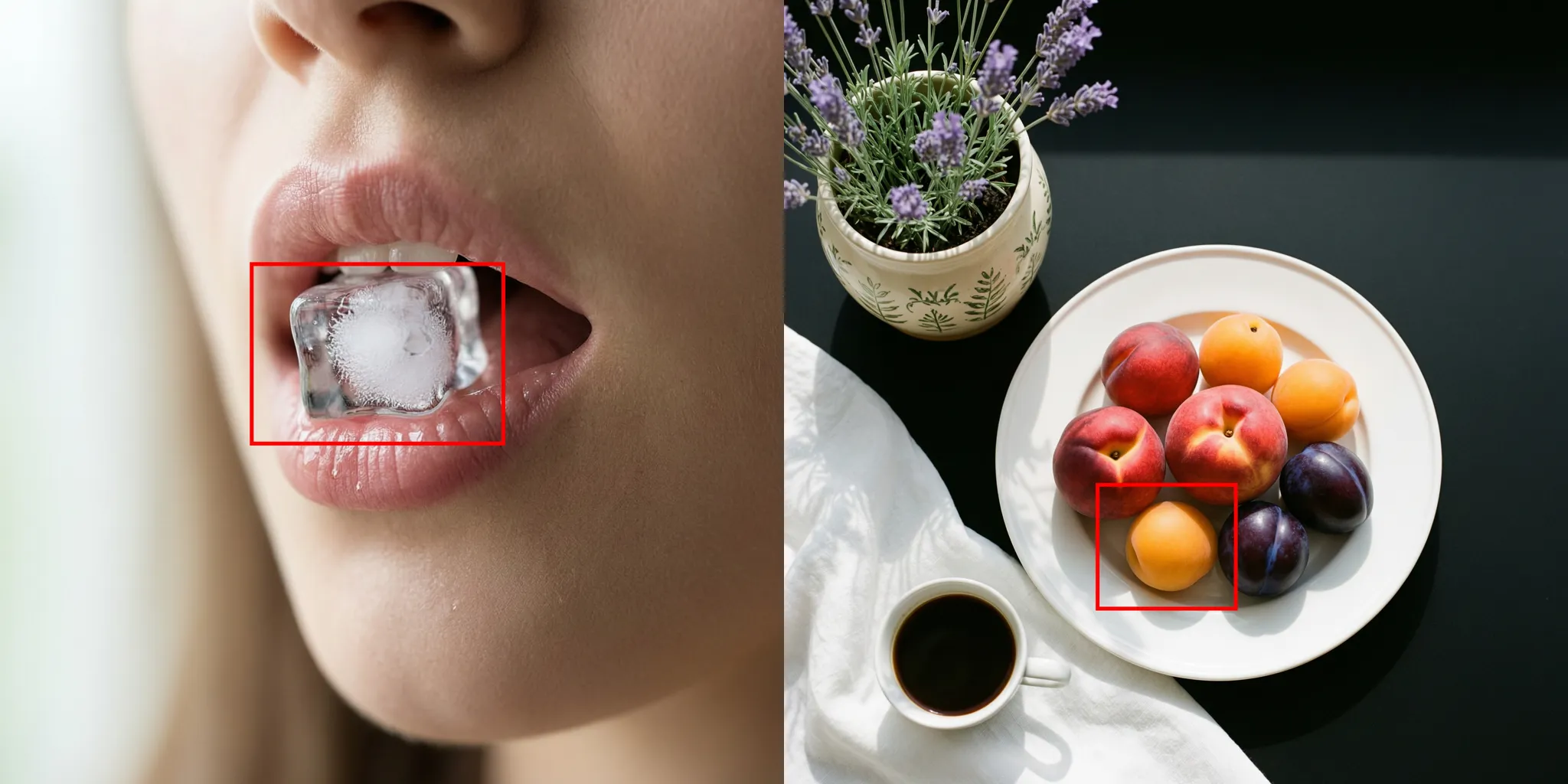
互動式編輯
輸入映像 | 輸出映像 |
|
在圖1基礎上編輯,將圖1框選的冰塊替換成圖2框選的水果,保持其他細節不變 |
|
將圖1中框選的圖案放置到圖二中框選處 |



多圖融合
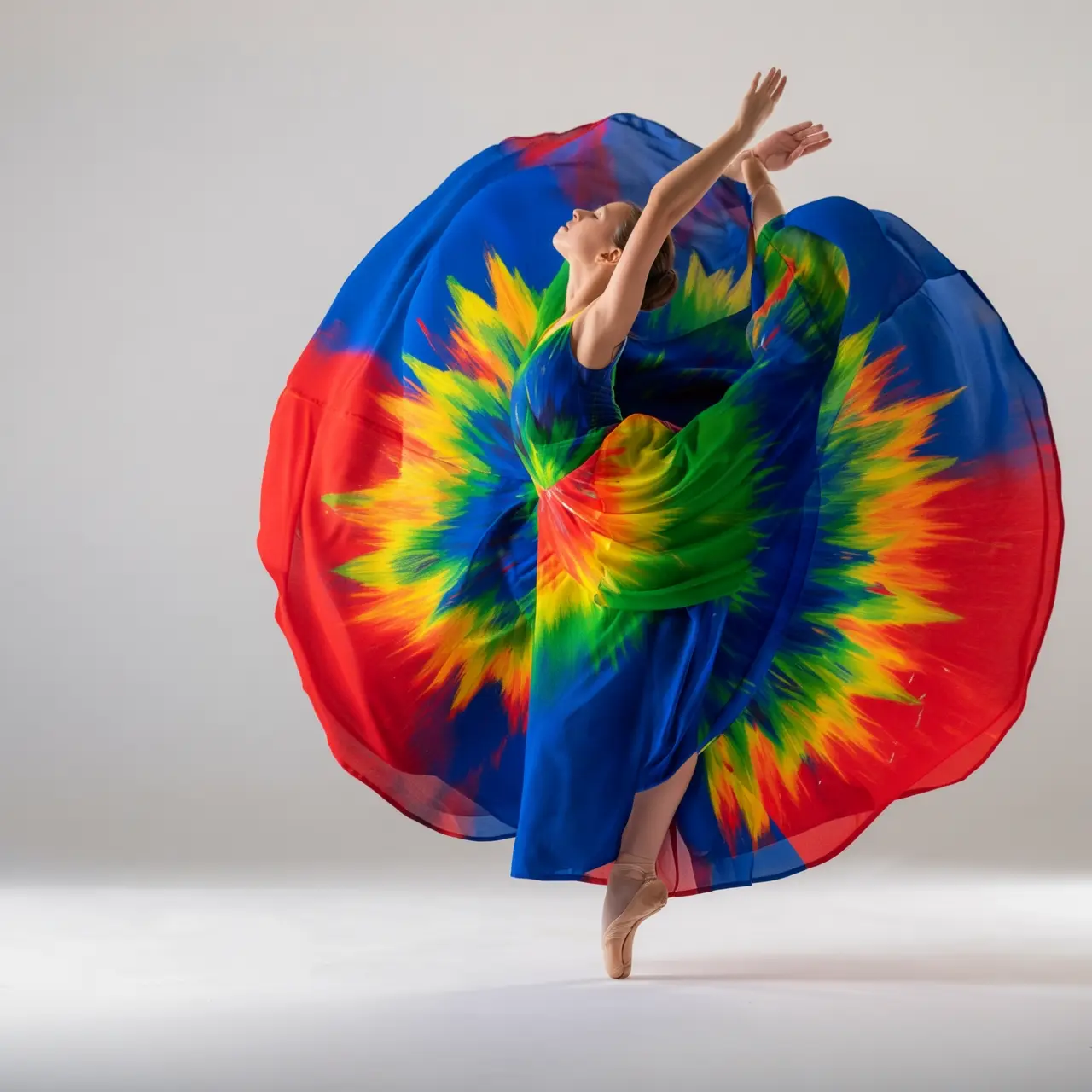
輸入映像 | 輸出映像 |
|
給圖1的男生和圖2的狗拍一張寫真,男生摟著這隻狗,人和狗都很開心,攝影棚柔和燈光,藍色紋理背景 |
|
給圖1的裙子按照圖2鳥的顏色進行配色,充滿藝術感,衣服款式不變,模特不變 |



主體特徵保持
輸入映像 | 輸出映像 |
|
保持人物臉部特徵和髮型不變,人物穿米白色弔帶,透明魚缸佔據全屏,金魚遊動,水裡有泡泡,透過透明魚缸和水露出後方人物臉。昏黃色光影從右下角打向人物面部,魚遊動,隨機遮擋人物,光影明暗交錯。 |
|
請產生一套4宮格“季節變遷”主題的拍立得套圖,共四張。每一張照片都是在同一個地點,公園裡的一棵樹下拍攝的,但分別展現了花牌 (春夏秋冬)四個季節的景象。人物的著裝也需與季節相匹配,春天的薄外套、夏天的短袖、秋天的風衣、冬天的圍巾和厚大衣。並將這組照片放在餐桌上。 |




檢測和分割
輸入映像 | 輸出映像 |
|
檢測圖片中的膝上型電腦和鬧鐘,畫框並標註“laptop”和“clock” |
|
分割圖片中的玻璃杯 |



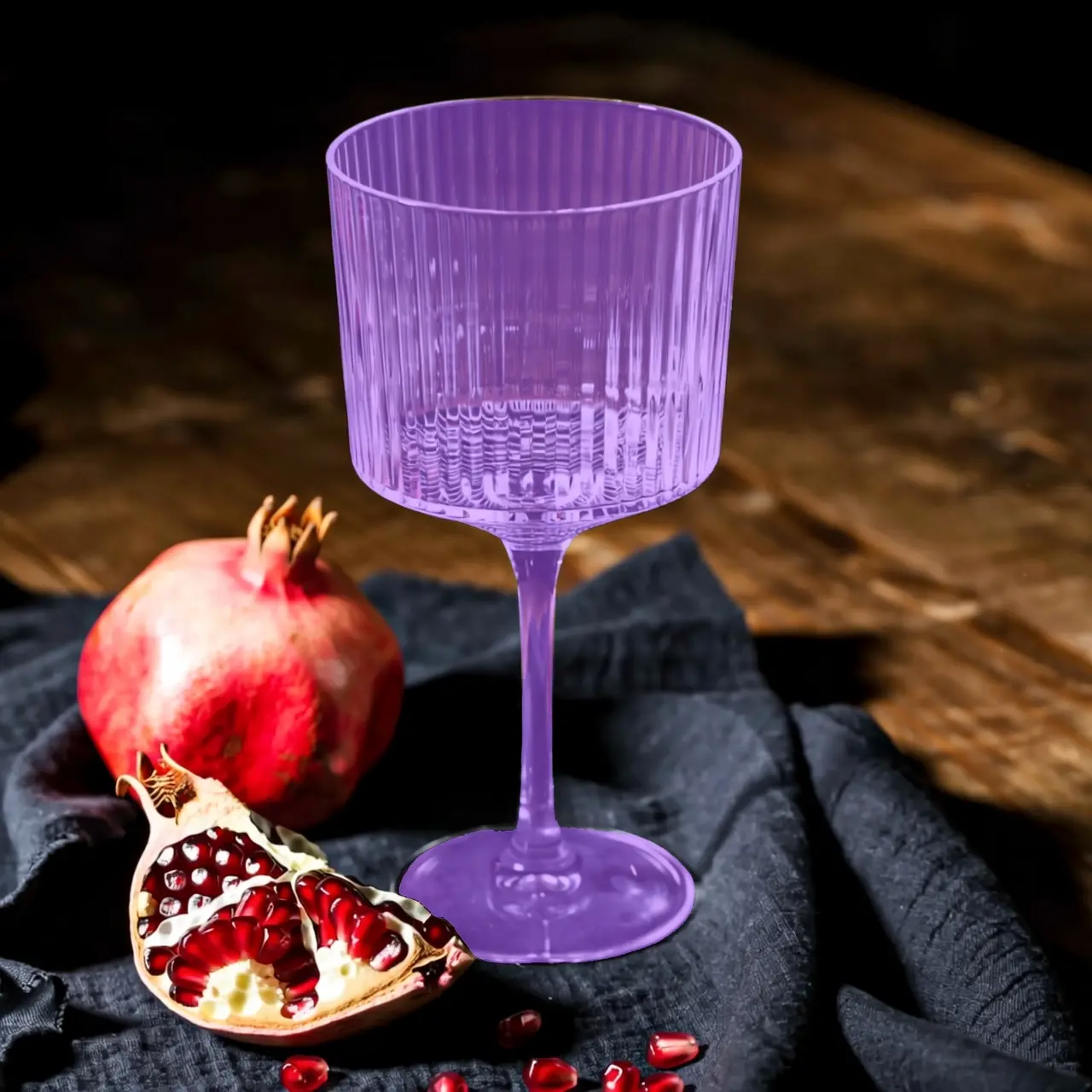
提取元素
輸入映像 | 輸出映像 |
|
從上傳照片中提取穿搭單品,將它們以平鋪展示的方式排列在純白背景上,保持真實細節與材質質感,時尚電商風格,適合服裝展示。 |


文本編輯
輸入映像 | 輸出映像 |
|
去除全圖浮水印 |
|
用手在沙灘上隨意的寫上“Time for Holiday?” |
|
把18改成29,把JUNE改成SEPTEMBER |






鏡頭與視角編輯
輸入映像 | 輸出映像 |
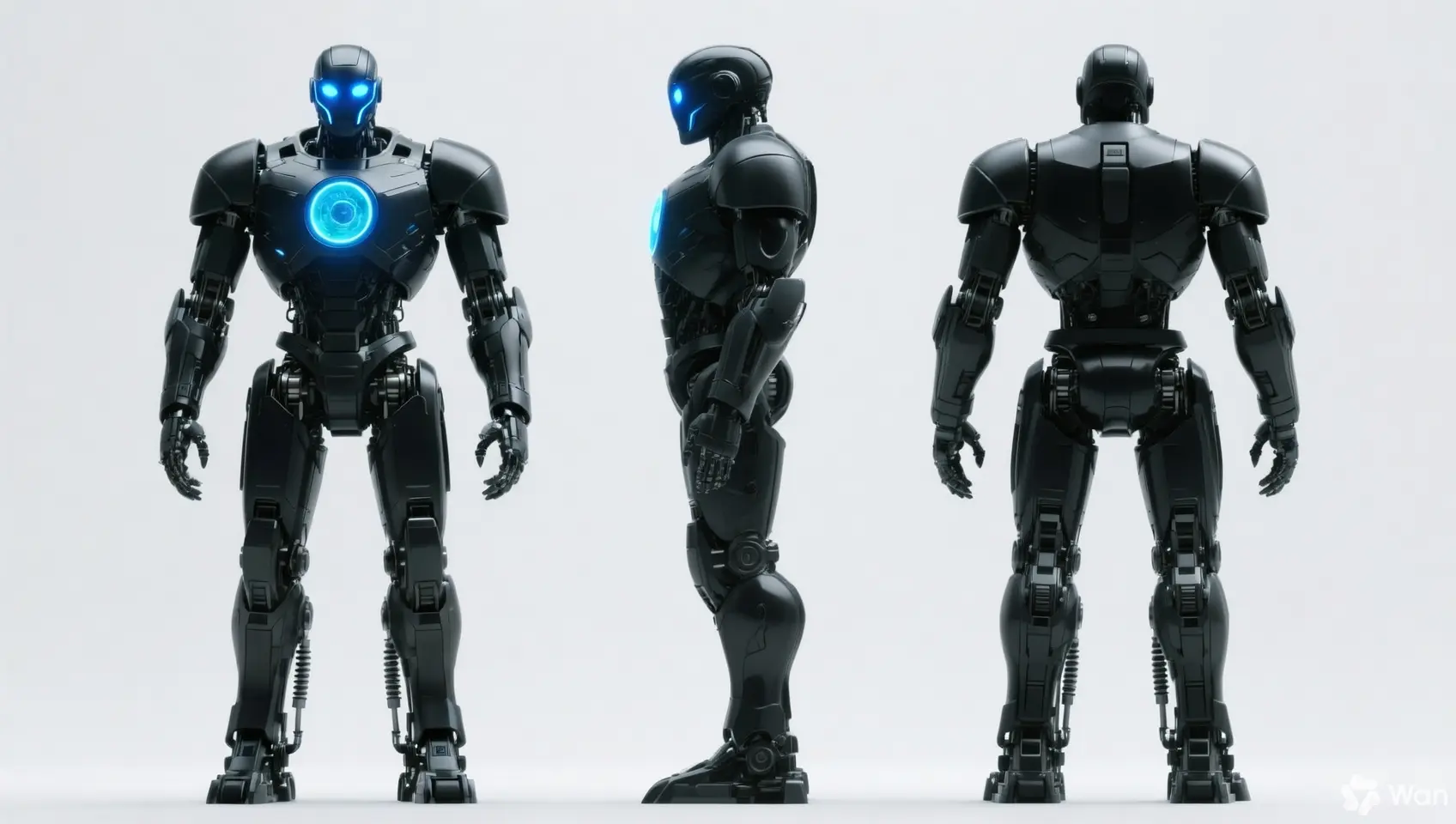
|
保持人物的特徵不變,產生正視圖、側視圖和背視圖 |
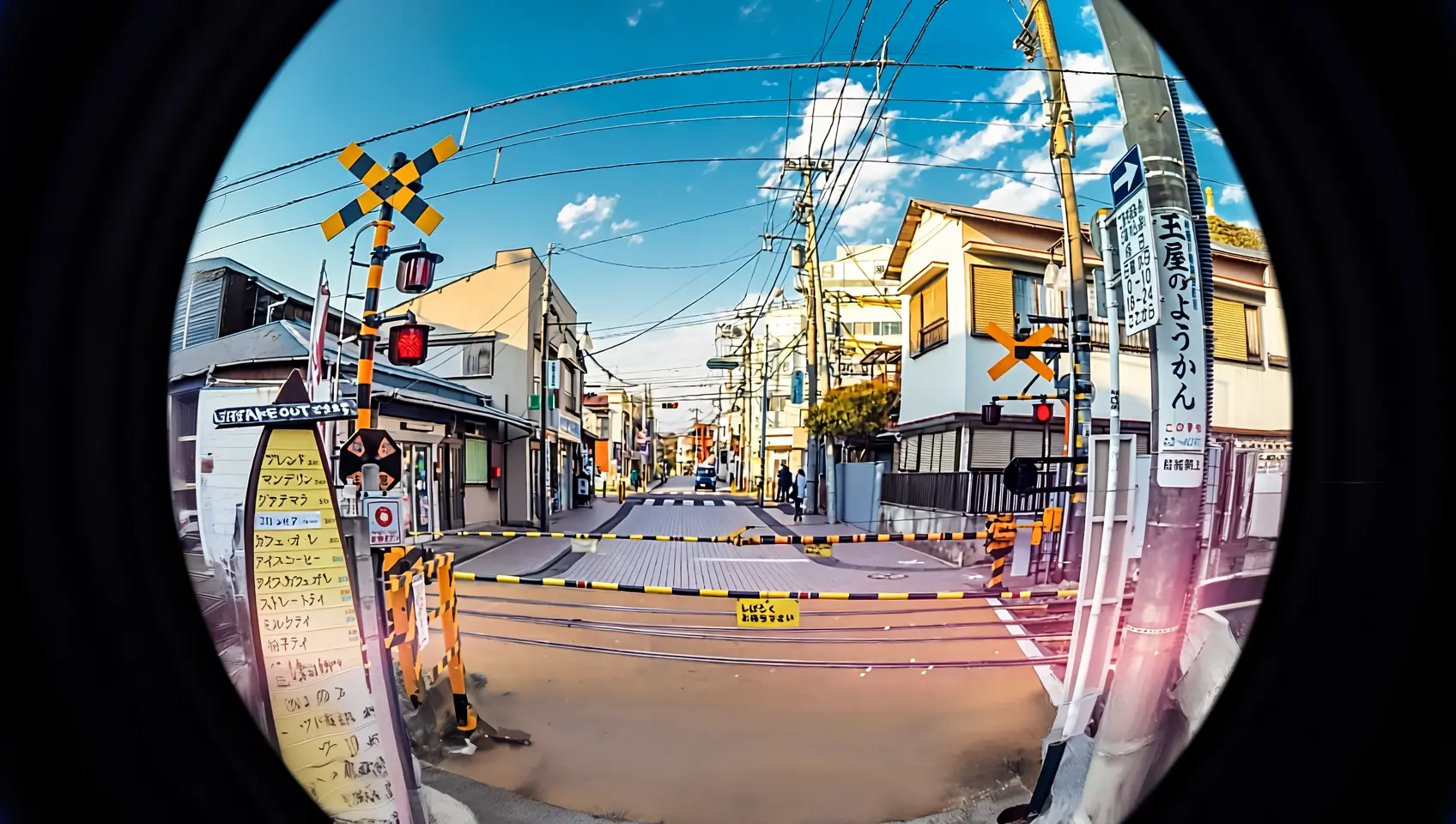
|
用魚眼鏡頭重新拍攝這張照片 |


輸入說明
輸入映像規格
規格 | wan2.7-image-pro、wan2.7-image | wan2.6-image | wan2.5-i2i-preview |
輸入映像數量 | 0~9 張(0張對應文生圖模式) | 影像編輯 1~4 張 / 圖文混排 0~1 張 | 1~3 張 |
圖片格式 | JPEG、JPG、PNG(不支援透明通道)、BMP、WEBP | JPEG、JPG、PNG(不支援透明通道)、BMP、WEBP | JPEG、JPG、PNG(不支援透明通道)、BMP、WEBP |
圖片寬高範圍 | [240, 8000] 像素 | [240, 8000] 像素 | [384, 5000] 像素 |
檔案大小 | ≤ 20MB | ≤ 10MB | ≤ 10MB |
寬高比 | [1:8, 8:1] | 不限 | [1:4, 4:1] |
映像輸入順序
多圖輸入時,按照數組中的順序定義映像順序。因此,提示詞引用的映像編號需要與映像數組中的順序一一對應,例如:數組中的第一張圖片為"圖1",第二張為"圖2",或者使用標記形式如"[圖1]"、"[圖2]"。
{
    "content": [
        {"text": "編輯指令,如:將圖1中的鬧鐘放置到圖2的餐桌的花瓶旁邊位置"},
        {"image": "https://example.com/image1.png"},
        {"image": "https://example.com/image2.png"}
    ]
}
輸入映像 | 輸出映像 | ||
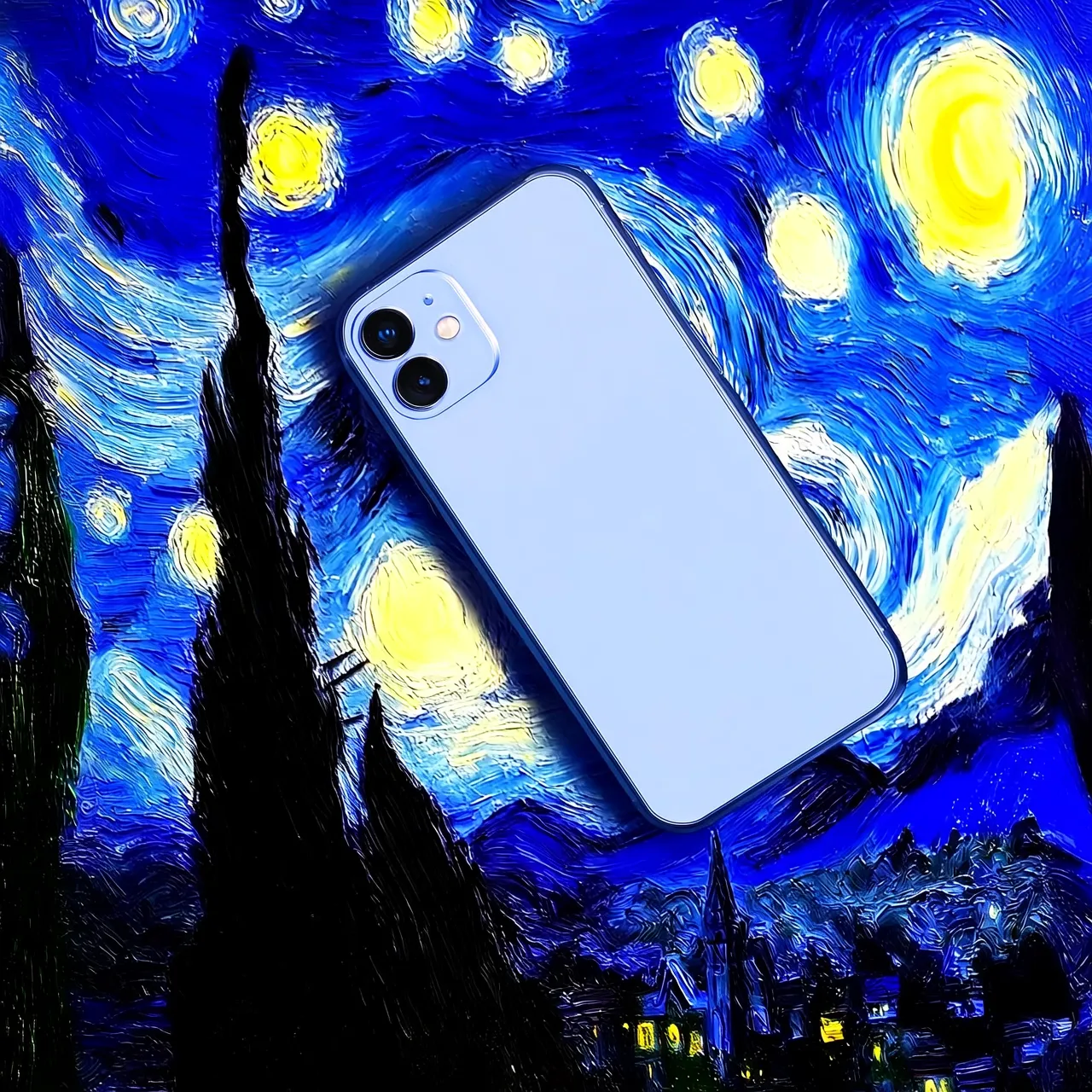
圖1 |
圖2 |
提示詞:把圖1移動到圖2上 |
提示詞:把圖2移動到圖1上 |



映像傳入方式
支援通過以下方式傳入映像:
關鍵能力
1. 指令遵循(提示詞)
參數:messages.content.text或input.prompt(必選)、negative_prompt(可選)。
text \ prompt(正向提示詞):描述希望在畫面中看到的內容、主體、情境、風格、光照和構圖。
negative_prompt(反向提示詞):描述不希望在畫面中出現的內容,如“模糊”、“多餘的手指”等。僅用於輔助最佳化產生品質。
參數 | wan2.7-image-pro、wan2.7-image | wan2.6-image | wan2.5-i2i-preview |
text | 必選,最多5000字元 | 必選,最多2000字元 | 不支援 |
prompt | 不支援 | 不支援 | 必選,最多2000字元 |
negative_prompt | 不支援 | 支援,最多500字元 | 支援,最多500字元 |
2. 開啟prompt智能改寫
參數: parameters.prompt_extend (bool, 預設為 true)。
此功能可自動擴充和最佳化較短的Prompt,提升輸出映像效果。開啟此功能會增加額外耗時。
實踐建議:
建議開啟:當輸入 Prompt 較簡潔或寬泛時,此功能可增益圖像效果。
建議關閉:若需控制畫面細節、或已提供詳細描述,或對響應延遲敏感。請將參數
prompt_extend顯式設為false。
參數 | wan2.7-image-pro、wan2.7-image | wan2.6-image | wan2.5-i2i-preview |
prompt_extend | 不支援 | 支援(僅影像編輯模式) | 支援 |
3. 設定輸出映像解析度
參數: parameters.size (string),格式為 "寬*高"。
參數 | wan2.7-image-pro、wan2.7-image | wan2.6-image | wan2.5-i2i-preview |
size | 方式一:指定輸出圖片的解析度(推薦) 編輯模式(傳入至少一張圖片),可選的輸出解析度檔位:
方式二:指定產生映像的寬高像素值
僅文生圖情境的wan2.7-image-pro支援4K解析度 | 方式一:參考輸入圖比例(推薦) 編輯模式(
方式二:指定產生映像的寬高像素值
實際輸出映像的像素值為接近指定值的16的倍數。 | 僅支援指定產生映像的寬高像素值
|
4. 互動式精準編輯
參數parameters.bbox_list,指定互動式編輯框選地區,格式為List[List[List[int]]],可以框選圖中需要進行編輯的物品或位置,實現更準確的編輯效果,僅wan2.7-image-pro、wan2.7-image支援。
對應關係:列表長度必須與輸入圖片數量一致。若某張圖片無需編輯,需要在對應位置傳入空列表
[]。座標格式:
[x1, y1, x2, y2](左上方 x, 左上方 y, 右下角 x, 右下角 y),使用原圖絕對像素座標,左上方對應(0,0)。
樣本:輸入 3 張圖片,其中第 2 張無框選,第 1 張有兩個框選:
[
  [[0, 0, 12, 12], [25, 25, 100, 100]],  # 圖 1 (2個框)
  [],                                    # 圖 2 (無框)
  [[10, 10, 50, 50]]                    # 圖 3 (1個框)
]計費與限流
API參考
各模型使用不同的端點和請求結構:
模型 | 端點(以新加坡地區為例) |
| 同步介面: 非同步介面: |
| 非同步介面: |
wan2.7/wan2.6:messages格式,在messages[].content數組中,通過image傳入映像,通過text傳入提示詞。wan2.5:通過input.images數組 傳入映像,通過input.prompt傳入提示詞
wan2.7-image-pro、wan2.7-image、wan2.6-image | wan2.5-i2i-preview |
| |
輸入和輸出參數請參見萬相-映像產生與編輯(wan2.7-image、wan2.6-image)、萬相-通用影像編輯2.5 API參考。