本文介紹萬相-通用影像編輯模型的輸入輸出參數。
重要本文檔僅適用於華北2(北京)地區。如需使用模型,需使用華北2(北京)地區的API Key。
重要阿里雲百鍊為華北2(北京)地區推出了業務空間專屬網域名稱 https://{WorkspaceId}.cn-beijing.maas.aliyuncs.com,能夠為推理請求提供卓越的效能和更高的穩定性,建議從 https://dashscope.aliyuncs.com 遷移至新網域名稱。
其中 {WorkspaceId} 為您的業務空間 ID,可在阿里雲百鍊控制台的業務空間詳情頁面查看。現有網域名稱仍可正常使用。
該模型通過簡單的指令即可實現多樣化的影像編輯,適用於擴圖、去浮水印、風格遷移、映像修複、映像美化等情境。 當前支援以下功能:
- 映像風格化:全域風格化、局部風格化。
- 映像內容編輯:指令編輯(無需指定地區,僅通過指令增加/修改圖片內容)、局部重繪(針對指定地區增加/刪除/修改圖片內容)、去文字浮水印(中英文)。
- 映像尺寸與解析度最佳化:擴圖(按比例擴圖)、映像超分(高清放大)。
- 映像色彩處理:映像上色(黑白或灰階映像轉為彩色映像)。
- 基於參考映像產生:線稿生圖(先提取輸入映像的線稿,再輔助線稿產生映像)、參考卡通形象生圖。
相關指南:影像編輯-萬相2.1
模型概覽
模型名稱 | 計費單價 | 限流(主帳號與RAM子帳號共用) | |
|---|---|---|---|
任務下發介面RPS限制 | 同時處理中任務數量 | ||
wanx2.1-imageedit | $0.020070/張 | 2 | 2 |
模型效果
模型功能 | 輸入映像 | 輸入提示詞 | 輸出映像 |
|---|---|---|---|
全域風格化 |
| 轉換成法國繪本風格 |
|
局部風格化 |
| 把房子變成木板風格。 |
|
指令編輯 |
| 把她的頭髮修改為紅色。 |
|
局部重繪 | 輸入映像
輸入塗抹地區映像(白色為塗抹地區)
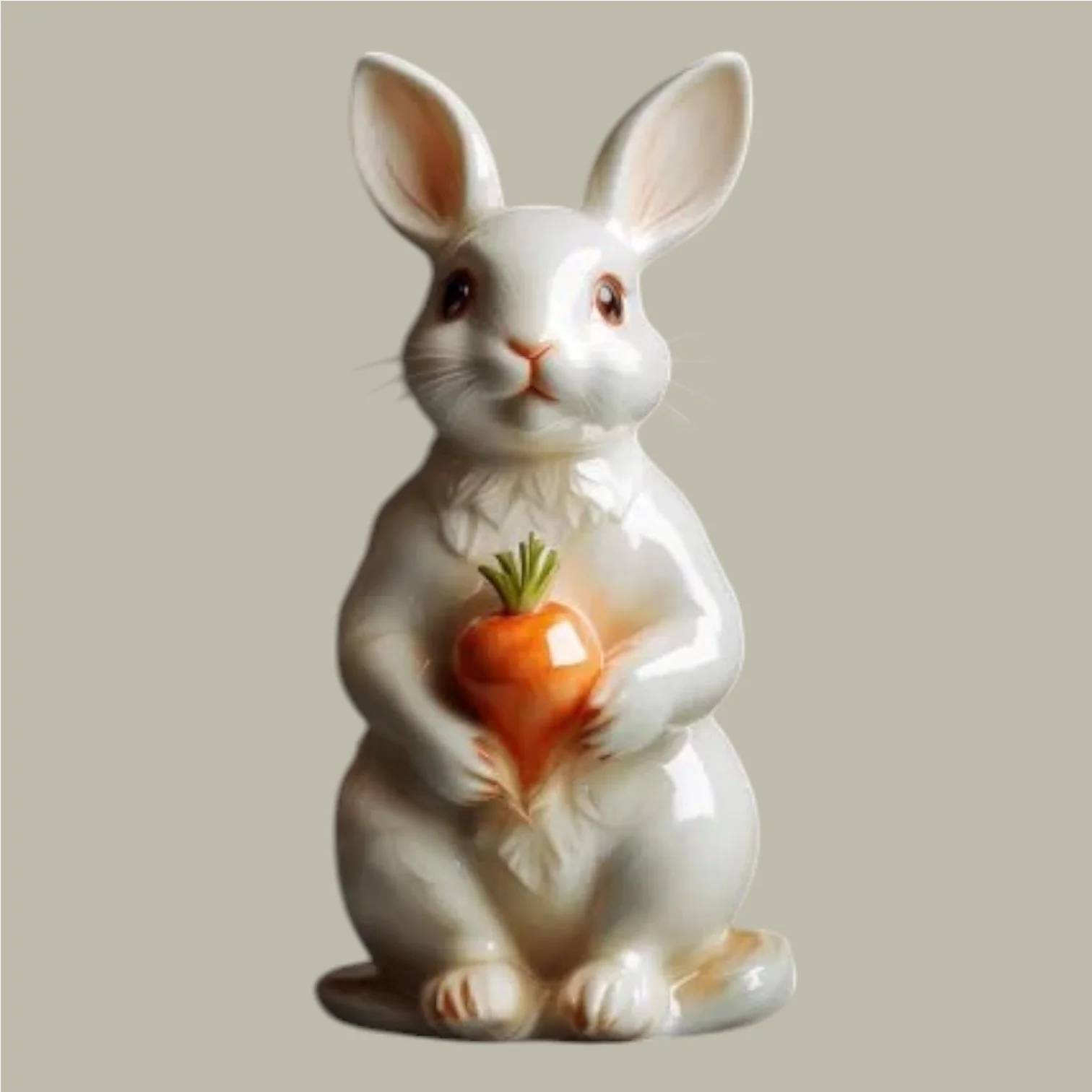
| 一隻陶瓷兔子抱著一朵陶瓷花。 | 輸出映像
|
去文字浮水印 |
| 去除映像中的文字。 |
|
擴圖 |
| 一位綠色仙子。 |
|
映像超分 | 模糊映像
| 映像超分。 | 清晰映像
|
映像上色 |
| 藍色背景,黃色的葉子。 |
|
線稿生圖 | 輸入映像
| 北歐極簡風格的客廳。 | 提取原圖的線稿並產生映像
|
參考卡通形象生圖 | 輸入參考圖(卡通形象)
| 卡通形象小心翼翼地探出頭,窺視著房間內一顆璀璨的藍色寶石。 | 輸出映像
|




















前提條件
萬相-通用影像編輯API支援通過HTTP和DashScope SDK進行調用。
在調用前,您需要擷取API Key,再配置API Key到環境變數。
如需通過SDK進行調用,請安裝DashScope SDK。目前,該SDK已支援Python和Java。
請將範例程式碼中的
DASHSCOPE_API_HOST替換為擷取的 API Host。
HTTP調用
映像模型處理時間較長,為了避免請求逾時,HTTP調用僅支援非同步擷取模型結果。您需要發起兩個請求:
- 建立任務擷取任務ID:首先發起建立工作要求,該請求會返回任務ID(task_id)。
- 根據任務ID查詢結果:使用上一步獲得的任務ID,查詢任務狀態及結果。任務成功執行時將返回映像URL,有效期間24小時。
說明建立任務後,該任務將被加入到排隊隊列,等待調度執行。後續需要調用“根據任務ID查詢結果介面”擷取任務狀態及結果。
通用影像編輯模型大約需要5-15秒。實際耗時取決於排隊任務數量和網路狀況,請您在擷取結果時耐心等待。
步驟1:建立任務擷取任務ID
POST https://{WorkspaceId}.cn-beijing.maas.aliyuncs.com/api/v1/services/aigc/image2image/image-synthesis
調用時請將{WorkspaceId}替換為真實的業務空間ID。
請求參數要求標頭(Headers)Content-Type 請求內容類型。此參數必須設定為 Authorization 請求身份認證。介面使用阿里雲百鍊API Key進行身份認證。樣本值:Bearer sk-xxxx。 X-DashScope-Async 非同步處理配置參數。HTTP請求只支援非同步,必須設定為 重要缺少此要求標頭將報錯:“current user api does not support synchronous calls”。 請求體(Request Body)model 模型名稱。樣本值:wanx2.1-imageedit。 input 輸入的基本資料,如提示詞等。 parameters 影像處理參數。 | 全域風格化傳入本地檔案(base64)下面以全域風格化為例,展示Base64傳參樣本。 由於 Base 64 編碼後的字串較長,請下載image_base64,並將常值內容全部複製到 資料格式詳見傳值方式。 局部風格化指令編輯無需指定地區,通過指令即可增加/修改圖片內容。 局部重繪針對指定地區,可增加/刪除/修改圖片內容。 去文字浮水印可去除中英文文字浮水印。 擴圖支援在上下左右四個方向按比例擴圖。 映像超分支援將模糊映像進行高清放大。 映像上色支援將黑白或灰階映像轉為彩色映像。 線稿生圖先提取輸入映像的線稿,再參考該線稿產生映像。 參考卡通形象生圖支援參考卡通形象產生映像。 |
響應參數output 任務輸出資訊。 request_id 請求唯一標識。可用於請求明細溯源和問題排查。 code 請求失敗的錯誤碼。請求成功時不會返回此參數,詳情請參見錯誤碼。 message 請求失敗的詳細資料。請求成功時不會返回此參數,詳情請參見錯誤碼。 | 成功響應請儲存 task_id,用於查詢任務狀態與結果。 異常響應建立任務失敗,請參見錯誤碼進行解決。 |
步驟2:根據任務ID查詢結果
GET https://{WorkspaceId}.cn-beijing.maas.aliyuncs.com/api/v1/tasks/{task_id}
調用時請將{WorkspaceId}替換為真實的業務空間ID。
請求參數要求標頭(Headers)Authorization 請求身份認證。介面使用阿里雲百鍊API Key進行身份認證。樣本值:Bearer sk-xxxx。 URL路徑參數(Path parameters)task_id 任務ID。 | 查詢任務結果請將 |
響應參數output 任務輸出資訊。 usage 輸出資訊統計。只對成功的結果計數。 request_id 請求唯一標識。可用於請求明細溯源和問題排查。 | 任務執行成功任務資料(如任務狀態、映像URL等)僅保留24小時,逾時後會被自動清除。請您務必及時儲存產生的映像。 任務執行失敗若任務執行失敗,task_status將置為 FAILED,並提供錯誤碼和資訊。請參見錯誤碼進行解決。 任務部分失敗模型可以在一次任務中產生多張圖片。只要有一張圖片產生成功,任務狀態將標記為 |
DashScope SDK調用
請先確認已安裝最新版DashScope SDK,否則可能導致運行報錯。
DashScope SDK目前已支援Python和Java。
SDK與HTTP介面的參數名基本一致,參數結構根據不同語言的SDK封裝而定。參數說明可參考HTTP調用。
由於視頻模型處理時間較長,底層服務採用非同步方式提供。SDK在上層進行了封裝,支援同步、非同步兩種調用方式。
通用影像編輯模型大約需要5-15秒。實際耗時取決於排隊任務數量和網路狀況,請您在擷取結果時耐心等待。
Python SDK調用
重要本樣本要求 dashscope Python SDK ≥ 1.23.8。低於該版本運行本樣本時會報錯 TypeError: got multiple values for keyword argument 'function'。請先執行 pip install -U "dashscope>=1.23.8" 升級 SDK 後再運行樣本。
使用Python SDK處理影像檔時,支援以下三種方式輸入映像。請根據您的情境選擇其中一種即可。
- 公網 URL:公網可訪問的映像 URL(HTTP/HTTPS)。
- Base64編碼:傳入Base64編碼檔案後的字串,格式為
data:{MIME_type};base64,{base64_data}。 - 本地檔案路徑:支援傳入檔案的絕對路徑和相對路徑。請參考下表,傳入正確的檔案路徑。
系統 | 傳入的檔案路徑 | 樣本(絕對路徑) | 樣本(相對路徑) |
|---|---|---|---|
Linux或macOS系統 | file://{檔案的絕對路徑或相對路徑} | file:///home/images/test.png | file://./images/test.png |
Windows系統 | file://D:/images/test.png | file://./images/test.png |
範例程式碼
說明在調用代碼前,請確保已安裝 DashScope Python SDK,推薦升級至最新版本:pip install -U dashscope,詳見安裝SDK。
同步調用
本樣本展示同步調用方式,並支援三種映像輸入方式:公網URL、Base64編碼、本地檔案路徑。
請求樣本
import base64
import os
from http import HTTPStatus
from dashscope import ImageSynthesis
import dashscope
import mimetypes

"""
環境要求:
    dashscope python SDK >= 1.23.8
安裝/升級SDK:
    pip install -U dashscope
"""

# 若沒有配置環境變數,請用百鍊API Key將下行替換為:api_key="sk-xxx"
api_key = os.getenv("DASHSCOPE_API_KEY")
# 以下為華北2(北京)地區的配置,調用時請將{WorkspaceId}替換為真實的業務空間ID,各地區的配置不同。
dashscope.base_http_api_url = "https://{WorkspaceId}.cn-beijing.maas.aliyuncs.com/api/v1"

# --- 輔助函數:用於 Base 64 編碼 ---
# 格式為 data:{MIME_type};base64,{base64_data}
def encode_file(file_path):
    mime_type, _ = mimetypes.guess_type(file_path)
    if not mime_type or not mime_type.startswith("image/"):
        raise ValueError("不支援或無法識別的映像格式")
    with open(file_path, "rb") as image_file:
        encoded_string = base64.b64encode(image_file.read()).decode('utf-8')
    return f"data:{mime_type};base64,{encoded_string}"

"""
映像輸入方式說明:
以下提供了三種圖片輸入方式,三選一即可

1. 使用公網URL - 適合已有公開可訪問的圖片
2. 使用本地檔案 - 適合本地開發測試
3. 使用Base64編碼 - 適合私人圖片或需要加密傳輸的情境
"""

# 【方式一】使用公網圖片 URL
mask_image_url = "http://wanx.alicdn.com/material/20250318/description_edit_with_mask_3_mask.png"
base_image_url = "http://wanx.alicdn.com/material/20250318/description_edit_with_mask_3.jpeg"

# 【方式二】使用本地檔案(支援絕對路徑和相對路徑)
# 格式要求:file:// + 檔案路徑
# 樣本(絕對路徑):
# mask_image_url = "file://" + "/path/to/your/mask_image.png"     # Linux/macOS
# base_image_url = "file://" + "C:/path/to/your/base_image.jpeg"  # Windows
# 樣本(相對路徑):
# mask_image_url = "file://" + "./mask_image.png"                 # 以實際路徑為準
# base_image_url = "file://" + "./base_image.jpeg"                # 以實際路徑為準

# 【方式三】使用Base64編碼的圖片
# mask_image_url = encode_file("./mask_image.png")               # 以實際路徑為準
# base_image_url = encode_file("./base_image.jpeg")              # 以實際路徑為準

def sample_sync_call_imageedit():
    print('please wait...')
    rsp = ImageSynthesis.call(api_key=api_key,
                              model="wanx2.1-imageedit",
                              function="description_edit_with_mask",
                              prompt="陶瓷兔子拿著陶瓷小花",
                              mask_image_url=mask_image_url,
                              base_image_url=base_image_url,
                              n=1)
    assert rsp.status_code == HTTPStatus.OK

    print('response: %s' % rsp)
    if rsp.status_code == HTTPStatus.OK:
        for result in rsp.output.results:
            print("---------------------------")
            print(result.url)
    else:
        print('sync_call Failed, status_code: %s, code: %s, message: %s' %
              (rsp.status_code, rsp.code, rsp.message))

if __name__ == '__main__':
    sample_sync_call_imageedit()
響應樣本
url 有效期間24小時,請及時下載映像。
{
    "status_code": 200,
    "request_id": "dc41682c-4e4a-9010-bc6f-xxxxxx",
    "code": null,
    "message": "",
    "output": {
        "task_id": "6e319d88-a07a-420c-9493-xxxxxx",
        "task_status": "SUCCEEDED",
        "results": [
            {
                "url": "https://dashscope-result-wlcb-acdr-1.oss-cn-wulanchabu-acdr-1.aliyuncs.com/xxx.png?xxxxxx"
            }
        ],
        "submit_time": "2025-05-26 14:58:27.320",
        "scheduled_time": "2025-05-26 14:58:27.339",
        "end_time": "2025-05-26 14:58:39.170",
        "task_metrics": {
            "TOTAL": 1,
            "SUCCEEDED": 1,
            "FAILED": 0
        }
    },
    "usage": {
        "image_count": 1
    }
}
非同步呼叫
本樣本僅展示非同步呼叫方式。
請求樣本
import os
from http import HTTPStatus
from dashscope import ImageSynthesis
import dashscope

"""
環境要求:
    dashscope python SDK >= 1.23.4
安裝/升級SDK:
    pip install -U dashscope
"""

# 若沒有配置環境變數,請用百鍊API Key將下行替換為:api_key="sk-xxx"
api_key = os.getenv("DASHSCOPE_API_KEY")
# 以下為華北2(北京)地區的配置,調用時請將{WorkspaceId}替換為真實的業務空間ID,各地區的配置不同。
dashscope.base_http_api_url = "https://{WorkspaceId}.cn-beijing.maas.aliyuncs.com/api/v1"

# 使用公網圖片 URL
mask_image_url = "http://wanx.alicdn.com/material/20250318/description_edit_with_mask_3_mask.png"
base_image_url = "http://wanx.alicdn.com/material/20250318/description_edit_with_mask_3.jpeg"

def sample_async_call_imageedit():
    # 非同步呼叫,返回一個task_id
    rsp = ImageSynthesis.async_call(api_key=api_key,
                                    model="wanx2.1-imageedit",
                                    function="description_edit_with_mask",
                                    prompt="陶瓷兔子拿著陶瓷小花",
                                    mask_image_url=mask_image_url,
                                    base_image_url=base_image_url,
                                    n=1)
    print(rsp)
    if rsp.status_code == HTTPStatus.OK:
        print("task_id: %s" % rsp.output.task_id)
    else:
        print('Failed, status_code: %s, code: %s, message: %s' %
              (rsp.status_code, rsp.code, rsp.message))

    # 擷取非同步任務資訊
    status = ImageSynthesis.fetch(task=rsp, api_key=api_key)
    if status.status_code == HTTPStatus.OK:
        print(status.output.task_status)  # check the task status
    else:
        print('Failed, status_code: %s, code: %s, message: %s' %
              (status.status_code, status.code, status.message))

    # 等待非同步任務結束
    rsp = ImageSynthesis.wait(rsp)
    print(rsp)
    if rsp.status_code == HTTPStatus.OK:
        print(rsp.output)
        for result in rsp.output.results:
            print("---------------------------")
            print(result.url)
    else:
        print('Failed, status_code: %s, code: %s, message: %s' %
              (rsp.status_code, rsp.code, rsp.message))

if __name__ == '__main__':
    sample_async_call_imageedit()
響應樣本
1、建立任務的響應樣本
{
	"status_code": 200,
	"request_id": "6dc3bf6c-be18-9268-9c27-xxxxxx",
	"code": "",
	"message": "",
	"output": {
		"task_id": "686391d9-7ecf-4290-a8e9-xxxxxx",
		"task_status": "PENDING",
		"video_url": ""
	},
	"usage": null
}
2、查詢任務結果的響應樣本
url 有效期間24小時,請及時下載映像。
{
    "status_code": 200,
    "request_id": "dc41682c-4e4a-9010-bc6f-xxxxxx",
    "code": null,
    "message": "",
    "output": {
        "task_id": "6e319d88-a07a-420c-9493-xxxxxx",
        "task_status": "SUCCEEDED",
        "results": [
            {
                "url": "https://dashscope-result-wlcb-acdr-1.oss-cn-wulanchabu-acdr-1.aliyuncs.com/xxx.png?Expires=17xxxxxx"
            }
        ],
        "submit_time": "2025-05-26 14:58:27.320",
        "scheduled_time": "2025-05-26 14:58:27.339",
        "end_time": "2025-05-26 14:58:39.170",
        "task_metrics": {
            "TOTAL": 1,
            "SUCCEEDED": 1,
            "FAILED": 0
        }
    },
    "usage": {
        "image_count": 1
    }
}
Java SDK調用
使用Java SDK處理影像檔時,支援以下三種方式輸入映像。請根據您的情境選擇其中一種即可。
- 公網 URL:公網可訪問的映像 URL(HTTP/HTTPS)。
- Base 64編碼:傳入Base64編碼檔案後的字串,格式為
data:{MIME_type};base64,{base64_data}。 - 本地檔案路徑:僅支援傳入檔案的絕對路徑。請參考下表,傳入正確的檔案路徑。
系統 | 傳入的檔案路徑 | 樣本 |
|---|---|---|
Linux或macOS系統 | file://{檔案的絕對路徑} | file:///home/images/test.png |
Windows系統 | file:///{檔案的絕對路徑} | file:///D:/images/test.png |
範例程式碼
說明在調用代碼前,請確保已安裝 DashScope Java SDK。推薦您升級至最新版本,詳見安裝SDK。
同步調用
本樣本展示同步調用方式,並支援三種映像輸入方式:公網URL、Base64編碼、本地檔案路徑。
請求樣本
// Copyright (c) Alibaba, Inc. and its affiliates.

import com.alibaba.dashscope.aigc.imagesynthesis.ImageSynthesis;
import com.alibaba.dashscope.aigc.imagesynthesis.ImageSynthesisParam;
import com.alibaba.dashscope.aigc.imagesynthesis.ImageSynthesisResult;
import com.alibaba.dashscope.exception.ApiException;
import com.alibaba.dashscope.exception.NoApiKeyException;
import com.alibaba.dashscope.utils.JsonUtils;
import com.alibaba.dashscope.utils.Constants;

import java.io.IOException;
import java.nio.file.Files;
import java.nio.file.Path;
import java.nio.file.Paths;
import java.util.Base64;
import java.util.HashMap;
import java.util.Map;

/**
 * 環境要求
 *      dashscope java SDK >=2.20.9
 * 更新maven依賴:
 *      https://mvnrepository.com/artifact/com.alibaba/dashscope-sdk-java
 */

public class ImageEditSync {
    static {Constants.baseHttpApiUrl="https://{WorkspaceId}.cn-beijing.maas.aliyuncs.com/api/v1";}

    // 若沒有配置環境變數,請用百鍊API Key將下行替換為:apiKey="sk-xxx"
    static String apiKey = System.getenv("DASHSCOPE_API_KEY");

    /**
     * 映像輸入方式說明:三選一即可
     *
     * 1. 使用公網URL - 適合已有公開可訪問的圖片
     * 2. 使用本地檔案 - 適合本地開發測試
     * 3. 使用Base64編碼 - 適合私人圖片或需要加密傳輸的情境
     */

    //【方式一】公網URL
    static String maskImageUrl = "http://wanx.alicdn.com/material/20250318/description_edit_with_mask_3_mask.png";
    static String baseImageUrl = "http://wanx.alicdn.com/material/20250318/description_edit_with_mask_3.jpeg";

    //【方式二】本地檔案路徑(file://+絕對路徑 or file:///+絕對路徑)
    // static String maskImageUrl = "file://" + "/your/path/to/mask_image.png";    // Linux/macOS
    // static String baseImageUrl = "file:///" + "C:/your/path/to/base_image.png";  // Windows

    //【方式三】Base64編碼
    // static String maskImageUrl = encodeFile("/your/path/to/mask_image.png");
    // static String baseImageUrl = encodeFile("/your/path/to/base_image.png");

    public static void syncCall() {
        // 設定parameters參數
        Map<String, Object> parameters = new HashMap<>();
        parameters.put("prompt_extend", true);

        ImageSynthesisParam param =
                ImageSynthesisParam.builder()
                        .apiKey(apiKey)
                        .model("wanx2.1-imageedit")
                        .function(ImageSynthesis.ImageEditFunction.DESCRIPTION_EDIT_WITH_MASK)
                        .prompt("陶瓷兔子拿著陶瓷小花")
                        .maskImageUrl(maskImageUrl)
                        .baseImageUrl(baseImageUrl)
                        .n(1)
                        .size("1024*1024")
                        .parameters(parameters)
                        .build();

        ImageSynthesis imageSynthesis = new ImageSynthesis();
        ImageSynthesisResult result = null;
        try {
            System.out.println("---sync call, please wait a moment----");
            result = imageSynthesis.call(param);
        } catch (ApiException | NoApiKeyException e){
            throw new RuntimeException(e.getMessage());
        }
        System.out.println(JsonUtils.toJson(result));
    }

    /**
     * 將檔案編碼為Base64字串
     * @param filePath 檔案路徑
     * @return Base64字串,格式為 data:{MIME_type};base64,{base64_data}
     */
    public static String encodeFile(String filePath) {
        Path path = Paths.get(filePath);
        if (!Files.exists(path)) {
            throw new IllegalArgumentException("檔案不存在: " + filePath);
        }
        // 檢測MIME類型
        String mimeType = null;
        try {
            mimeType = Files.probeContentType(path);
        } catch (IOException e) {
            throw new IllegalArgumentException("無法檢測檔案類型: " + filePath);
        }
        if (mimeType == null || !mimeType.startsWith("image/")) {
            throw new IllegalArgumentException("不支援或無法識別的映像格式");
        }
        // 讀取檔案內容並編碼
        byte[] fileBytes = null;
        try{
            fileBytes = Files.readAllBytes(path);
        } catch (IOException e) {
            throw new IllegalArgumentException("無法讀取檔案內容: " + filePath);
        }

        String encodedString = Base64.getEncoder().encodeToString(fileBytes);
        return "data:" + mimeType + ";base64," + encodedString;
    }

    public static void main(String[] args) {
        syncCall();
    }
}
響應樣本
url 有效期間24小時,請及時下載映像。
{
    "request_id": "bf6c6361-f0fc-949c-9d60-xxxxxx",
    "output": {
        "task_id": "958db858-153b-4c81-b243-xxxxxx",
        "task_status": "SUCCEEDED",
        "results": [
            {
                "url": "https://dashscope-result-wlcb-acdr-1.oss-cn-wulanchabu-acdr-1.aliyuncs.com/xxx.png?xxxxxx"
            }
        ],
        "task_metrics": {
            "TOTAL": 1,
            "SUCCEEDED": 1,
            "FAILED": 0
        }
    },
    "usage": {
        "image_count": 1
    }
}
非同步呼叫
本樣本僅展示非同步呼叫方式。
請求樣本
// Copyright (c) Alibaba, Inc. and its affiliates.

import com.alibaba.dashscope.aigc.imagesynthesis.ImageSynthesis;
import com.alibaba.dashscope.aigc.imagesynthesis.ImageSynthesisListResult;
import com.alibaba.dashscope.aigc.imagesynthesis.ImageSynthesisParam;
import com.alibaba.dashscope.aigc.imagesynthesis.ImageSynthesisResult;
import com.alibaba.dashscope.exception.ApiException;
import com.alibaba.dashscope.exception.NoApiKeyException;
import com.alibaba.dashscope.task.AsyncTaskListParam;
import com.alibaba.dashscope.utils.JsonUtils;
import com.alibaba.dashscope.utils.Constants;

import java.util.HashMap;
import java.util.Map;

/**
 * 環境要求
 *      dashscope java SDK >= 2.20.1
 * 更新maven依賴:
 *      https://mvnrepository.com/artifact/com.alibaba/dashscope-sdk-java
 */

public class ImageEditAsync {
    static {Constants.baseHttpApiUrl="https://{WorkspaceId}.cn-beijing.maas.aliyuncs.com/api/v1";}

    // 若沒有配置環境變數,請用百鍊API Key將下行替換為:apiKey="sk-xxx"
    static String apiKey = System.getenv("DASHSCOPE_API_KEY");

    //【方式一】公網URL
    static String maskImageUrl = "http://wanx.alicdn.com/material/20250318/description_edit_with_mask_3_mask.png";
    static String baseImageUrl = "http://wanx.alicdn.com/material/20250318/description_edit_with_mask_3.jpeg";

    public static void asyncCall() {
        // 設定parameters參數
        Map<String, Object> parameters = new HashMap<>();
        parameters.put("prompt_extend", true);

        ImageSynthesisParam param =
                ImageSynthesisParam.builder()
                        .apiKey(apiKey)
                        .model("wanx2.1-imageedit")
                        .function(ImageSynthesis.ImageEditFunction.DESCRIPTION_EDIT_WITH_MASK)
                        .prompt("陶瓷兔子拿著陶瓷小花")
                        .maskImageUrl(maskImageUrl)
                        .baseImageUrl(baseImageUrl)
                        .n(1)
                        .size("1024*1024")
                        .parameters(parameters)
                        .build();
        ImageSynthesis imageSynthesis = new ImageSynthesis();
        ImageSynthesisResult result = null;
        try {
            System.out.println("---async call, please wait a moment----");
            result = imageSynthesis.asyncCall(param);
        } catch (ApiException | NoApiKeyException e){
            throw new RuntimeException(e.getMessage());
        }

        System.out.println(JsonUtils.toJson(result));

        String taskId = result.getOutput().getTaskId();

        System.out.println("taskId=" + taskId);

        try {
            result = imageSynthesis.wait(taskId, apiKey);
        } catch (ApiException | NoApiKeyException e){
            throw new RuntimeException(e.getMessage());
        }
        System.out.println(JsonUtils.toJson(result));
        System.out.println(JsonUtils.toJson(result.getOutput()));
    }

    public static void listTask() throws ApiException, NoApiKeyException {
        ImageSynthesis is = new ImageSynthesis();
        AsyncTaskListParam param = AsyncTaskListParam.builder().build();
        param.setApiKey(apiKey);
        ImageSynthesisListResult result = is.list(param);
        System.out.println(result);
    }

    public void fetchTask(String taskId) throws ApiException, NoApiKeyException {
        ImageSynthesis is = new ImageSynthesis();
        // 如果已設定 DASHSCOPE_API_KEY 為環境變數,apiKey 可為空白。
        ImageSynthesisResult result = is.fetch(taskId, apiKey);
        System.out.println(result.getOutput());
        System.out.println(result.getUsage());
    }

    public static void main(String[] args) {
        asyncCall();
    }
}
響應樣本
1、建立任務的響應樣本
{
	"request_id": "5dbf9dc5-4f4c-9605-85ea-xxxxxxxx",
	"output": {
		"task_id": "7277e20e-aa01-4709-xxxxxxxx",
		"task_status": "PENDING"
	}
}
2、查詢任務結果的響應樣本
url 有效期間24小時,請及時下載映像。
{
	"request_id": "3d740fc4-a968-9c36-b0e7-xxxxxxxx",
	"output": {
		"task_id": "34dcf4b0-ed84-441e-91cb-xxxxxxxx",
		"task_status": "SUCCEEDED",
		"results": [
			{
				"url": "https://dashscope-result-hz.oss-cn-hangzhou.aliyuncs.com/xxx.png"
			}
		],
		"submit_time": "2025-02-21 17:56:31.786",
		"scheduled_time": "2025-02-21 17:56:31.821",
		"end_time": "2025-02-21 17:56:42.530",
		"task_metrics": {
			"TOTAL": 1,
			"SUCCEEDED": 1,
			"FAILED": 0
		}
	},
	"usage": {
		"image_count": 1
	}
}
錯誤碼
如果模型調用失敗並返回報錯資訊,請參見錯誤碼進行解決。
此API還有特定狀態代碼,具體如下所示。
HTTP狀態代碼 | 介面錯誤碼(code) | 介面錯誤資訊(message) | 含義說明 |
|---|---|---|---|
400 | InvalidParameter | InvalidParameter | 請求參數不合法。 |
400 | IPInfringementSuspect | Input data is suspected of being involved in IP infringement. | 輸入資料(如提示詞或映像)涉嫌智慧財產權侵權。請檢查輸入,確保不包含引發侵權風險的內容。 |
400 | DataInspectionFailed | Input data may contain inappropriate content. | 輸入資料(如提示詞或映像)可能包含敏感內容。請修改輸入後重試。 |
500 | InternalError | InternalError | 服務異常。請先嘗試重試,排除偶發情況。 |
輸入映像說明
傳值方式
輸入映像支援多種字串格式,不同調用方式的支援情況如下表所示。
調用方式 | HTTP | Python SDK | Java SDK |
|---|---|---|---|
支援的輸入映像方式 |
|
|
|
- 提供一個公網可訪問的映像地址,支援 HTTP 或 HTTPS 協議。
- 樣本值:
https://xxxx/img.png。
將本地圖片檔案轉換為 Base64 格式的字串,並根據data:{MIME_type};base64,{base64_data}格式拼接成完整的字串。
-
轉碼請參見範例程式碼。
-
{MIME_type}:映像的媒體類型,需與檔案格式對應。
-
{base64_data}:影像檔經過 Base 64 編碼後的字串。
-
MIME 類型對應關係:
映像格式
MIME Type
JPEG
image/jpeg
JPG
image/jpeg
PNG
image/png
BMP
image/bmp
TIFF
image/tiff
WEBP
image/webp
-
樣本值:
"data:image/png;base64,iVBORw0KGgoAAAANSUhEUgAABDg......"。注意:為便於展示,上述 Base64 字串是截斷的。在實際使用中,請務必傳入完整的編碼字串。
- HTTP調用不支援本地檔案路徑,僅Python SDK和Java SDK支援。
- 關於本地檔案路徑的傳入規則,請參見Python SDK調用和Java SDK調用。
常見問題
映像模型的通用問題請參見常見問題文檔,包括以下內容:模型計費與限流規則、介面高頻報錯解決方案等。