After debugging is complete, you can package the UniApp project as a UniApp miniapp and synchronize it to the SuperApp Business Application Platform. You can also upload a locally built UniApp miniapp package (WGT) directly, or package the project as a native app with the miniapp container integrated. This topic describes how to use the HBuilderX extension to build, package, and publish a UniApp miniapp.
Procedure
-
After installing the HBuilderX plugin, create a UniApp project in HBuilderX. You can click the menu bar File > New > Project, select the desired project template, enter a project name, and click Create.


-
After the project is created, open the
manifest.jsonfile and enter the version number for this release in the App Version Name field. -
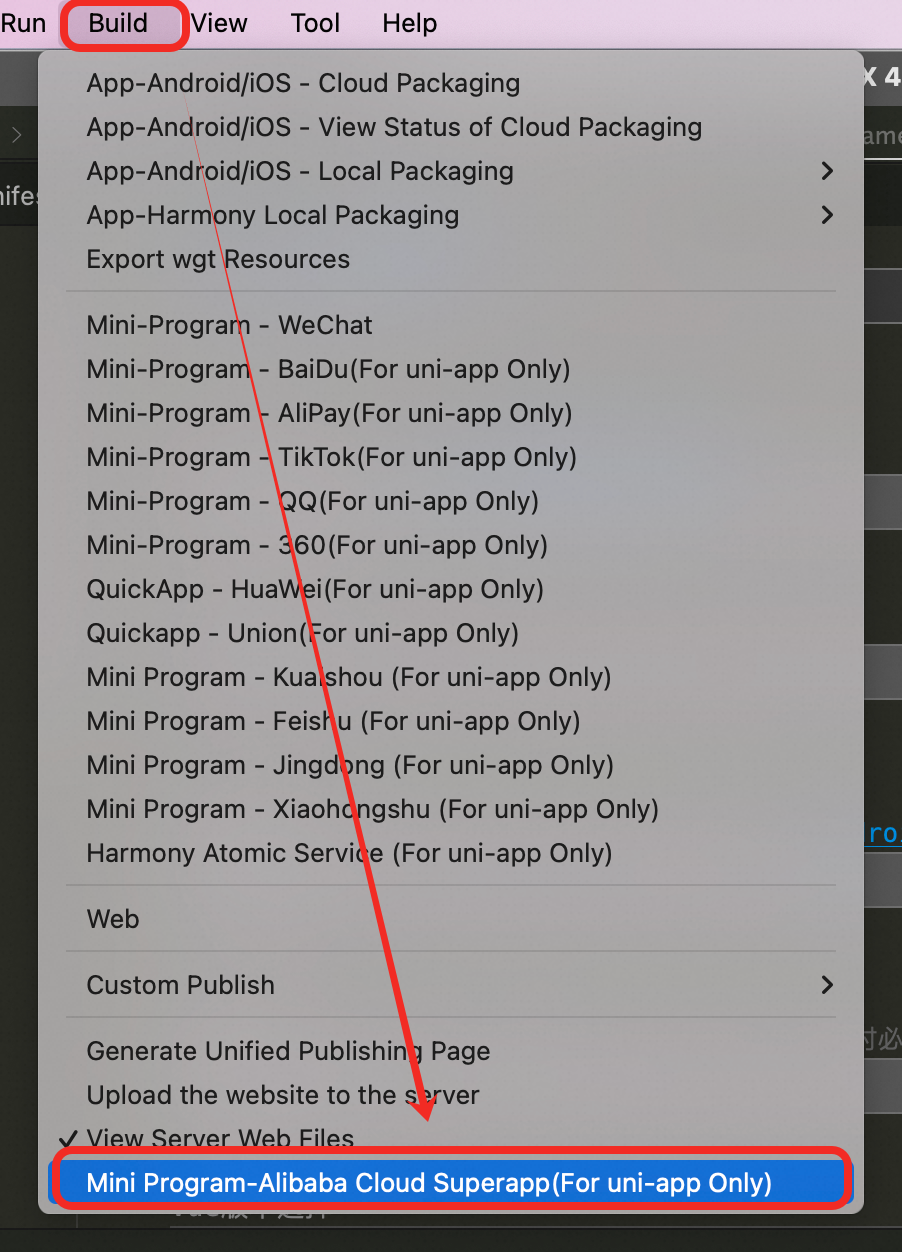
From the menu bar, select Build > Mini Program-Alibaba Cloud Superapp(For uni-app Only). A release configuration window will then appear.
-
In the pop-up dialog, enter the basic information.
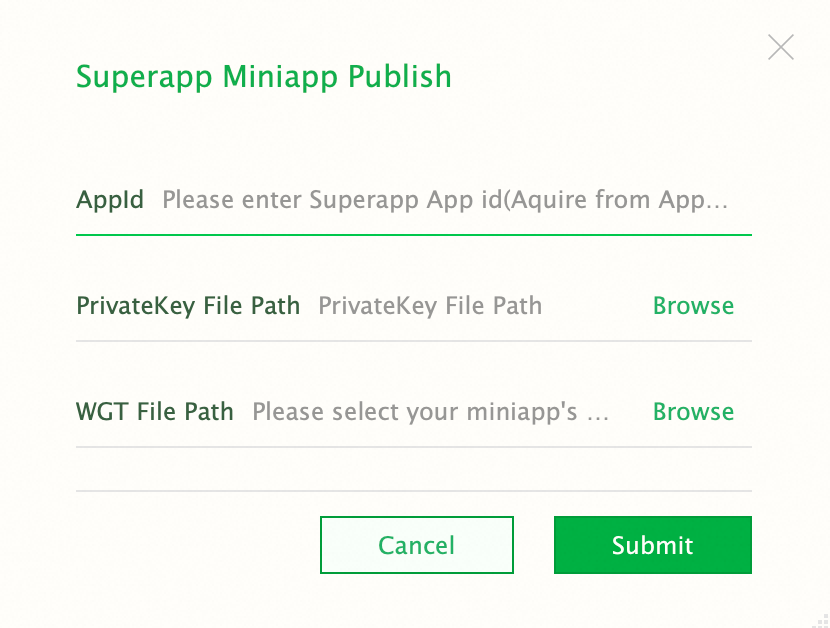
The following table describes the parameters.
|
Parameter |
Description |
|
AppId |
Required. Obtain the app ID from Application Open Platform. For more information, see View the app ID in Create an app. |
|
PrivateKey File Path |
Required. Upload the key file downloaded from Application Open Platform. For more information, see Download an HBuilder key file in Global settings. |
|
WGT File Path |
Optional. The path to the WGT file generated after the UniApp miniapp is built.
|
-
Click Submit. The extension publishes the miniapp and synchronizes the artifact to Application Open Platform.
For more information about how to package a UniApp miniapp into a native app and integrate the miniapp container, see FAQ.