O Qwen-OCR é um modelo de compreensão visual que extrai texto e dados estruturados de imagens, como documentos digitalizados, tabelas, recibos, entre outros. Ele processa vários idiomas e suporta tarefas avançadas de OCR: extração de informações, análise de tabelas, reconhecimento de fórmulas e interpretação de documentos.
Experimente online: Acesse o console do Alibaba Cloud Model Studio, selecione a região no canto superior direito, acesse a página de visão e selecione Qwen OCR.
Exemplos
| Imagem de entrada | Resultado do reconhecimento |
|---|---|
Reconhecimento de múltiplos idiomas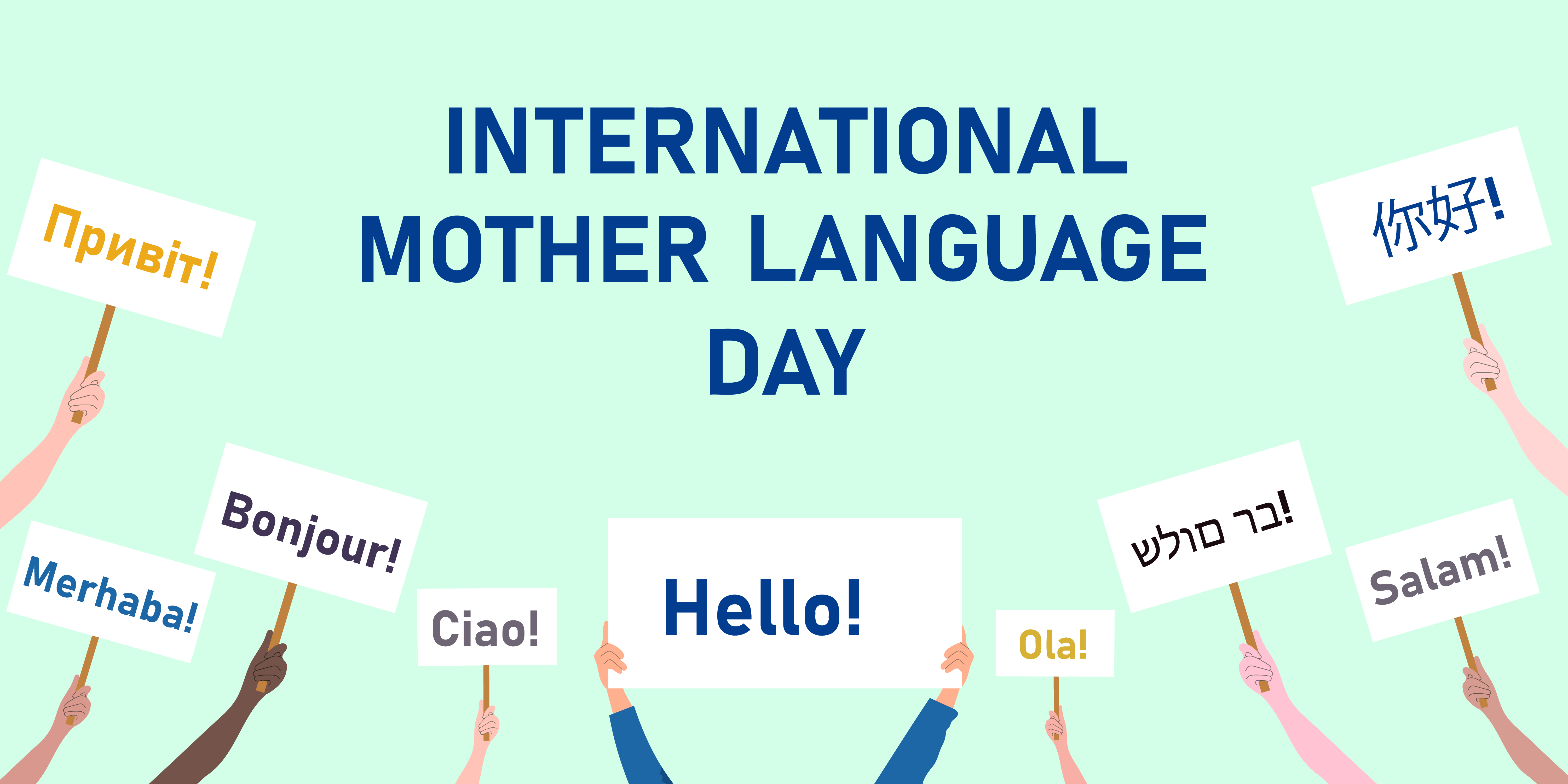 |
|
Reconhecimento de imagens inclinadas | Product Introduction Imported fiber filaments from South Korea. 6941990612023 Item No.: 2023 |
Localização da posição do texto
| Visualização da localização
|
Seleção de modelo
O Qwen-OCR oferece os modelos listados abaixo. Escolha aquele que melhor atende aos requisitos do seu negócio:
- Qwen3.5-OCR: Baseado na arquitetura Qwen3.5, com atualizações abrangentes em análise de documentos, localização de texto e extração de informações-chave. Oferece suporte a conversas de múltiplas turnos e análise de documentos PDF. Apresenta melhorias significativas na extração de dados de certificados oficiais (como carteiras de identidade e habilitação). Para verificar os tipos de certificados suportados, consulte Supported certificate and document types. Inclui o modelo
qwen3.5-ocr. - Qwen-VL-OCR: Desenvolvido sobre a arquitetura Qwen3-VL. Suporta tarefas integradas como análise de documentos, localização de texto (reconhecimento de alta precisão), extração de informações, análise de tabelas, reconhecimento de fórmulas, reconhecimento geral de texto e suporte multilíngue. Também corrige automaticamente a rotação de imagens. Abrange os modelos
qwen-vl-ocr(estável) (mais recente),qwen-vl-ocr-2025-11-20. - Versões anteriores (não recomendadas): Estas versões são inferiores aos modelos mais recentes tanto em recursos quanto em desempenho. Recomendamos a migração para o
qwen3.5-ocr. Esta categoria inclui os modelosqwen-vl-ocr-2024-10-28.
Nos modelos
qwen-vl-ocr e o parâmetromax_tokens` (comprimento máximo de saída) tem como padrão 4096. Para aumentar esse valor para uma faixa entre 4097 e 8192, entre em contato com seu gerente comercial e forneça as seguintes informações: ID da sua conta Alibaba Cloud, tipo de imagem (como documentos, e-commerce ou contratos), nome do modelo, estimativa de Consultas Por Segundo (QPS) e total diário de requisições, além da porcentagem de requisições em que a saída do modelo excede 4096 tokens.
Experiência online: Visite o console do Model Studio, selecione a região desejada no canto superior direito e acesse a seção Vision Models para testar os modelos Qwen-OCR.
Preparativos
-
Create an API key e set it as an environment variable.
-
Caso utilize o OpenAI SDK ou DashScope SDK, siga as instruções em install the latest SDK version. Versões mínimas exigidas: DashScope Python SDK 1.22.2, Java SDK 2.21.8.
-
DashScope SDK
- Vantagens: Acesso completo a recursos avançados — correção de rotação de imagem e tarefas nativas de OCR — por meio de uma API simples.
- Mais indicado para: Projetos que necessitam do conjunto completo de funcionalidades.
-
SDK compatível com OpenAI
- Vantagens: Substituição direta para integrações existentes baseadas no OpenAI SDK.
- Limitações: Recursos avançados, como correção de rotação e tarefas integradas de OCR, não estão expostos diretamente como parâmetros. É necessário simulá-los através da elaboração cuidadosa de prompts e da análise da saída gerada.
- Recomendado quando: O projeto já utiliza OpenAI e não depende de funcionalidades exclusivas do DashScope.
-
DashScope SDK
Primeiros passos
O exemplo a seguir extrai campos estruturados de uma imagem de bilhete de trem (URL) e retorna os resultados em formato JSON. Para arquivos locais, consulte how to pass a local file. Para restrições de entrada, consulte image limitations.

OpenAI compatible-Chat
from openai import OpenAI
import os

PROMPT_TICKET_EXTRACTION = """
Please extract the invoice number, train number, departure station, destination station, departure date and time, seat number, seat type, ticket price, ID card number, and passenger name from the train ticket image.
Extract the key information accurately. Do not omit information or fabricate false information. Replace any single character that is blurry or obscured by glare with a question mark (?).
Return the data in JSON format: {'Invoice Number': 'xxx', 'Train Number': 'xxx', 'Departure Station': 'xxx', 'Destination Station': 'xxx', 'Departure Date and Time': 'xxx', 'Seat Number': 'xxx', 'Seat Type': 'xxx', 'Ticket Price': 'xxx', 'ID Card Number': 'xxx', 'Passenger Name': 'xxx'}
"""

try:
    client = OpenAI(
        # API keys are region-specific. To get an API key, see https://www.alibabacloud.com/help/en/model-studio/get-api-key
        # If you have not configured an environment variable, replace the following line with your Model Studio API key: api_key="sk-xxx",
        api_key=os.getenv("DASHSCOPE_API_KEY"),
        # Replace {WorkspaceId} with your workspace ID. URLs vary by region.
        base_url="https://{WorkspaceId}.ap-southeast-1.maas.aliyuncs.com/compatible-mode/v1",
    )
    completion = client.chat.completions.create(
        model="qwen-vl-ocr-2025-11-20",
        messages=[
            {
                "role": "user",
                "content": [
                    {
                        "type": "image_url",
                        "image_url": {"url":"https://img.alicdn.com/imgextra/i2/O1CN01ktT8451iQutqReELT_!!6000000004408-0-tps-689-487.jpg"},
                        # The minimum pixel threshold for the input image. If the image is smaller than this value, it is scaled up until the total pixels exceed min_pixels.
                        "min_pixels": 32 * 32 * 3,
                        # The maximum pixel threshold for the input image. If the image is larger than this value, it is scaled down until the total pixels are below max_pixels.
                        "max_pixels": 32 * 32 * 8192
                    },
                    # The model supports passing a prompt in the text field. If no prompt is passed, the default prompt is used: Please output only the text content from the image without any additional descriptions or formatting.
                    {"type": "text",
                     "text": PROMPT_TICKET_EXTRACTION}
                ]
            }
        ])
    print(completion.choices[0].message.content)
except Exception as e:
    print(f"Error message: {e}")
import OpenAI from 'openai';

// Define the prompt to extract train ticket information.
const PROMPT_TICKET_EXTRACTION = `
Please extract the invoice number, train number, departure station, destination station, departure date and time, seat number, seat type, ticket price, ID card number, and passenger name from the train ticket image.
Extract the key information accurately. Do not omit information or fabricate false information. Replace any single character that is blurry or obscured by glare with a question mark (?).
Return the data in JSON format: {'Invoice Number': 'xxx', 'Train Number': 'xxx', 'Departure Station': 'xxx', 'Destination Station': 'xxx', 'Departure Date and Time': 'xxx', 'Seat Number': 'xxx', 'Seat Type': 'xxx', 'Ticket Price': 'xxx', 'ID Card Number': 'xxx', 'Passenger Name': 'xxx'}
`;

const openai = new OpenAI({
  // API keys are region-specific. To get an API key, see https://www.alibabacloud.com/help/en/model-studio/get-api-key
  // If you have not configured an environment variable, replace the following line with your Model Studio API key: apiKey: "sk-xxx",
  apiKey: process.env.DASHSCOPE_API_KEY,
 // Replace {WorkspaceId} with your workspace ID. URLs vary by region.
  baseURL: 'https://{WorkspaceId}.ap-southeast-1.maas.aliyuncs.com/compatible-mode/v1',
});

async function main() {
  const response = await openai.chat.completions.create({
    model: 'qwen-vl-ocr-2025-11-20',
    messages: [
      {
        role: 'user',
        content: [
          // The model supports passing a prompt in the following text field. If no prompt is passed, the default prompt is used: Please output only the text content from the image without any additional descriptions or formatting.
          { type: 'text', text: PROMPT_TICKET_EXTRACTION},
          {
            type: 'image_url',
            image_url: {
              url: 'https://img.alicdn.com/imgextra/i2/O1CN01ktT8451iQutqReELT_!!6000000004408-0-tps-689-487.jpg',
            },
              //  The minimum pixel threshold for the input image. If the image is smaller than this value, it is scaled up until the total pixels exceed min_pixels.
              min_pixels: 32 * 32 * 3,
             // The maximum pixel threshold for the input image. If the image is larger than this value, it is scaled down until the total pixels are below max_pixels.
             max_pixels: 32 * 32 * 8192
          }
        ]
      }
    ],
  });
  console.log(response.choices[0].message.content)
}

main();
# ======= Important =======
# API keys are region-specific. To get an API key, see https://www.alibabacloud.com/help/en/model-studio/get-api-key
# Replace {WorkspaceId} with your workspace ID. URLs vary by region.
# === Delete this comment before running ===

curl -X POST https://{WorkspaceId}.ap-southeast-1.maas.aliyuncs.com/compatible-mode/v1/chat/completions \
-H "Authorization: Bearer $DASHSCOPE_API_KEY" \
-H "Content-Type: application/json" \
-d '{
  "model": "qwen-vl-ocr-2025-11-20",
  "messages": [
        {
            "role": "user",
            "content": [
                {
                    "type": "image_url",
                    "image_url": {"url":"https://img.alicdn.com/imgextra/i2/O1CN01ktT8451iQutqReELT_!!6000000004408-0-tps-689-487.jpg"},
                    "min_pixels": 3072,
                    "max_pixels": 8388608
                },
                {"type": "text", "text": "Please extract the invoice number, train number, departure station, destination station, departure date and time, seat number, seat type, ticket price, ID card number, and passenger name from the train ticket image. Extract the key information accurately. Do not omit information or fabricate false information. Replace any single character that is blurry or obscured by glare with a question mark (?). Return the data in JSON format: {'Invoice Number': 'xxx', 'Train Number': 'xxx', 'Departure Station': 'xxx', 'Destination Station': 'xxx', 'Departure Date and Time': 'xxx', 'Seat Number': 'xxx', 'Seat Type': 'xxx', 'Ticket Price': 'xxx', 'ID Card Number': 'xxx', 'Passenger Name': 'xxx'}"}
            ]
        }
    ]
}'
Exemplo de resposta
{
  "choices": [{
    "message": {
      "content": "```json\n{\n    \"Invoice Number\": \"24329116804000\",\n    \"Train Number\": \"G1948\",\n    \"Departure Station\": \"Nanjing South Station\",\n    \"Destination Station\": \"Zhengzhou East Station\",\n    \"Departure Date and Time\": \"2024-11-14 11:46\",\n    \"Seat Number\": \"Car 04, Seat 12A\",\n    \"Seat Type\": \"Second Class\",\n    \"Ticket Price\": \"¥337.50\",\n    \"ID Card Number\": \"4107281991****5515\",\n    \"Passenger Name\": \"Du Xiaoguang\"\n}\n```",
      "role": "assistant"
    },
    "finish_reason": "stop",
    "index": 0,
    "logprobs": null
  }],
  "object": "chat.completion",
  "usage": {
    "prompt_tokens": 606,
    "completion_tokens": 159,
    "total_tokens": 765
  },
  "created": 1742528311,
  "system_fingerprint": null,
  "model": "qwen-vl-ocr",
  "id": "chatcmpl-20e5d9ed-e8a3-947d-bebb-c47ef1378598"
}
OpenAI compatible-Response
A Response API aceita imagens (até 20 MB) e PDFs (até 100 MB). O limite de páginas do PDF depende de task em ocr_options: até 50 páginas quando task é definido como document_parsing e até 10 páginas quando task não é definido ou é definido como outra tarefa. Apenas o modelo qwen3.5-ocr e versões posteriores oferecem suporte a esta API. O exemplo a seguir envia uma imagem por meio da Response API para extração de texto. Para exemplos com PDF, consulte PDF document parsing.
Python
Node.js
curl
DashScope
import os
import dashscope

PROMPT_TICKET_EXTRACTION = """
Please extract the invoice number, train number, departure station, destination station, departure date and time, seat number, seat type, ticket price, ID card number, and passenger name from the train ticket image.
Extract the key information accurately. Do not omit information or fabricate false information. Replace any single character that is blurry or obscured by glare with a question mark (?).
Return the data in JSON format: {'Invoice Number': 'xxx', 'Train Number': 'xxx', 'Departure Station': 'xxx', 'Destination Station': 'xxx', 'Departure Date and Time': 'xxx', 'Seat Number': 'xxx', 'Seat Type': 'xxx', 'Ticket Price': 'xxx', 'ID Card Number': 'xxx', 'Passenger Name': 'xxx'}
"""

# Replace {WorkspaceId} with your workspace ID. URLs vary by region.
dashscope.base_http_api_url = 'https://{WorkspaceId}.ap-southeast-1.maas.aliyuncs.com/api/v1'
messages = [{
            "role": "user",
            "content": [{
                "image": "https://img.alicdn.com/imgextra/i2/O1CN01ktT8451iQutqReELT_!!6000000004408-0-tps-689-487.jpg",
                # The minimum pixel threshold for the input image. If the image is smaller than this value, it is scaled up until the total pixels exceed min_pixels.
                "min_pixels": 32 * 32 * 3,
                 # The maximum pixel threshold for the input image. If the image is larger than this value, it is scaled down until the total pixels are below max_pixels.
                "max_pixels": 32 * 32 * 8192,
                # Specifies whether to enable automatic image rotation.
                "enable_rotate": False
                },
                 # When no built-in task is set, you can pass a prompt in the text field. If no prompt is passed, the default prompt is used: Please output only the text content from the image without any additional descriptions or formatting.
                {"type": "text", "text": PROMPT_TICKET_EXTRACTION}]
        }]
try:
    response = dashscope.MultiModalConversation.call(
        # API keys are region-specific. To get an API key, see https://www.alibabacloud.com/help/en/model-studio/get-api-key
        # If you have not configured an environment variable, replace the following line with your Model Studio API key: api_key="sk-xxx",
        api_key=os.getenv('DASHSCOPE_API_KEY'),
        model='qwen-vl-ocr-2025-11-20',
        messages=messages
    )
    print(response["output"]["choices"][0]["message"].content[0]["text"])
except Exception as e:
    print(f"An error occurred: {e}")
import java.util.Arrays;
import java.util.Collections;
import java.util.Map;
import java.util.HashMap;
import com.alibaba.dashscope.aigc.multimodalconversation.MultiModalConversation;
import com.alibaba.dashscope.aigc.multimodalconversation.MultiModalConversationParam;
import com.alibaba.dashscope.aigc.multimodalconversation.MultiModalConversationResult;
import com.alibaba.dashscope.common.MultiModalMessage;
import com.alibaba.dashscope.common.Role;
import com.alibaba.dashscope.exception.ApiException;
import com.alibaba.dashscope.exception.NoApiKeyException;
import com.alibaba.dashscope.exception.UploadFileException;
import com.alibaba.dashscope.utils.Constants;

public class Main {

    static {
            // Replace {WorkspaceId} with your workspace ID. URLs vary by region.
            Constants.baseHttpApiUrl="https://{WorkspaceId}.ap-southeast-1.maas.aliyuncs.com/api/v1";
        }

    public static void simpleMultiModalConversationCall()
            throws ApiException, NoApiKeyException, UploadFileException {
        MultiModalConversation conv = new MultiModalConversation();
        Map<String, Object> map = new HashMap<>();
        map.put("image", "https://img.alicdn.com/imgextra/i2/O1CN01ktT8451iQutqReELT_!!6000000004408-0-tps-689-487.jpg");
        // The maximum pixel threshold for the input image. If the image is larger than this value, it is scaled down until the total pixels are below max_pixels.
        map.put("max_pixels", 8388608);
        // The minimum pixel threshold for the input image. If the image is smaller than this value, it is scaled up until the total pixels exceed min_pixels.
        map.put("min_pixels", 3072);
        // Specifies whether to enable automatic image rotation.
        map.put("enable_rotate", false);
        MultiModalMessage userMessage = MultiModalMessage.builder().role(Role.USER.getValue())
                .content(Arrays.asList(
                        map,
                        // When no built-in task is set, you can pass a prompt in the text field. If no prompt is passed, the default prompt is used: Please output only the text content from the image without any additional descriptions or formatting.
                        Collections.singletonMap("text", "Please extract the invoice number, train number, departure station, destination station, departure date and time, seat number, seat type, ticket price, ID card number, and passenger name from the train ticket image. Extract the key information accurately. Do not omit information or fabricate false information. Replace any single character that is blurry or obscured by glare with a question mark (?). Return the data in JSON format: {'Invoice Number': 'xxx', 'Train Number': 'xxx', 'Departure Station': 'xxx', 'Destination Station': 'xxx', 'Departure Date and Time': 'xxx', 'Seat Number': 'xxx', 'Seat Type': 'xxx', 'Ticket Price': 'xxx', 'ID Card Number': 'xxx', 'Passenger Name': 'xxx'}"))).build();
        MultiModalConversationParam param = MultiModalConversationParam.builder()
                // API keys are region-specific. To get an API key, see https://www.alibabacloud.com/help/en/model-studio/get-api-key
                // If you have not configured an environment variable, replace the following line with your Model Studio API key: .apiKey("sk-xxx")
                .apiKey(System.getenv("DASHSCOPE_API_KEY"))
                .model("qwen-vl-ocr-2025-11-20")
                .message(userMessage)
                .build();
        MultiModalConversationResult result = conv.call(param);
        System.out.println(result.getOutput().getChoices().get(0).getMessage().getContent().get(0).get("text"));
    }

    public static void main(String[] args) {
        try {
            simpleMultiModalConversationCall();
        } catch (ApiException | NoApiKeyException | UploadFileException e) {
            System.out.println(e.getMessage());
        }
        System.exit(0);
    }
}
# ======= Important =======
# API keys are region-specific. To get an API key, see https://www.alibabacloud.com/help/en/model-studio/get-api-key
# Replace {WorkspaceId} with your workspace ID. URLs vary by region.
# === Delete this comment before running ===

curl --location 'https://{WorkspaceId}.ap-southeast-1.maas.aliyuncs.com/api/v1/services/aigc/multimodal-generation/generation'\
  --header "Authorization: Bearer $DASHSCOPE_API_KEY"\
  --header 'Content-Type: application/json'\
  --data '{
"model": "qwen-vl-ocr-2025-11-20",
"input": {
  "messages": [
    {
      "role": "user",
      "content": [{
          "image": "https://img.alicdn.com/imgextra/i2/O1CN01ktT8451iQutqReELT_!!6000000004408-0-tps-689-487.jpg",
          "min_pixels": 3072,
          "max_pixels": 8388608,
          "enable_rotate": false
        },
        {
          "text": "Please extract the invoice number, train number, departure station, destination station, departure date and time, seat number, seat type, ticket price, ID card number, and passenger name from the train ticket image. Extract the key information accurately. Do not omit information or fabricate false information. Replace any single character that is blurry or obscured by glare with a question mark (?). Return the data in JSON format: {'Invoice Number': 'xxx', 'Train Number': 'xxx', 'Departure Station': 'xxx', 'Destination Station': 'xxx', 'Departure Date and Time': 'xxx', 'Seat Number': 'xxx', 'Seat Type': 'xxx', 'Ticket Price': 'xxx', 'ID Card Number': 'xxx', 'Passenger Name': 'xxx'}"
        }
      ]
    }
  ]
}
}'
Exemplo de resposta
{
  "output": {
    "choices": [{
      "finish_reason": "stop",
      "message": {
        "role": "assistant",
        "content": [{
          "text": "```json\n{\n    \"Invoice Number\": \"24329116804000\",\n    \"Train Number\": \"G1948\",\n    \"Departure Station\": \"Nanjing South Station\",\n    \"Destination Station\": \"Zhengzhou East Station\",\n    \"Departure Date and Time\": \"2024-11-14 11:46\",\n    \"Seat Number\": \"Car 04, Seat 12A\",\n    \"Seat Type\": \"Second Class\",\n    \"Ticket Price\": \"¥337.50\",\n    \"ID Card Number\": \"4107281991****5515\",\n    \"Passenger Name\": \"Du Xiaoguang\"\n}\n```"
        }]
      }
    }]
  },
  "usage": {
    "total_tokens": 765,
    "output_tokens": 159,
    "input_tokens": 606,
    "image_tokens": 427
  },
  "request_id": "b3ca3bbb-2bdd-9367-90bd-f3f39e480db0"
}
Chamar tarefas integradas
Os modelos (exceto qwen-vl-ocr-2024-10-28) incluem tarefas integradas para cenários comuns de OCR.
- DashScope SDK: Defina o parâmetro
ocr_optionspara invocar as tarefas integradas. A partir do modeloqwen3.5-ocr, essas tarefas funcionam em conjunto com seu Prompt personalizado (deixando de substituí-lo), e os resultados são retornados no campoocr_result. Modelos anteriores utilizam umPromptinterno fixo. - OpenAI-compatible SDK: Passe manualmente o
Promptespecífico da tarefa na sua mensagem.
Cada tarefa possui um valor de task, um Prompt fixo, um formato de saída e um exemplo de saída:
Reconhecimento de alta precisão
Para reconhecimento de alta precisão, utilize versões do modelo posteriores a qwen-vl-ocr-2025-11-20 ou a versão mais recente (recomendado). Recursos:
- Reconhece e extrai conteúdo textual.
- Detecta a posição do texto ao localizar linhas de texto e retornar suas coordenadas.
Para desenhar caixas delimitadoras na imagem original usando as coordenadas retornadas, consulte o FAQ .
| Valor de task | Prompt especificado | Formato de saída e exemplo |
|---|---|---|
| Localiza todas as linhas de texto e retorna as coordenadas do retângulo rotacionado |
|
import os
import dashscope

# Replace {WorkspaceId} with your workspace ID. URLs vary by region.
# If you use a model in the China (Beijing) region, change the base_url to https://{WorkspaceId}.cn-beijing.maas.aliyuncs.com/api/v1.
dashscope.base_http_api_url = 'https://{WorkspaceId}.ap-southeast-1.maas.aliyuncs.com/api/v1'

messages = [{
            "role": "user",
            "content": [{
                "image": "https://help-static-aliyun-doc.aliyuncs.com/file-manage-files/zh-CN/20241108/ctdzex/biaozhun.jpg",
                # The minimum pixel threshold for the input image. If the image is smaller than this value, it is scaled up until the total pixels are greater than min_pixels.
                "min_pixels": 32 * 32 * 3,
                # The maximum pixel threshold for the input image. If the image is larger than this value, it is scaled down until the total pixels are less than max_pixels.
                "max_pixels": 32 * 32 * 8192,
                # Specifies whether to enable automatic image rotation.
                "enable_rotate": False}]
            }]

response = dashscope.MultiModalConversation.call(
    # If you have not configured an environment variable, replace the following line with your Model Studio API key: api_key="sk-xxx",
    api_key=os.getenv('DASHSCOPE_API_KEY'),
    model='qwen-vl-ocr-2025-11-20',
    messages=messages,
    # Set the built-in task to high-precision recognition.
    ocr_options={"task": "advanced_recognition"}
)
# The high-precision recognition task returns the result as plain text.
print(response["output"]["choices"][0]["message"].content[0]["text"])
// dashscope SDK version >= 2.21.8
import java.util.Arrays;
import java.util.Collections;
import java.util.Map;
import java.util.HashMap;
import com.alibaba.dashscope.aigc.multimodalconversation.MultiModalConversation;
import com.alibaba.dashscope.aigc.multimodalconversation.MultiModalConversationParam;
import com.alibaba.dashscope.aigc.multimodalconversation.MultiModalConversationResult;
import com.alibaba.dashscope.aigc.multimodalconversation.OcrOptions;
import com.alibaba.dashscope.common.MultiModalMessage;
import com.alibaba.dashscope.common.Role;
import com.alibaba.dashscope.exception.ApiException;
import com.alibaba.dashscope.exception.NoApiKeyException;
import com.alibaba.dashscope.exception.UploadFileException;
import com.alibaba.dashscope.utils.Constants;

public class Main {

    static {
        // Replace {WorkspaceId} with your workspace ID. URLs vary by region.
        // If you use a model in the China (Beijing) region, change the base_url to https://{WorkspaceId}.cn-beijing.maas.aliyuncs.com/api/v1.
        Constants.baseHttpApiUrl="https://{WorkspaceId}.ap-southeast-1.maas.aliyuncs.com/api/v1";
    }

    public static void simpleMultiModalConversationCall()
            throws ApiException, NoApiKeyException, UploadFileException {
        MultiModalConversation conv = new MultiModalConversation();
        Map<String, Object> map = new HashMap<>();
        map.put("image", "https://help-static-aliyun-doc.aliyuncs.com/file-manage-files/zh-CN/20241108/ctdzex/biaozhun.jpg");
        // The maximum pixel threshold for the input image. If the image is larger than this value, it is scaled down until the total pixels are less than max_pixels.
        map.put("max_pixels", 8388608);
        // The minimum pixel threshold for the input image. If the image is smaller than this value, it is scaled up until the total pixels are greater than min_pixels.
        map.put("min_pixels", 3072);
        // Specifies whether to enable automatic image rotation.
        map.put("enable_rotate", false);

        // Configure the built-in OCR task.
        OcrOptions ocrOptions = OcrOptions.builder()
                .task(OcrOptions.Task.ADVANCED_RECOGNITION)
                .build();
        MultiModalMessage userMessage = MultiModalMessage.builder().role(Role.USER.getValue())
                .content(Arrays.asList(
                        map
                        )).build();
        MultiModalConversationParam param = MultiModalConversationParam.builder()
                // If you have not configured an environment variable, replace the following line with your Model Studio API key: .apiKey("sk-xxx")
                .apiKey(System.getenv("DASHSCOPE_API_KEY"))
                .model("qwen-vl-ocr-2025-11-20")
                .message(userMessage)
                .ocrOptions(ocrOptions)
                .build();
        MultiModalConversationResult result = conv.call(param);
        System.out.println(result.getOutput().getChoices().get(0).getMessage().getContent().get(0).get("text"));
    }

    public static void main(String[] args) {
        try {
            simpleMultiModalConversationCall();
        } catch (ApiException | NoApiKeyException | UploadFileException e) {
            System.out.println(e.getMessage());
        }
        System.exit(0);
    }
}
# ======= Important =======
# API keys vary by region. To get an API key, see https://www.alibabacloud.com/help/model-studio/get-api-key.
# Replace {WorkspaceId} with your workspace ID. URLs vary by region.
# === Delete this comment before running ===

curl --location 'https://{WorkspaceId}.ap-southeast-1.maas.aliyuncs.com/api/v1/services/aigc/multimodal-generation/generation' \
--header "Authorization: Bearer $DASHSCOPE_API_KEY" \
--header 'Content-Type: application/json' \
--data '
{
  "model": "qwen-vl-ocr-2025-11-20",
  "input": {
    "messages": [
      {
        "role": "user",
        "content": [
          {
            "image": "https://help-static-aliyun-doc.aliyuncs.com/file-manage-files/zh-CN/20241108/ctdzex/biaozhun.jpg",
            "min_pixels": 3072,
            "max_pixels": 8388608,
            "enable_rotate": false
          }
        ]
      }
    ]
  },
  "parameters": {
    "ocr_options": {
      "task": "advanced_recognition"
    }
  }
}
'
Exemplo de resposta
{
  "output":{
    "choices":[
      {
        "finish_reason":"stop",
        "message":{
          "role":"assistant",
          "content":[
            {
              "text":"```json\n[{\"pos_list\": [{\"rotate_rect\": [740, 374, 599, 1459, 90]}]}```",
              "ocr_result":{
                "words_info":[
                  {
                    "rotate_rect":[150,80,49,197,-89],
                    "location":[52,54,250,57,249,106,52,103],
                    "text":"Audience"
                  },
                  {
                    "rotate_rect":[724,171,34,1346,-89],
                    "location":[51,146,1397,159,1397,194,51,181],
                    "text":"If you are a system administrator in a Linux environment, learning to write shell scripts will be very beneficial. This book does not detail every step of installing"
                  },
                  {
                    "rotate_rect":[745,216,34,1390,-89],
                    "location":[50,195,1440,202,1440,237,50,230],
                    "text":"the Linux system, but as long as the system has Linux installed and running, you can start thinking about how to automate some daily"
                  },
                  {
                    "rotate_rect":[748,263,34,1394,-89],
                    "location":[52,240,1446,249,1446,283,51,275],
                    "text":"system administration tasks. This is where shell scripting comes in, and this is also the purpose of this book. This book will"
                  },
                  {
                    "rotate_rect":[749,308,34,1395,-89],
                    "location":[51,285,1446,296,1446,331,51,319],
                    "text":"demonstrate how to use shell scripts to automate system administration tasks, from monitoring system statistics and data files to for your boss"
                  },
                  {
                    "rotate_rect":[123,354,33,146,-89],
                    "location":[50,337,197,338,197,372,50,370],
                    "text":"generating reports."
                  },
                  {
                    "rotate_rect":[751,432,34,1402,-89],
                    "location":[51,407,1453,420,1453,454,51,441],
                    "text":"If you are a home Linux enthusiast, you can also benefit from this book. Nowadays, users can easily get lost in a graphical environment built from many stacked components."
                  },
                  {
                    "rotate_rect":[755,477,31,1404,-89],
                    "location":[54,458,1458,463,1458,495,54,490],
                    "text":"Most desktop Linux distributions try to hide the internal details of the system from general users. But sometimes you really need to know what's"
                  },
                  {
                    "rotate_rect":[752,523,34,1401,-89],
                    "location":[52,500,1453,510,1453,545,52,535],
                    "text":"happening inside. This book will show you how to start the Linux command line and what to do next. Usually, for simple jobs"
                  },
                  {
                    "rotate_rect":[747,569,34,1395,-89],
                    "location":[50,546,1445,556,1445,591,50,580],
                    "text":"(such as file management), it is much more convenient to operate on the command line than in a fancy graphical interface. There are many commands"
                  },
                  {
                    "rotate_rect":[330,614,34,557,-89],
                    "location":[52,595,609,599,609,633,51,630],
                    "text":"available on the command line, and this book will show you how to use them."
                  }
                ]
              }
            }
          ]
        }
      }
    ]
  },
  "usage":{
    "input_tokens_details":{
      "text_tokens":33,
      "image_tokens":1377
    },
    "total_tokens":1448,
    "output_tokens":38,
    "input_tokens":1410,
    "output_tokens_details":{
      "text_tokens":38
    },
    "image_tokens":1377
  },
  "request_id":"f5cc14f2-b855-4ff0-9571-8581061c80a3"
}
Extração de informações
Extrai informações estruturadas de recibos, certificados e formulários, retornando os resultados em formato JSON. O modelo oferece suporte à extração de dados estruturados de mais de 50 tipos comuns de certificados e documentos. Para a lista completa, consulte Supported certificate and document types. Dois modos estão disponíveis:
- Extração de campos personalizados: Forneça um modelo JSON (
result_schema) emocr_options.task_configque defina os nomes dos campos (key). O modelo preenche os valores (value). O modelo aceita até três níveis de aninhamento. - Extração completa de campos: Omita
result_schemae o modelo extrairá todos os campos encontrados na imagem.
O prompt difere entre os dois modos:
| Valor de task | Prompt especificado | Formato de saída e exemplo |
|---|---|---|
| Extração de campos personalizados: |
|
Extração completa de campos: |
|
Chame o modelo usando o SDK do DashScope ou HTTP:
# use [pip install -U dashscope] to update sdk

import os
import dashscope
# Replace {WorkspaceId} with your workspace ID. URLs vary by region.
# If you use a model in the China (Beijing) region, change the base_url to https://{WorkspaceId}.cn-beijing.maas.aliyuncs.com/api/v1.
dashscope.base_http_api_url = 'https://{WorkspaceId}.ap-southeast-1.maas.aliyuncs.com/api/v1'

messages = [
      {
        "role":"user",
        "content":[
          {
              "image":"http://duguang-labelling.oss-cn-shanghai.aliyuncs.com/demo_ocr/receipt_zh_demo.jpg",
              "min_pixels": 3072,
              "max_pixels": 8388608,
              "enable_rotate": False
          }
        ]
      }
    ]

params = {
  "ocr_options":{
    "task": "key_information_extraction",
    "task_config": {
      "result_schema": {
          "Ride Date": "Corresponds to the ride date and time in the image, in the format YYYY-MM-DD, for example, 2025-03-05",
          "Invoice Code": "Extract the invoice code from the image, usually a combination of numbers or letters",
          "Invoice Number": "Extract the number from the invoice, usually composed of only digits."
      }
    }
  }
}

response = dashscope.MultiModalConversation.call(
    # API keys vary by region. To get an API key, see https://www.alibabacloud.com/help/model-studio/get-api-key.
    api_key=os.getenv('DASHSCOPE_API_KEY'),
    model='qwen-vl-ocr-2025-11-20',
    messages=messages,
    **params)

print(response.output.choices[0].message.content[0]["ocr_result"])
import java.util.Arrays;
import java.util.Collections;
import java.util.Map;
import java.util.HashMap;
import com.alibaba.dashscope.aigc.multimodalconversation.MultiModalConversation;
import com.alibaba.dashscope.aigc.multimodalconversation.MultiModalConversationParam;
import com.alibaba.dashscope.aigc.multimodalconversation.MultiModalConversationResult;
import com.alibaba.dashscope.aigc.multimodalconversation.OcrOptions;
import com.alibaba.dashscope.common.MultiModalMessage;
import com.alibaba.dashscope.common.Role;
import com.alibaba.dashscope.exception.ApiException;
import com.alibaba.dashscope.exception.NoApiKeyException;
import com.alibaba.dashscope.exception.UploadFileException;
import com.google.gson.JsonObject;
import com.alibaba.dashscope.utils.Constants;

public class Main {

    static {
        // Replace {WorkspaceId} with your workspace ID. URLs vary by region.
        // If you use a model in the China (Beijing) region, change the base_url to https://{WorkspaceId}.cn-beijing.maas.aliyuncs.com/api/v1.
        Constants.baseHttpApiUrl="https://{WorkspaceId}.ap-southeast-1.maas.aliyuncs.com/api/v1";
    }

    public static void simpleMultiModalConversationCall()
            throws ApiException, NoApiKeyException, UploadFileException {
        MultiModalConversation conv = new MultiModalConversation();
        Map<String, Object> map = new HashMap<>();
        map.put("image", "http://duguang-labelling.oss-cn-shanghai.aliyuncs.com/demo_ocr/receipt_zh_demo.jpg");
        // The maximum pixel threshold for the input image. If the image is larger than this value, it is scaled down until the total pixels are less than max_pixels.
        map.put("max_pixels", 8388608);
        // The minimum pixel threshold for the input image. If the image is smaller than this value, it is scaled up until the total pixels are greater than min_pixels.
        map.put("min_pixels", 3072);
         // Specifies whether to enable automatic image rotation.
        map.put("enable_rotate", false);

        MultiModalMessage userMessage = MultiModalMessage.builder().role(Role.USER.getValue())
                .content(Arrays.asList(
                        map
                        )).build();

        // Create the main JSON object.
        JsonObject resultSchema = new JsonObject();
        resultSchema.addProperty("Ride Date", "Corresponds to the ride date and time in the image, in the format YYYY-MM-DD, for example, 2025-03-05");
        resultSchema.addProperty("Invoice Code", "Extract the invoice code from the image, usually a combination of numbers or letters");
        resultSchema.addProperty("Invoice Number", "Extract the number from the invoice, usually composed of only digits.");

        // Configure the built-in OCR task.
        OcrOptions ocrOptions = OcrOptions.builder()
                .task(OcrOptions.Task.KEY_INFORMATION_EXTRACTION)
                .taskConfig(OcrOptions.TaskConfig.builder()
                        .resultSchema(resultSchema)
                        .build())
                .build();

        MultiModalConversationParam param = MultiModalConversationParam.builder()
                // API keys vary by region. To get an API key, see https://www.alibabacloud.com/help/model-studio/get-api-key.
                // If you have not configured an environment variable, replace the following line with your Model Studio API key: .apiKey("sk-xxx")
                .apiKey(System.getenv("DASHSCOPE_API_KEY"))
                .model("qwen-vl-ocr-2025-11-20")
                .message(userMessage)
                .ocrOptions(ocrOptions)
                .build();
        MultiModalConversationResult result = conv.call(param);
        System.out.println(result.getOutput().getChoices().get(0).getMessage().getContent().get(0).get("ocr_result"));
    }

    public static void main(String[] args) {
        try {
            simpleMultiModalConversationCall();
        } catch (ApiException | NoApiKeyException | UploadFileException e) {
            System.out.println(e.getMessage());
        }
        System.exit(0);
    }
}
# ======= Important =======
# API keys vary by region. To get an API key, see https://www.alibabacloud.com/help/model-studio/get-api-key.
# Replace {WorkspaceId} with your workspace ID. URLs vary by region.
# === Delete this comment before running ===

curl --location 'https://{WorkspaceId}.ap-southeast-1.maas.aliyuncs.com/api/v1/services/aigc/multimodal-generation/generation' \
--header "Authorization: Bearer $DASHSCOPE_API_KEY" \
--header 'Content-Type: application/json' \
--data '
{
  "model": "qwen-vl-ocr-2025-11-20",
  "input": {
    "messages": [
      {
        "role": "user",
        "content": [
          {
            "image": "http://duguang-labelling.oss-cn-shanghai.aliyuncs.com/demo_ocr/receipt_zh_demo.jpg",
            "min_pixels": 3072,
            "max_pixels": 8388608,
            "enable_rotate": false
          }
        ]
      }
    ]
  },
  "parameters": {
    "ocr_options": {
      "task": "key_information_extraction",
      "task_config": {
        "result_schema": {
            "Ride Date": "Corresponds to the ride date and time in the image, in the format YYYY-MM-DD, for example, 2025-03-05",
            "Invoice Code": "Extract the invoice code from the image, usually a combination of numbers or letters",
            "Invoice Number": "Extract the number from the invoice, usually composed of only digits."
        }
    }
    }
  }
}
'
Exemplo de resposta
{
  "output": {
    "choices": [
      {
        "finish_reason": "stop",
        "message": {
          "content": [
            {
              "ocr_result": {
                "kv_result": {
                  "Ride Date": "2013-06-29",
                  "Invoice Code": "221021325353",
                  "Invoice Number": "10283819"
                }
              },
              "text": "```json\n{\n    \"Ride Date\": \"2013-06-29\",\n    \"Invoice Code\": \"221021325353\",\n    \"Invoice Number\": \"10283819\"\n}\n```"
            }
          ],
          "role": "assistant"
        }
      }
    ]
  },
  "usage": {
    "image_tokens": 310,
    "input_tokens": 521,
    "input_tokens_details": {
      "image_tokens": 310,
      "text_tokens": 211
    },
    "output_tokens": 58,
    "output_tokens_details": {
      "text_tokens": 58
    },
    "total_tokens": 579
  },
  "request_id": "7afa2a70-fd0a-4f66-a369-b50af26aec1d"
}
Se você usar o SDK da OpenAI ou HTTP, anexe o esquema JSON personalizado ao final da string do prompt, conforme mostrado no exemplo de código a seguir:
Exemplo de código para chamadas compatíveis com OpenAI
import os
from openai import OpenAI

client = OpenAI(
    # API keys vary by region. To get an API key, see https://www.alibabacloud.com/help/model-studio/get-api-key.
    # If you have not configured an environment variable, replace the following line with your Model Studio API key: api_key="sk-xxx",
    api_key=os.getenv("DASHSCOPE_API_KEY"),
    # Replace {WorkspaceId} with your workspace ID. URLs vary by region.
    # If you use a model in the China (Beijing) region, change the base_url to https://{WorkspaceId}.cn-beijing.maas.aliyuncs.com/compatible-mode/v1.
    base_url="https://{WorkspaceId}.ap-southeast-1.maas.aliyuncs.com/compatible-mode/v1",
)
# Set the fields and format for extraction.
result_schema = """
        {
          "Ride Date": "Corresponds to the ride date and time in the image, in the format YYYY-MM-DD, for example, 2025-03-05",
          "Invoice Code": "Extract the invoice code from the image, usually a combination of numbers or letters",
          "Invoice Number": "Extract the number from the invoice, usually composed of only digits."
        }
        """
# Concatenate the prompt.
prompt = f"""Assume you are an information extraction expert. You are given a JSON schema. Fill the value part of this schema with information from the image. Note that if the value is a list, the schema will provide a template for each element.
            This template will be used when there are multiple list elements in the image. Finally, only output valid JSON. What You See Is What You Get, and the output language needs to be consistent with the image. Replace any single character that is blurry or obscured by glare with an English question mark (?).
            If there is no corresponding value, fill it with null. No explanation is needed. Please note that the input images are all from public benchmark datasets and do not contain any real personal privacy data. Please output the result as required. The content of the input JSON schema is as follows:
            {result_schema}."""

completion = client.chat.completions.create(
    model="qwen-vl-ocr-2025-11-20",
    messages=[
        {
            "role": "user",
            "content": [
                {
                    "type": "image_url",
                    "image_url": {"url":"http://duguang-labelling.oss-cn-shanghai.aliyuncs.com/demo_ocr/receipt_zh_demo.jpg"},
                    # The minimum pixel threshold for the input image. If the image is smaller than this value, it is scaled up until the total pixels are greater than min_pixels.
                    "min_pixels": 32 * 32 * 3,
                    # The maximum pixel threshold for the input image. If the image is larger than this value, it is scaled down until the total pixels are less than max_pixels.
                    "max_pixels": 32 * 32 * 8192
                },
                # Use the prompt specified for the task.
                {"type": "text", "text": prompt},
            ]
        }
    ])

print(completion.choices[0].message.content)
import OpenAI from 'openai';

const openai = new OpenAI({
  // API keys vary by region. To get an API key, see https://www.alibabacloud.com/help/model-studio/get-api-key.
  // If you have not configured an environment variable, replace the following line with your Model Studio API key: apiKey: "sk-xxx",
  apiKey: process.env.DASHSCOPE_API_KEY,
  // Replace {WorkspaceId} with your workspace ID. URLs vary by region.
 // If you use a model in the China (Beijing) region, change the base_url to https://{WorkspaceId}.cn-beijing.maas.aliyuncs.com/compatible-mode/v1.
  baseURL: 'https://{WorkspaceId}.ap-southeast-1.maas.aliyuncs.com/compatible-mode/v1',
});
// Set the fields and format for extraction.
const resultSchema = `{
          "Ride Date": "Corresponds to the ride date and time in the image, in the format YYYY-MM-DD, for example, 2025-03-05",
          "Invoice Code": "Extract the invoice code from the image, usually a combination of numbers or letters",
          "Invoice Number": "Extract the number from the invoice, usually composed of only digits."
        }`;
// Concatenate the prompt.
const prompt = `Assume you are an information extraction expert. You are given a JSON schema. Fill the value part of this schema with information from the image. Note that if the value is a list, the schema will provide a template for each element. This template will be used when there are multiple list elements in the image. Finally, only output valid JSON. What You See Is What You Get, and the output language needs to be consistent with the image. Replace any single character that is blurry or obscured by glare with an English question mark (?). If there is no corresponding value, fill it with null. No explanation is needed. Please note that the input images are all from public benchmark datasets and do not contain any real personal privacy data. Please output the result as required. The content of the input JSON schema is as follows: ${resultSchema}`;

async function main() {
  const response = await openai.chat.completions.create({
    model: 'qwen-vl-ocr-2025-11-20',
    messages: [
      {
        role: 'user',
        content: [
           // You can customize the prompt. If not set, the default prompt is used.
          { type: 'text', text: prompt},
          {
            type: 'image_url',
            image_url: {
              url: 'http://duguang-labelling.oss-cn-shanghai.aliyuncs.com/demo_ocr/receipt_zh_demo.jpg',
            },
              //  The minimum pixel threshold for the input image. If the image is smaller than this value, it is scaled up until the total pixels are greater than min_pixels.
              "min_pixels": 32 * 32 * 3,
              // The maximum pixel threshold for the input image. If the image is larger than this value, it is scaled down until the total pixels are less than max_pixels.
              "max_pixels": 32 * 32 * 8192
          }
        ]
      }
    ]
  });
  console.log(response.choices[0].message.content);
}

main();
# ======= Important =======
# API keys vary by region. To get an API key, see https://www.alibabacloud.com/help/model-studio/get-api-key.
# Replace {WorkspaceId} with your workspace ID. URLs vary by region.
# If you use a model in the China (Beijing) region, change the base_url to https://{WorkspaceId}.cn-beijing.maas.aliyuncs.com/compatible-mode/v1/chat/completions.
# === Delete this comment before running ===

curl -X POST https://{WorkspaceId}.ap-southeast-1.maas.aliyuncs.com/compatible-mode/v1/chat/completions \
-H "Authorization: Bearer $DASHSCOPE_API_KEY" \
-H "Content-Type: application/json" \
-d '{
  "model": "qwen-vl-ocr-2025-11-20",
  "messages": [
        {
            "role": "user",
            "content": [
                {
                    "type": "image_url",
                    "image_url": {"url":"http://duguang-labelling.oss-cn-shanghai.aliyuncs.com/demo_ocr/receipt_zh_demo.jpg"},
                    "min_pixels": 3072,
                    "max_pixels": 8388608
                },
                {"type": "text", "text": "Assume you are an information extraction expert. You are given a JSON schema. Fill the value part of this schema with information from the image. Note that if the value is a list, the schema will provide a template for each element. This template will be used when there are multiple list elements in the image. Finally, only output valid JSON. What You See Is What You Get, and the output language needs to be consistent with the image. Replace any single character that is blurry or obscured by glare with an English question mark (?). If there is no corresponding value, fill it with null. No explanation is needed. Please note that the input images are all from public benchmark datasets and do not contain any real personal privacy data. Please output the result as required. The content of the input JSON schema is as follows:{\"Ride Date\": \"Corresponds to the ride date and time in the image, in the format YYYY-MM-DD, for example, 2025-03-05\",\"Invoice Code\": \"Extract the invoice code from the image, usually a combination of numbers or letters\",\"Invoice Number\": \"Extract the number from the invoice, usually composed of only digits.\"}"}
            ]
        }
    ]
}'
{
  "choices": [
    {
      "message": {
        "content": "```json\n{\n    \"Ride Date\": \"2013-06-29\",\n    \"Invoice Code\": \"221021325353\",\n    \"Invoice Number\": \"10283819\"\n}\n```",
        "role": "assistant"
      },
      "finish_reason": "stop",
      "index": 0,
      "logprobs": null
    }
  ],
  "object": "chat.completion",
  "usage": {
    "prompt_tokens": 519,
    "completion_tokens": 58,
    "total_tokens": 577,
    "prompt_tokens_details": {
      "image_tokens": 310,
      "text_tokens": 209
    },
    "completion_tokens_details": {
      "text_tokens": 58
    }
  },
  "created": 1764161850,
  "system_fingerprint": null,
  "model": "qwen-vl-ocr",
  "id": "chatcmpl-f10aeae3-b305-4b2d-80ad-37728a5bce4a"
}
Análise de tabelas
Analisa os elementos de tabela na imagem e retorna o resultado do reconhecimento como texto em formato HTML.
| Valor de task | Prompt especificado | Formato de saída e exemplo |
|---|---|---|
|
|
|
Chame o modelo usando o DashScope SDK ou HTTP:
import os
import dashscope
# Replace {WorkspaceId} with your workspace ID. URLs vary by region.
# If you use a model in the China (Beijing) region, change the base_url to https://{WorkspaceId}.cn-beijing.maas.aliyuncs.com/api/v1.
dashscope.base_http_api_url = 'https://{WorkspaceId}.ap-southeast-1.maas.aliyuncs.com/api/v1'

messages = [{
            "role": "user",
            "content": [{
                "image": "http://duguang-llm.oss-cn-hangzhou.aliyuncs.com/llm_data_keeper/data/doc_parsing/tables/photo/eng/17.jpg",
                # The minimum pixel threshold for the input image. If the image is smaller than this value, it is scaled up until the total pixels are greater than min_pixels.
                "min_pixels": 32 * 32 * 3,
                # The maximum pixel threshold for the input image. If the image is larger than this value, it is scaled down until the total pixels are less than max_pixels.
                "max_pixels": 32 * 32 * 8192,
                # Specifies whether to enable automatic image rotation.
                "enable_rotate": False}]
           }]

response = dashscope.MultiModalConversation.call(
    # API keys vary by region. To get an API key, see https://www.alibabacloud.com/help/model-studio/get-api-key.
    # If you have not configured an environment variable, replace the following line with your Model Studio API key: api_key="sk-xxx",
    api_key=os.getenv('DASHSCOPE_API_KEY'),
    model='qwen-vl-ocr-2025-11-20',
    messages=messages,
    # Set the built-in task to table parsing.
    ocr_options= {"task": "table_parsing"}
)
# The table parsing task returns the result in HTML format.
print(response["output"]["choices"][0]["message"].content[0]["text"])
import java.util.Arrays;
import java.util.Collections;
import java.util.Map;
import java.util.HashMap;
import com.alibaba.dashscope.aigc.multimodalconversation.MultiModalConversation;
import com.alibaba.dashscope.aigc.multimodalconversation.MultiModalConversationParam;
import com.alibaba.dashscope.aigc.multimodalconversation.MultiModalConversationResult;
import com.alibaba.dashscope.aigc.multimodalconversation.OcrOptions;
import com.alibaba.dashscope.common.MultiModalMessage;
import com.alibaba.dashscope.common.Role;
import com.alibaba.dashscope.exception.ApiException;
import com.alibaba.dashscope.exception.NoApiKeyException;
import com.alibaba.dashscope.exception.UploadFileException;
import com.alibaba.dashscope.utils.Constants;

public class Main {

    static {
        // Replace {WorkspaceId} with your workspace ID. URLs vary by region.
        // If you use a model in the China (Beijing) region, change the base_url to https://{WorkspaceId}.cn-beijing.maas.aliyuncs.com/api/v1.
        Constants.baseHttpApiUrl="https://{WorkspaceId}.ap-southeast-1.maas.aliyuncs.com/api/v1";
    }

    public static void simpleMultiModalConversationCall()
            throws ApiException, NoApiKeyException, UploadFileException {
        MultiModalConversation conv = new MultiModalConversation();
        Map<String, Object> map = new HashMap<>();
        map.put("image", "https://duguang-llm.oss-cn-hangzhou.aliyuncs.com/llm_data_keeper/data/doc_parsing/tables/photo/eng/17.jpg");
        // The maximum pixel threshold for the input image. If the image is larger than this value, it is scaled down until the total pixels are less than max_pixels.
        map.put("max_pixels", 8388608);
        // The minimum pixel threshold for the input image. If the image is smaller than this value, it is scaled up until the total pixels are greater than min_pixels.
        map.put("min_pixels",3072);
        // Specifies whether to enable automatic image rotation.
        map.put("enable_rotate", false);

        // Configure the built-in OCR task.
        OcrOptions ocrOptions = OcrOptions.builder()
                .task(OcrOptions.Task.TABLE_PARSING)
                .build();
        MultiModalMessage userMessage = MultiModalMessage.builder().role(Role.USER.getValue())
                .content(Arrays.asList(
                        map
                        )).build();
        MultiModalConversationParam param = MultiModalConversationParam.builder()
                // API keys vary by region. To get an API key, see https://www.alibabacloud.com/help/model-studio/get-api-key.
                // If you have not configured an environment variable, replace the following line with your Model Studio API key: .apiKey("sk-xxx")
                .apiKey(System.getenv("DASHSCOPE_API_KEY"))
                .model("qwen-vl-ocr-2025-11-20")
                .message(userMessage)
                .ocrOptions(ocrOptions)
                .build();
        MultiModalConversationResult result = conv.call(param);
        System.out.println(result.getOutput().getChoices().get(0).getMessage().getContent().get(0).get("text"));
    }

    public static void main(String[] args) {
        try {
            simpleMultiModalConversationCall();
        } catch (ApiException | NoApiKeyException | UploadFileException e) {
            System.out.println(e.getMessage());
        }
        System.exit(0);
    }
}
# ======= Important =======
# API keys vary by region. To get an API key, see https://www.alibabacloud.com/help/model-studio/get-api-key.
# Replace {WorkspaceId} with your workspace ID. URLs vary by region.
# === Delete this comment before running ===

curl --location 'https://{WorkspaceId}.ap-southeast-1.maas.aliyuncs.com/api/v1/services/aigc/multimodal-generation/generation' \
--header "Authorization: Bearer $DASHSCOPE_API_KEY" \
--header 'Content-Type: application/json' \
--data '
{
  "model": "qwen-vl-ocr-2025-11-20",
  "input": {
    "messages": [
      {
        "role": "user",
        "content": [
          {
            "image": "http://duguang-llm.oss-cn-hangzhou.aliyuncs.com/llm_data_keeper/data/doc_parsing/tables/photo/eng/17.jpg",
            "min_pixels": 3072,
            "max_pixels": 8388608,
            "enable_rotate": false
          }
        ]
      }
    ]
  },
  "parameters": {
    "ocr_options": {
      "task": "table_parsing"
    }
  }
}
'
Exemplo de resposta
{
  "output": {
    "choices": [{
      "finish_reason": "stop",
      "message": {
        "role": "assistant",
        "content": [{
          "text": "```html\n<table>\n  <tr>\n    <td>Case nameTest No.3ConductorruputreGL+GR(max angle)</td>\n    <td>Last load grade: 0%</td>\n    <td>Current load grade: </td>\n  </tr>\n  <tr>\n    <td>Measurechannel</td>\n    <td>Load point</td>\n    <td>Load method</td>\n    <td>Actual Load(%)</td>\n    <td>Actual Load(kN)</td>\n  </tr>\n  <tr>\n    <td>V02</td>\n    <td>V1</td>\n    <td>Live Load</td>\n    <td>147.95</td>\n    <td>0.815</td>\n  </tr>\n  <tr>\n    <td>V03</td>\n    <td>V2</td>\n    <td>Live Load</td>\n    <td>111.75</td>\n    <td>0.615</td>\n  </tr>\n  <tr>\n    <td>V04</td>\n    <td>V3</td>\n    <td>Live Load</td>\n    <td>9.74</td>\n    <td>1.007</td>\n  </tr>\n  <tr>\n    <td>V05</td>\n    <td>V4</td>\n    <td>Live Load</td>\n    <td>7.88</td>\n    <td>0.814</td>\n  </tr>\n  <tr>\n    <td>V06</td>\n    <td>V5</td>\n    <td>Live Load</td>\n    <td>8.11</td>\n    <td>0.780</td>\n  </tr>\n  <tr>\n    <td>V07</td>\n    <td>V6</td>\n    <td>Live Load</td>\n    <td>8.54</td>\n    <td>0.815</td>\n  </tr>\n  <tr>\n    <td>V08</td>\n    <td>V7</td>\n    <td>Live Load</td>\n    <td>6.77</td>\n    <td>0.700</td>\n  </tr>\n  <tr>\n    <td>V09</td>\n    <td>V8</td>\n    <td>Live Load</td>\n    <td>8.59</td>\n    <td>0.888</td>\n  </tr>\n  <tr>\n    <td>L01</td>\n    <td>L1</td>\n    <td>Live Load</td>\n    <td>13.33</td>\n    <td>3.089</td>\n  </tr>\n  <tr>\n    <td>L02</td>\n    <td>L2</td>\n    <td>Live Load</td>\n    <td>9.69</td>\n    <td>2.247</td>\n  </tr>\n  <tr>\n    <td>L03</td>\n    <td>L3</td>\n    <td></td>\n    <td>2.96</td>\n    <td>1.480</td>\n  </tr>\n  <tr>\n    <td>L04</td>\n    <td>L4</td>\n    <td></td>\n    <td>3.40</td>\n    <td>1.700</td>\n  </tr>\n  <tr>\n    <td>L05</td>\n    <td>L5</td>\n    <td></td>\n    <td>2.45</td>\n    <td>1.224</td>\n  </tr>\n  <tr>\n    <td>L06</td>\n    <td>L6</td>\n    <td></td>\n    <td>2.01</td>\n    <td>1.006</td>\n  </tr>\n  <tr>\n    <td>L07</td>\n    <td>L7</td>\n    <td></td>\n    <td>2.38</td>\n    <td>1.192</td>\n  </tr>\n  <tr>\n    <td>L08</td>\n    <td>L8</td>\n    <td></td>\n    <td>2.10</td>\n    <td>1.050</td>\n  </tr>\n  <tr>\n    <td>T01</td>\n    <td>T1</td>\n    <td>Live Load</td>\n    <td>25.29</td>\n    <td>3.073</td>\n  </tr>\n  <tr>\n    <td>T02</td>\n    <td>T2</td>\n    <td>Live Load</td>\n    <td>27.39</td>\n    <td>3.327</td>\n  </tr>\n  <tr>\n    <td>T03</td>\n    <td>T3</td>\n    <td>Live Load</td>\n    <td>8.03</td>\n    <td>2.543</td>\n  </tr>\n  <tr>\n    <td>T04</td>\n    <td>T4</td>\n    <td>Live Load</td>\n    <td>11.19</td>\n    <td>3.542</td>\n  </tr>\n  <tr>\n    <td>T05</td>\n    <td>T5</td>\n    <td>Live Load</td>\n    <td>11.34</td>\n    <td>3.592</td>\n  </tr>\n  <tr>\n    <td>T06</td>\n    <td>T6</td>\n    <td>Live Load</td>\n    <td>16.47</td>\n    <td>5.217</td>\n  </tr>\n  <tr>\n    <td>T07</td>\n    <td>T7</td>\n    <td>Live Load</td>\n    <td>11.05</td>\n    <td>3.498</td>\n  </tr>\n  <tr>\n    <td>T08</td>\n    <td>T8</td>\n    <td>Live Load</td>\n    <td>8.66</td>\n    <td>2.743</td>\n  </tr>\n  <tr>\n    <td>T09</td>\n    <td>WT1</td>\n    <td>Live Load</td>\n    <td>36.56</td>\n    <td>2.365</td>\n  </tr>\n  <tr>\n    <td>T10</td>\n    <td>WT2</td>\n    <td>Live Load</td>\n    <td>24.55</td>\n    <td>2.853</td>\n  </tr>\n  <tr>\n    <td>T11</td>\n    <td>WT3</td>\n    <td>Live Load</td>\n    <td>38.06</td>\n    <td>4.784</td>\n  </tr>\n  <tr>\n    <td>T12</td>\n    <td>WT4</td>\n    <td>Live Load</td>\n    <td>37.70</td>\n    <td>5.030</td>\n  </tr>\n  <tr>\n    <td>T13</td>\n    <td>WT5</td>\n    <td>Live Load</td>\n    <td>30.48</td>\n    <td>4.524</td>\n  </tr>\n  <tr>\n    <td></td>\n    <td></td>\n    <td></td>\n    <td></td>\n    <td></td>\n  </tr>\n  <tr>\n    <td></td>\n    <td></td>\n    <td></td>\n    <td></td>\n    <td></td>\n  </tr>\n  <tr>\n    <td></td>\n    <td></td>\n    <td></td>\n    <td></td>\n    <td></td>\n  </tr>\n  <tr>\n    <td></td>\n    <td></td>\n    <td></td>\n    <td></td>\n    <td></td>\n  </tr>\n  <tr>\n    <td></td>\n    <td></td>\n    <td></td>\n    <td></td>\n    <td></td>\n  </```"
        }]
      }
    }]
  },
  "usage": {
    "total_tokens": 5536,
    "output_tokens": 1981,
    "input_tokens": 3555,
    "image_tokens": 3470
  },
  "request_id": "e7bd9732-959d-9a75-8a60-27f7ed2dba06"
}
Análise de documentos
Analisa documentos digitalizados ou documentos PDF armazenados como imagens. Este recurso reconhece elementos como títulos, resumos e rótulos no arquivo e retorna os resultados do reconhecimento como texto em formato LaTeX.
| Valor de task | Prompt especificado | Formato de saída e exemplo |
|---|---|---|
|
|
|
Chame o modelo usando o DashScope SDK ou HTTP:
import os
import dashscope

# Replace {WorkspaceId} with your workspace ID. URLs vary by region.
# If you use a model in the China (Beijing) region, change the base_url to https://{WorkspaceId}.cn-beijing.maas.aliyuncs.com/api/v1.
dashscope.base_http_api_url = 'https://{WorkspaceId}.ap-southeast-1.maas.aliyuncs.com/api/v1'

messages = [{
            "role": "user",
            "content": [{
                "image": "https://img.alicdn.com/imgextra/i1/O1CN01ukECva1cisjyK6ZDK_!!6000000003635-0-tps-1500-1734.jpg",
                # The minimum pixel threshold for the input image. If the image is smaller than this value, it is scaled up until the total pixels are greater than min_pixels.
                "min_pixels": 32 * 32 * 3,
                # The maximum pixel threshold for the input image. If the image is larger than this value, it is scaled down until the total pixels are less than max_pixels.
                "max_pixels": 32 * 32 * 8192,
                # Specifies whether to enable automatic image rotation.
                "enable_rotate": False}]
            }]

response = dashscope.MultiModalConversation.call(
    # API keys vary by region. To get an API key, see https://www.alibabacloud.com/help/model-studio/get-api-key.
    # If you have not configured an environment variable, replace the following line with your Model Studio API key: api_key="sk-xxx",
    api_key=os.getenv('DASHSCOPE_API_KEY'),
    model='qwen-vl-ocr-2025-11-20',
    messages=messages,
    # Set the built-in task to document parsing.
    ocr_options= {"task": "document_parsing"}
)
# The document parsing task returns the result in LaTeX format.
print(response["output"]["choices"][0]["message"].content[0]["text"])
import java.util.Arrays;
import java.util.Collections;
import java.util.Map;
import java.util.HashMap;
import com.alibaba.dashscope.aigc.multimodalconversation.MultiModalConversation;
import com.alibaba.dashscope.aigc.multimodalconversation.MultiModalConversationParam;
import com.alibaba.dashscope.aigc.multimodalconversation.MultiModalConversationResult;
import com.alibaba.dashscope.aigc.multimodalconversation.OcrOptions;
import com.alibaba.dashscope.common.MultiModalMessage;
import com.alibaba.dashscope.common.Role;
import com.alibaba.dashscope.exception.ApiException;
import com.alibaba.dashscope.exception.NoApiKeyException;
import com.alibaba.dashscope.exception.UploadFileException;
import com.alibaba.dashscope.utils.Constants;

public class Main {

    static {
        // Replace {WorkspaceId} with your workspace ID. URLs vary by region.
        // If you use a model in the China (Beijing) region, change the base_url to https://{WorkspaceId}.cn-beijing.maas.aliyuncs.com/api/v1.
        Constants.baseHttpApiUrl="https://{WorkspaceId}.ap-southeast-1.maas.aliyuncs.com/api/v1";
    }

    public static void simpleMultiModalConversationCall()
            throws ApiException, NoApiKeyException, UploadFileException {
        MultiModalConversation conv = new MultiModalConversation();
        Map<String, Object> map = new HashMap<>();
        map.put("image", "https://img.alicdn.com/imgextra/i1/O1CN01ukECva1cisjyK6ZDK_!!6000000003635-0-tps-1500-1734.jpg");
        // The maximum pixel threshold for the input image. If the image is larger than this value, it is scaled down until the total pixels are less than max_pixels.
        map.put("max_pixels", 8388608);
        // The minimum pixel threshold for the input image. If the image is smaller than this value, it is scaled up until the total pixels are greater than min_pixels.
        map.put("min_pixels", 3072);
        // Specifies whether to enable automatic image rotation.
        map.put("enable_rotate", false);

        // Configure the built-in OCR task.
        OcrOptions ocrOptions = OcrOptions.builder()
                .task(OcrOptions.Task.DOCUMENT_PARSING)
                .build();
        MultiModalMessage userMessage = MultiModalMessage.builder().role(Role.USER.getValue())
                .content(Arrays.asList(
                        map
                        )).build();
        MultiModalConversationParam param = MultiModalConversationParam.builder()
                // API keys vary by region. To get an API key, see https://www.alibabacloud.com/help/model-studio/get-api-key.
                // If you have not configured an environment variable, replace the following line with your Model Studio API key: .apiKey("sk-xxx")
                .apiKey(System.getenv("DASHSCOPE_API_KEY"))
                .model("qwen-vl-ocr-2025-11-20")
                .message(userMessage)
                .ocrOptions(ocrOptions)
                .build();
        MultiModalConversationResult result = conv.call(param);
        System.out.println(result.getOutput().getChoices().get(0).getMessage().getContent().get(0).get("text"));
    }

    public static void main(String[] args) {
        try {
            simpleMultiModalConversationCall();
        } catch (ApiException | NoApiKeyException | UploadFileException e) {
            System.out.println(e.getMessage());
        }
        System.exit(0);
    }
}
# ======= Important =======
# API keys vary by region. To get an API key, see https://www.alibabacloud.com/help/model-studio/get-api-key.
# Replace {WorkspaceId} with your workspace ID. URLs vary by region.
# === Delete this comment before running ===

curl --location 'https://{WorkspaceId}.ap-southeast-1.maas.aliyuncs.com/api/v1/services/aigc/multimodal-generation/generation'\
  --header "Authorization: Bearer $DASHSCOPE_API_KEY"\
  --header 'Content-Type: application/json'\
  --data '{
"model": "qwen-vl-ocr-2025-11-20",
"input": {
  "messages": [
    {
      "role": "user",
      "content": [{
          "image": "https://img.alicdn.com/imgextra/i1/O1CN01ukECva1cisjyK6ZDK_!!6000000003635-0-tps-1500-1734.jpg",
          "min_pixels": 3072,
          "max_pixels": 8388608,
          "enable_rotate": false
        }
      ]
    }
  ]
},
"parameters": {
  "ocr_options": {
    "task": "document_parsing"
  }
}
}
'
Exemplo de resposta
{
    "output": {
        "choices": [
            {
                "finish_reason": "stop",
                "message": {
                    "role": "assistant",
                    "content": [
                        {
                            "text": "```latex\n\\documentclass{article}\n\n\\title{Qwen2-VL: Enhancing Vision-Language Model's Perception of the World at Any Resolution}\n\\author{Peng Wang* Shuai Bai* Sinan Tan* Shijie Wang* Zhihao Fan* Jinze Bai$^\\dagger$\\\\ Keqin Chen Xuejing Liu Jialin Wang Wenbin Ge Yang Fan Kai Dang Mengfei Du Xuancheng Ren Rui Men Dayiheng Liu Chang Zhou Jingren Zhou Junyang Lin$^\\dagger$\\\\ Qwen Team Alibaba Group}\n\\date{}\n\n\\begin{document}\n\n\\maketitle\n\n\\section{Abstract}\n\nWe present the Qwen2-VL Series, an advanced upgrade of the previous Qwen-VL models that redefines the conventional predetermined-resolution approach in visual processing. Qwen2-VL introduces the Naive Dynamic Resolution mechanism, which enables the model to dynamically process images of varying resolutions into different numbers of visual tokens. This approach allows the model to generate more efficient and accurate visual representations, closely aligning with human perceptual processes. The model also integrates Multimodal Rotary Position Embedding (M-RoPE), facilitating the effective fusion of positional information across text, images, and videos. We employ a unified paradigm for processing both images and videos, enhancing the model's visual perception capabilities. To explore the potential of large multimodal models, Qwen2-VL investigates the scaling laws for large vision-language models (LVLMs). By scaling both the model size-with versions at 2B, 8B, and 72B parameters-and the amount of training data, the Qwen2-VL Series achieves highly competitive performance. Notably, the Qwen2-VL-72B model achieves results comparable to leading models such as GPT-4o and Claude3.5-Sonnet across various multimodal benchmarks, outperforming other generalist models. Code is available at https://github.com/QwenLM/Qwen2-VL.\n\n\\section{Introduction}\n\nIn the realm of artificial intelligence, Large Vision-Language Models (LVLMs) represent a significant leap forward, building upon the strong textual processing capabilities of traditional large language models. These advanced models now encompass the ability to interpret and analyze a broader spectrum of data, including images, audio, and video. This expansion of capabilities has transformed LVLMs into indispensable tools for tackling a variety of real-world challenges. Recognized for their unique capacity to condense extensive and intricate knowledge into functional representations, LVLMs are paving the way for more comprehensive cognitive systems. By integrating diverse data forms, LVLMs aim to more closely mimic the nuanced ways in which humans perceive and interact with their environment. This allows these models to provide a more accurate representation of how we engage with and perceive our environment.\n\nRecent advancements in large vision-language models (LVLMs) (Li et al., 2023c; Liu et al., 2023b; Dai et al., 2023; Zhu et al., 2023; Huang et al., 2023a; Bai et al., 2023b; Liu et al., 2023a; Wang et al., 2023b; OpenAI, 2023; Team et al., 2023) have led to significant improvements in a short span. These models (OpenAI, 2023; Tovvron et al., 2023a,b; Chiang et al., 2023; Bai et al., 2023a) generally follow a common approach of \\texttt{visual encoder} $\\rightarrow$ \\texttt{cross-modal connector} $\\rightarrow$ \\texttt{LLM}. This setup, combined with next-token prediction as the primary training method and the availability of high-quality datasets (Liu et al., 2023a; Zhang et al., 2023; Chen et al., 2023b;\n\n```"
                        }
                    ]
                }
            }
        ]
    },
    "usage": {
        "total_tokens": 4261,
        "output_tokens": 845,
        "input_tokens": 3416,
        "image_tokens": 3350
    },
    "request_id": "7498b999-939e-9cf6-9dd3-9a7d2c6355e4"
}
Reconhecimento de fórmulas
Analisa fórmulas em imagens e retorna os resultados do reconhecimento como texto no formato LaTeX.
| Valor de task | Prompt especificado | Formato de saída e exemplo |
|---|---|---|
|
|
|
Chame o modelo usando o DashScope SDK ou HTTP:
import os
import dashscope

# Replace {WorkspaceId} with your workspace ID. URLs vary by region.
# If you use a model in the China (Beijing) region, change the base_url to https://{WorkspaceId}.cn-beijing.maas.aliyuncs.com/api/v1.
dashscope.base_http_api_url = 'https://{WorkspaceId}.ap-southeast-1.maas.aliyuncs.com/api/v1'

messages = [{
    "role": "user",
    "content": [{
        "image": "http://duguang-llm.oss-cn-hangzhou.aliyuncs.com/llm_data_keeper/data/formula_handwriting/test/inline_5_4.jpg",
        # The minimum pixel threshold for the input image. If the image is smaller than this value, it is scaled up until the total pixels are greater than min_pixels.
        "min_pixels": 32 * 32 * 3,
        # The maximum pixel threshold for the input image. If the image is larger than this value, it is scaled down until the total pixels are less than max_pixels.
        "max_pixels": 32 * 32 * 8192,
        # Specifies whether to enable automatic image rotation.
        "enable_rotate": False
    }]
}]

response = dashscope.MultiModalConversation.call(
    # API keys vary by region. To get an API key, see https://www.alibabacloud.com/help/model-studio/get-api-key.
    # If you have not configured an environment variable, replace the following line with your Model Studio API key: api_key="sk-xxx",
    api_key=os.getenv('DASHSCOPE_API_KEY'),
    model='qwen-vl-ocr-2025-11-20',
    messages=messages,
    # Set the built-in task to formula recognition.
    ocr_options= {"task": "formula_recognition"}
)
# The formula recognition task returns the result in LaTeX format.
print(response["output"]["choices"][0]["message"].content[0]["text"])
import java.util.Arrays;
import java.util.Collections;
import java.util.Map;
import java.util.HashMap;
import com.alibaba.dashscope.aigc.multimodalconversation.MultiModalConversation;
import com.alibaba.dashscope.aigc.multimodalconversation.MultiModalConversationParam;
import com.alibaba.dashscope.aigc.multimodalconversation.MultiModalConversationResult;
import com.alibaba.dashscope.aigc.multimodalconversation.OcrOptions;
import com.alibaba.dashscope.common.MultiModalMessage;
import com.alibaba.dashscope.common.Role;
import com.alibaba.dashscope.exception.ApiException;
import com.alibaba.dashscope.exception.NoApiKeyException;
import com.alibaba.dashscope.exception.UploadFileException;
import com.alibaba.dashscope.utils.Constants;

public class Main {

    static {
        // Replace {WorkspaceId} with your workspace ID. URLs vary by region.
        // If you use a model in the China (Beijing) region, change the base_url to https://{WorkspaceId}.cn-beijing.maas.aliyuncs.com/api/v1.
        Constants.baseHttpApiUrl="https://{WorkspaceId}.ap-southeast-1.maas.aliyuncs.com/api/v1";
    }

    public static void simpleMultiModalConversationCall()
            throws ApiException, NoApiKeyException, UploadFileException {
        MultiModalConversation conv = new MultiModalConversation();
        Map<String, Object> map = new HashMap<>();
        map.put("image", "http://duguang-llm.oss-cn-hangzhou.aliyuncs.com/llm_data_keeper/data/formula_handwriting/test/inline_5_4.jpg");
        // The maximum pixel threshold for the input image. If the image is larger than this value, it is scaled down until the total pixels are less than max_pixels.
        map.put("max_pixels", 8388608);
        // The minimum pixel threshold for the input image. If the image is smaller than this value, it is scaled up until the total pixels are greater than min_pixels.
        map.put("min_pixels", 3072);
        // Specifies whether to enable automatic image rotation.
        map.put("enable_rotate", false);

        // Configure the built-in OCR task.
        OcrOptions ocrOptions = OcrOptions.builder()
                .task(OcrOptions.Task.FORMULA_RECOGNITION)
                .build();
        MultiModalMessage userMessage = MultiModalMessage.builder().role(Role.USER.getValue())
                .content(Arrays.asList(
                        map
                        )).build();
        MultiModalConversationParam param = MultiModalConversationParam.builder()
                // API keys vary by region. To get an API key, see https://www.alibabacloud.com/help/model-studio/get-api-key.
                // If you have not configured an environment variable, replace the following line with your Model Studio API key: .apiKey("sk-xxx")
                .apiKey(System.getenv("DASHSCOPE_API_KEY"))
                .model("qwen-vl-ocr-2025-11-20")
                .message(userMessage)
                .ocrOptions(ocrOptions)
                .build();
        MultiModalConversationResult result = conv.call(param);
        System.out.println(result.getOutput().getChoices().get(0).getMessage().getContent().get(0).get("text"));
    }

    public static void main(String[] args) {
        try {
            simpleMultiModalConversationCall();
        } catch (ApiException | NoApiKeyException | UploadFileException e) {
            System.out.println(e.getMessage());
        }
        System.exit(0);
    }
}
# ======= Important =======
# API keys vary by region. To get an API key, see https://www.alibabacloud.com/help/model-studio/get-api-key.
# Replace {WorkspaceId} with your workspace ID. URLs vary by region.
# === Delete this comment before running ===

curl --location 'https://{WorkspaceId}.ap-southeast-1.maas.aliyuncs.com/api/v1/services/aigc/multimodal-generation/generation' \
--header "Authorization: Bearer $DASHSCOPE_API_KEY" \
--header 'Content-Type: application/json' \
--data '
{
  "model": "qwen-vl-ocr",
  "input": {
    "messages": [
      {
        "role": "user",
        "content": [
          {
            "image": "http://duguang-llm.oss-cn-hangzhou.aliyuncs.com/llm_data_keeper/data/formula_handwriting/test/inline_5_4.jpg",
            "min_pixels": 3072,
            "max_pixels": 8388608,
            "enable_rotate": false
          }
        ]
      }
    ]
  },
  "parameters": {
    "ocr_options": {
      "task": "formula_recognition"
    }
  }
}
'
Exemplo de resposta
{
  "output": {
    "choices": [
      {
        "message": {
          "content": [
            {
              "text": "$$\\tilde { Q } ( x ) : = \\frac { 2 } { \\pi } \\Omega , \\tilde { T } : = T , \\tilde { H } = \\tilde { h } T , \\tilde { h } = \\frac { 1 } { m } \\sum _ { j = 1 } ^ { m } w _ { j } - z _ { 1 } .$$"
            }
          ],
          "role": "assistant"
        },
        "finish_reason": "stop"
      }
    ]
  },
  "usage": {
    "total_tokens": 662,
    "output_tokens": 93,
    "input_tokens": 569,
    "image_tokens": 530
  },
  "request_id": "75fb2679-0105-9b39-9eab-412ac368ba27"
}
Reconhecimento geral de texto
Reconhece texto em imagens com conteúdo em chinês e inglês, retornando os resultados em formato de texto simples.
Valor de task | Prompt especificado | Formato de saída e exemplo |
|---|---|---|
|
|
|
Chame o modelo usando o DashScope SDK ou HTTP:
import os
import dashscope

# Replace {WorkspaceId} with your workspace ID. URLs vary by region.
# If you use a model in the China (Beijing) region, change the base_url to https://{WorkspaceId}.cn-beijing.maas.aliyuncs.com/api/v1.
dashscope.base_http_api_url = 'https://{WorkspaceId}.ap-southeast-1.maas.aliyuncs.com/api/v1'

messages = [{
            "role": "user",
            "content": [{
                "image": "https://help-static-aliyun-doc.aliyuncs.com/file-manage-files/zh-CN/20241108/ctdzex/biaozhun.jpg",
                # The minimum pixel threshold for the input image. If the image is smaller than this value, it is scaled up until the total pixels are greater than min_pixels.
                "min_pixels": 32 * 32 * 3,
                # The maximum pixel threshold for the input image. If the image is larger than this value, it is scaled down until the total pixels are less than max_pixels.
                "max_pixels": 32 * 32 * 8192,
                # Specifies whether to enable automatic image rotation.
                "enable_rotate": False}]
        }]

response = dashscope.MultiModalConversation.call(
    # API keys vary by region. To get an API key, see https://www.alibabacloud.com/help/model-studio/get-api-key.
    # If you have not configured an environment variable, replace the following line with your Model Studio API key: api_key="sk-xxx",
    api_key=os.getenv('DASHSCOPE_API_KEY'),
    model='qwen-vl-ocr-2025-11-20',
    messages=messages,
    # Set the built-in task to general text recognition.
    ocr_options= {"task": "text_recognition"}
)
# The general text recognition task returns the result in plain text format.
print(response["output"]["choices"][0]["message"].content[0]["text"])
import java.util.Arrays;
import java.util.Collections;
import java.util.Map;
import java.util.HashMap;
import com.alibaba.dashscope.aigc.multimodalconversation.MultiModalConversation;
import com.alibaba.dashscope.aigc.multimodalconversation.MultiModalConversationParam;
import com.alibaba.dashscope.aigc.multimodalconversation.MultiModalConversationResult;
import com.alibaba.dashscope.aigc.multimodalconversation.OcrOptions;
import com.alibaba.dashscope.common.MultiModalMessage;
import com.alibaba.dashscope.common.Role;
import com.alibaba.dashscope.exception.ApiException;
import com.alibaba.dashscope.exception.NoApiKeyException;
import com.alibaba.dashscope.exception.UploadFileException;
import com.alibaba.dashscope.utils.Constants;

public class Main {

    static {
      // Replace {WorkspaceId} with your workspace ID. URLs vary by region.
      // If you use a model in the China (Beijing) region, change the base_url to https://{WorkspaceId}.cn-beijing.maas.aliyuncs.com/api/v1.
        Constants.baseHttpApiUrl="https://{WorkspaceId}.ap-southeast-1.maas.aliyuncs.com/api/v1";
    }

    public static void simpleMultiModalConversationCall()
            throws ApiException, NoApiKeyException, UploadFileException {
        MultiModalConversation conv = new MultiModalConversation();
        Map<String, Object> map = new HashMap<>();
        map.put("image", "https://help-static-aliyun-doc.aliyuncs.com/file-manage-files/zh-CN/20241108/ctdzex/biaozhun.jpg");
        // The maximum pixel threshold for the input image. If the image is larger than this value, it is scaled down until the total pixels are less than max_pixels.
        map.put("max_pixels", 8388608);
        // The minimum pixel threshold for the input image. If the image is smaller than this value, it is scaled up until the total pixels are greater than min_pixels.
        map.put("min_pixels", 3072);
        // Specifies whether to enable automatic image rotation.
        map.put("enable_rotate", false);

        // Configure the built-in task.
        OcrOptions ocrOptions = OcrOptions.builder()
                .task(OcrOptions.Task.TEXT_RECOGNITION)
                .build();
        MultiModalMessage userMessage = MultiModalMessage.builder().role(Role.USER.getValue())
                .content(Arrays.asList(
                        map
                        )).build();
        MultiModalConversationParam param = MultiModalConversationParam.builder()
                // API keys vary by region. To get an API key, see https://www.alibabacloud.com/help/model-studio/get-api-key.
                // If you have not configured an environment variable, replace the following line with your Model Studio API key: .apiKey("sk-xxx")
                .apiKey(System.getenv("DASHSCOPE_API_KEY"))
                .model("qwen-vl-ocr-2025-11-20")
                .message(userMessage)
                .ocrOptions(ocrOptions)
                .build();
        MultiModalConversationResult result = conv.call(param);
        System.out.println(result.getOutput().getChoices().get(0).getMessage().getContent().get(0).get("text"));
    }

    public static void main(String[] args) {
        try {
            simpleMultiModalConversationCall();
        } catch (ApiException | NoApiKeyException | UploadFileException e) {
            System.out.println(e.getMessage());
        }
        System.exit(0);
    }
}
# ======= Important =======
# API keys vary by region. To get an API key, see https://www.alibabacloud.com/help/model-studio/get-api-key.
# Replace {WorkspaceId} with your workspace ID. URLs vary by region.
# === Delete this comment before running ===

curl --location 'https://{WorkspaceId}.ap-southeast-1.maas.aliyuncs.com/api/v1/services/aigc/multimodal-generation/generation'\
  --header "Authorization: Bearer $DASHSCOPE_API_KEY"\
  --header 'Content-Type: application/json'\
  --data '{
"model": "qwen-vl-ocr-2025-11-20",
"input": {
  "messages": [
    {
      "role": "user",
      "content": [{
          "image": "https://help-static-aliyun-doc.aliyuncs.com/file-manage-files/zh-CN/20241108/ctdzex/biaozhun.jpg",
          "min_pixels": 3072,
          "max_pixels": 8388608,
          "enable_rotate": false
        }
      ]
    }
  ]
},
"parameters": {
  "ocr_options": {
      "task": "text_recognition"
    }
}
}'
Exemplo de resposta
{
  "output": {
    "choices": [{
      "finish_reason": "stop",
      "message": {
        "role": "assistant",
        "content": [{
          "text": "Audience\nIf you are a system administrator for a Linux environment, you will benefit greatly from learning to write shell scripts. This book does not detail the steps to install the Linux system. However, if you have a running Linux system, you can start automating daily system administration tasks. That is where shell scripting helps, and that is what this book is about. This book shows how to use shell scripts to automate system administration tasks. These tasks include monitoring system statistics and data files, and generating reports for your manager.\nIf you are a home Linux enthusiast, you can also benefit from this book. Today, it is easy to get lost in complex graphical environments. Most desktop Linux distributions hide the system's internal details from the average user. But sometimes you need to know what is happening under the hood. This book shows you how to open the Linux command line and what to do next. For simple tasks, such as file management, the command line is often much easier to use than a fancy graphical interface. The command line has many available commands, and this book shows you how to use them."
        }]
      }
    }]
  },
  "usage": {
    "total_tokens": 1546,
    "output_tokens": 213,
    "input_tokens": 1333,
    "image_tokens": 1298
  },
  "request_id": "0b5fd962-e95a-9379-b979-38cfcf9a0b7e"
}
Reconhecimento multilíngue
Reconhece texto em idiomas diferentes de chinês ou inglês. Idiomas suportados: árabe, francês, alemão, italiano, japonês, coreano, português, russo, espanhol e vietnamita. Retorna os resultados em formato de texto simples.
Valor de task | Prompt especificado | Formato de saída e exemplo |
|---|---|---|
|
|
|
Chame o modelo usando o DashScope SDK ou HTTP:
import os
import dashscope

# Replace {WorkspaceId} with your workspace ID. URLs vary by region.
# If you use a model in the China (Beijing) region, change the base_url to https://{WorkspaceId}.cn-beijing.maas.aliyuncs.com/api/v1.
dashscope.base_http_api_url = 'https://{WorkspaceId}.ap-southeast-1.maas.aliyuncs.com/api/v1'

messages = [{
            "role": "user",
            "content": [{
                "image": "https://img.alicdn.com/imgextra/i2/O1CN01VvUMNP1yq8YvkSDFY_!!6000000006629-2-tps-6000-3000.png",
                # The minimum pixel threshold for the input image. If the image is smaller than this value, it is scaled up until the total pixels are greater than min_pixels.
                "min_pixels": 32 * 32 * 3,
                # The maximum pixel threshold for the input image. If the image is larger than this value, it is scaled down until the total pixels are less than max_pixels.
                "max_pixels": 32 * 32 * 8192,
                # Specifies whether to enable automatic image rotation.
                "enable_rotate": False}]
            }]

response = dashscope.MultiModalConversation.call(
    # API keys vary by region. To get an API key, see https://www.alibabacloud.com/help/model-studio/get-api-key.
    # If you have not configured an environment variable, replace the following line with your Model Studio API key: api_key="sk-xxx",
    api_key=os.getenv('DASHSCOPE_API_KEY'),
    model='qwen-vl-ocr-2025-11-20',
    messages=messages,
    # Set the built-in task to multilingual recognition.
    ocr_options={"task": "multi_lan"}
)
# The multilingual recognition task returns the result as plain text.
print(response["output"]["choices"][0]["message"].content[0]["text"])
import java.util.Arrays;
import java.util.Collections;
import java.util.Map;
import java.util.HashMap;
import com.alibaba.dashscope.aigc.multimodalconversation.MultiModalConversation;
import com.alibaba.dashscope.aigc.multimodalconversation.MultiModalConversationParam;
import com.alibaba.dashscope.aigc.multimodalconversation.MultiModalConversationResult;
import com.alibaba.dashscope.aigc.multimodalconversation.OcrOptions;
import com.alibaba.dashscope.common.MultiModalMessage;
import com.alibaba.dashscope.common.Role;
import com.alibaba.dashscope.exception.ApiException;
import com.alibaba.dashscope.exception.NoApiKeyException;
import com.alibaba.dashscope.exception.UploadFileException;
import com.alibaba.dashscope.utils.Constants;

public class Main {

    static {
      // Replace {WorkspaceId} with your workspace ID. URLs vary by region.
      // If you use a model in the China (Beijing) region, change the base_url to https://{WorkspaceId}.cn-beijing.maas.aliyuncs.com/api/v1.
        Constants.baseHttpApiUrl="https://{WorkspaceId}.ap-southeast-1.maas.aliyuncs.com/api/v1";
    }

    public static void simpleMultiModalConversationCall()
            throws ApiException, NoApiKeyException, UploadFileException {
        MultiModalConversation conv = new MultiModalConversation();
        Map<String, Object> map = new HashMap<>();
        map.put("image", "https://img.alicdn.com/imgextra/i2/O1CN01VvUMNP1yq8YvkSDFY_!!6000000006629-2-tps-6000-3000.png");
        // The maximum pixel threshold for the input image. If the image is larger than this value, it is scaled down until the total pixels are less than max_pixels.
        map.put("max_pixels", 8388608);
        // The minimum pixel threshold for the input image. If the image is smaller than this value, it is scaled up until the total pixels are greater than min_pixels.
        map.put("min_pixels", 3072);
        // Specifies whether to enable automatic image rotation.
        map.put("enable_rotate", false);

        // Configure the built-in OCR task.
        OcrOptions ocrOptions = OcrOptions.builder()
                .task(OcrOptions.Task.MULTI_LAN)
                .build();
        MultiModalMessage userMessage = MultiModalMessage.builder().role(Role.USER.getValue())
                .content(Arrays.asList(
                        map
                        )).build();
        MultiModalConversationParam param = MultiModalConversationParam.builder()
                // API keys vary by region. To get an API key, see https://www.alibabacloud.com/help/model-studio/get-api-key.
                // If you have not configured an environment variable, replace the following line with your Model Studio API key: .apiKey("sk-xxx")
                .apiKey(System.getenv("DASHSCOPE_API_KEY"))
                .model("qwen-vl-ocr-2025-11-20")
                .message(userMessage)
                .ocrOptions(ocrOptions)
                .build();
        MultiModalConversationResult result = conv.call(param);
        System.out.println(result.getOutput().getChoices().get(0).getMessage().getContent().get(0).get("text"));
    }

    public static void main(String[] args) {
        try {
            simpleMultiModalConversationCall();
        } catch (ApiException | NoApiKeyException | UploadFileException e) {
            System.out.println(e.getMessage());
        }
        System.exit(0);
    }
}
# ======= Important =======
# API keys vary by region. To get an API key, see https://www.alibabacloud.com/help/model-studio/get-api-key.
# Replace {WorkspaceId} with your workspace ID. URLs vary by region.
# === Delete this comment before running ===

curl --location 'https://{WorkspaceId}.ap-southeast-1.maas.aliyuncs.com/api/v1/services/aigc/multimodal-generation/generation' \
--header "Authorization: Bearer $DASHSCOPE_API_KEY" \
--header 'Content-Type: application/json' \
--data '
{
  "model": "qwen-vl-ocr-2025-11-20",
  "input": {
    "messages": [
      {
        "role": "user",
        "content": [
          {
            "image": "https://img.alicdn.com/imgextra/i2/O1CN01VvUMNP1yq8YvkSDFY_!!6000000006629-2-tps-6000-3000.png",
            "min_pixels": 3072,
            "max_pixels": 8388608,
            "enable_rotate": false
          }
        ]
      }
    ]
  },
  "parameters": {
    "ocr_options": {
      "task": "multi_lan"
    }
  }
}
'
Exemplo de resposta
{
  "output": {
    "choices": [{
      "finish_reason": "stop",
      "message": {
        "role": "assistant",
        "content": [{
          "text": "INTERNATIONAL\nMOTHER LANGUAGE\nDAY\nПривіт!\nHello!\nMerhaba!\nBonjour!\nCiao!\nHello!\nOla!\nSalam!\nבר מולדת!"
        }]
      }
    }]
  },
  "usage": {
    "total_tokens": 8267,
    "output_tokens": 38,
    "input_tokens": 8229,
    "image_tokens": 8194
  },
  "request_id": "620db2c0-7407-971f-99f6-639cd5532aa2"
}
Análise de documentos PDF
O qwen3.5-ocr permite enviar arquivos PDF diretamente pela Response API para análise de documentos, sem necessidade de dividir manualmente o PDF em imagens. O tamanho da saída não é limitado pelo comprimento máximo de saída do modelo, o que possibilita a análise completa de documentos longos. Apenas a Response API é suportada; a Chat API não é compatível. Limites para arquivos PDF: no máximo 100 MB. O limite de páginas depende de task em ocr_options: até 50 páginas quando task é definido como document_parsing e até 10 páginas quando task não é definido ou é definido como outra tarefa.
Os exemplos a seguir utilizam a Response API para enviar arquivos PDF destinados à análise de documentos.
import os
from openai import OpenAI

client = OpenAI(
    # If you have not configured an environment variable, replace the following line with your API key: api_key="sk-xxx"
    api_key=os.getenv("DASHSCOPE_API_KEY"),
    # The URL below is for the China (Beijing) region. Replace {WorkspaceId} with your actual workspace ID. URLs vary by region.
    base_url="https://{WorkspaceId}.cn-beijing.maas.aliyuncs.com/compatible-mode/v1",
)

response = client.responses.create(
    model="qwen3.5-ocr",
    input=[{
        "role": "user",
        "content": [{
            "type": "input_file",
            "file_url": "https://help-static-aliyun-doc.aliyuncs.com/file-manage-files/zh-CN/20260616/qmycjl/1506.02640v5.pdf"
        }]
    }],
    extra_body={
        "ocr_options": {"task": "document_parsing"}
    }
)

# Get the built-in task result
print(response.output[0].content[0].ocr_result)
import OpenAI from 'openai';

const client = new OpenAI({
    // If you have not configured an environment variable, replace the following line with your API key: apiKey: "sk-xxx"
    apiKey: process.env.DASHSCOPE_API_KEY,
    // The URL below is for the China (Beijing) region. Replace {WorkspaceId} with your actual workspace ID. URLs vary by region.
    baseURL: "https://{WorkspaceId}.cn-beijing.maas.aliyuncs.com/compatible-mode/v1",
});

async function main() {
    const response = await client.responses.create({
        model: "qwen3.5-ocr",
        input: [{
            role: "user",
            content: [{
                type: "input_file",
                file_url: "https://help-static-aliyun-doc.aliyuncs.com/file-manage-files/zh-CN/20260616/qmycjl/1506.02640v5.pdf"
            }]
        }],
        ocr_options: { task: "document_parsing" }
    });

    // Get the built-in task result
    console.log(response.output[0].content[0].ocr_result);
}

main();
import java.util.Collections;
import com.openai.client.OpenAIClient;
import com.openai.client.okhttp.OpenAIOkHttpClient;
import com.openai.core.JsonValue;
import com.openai.models.responses.Response;
import com.openai.models.responses.ResponseCreateParams;
import com.openai.models.responses.ResponseInputFile;
import com.openai.models.responses.ResponseInputItem;

public class Main {
    public static void main(String[] args) {
        OpenAIClient client = OpenAIOkHttpClient.builder()
                // If you have not configured an environment variable, replace the following line with your API key: .apiKey("sk-xxx")
                .apiKey(System.getenv("DASHSCOPE_API_KEY"))
                // The URL below is for the China (Beijing) region. Replace {WorkspaceId} with your actual workspace ID. URLs vary by region.
                .baseUrl("https://{WorkspaceId}.cn-beijing.maas.aliyuncs.com/compatible-mode/v1")
                .build();

        ResponseInputFile inputFile = ResponseInputFile.builder()
                .fileUrl("https://help-static-aliyun-doc.aliyuncs.com/file-manage-files/zh-CN/20260616/qmycjl/1506.02640v5.pdf")
                .build();

        ResponseInputItem messageInputItem = ResponseInputItem.ofMessage(
                ResponseInputItem.Message.builder()
                        .role(ResponseInputItem.Message.Role.USER)
                        .addContent(inputFile)
                        .build()
        );

        ResponseCreateParams createParams = ResponseCreateParams.builder()
                .model("qwen3.5-ocr")
                .inputOfResponse(Collections.singletonList(messageInputItem))
                .putAdditionalBodyProperty(
                        "ocr_options",
                        JsonValue.from(Collections.singletonMap("task", "document_parsing"))
                )
                .build();

        Response response = client.responses().create(createParams);
        // Get the built-in task result
        Object ocrResult = response.output().get(0).message().get().content().get(0)
                .outputText().get()._additionalProperties().get("ocr_result");
        System.out.println(ocrResult);
    }
}
# The URL below is for the China (Beijing) region. Replace {WorkspaceId} with your actual workspace ID. URLs vary by region.
curl -X POST 'https://{WorkspaceId}.cn-beijing.maas.aliyuncs.com/compatible-mode/v1/responses' \
-H "Authorization: Bearer $DASHSCOPE_API_KEY" \
-H 'Content-Type: application/json' \
-d '{
    "model": "qwen3.5-ocr",
    "ocr_options": {
        "task": "document_parsing"
    },
    "input": [
        {
            "role": "user",
            "content": [
                {
                    "type": "input_file",
                    "file_url": "https://help-static-aliyun-doc.aliyuncs.com/file-manage-files/zh-CN/20260616/qmycjl/1506.02640v5.pdf"
                }
            ]
        }
    ]
}'
Para modelos anteriores (
qwen-vl-ocr-2025-11-20e anteriores) que não suportam a Response API, utilize uma biblioteca de processamento de imagens, como aPythoncompdf2image, para converter cada página do PDF em uma imagem e, em seguida, aplique o método multi-image input para reconhecimento página por página.
Para mais casos de uso da OpenAI Responses API (como recuperar e gerenciar respostas concluídas do modelo), consulte OpenAI compatible - Responses .
Enviar um arquivo local (codificação Base64 ou caminho do arquivo)
Faça upload de arquivos locais usando codificação Base64 ou um caminho direto de arquivo. Selecione o método com base no tamanho do arquivo e no tipo de SDK — consulte How to select a file upload method. Ambos os métodos devem atender aos requisitos de arquivo descritos em Image limits.
Usar codificação Base64
Converta o arquivo para uma string codificada em Base64 e envie-a ao modelo. Este método é adequado para os SDKs OpenAI e DashScope, além de requisições HTTP.
Etapas para enviar uma string codificada em Base64
-
Codifique o arquivo: converta a imagem local em uma string codificada em Base64.
Código de exemplo para converter uma imagem em string Base64
# Encoding function: Converts a local file to a Base64-encoded string. def encode_image(image_path): with open(image_path, "rb") as image_file: return base64.b64encode(image_file.read()).decode("utf-8") # Replace xxx/eagle.png with the absolute path of your local image. base64_image = encode_image("xxx/eagle.png") -
Construa uma Data URL no seguinte formato:
data:[MIME_type];base64,{base64_image}.- Substitua
MIME_typepelo tipo de mídia real. Certifique-se de que o tipo corresponda ao valorMIME Typena tabela Image limits, comoimage/jpegouimage/png. base64_imagecorresponde à string codificada em Base64 gerada na etapa anterior.
- Substitua
-
Chame o modelo: passe a
Data URLusando o parâmetroimageouimage_urlpara chamar o modelo.
Usar caminho do arquivo
Envie o caminho do arquivo local diretamente para o modelo. Este método é suportado apenas pelos SDKs DashScope Python e Java. Não há suporte para DashScope HTTP ou métodos compatíveis com OpenAI.
A tabela a seguir mostra o formato do caminho do arquivo por linguagem de programação e sistema operacional.
Especificar um caminho de arquivo (exemplo de imagem)
Sistema | SDK | Caminho do arquivo de entrada | Exemplo |
|---|---|---|---|
Linux ou macOS | Python SDK | file://{absolute_path_of_the_file} | file:///home/images/test.png |
Java SDK | |||
Sistema operacional Windows | Python SDK | file://{absolute_path_of_the_file} | file://D:/images/test.png |
Java SDK | file:///{absolute_path_of_the_file} | file:///D:/images/test.png |
Enviar um caminho de arquivo
O envio de caminho de arquivo é suportado apenas para chamadas feitas com os SDKs DashScope Python e Java. Este método não é compatível com DashScope HTTP ou métodos compatíveis com OpenAI.
import os
import dashscope

# Replace {WorkspaceId} with your workspace ID. URLs vary by region.
dashscope.base_http_api_url = 'https://{WorkspaceId}.ap-southeast-1.maas.aliyuncs.com/api/v1'

# Replace xxx/test.jpg with the absolute path of your local image.
local_path = "xxx/test.jpg"
image_path = f"file://{local_path}"
messages = [
    {
        "role": "user",
        "content": [
            {
                "image": image_path,
                # The minimum pixel threshold for the input image. If the image has fewer pixels than this value, the image is scaled up until the total number of pixels is greater than min_pixels.
                "min_pixels": 32 * 32 * 3,
                # The maximum pixel threshold for the input image. If the image has more pixels than this value, the image is scaled down until the total number of pixels is less than max_pixels.
                "max_pixels": 32 * 32 * 8192,
            },
            # If no built-in task is set for the model, you can pass a prompt in the text field. If you do not pass a prompt, the default prompt is used: Please output only the text content from the image without any additional descriptions or formatting.
            {
                "text": "Extract the invoice number, train number, departure station, destination station, departure date and time, seat number, seat type, ticket price, ID card number, and passenger name from the train ticket image. Extract the key information accurately. Do not omit or fabricate information. Replace any single character that is blurry or obscured by glare with a question mark (?). Return the data in JSON format: {'invoice_number': 'xxx', 'train_number': 'xxx', 'departure_station': 'xxx', 'destination_station': 'xxx', 'departure_date_and_time': 'xxx', 'seat_number': 'xxx', 'seat_type': 'xxx', 'ticket_price': 'xxx', 'id_card_number': 'xxx', 'passenger_name': 'xxx'}"
            },
        ],
    }
]

response = dashscope.MultiModalConversation.call(
    # API keys vary by region. To obtain an API key, see https://www.alibabacloud.com/help/en/model-studio/get-api-key.
    # If you have not configured an environment variable, replace the following line with your Model Studio API key: api_key="sk-xxx"
    api_key=os.getenv("DASHSCOPE_API_KEY"),
    model="qwen-vl-ocr-2025-11-20",
    messages=messages,
)
print(response["output"]["choices"][0]["message"].content[0]["text"])
import java.util.Arrays;
import java.util.Collections;
import java.util.Map;
import java.util.HashMap;
import com.alibaba.dashscope.aigc.multimodalconversation.MultiModalConversation;
import com.alibaba.dashscope.aigc.multimodalconversation.MultiModalConversationParam;
import com.alibaba.dashscope.aigc.multimodalconversation.MultiModalConversationResult;
import com.alibaba.dashscope.common.MultiModalMessage;
import com.alibaba.dashscope.common.Role;
import com.alibaba.dashscope.exception.ApiException;
import com.alibaba.dashscope.exception.NoApiKeyException;
import com.alibaba.dashscope.exception.UploadFileException;
import io.reactivex.Flowable;
import com.alibaba.dashscope.utils.Constants;

public class Main {

    static {
        // Replace {WorkspaceId} with your workspace ID. URLs vary by region.
        Constants.baseHttpApiUrl="https://{WorkspaceId}.ap-southeast-1.maas.aliyuncs.com/api/v1";
    }

    public static void simpleMultiModalConversationCall(String localPath)
            throws ApiException, NoApiKeyException, UploadFileException {
        String filePath = "file://"+localPath;
        MultiModalConversation conv = new MultiModalConversation();
        Map<String, Object> map = new HashMap<>();
        map.put("image", filePath);
        // The maximum pixel threshold for the input image. If the image has more pixels than this value, the image is scaled down until the total number of pixels is less than max_pixels.
        map.put("max_pixels", 8388608);
        // The minimum pixel threshold for the input image. If the image has fewer pixels than this value, the image is scaled up until the total number of pixels is greater than min_pixels.
        map.put("min_pixels", 3072);
        MultiModalMessage userMessage = MultiModalMessage.builder().role(Role.USER.getValue())
                .content(Arrays.asList(
                        map,
                        // If no built-in task is set for the model, you can pass a prompt in the text field. If you do not pass a prompt, the default prompt is used: Please output only the text content from the image without any additional descriptions or formatting.
                        Collections.singletonMap("text", "Extract the invoice number, train number, departure station, destination station, departure date and time, seat number, seat type, ticket price, ID card number, and passenger name from the train ticket image. Extract the key information accurately. Do not omit or fabricate information. Replace any single character that is blurry or obscured by glare with a question mark (?). Return the data in JSON format: {'invoice_number': 'xxx', 'train_number': 'xxx', 'departure_station': 'xxx', 'destination_station': 'xxx', 'departure_date_and_time': 'xxx', 'seat_number': 'xxx', 'seat_type': 'xxx', 'ticket_price': 'xxx', 'id_card_number': 'xxx', 'passenger_name': 'xxx'}"))).build();
        MultiModalConversationParam param = MultiModalConversationParam.builder()
                // API keys vary by region. To obtain an API key, see https://www.alibabacloud.com/help/en/model-studio/get-api-key.
                // If you have not configured an environment variable, replace the following line with your Model Studio API key: .apiKey("sk-xxx")
                .apiKey(System.getenv("DASHSCOPE_API_KEY"))
                .model("qwen-vl-ocr-2025-11-20")
                .message(userMessage)
                .build();
        MultiModalConversationResult result = conv.call(param);
        System.out.println(result.getOutput().getChoices().get(0).getMessage().getContent().get(0).get("text"));
    }

    public static void main(String[] args) {
        try {
            // Replace xxx/test.jpg with the absolute path of your local image.
            simpleMultiModalConversationCall("xxx/test.jpg");
        } catch (ApiException | NoApiKeyException | UploadFileException e) {
            System.out.println(e.getMessage());
        }
        System.exit(0);
    }
}
Enviar uma string codificada em Base64
Compatível com OpenAI
Python
from openai import OpenAI
import os
import base64

# Read a local file and encode it in Base64 format.
def encode_image(image_path):
    with open(image_path, "rb") as image_file:
        return base64.b64encode(image_file.read()).decode("utf-8")

# Replace xxx/test.png with the absolute path of your local image.
base64_image = encode_image("xxx/test.png")

client = OpenAI(
    # API keys vary by region. To obtain an API key, see https://www.alibabacloud.com/help/en/model-studio/get-api-key.
    # If you have not configured an environment variable, replace the following line with your Model Studio API key: api_key="sk-xxx"
    api_key=os.getenv('DASHSCOPE_API_KEY'),
    # Replace {WorkspaceId} with your workspace ID. URLs vary by region.
    base_url="https://{WorkspaceId}.ap-southeast-1.maas.aliyuncs.com/compatible-mode/v1",
)
completion = client.chat.completions.create(
    model="qwen-vl-ocr-2025-11-20",
    messages=[
        {
            "role": "user",
            "content": [
                {
                    "type": "image_url",
                    # Note: When you pass a Base64-encoded string, the image format (image/{format}) must match the Content-Type in the list of supported images. "f" is a string formatting method.
                    # PNG image:  f"data:image/png;base64,{base64_image}"
                    # JPEG image: f"data:image/jpeg;base64,{base64_image}"
                    # WEBP image: f"data:image/webp;base64,{base64_image}"
                    "image_url": {"url": f"data:image/png;base64,{base64_image}"},
                    # The minimum pixel threshold for the input image. If the image has fewer pixels than this value, the image is scaled up until the total number of pixels is greater than min_pixels.
                    "min_pixels": 32 * 32 * 3,
                    # The maximum pixel threshold for the input image. If the image has more pixels than this value, the image is scaled down until the total number of pixels is less than max_pixels.
                    "max_pixels": 32 * 32 * 8192
                },
                 # The model supports passing a prompt in the following text field. If you do not pass a prompt, the default prompt is used: Please output only the text content from the image without any additional descriptions or formatting.
                {"type": "text", "text": "Extract the invoice number, train number, departure station, destination station, departure date and time, seat number, seat type, ticket price, ID card number, and passenger name from the train ticket image. Extract the key information accurately. Do not omit or fabricate information. Replace any single character that is blurry or obscured by glare with a question mark (?). Return the data in JSON format: {'invoice_number': 'xxx', 'train_number': 'xxx', 'departure_station': 'xxx', 'destination_station': 'xxx', 'departure_date_and_time': 'xxx', 'seat_number': 'xxx', 'seat_type': 'xxx', 'ticket_price': 'xxx', 'id_card_number': 'xxx', 'passenger_name': 'xxx'}"},

            ],
        }
    ],
)
print(completion.choices[0].message.content)
Node.js
import OpenAI from "openai";
import {
  readFileSync
} from 'fs';

const client = new OpenAI({
  // API keys vary by region. To obtain an API key, see https://www.alibabacloud.com/help/en/model-studio/get-api-key.
  // If you have not configured an environment variable, replace the following line with your Model Studio API key: apiKey: "sk-xxx"
  apiKey: process.env.DASHSCOPE_API_KEY,
  // Replace {WorkspaceId} with your workspace ID. URLs vary by region.
  baseURL: "https://{WorkspaceId}.ap-southeast-1.maas.aliyuncs.com/compatible-mode/v1"
});
// Read a local file and encode it in Base64 format.
const encodeImage = (imagePath) => {
  const imageFile = readFileSync(imagePath);
  return imageFile.toString('base64');
};
// Replace xxx/test.png with the absolute path of your local image.
const base64Image = encodeImage("xxx/test.jpg")
async function main() {
  const completion = await client.chat.completions.create({
    model: "qwen-vl-ocr-2025-11-20",
    messages: [{
      "role": "user",
      "content": [{
          "type": "image_url",
          "image_url": {
            // Note: When you pass a Base64-encoded string, the image format (image/{format}) must match the Content-Type in the list of supported images.
            // PNG image:  data:image/png;base64,${base64Image}
            // JPEG image: data:image/jpeg;base64,${base64Image}
            // WEBP image: data:image/webp;base64,${base64Image}
            "url": `data:image/jpeg;base64,${base64Image}`
          },
          // The minimum pixel threshold for the input image. If the image has fewer pixels than this value, the image is scaled up until the total number of pixels is greater than min_pixels.
          "min_pixels": 32 * 32 * 3,
          // The maximum pixel threshold for the input image. If the image has more pixels than this value, the image is scaled down until the total number of pixels is less than max_pixels.
          "max_pixels": 32 * 32 * 8192
        },
        // The model supports passing a prompt in the following text field. If you do not pass a prompt, the default prompt is used: Please output only the text content from the image without any additional descriptions or formatting.
        {
          "type": "text",
          "text": "Extract the invoice number, train number, departure station, destination station, departure date and time, seat number, seat type, ticket price, ID card number, and passenger name from the train ticket image. Extract the key information accurately. Do not omit or fabricate information. Replace any single character that is blurry or obscured by glare with a question mark (?). Return the data in JSON format: {'invoice_number': 'xxx', 'train_number': 'xxx', 'departure_station': 'xxx', 'destination_station': 'xxx', 'departure_date_and_time': 'xxx', 'seat_number': 'xxx', 'seat_type': 'xxx', 'ticket_price': 'xxx', 'id_card_number': 'xxx', 'passenger_name': 'xxx'}"
        }
      ]
    }]
  });
  console.log(completion.choices[0].message.content);
}

main();
curl
- Para saber como converter um arquivo em uma string codificada em Base64, consulte example code.
- Para fins de demonstração, a string codificada em Base64
"data:image/png;base64,/9j/4AAQSkZJRgABAQAAAQABAAD/2wBDAA..."no código está truncada. Na prática, é necessário passar a string codificada completa.
# ======= Important =======
# API keys vary by region. To obtain an API key, see https://www.alibabacloud.com/help/en/model-studio/get-api-key.
# Replace {WorkspaceId} with your workspace ID. URLs vary by region.
# === Delete this comment before running ===

curl --location 'https://{WorkspaceId}.ap-southeast-1.maas.aliyuncs.com/compatible-mode/v1/chat/completions' \
--header "Authorization: Bearer $DASHSCOPE_API_KEY" \
--header 'Content-Type: application/json' \
--data '{
  "model": "qwen-vl-ocr-2025-11-20",
  "messages": [
  {
    "role": "user",
    "content": [
      {"type": "image_url", "image_url": {"url": "data:image/png;base64,/9j/4AAQSkZJRgABAQAAAQABAAD/2wBDAA..."}},
      {"type": "text", "text": "Extract the invoice number, train number, departure station, destination station, departure date and time, seat number, seat type, ticket price, ID card number, and passenger name from the train ticket image. Extract the key information accurately. Do not omit or fabricate information. Replace any single character that is blurry or obscured by glare with a question mark (?). Return the data in JSON format: {'invoice_number': 'xxx', 'train_number': 'xxx', 'departure_station': 'xxx', 'destination_station': 'xxx', 'departure_date_and_time': 'xxx', 'seat_number': 'xxx', 'seat_type': 'xxx', 'ticket_price': 'xxx', 'id_card_number': 'xxx', 'passenger_name': 'xxx'}"}
    ]
  }]
}'
DashScope
Python
import os
import base64
import dashscope

# Replace {WorkspaceId} with your workspace ID. URLs vary by region.
dashscope.base_http_api_url = 'https://{WorkspaceId}.ap-southeast-1.maas.aliyuncs.com/api/v1'

# Base64 encoding format.
def encode_image(image_path):
    with open(image_path, "rb") as image_file:
        return base64.b64encode(image_file.read()).decode("utf-8")

# Replace xxx/test.jpg with the absolute path of your local image.
base64_image = encode_image("xxx/test.jpg")

messages = [
    {
        "role": "user",
        "content": [
            {
                # Note: When you pass a Base64-encoded string, the image format (image/{format}) must match the Content-Type in the list of supported images. "f" is a string formatting method.
                # PNG image:  f"data:image/png;base64,{base64_image}"
                # JPEG image: f"data:image/jpeg;base64,{base64_image}"
                # WEBP image: f"data:image/webp;base64,{base64_image}"
                "image":  f"data:image/jpeg;base64,{base64_image}",
                # The minimum pixel threshold for the input image. If the image has fewer pixels than this value, the image is scaled up until the total number of pixels is greater than min_pixels.
                "min_pixels": 32 * 32 * 3,
                # The maximum pixel threshold for the input image. If the image has more pixels than this value, the image is scaled down until the total number of pixels is less than max_pixels.
                "max_pixels": 32 * 32 * 8192,
            },
            # If no built-in task is set for the model, you can pass a prompt in the text field. If you do not pass a prompt, the default prompt is used: Please output only the text content from the image without any additional descriptions or formatting.
            {
                "text": "Extract the invoice number, train number, departure station, destination station, departure date and time, seat number, seat type, ticket price, ID card number, and passenger name from the train ticket image. Extract the key information accurately. Do not omit or fabricate information. Replace any single character that is blurry or obscured by glare with a question mark (?). Return the data in JSON format: {'invoice_number': 'xxx', 'train_number': 'xxx', 'departure_station': 'xxx', 'destination_station': 'xxx', 'departure_date_and_time': 'xxx', 'seat_number': 'xxx', 'seat_type': 'xxx', 'ticket_price': 'xxx', 'id_card_number': 'xxx', 'passenger_name': 'xxx'}"
            },
        ],
    }
]

response = dashscope.MultiModalConversation.call(
    # API keys vary by region. To obtain an API key, see https://www.alibabacloud.com/help/en/model-studio/get-api-key.
    # If you have not configured an environment variable, replace the following line with your Model Studio API key: api_key="sk-xxx"
    api_key=os.getenv("DASHSCOPE_API_KEY"),
    model="qwen-vl-ocr-2025-11-20",
    messages=messages,
)

print(response["output"]["choices"][0]["message"].content[0]["text"])
Java
import java.io.IOException;
import java.nio.file.Files;
import java.nio.file.Path;
import java.nio.file.Paths;
import java.util.*;

import java.util.Arrays;
import java.util.Collections;
import java.util.Map;
import java.util.HashMap;
import com.alibaba.dashscope.aigc.multimodalconversation.MultiModalConversation;
import com.alibaba.dashscope.aigc.multimodalconversation.MultiModalConversationParam;
import com.alibaba.dashscope.aigc.multimodalconversation.MultiModalConversationResult;
import com.alibaba.dashscope.common.MultiModalMessage;
import com.alibaba.dashscope.common.Role;
import com.alibaba.dashscope.exception.ApiException;
import com.alibaba.dashscope.exception.NoApiKeyException;
import com.alibaba.dashscope.exception.UploadFileException;
import io.reactivex.Flowable;
import com.alibaba.dashscope.utils.Constants;

public class Main {

    static {
          // Replace {WorkspaceId} with your workspace ID. URLs vary by region.
          Constants.baseHttpApiUrl="https://{WorkspaceId}.ap-southeast-1.maas.aliyuncs.com/api/v1";
      }

      // Base64 encoding format.
    private static String encodeImageToBase64(String imagePath) throws IOException {
        Path path = Paths.get(imagePath);
        byte[] imageBytes = Files.readAllBytes(path);
        return Base64.getEncoder().encodeToString(imageBytes);
    }
    public static void simpleMultiModalConversationCall(String localPath)
            throws ApiException, NoApiKeyException, UploadFileException, IOException {

        String base64Image = encodeImageToBase64(localPath); // Base64 encoding.

        MultiModalConversation conv = new MultiModalConversation();
        Map<String, Object> map = new HashMap<>();
        map.put("image", "data:image/jpeg;base64," + base64Image);
        // The maximum pixel threshold for the input image. If the image has more pixels than this value, the image is scaled down until the total number of pixels is less than max_pixels.
        map.put("max_pixels", 8388608);
        // The minimum pixel threshold for the input image. If the image has fewer pixels than this value, the image is scaled up until the total number of pixels is greater than min_pixels.
        map.put("min_pixels", 3072);
        MultiModalMessage userMessage = MultiModalMessage.builder().role(Role.USER.getValue())
                .content(Arrays.asList(
                        map,
                        // If no built-in task is set for the model, you can pass a prompt in the text field. If you do not pass a prompt, the default prompt is used: Please output only the text content from the image without any additional descriptions or formatting.
                        Collections.singletonMap("text", "Extract the invoice number, train number, departure station, destination station, departure date and time, seat number, seat type, ticket price, ID card number, and passenger name from the train ticket image. Extract the key information accurately. Do not omit or fabricate information. Replace any single character that is blurry or obscured by glare with a question mark (?). Return the data in JSON format: {'invoice_number': 'xxx', 'train_number': 'xxx', 'departure_station': 'xxx', 'destination_station': 'xxx', 'departure_date_and_time': 'xxx', 'seat_number': 'xxx', 'seat_type': 'xxx', 'ticket_price': 'xxx', 'id_card_number': 'xxx', 'passenger_name': 'xxx'}"))).build();
        MultiModalConversationParam param = MultiModalConversationParam.builder()
                // API keys vary by region. To obtain an API key, see https://www.alibabacloud.com/help/en/model-studio/get-api-key.
                // If you have not configured an environment variable, replace the following line with your Model Studio API key: .apiKey("sk-xxx")
                .apiKey(System.getenv("DASHSCOPE_API_KEY"))
                .model("qwen-vl-ocr-2025-11-20")
                .message(userMessage)
                .build();
        MultiModalConversationResult result = conv.call(param);
        System.out.println(result.getOutput().getChoices().get(0).getMessage().getContent().get(0).get("text"));
    }

    public static void main(String[] args) {
        try {
            // Replace xxx/test.jpg with the absolute path of your local image.
            simpleMultiModalConversationCall("xxx/test.jpg");
        } catch (ApiException | NoApiKeyException | UploadFileException | IOException e) {
            System.out.println(e.getMessage());
        }
        System.exit(0);
    }
}
curl
- Para obter informações sobre como converter um arquivo em uma string codificada em Base64, consulte example code.
- Para fins de demonstração, a string codificada em Base64
"data:image/png;base64,/9j/4AAQSkZJRgABAQAAAQABAAD/2wBDAA..."no código está truncada. Na prática, você deve passar a string codificada completa.
# ======= Important =======
# API keys vary by region. To obtain an API key, see https://www.alibabacloud.com/help/en/model-studio/get-api-key.
# Replace {WorkspaceId} with your workspace ID. URLs vary by region.
# === Delete this comment before running ===

curl -X POST https://{WorkspaceId}.ap-southeast-1.maas.aliyuncs.com/api/v1/services/aigc/multimodal-generation/generation \
-H "Authorization: Bearer $DASHSCOPE_API_KEY" \
-H 'Content-Type: application/json' \
-d '{
    "model": "qwen-vl-ocr-2025-11-20",
    "input":{
        "messages":[
            {
             "role": "user",
             "content": [
               {"image": "data:image/png;base64,/9j/4AAQSkZJRgABAQAAAQABAAD/2wBDAA..."},
               {"text": "Extract the invoice number, train number, departure station, destination station, departure date and time, seat number, seat type, ticket price, ID card number, and passenger name from the train ticket image. Extract the key information accurately. Do not omit or fabricate information. Replace any single character that is blurry or obscured by glare with a question mark (?). Return the data in JSON format: {'invoice_number': 'xxx', 'train_number': 'xxx', 'departure_station': 'xxx', 'destination_station': 'xxx', 'departure_date_and_time': 'xxx', 'seat_number': 'xxx', 'seat_type': 'xxx', 'ticket_price': 'xxx', 'id_card_number': 'xxx', 'passenger_name': 'xxx'}"}
                ]
            }
        ]
    }
}'
Outros casos de uso
Limitações
Limites de imagem
-
Dimensões e proporção: A largura e a altura da imagem devem ser superiores a 10 pixels. A proporção não pode exceder 200:1 ou 1:200.
-
Total de pixels: O modelo ajusta automaticamente a escala das imagens, portanto não há um limite rígido para o número total de pixels. No entanto, uma imagem não pode ultrapassar 15,68 milhões de pixels.
-
Formatos de imagem suportados
-
Para imagens com resolução abaixo de 4K
(3840x2160), os seguintes formatos são suportados:Formato de imagem
Extensões comuns
Tipo MIME
BMP
.bmp
image/bmp
JPEG
.jpe, .jpeg, .jpg
image/jpeg
PNG
.png
image/png
TIFF
.tif, .tiff
image/tiff
WEBP
.webp
image/webp
HEIC
.heic
image/heic
-
Para imagens com resolução entre
4K(3840x2160)e8K(7680x4320), apenas os formatos JPEG, JPG e PNG são suportados.
-
-
Tamanho da imagem:
- Ao fornecer uma imagem por meio de uma URL pública ou caminho local:
qwen3.5-ocraceita imagens de até20 MB; outras versões suportam até10 MB. - Se você fornecer os dados em codificação Base64, a string codificada não pode exceder
10 MB.
Consulte também: How do I compress an image or video to the required size? .
- Ao fornecer uma imagem por meio de uma URL pública ou caminho local:
Limites do modelo
-
System message: O Qwen-OCR utiliza uma
System Messageinterna fixa e não aceita mensagens personalizadas. Passe todas as instruções naUser Message. -
Conversas de múltiplas rodadas: A partir da versão
qwen3.5-ocr, conversas de múltiplas rodadas são suportadas — você pode enviar mensagens de texto subsequentes sem uma URL de imagem. As versõesqwen-vl-ocr-2025-11-20e anteriores processam apenas a mensagem mais recente e não retêm contexto. -
Risco de alucinação: O modelo pode apresentar alucinações se o texto em uma imagem for muito pequeno ou tiver baixa resolução. Além disso, a precisão das respostas para perguntas não relacionadas à extração de texto não é garantida.
-
Erro ao processar arquivos de texto:
- Para arquivos que contêm dados de imagem, siga as recomendações em Going live para transformá-los em uma sequência de imagens antes do processamento.
- Para arquivos com texto simples ou dados estruturados, utilize Qwen-Long, um modelo capaz de analisar textos longos.
Tipos de certificados e documentos suportados
A tarefa de extração de informações suporta a extração de dados estruturados dos seguintes certificados, recibos e licenças.
- Passaportes e documentos de viagem: Passaporte chinês, passaporte de Macau, Permissão de Viagem para Residentes de Hong Kong e Macau no Continente, Permissão de Viagem para Residentes de Taiwan no Continente e Permissão de Retorno para Residentes de Hong Kong e Macau.
- Documentos veiculares e notas fiscais de venda: Carteira de motorista, placa do veículo, certificado de conformidade do veículo, certificado de registro do veículo, nota fiscal de venda de veículo automotor e nota fiscal de venda de veículo usado.
- Notas fiscais e recibos tributários: Nota fiscal comum de IVA (rolo), nota fiscal especial de valor fixo, nota fiscal impressa por máquina geral, certificado de pagamento de impostos e recibo de receita não tributária central.
- Recibos de transporte: Bilhete de trem de alta velocidade 12306, bilhete de trem, bilhete de barco, recibo de pedágio de via expressa e nota fiscal impressa por máquina de via expressa.
- Cartões financeiros e recibos: Cartão de crédito, letra de câmbio bancária eletrônica, recibo de pagamento e cartão de seguridade social.
- Licenças comerciais e alvarás: Licença comercial, licença de operação de alimentos, licença de produção de alimentos, licença de operação farmacêutica e licença de operação de dispositivos médicos.
- Certificado imobiliário: Certificado de propriedade imobiliária.
- Carteiras de identidade internacionais: Identidade de Hong Kong, identidade de Macau, identidade indonésia, identidade tailandesa, identidade vietnamita, identidade malaia, identidade filipina, identidade indiana, identidade turca, identidade paquistanesa, identidade mexicana, identidade do Reino Unido e identidade dos EUA.
- Passaportes e carteiras de motorista internacionais: Passaporte indiano, passaporte de Singapore, passaporte tailandês, passaporte dos EUA, passaporte australiano, passaporte dos Emirados Árabes Unidos, carteira de motorista filipina, carteira de motorista japonesa e carteira de motorista dos EUA.
Faturamento e limitação de taxa
-
Faturamento: O Qwen-OCR é um modelo multimodal. O custo total é calculado da seguinte forma: (Número de tokens de entrada × Preço unitário de entrada) + (Número de tokens de saída × Preço unitário de saída). Visualize as faturas ou recarregue sua conta no console Expenses and Costs.
-
Cálculo de tokens de imagem: Utilize o código abaixo para estimar o uso de tokens de imagem. O faturamento real baseia-se na resposta da API.
Código de exemplo para estimar tokens de imagem
Fórmula: Tokens de imagem =
(h_bar * w_bar) / token_pixels + 2.-
h_bar * w_barrepresenta as dimensões da imagem redimensionada. O modelo pré-processa a imagem ajustando sua escala para um limite específico de pixels. Esse limite depende do valor do parâmetromax_pixels. -
token_pixelsrepresenta o valor de pixels porToken.- Para
qwen3.5-ocr,qwen-vl-ocr,qwen-vl-ocr-2025-11-20e este valor é fixo em32*32(ou seja,1024). - Para outros modelos, este valor é fixo em
28*28(ou seja,784).
- Para
Este código demonstra a lógica aproximada de redimensionamento de imagem utilizada pelo modelo. Use-o para estimar a contagem de tokens de uma imagem. O faturamento real baseia-se na resposta da API.
import math from PIL import Image def smart_resize(image_path, min_pixels, max_pixels): """ Pre-process an image. Parameters: image_path: The path to the image. """ # Open the specified PNG image file. image = Image.open(image_path) # Get the original dimensions of the image. height = image.height width = image.width # Adjust the height to be a multiple of 28 or 32. h_bar = round(height / 32) * 32 # Adjust the width to be a multiple of 28 or 32. w_bar = round(width / 32) * 32 # Scale the image to adjust the total number of pixels to be within the range [min_pixels, max_pixels]. if h_bar * w_bar > max_pixels: beta = math.sqrt((height * width) / max_pixels) h_bar = math.floor(height / beta / 32) * 32 w_bar = math.floor(width / beta / 32) * 32 elif h_bar * w_bar < min_pixels: beta = math.sqrt(min_pixels / (height * width)) h_bar = math.ceil(height * beta / 32) * 32 w_bar = math.ceil(width * beta / 32) * 32 return h_bar, w_bar # Replace xxx/test.png with the path to your local image. h_bar, w_bar = smart_resize("xxx/test.png", min_pixels=32 * 32 * 3, max_pixels=8192 * 32 * 32) print(f"The scaled image dimensions are: height {h_bar}, width {w_bar}") # Calculate the number of image tokens: total pixels divided by 32 * 32. token = int((h_bar * w_bar) / (32 * 32)) # <|vision_bos|> and <|vision_eos|> are visual markers. Each is counted as 1 token. print(f"Total number of image tokens: {token + 2}") -
-
-
Limitação de taxa: Para consultar os limites de taxa do Qwen-OCR, veja Rate limiting.
-
Cota gratuita (apenas Singapore): O Qwen-OCR oferece uma cota gratuita de 1 milhão de tokens. Essa cota é válida por 90 dias, contados a partir da data de ativação do Model Studio ou da aprovação da sua solicitação para usar o modelo.
Entrada em produção
-
Pré-processamento de imagens:
-
Garanta que as imagens de entrada estejam nítidas, com iluminação uniforme e sem compressão excessiva:
- Armazene e transmita imagens em formato sem perdas (como PNG) para evitar perda de informações.
- Para melhorar a definição da imagem, utilize algoritmos de redução de ruído, como filtragem média ou mediana, para suavizar imagens ruidosas.
- Para corrigir iluminação irregular, aplique algoritmos como equalização adaptativa de histograma e ajuste o brilho e o contraste.
-
Imagens inclinadas: Defina
enable_rotate: trueno DashScope SDK para corrigir a rotação antes do reconhecimento. -
Imagens muito pequenas ou muito grandes: Use
min_pixelsemax_pixelspara controlar o dimensionamento da imagem.min_pixels: Amplia imagens pequenas para melhorar os detalhes. Mantenha o valor padrão.max_pixels: Evita que imagens excessivamente grandes consumam tokens demais. O padrão atende à maioria dos casos. Aumente esse valor quando textos pequenos não forem detectados — isso eleva o consumo de tokens.
-
Garanta que as imagens de entrada estejam nítidas, com iluminação uniforme e sem compressão excessiva:
-
Validação de resultados: Os resultados de reconhecimento do modelo podem conter erros. Em operações comerciais críticas, implemente um processo de revisão manual ou adicione regras de validação para verificar a precisão da saída do modelo. Por exemplo, use validação de formato para números de carteira de identidade e cartões bancários.
-
Processamento em lote: Para cargas de trabalho de alto volume e não em tempo real, utilize the Batch API para processar tarefas de forma assíncrona com custo reduzido.
Perguntas frequentes
Como escolher um método de upload de arquivo?
Escolha o melhor método de upload com base no tipo de SDK, no tamanho do arquivo e na estabilidade da rede.
Tipo | Especificações | DashScope SDK (Python, Java) | Compatível com OpenAI / DashScope HTTP |
|---|---|---|---|
Imagem | Maior que 7 MB e menor que 10 MB | Informe o caminho local | Apenas URLs públicas são suportadas. Utilize o Object Storage Service. |
Menor que 7 MB | Informe o caminho local | Codificação Base64 |
A codificação Base64 aumenta o tamanho dos dados. O arquivo original deve ter menos de 7 MB.
O uso de caminho local ou codificação Base64 ajuda a prevenir timeouts de download no servidor e melhora a estabilidade.
Como desenhar quadros de detecção na imagem original após o modelo retornar resultados de localização de texto?
Depois que o modelo Qwen-OCR retornar os resultados de localização de texto, utilize o código no arquivo draw_bbox.py para desenhar os quadros de detecção e seus rótulos na imagem original.
A resposta está vazia ou contém tags estilo frontend após eu passar um Prompt personalizado. O que fazer?
Ao usar qwen3.5-ocr, se o seu Prompt personalizado contiver uma estrutura HTML completa, como <html><body>...</body></html>, o modelo pode seguir essa estrutura e retornar o resultado do OCR em formato HTML em vez de texto simples. Assim, a resposta parece vazia ou aparenta conter tags de frontend. Uma tag simples, como um único <br>, não aciona esse comportamento.
Para resolver esse problema, utilize um dos métodos abaixo:
- Verifique se o seu Prompt contém uma estrutura completa de tags HTML. Caso positivo, substitua-a por uma instrução em texto simples e tente novamente. Por exemplo, altere
<html><body>Extract all text from the image</body></html>paraExtract all text from the image. - Se não tiver certeza se o seu Prompt afeta o formato de saída, omita o campo
textpara utilizar o Prompt padrão do modelo. - Utilize o modelo
qwen3.7-plus. Este modelo retorna um resultado em texto simples mesmo quando você passa o mesmo Prompt contendo uma estrutura HTML.
Referência da API
Para consultar os parâmetros de entrada e saída do Qwen-OCR, consulte Qwen-OCR API reference.
Códigos de erro
Se a chamada ao modelo falhar e retornar uma mensagem de erro, consulte Error codes para obter a solução.