This topic describes how to configure pipeline sources, including code sources, and Flow pipeline sources.
Pipeline sources
Pipeline sources are input sources for Flow pipelines. You can obtain materials from file hosting services or third-party services and place the materials in your workspace. Pipelines can process materials in the workspace for purposes such as compilation and packaging, job execution, and version creation. The outputs of pipeline processing can be test reports, compressed files, folders, and documents.
Alibaba Cloud DevOps Flow supports the following input sources:
Code sources
Flow allows you to use common code repositories such as Codeup, generic Git, GitHub, GitLab, Bitbucket, and self-managed GitLab (API V4 and later)) as pipeline triggers.
On the pipeline editing page, you can click Add Pipeline Source and select a code source in the Code Source pane to add a code source to the pipeline.
Code sources can be authorized by adding a username and password through Service Connection. Additionally,
self-managed GitLab,Bitbucket,GitLab, andgeneric Gitsupport Organization Public Key authorization. You need to copy the organization's SSH public key and add it to the Git repository.Taking
self-managed GitLabas an example, to use the organization's SSH public key to synchronize code, you need to bind the public key to a personal account in the Git repository. However, because each public key can only be configured once on the same code platform, the best practice is that the organization administrator configures the SSH public key in the organization's public account, and then synchronizes code through this public account to avoid public key conflicts.Flow pipelines
Flow allows you to transfer artifacts (generic artifacts or images) across pipelines.
You can build an image from source code in the staging phase. After the staging environment is deployed and passes verification, you can directly use the staging image for publishing in the production phase.
In this scenario, you can set the staging pipeline as the source of the production pipeline. This way, the production pipeline can directly reference the build artifacts in the staging pipeline and execute subsequent jobs.
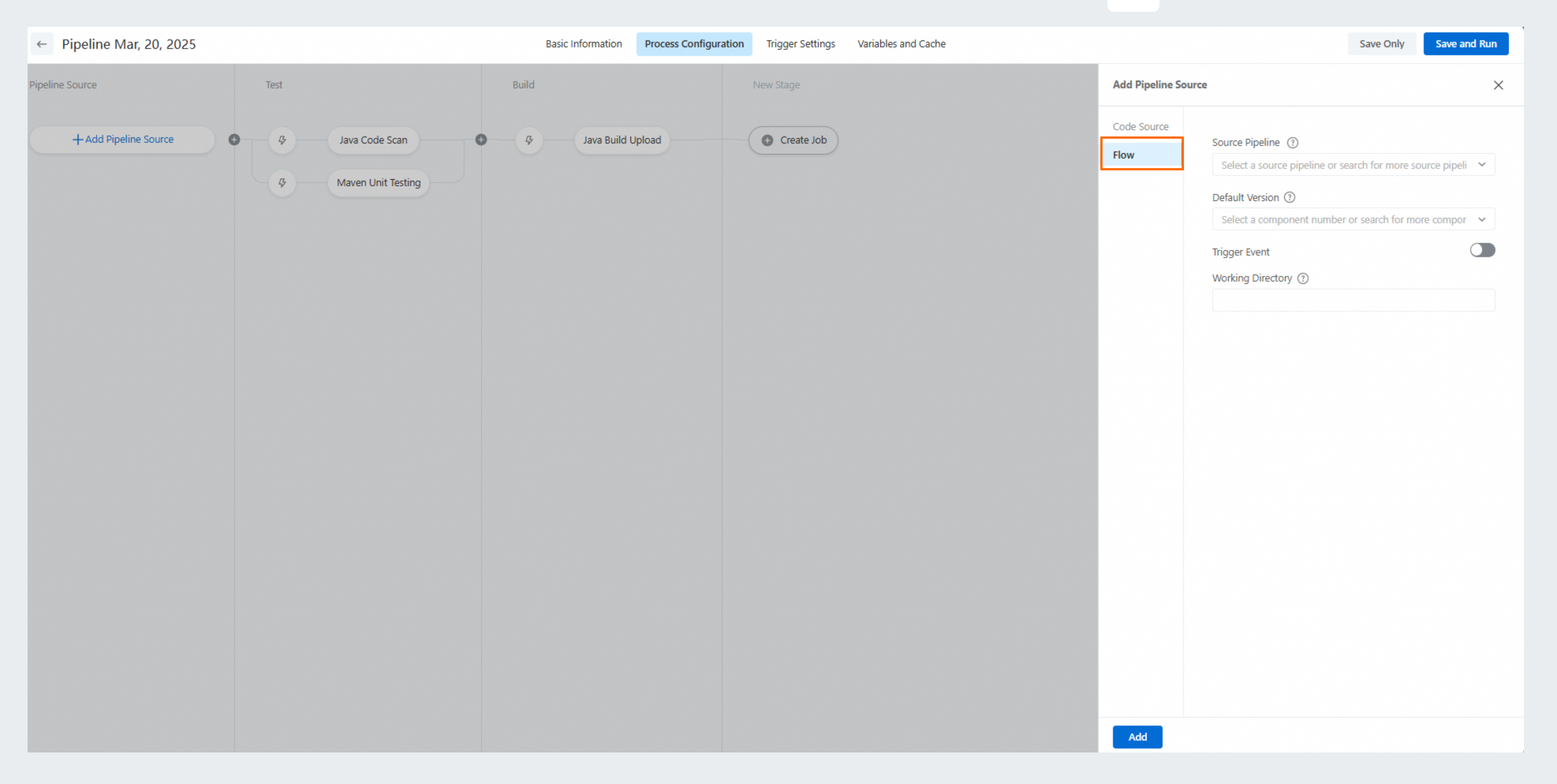
On the editing page of your production pipeline, click Add Pipeline Source, select Flow in the Add Pipeline Source panel, select the staging pipeline from the Source Pipeline drop-down list, and select a value from the Default Version drop-down list.
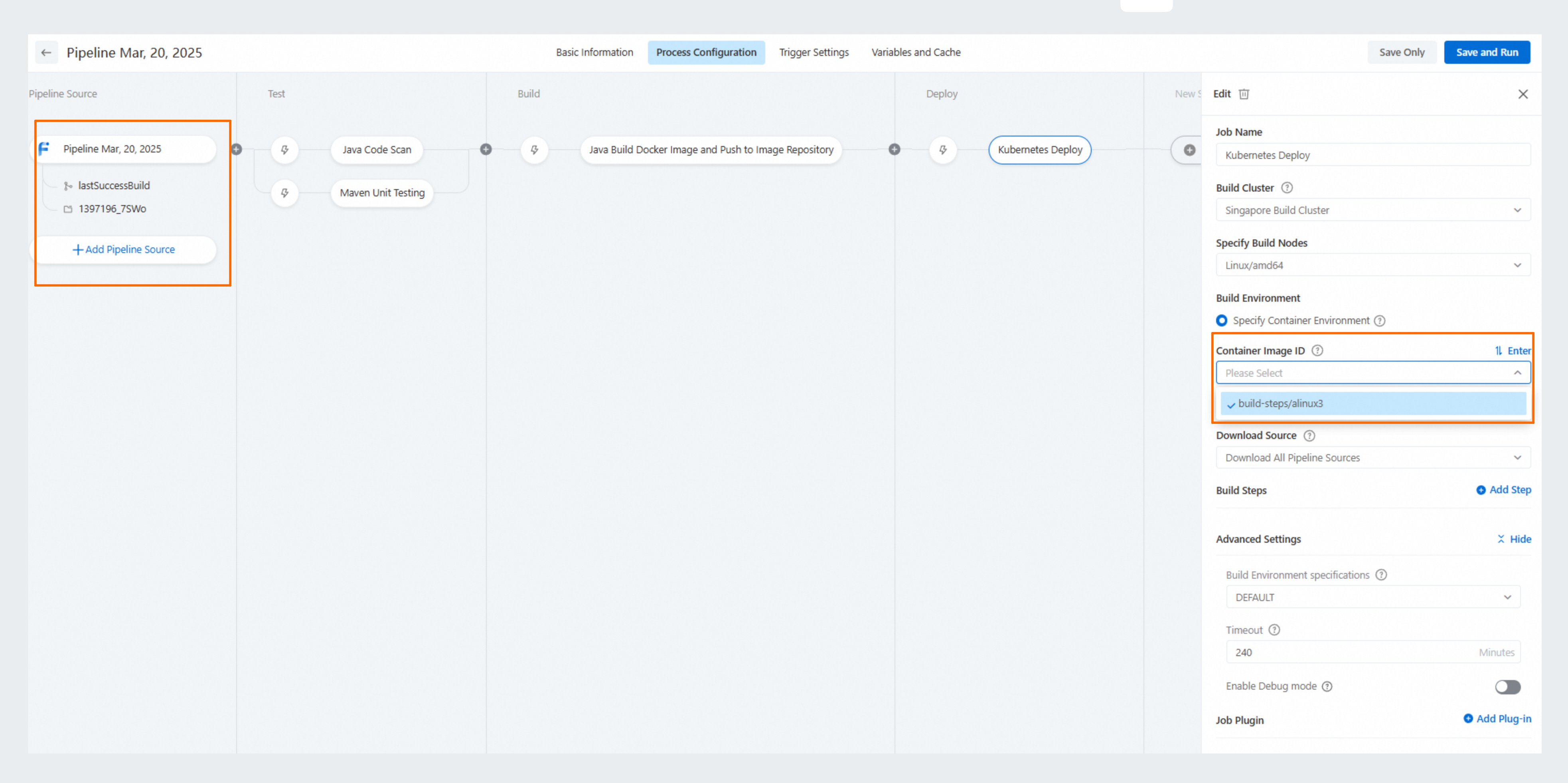
When you configure an environment deployment job in your production pipeline, use the original pipeline build artifact (such as the image artifact of the staging pipeline) to directly initiate deployment.
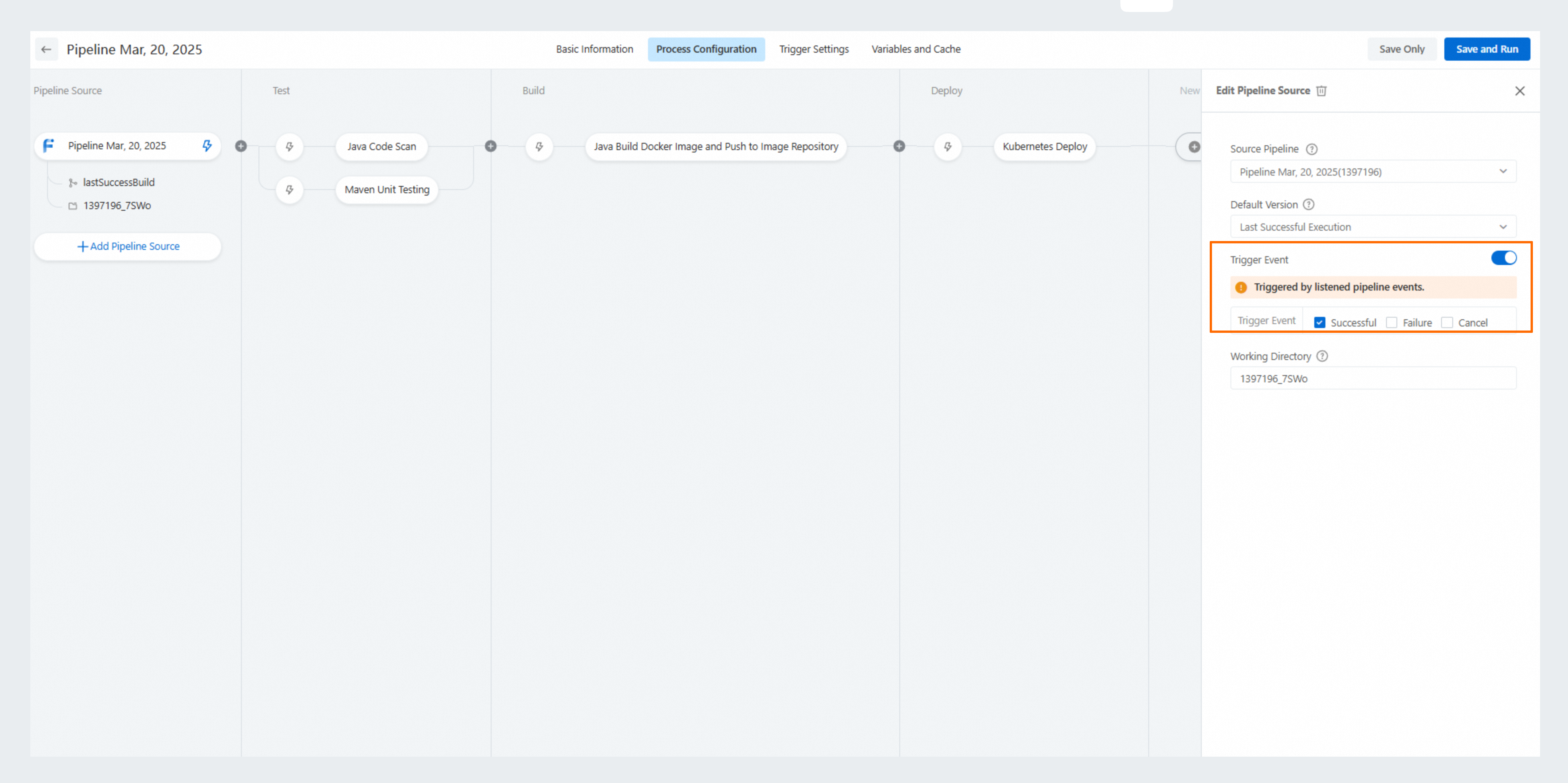
Scheduled pipeline trigger is supported. Turn on the Trigger Event switch and select a trigger event, such as automatically triggering Pipeline B to run when Pipeline A runs successfully.