Alibaba Cloud DevOps allows you to create and manage common variable groups in organizations. This helps you manage and configure global variables in a unified manner. You can associate pipelines with common variable groups to use the variables in the groups and make the variables effective for specific pipeline jobs.
Manage common variable groups
Create a common variable group
Go to the Flow page, and choose . On the right side of the Common Variable Group page, click Create Variable Group.
In the Create Common Variable Group dialog box, configure the Variable Group Name, Description, Variable Name, and Default Value parameters, and click Create. By default, the Variable Group ID parameter is automatically generated.

Private Mode determines whether the variable is publicly visible. If you turn on the Private Mode switch for a variable, other users cannot view the value of the variable.
To ensure the security of secret keys, the values of variables for which Private Mode is enabled cannot be displayed.
Edit a common variable group
Go to the Flow page, and choose . On the right side of the group that you want to manage, click Edit Variable Group.

Delete a global variable group
Go to the Flow page, and choose . On the right side of the group that you want to manage, click Delete Variable Group.
If you delete a variable group that is associated with a pipeline, an error may occur when the pipeline is run. Exercise caution when you delete a variable group.
Use a common variable group
You can configure multiple custom variables for a common variable group. The variable group can be referenced in different stages of pipelines and the variables can be dynamically used when pipeline jobs are run. This feature is suitable for the multi-condition variable referencing scenarios.
Use a common variable group in pipelines
Create a common variable group and configure multiple variables.

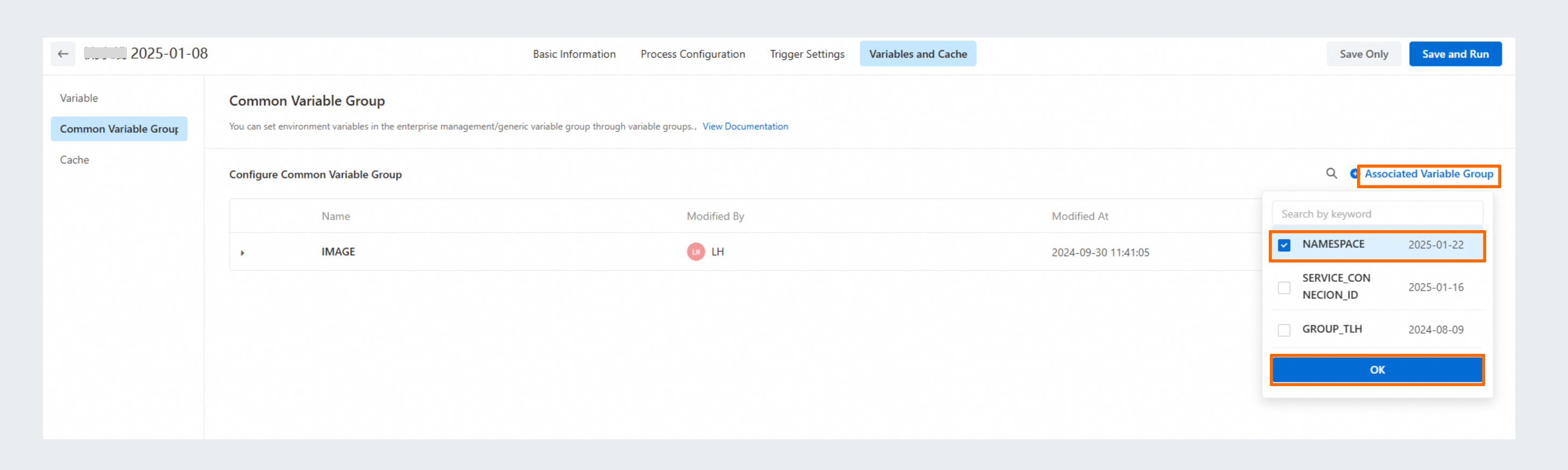
Click Associate Variable Group on the Common Variable Group page of the pipeline that you want to manage.
Add the job for obtaining the common variable group in the required stage of the pipeline, or directly add the variables in the
${variable name}format in code editor of the pipeline job.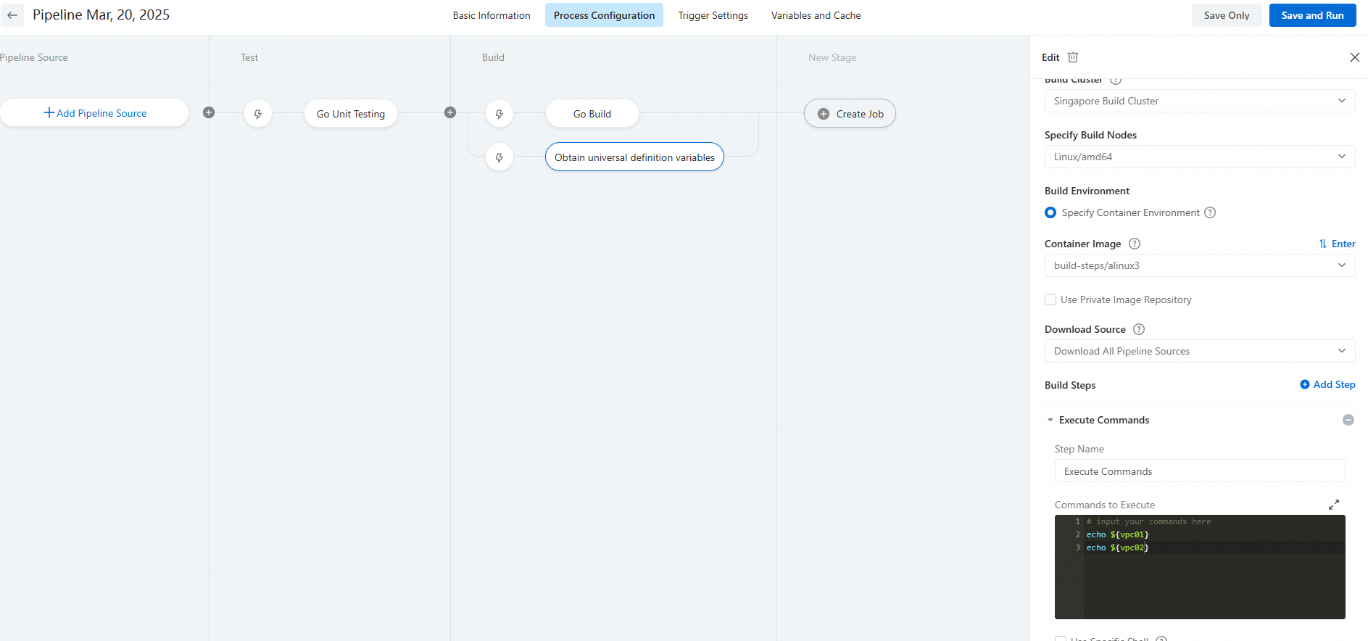
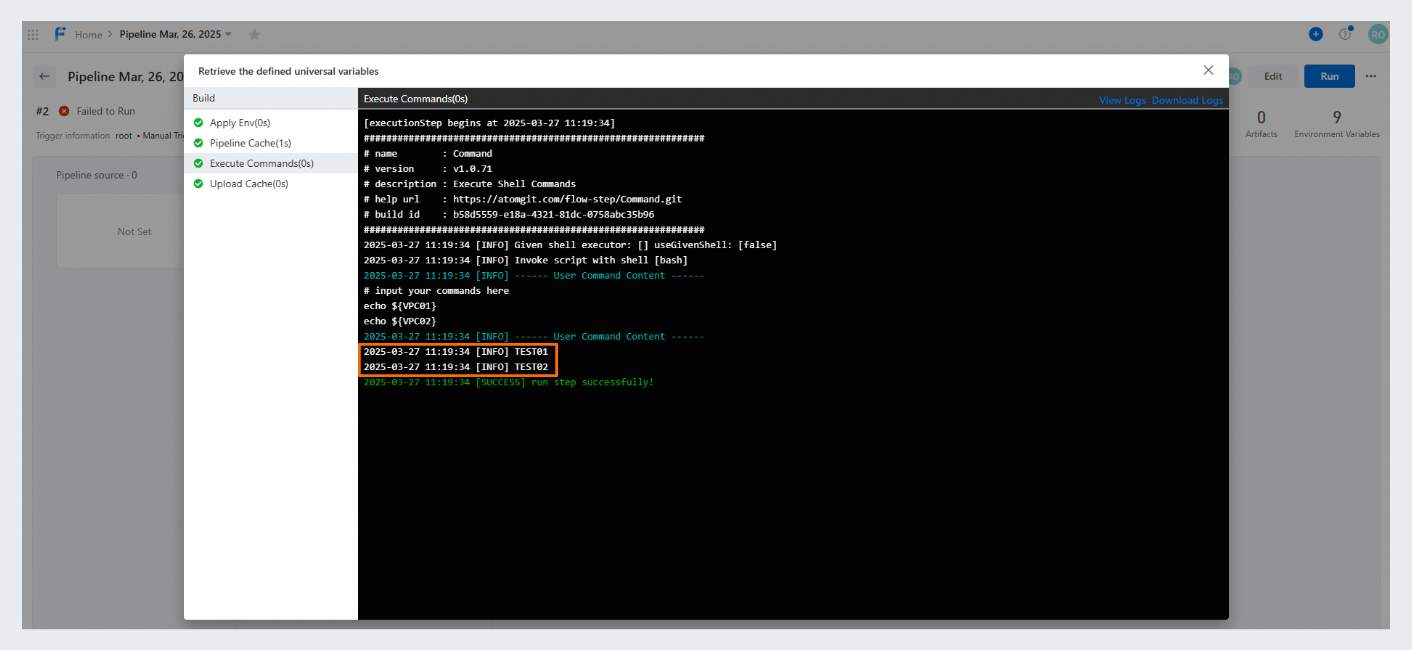
View the variables that you configured in the specific pipeline stage.