Alibaba Cloud DevOps Codeup supports delayed deletion of code resources. For both code repositories and groups, you can easily restore resources with a single click during the retention period of the recycle bin, regardless of whether the deletion was intentional or accidental. This topic describes how to use the code recycle bin feature.
Move data to the recycle bin
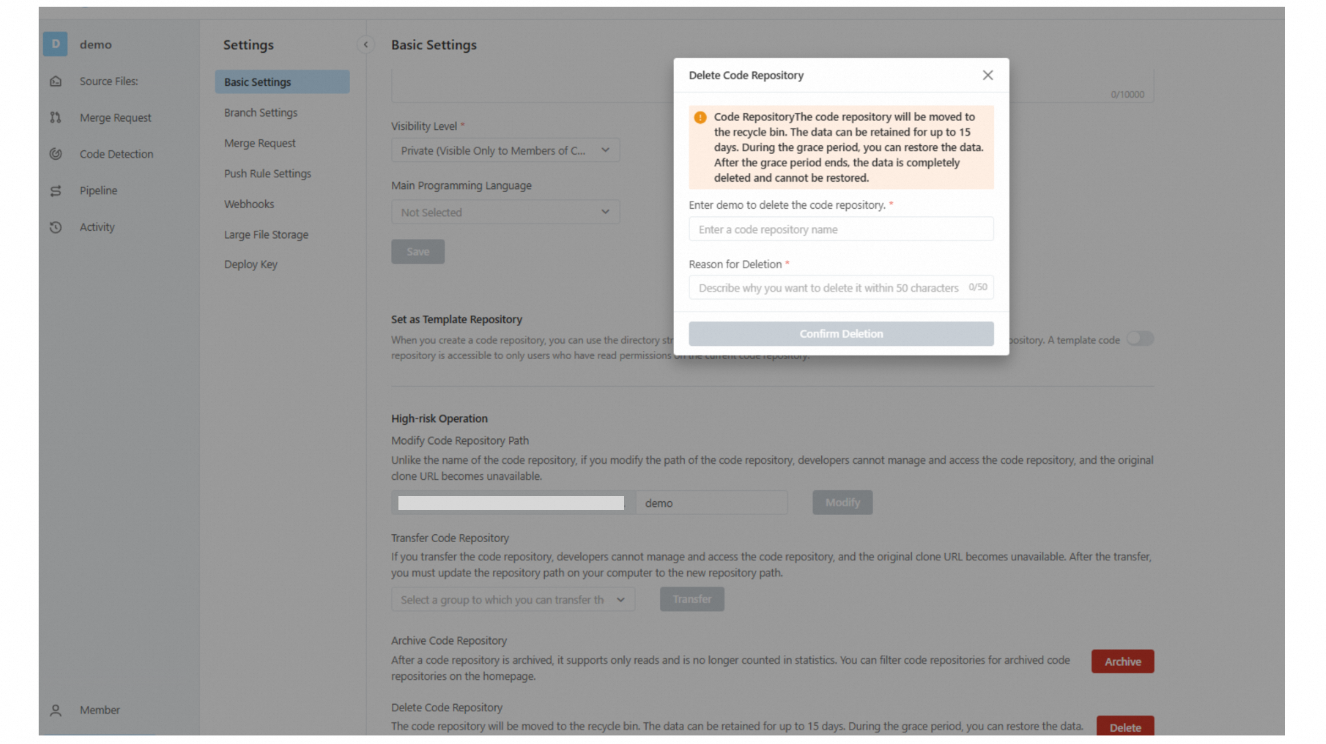
Go to the Codeup page, select the code repository that you want to delete, click Settings to open the Basic Settings page, and then click Clear.
When a code repository or group is deleted, it is moved to the recycle bin and stored there for 15 days. During this period, you can manually restore the deleted data. After 15 days, the data is permanently deleted and cannot be restored.
Restore data
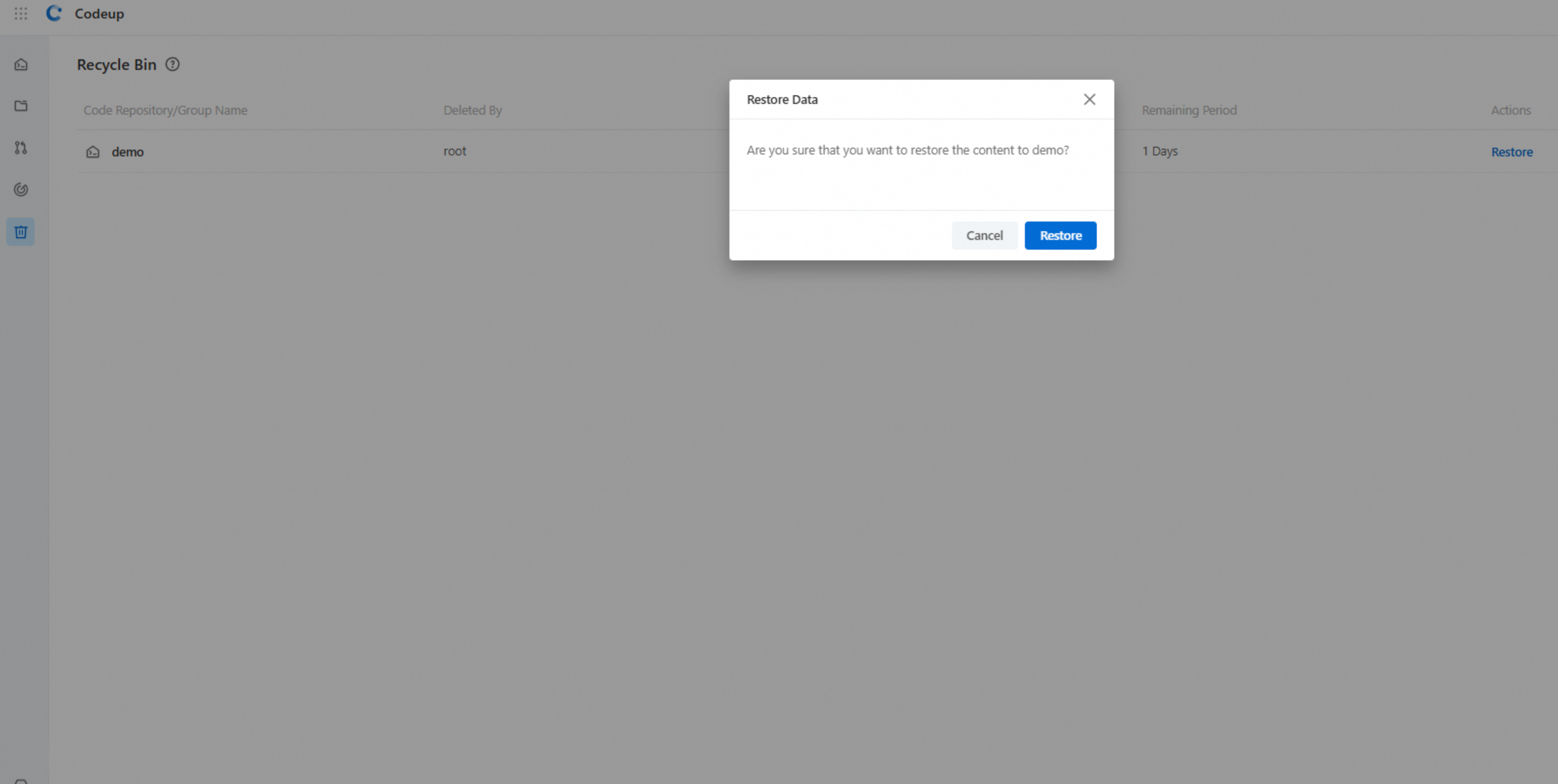
Go to the Codeup page, select Recycle bin from the left-side navigation pane, and then select data that you want to restore on the Recycle Bin page.
You can manually restore data retained for 15 days after deletion.
If data is retained for more than 15 days, it is permanently deleted and cannot be restored after deletion.
If a name conflict occurs during restoration, you can rename the data before restoring it.
Permission description
An organization owner and a Codeup administrator can manually restore any data in the recycle bin. These operations are recorded in audit logs.
A repository or group administrator can manually restore data from the recycle bin. These operations are recorded in audit logs.
The visibility of data in the recycle bin remains the same compared with that before deletion.
Restore a nested group
If deleting subdata within a group and then deleting the group, you must restore parent data and then restore the subdata.
The recycle bin is designed to enhance data security by preventing permanent manual deletions. After the retention period expires, the system automatically clears the data, and the data cannot be restored.