This topic describes the release notes of WUYING web clients.
August 2023 (V6.4.0)
Category | Feature | Description | Legend |
New | The Settings module is added to DesktopAssistant. | The Settings module includes the Preferences and Info tabs. You can configure resolution, UI scaling, the maximum frame rate, and disconnection reminder settings of a cloud computer on the Preferences tab. You can also view the basic information, configurations, and billing of the cloud computer on the Info tab. | 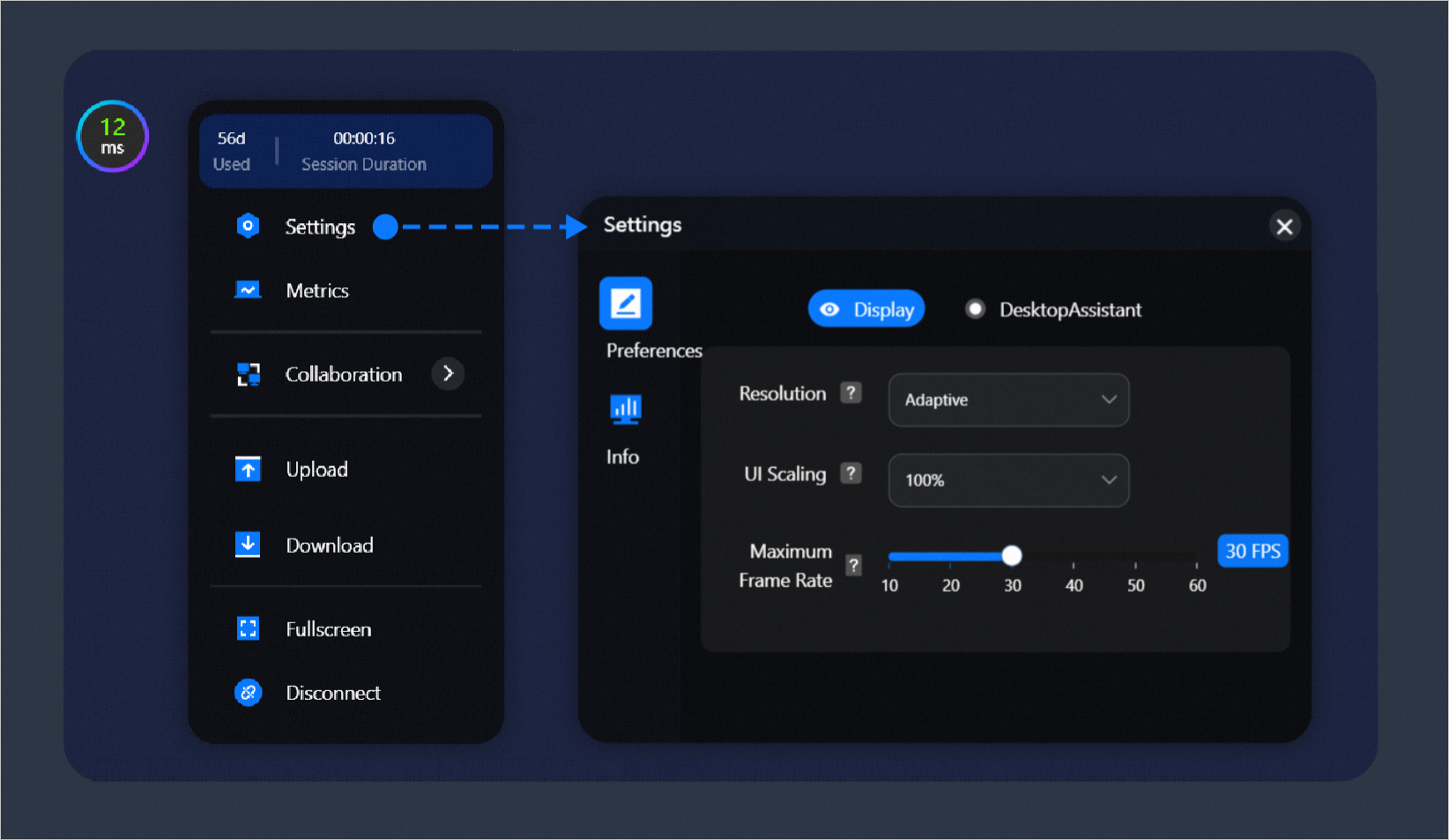 |
Others | Workspace ID is renamed as Office Network ID. | On the tab or the Account Summary page, Workspace ID is renamed as Office Network ID. The logic for accounts to log on to web clients remains unchanged. | 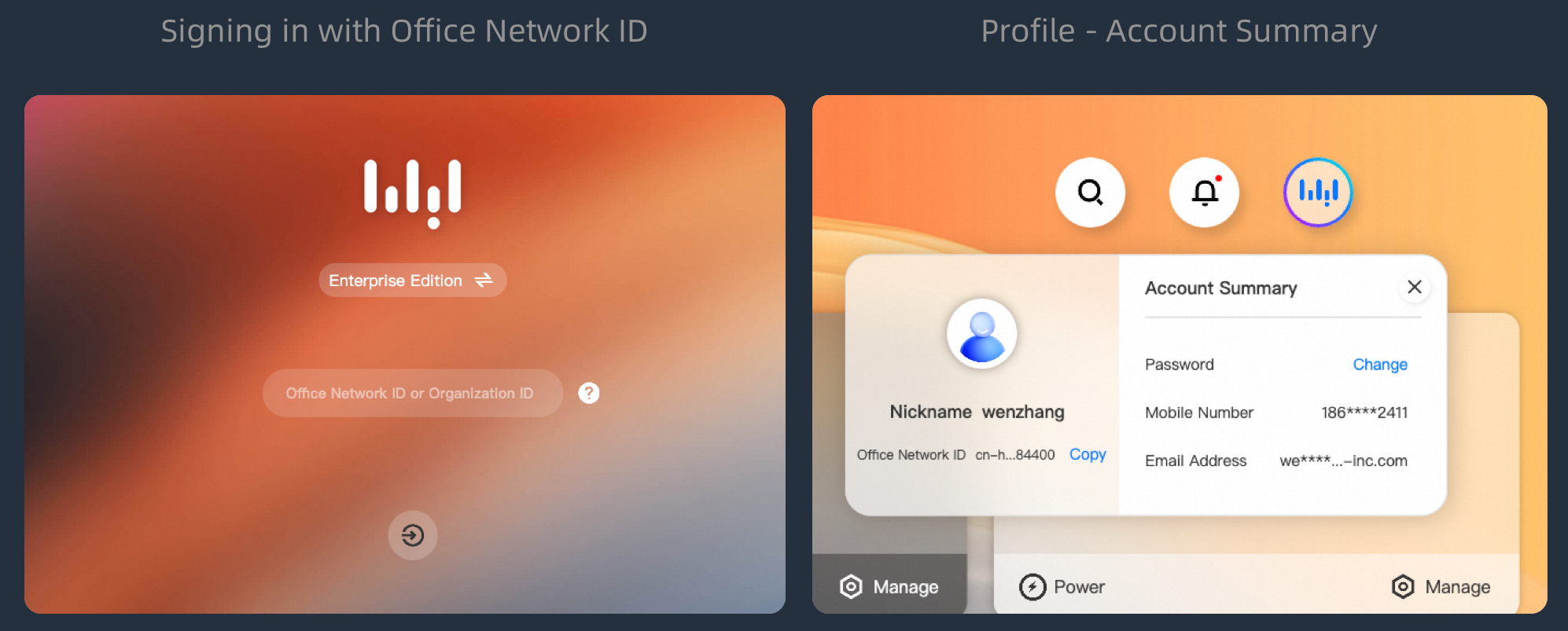 |
Optimized | The entry to change logon passwords is moved to User Center. | If end users want to change logon passwords, the end users can change their passwords on the Account Summary page. | 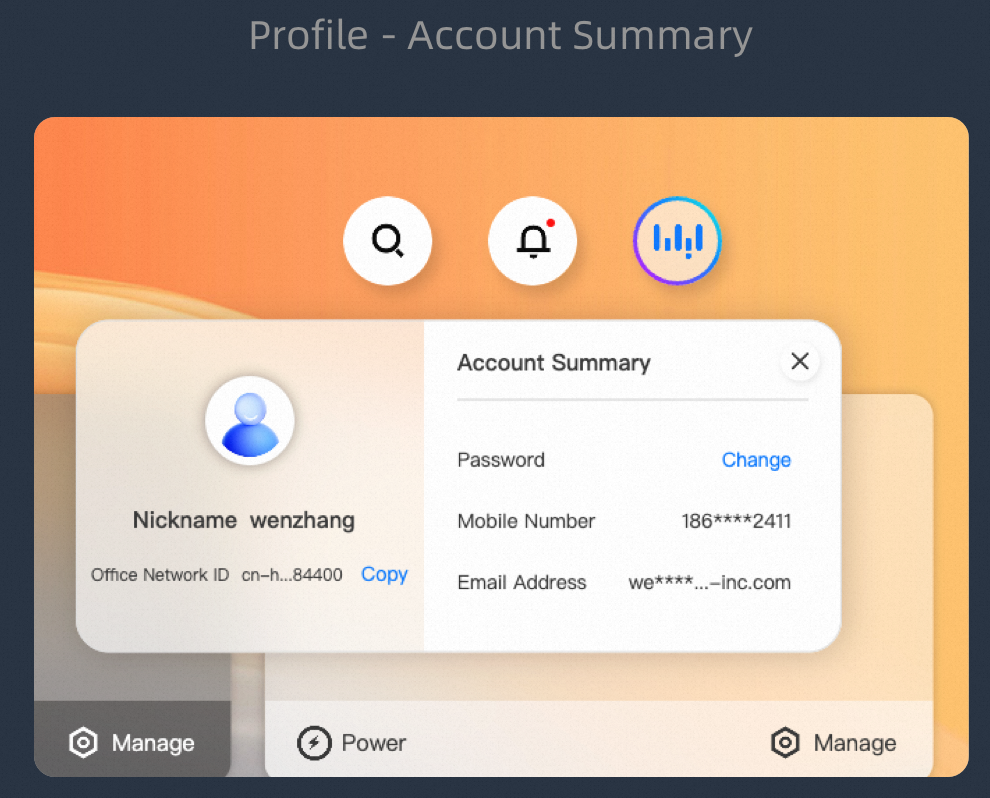 |
Optimized | The cloud computer status prompt is optimized. | To view the optimized cloud computer status prompt, move the pointer over the status in the upper-left corner of a cloud computer card. Then, the details of the cloud computer are displayed, such as information about whether the cloud computer is billed and the expected amount of time that is required to start, stop, or restart the cloud computer. | 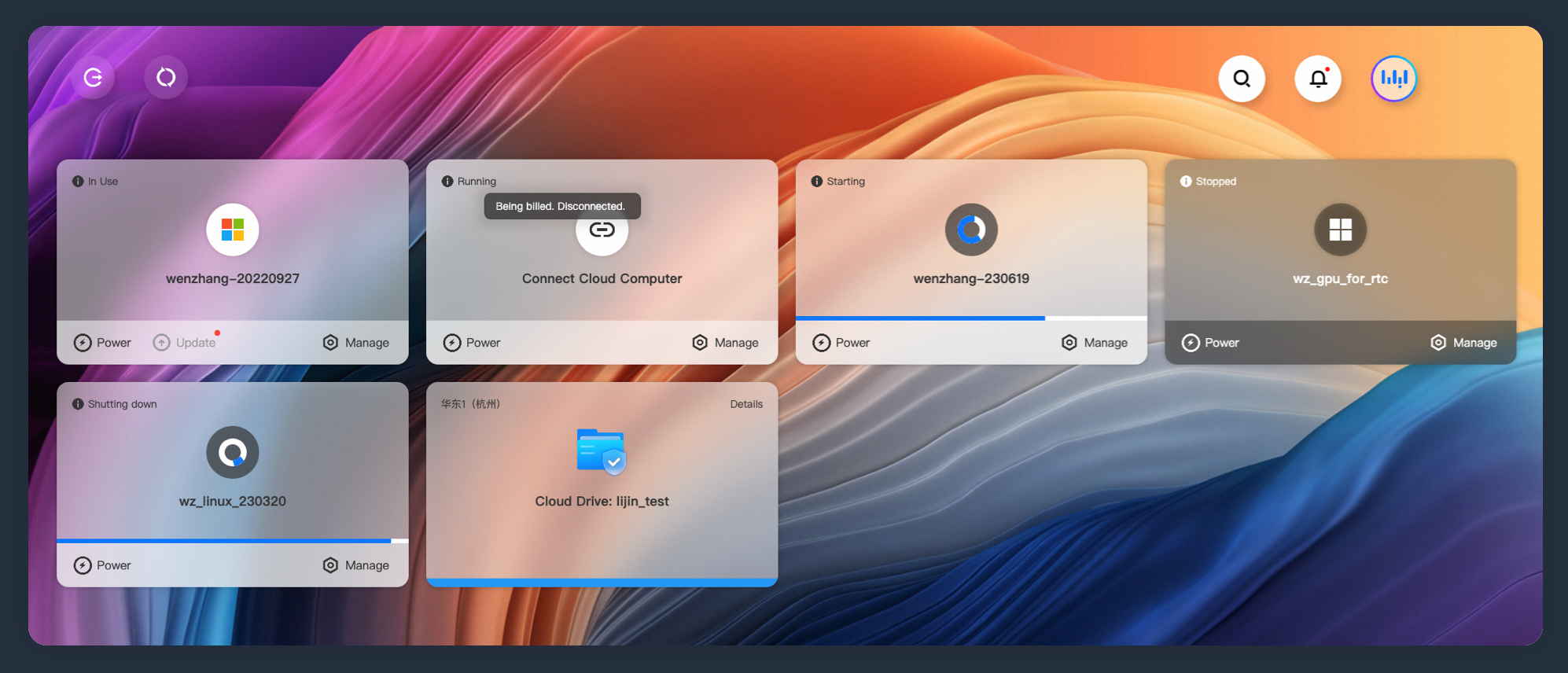 |
June 2023 (V6.3.0)
Category | Feature | Description | Legend |
Optimized | The taskbar layout in the lower part of the logon page is optimized. | The layout is optimized based on the importance of information. The Settings, Help, and About feature entries are moved to the More menu. | 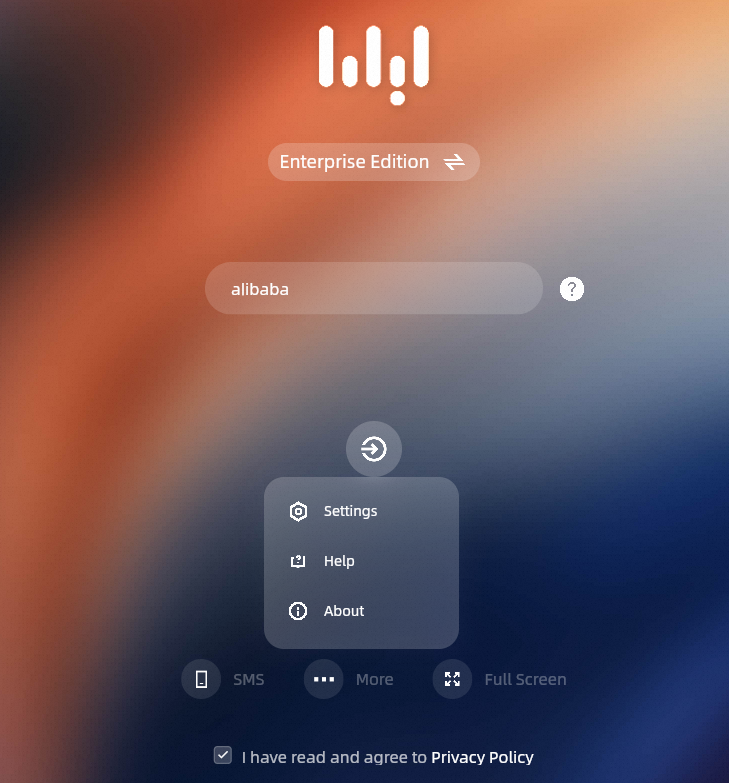 |
New | The information about cloud computers is added to the DesktopAssistant menu. | When you click DesktopAssistant on a cloud computer, the metering information appears in the first-level menu. The information includes the current session duration, used days, and remaining days (if the cloud computer uses the subscription billing method). | None |
Optimized | The user experience of a scheduled policy upon disconnection is optimized. | The Scheduled Task Policy upon disconnection feature is optimized in the following aspects: 1. A pop-up appears when a cloud computer is disconnected, and the content in the pop-up changes based on the configured policy. 2. When the policy is triggered, a countdown to stop the cloud computer appears on the card of the cloud computer. | 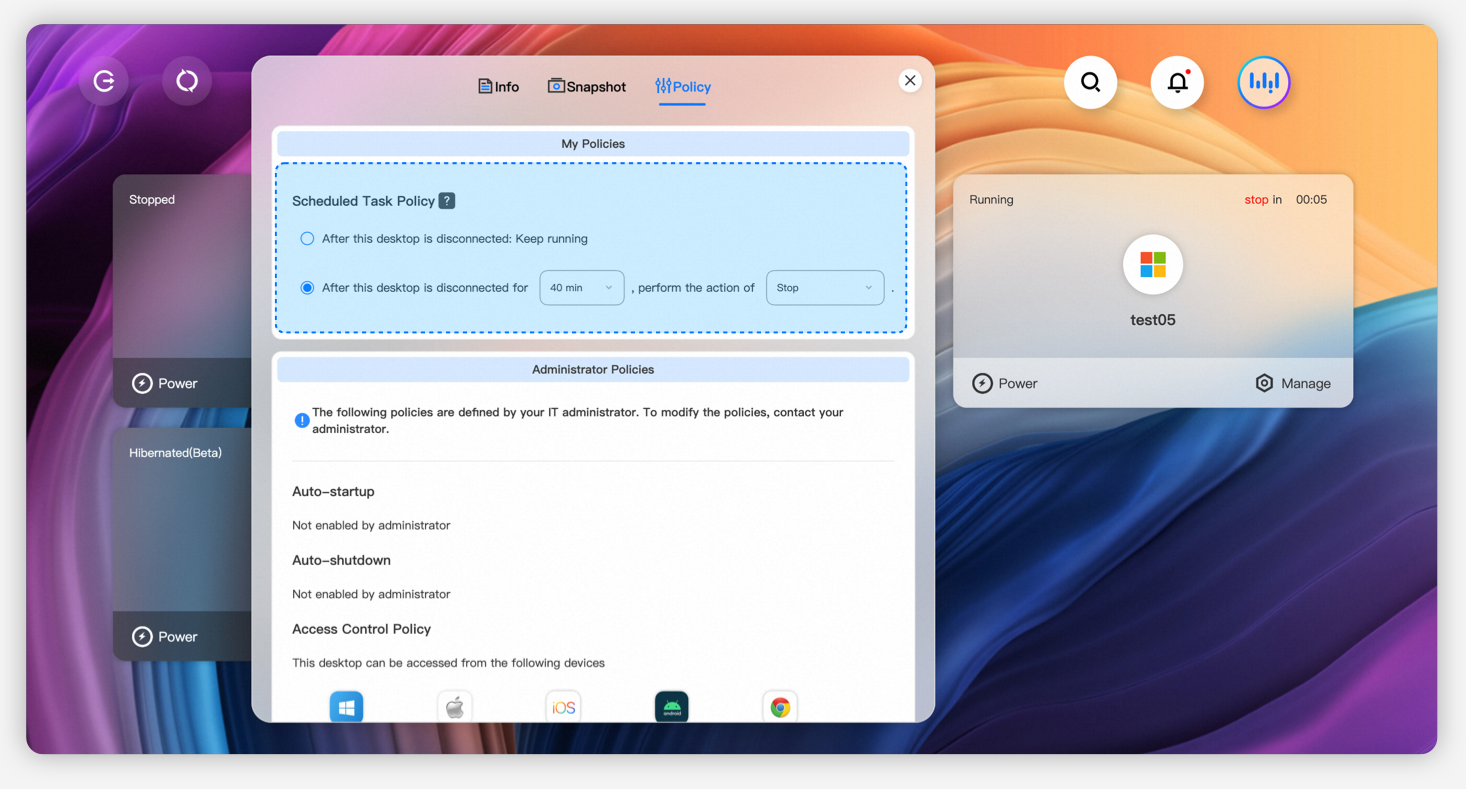 |
New | The image version is added to the information page of a cloud computer. | On the Info tab, the image version that is used by the cloud computer is displayed. | 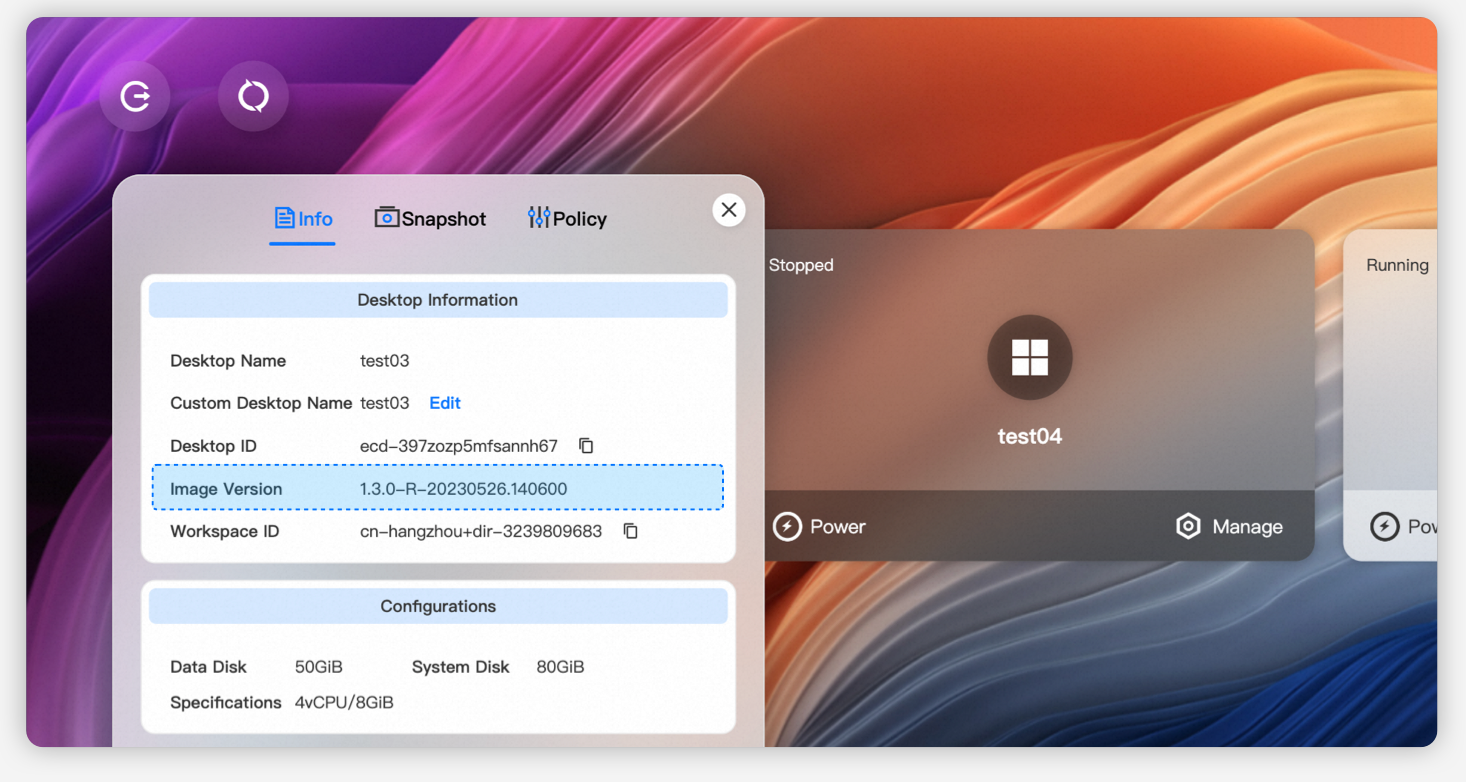 |
New | The feedback module is added. | You can upload screenshots of specific issues by using the Feedback module. | 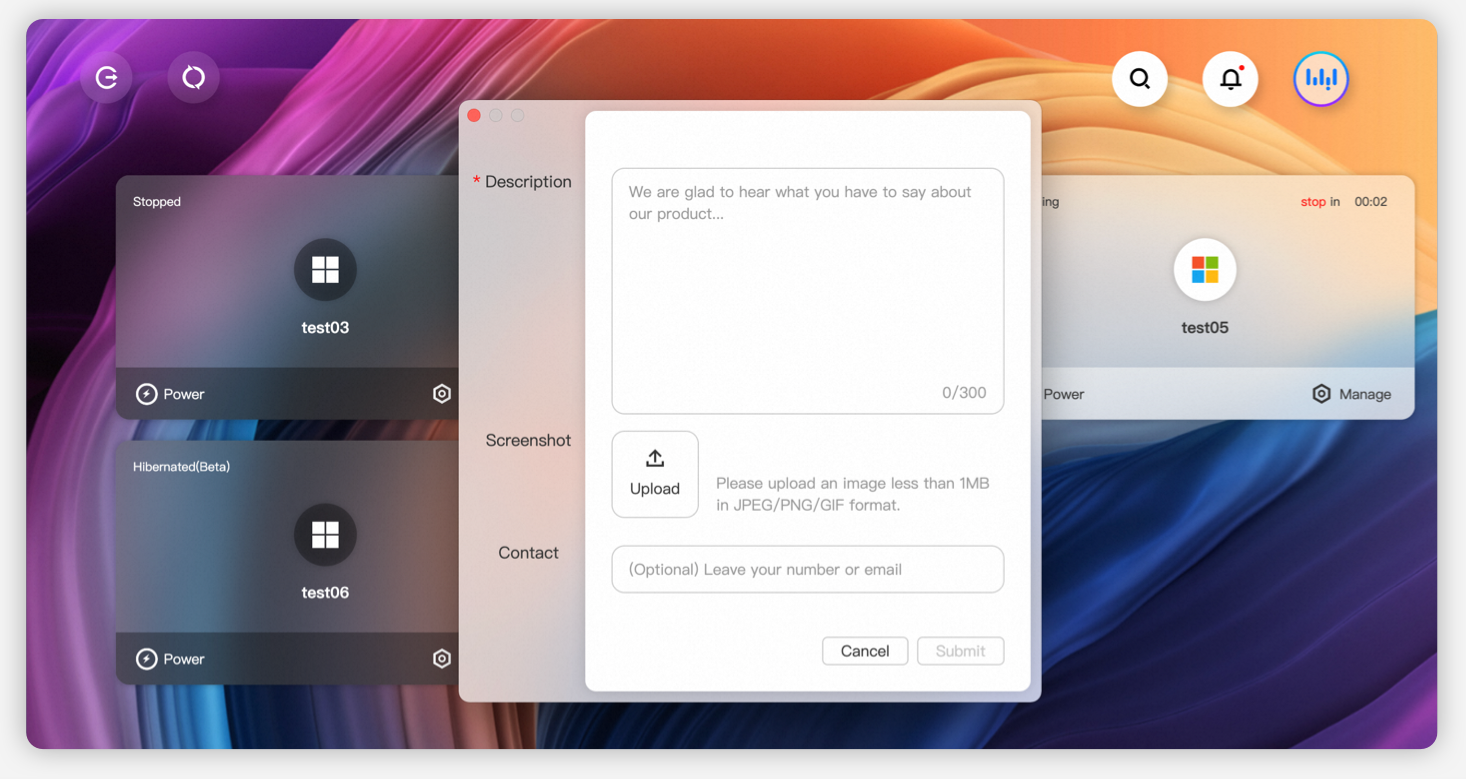 |
April 2023 (V3.1.0)
Category | Feature | Description |
New | Guide popovers for guidance are added to the client UI. | To improve user experience, popovers are added to the logon page to facilitate logon to the web client by using an organization ID or an office network ID, a username and a password, or a mobile number and a verification code. |
Optimized | The process to update an image is optimized. | Cloud computers can be restarted during image updates. The confirmation to update an image is optimized. |
Optimized | Visual design is optimized. | The colors of cloud computer cards indicate the cloud computer status. If a cloud computer is in the Stopping, Stopped, or Expired state, the card of the cloud computer appears in gray with a glassmorphism effect. |
New | The progress bar for status change is added to a cloud computer. | The progress bar for status change is added for cloud computers. A progress bar indicates that a cloud computer is being created, started, stopped, restarted, or updated. |
New | The Policy tab is added. | End users can perform the following steps to configure scheduled tasks upon disconnection after the administrator grants the required permissions to the end users: Click Manage on the card of a cloud computer, click the Policy tab, and then configure a policy. End users can also view the logon method control policies that are configured by the administrator. |
New | The remote assistance feature is added. | End users can initiate remote assistance requests from cloud computers to the administrator. |
New | The sharing and collaboration feature is added. | End users can share their cloud computers to other end users for collaboration. To use the feature, the recipients must join collaboration by using invitation codes. |
New | The feature to search for cloud computers is added. | End users can search for cloud computers by computer name, custom name, and ID. Fuzzy search and exact search are supported. |
February 2023 (V3.0.0)
Category | Feature | Description |
Optimized | New UI style is provided. | The glassmorphism effect is added to the logon page, cloud resource cards, and components such as Message Center and User Center to enhance the appearance of the UI, and the UI appears more exquisite and softer in colors. |
New | Message Center of a cloud computer is added. | User messages, administrator messages, and messages about cloud computer assignment and reclaim are managed in Message Center. Messages can be batch deleted and marked as read. |
New | The mobile number logon feature is supported. | If an administrator enables the organization ID feature and the mobile number verification feature, end users can log on to clients by using mobile numbers and verification codes. |
Optimized | Multi-module display of cloud computer cards is supported. | End users can drag and arrange the cards based on their business requirements. |
New | Organization IDs can be used to access Cloud Drive Service. | After an end user logs on to the client by using an organization ID, the cloud disk space that is assigned to the end user is displayed. If the end user is authorized to access cloud disks across regions, the end user can access cloud disks that are deployed in multiple regions. This facilitates file transfer and collaboration between Cloud Drive Service, WUYING AppStreaming, and WUYING Workspace. |
New | A label that indicates a cloud computer is about to expire is added to the card of the cloud computer. | Labels are supported for subscription cloud computers of specific types. End users can click labels to renew cloud computers on the Renewal page. |
Optimized | The visual display of application- and system-level windows is optimized. | The glassmorphism effect is added to application- and system-level windows of cloud computers to improve the overall visual effect consistency of the UI. |
New | Interactive start and stop tasks between clients and cloud computers are supported. | If an administrator enables scheduled start or stop tasks for a cloud computer, the cloud computer is stopped N minutes after an end user exits or closes the client from which the end user connects to the cloud computer. This ensures that the user experience between clients and cloud computers is consistent. |
Optimized | The toolbar of a cloud computer is updated to an assistive ball named DesktopAssistant. | An end user can drag DesktopAssistant across the desktop of a cloud computer. DesktopAssistant is hidden when it is close to the edge of the desktop. |
New | The sharing feature of a cloud computer is added. | After an administrator initiates remote sharing requests, end users can share the desktops of their cloud computers. |
Optimized | The logon and connection experience is optimized. | End users can have better user experience when the end users log on to clients and connect to cloud computers. |
July 2022 (V2.0.2)
Category | Description |
Issue fixed | The issue that Safari V15.x freezes is fixed. |
Optimized | Full-screen issues that occur when Safari browsers are used are fixed. |
Optimized | Specific known issues are fixed. |
December 2021 (V1.0.0)
Category | Description |
New | This is the initial release. |