This topic lists frequently asked questions about WAF 3.0 log management.
Why are some logs missing?
By default, WAF records only mandatory log fields. Optional log fields are not recorded unless you manually enable them. For example, if you have configured custom rules, refer to Log Fields and select the acl_action, acl_rule_id, acl_rule_type, and acl_test fields to record logs when these protection rules are triggered.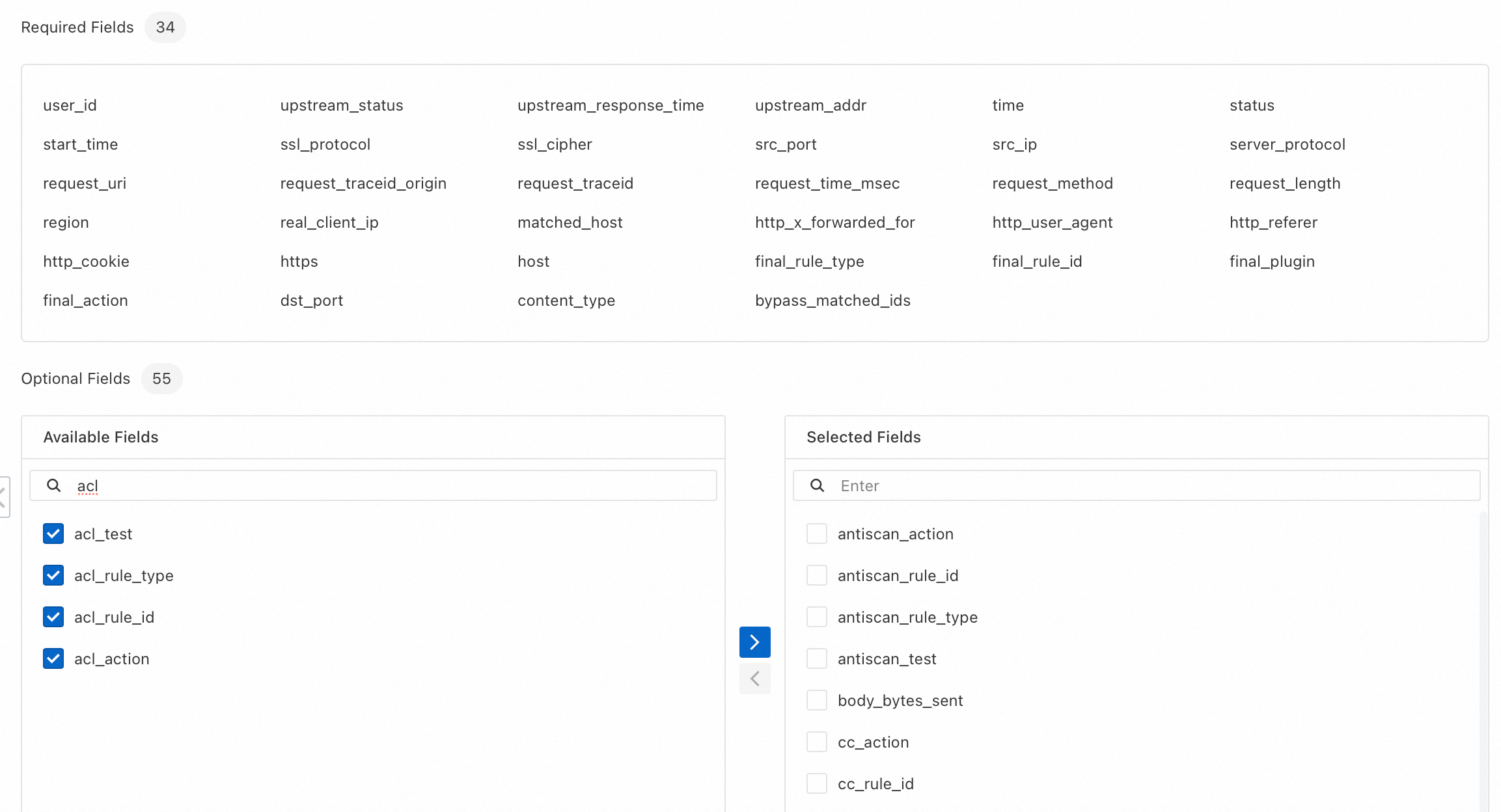
Optional fields consume more storage capacity.
Why can I see logs older than the configured retention period?
You might see logs that are older than the configured retention period. For example, if you set the retention period to 90 days, you might still see logs from more than 90 days ago. This is expected behavior. Logs that exceed the retention period may be briefly visible for up to seven days during the deletion window. These logs are not billed and do not consume your storage capacity.
Value of remote_addr for an ALB instance
The value of the remote_addr field varies depending on the configuration of the Application Load Balancer (ALB) instance.
ALB instance configuration | Value of the remote_addr field | |
Retrieve Client IP Address is not enabled for the ALB instance. | The value is the client source IP that directly connects to the ALB instance. If another Layer-7 proxy, such as CDN or Anti-DDoS, precedes the ALB, this field contains the IP address of the proxy immediately upstream of the ALB. | |
The ALB instance has Retrieve Client IP Address enabled, and the client's source IP address is in the instance's Trusted IP Addresses. | The value is taken from the X-Forwarded-For header. | |
The ALB instance has Retrieve Client IP Address enabled, and the source IP address used to access the instance is not in the instance's Trusted IP Addresses. | The value is the client source IP that directly connects to the ALB instance. If another Layer-7 proxy, such as CDN or Anti-DDoS, precedes the ALB, this field contains the IP address of the proxy immediately upstream of the ALB. | |