When WAF bot management (dynamic token-based authentication) is enabled alongside DCDN, WAF inserts a randomly generated parameter into each request URL during authentication. Because DCDN uses the full URL — including all query parameters — as the cache key, every unique token value produces a distinct cache key. As a result, every request misses the cache and goes directly to the origin server, increasing origin load, response time, bandwidth consumption, and security risks.
The fix is to configure a custom cache key that excludes the WAF token parameter, so requests with different token values still resolve to the same cached object.
This topic uses DCDN as an example. If you use Content Delivery Network (CDN), the configuration steps are the same.
Prerequisites
Before you begin, ensure that you have:
DCDN enabled and dynamic and static acceleration rules configured. See Enable DCDN service and Dynamic and static acceleration rules
Bot management enabled and advanced bot defense (dynamic token-based authentication) activated. See Enable bot management and Create web anti-crawling scenario protection rules
Architecture diagram

In this architecture, WAF intercepts each request and injects the token parameter before the request reaches DCDN. DCDN evaluates the cache key at the edge node — if the cache key includes the token parameter, it generates a new cache entry for every request. Excluding the token parameter from the cache key collapses all these requests into a single cache entry.
Solution overview
Configure a custom cache key — Exclude the WAF token parameter from the cache key to improve cache hit rate, reduce the back-to-origin rate, and lower response time and bandwidth consumption.
Verify the results — Confirm that the cache policy, WAF token authentication, and the custom cache key are all working correctly.
Step 1: Configure a custom cache key
Identify the token parameter name
Access the target website in a browser to trigger token authentication, then open browser developer tools to capture the token parameter name from the request URL.

The token parameter name is randomly generated per domain name but stays fixed for all requests under that domain. It follows the format XXX__random number, where XXX is one of: timestamp, md5, type, ipcity, decode, encode, time, refer.
Configure the cache key in DCDN
Only include parameters that affect the response content in the cache key. The WAF token parameter does not change the resource content, so excluding it prevents duplicate cache entries from forming.
The cache key comprises four parts: URI, request parameters, HTTP headers, and custom variables. To exclude the token parameter, configure a rule that removes it from the request parameters component.
Log on to the DCDN console. In the left navigation pane, click Domain Names, then click Actions in the row of the target domain name and select Configure.
In the left navigation pane of the domain name configuration page, click Caching, select the Custom Cache Keys tab, and click Create Rule.
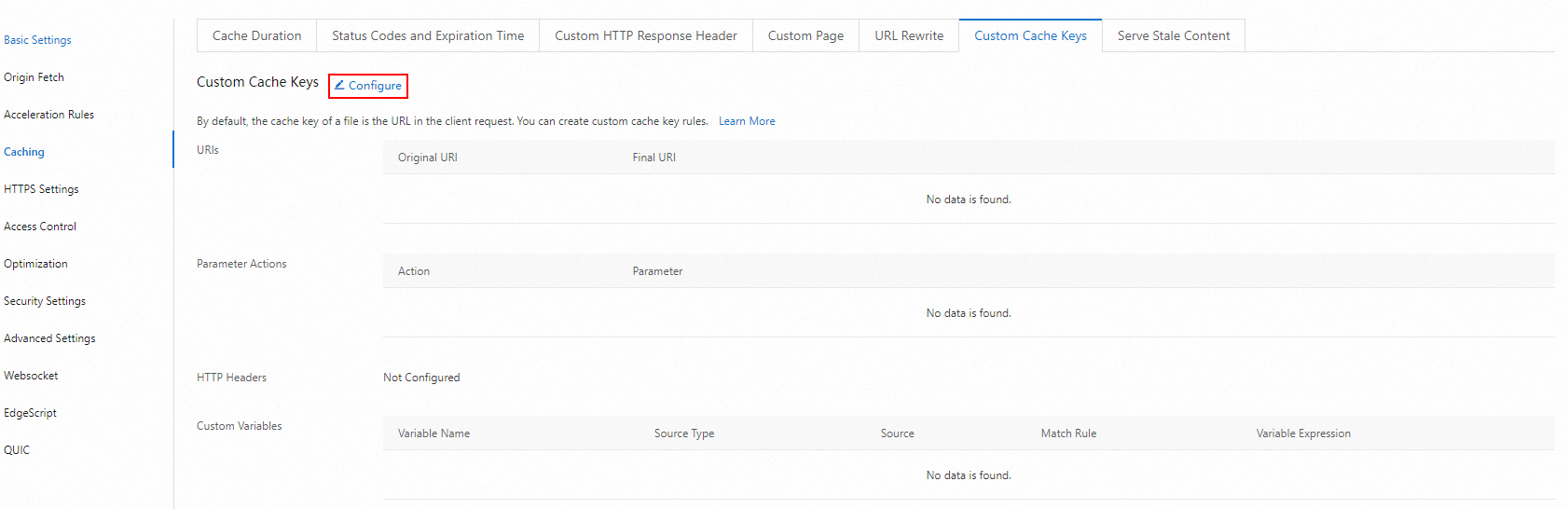
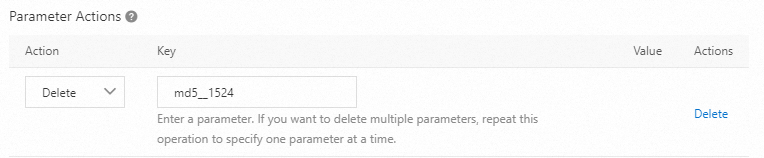
In the Custom Cache Key dialog box, set Parameter Actions to Delete and enter the token parameter name you identified earlier. For details on other configuration options, see Custom cache key parameter description.
Setting Parameter Actions to Delete removes the specified parameter from the cache key — requests with and without that parameter share the same cached object.
Step 2: Verify the results
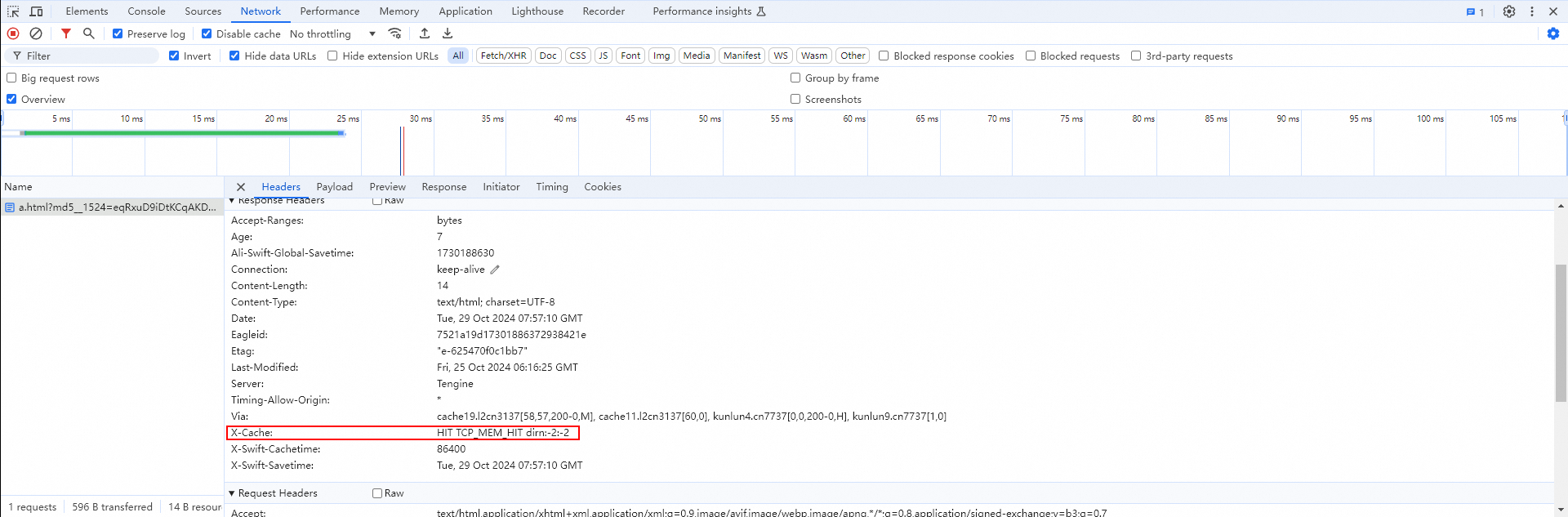
Open browser developer tools, access the target website, and click Network. Check the Response Headers for the request.
If the X-Cache header is present and its value contains HIT, the cache is being hit and the configuration is working correctly.
X-Cache: HIT means the response was served from the DCDN cache. X-Cache: MISS means the request bypassed the cache and went to the origin server.