Dear Alibaba Cloud user,
This announcement provides critical information regarding two features for Web Application Firewall (WAF) 3.0—VIP isolation and custom listening ports—that may impact your CNAME onboarding configurations. To ensure service stability, we strongly advise reviewing this announcement and verifying your existing setup. We appreciate your understanding and support.
Impact
VIP isolation, released on June 13, 2025. Due to this feature's release, VIP isolation has been enabled by default for all new CNAME onboarding. Client traffic is now served only through the dedicated VIP address assigned to the corresponding domain. Existing configurations that do not use a CNAME record may be at risk.
Custom listening ports, released on May 16, 2024. This feature enables the configuration of custom listening ports for CNAME onboarding as needed. An incorrect port configuration can lead to access failures.
Key configuration checks
The following key configurations are affected. Please review and modify them as needed.
Incorrect DNS resolution settings
When you use CNAME onboarding, WAF assigns a unique CNAME record to each protected domain name. You must point to this address correctly in your DNS resolution or Layer 7 proxy configuration to avoid service interruptions. Check your configuration based on whether a Layer 7 proxy, such as Content Delivery Network (CDN) or Anti-DDoS Proxy, is deployed in front of WAF.
Without Layer 7 proxy
Scenario 1
Affected configuration: The DNS A record points directly to the WAF VIP address.
Impact: If the VIP for the domain name changes, the service will be interrupted. This can happen when you enable or disable the exclusive IP address or intelligent load balancing feature. The service will also be interrupted if the DNS A record points to a VIP address that is no longer assigned to the domain name.
Scenario 2
Affected configuration: The DNS record points to the CNAME record of a different domain.
Impact: DNS resolution will fail, causing a service disruption.
Troubleshooting and solutions
Obtain the CNAME
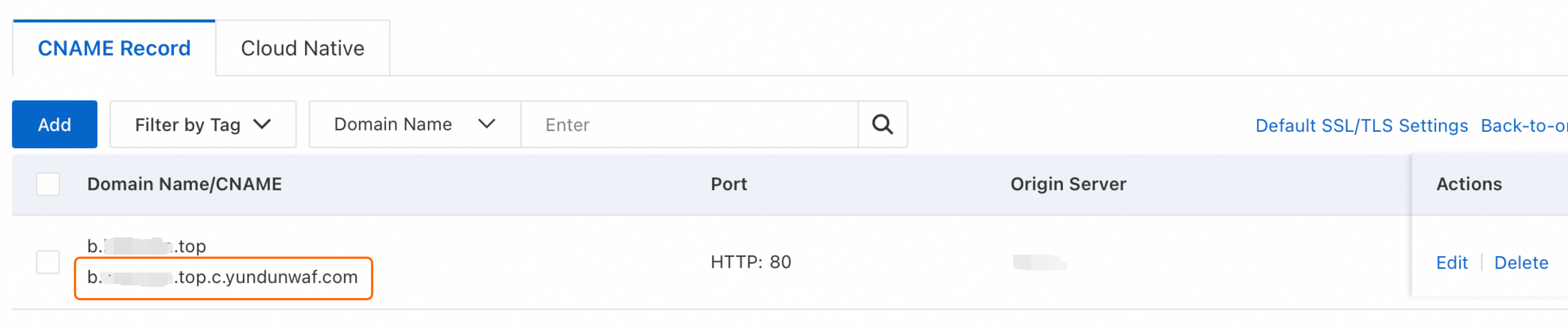
Log on to the Web Application Firewall 3.0 console. In the top menu bar, select a resource group and a region (Chinese Mainland or Outside Chinese Mainland). Then, in the navigation pane on the left, click Onboarding, and then click the CNAME Record tab.
Find the target domain name and copy its CNAME record for later use.
Check the DNS resolution configuration
If your domain is hosted with Alibaba Cloud DNS, follow these steps. If you use another DNS provider, perform similar steps in their system.
Log on to the Alibaba Cloud DNS console.
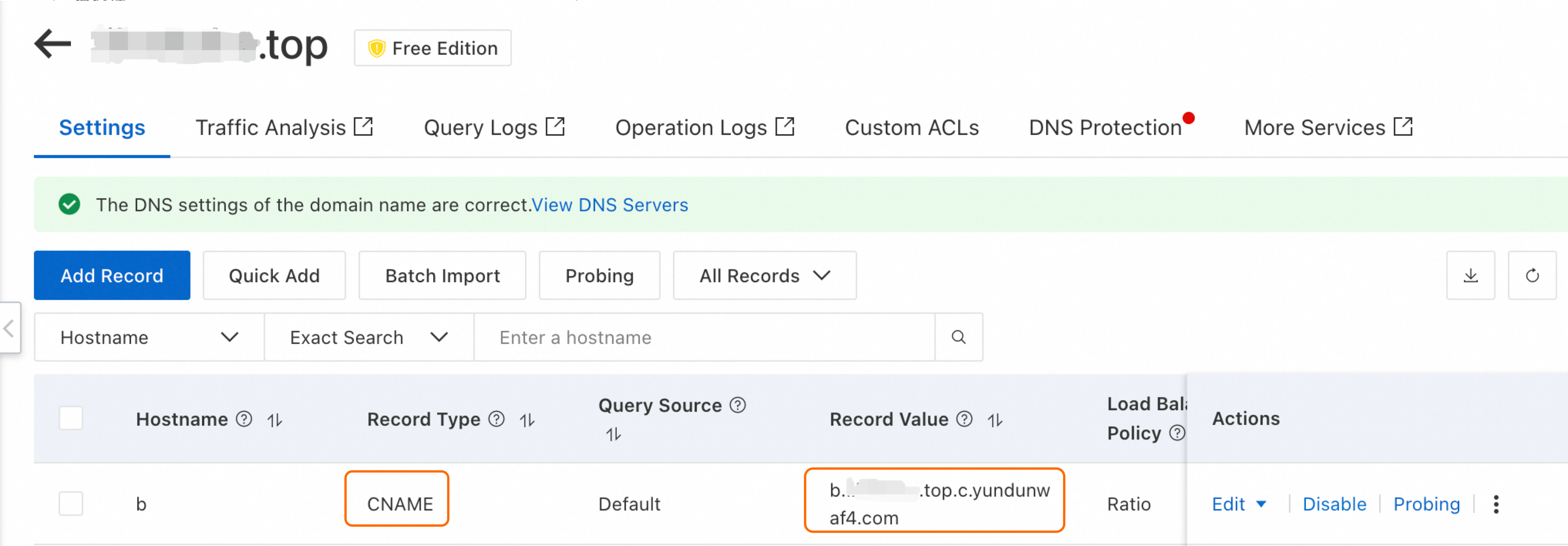
On the Public Zone page, find the target domain name and in the Actions column, click Settings. On the Settings page, find the target Hostname.
NoteFor example, if the domain name added to WAF is
www.aliyundoc.com, find the primary domain namealiyundoc.comand check the entry where the hostname iswww.Verify that the record type is CNAME and that the record value matches the CNAME record you copied earlier. If not, click Edit in the Actions column to correct it.
With Layer 7 proxy
Scenario 1
Affected configuration: The origin server address in the Layer 7 proxy is set to the WAF VIP address.
Impact: If the VIP for the domain name changes, the service will be interrupted. This can happen when you enable or disable the exclusive IP address or intelligent load balancing feature. The service will also be interrupted if the origin server address for the Layer 7 proxy is set to a VIP address that is no longer assigned to the domain name.
Scenario 2
Affected configuration: The origin server address in the Layer 7 proxy is set to the CNAME record of a different domain name.
Impact: DNS resolution will fail, causing a service disruption.
Troubleshooting and solutions
Obtain the CNAME
Log on to the Web Application Firewall 3.0 console. In the top menu bar, select the resource group and region (Chinese Mainland or Outside Chinese Mainland). In the navigation pane on the left, click Onboarding and then click the CNAME Record tab.
Find the target domain name and copy its CNAME record for later use.
Check the configuration of the Layer 7 proxy
If you use Alibaba Cloud CDN or Anti-DDoS Proxy, follow these steps. If you use a Layer 7 proxy service from another provider, perform similar steps in their system.
Alibaba Cloud CDN
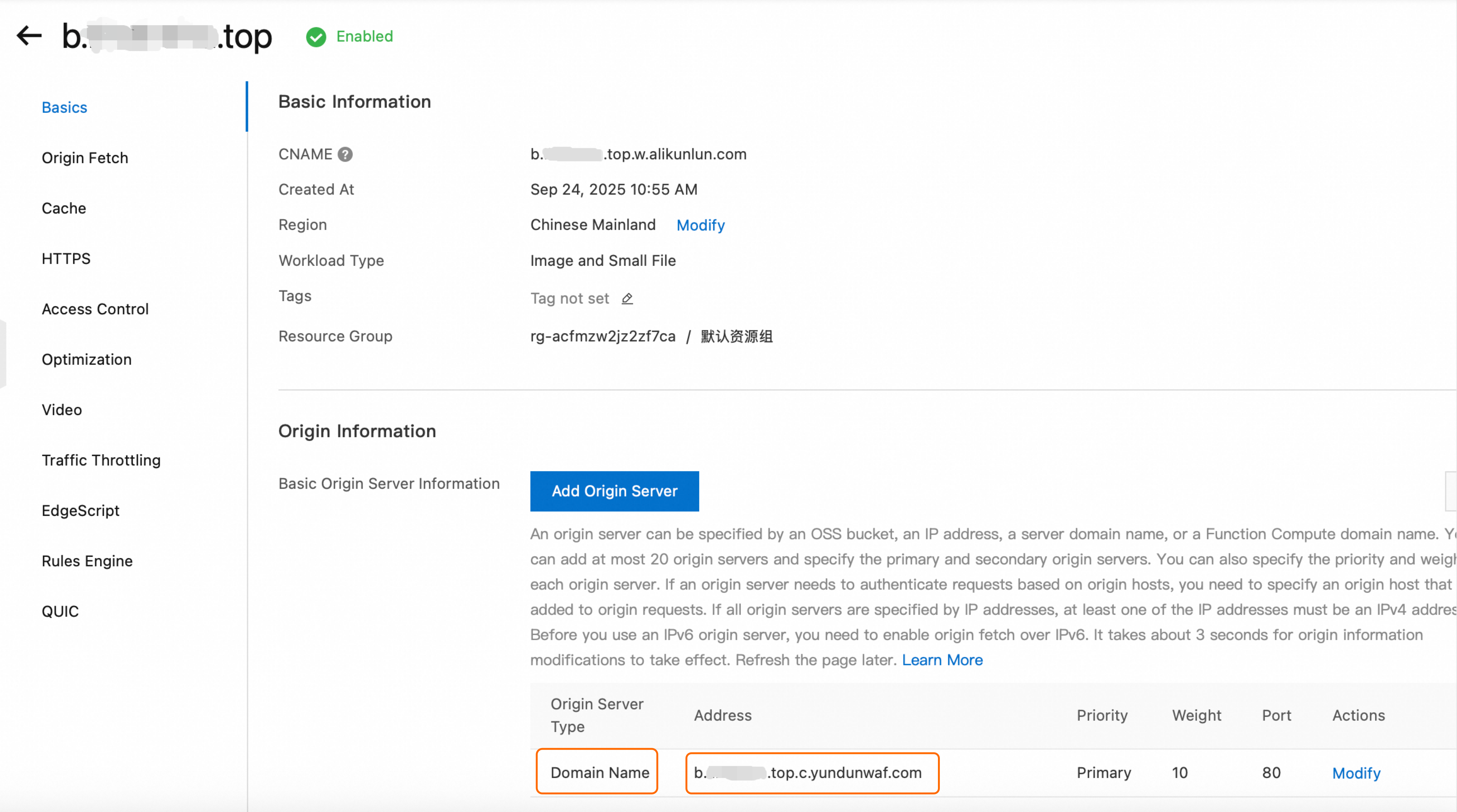
Log on to the CDN console. In the navigation pane on the left, click Domain Names. Find the domain name, and in the Actions column, click Manage.
In the Origin Information area, verify that the Origin Type is Domain Name and the Address matches the CNAME address you copied earlier. If not, click Modify in the Actions column to correct it.
Anti-DDoS Proxy
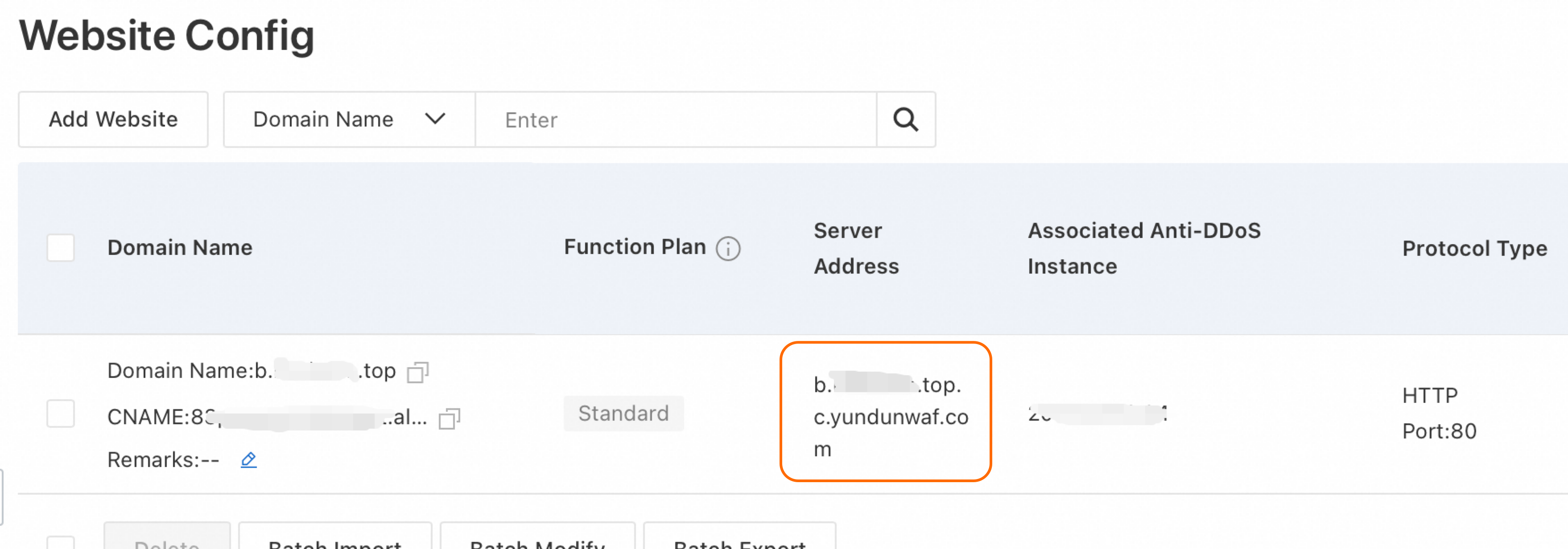
Log on to the Website Config page of the Anti-DDoS Proxy console.
In the upper-left corner of the top menu bar, select a region based on your Anti-DDoS Proxy product.
Anti-DDoS Proxy (Chinese Mainland): Select the Chinese Mainland region.
Anti-DDoS Proxy (Outside Chinese Mainland): Select the Outside Chinese Mainland region.
On the Website Config page, locate the target domain name and verify that the Server Address matches the CNAME record you copied earlier. If not, click Edit in the Actions column to correct it.
Incorrect listening port and origin port configuration
When using CNAME onboarding, you must correctly configure the listening port and the origin port. Incorrect port configurations will cause access issues. Configure the ports according to the following definitions.

WAF listening port: The port on which WAF provides services to the public, which clients use to access your website. For example, if you set the HTTP listening port to 8080 in the WAF console, users must access the service through
http://example.com:8080.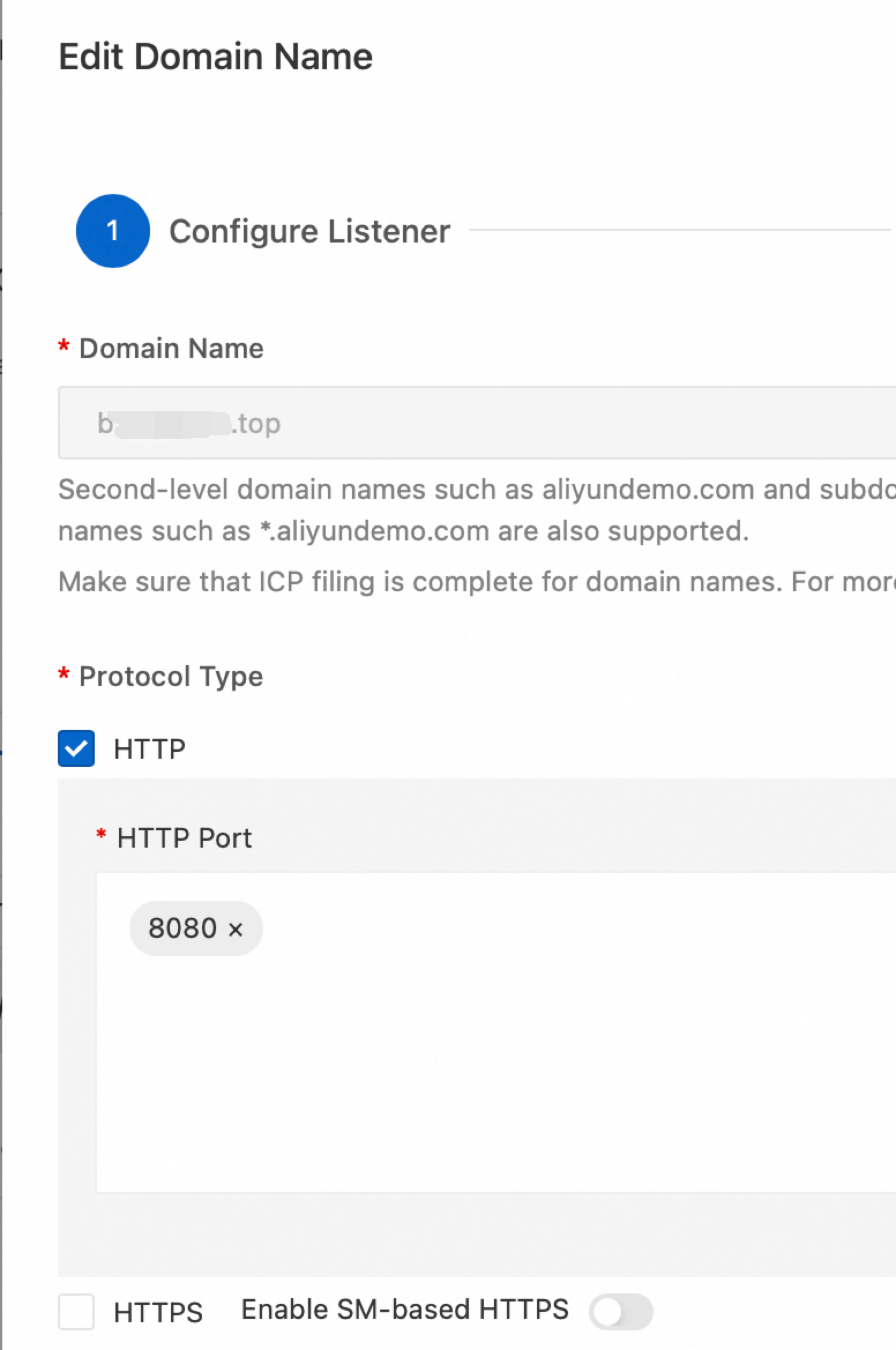
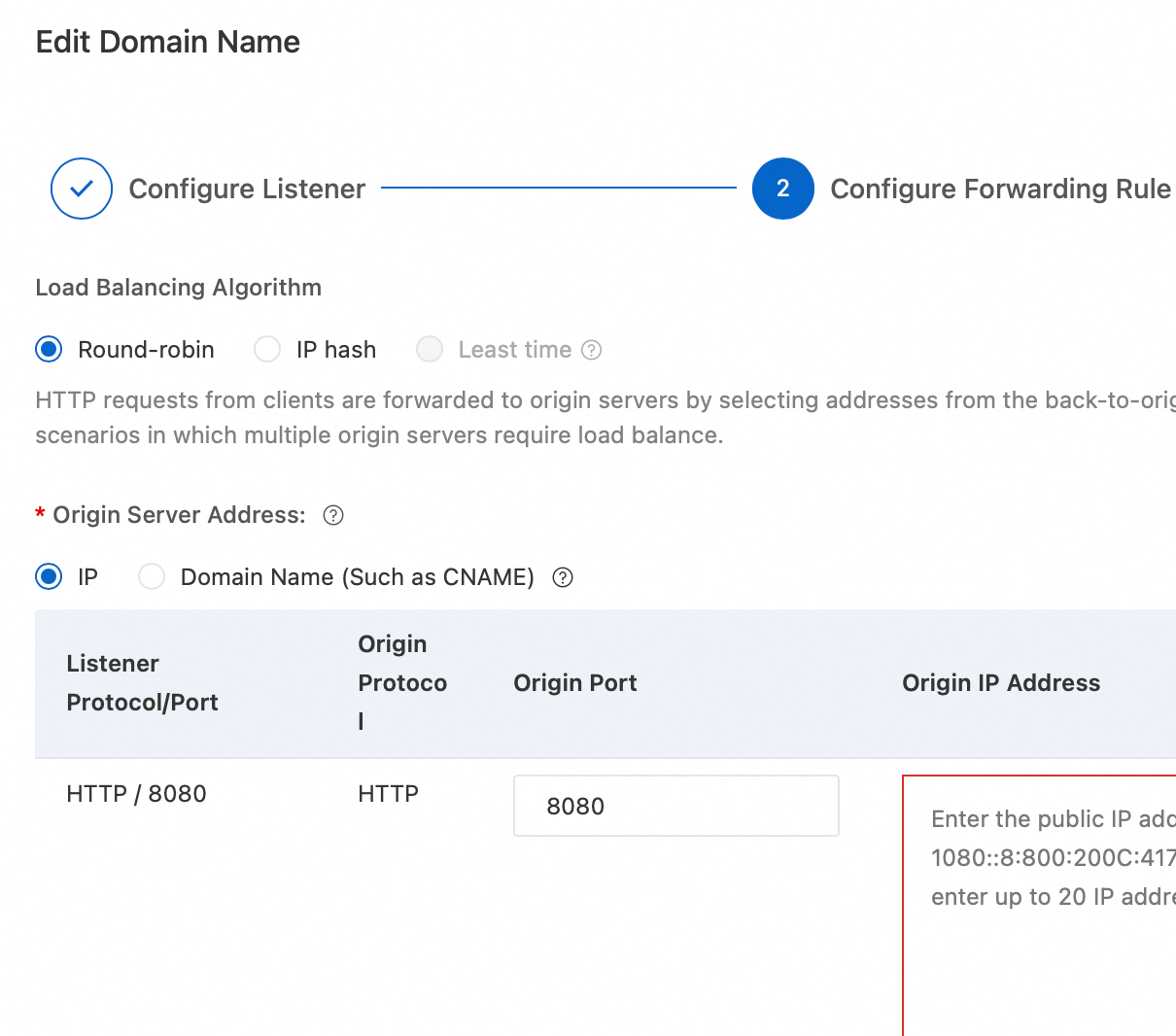
WAF origin port: The port that WAF uses to forward protected traffic to your origin server. This port must match the actual service port open on your origin server; otherwise, traffic forwarding will fail.
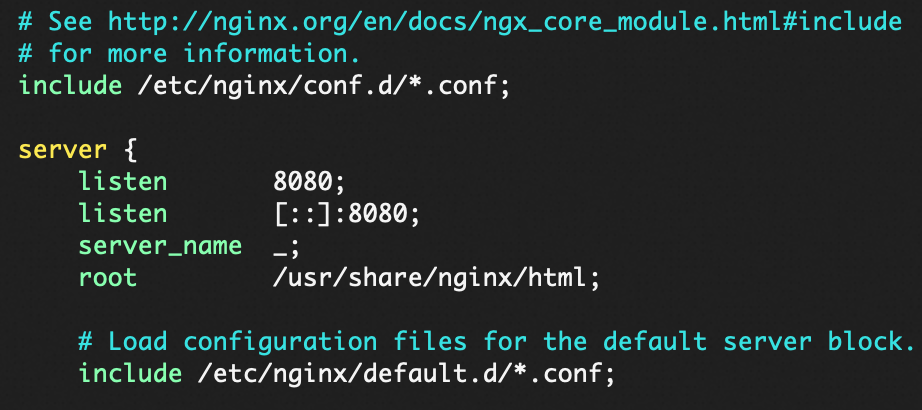
Origin service port: The port that your origin server, such as an ECS or Server Load Balancer (SLB) instance, is actually listening on to provide services.
If the origin is an ECS instance, ensure the listening port specified in your application's configuration (such as the listen directive in the nginx.conf file) matches the WAF origin port.
If the origin is a SLB instance, ensure the SLB listener port matches the WAF origin port.
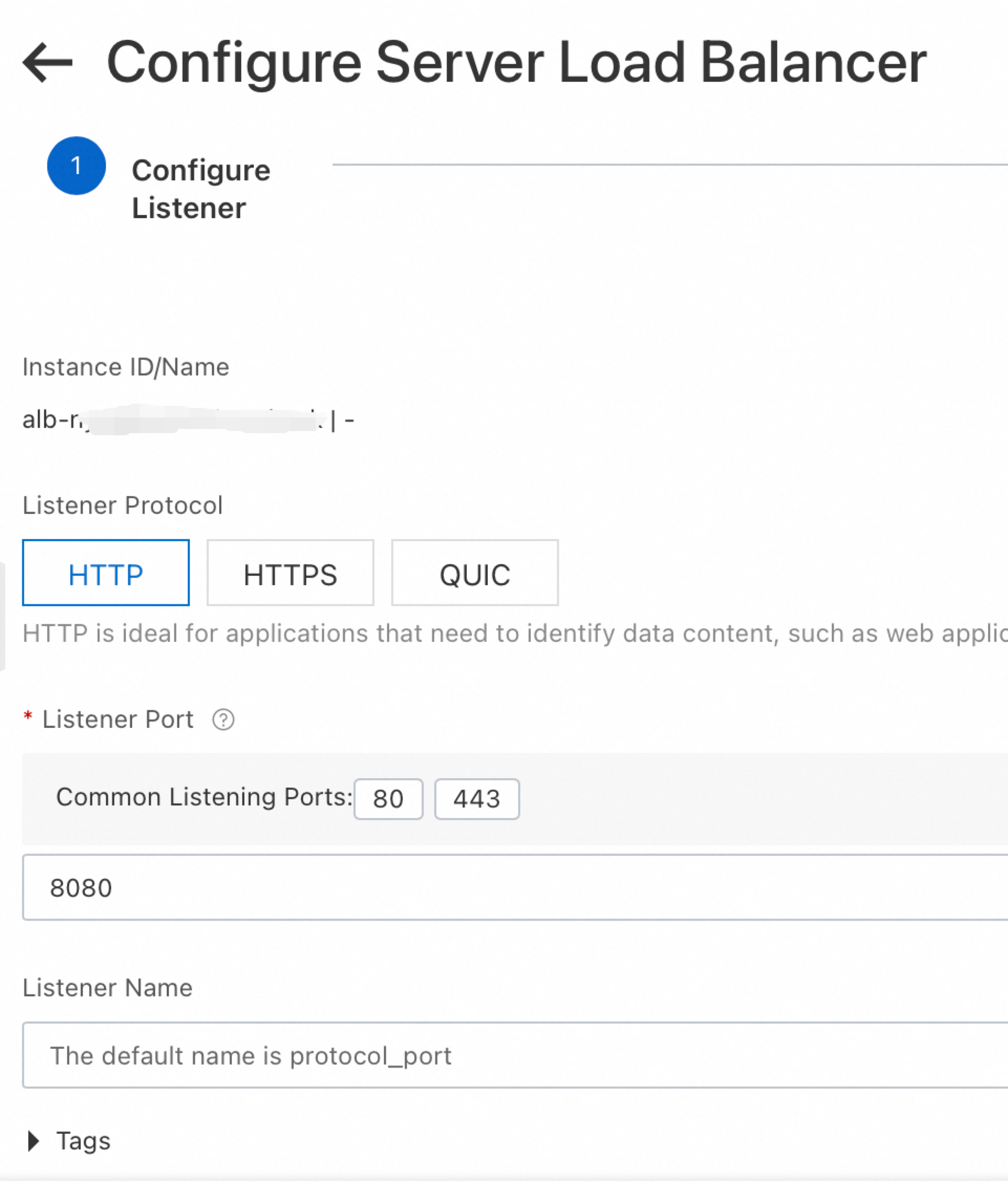
ImportantThe WAF listening port can be different from the WAF origin port. However, the WAF origin port must match the origin server's service port to ensure traffic is routed correctly.
FAQ
What is a WAF VIP?
When you onboard a domain to WAF, the system assigns a dedicated VIP to listen for your service's requests. This VIP is not shared with other tenants. The Alibaba Cloud WAF instance provides a high-availability protection service; this VIP is not tied to a specific physical device but is part of the Alibaba Cloud WAF cluster resources. Within the same WAF instance:
If the exclusive IP address or intelligent load balancing feature is not enabled, all domain names share a single VIP.
If the exclusive IP address feature is enabled, each domain name is assigned an independent VIP.
If intelligent load balancing is configured, all domain names share multiple VIPs.
Is the WAF VIP static?
No, the VIP address may change. This can occur when you enable or disable the exclusive IP or intelligent load balancing features, or in the event of a rare WAF service failure.
Can I point my DNS A record to the WAF VIP?
When using the CNAME onboarding, you must not point your DNS A record to the WAF VIP. You must point your DNS record to the CNAME record provided by WAF. Using a CNAME ensures that your traffic is automatically routed to the correct backend IP address, guaranteeing service continuity even if the underlying VIP changes.