For a RAM user to use the Web Application Firewall (WAF) log query and analysis service, an Alibaba Cloud account must grant the required permissions.
Background
The following permissions are required to enable and use the WAF log query and analysis service.
Operation | Supported account type |
Activate Log Service (one-time global operation) | Alibaba Cloud account |
Authorize WAF to write log data to the dedicated Logstore in Log Service in real time (one-time global operation) |
|
Use the log query and analysis feature |
|
You can grant permissions to RAM users based on your business requirements.
Scenario | Permission | Procedure |
Grant a RAM user all operational permissions for Log Service. | The | For detailed steps, see Manage RAM user permissions. |
Grant a RAM user permission to view logs after the WAF log service has been enabled and authorized. | The | For detailed steps, see Manage RAM user permissions. |
Grant a RAM user permissions only to enable and use the WAF log query and analysis service, without granting other Log Service management permissions. | Create a custom policy and attach it to the RAM user. | For detailed instructions, see the Procedure section in this topic. |
Procedure
Log on to the RAM console with your Alibaba Cloud account.
In the left-side navigation pane, choose Permissions > Policies.
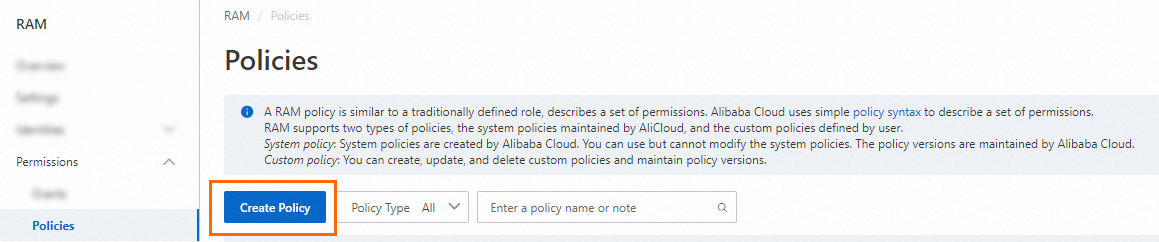
On the Policies page, click Create Policy.
On the Create Policy page, click the Script tab.
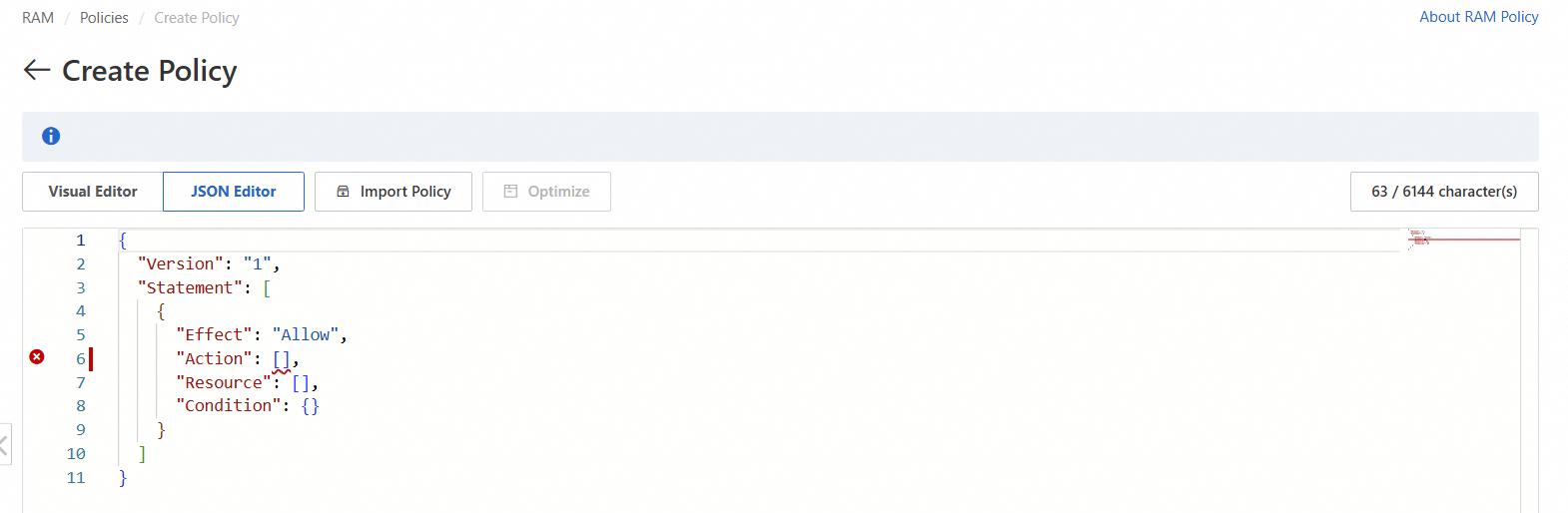
Enter the following policy content and click OK.
ImportantIn the following policy, replace
${Project}and${Logstore}with the names of your WAF-dedicated Project and Logstore.{ "Version": "1", "Statement": [ { "Action": "log:GetProject", "Resource": "acs:log:*:*:project/${Project}", "Effect": "Allow" }, { "Action": "log:CreateProject", "Resource": "acs:log:*:*:project/*", "Effect": "Allow" }, { "Action": "log:ListLogStores", "Resource": "acs:log:*:*:project/${Project}/logstore/*", "Effect": "Allow" }, { "Action": "log:CreateLogStore", "Resource": "acs:log:*:*:project/${Project}/logstore/*", "Effect": "Allow" }, { "Action": "log:GetIndex", "Resource": "acs:log:*:*:project/${Project}/logstore/${Logstore}", "Effect": "Allow" }, { "Action": "log:CreateIndex", "Resource": "acs:log:*:*:project/${Project}/logstore/${Logstore}", "Effect": "Allow" }, { "Action": "log:UpdateIndex", "Resource": "acs:log:*:*:project/${Project}/logstore/${Logstore}", "Effect": "Allow" }, { "Action": "log:CreateDashboard", "Resource": "acs:log:*:*:project/${Project}/dashboard/*", "Effect": "Allow" }, { "Action": "log:UpdateDashboard", "Resource": "acs:log:*:*:project/${Project}/dashboard/*", "Effect": "Allow" }, { "Action": "log:CreateSavedSearch", "Resource": "acs:log:*:*:project/${Project}/savedsearch/*", "Effect": "Allow" }, { "Action": "log:UpdateSavedSearch", "Resource": "acs:log:*:*:project/${Project}/savedsearch/*", "Effect": "Allow" } ] }In the Create Policy dialog box, enter a Name and Description for the policy and click OK.
On the Identities > Users page, find the RAM user to authorize and click Add Permissions in the Actions column.
Select the custom policy you created and click OK.
Once authorized, the RAM user can enable and use the WAF log query and analysis service but cannot perform other operations in Log Service.