Usage analytics
Usage Analytics uses data collected by the Alibaba Cloud Player SDK to provide key metrics such as unique users, total play duration, and completion rate. Combined with playback data statistics, these metrics help you evaluate business performance, understand user behavior, and make informed decisions.
Usage notes
Usage Analytics is a new ApsaraVideo VOD feature, currently in free public beta. Before using this feature, ensure you meet the following data collection requirements:
-
SDK requirements: You must use the MediaBox SDK. Ensure that you have a valid
licenseand that thelog reportingfeature is enabled. This feature is supported by native client player SDK versions 5.4.9.2 and later, and web client player SDK versions 2.16.0 and later. To download the SDK, see Download Player SDK. For information about thelicense, see Manage licenses. -
Supported media assets
The current version collects data for the following:
-
Supported
-
Media assets transcoded by ApsaraVideo VOD.
-
Playback URLs that use the system's default transcoding output path and include a valid MediaId.
-
Playback URLs for videos transcoded using an ApsaraVideo VOD
template grouporworkflowthat include a valid MediaId.
-
-
Not supported
-
Media assets configured for original file distribution.
-
Videos distributed through OSS address registration without a MediaId.
-
Custom transcoding output paths where the MediaId cannot be recognized.
-
-
View usage analytics
-
Log on to the ApsaraVideo VOD console.
-
In the left-side navigation pane, choose Data Center > Usage Analytics.
-
Configure the query conditions. The following table describes each condition.
Note-
In general configurations, verify that the
licenseregion matches your business operation region. The default is Chinese mainland, Hong Kong, Macao, and Taiwan. -
The
unique usersandaverage plays per usermetrics do not support filtering bydomain name.
Condition
Description
Application
Select or search for an
applicationunder your account.Client type
The client type used for playback, such as
web clientornative client.Operating system
Select an
operating system. By default, data for all systems is displayed. The mappings are as follows:-
Web client: Includes Android, iOS, HarmonyOS, Windows, macOS, and Linux.
-
Native client: Includes Android, iOS, and HarmonyOS.
Domain name
Select or search for a
domain nameunder your account.Media asset
By default, all
media assetsare included. You can filter by a single media asset.Metric
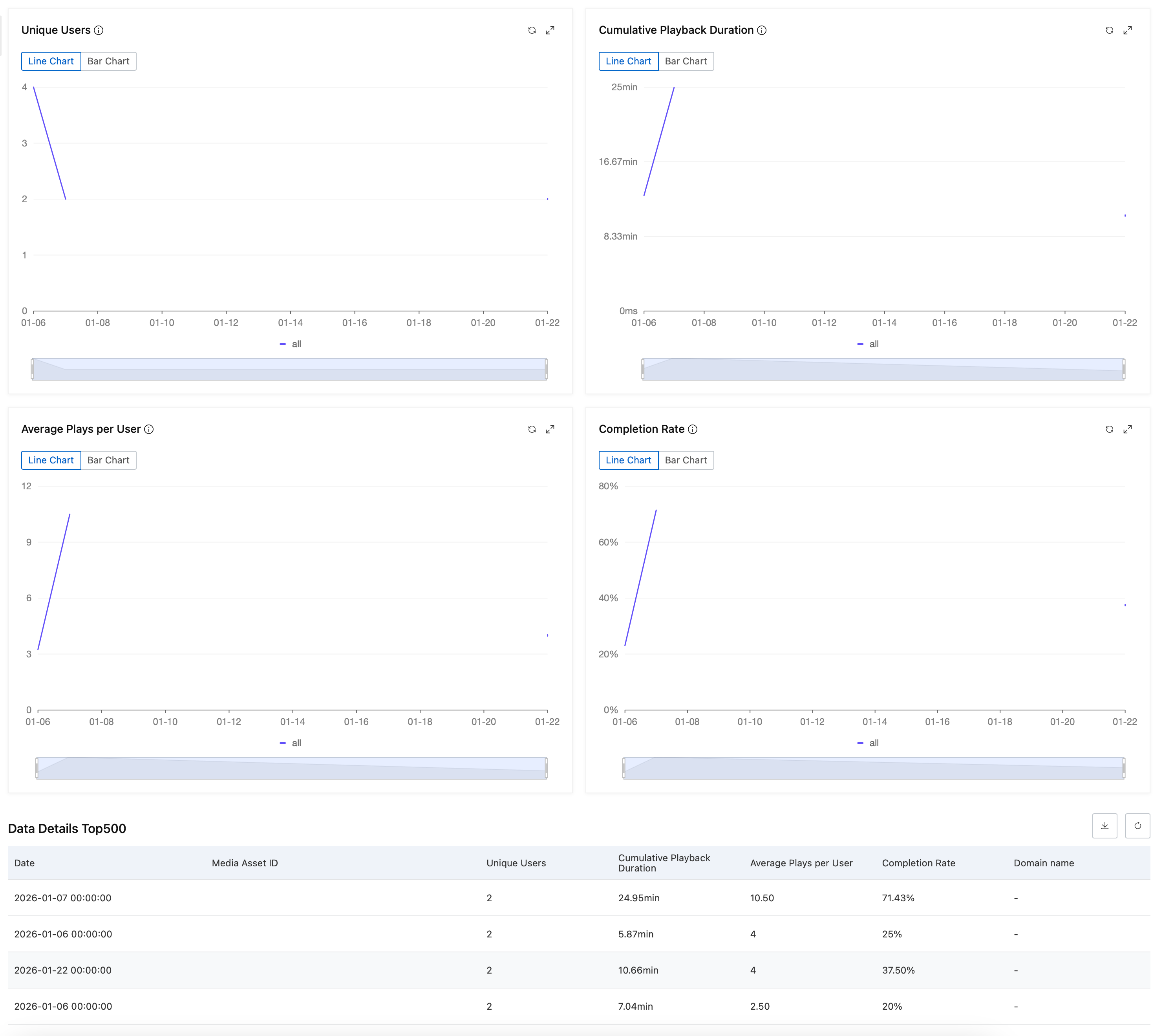
Select the metrics to display. All seven metrics in the Key metrics section are available. By default,
unique users,total play duration,average plays per user, andcompletion rateare selected.Time range
Supports
period-over-period comparison. Set a custom time range or choose a preset such as Last 7 Days, Last 14 Days, or Last 30 Days.NoteThe default time range is the Last 7 Days. You can select data from the past year. The time range for a single query cannot exceed one month.
-
-
Click Search. The real-time data and details for the selected metrics are displayed on cards. The query returns a maximum of 500 records.