The hosts in Alibaba Cloud VMware Service (ACVS) provide not only computing and network resources but also storage resources. ACVS uses VMware vSAN to manage the Non-Volatile Memory Express (NVMe) SSDs of hosts in a centralized manner. This way, VMware vSAN provides the all-flash distributed storage feature. If the storage resources of a PrivateCloud instance are insufficient, you can use one of the following methods to increase the storage space of the software-defined data center (SDDC):
Add a host to the PrivateCloud instance. This increases the storage and computing resources. For more information about how to add a host, see Add a host.
Mount an Alibaba Cloud File Storage NAS (NAS) file system to a PrivateCloud instance, and migrate VMs that do not require high storage performance to the NAS file system.
Usage notes
By default, you cannot directly mount a NAS file system to a PrivateCloud instance. To mount and use a NAS file system, you must submit a ticket to apply for the required permissions first. Before you mount a NAS file system, take note of the following items:
We recommend that you use a NAS file system that resides in the same region and zone as the PrivateCloud instance.
The protocol type of the PrivateCloud instance must be Network File System (NFS). The Server Message Block (SMB) protocol is not supported.
You must mount the NAS file system to the virtual private cloud (VPC) that is associated with the PrivateCloud instance, and select a vSwitch that resides in the same zone as the PrivateCloud instance.
Virtual disks that are stored in NAS do not support the thin provisioning mode. Only the thick provisioning mode is supported.
ImportantIf you use a datastore provided by NAS to create a VM, the disk mode of the VM is displayed as thin provisioning, but the VM disks are actually thick-provisioned. In this case, pay attention to the space usage of the datastore.
Prerequisites
A NAS file system is created. For more information, see Create a file system.
You are authorized to mount NAS file systems to PrivateCloud instances.
Procedure
Log on to the ACVS console.
In the left-side navigation pane, click NAS Mount.
Select the region in which the PrivateCloud instance resides.
On the NAS Mount page, click Mount NAS.
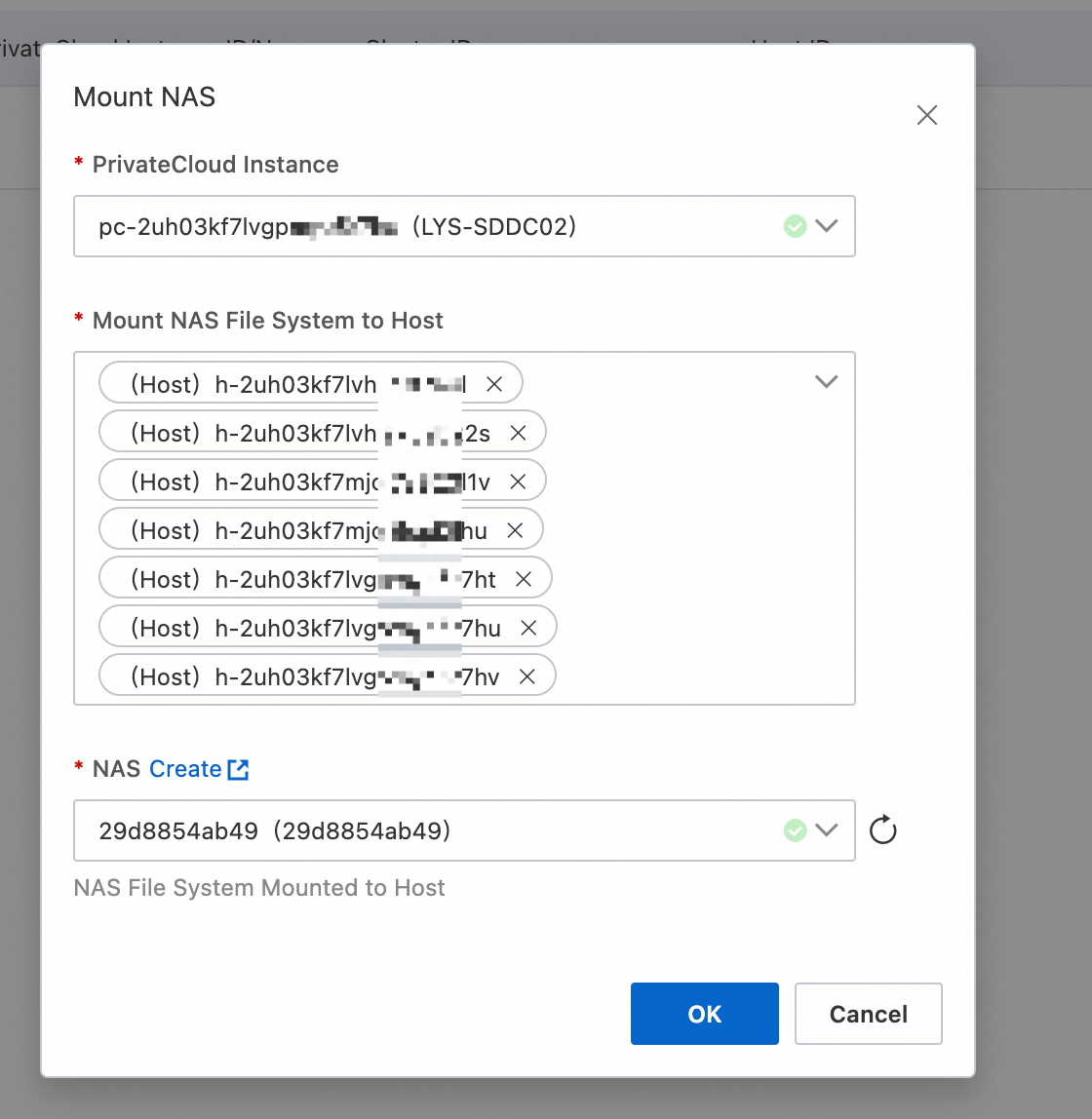
In the Mount NAS dialog box, select the NAS file system to be mounted and the PrivateCloud instance and host to which the NAS file system is mounted, and then click OK. ACVS starts to mount the NAS file system to the PrivateCloud instance.
Parameter
Description
PrivateCloud Instance
The PrivateCloud instance to which the NAS file system is mounted. Select an instance from the drop-down list.
Mount NAS File System to Host
The host to which the NAS file system is mounted. By default, the NAS file system is mounted to all hosts of the PrivateCloud instance.
If you do not want to mount the NAS file system to a host, click the cross sign (×) next to the host ID to remove the host.
NAS
The NAS file system to be mounted to the PrivateCloud instance.
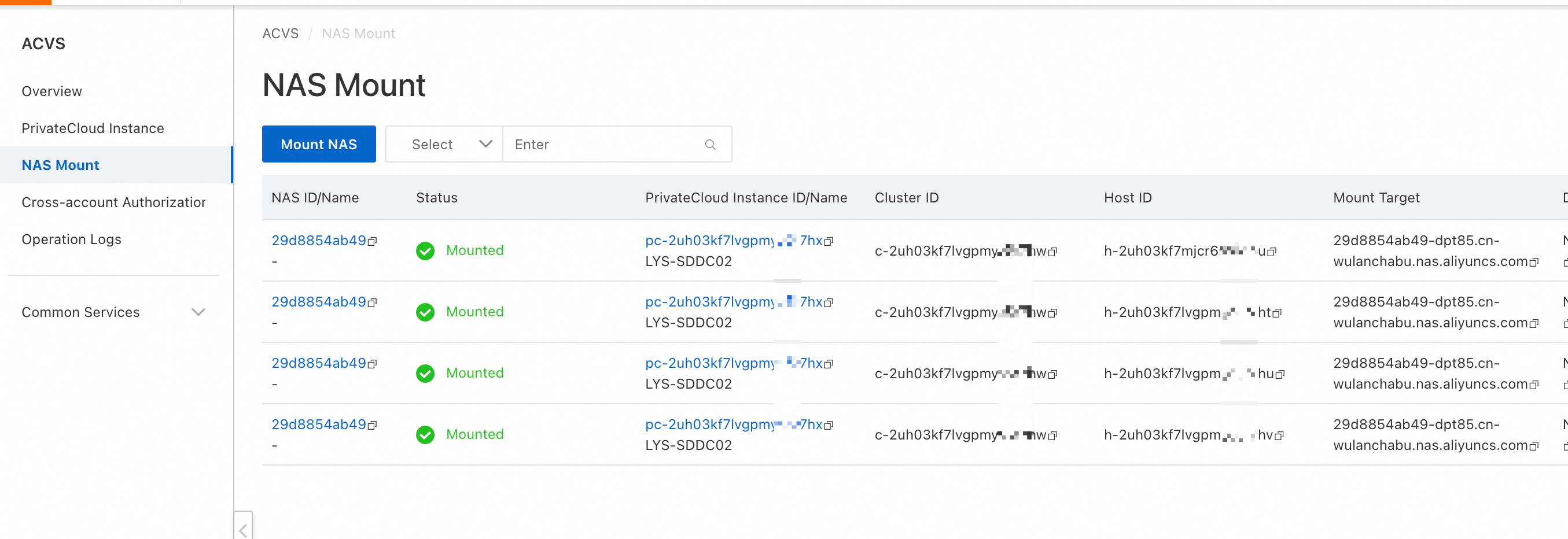
After the NAS file system is mounted to the PrivateCloud instance, you can uninstall the file system from hosts based on your business requirements.
Log on to vSphere Client. The NAS file system is mounted to the ESXi hosts. The name of the datastore is in the NFSDatastore-{File system ID} format.