1. Target users
The finance trusteeship service is available only to end users. The service is not available to resellers, agents, or general distributors.
End user | Reseller | Agent | General distributor |
Supported | Not supported | Not supported | Not supported |
2. Finance trusteeship invitation
2.1 Limits on the use of the finance trusteeship service
Quota Balance: The available quota of your master account must be greater than zero.
Entity consistency: The master account and the linked account must belong to the same Reseller. Make sure that the master account and its linked account have the same account name.
Reseller: Your master account and the linked account must belong to the same reseller.
2.2 Procedure
2.2.1 Send a finance trusteeship invitation
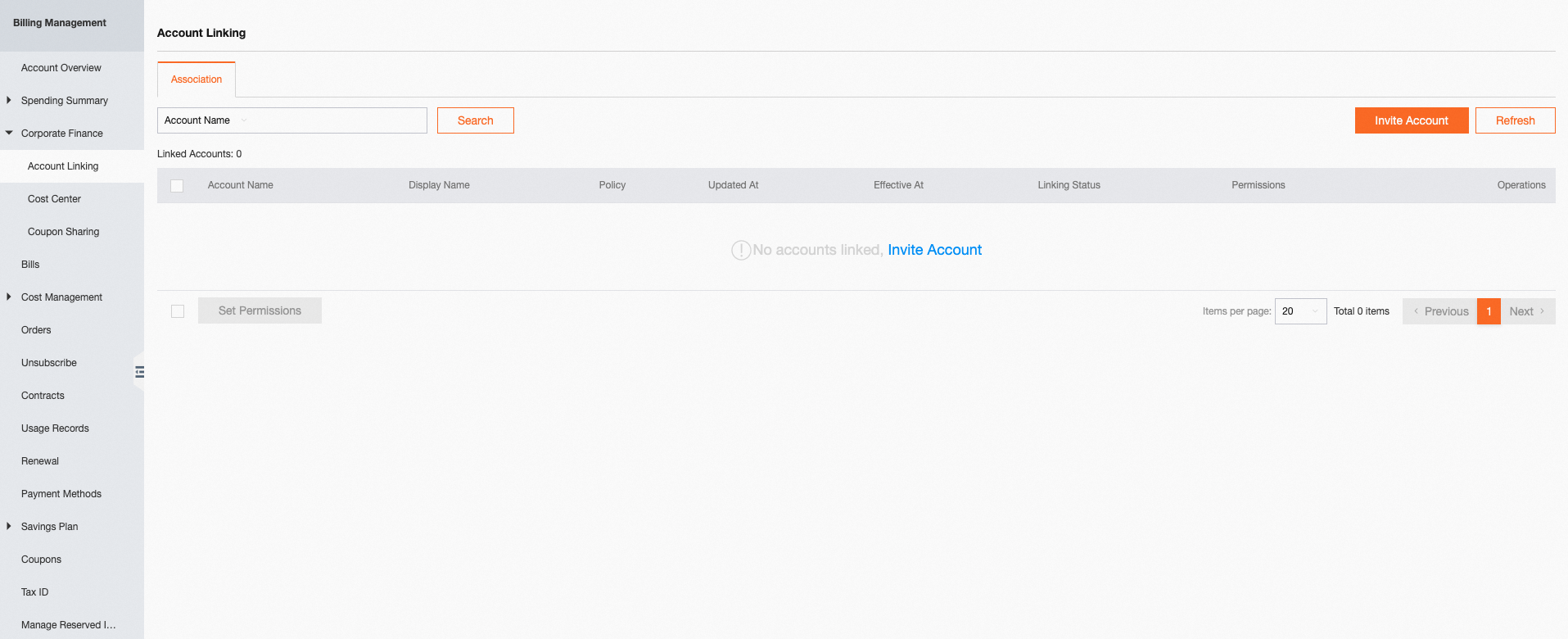
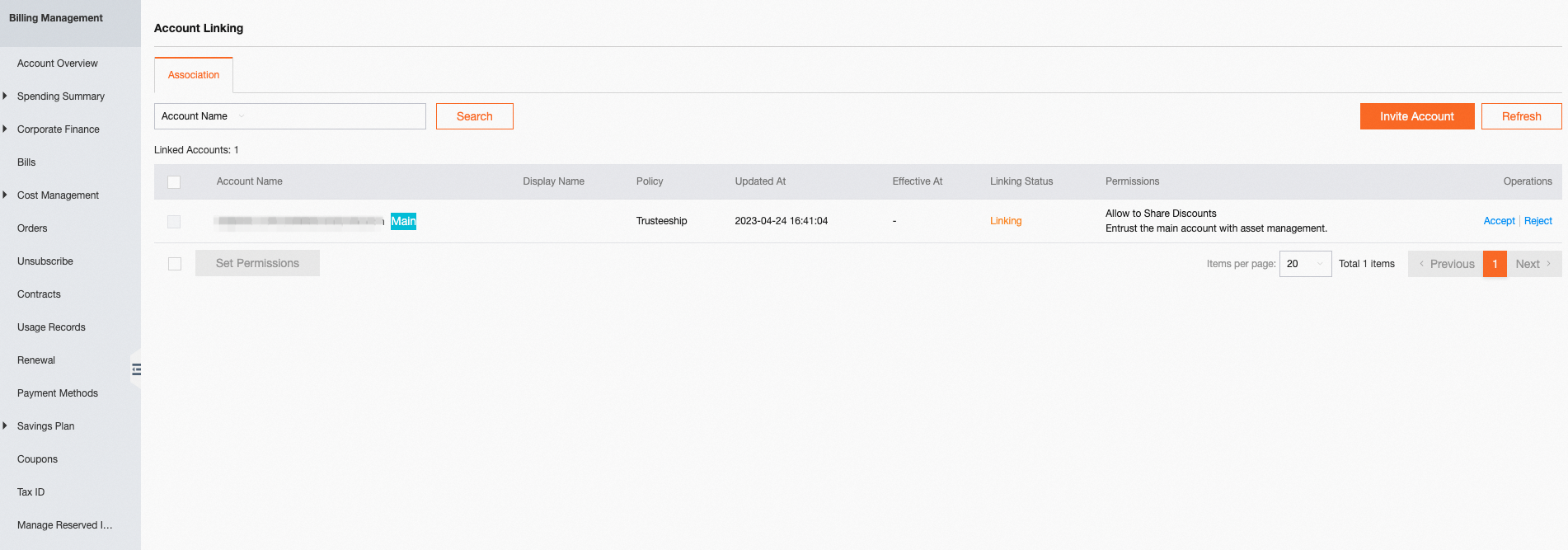
Step 1: Log on to the Expenses by using a master account, choose Corporate Finance > Account Linking, and then click the "Invite Account" button.
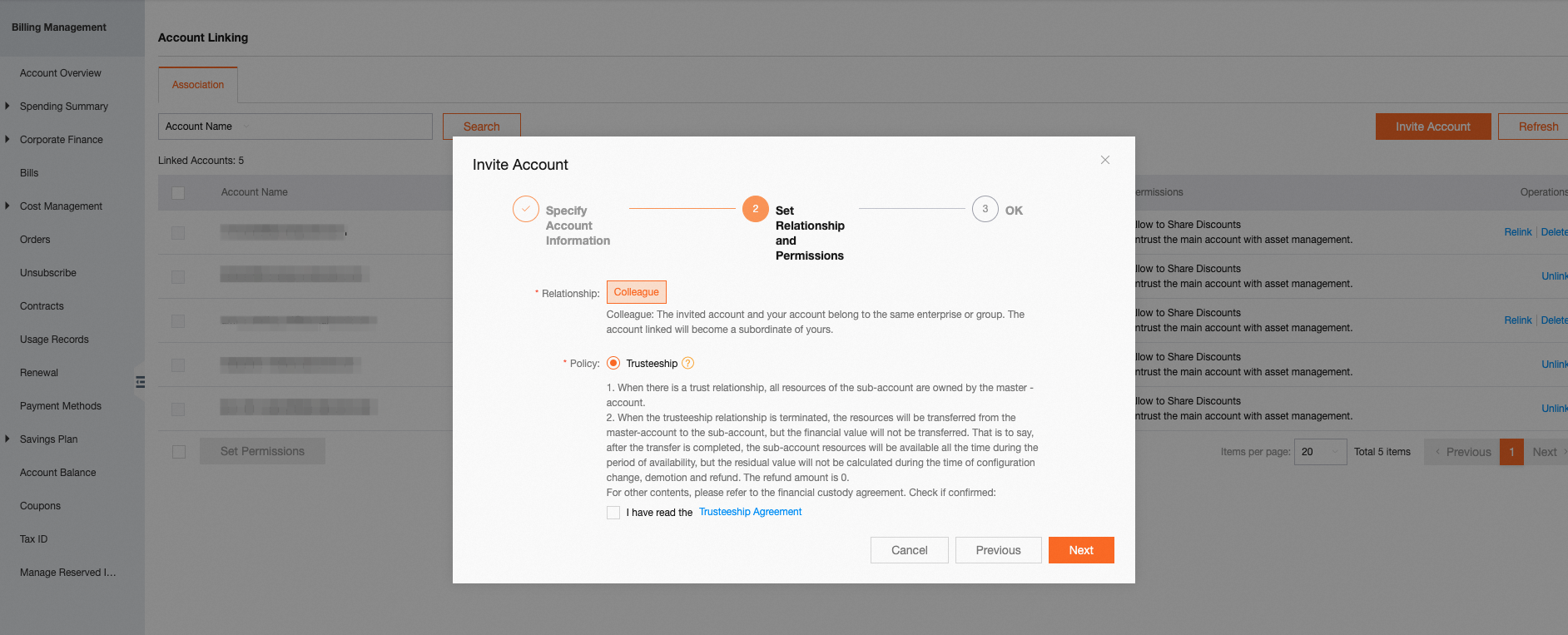
Step 2: Establish the relationship between the master account and the linked account, and only finance trusteeship is supported. After you read and select I have read the Trusteeship Agreement, click Next.
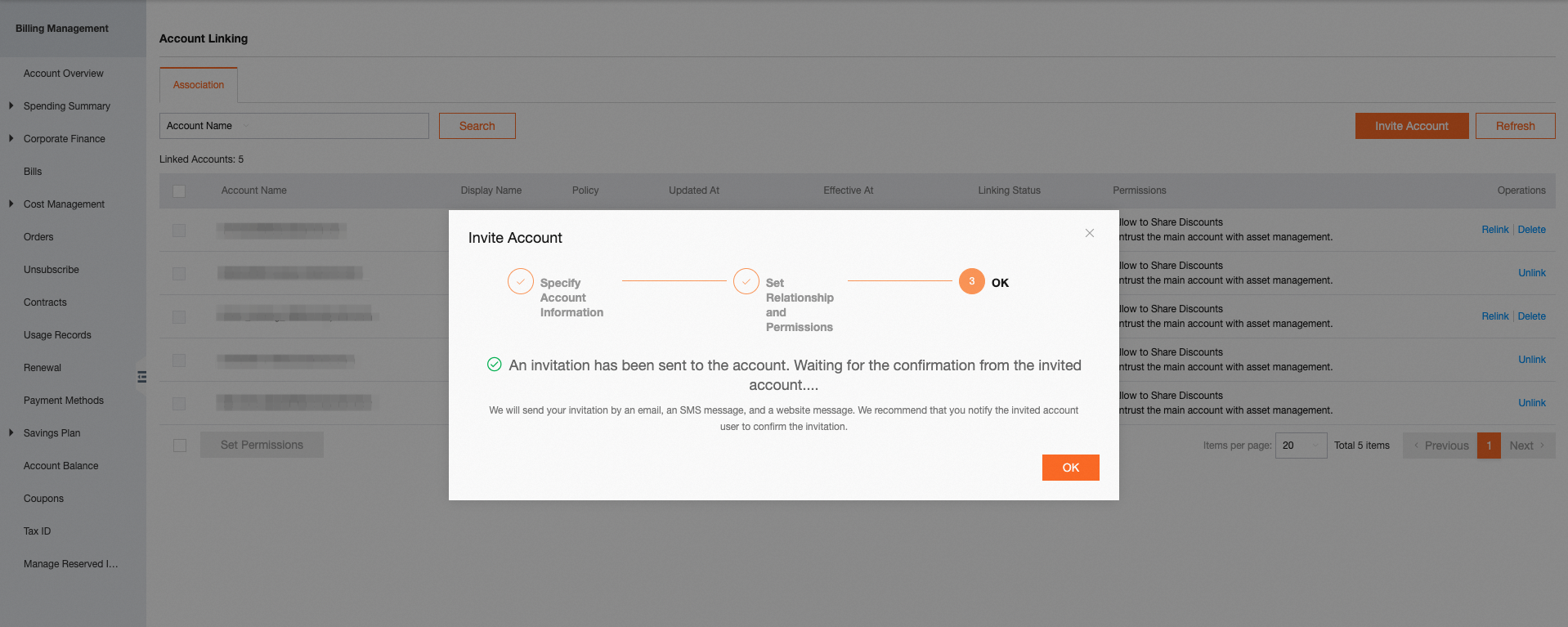
After you send the finance trusteeship invitation, notify the owner of the linked account to accept the invitation.
2.2.2 Accept the finance trusteeship invitation
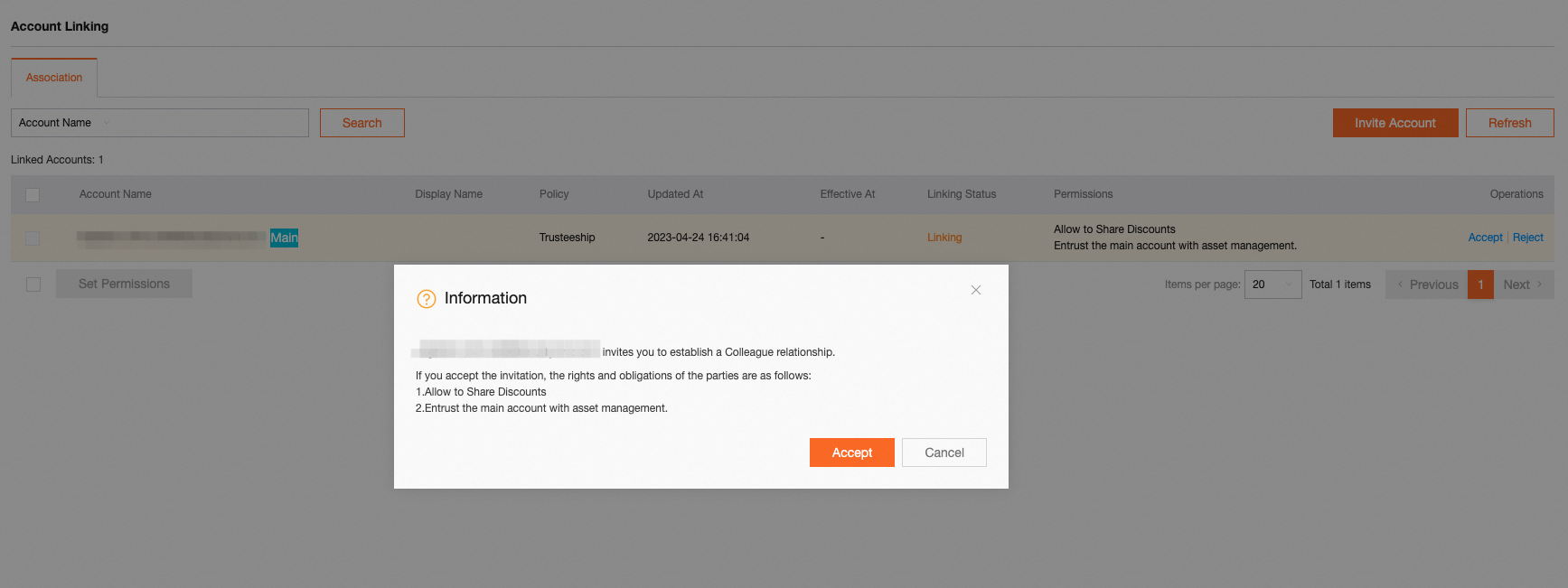
Log on to the Expenses by using the invited linked account. Choose Corporate Finance > Account Linking, the finance trusteeship invitation that was sent by the master account is displayed.
Read the notice tips before you accept the invitation.
3. Create a sub-account under the master account and establish a trusteeship between the two accounts
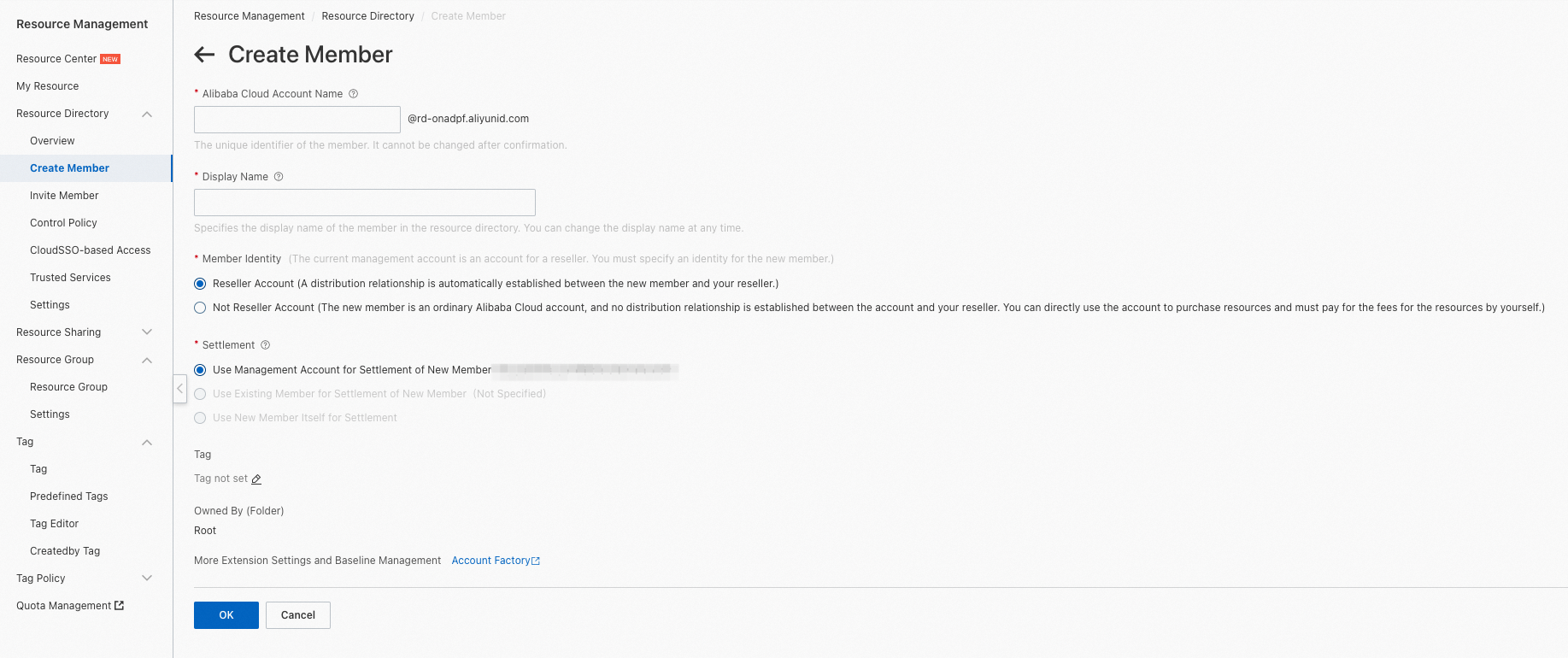
Log on to the Resource Management console by using the master account, and then click Create Member button. When you create the sub-account, you can choose entrust the sub-account to the root account, which is also the master account.
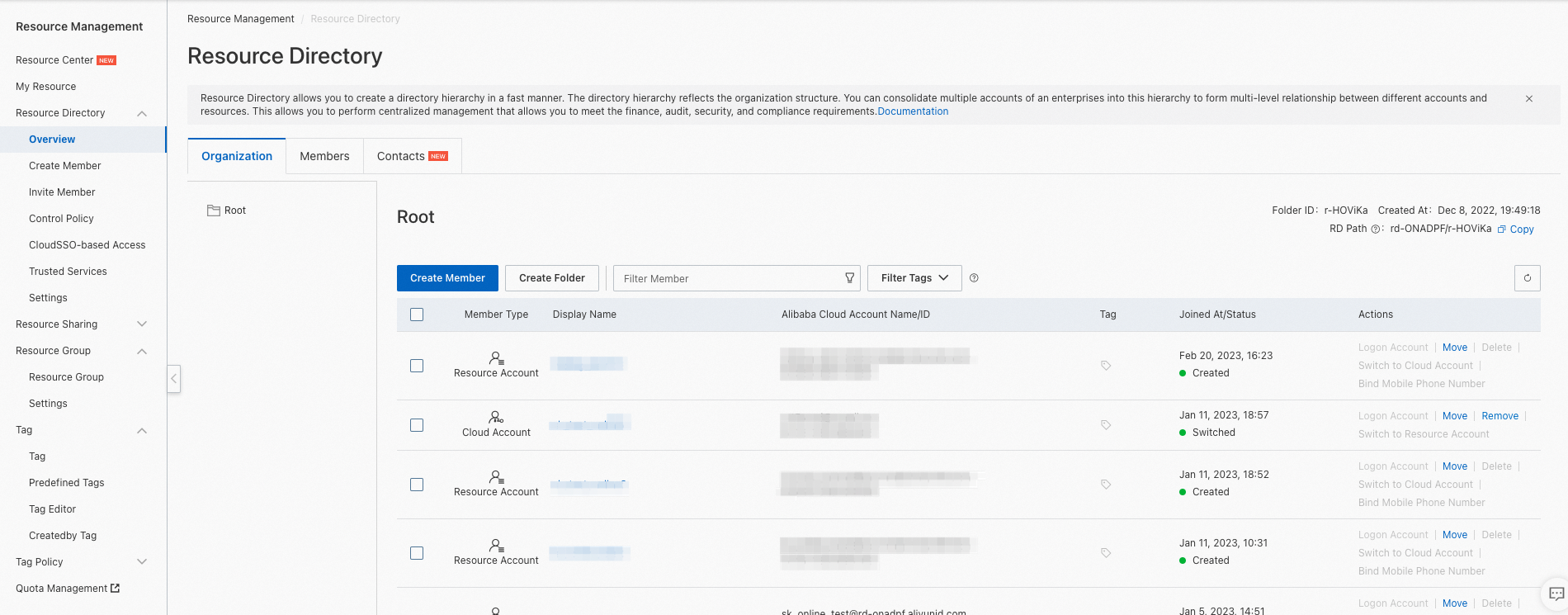
Click Create Member as an administrator. The page that is shown in the following figure appears. In the Member Identity field, select an option based on your business requirements:
If you want the new sub-account to belong to the reseller of the master account, select Reseller Account. If you select this option, the settlement account of the sub-account can use only the master account for hosting and payment.
If the new sub-account does not need to belong to the reseller of the master account, select Not Reseller Account. If you select this option, you can select only Use New Member itself for Settlement for the Settlement field.