Configure remaining quota alerts for your resource plans to receive automatic notifications when usage drops below a preset threshold. These alerts help you proactively adjust resource configurations or purchase new plans to avoid business disruptions and control unexpected costs from resource depletion.
Benefits
Remaining quota alerts provide the following benefits:
Prevent resource shortages: When the remaining quota of a resource plan falls below the specified threshold, the system notifies you by text message, email, or internal message. This lets you take timely action, such as purchasing a new resource plan or adjusting your usage strategy.
Reduce unexpected costs: The alert system helps you plan your resource usage in advance. This prevents an unexpected switch to the pay-as-you-go model if a resource plan is depleted, avoiding additional charges.
Limitations
Remaining quota alerts are not supported for resource plans with an hourly or daily commitment period.
Remaining quota alerts are supported for monthly plans and plans with no fixed period.
For monthly plans (including calendar month, dynamic month, and free tier by month): For each billing period, you receive one alert when the remaining quota reaches the configured percentage and one alert when the quota is exhausted.
For plans with no fixed period: During the validity period, you receive one alert when the remaining quota reaches the configured percentage and one alert when the quota is exhausted.
If you disable the unified remaining quota alert, you must manually enable alerts for any new resource plans you purchase.
Configure the alerts
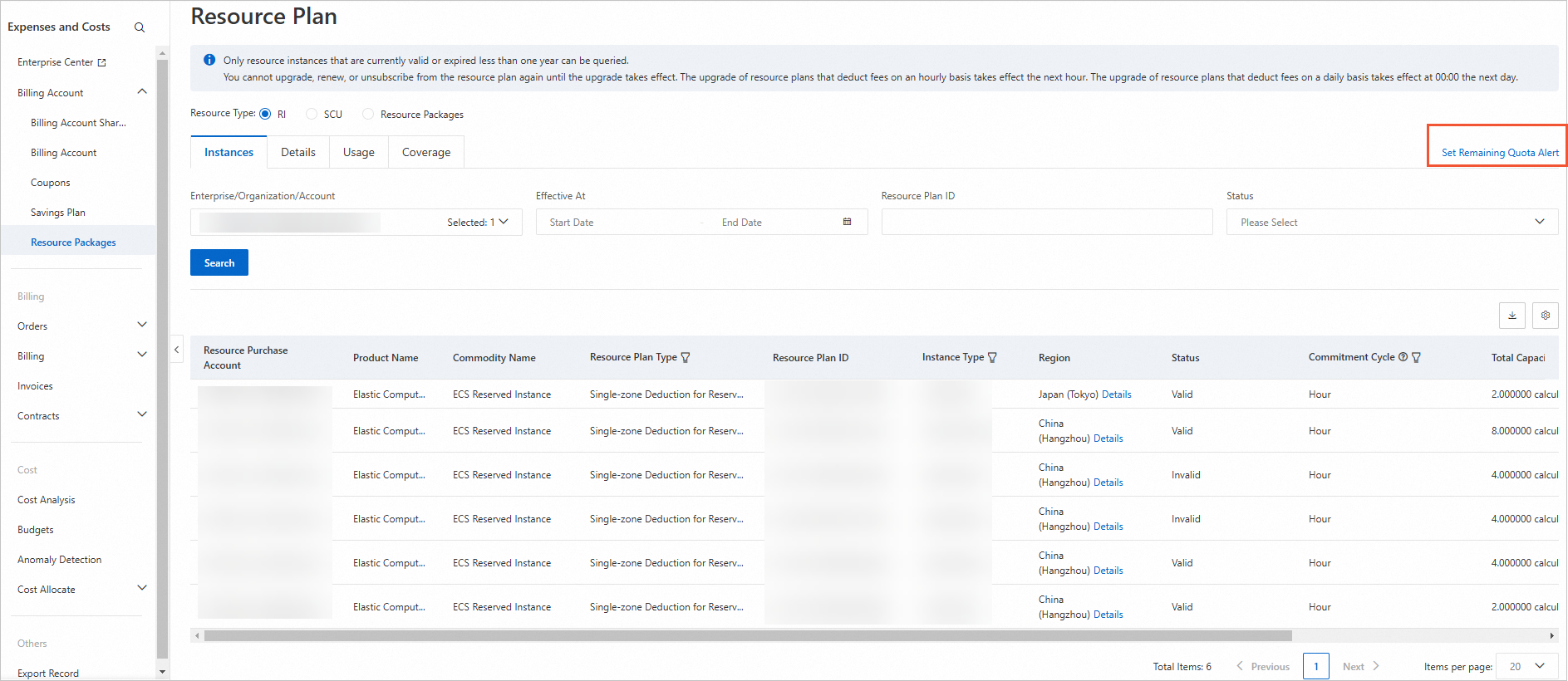
Log on to the Resource Plan page. In the top-right corner, click Set Remaining Quota Alert.
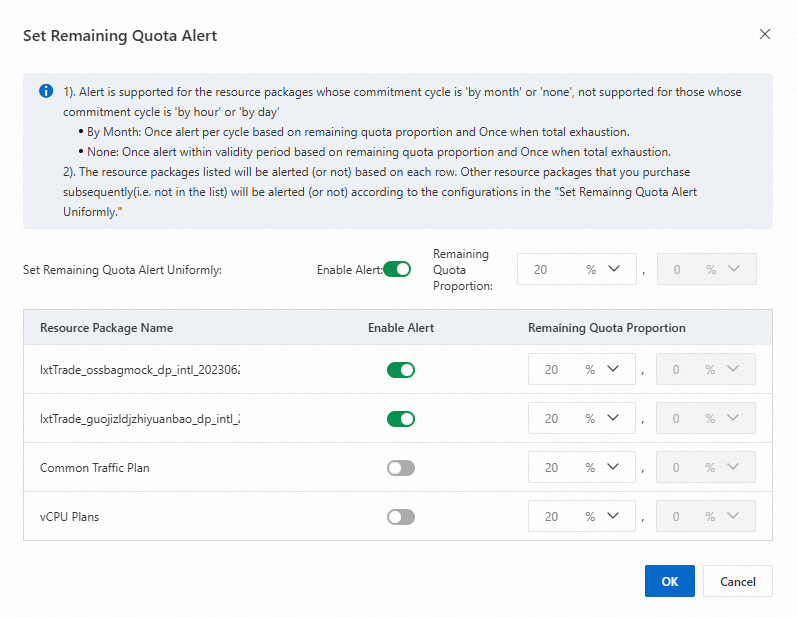
Enable or disable alerts and set the remaining quota percentage.
To configure alerts for all resource plans: In the Set Remaining Quota Alert Uniformly section, toggle Enable Alert and select a Remaining Quota Proportion.
To configure an alert for a single resource plan: In the alert list, find the plan by its Resource Package Name, toggle Enable Alert, and select a Remaining Quota Proportion.
ImportantThe system monitors resource plans in the list based on their individual settings. Any new resource plans you purchase will use the settings from the Set Remaining Quota Alert Uniformly section.
Configure alert notifications.
Basic receiving management
On the Common Settings page of the Message Center, set Notification Type to Notifications of Product Expiration. Select your preferred notification methods (Internal Messages, Email, and SMS). The Contact defaults to the secure phone number for your account, but you can change it.

Chatbot recipient management (optional)
On the Chatbot Recipient Management page of the Message Center, you can integrate webhooks to send resource plan alerts to platforms like DingTalk, WeCom, Lark, and Slack. The Notifications of Product Expiration message type includes alerts for remaining quota, quota exhaustion, upcoming expiration, and expiration.
