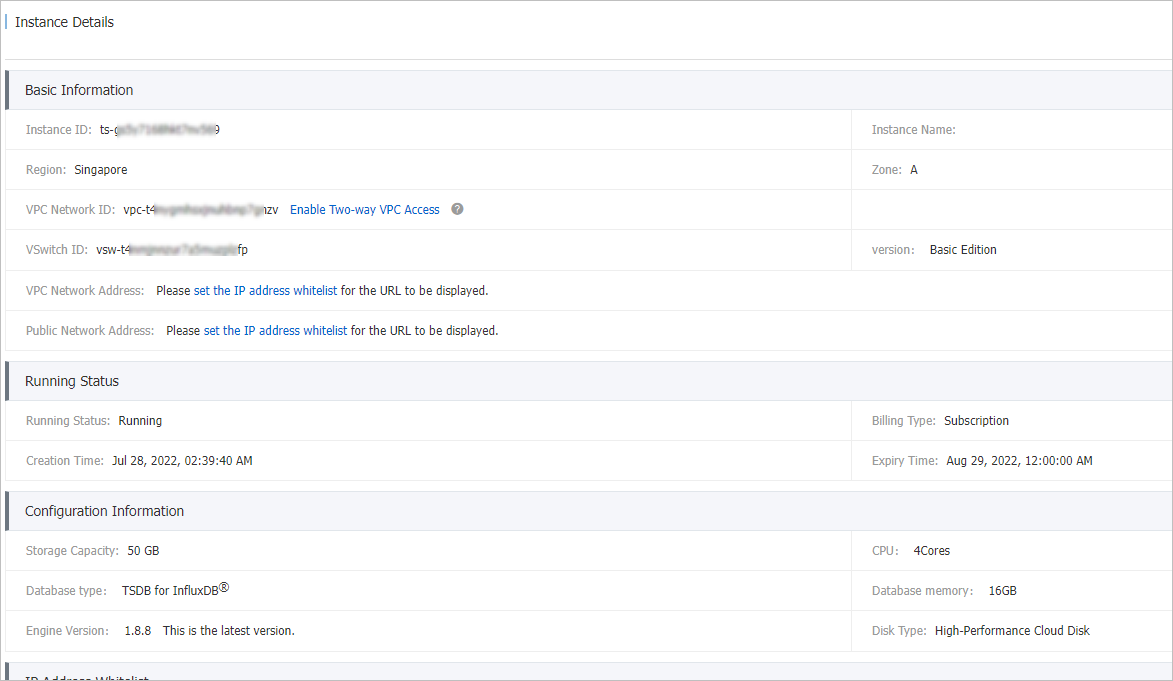
This topic describes how to create a TSDB for InfluxDB® instance.
Prerequisites
-
An Alibaba Cloud account is created and real-name verification is completed.
-
A virtual private cloud (VPC) is created. For more information about how to create a VPC, see Create a VPC.
Procedure
-
Log on to the TSDB console.
-
On the Instances page, click Create InfluxDB.
-
On the instance buy page, configure the following parameters and click Buy Now.
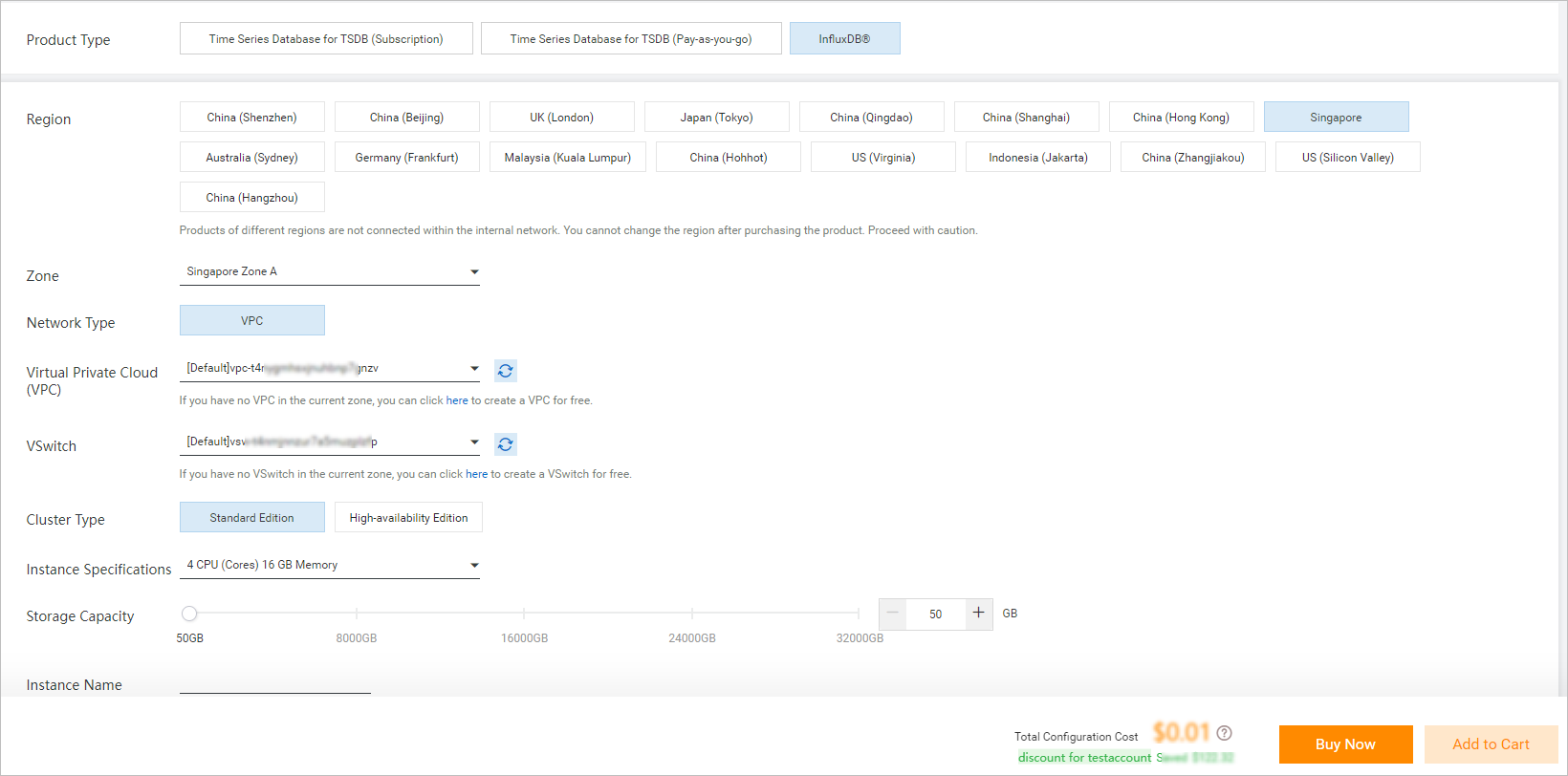
Parameter
Description
Product Type
Select InfluxDB®.
Region
The region where the instance resides.
Zone
The zone where the instance resides.
Network Type
The default value is VPC.
Virtual Private Cloud (VPC)
Select a VPC in the current zone.
vSwitch
Select a vSwitch.
Instance Type
Select the type of the instance. Standalone Standard Edition (Basic Edition) and High-availability Edition are supported.
Instance Specifications
The specifications of the instance.
Storage Capacity
The storage capacity of the instance.
Instance Name
The custom name of the instance.
Quantity
The number of instances that you want to purchase.
Subscription Duration
The subscription duration of the instance. You can select Auto-renewal to prevent the instance resources from being released if you forget to renew the instance.
-
Click Buy Now and complete the payment.
After the purchase is complete, you can go to the Instances page and click Manage to view the information about the new instance.