Configure your Alibaba Cloud Enterprise Support group chat and submit tickets through the web-based group chat portal.
The web-based group chat gives your team direct access to enterprise-grade support from the Alibaba Cloud console. Follow the setup steps for your account type, then use the ticket submission guidelines to open and manage support cases.
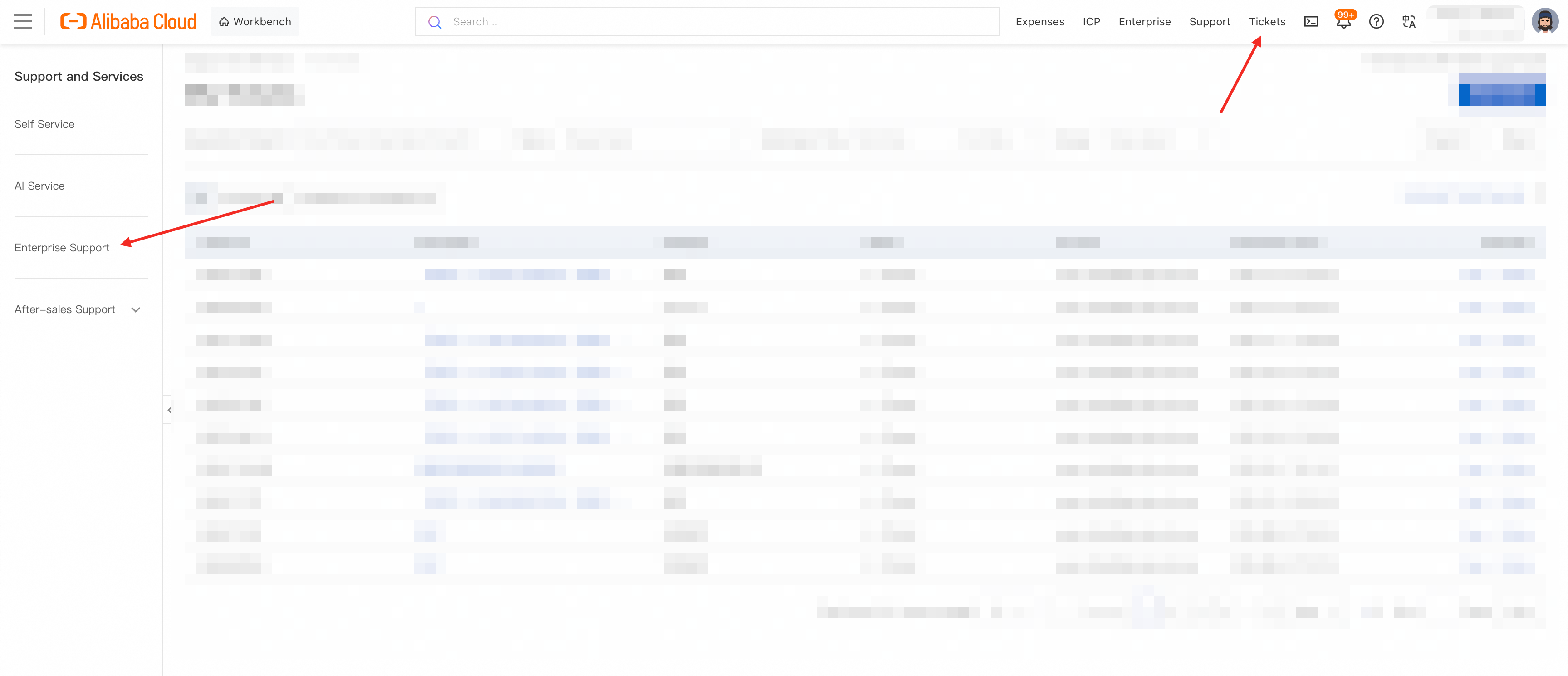
Web-based group chat portal: Alibaba Cloud console > Tickets > Enterprise Support
Web-based group chat portal: Alibaba Cloud console > Tickets > Enterprise Support
Web-based group chat address:https://smartservice.console.alibabacloud.com/service/workbench?tenantCode=YUNQI_GJFW
A. You are the Alibaba Cloud account holder
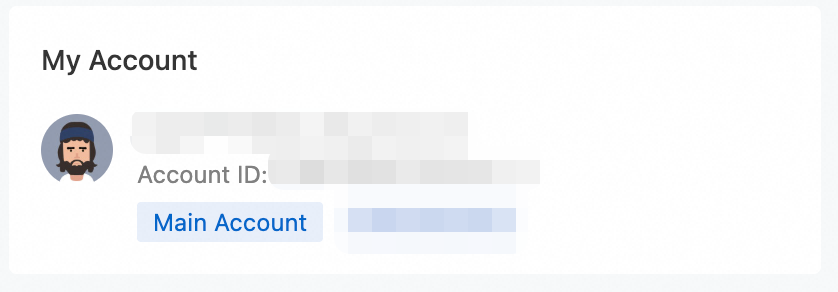
To verify your account type, visit the Alibaba Cloud console and confirm that your account is the primary Alibaba Cloud account (not a RAM user).
1. Enter the group chat
Contact your Alibaba Cloud TAM (Technical Account Manager) to add your Alibaba Cloud account to the group chat and grant you the "group administrator" role. Once added, access the [[web-based group chat]](https://smartservice.console.alibabacloud.com/service/workbench).
2. Add team members (RAM users) to the group
2.1 Sign in to the RAM console
Sign in with your Alibaba Cloud account and go to the Resource Access Management (RAM) console.
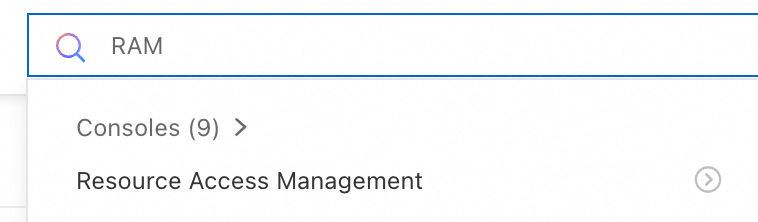
2.2 Grant RAM user permissions
After granting permissions, the RAM user can access the [[web-based group chat]](https://smartservice.console.alibabacloud.com/service/workbench).
Recommended approach: Create a user group (for example, Group A) and add the AliyunDingTalkServiceFullAccess permission policy to the group. To grant the same permissions to additional RAM users, add them to Group A — no need to configure permissions individually.
For step-by-step instructions, see Manage RAM user permissions.
Select the identity type to grant permissions to: User, User Group, or Role.
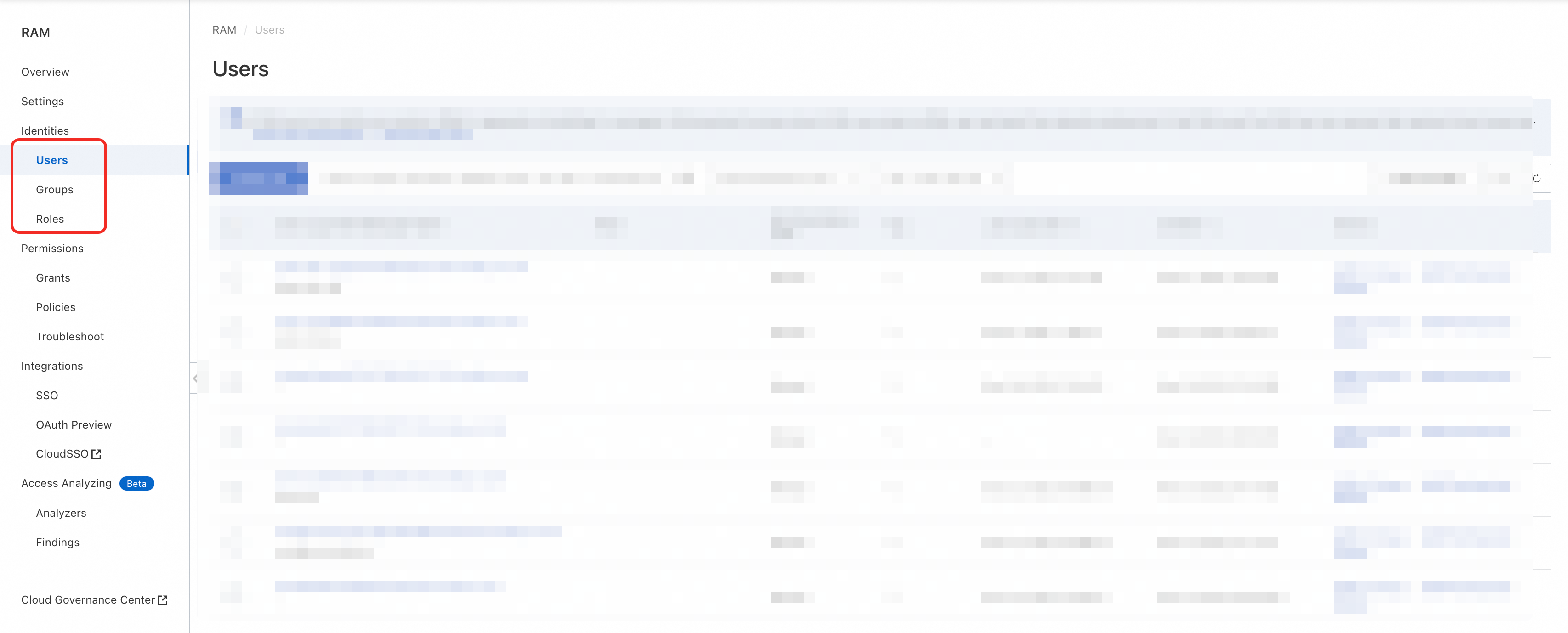
In the Actions column of the User, User Group, or Role list, click Add Permissions. Search for the permission policy AliyunDingTalkServiceFullAccess, select it, and confirm.
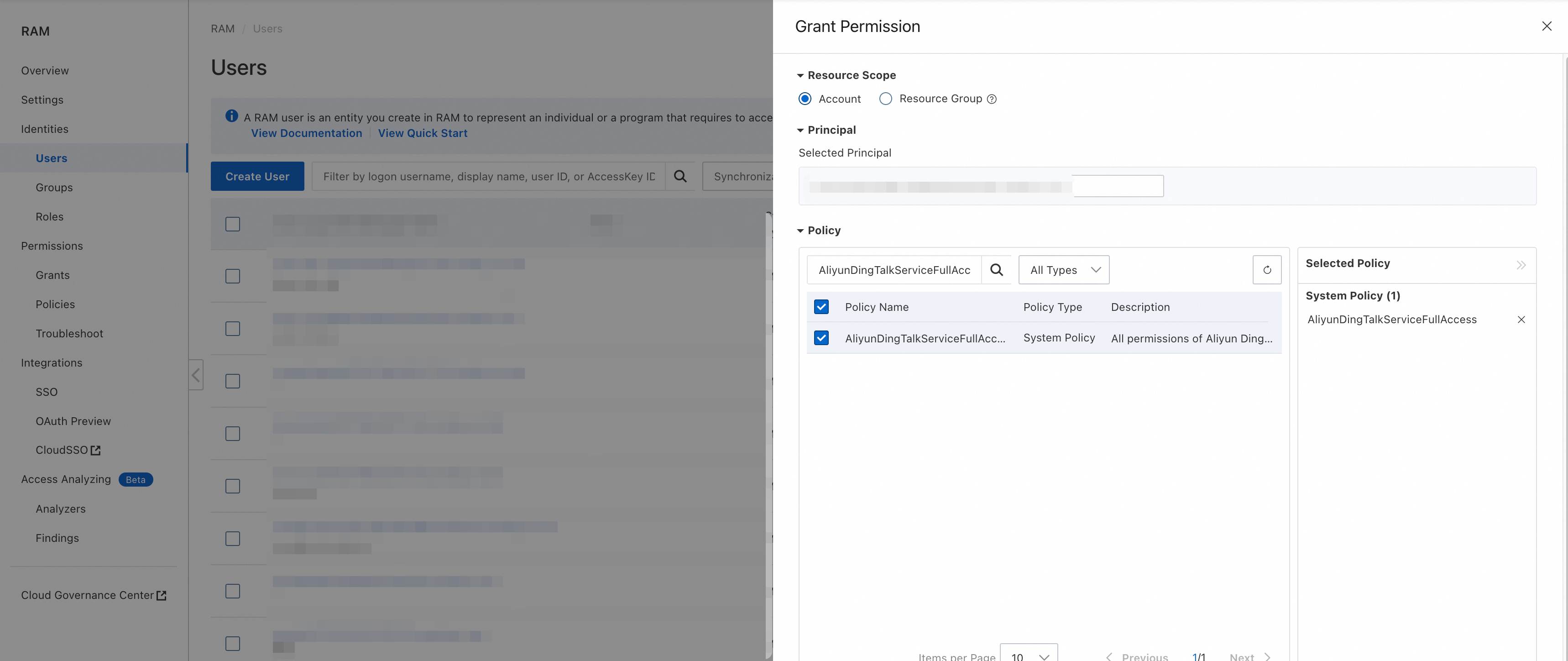
2.3 Add RAM users to the group
After adding a RAM user to the group, the user can sign in to the [[web-based group chat]](https://smartservice.console.alibabacloud.com/service/workbench) and see the service group.
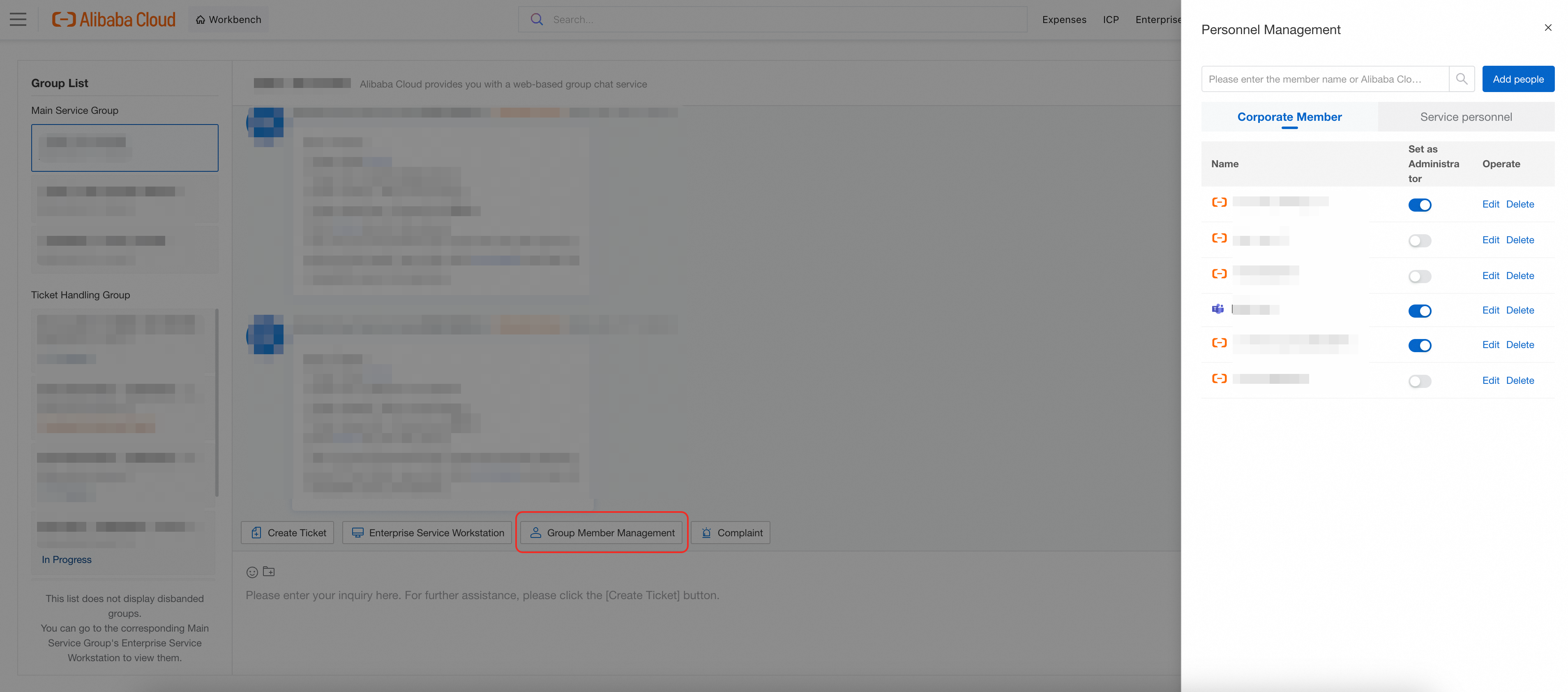
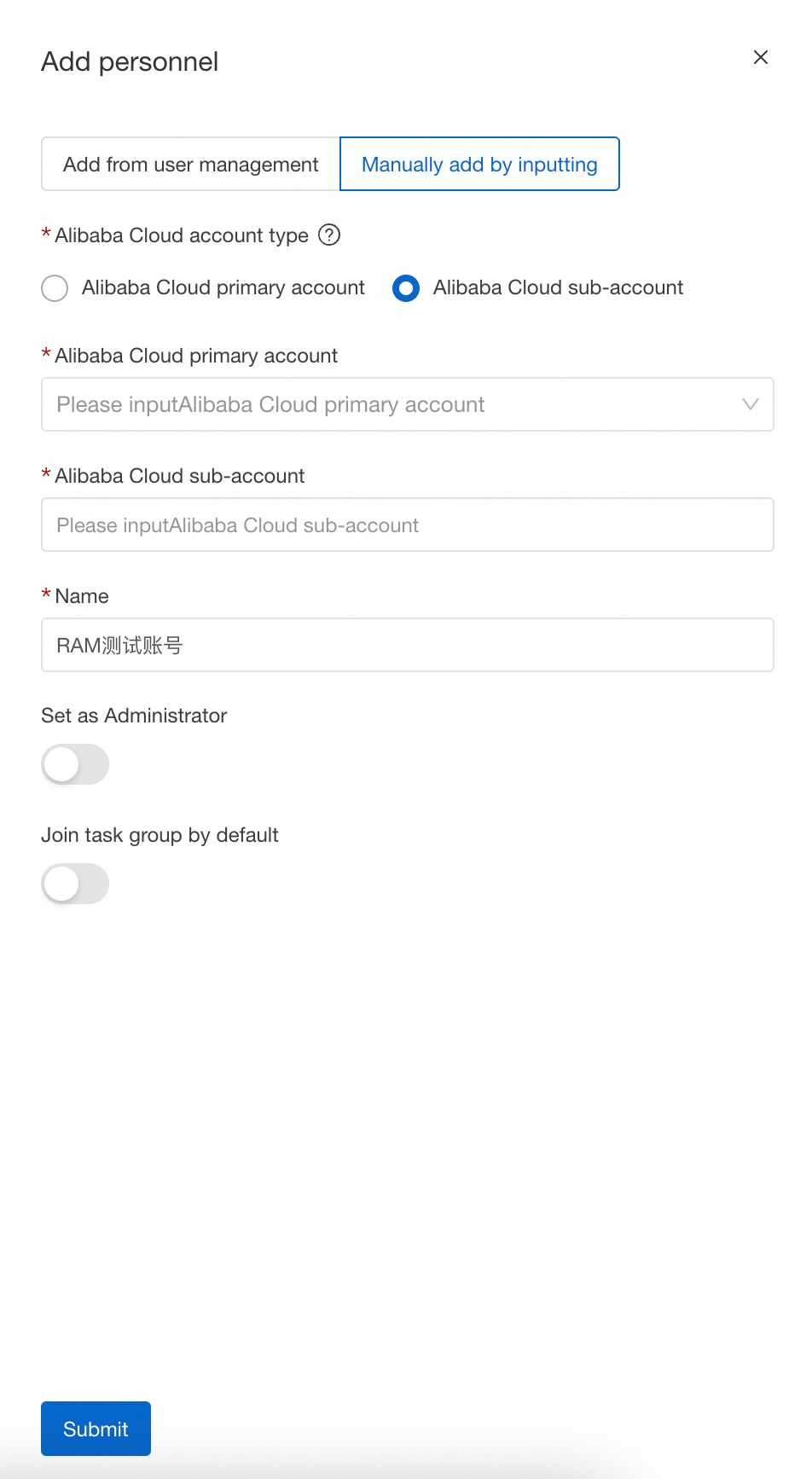
Select the group chat, click the Group Member Management plugin, and click Add people.
If Add people is unavailable, contact your Alibaba Cloud TAM to grant you the "group administrator" role.
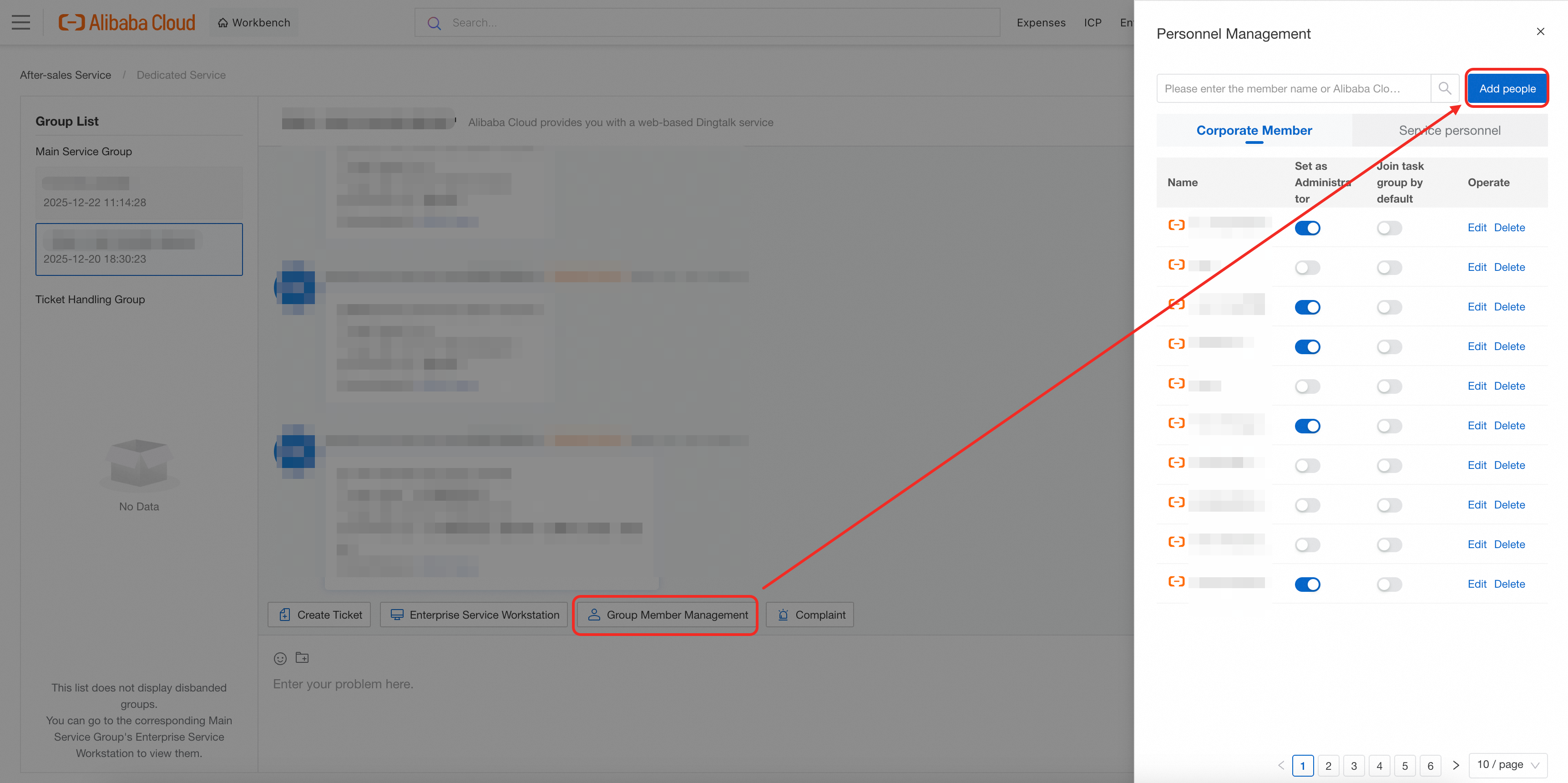
Set the account type to Alibaba Cloud RAM user and enter the RAM user information.
-
Optionally configure the following settings for the RAM user:
Set as administrator: Administrators can add other accounts to the group.
Join ticket group by default: When enabled, the user is automatically added to any new ticket group.
B. You are a RAM user
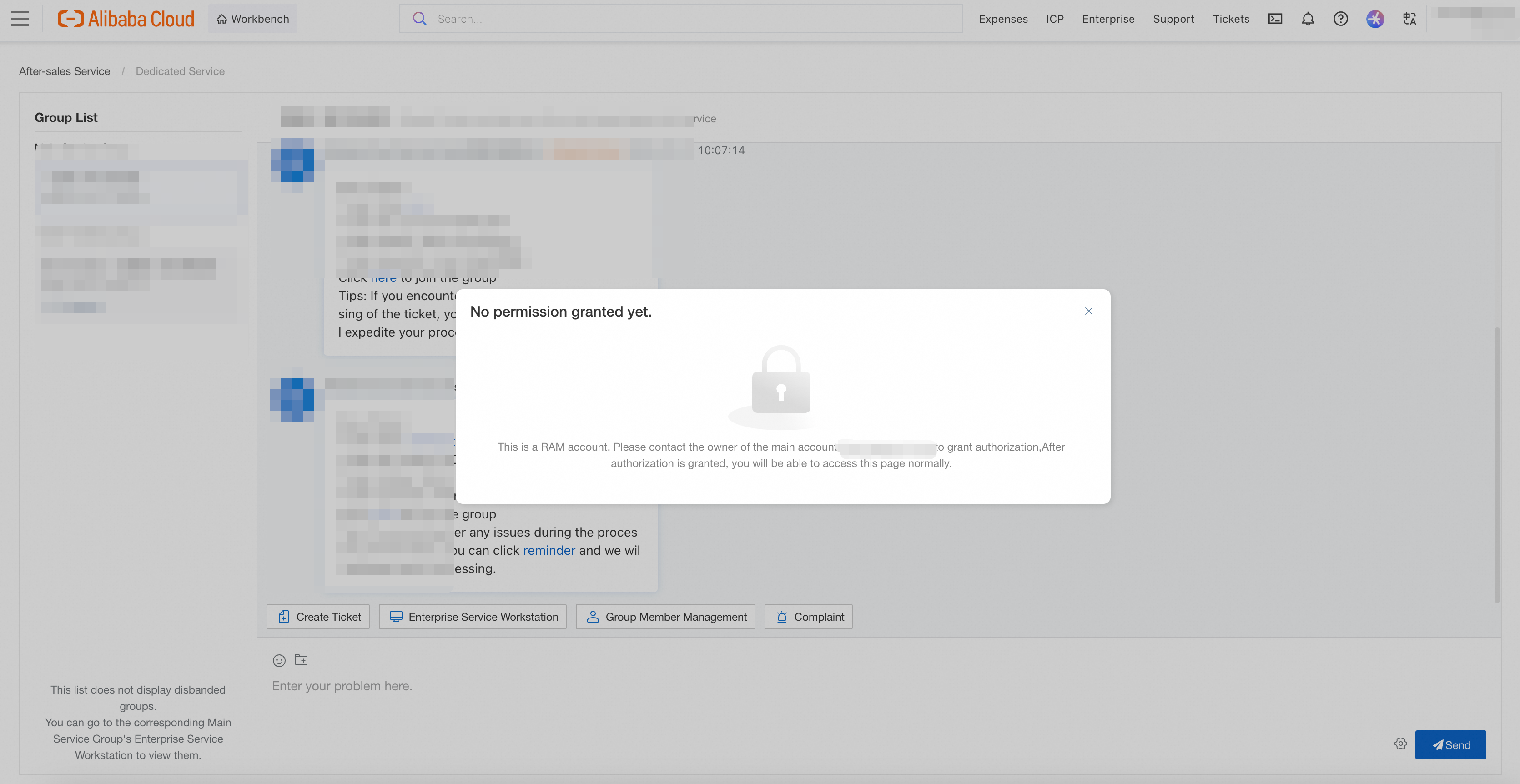
If you hold a RAM user account and cannot access the [[web-based group chat]](https://smartservice.console.alibabacloud.com/service/workbench), ask the Alibaba Cloud account holder to follow the steps in section 2.2 Grant RAM user permissions to grant you access.
Appendix: Submit and manage tickets
In the primary service group, click the Create Ticket plugin and enter a summary of your issue. The system identifies the relevant product automatically, but you can also select the product category manually.
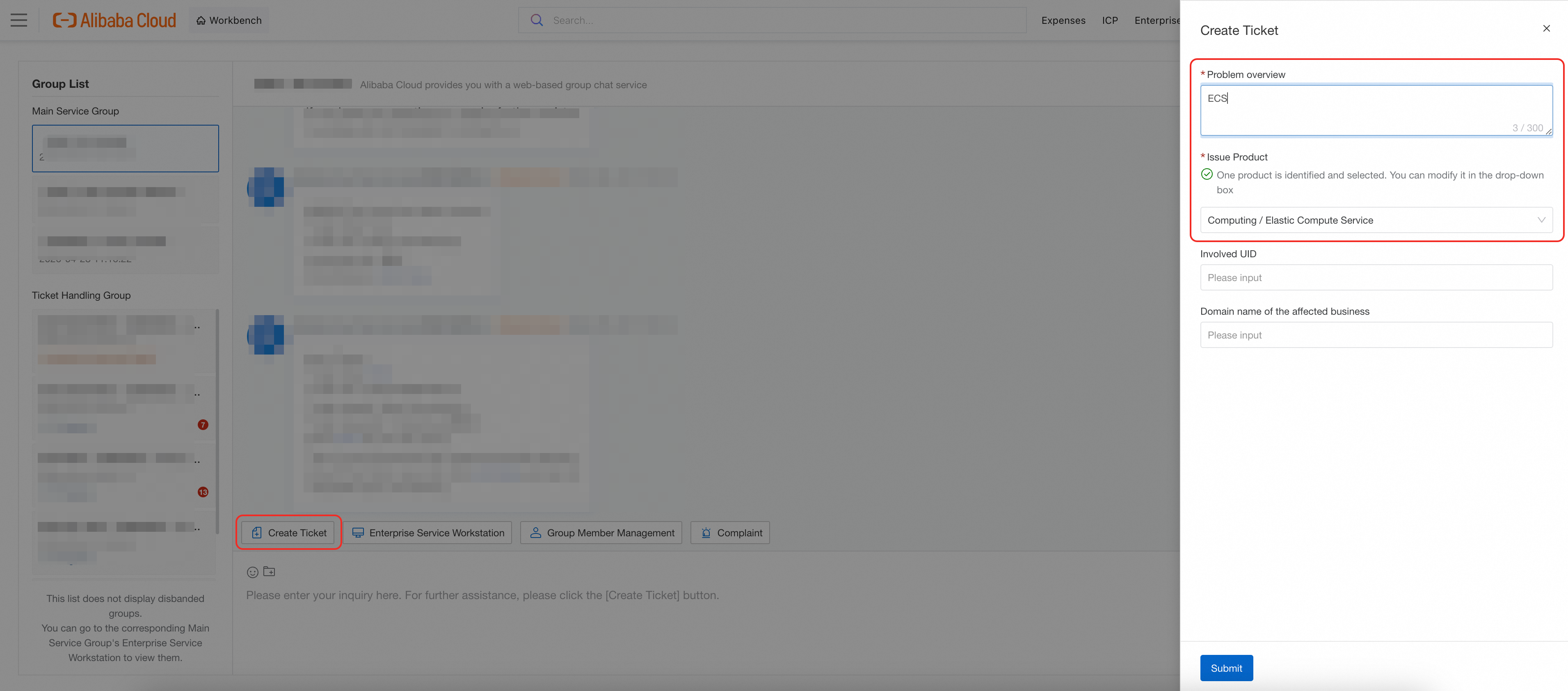
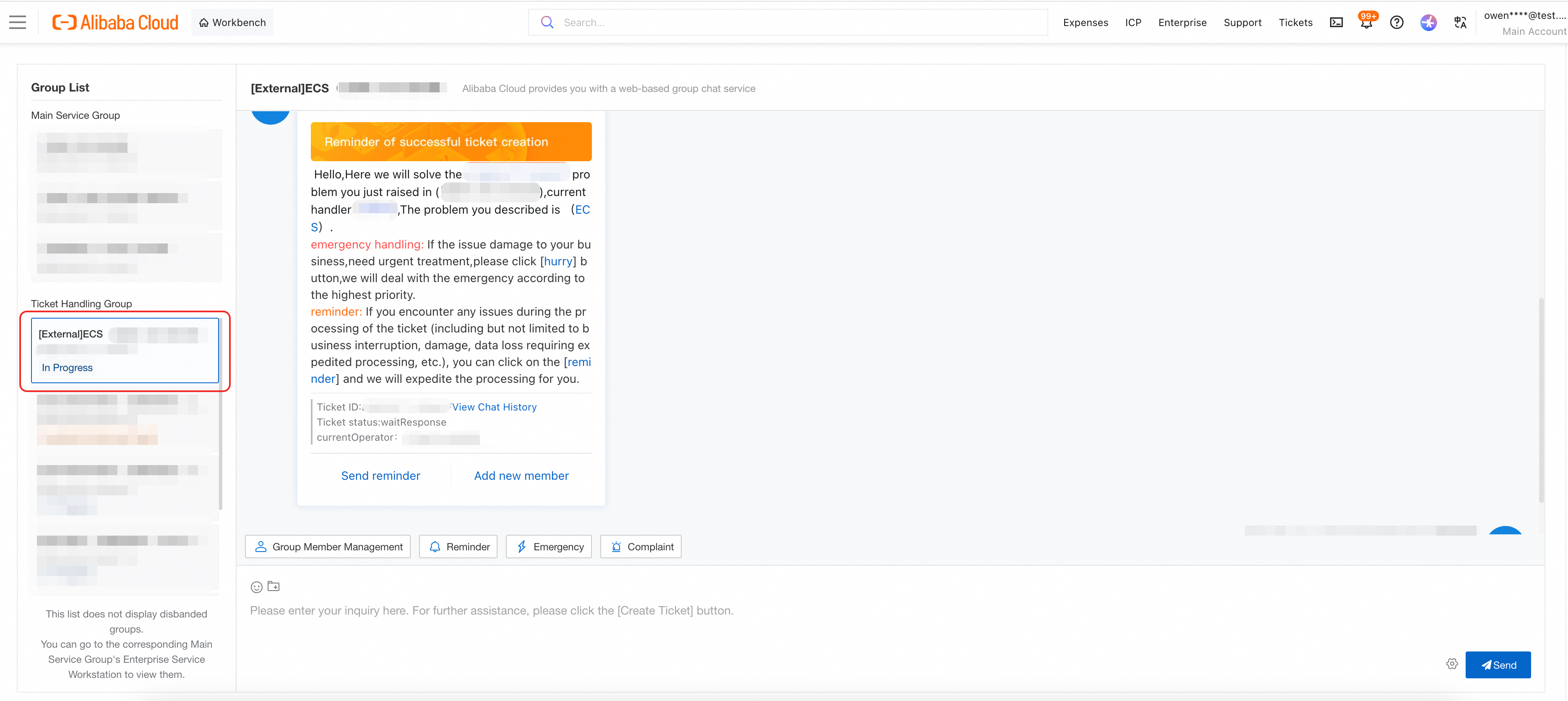
Click Submit. The system creates a ticket and opens a dedicated ticket group, where a technical support engineer is assigned to assist you.
-
The primary service group also provides the following tools:
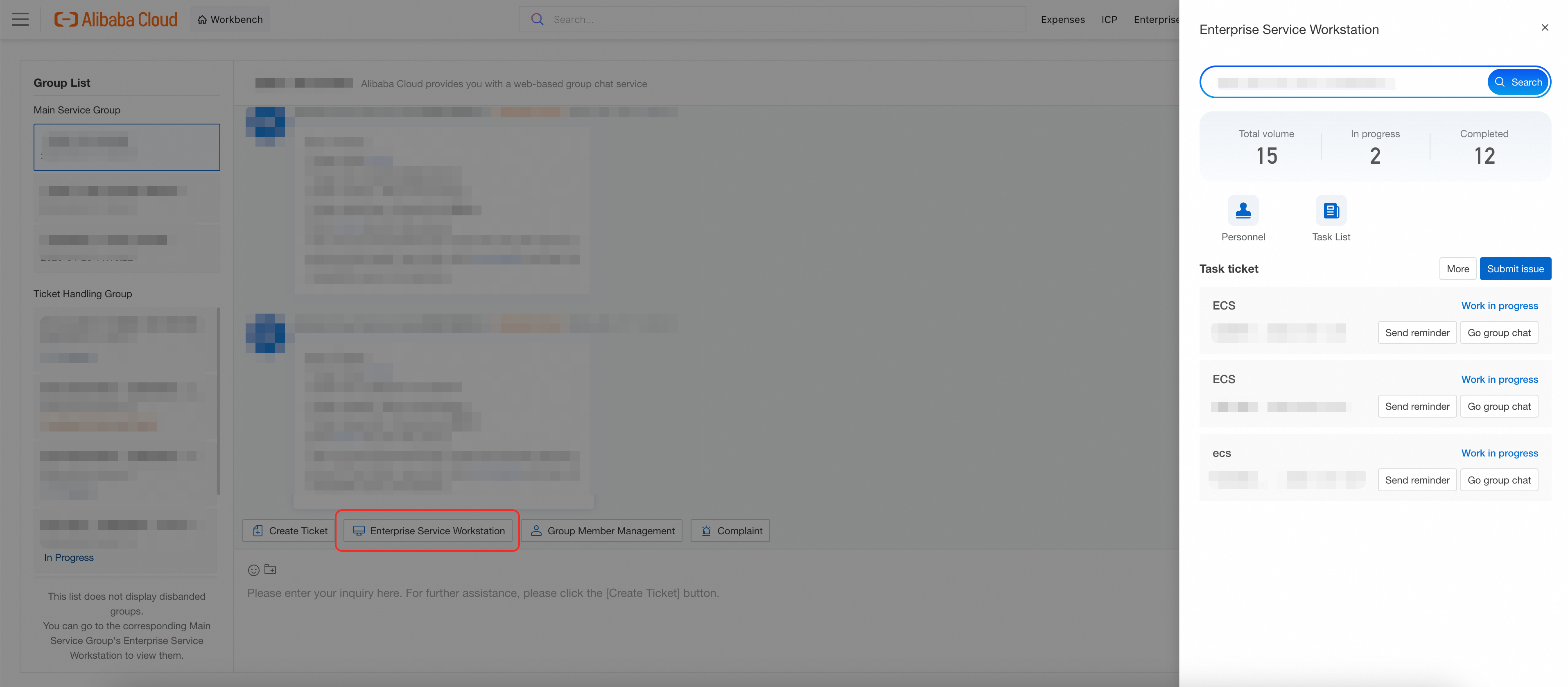
Enterprise Service Workstation: Search historical tickets by chat log, ticket ID, or ticket title, and review past chat records.
Group Member Management: View current group members, edit nicknames, and grant administrator permissions. Click Add people to invite additional users.
If you cannot add members, contact your Alibaba Cloud TAM to request the "group administrator" role.