Dear Valued Customer,
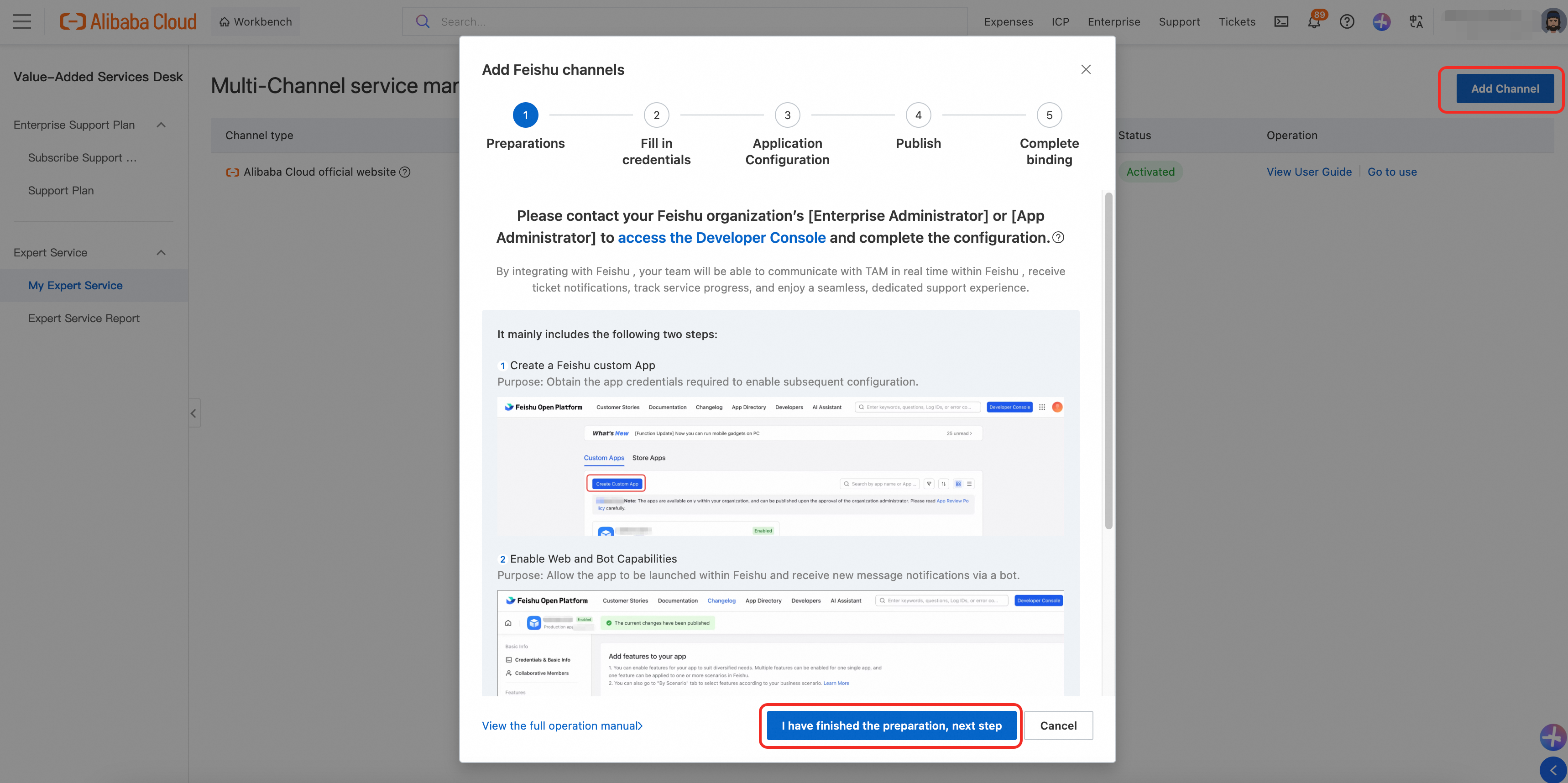
To use [Alibaba Cloud Enterprise Service] within the Feishu Workspace, go to Alibaba Cloud [Value-Added Services Desk -> My Expert Service -> Add Channel], add the Feishu channel, and follow the configuration instructions to complete the setup.
Note: The primary account must have an active Enterprise Support Plan. RAM users and RAM roles can also perform this activation.
Part 1: Configuration steps (about 10 minutes)
Operator: The administrator or application developer of your Feishu organization
Core objective: Create a custom app and grant the required permissions for secure integration with the Alibaba Cloud platform.
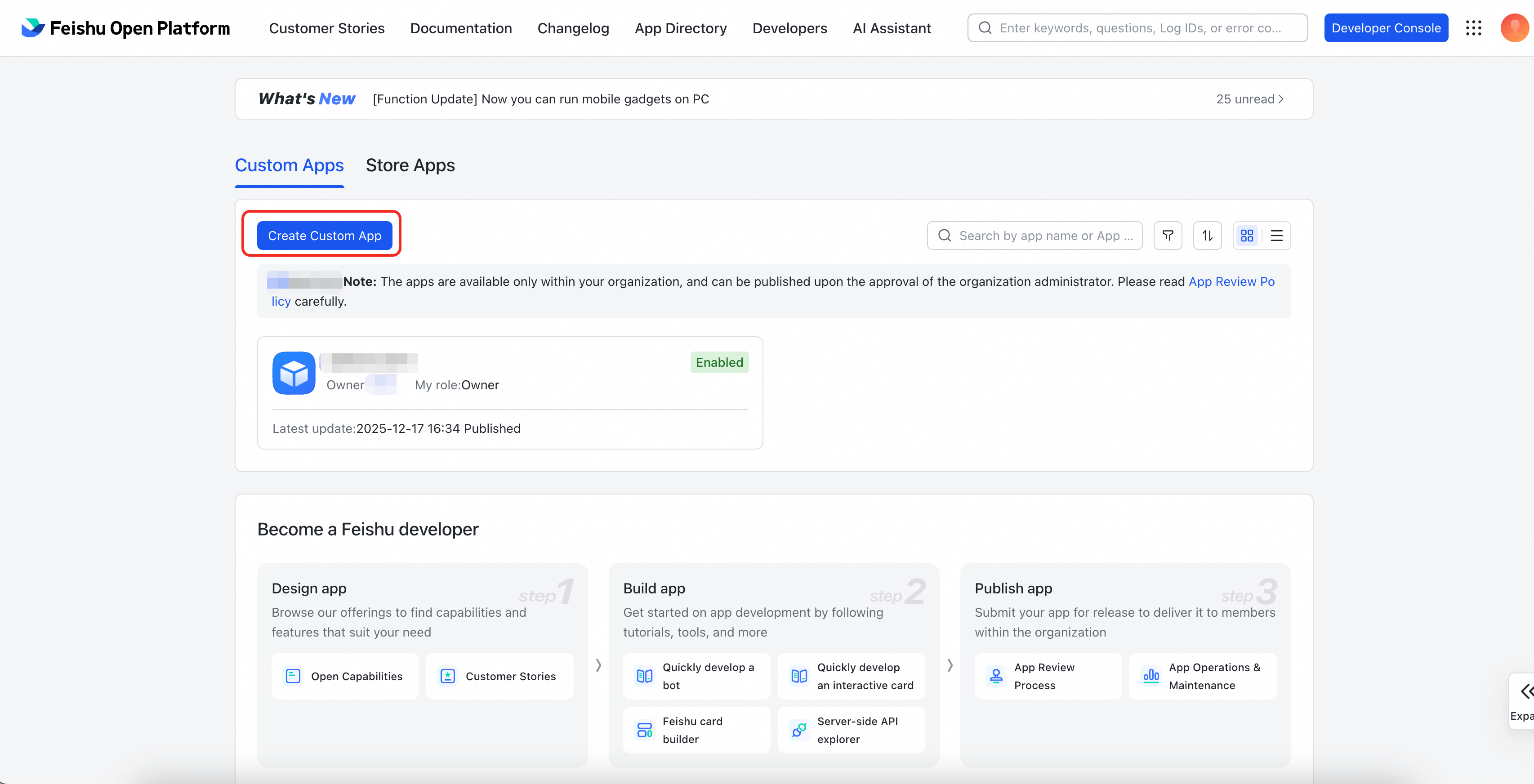
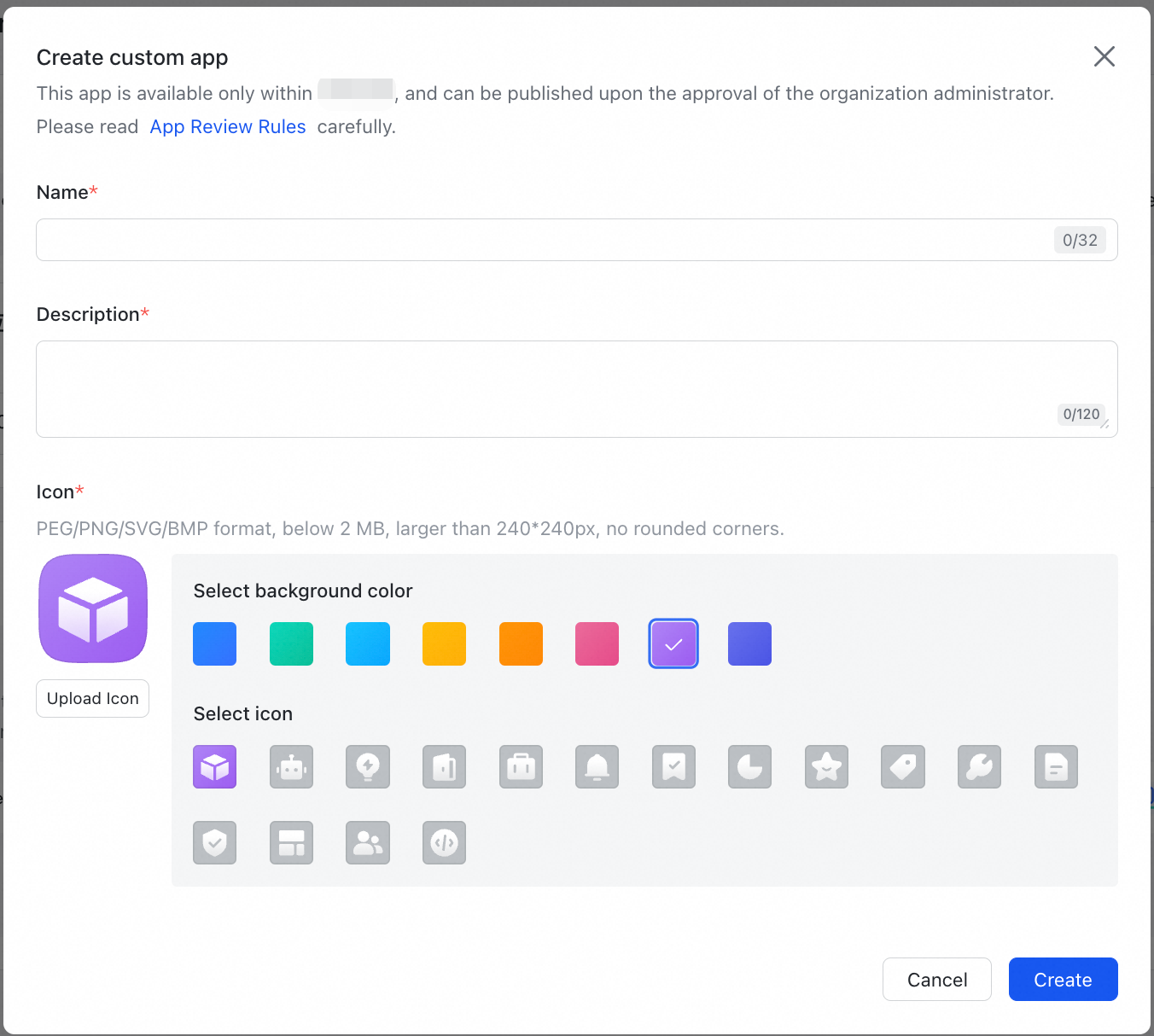
Step 1: Create a Custom App
-
Please log in to [Feishu Open Platform].
-
Create a new Custom App in the platform, define the application name and description (we recommend that you specify Alibaba Cloud Enterprise Service to facilitate queries and access by members of the organization).
Step 2: Add Application Features
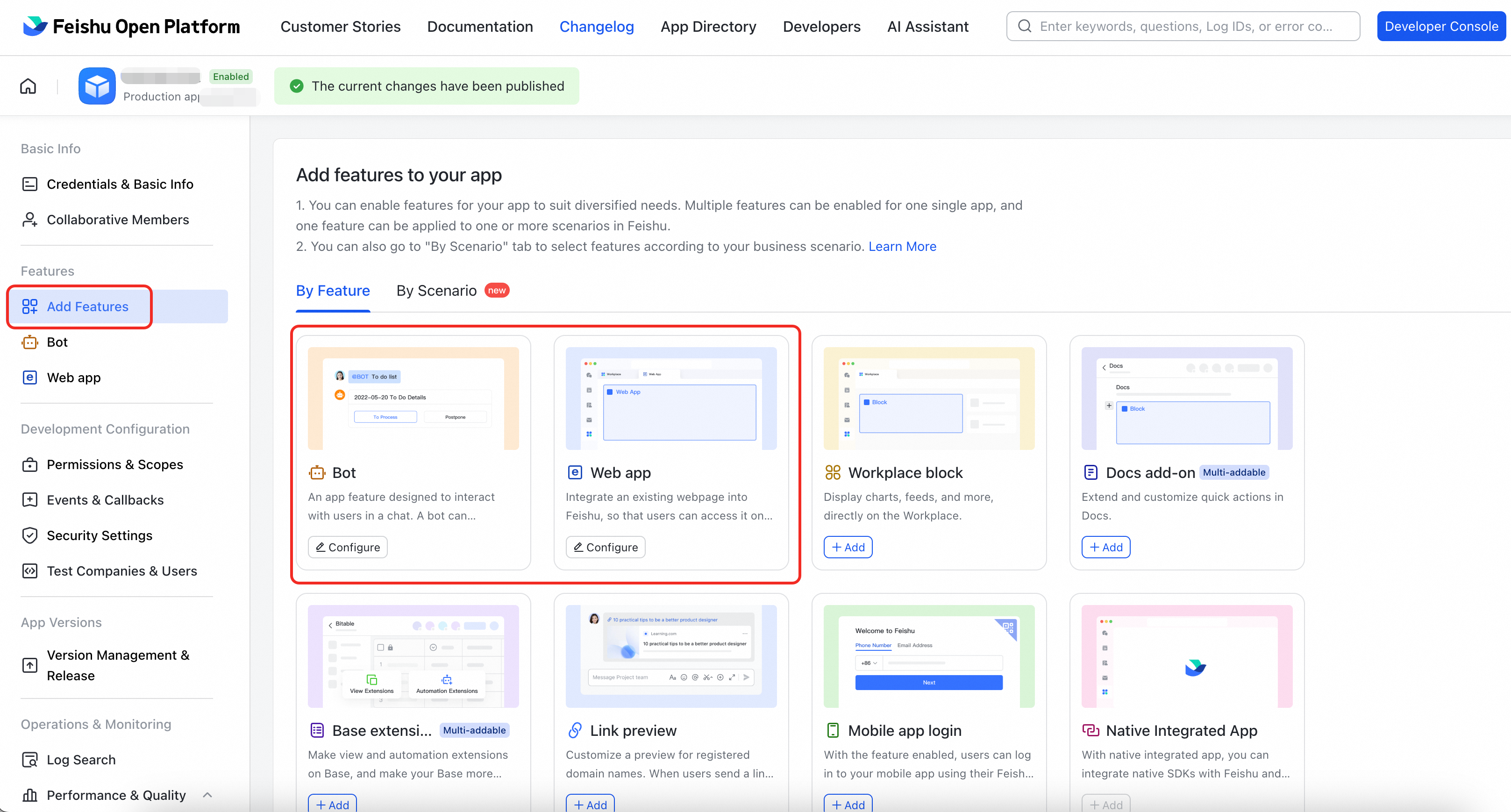
In the left navigation bar of the application console, find and click [Add Features]. On this page, add the following two core features to your app:
-
Web app
-
Purpose: Allows your team to open and use the Alibaba Cloud Enterprise Service application directly in Feishu.
-
Operation: Find the "Web app" card and click + to add it. You can follow [Step 4] to add the desktop-side link.
-
-
Bot
-
Purpose: Enables the Alibaba Cloud Enterprise Service application to send you message notifications so that you do not miss important information.
-
Operation: Find the "robot" card and click + to add it.
-
Step 3: Obtain and provide application credentials
To enable the Feishu channel, provide your organization name, App ID, and App Secret.
-
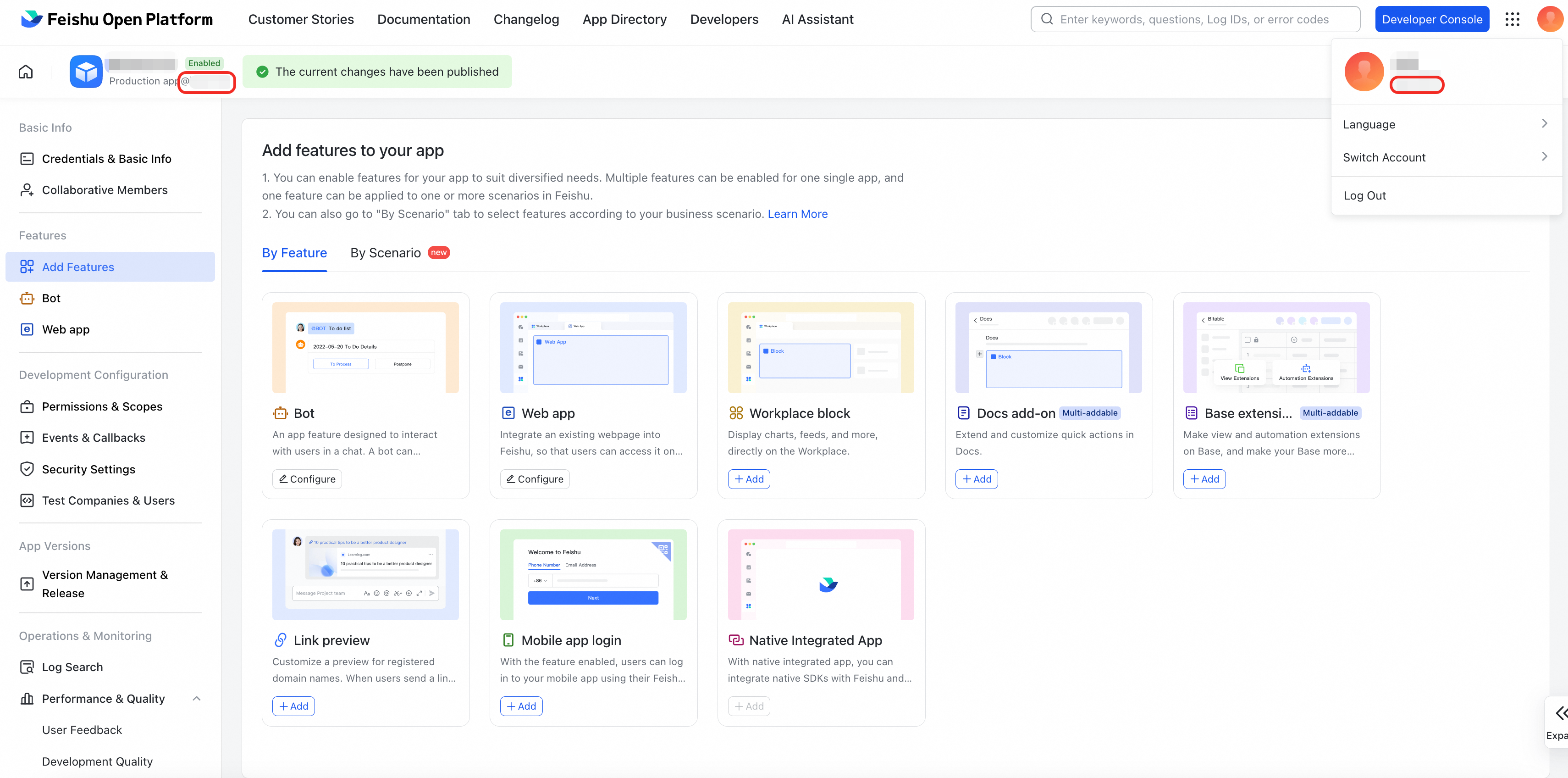
Organization name: In the upper-right corner of the [Feishu Open Platform], the text below your name is the organization name. The organization name also appears below the upper-left corner of the new application as "Production app@ (Organization Name)".
-
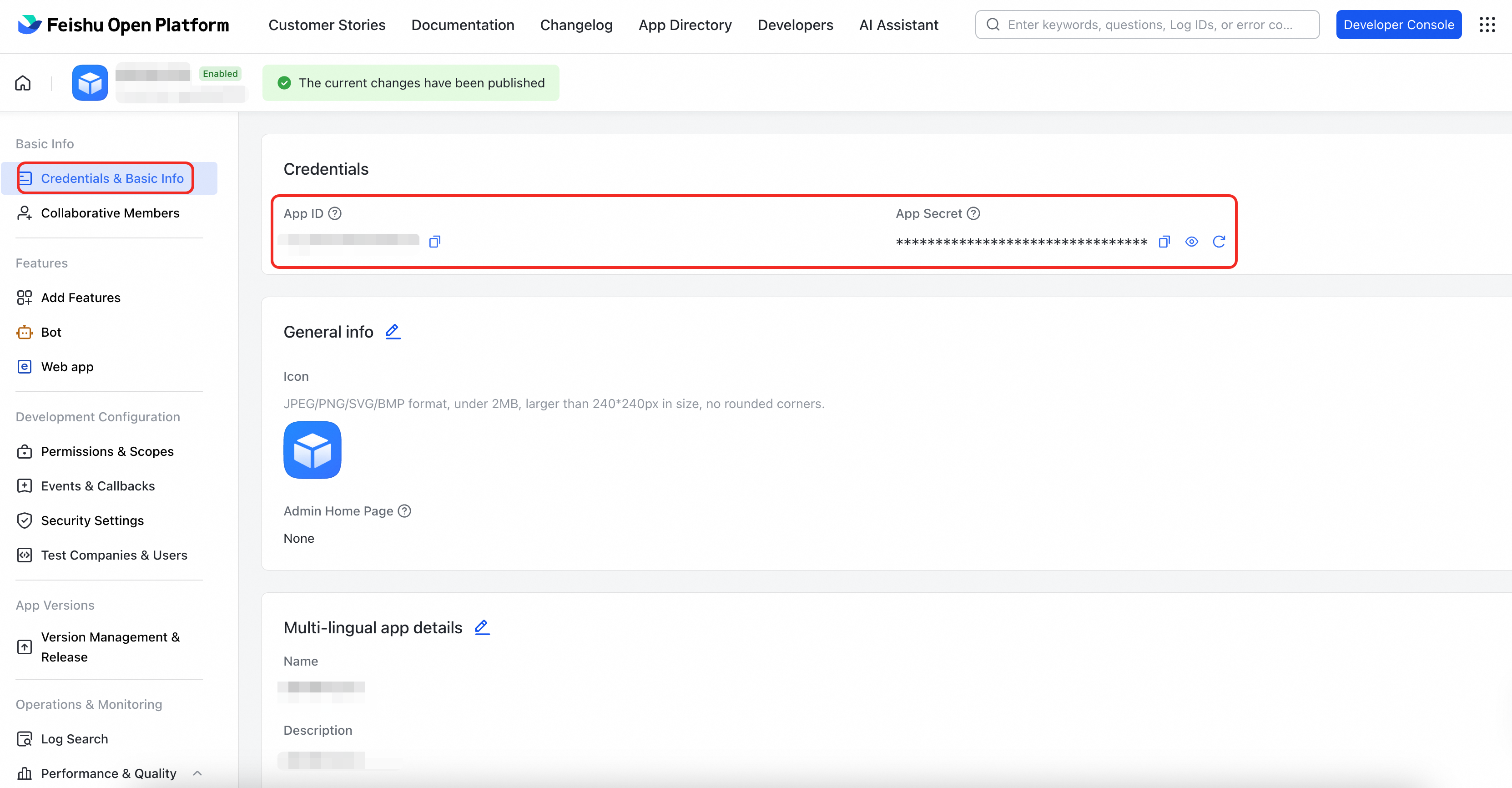
After the application is created, find and copy the App ID and App Secret on the Credentials & Basic Info page.
-
Provide the organization name, App ID, and App Secret to your TAM for configuration (self-service configuration will be supported later).
-
Copy your organization name, App ID, and App Secret into the [Alibaba Cloud Value-Added Service Console > My Expert Services > Channel Management > Add Channel > Feishu Channel > Enter Credentials] section.
Step 4: Configure web app link
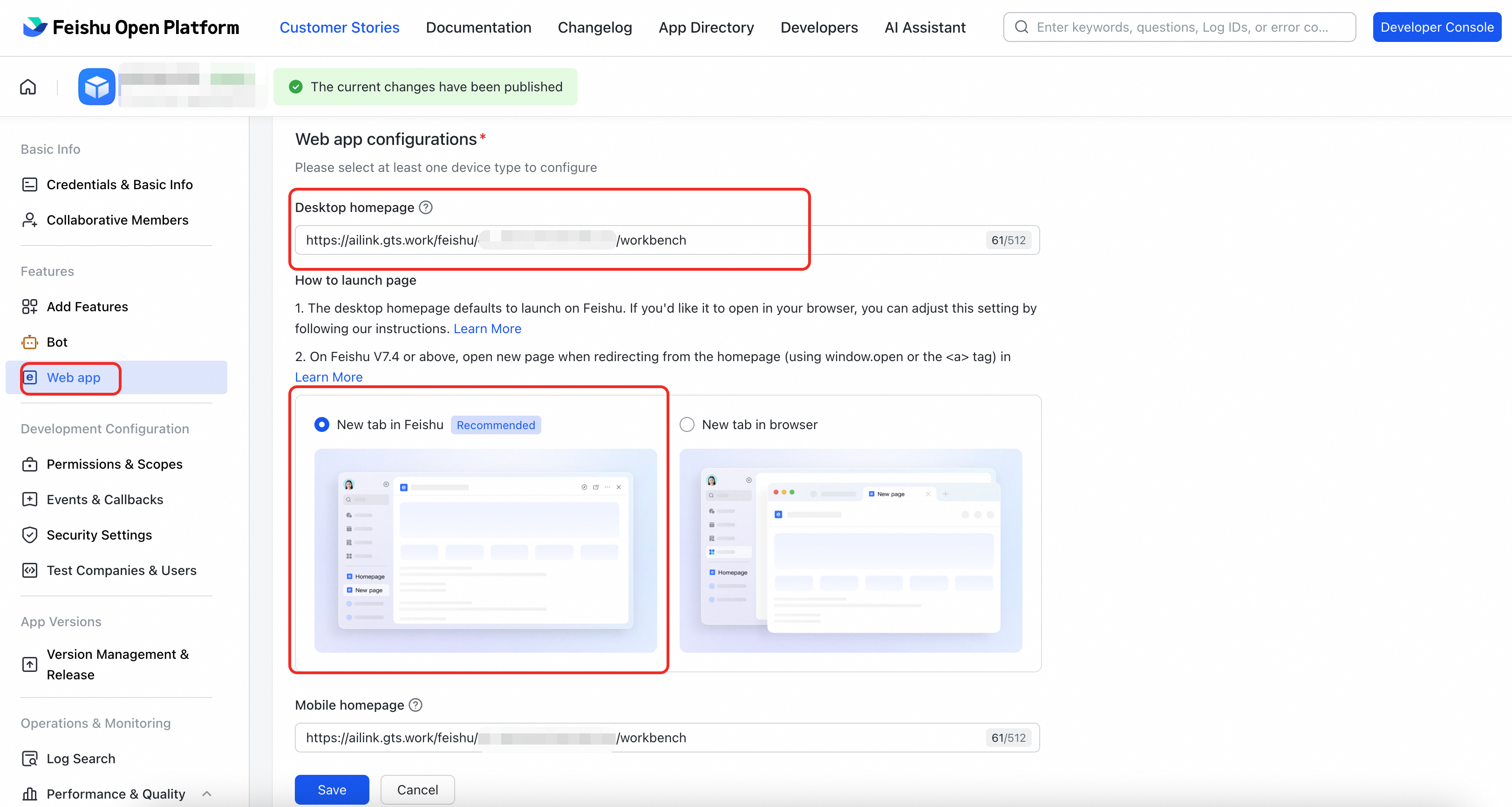
Enter the desktop homepage URL in the web app configurations. The format is as follows. Replace {appId} with the actual App ID of your web app:
https://ailink.gts.work/feishu/{appId}/workbench
We recommend that you select "New tab in Feishu".
Step 5: Activate application permissions
To ensure that the application functions properly (such as sending message notifications and displaying information cards), enable the following permissions for the application.
|
Permission Point |
Usage Description |
Feishu Official Permission Description |
|
|
Retrieves basic information about your organization, including:
Main purpose: Displays your enterprise identity correctly in the application. |
|
|
|
Retrieves application info. |
|
|
|
Allows the app bot to send messages to users. |
|
|
|
Allows the app to create and update message cards. |
Method 1: Batch Import
-
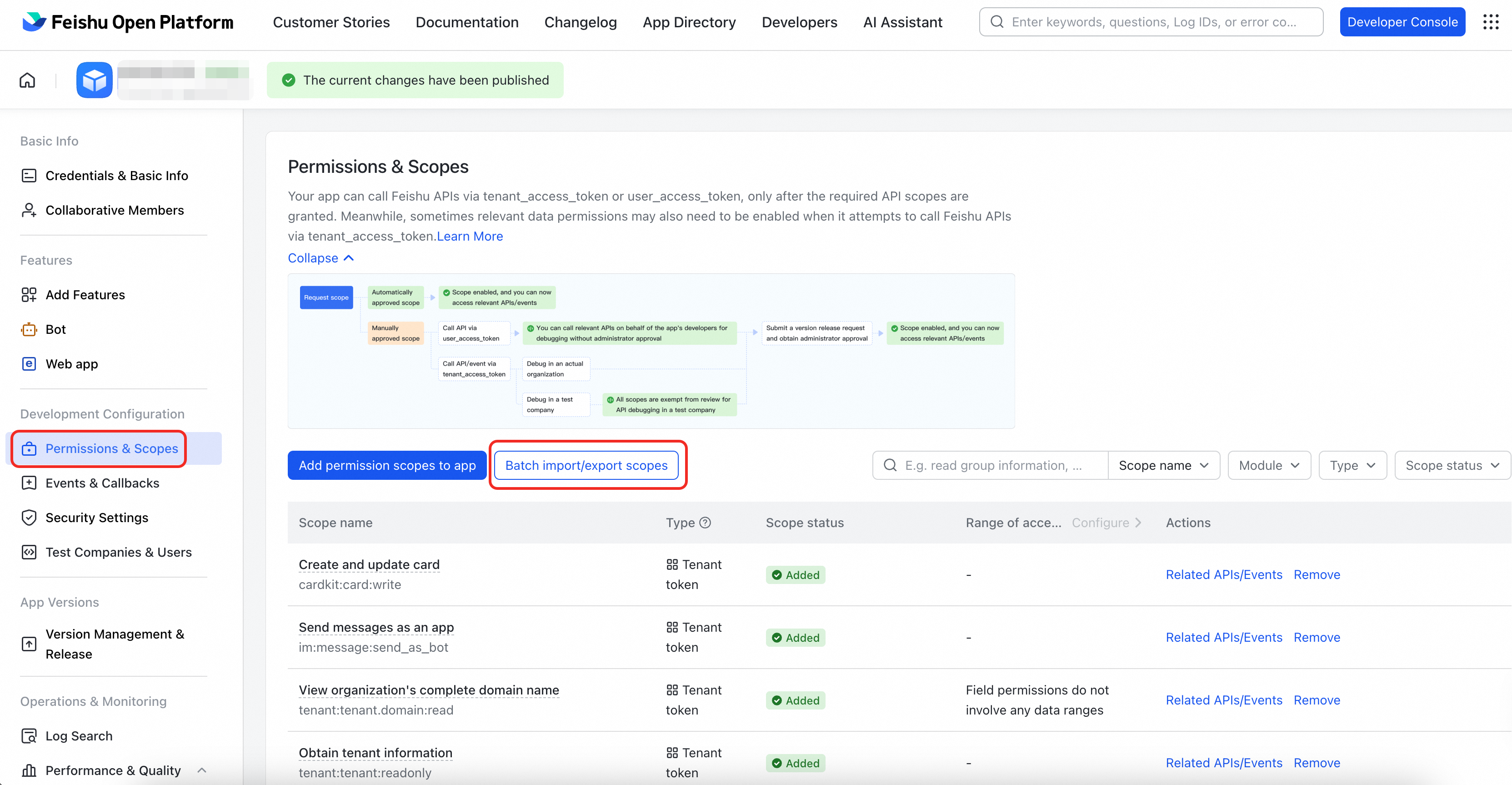
Go to [Permissions & Scopes] and click Batch Import/export scopes
-
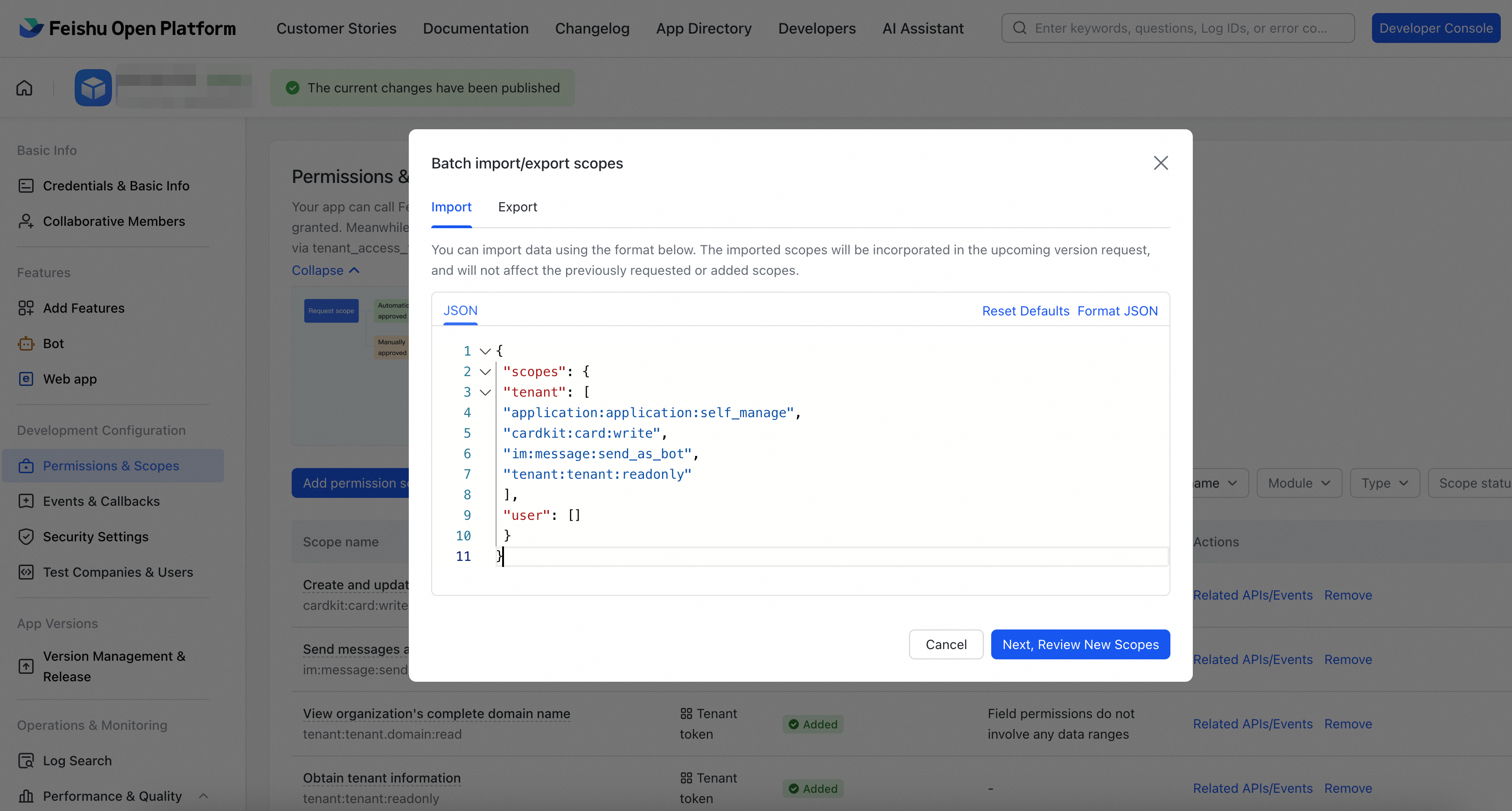
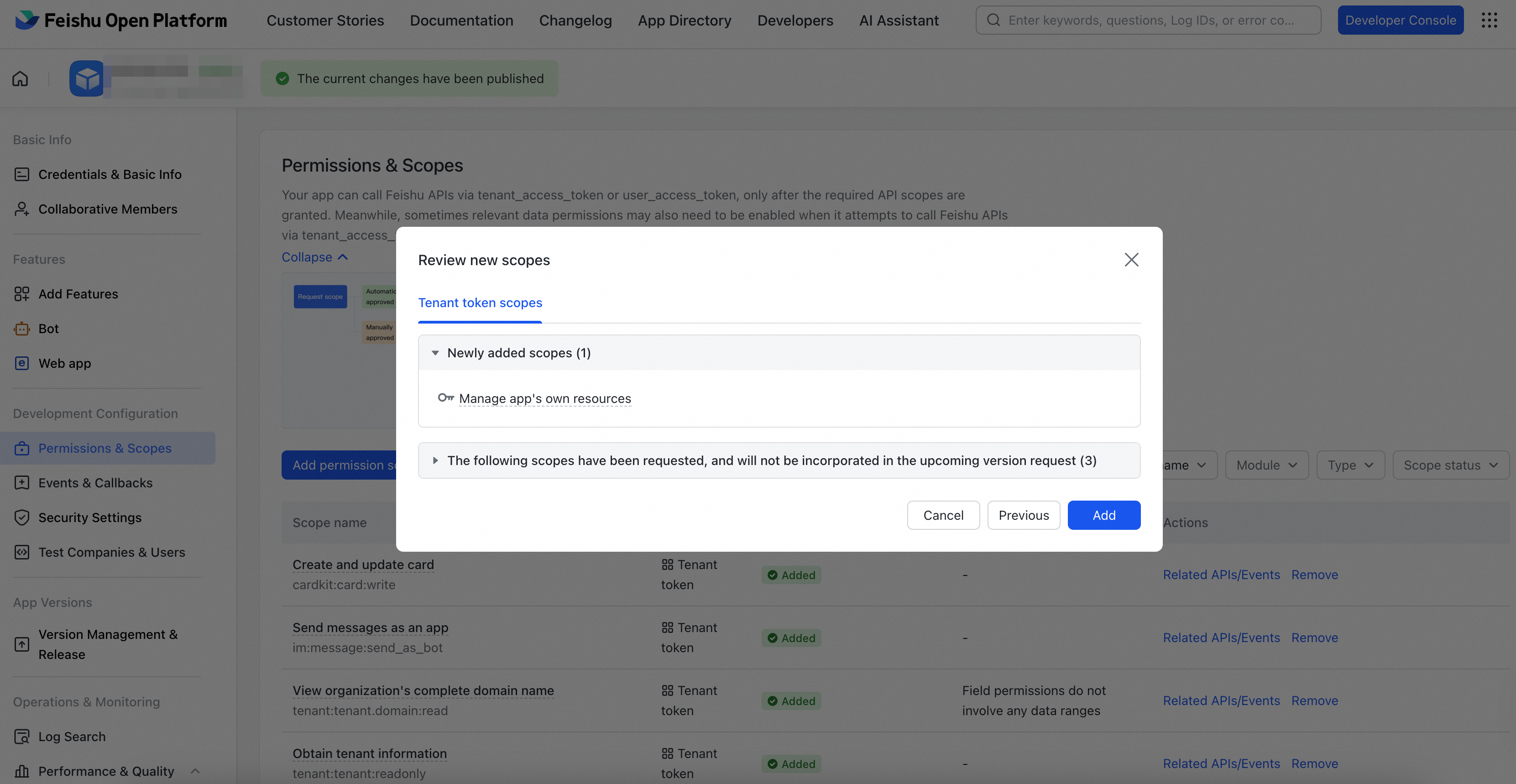
Copy the following JSON into the import box and click Add
{
 "scopes": {
 "tenant": [
 "application:application:self_manage",
 "cardkit:card:write",
 "im:message:send_as_bot",
 "tenant:tenant:readonly"
 ],
 "user": []
 }
}
Method 2: Imort manually
You can also click Add permission scopes to app in [Permissions & Scopes] to search for and add the following permission points one by one.
Permission points:
application:application:self_manage
tenant:tenant:readonly
im:message:send_as_bot
cardkit:card:write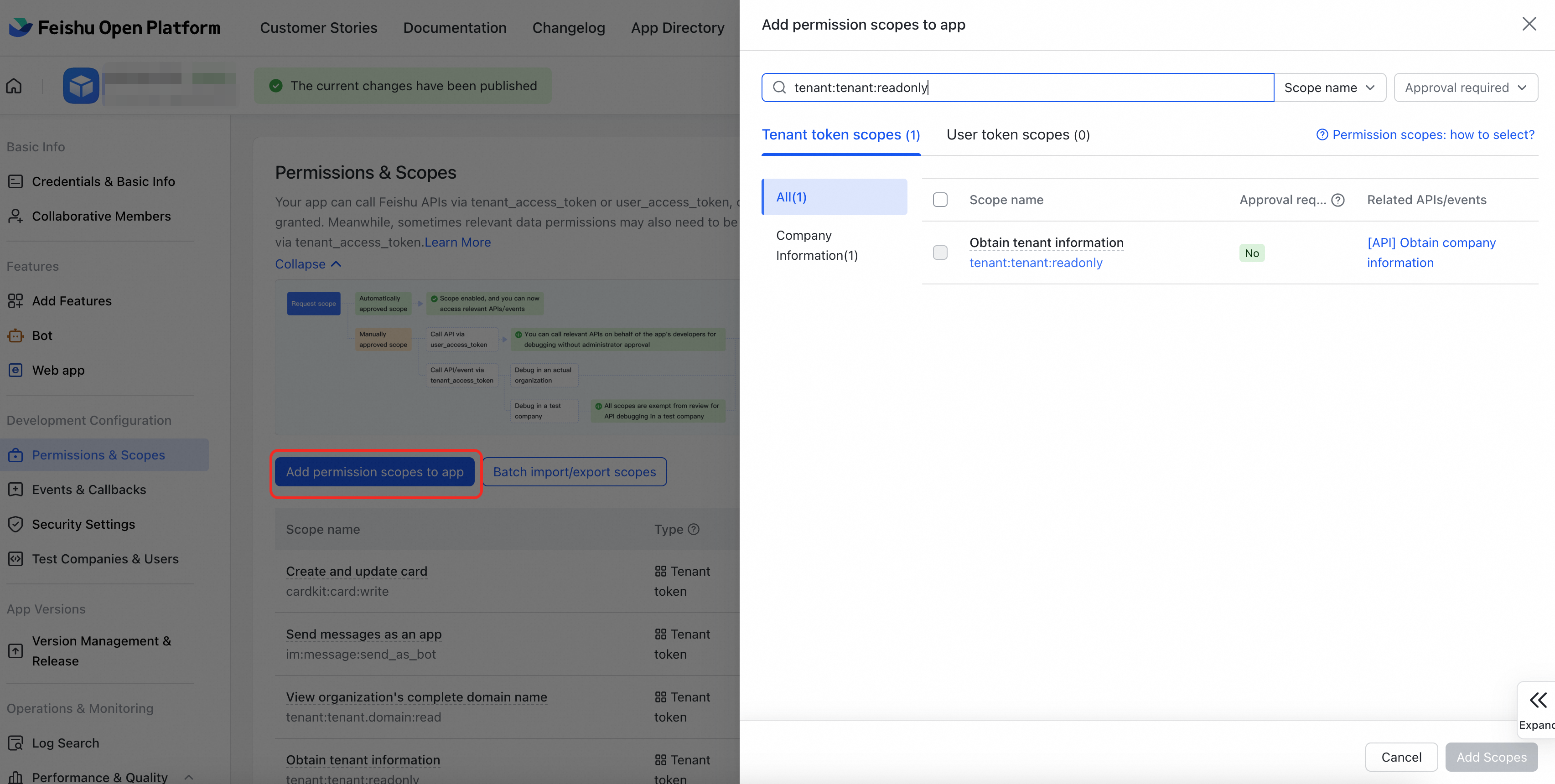
Step 6: Security Settings
To ensure that the application runs properly, complete the following security settings on the Feishu developer page.
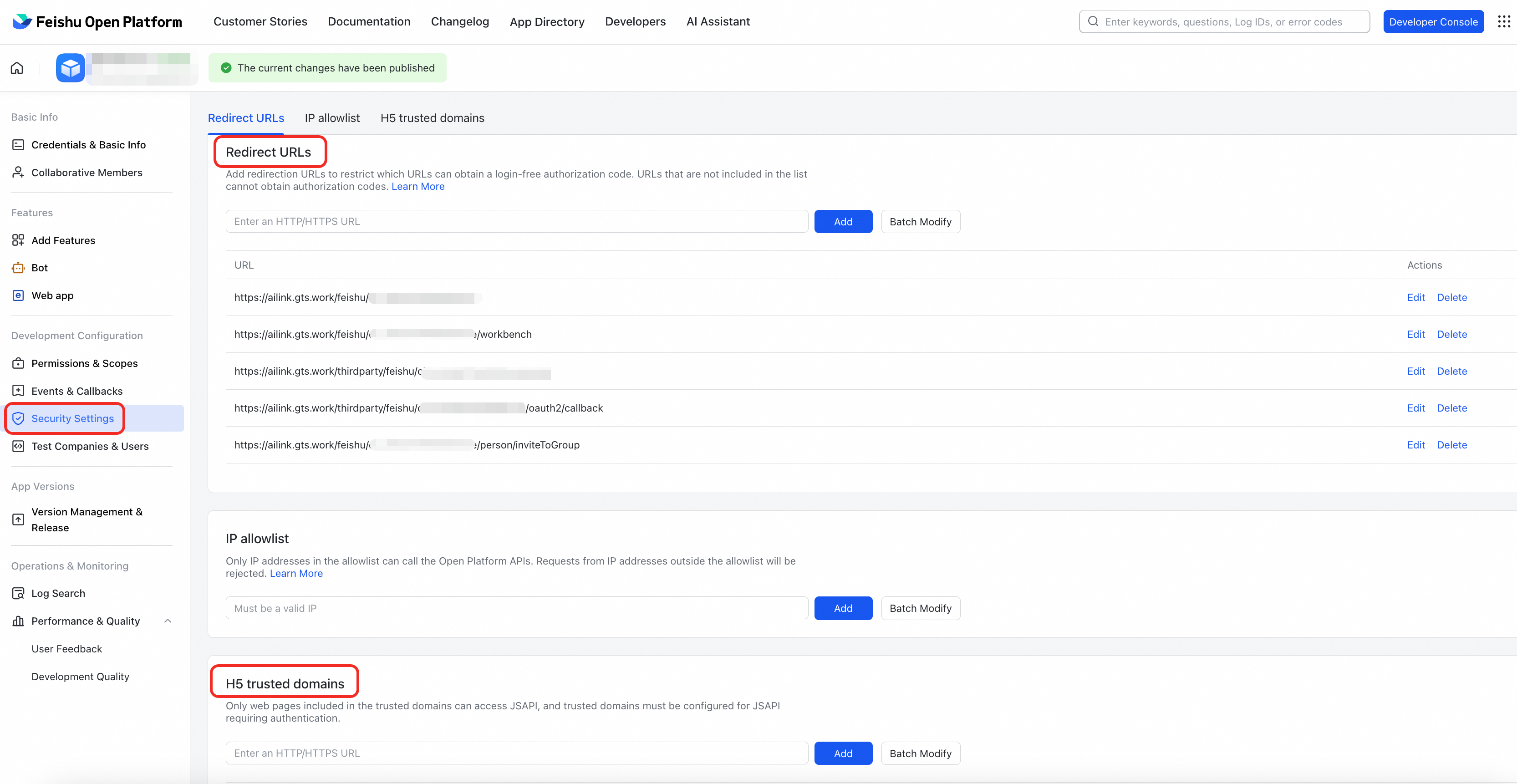
1.Set redirect URLs
Add the following address to Redirect URLs.
Note: Replace '{appId}' in the URLs with the actual APP ID you obtained in [Step 1]. You can find it on the Feishu application details page.
https://ailink.gts.work/feishu/{appId}
https://ailink.gts.work/feishu/{appId}/workbench
https://ailink.gts.work/thirdparty/feishu/{appId}/login
https://ailink.gts.work/thirdparty/feishu/{appId}/oauth2/callback
https://ailink.gts.work/feishu/{appId}/person/inviteToGroup
2. Set H5 trusted domains
Add the following domain name in H5 trusted domains:
https://ailink.gts.workStep 7: Version Management and Release
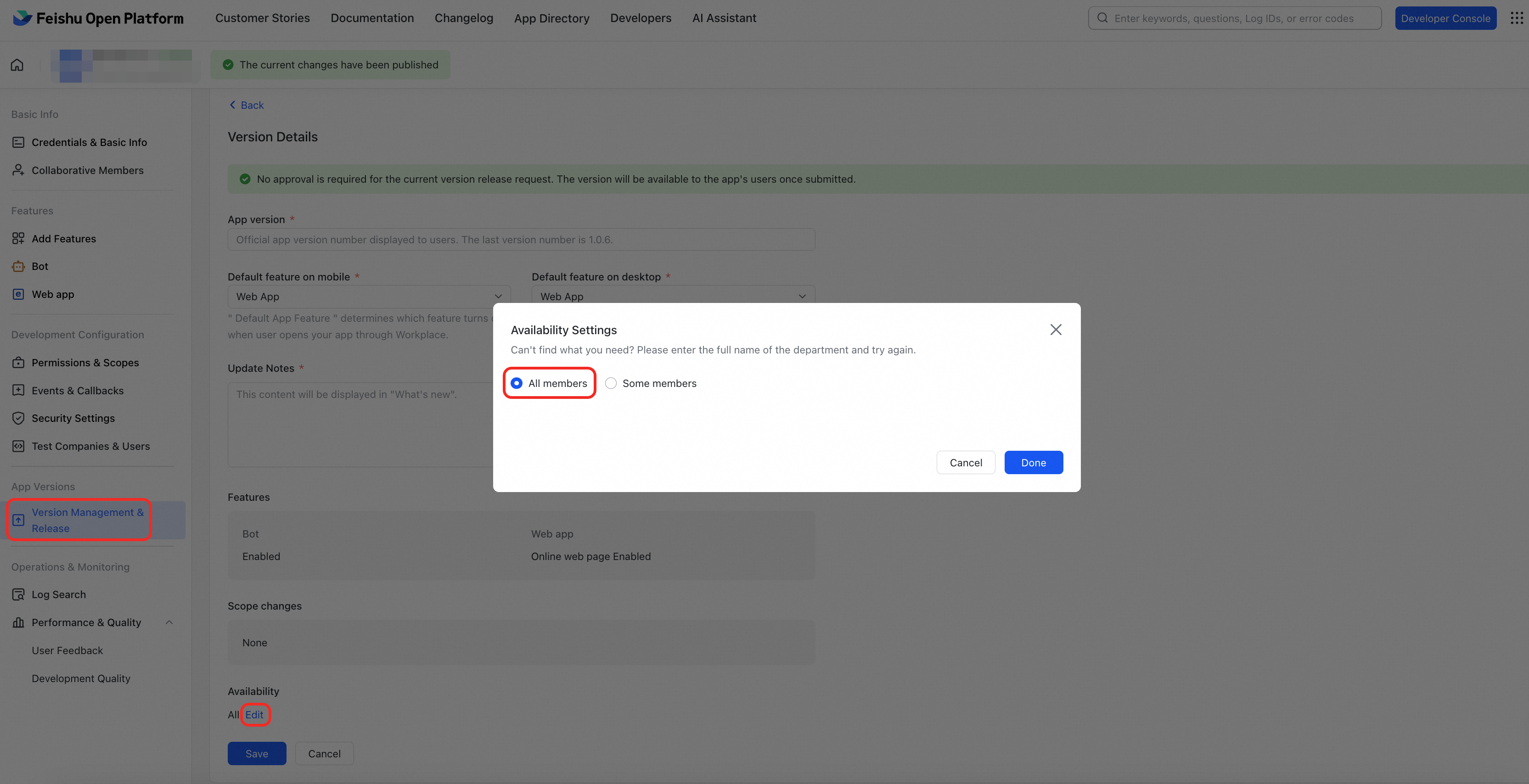
For the initial release and subsequent application changes, enter the version number and update description in [Version Management & Release], and then save and release.
Note: You can set the Application Available Range to all or some members of an organization as needed.
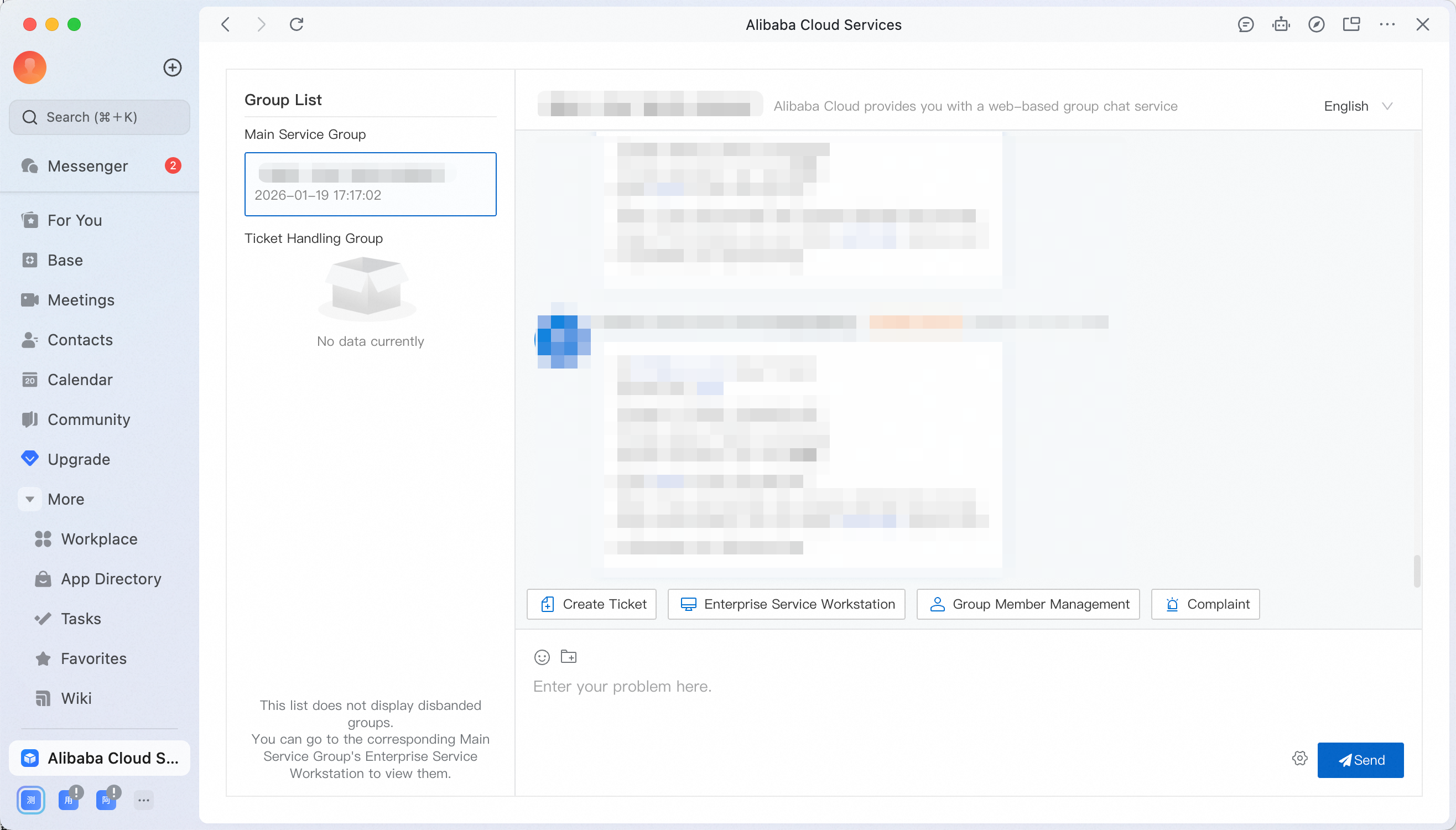
Done! Please contact TAM to enter the group
You have completed all configurations. Contact your Technical Service Manager (TAM) to obtain the group joining link. You can communicate with your TAM in real time through the application, receive ticket notifications, track service progress, and enjoy a seamless support experience.
Special instructions and frequently asked questions
-
[Network Configuration] IP Whitelist (if any)
If your enterprise network environment uses a strict IP or domain name access whitelist, add the application website to the whitelist. Otherwise, the application cannot open in Feishu.
-
[Cost Reminder] Feishu Version and API Call Restrictions
-
If you are using the free version of Feishu, the upper limit of API calls for custom app is
10,000 per month. -
If you are using the paid version of Feishu, this restriction does not apply.
-
Note: The main API call scenario of this application is to send
@message notifications through the bot. Message notifications are subject to fatigue control, and each user receives at most one notification every 10 minutes. Evaluate this usage based on your team's communication frequency. The 10,000 per month limit applies to the total number of calls across all APIs. If you are using the free version, account for other API calls as well. For charged API details, see https://open.feishu.cn/document/server-docs/api-call-guide/server-api-list?charge=all
-
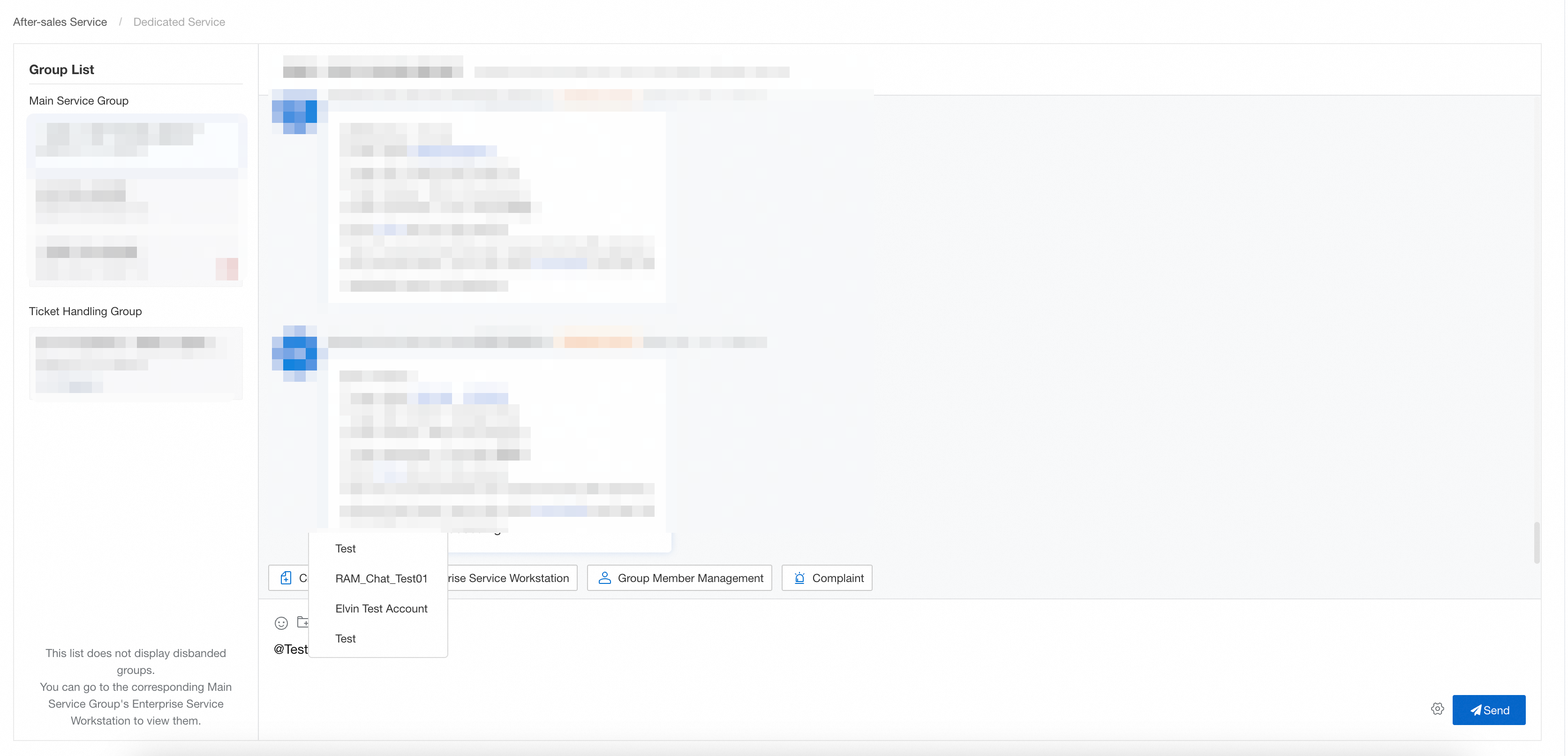
Part 2 [Alibaba Cloud Enterprise Service] Application Usage Guide
Login authorization
Click the application created in [Part 1] to complete authorization (for identification only) and log in.
Service main group
After you activate the Feishu channel service, the system automatically binds the corresponding Enterprise Support Plan service group for you. You can directly contact the Alibaba Cloud Technical Service Manager (TAM) and other support personnel in the group.
Note: If you do not see a service main group in your interface, contact your Technical Service Manager (TAM) to add it for you.
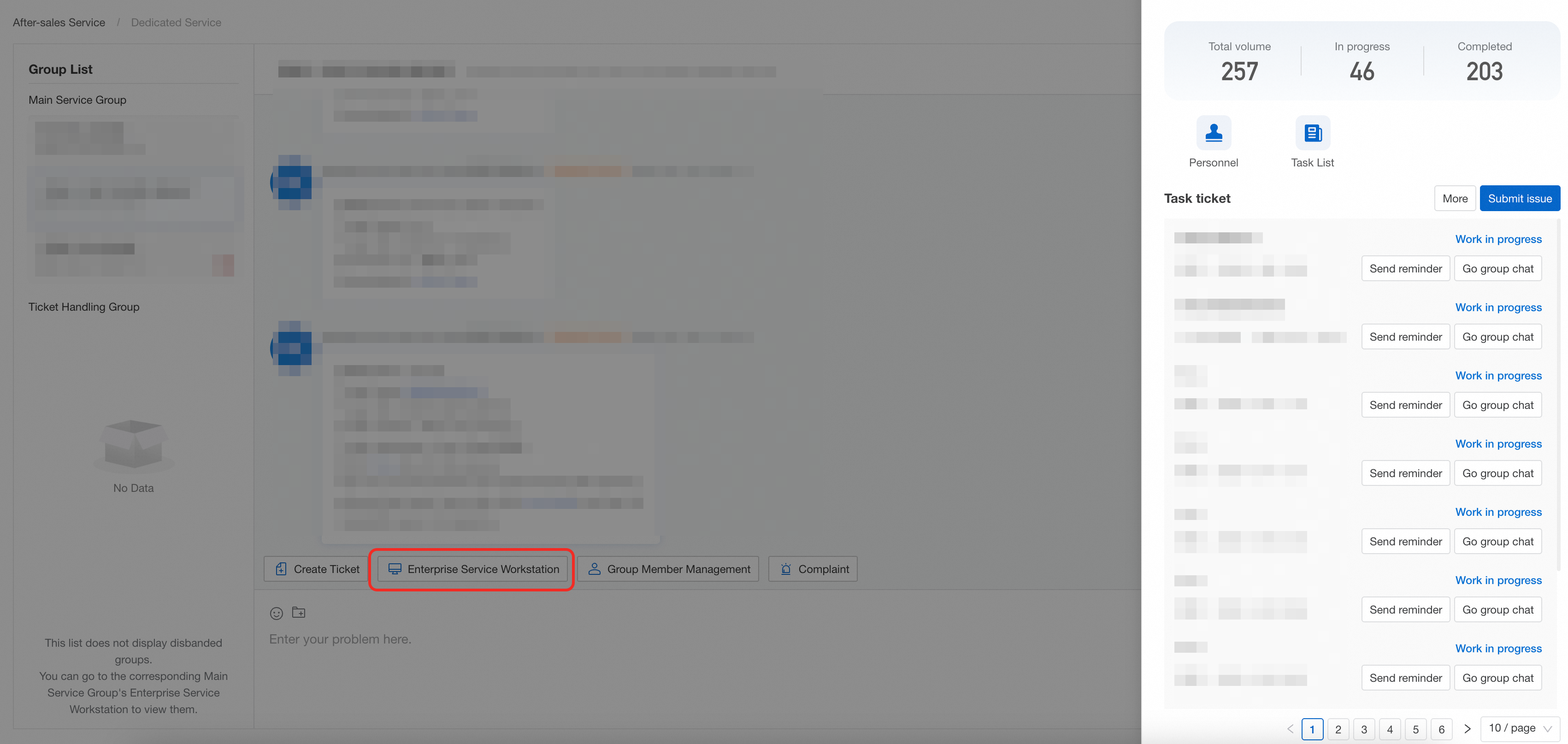
Enterprise Service Workstation
Click [Enterprise Service Workstation] in the service group to view all associated tickets and group participants.
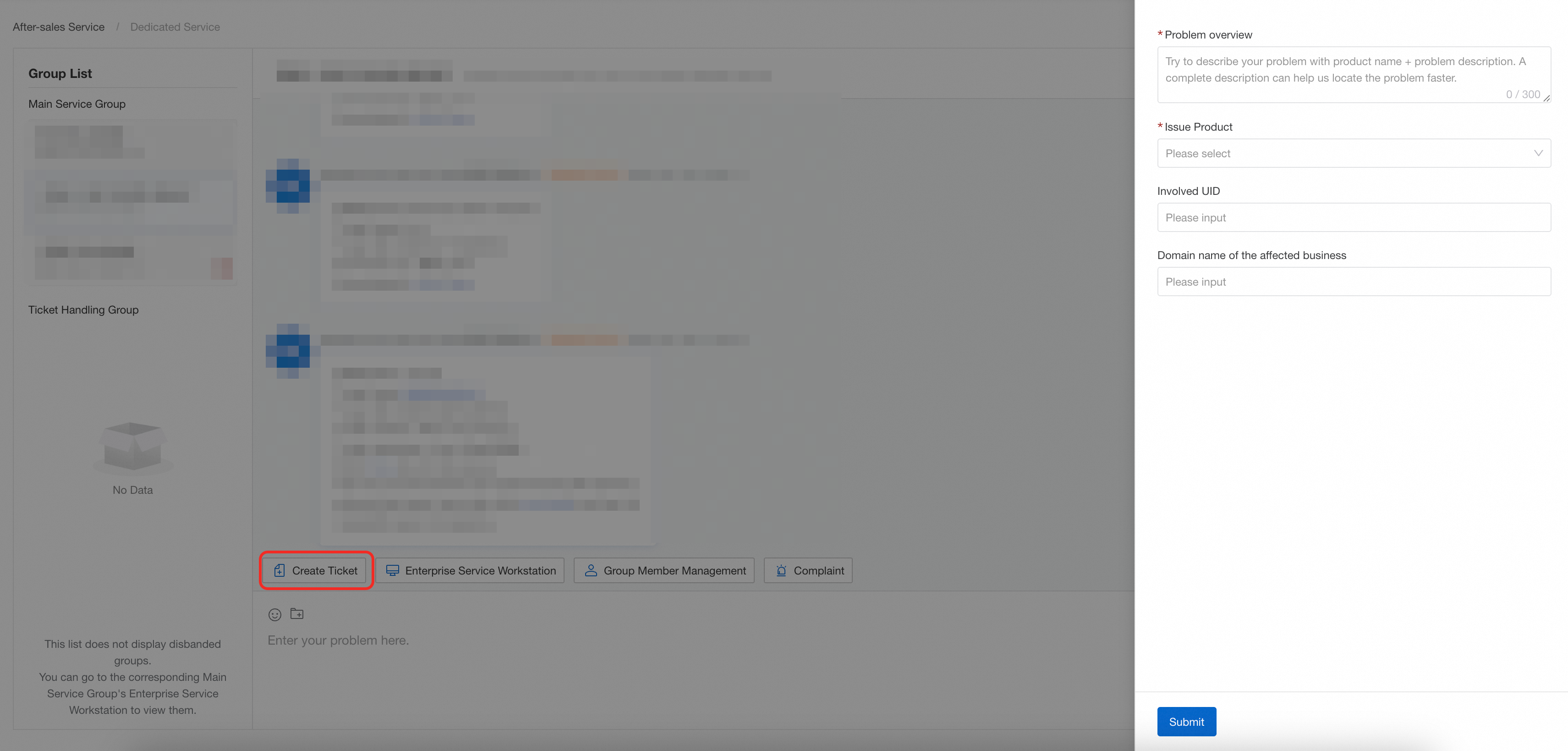
Create ticket
Click [Create Ticket] in the service group. The system automatically creates a ticket group and assigns a technical service engineer to handle your issue.
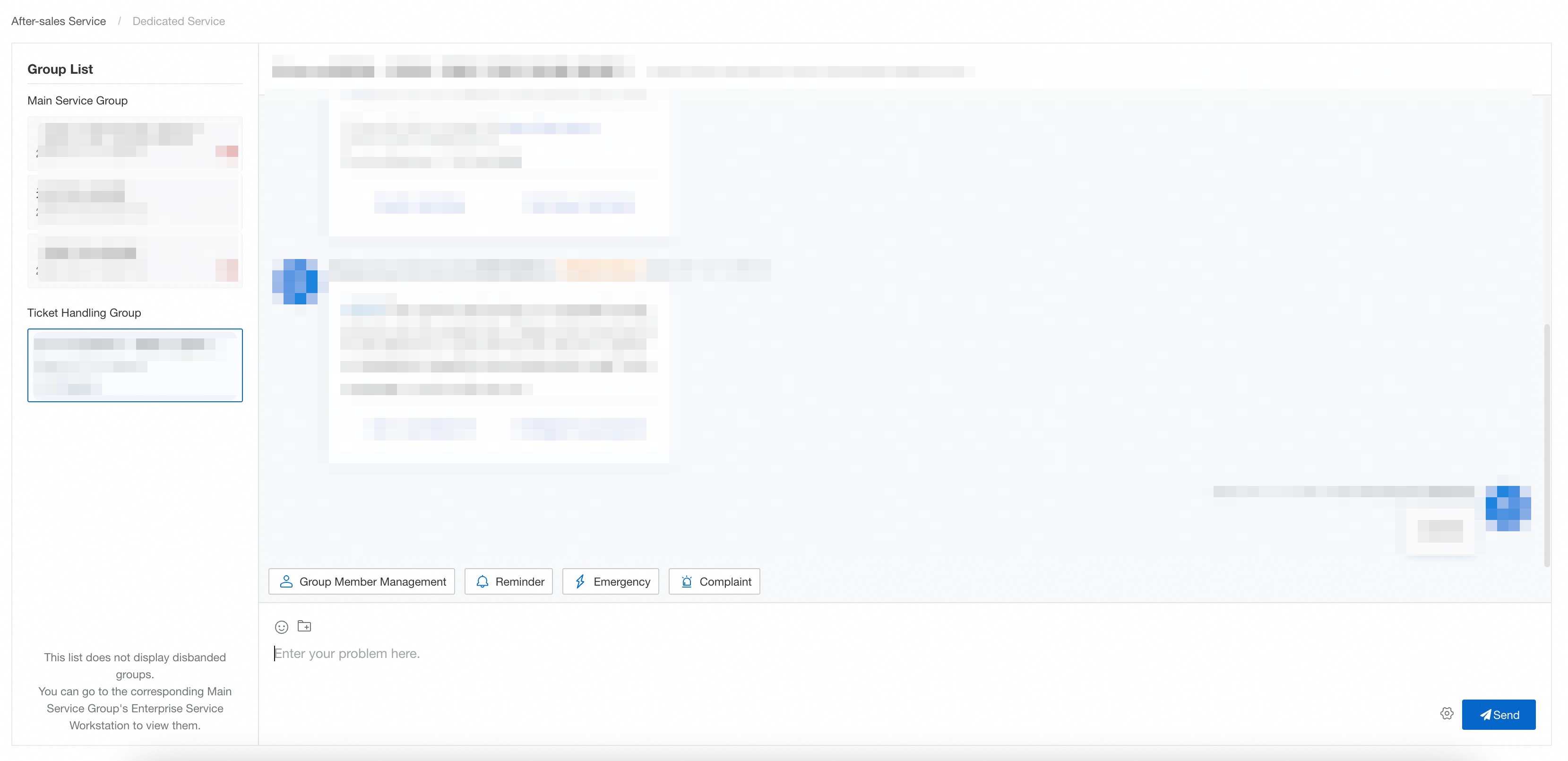
Ticket group
You can communicate with technical engineers about specific issues within the ticket group.
-
If the issue is urgent, click [Reminder] to expedite the processing progress.
-
For serious incidents such as data loss, data corruption, or business unavailability, click [Emergency] to trigger the emergency response mechanism for priority intervention.
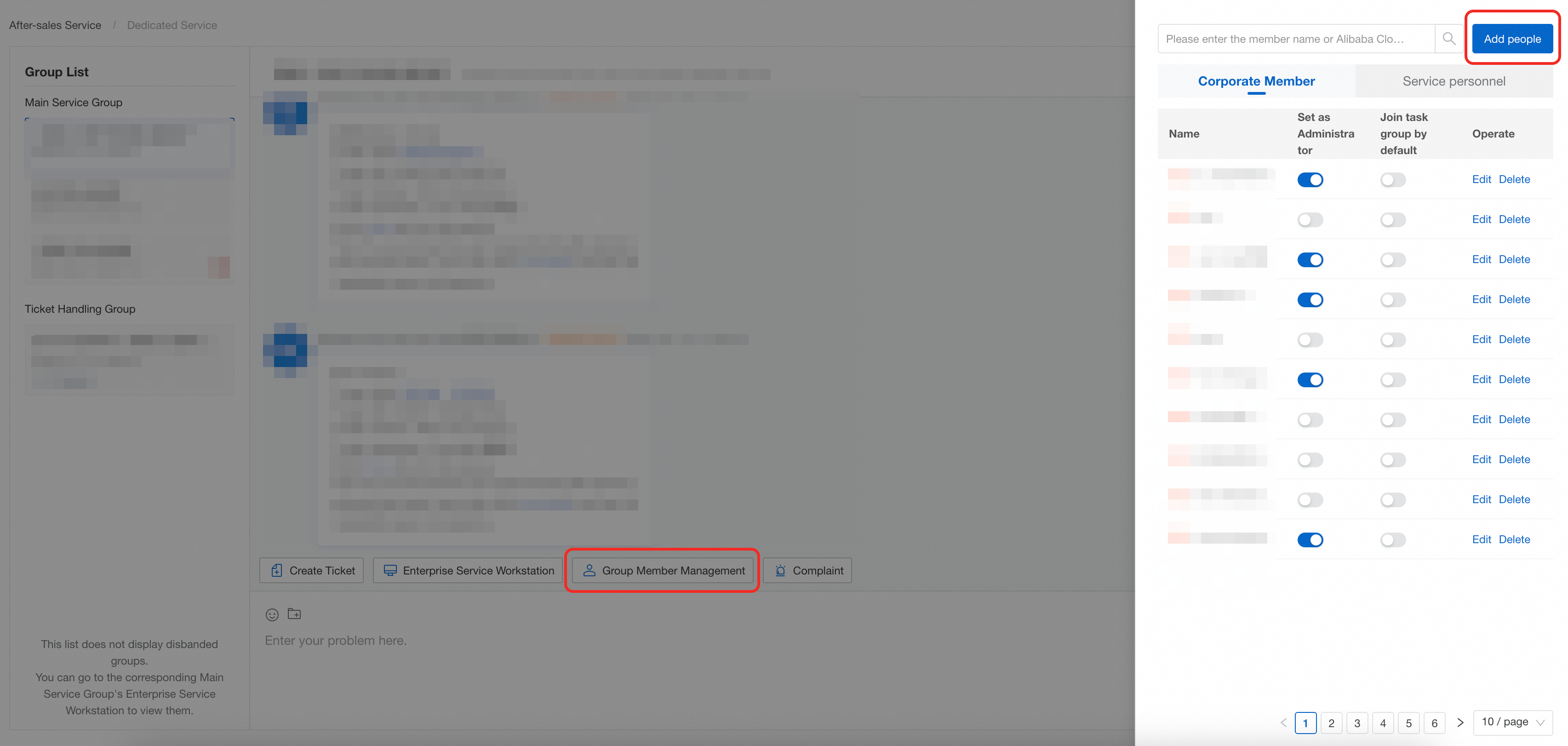
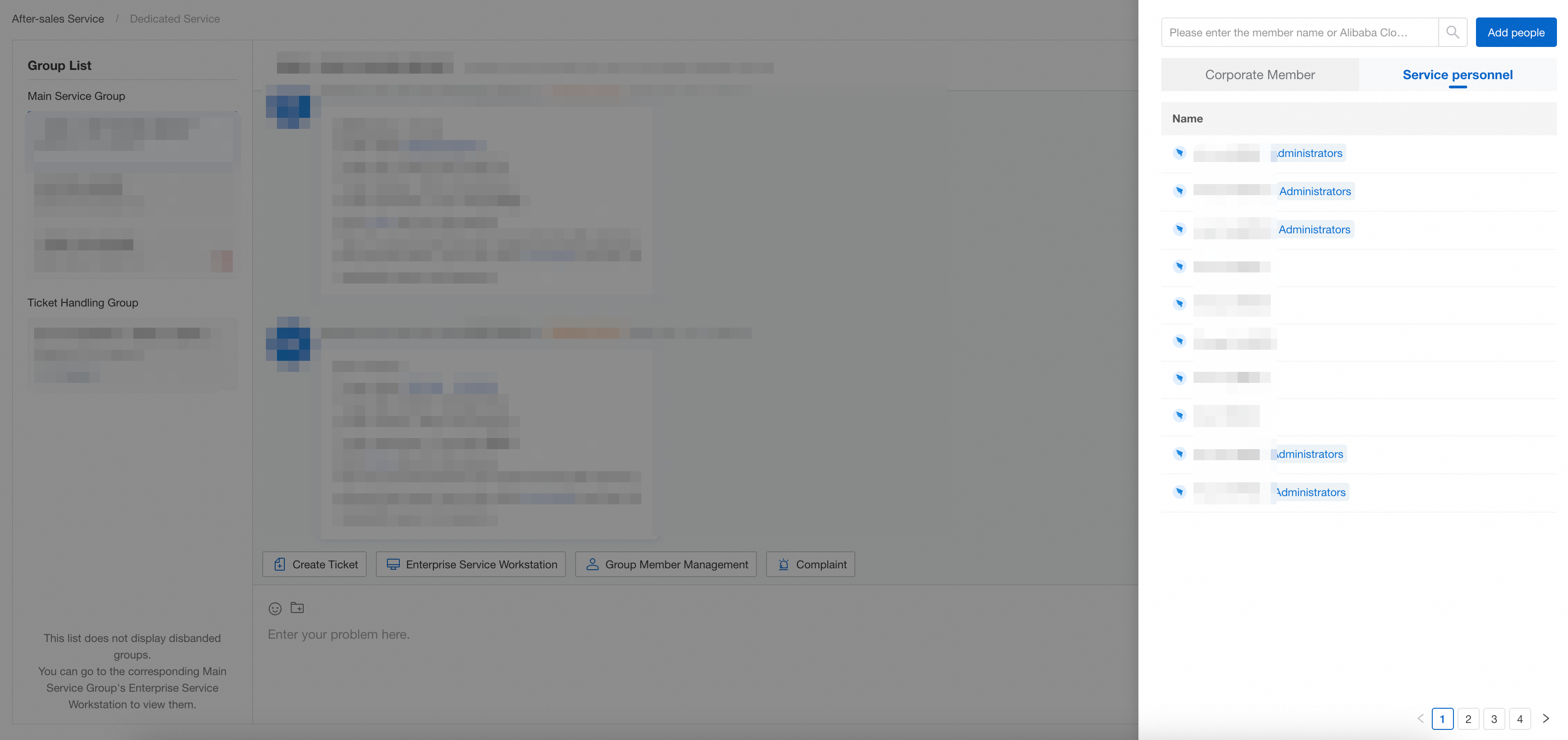
Group Member Management
The [Gourp Member Management] function is available in both the service group and the ticket group.
Add person
Click [Add people] to copy the invitation link and share it with colleagues (the link is valid for 24 hours).
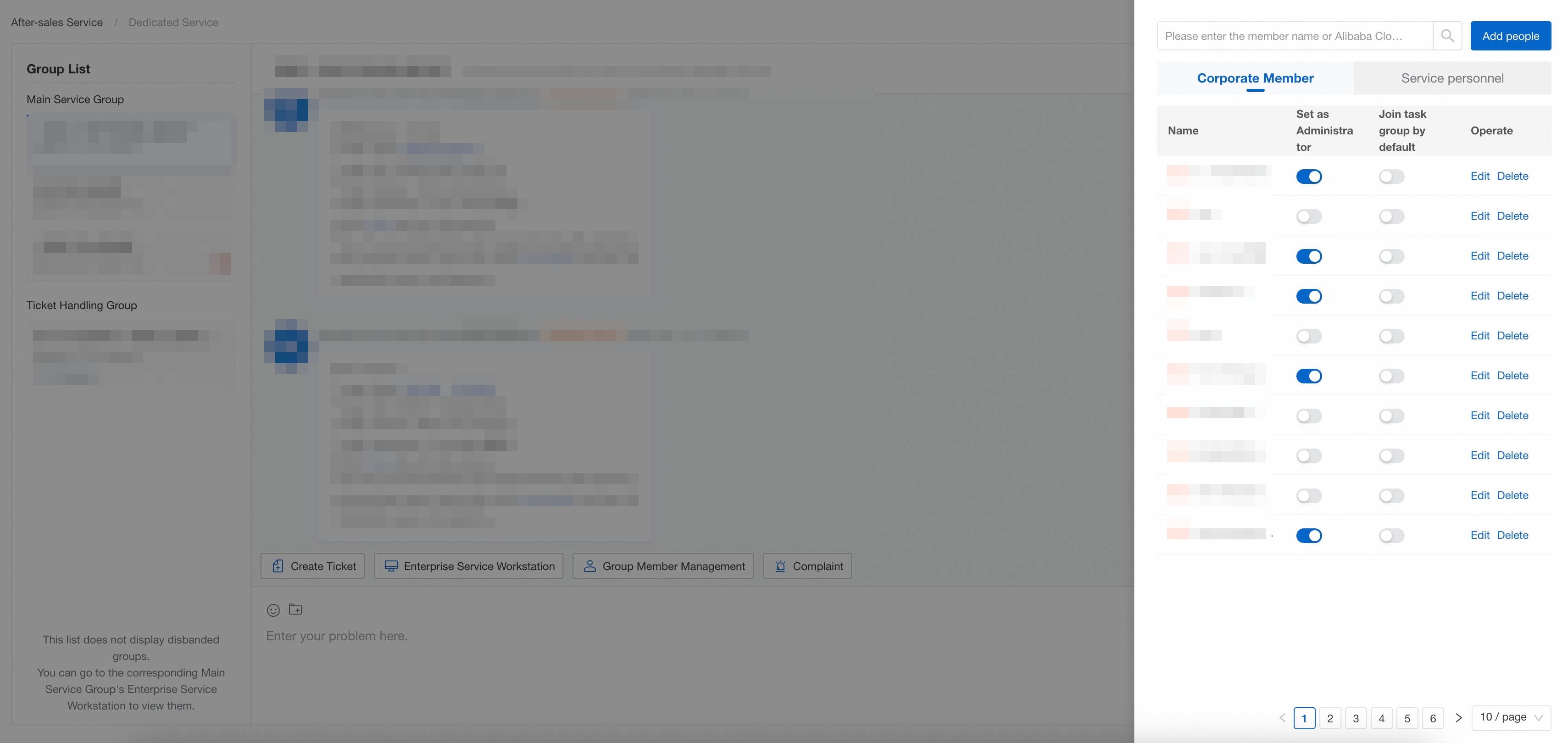
View the list of people
In [Gourp Member Management] , you can view:
-
Members of your organization (colleagues)
-
Alibaba Cloud service team personnel
Communication within the group
In the group chat, you can directly @ Alibaba Cloud service personnel or colleagues to solve problems collaboratively.