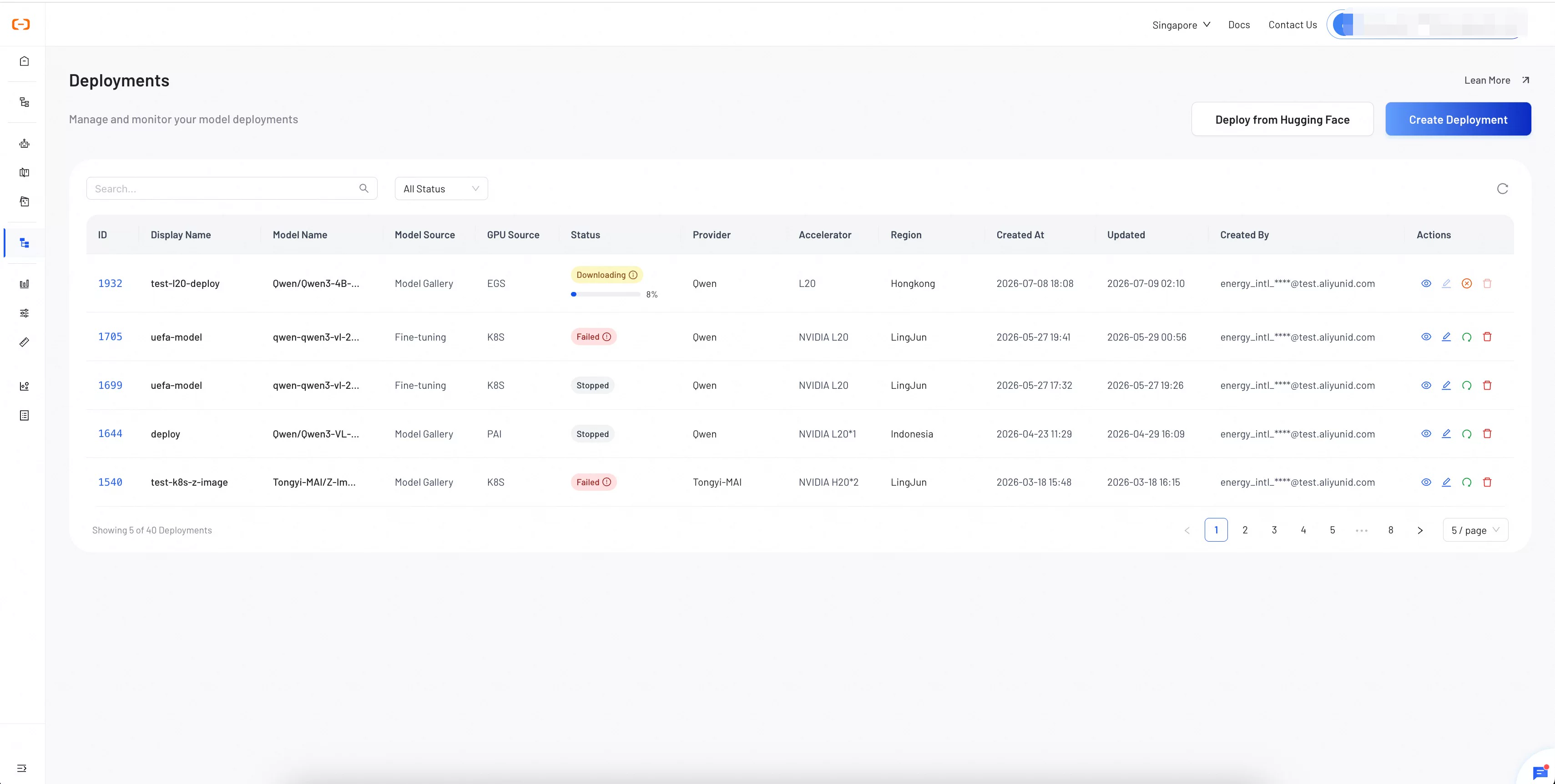
This topic describes how to use Smart Studio to deploy platform models and configure their resources.
Select a model from the model library and create a deployment on your cluster.
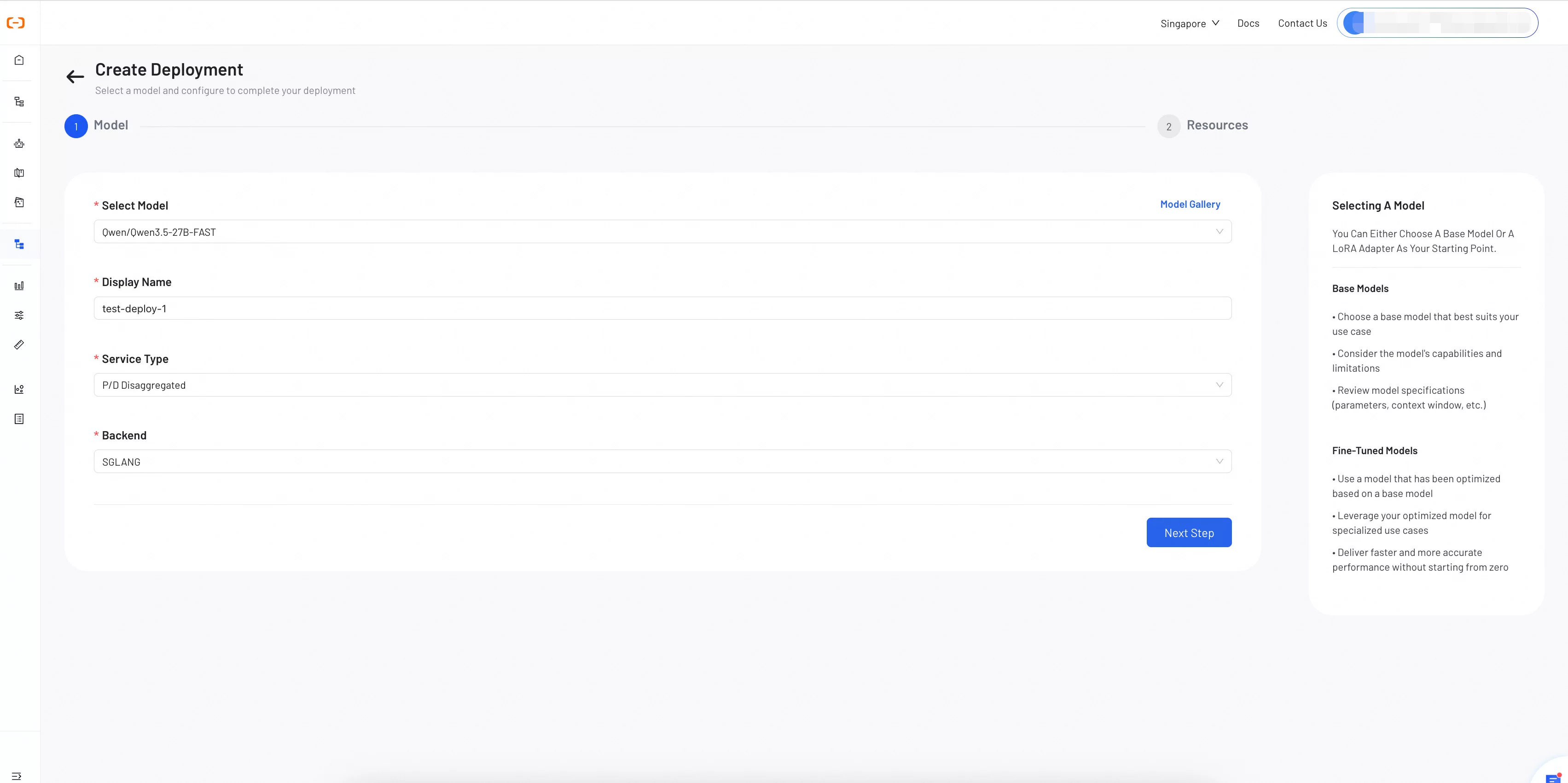
Step 1: Select a model
Select a model and configure the basic deployment settings.
Select a model: Choose a model from the drop-down list or browse the model library. Both base models and fine-tuned models are supported.
Display name: A descriptive name to identify the deployment on the dashboard (up to 64 characters).
Service type: Select the service topology for the deployment.
Standard: An all-in-one inference service suitable for most use cases.
P/D separation: Separates the prefill and decode stages into independent services to optimize resource allocation.
Backend: Select an inference backend engine.
SGLang: A high-performance inference engine with efficient memory management.
vLLM: An open source inference engine that supports PagedAttention for high throughput.
When to use P/D separation? This mode is recommended for high-concurrency, long-context workloads. For low-traffic or short-context use cases, the Standard mode is simpler and more cost-effective.
Click Next to configure resources.
Step 2: Configure resources
Resource configuration depends on the Service type you selected in Step 1.
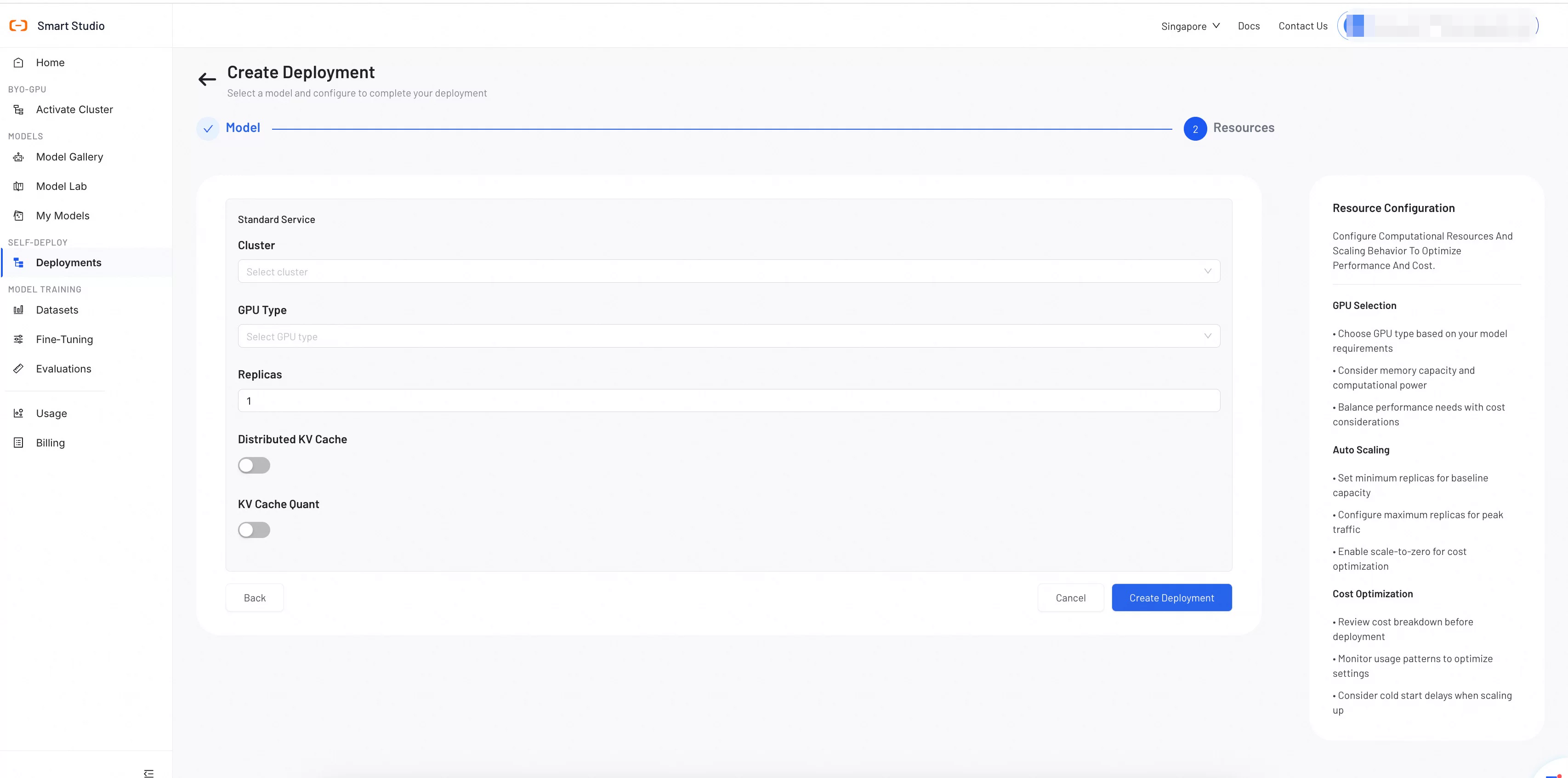
Standard service
Configure a unified inference service on a single cluster.
Cluster: Select an active cluster for the deployment.
GPU type: Select a GPU type available in your cluster, such as L20. For requirements, see minimum configurations for different model deployments.
Number of replicas: Specifies the number of service replicas for load balancing. The default is 1.
Distributed KV cache: (Optional) Enable this to share the KV cache across instances.
KV cache quantization: (Optional) Enable this to reduce memory usage by quantizing the KV cache.
P/D separation service
Configure separate prefill and decode services to optimize resource allocation.
Cluster: Select an active cluster for the deployment.
P/D shape: Defines the ratio of prefill to decode instances (e.g.,
1p1d= 1 prefill instance + 1 decode instance).Prefill replicas / Decode replicas: The number of replicas for each service. The default is 1.
Prefill TP / Decode TP: The tensor parallelism for each service. Adjust this only if required by the model configuration file. The default is 1.
Distributed KV cache: (Optional) Enable this to share the KV cache across instances.
KV cache capacity (GB): (Optional) Specify the capacity of the KV cache. Leave blank to use the default value from the configuration file.
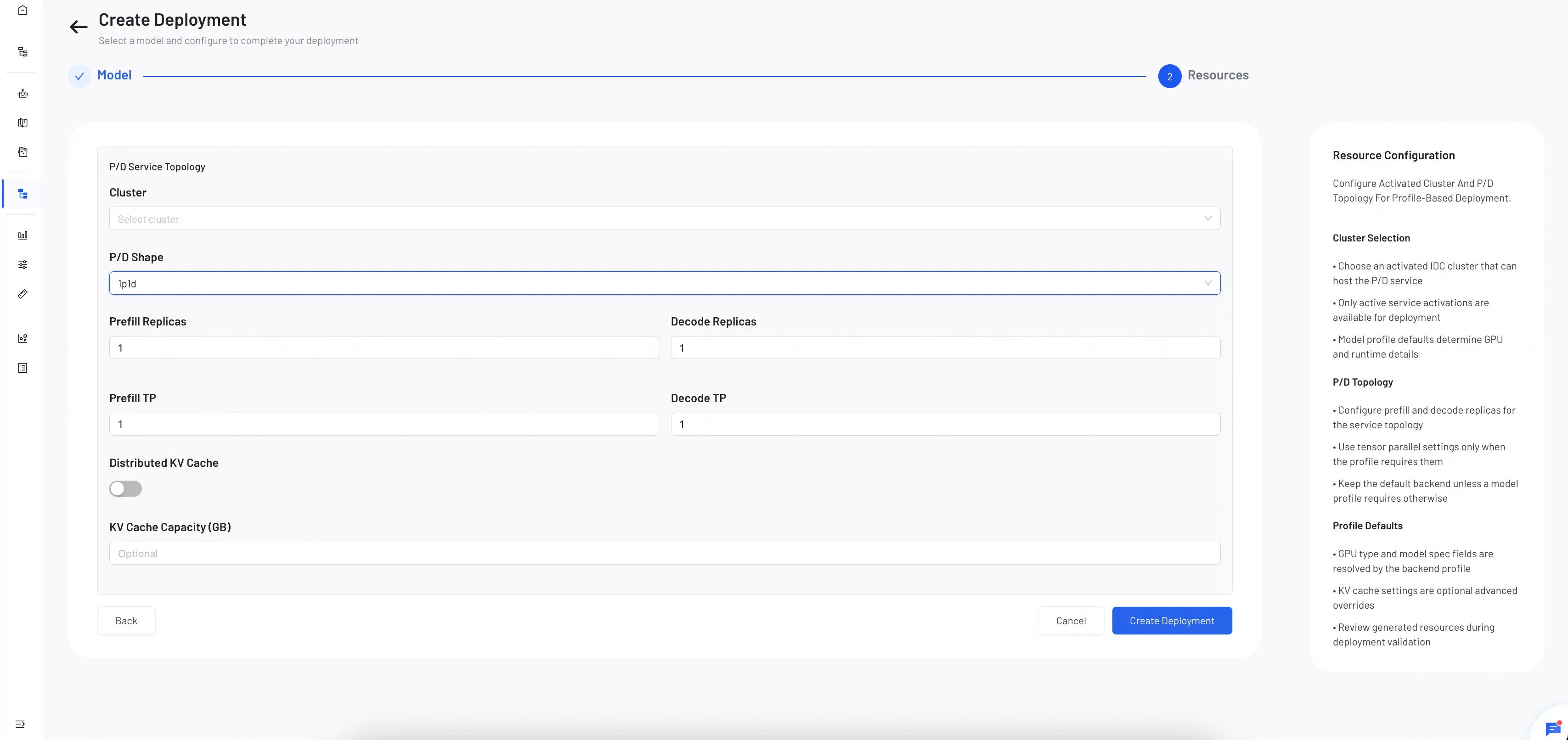 Click Create deployment to start the deployment.
When to enable distributed KV cache optimization? Enable this option to share the cached key-value state across instances, reducing redundant computation. This is useful when multiple replicas serve requests with overlapping contexts, such as a shared system prompt. If requests rarely share context or if GPU memory is limited, keep this disabled.
Manage your deployments
After the deployment is complete, your model appears in the deployment list. From the list, you can view the deployment status, stop or restart services, and delete unneeded deployments.