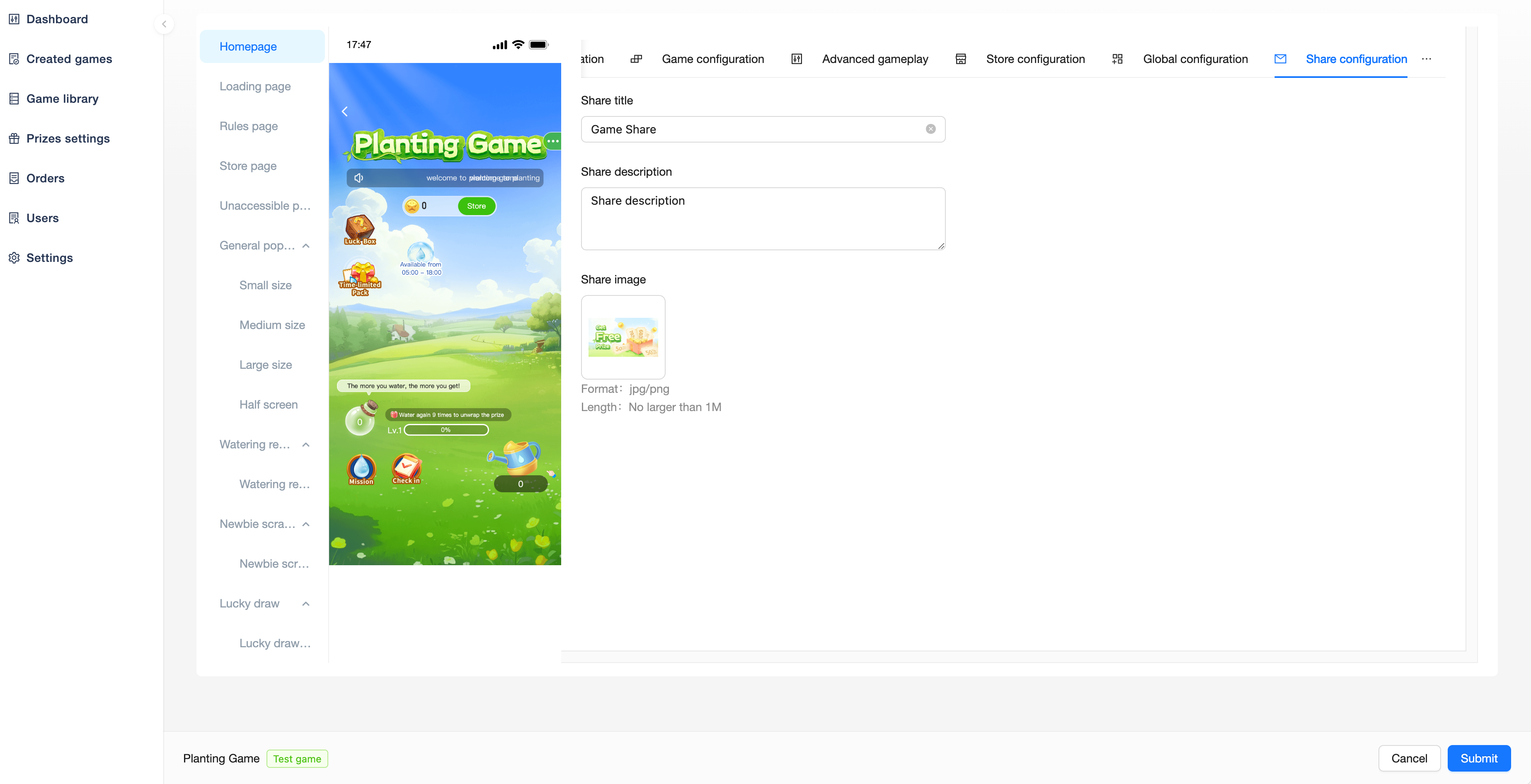
You can view all created activities in the「Created Game」menu, and operate to edit games, put them on the shelves, take them off the shelves, and get links.
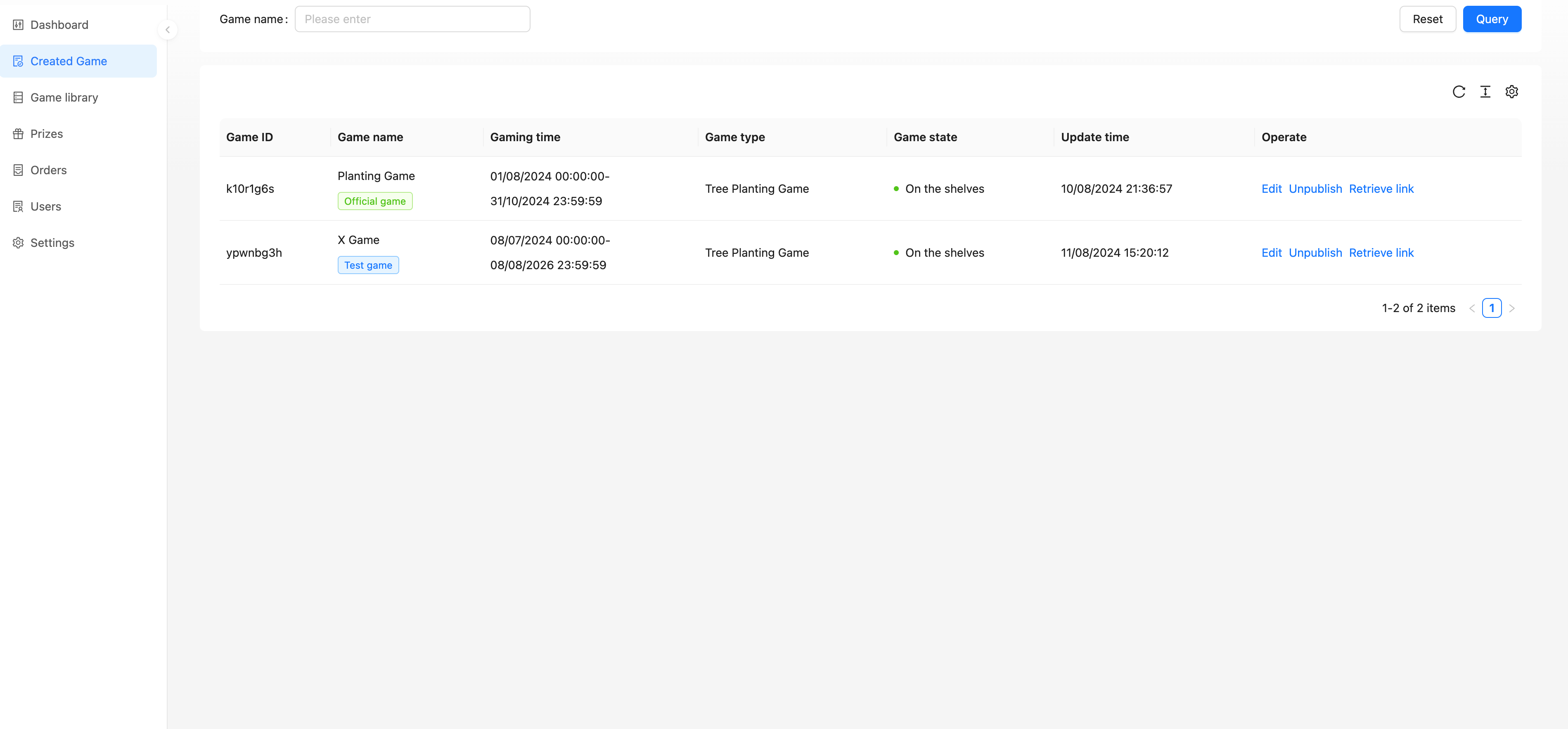
Basic Configuration
Configuration of activity base information is possible.
Game name: Names used to distinguish between each game
Game time: Available time for game
Game rules: Rules of the game
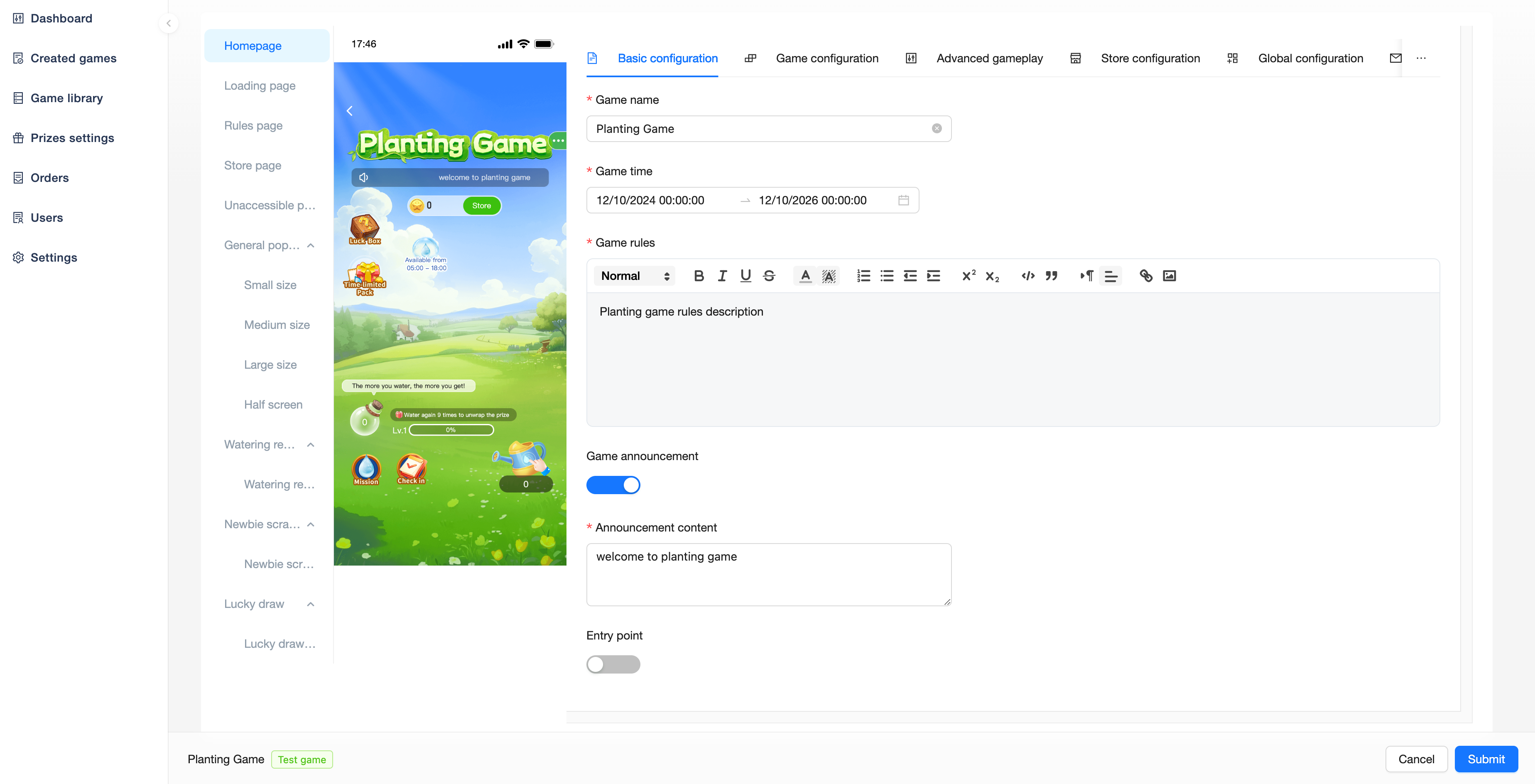
Game announcement: Game announcements, when turned on, the game will scroll through the configured announcement content
Entry point: A custom entry point. When it is turned on, a configured image will appear in the game, and the user will be redirected to the configured URL after clicking it
Game Configuration
Configure the content related to the main process of the activity.
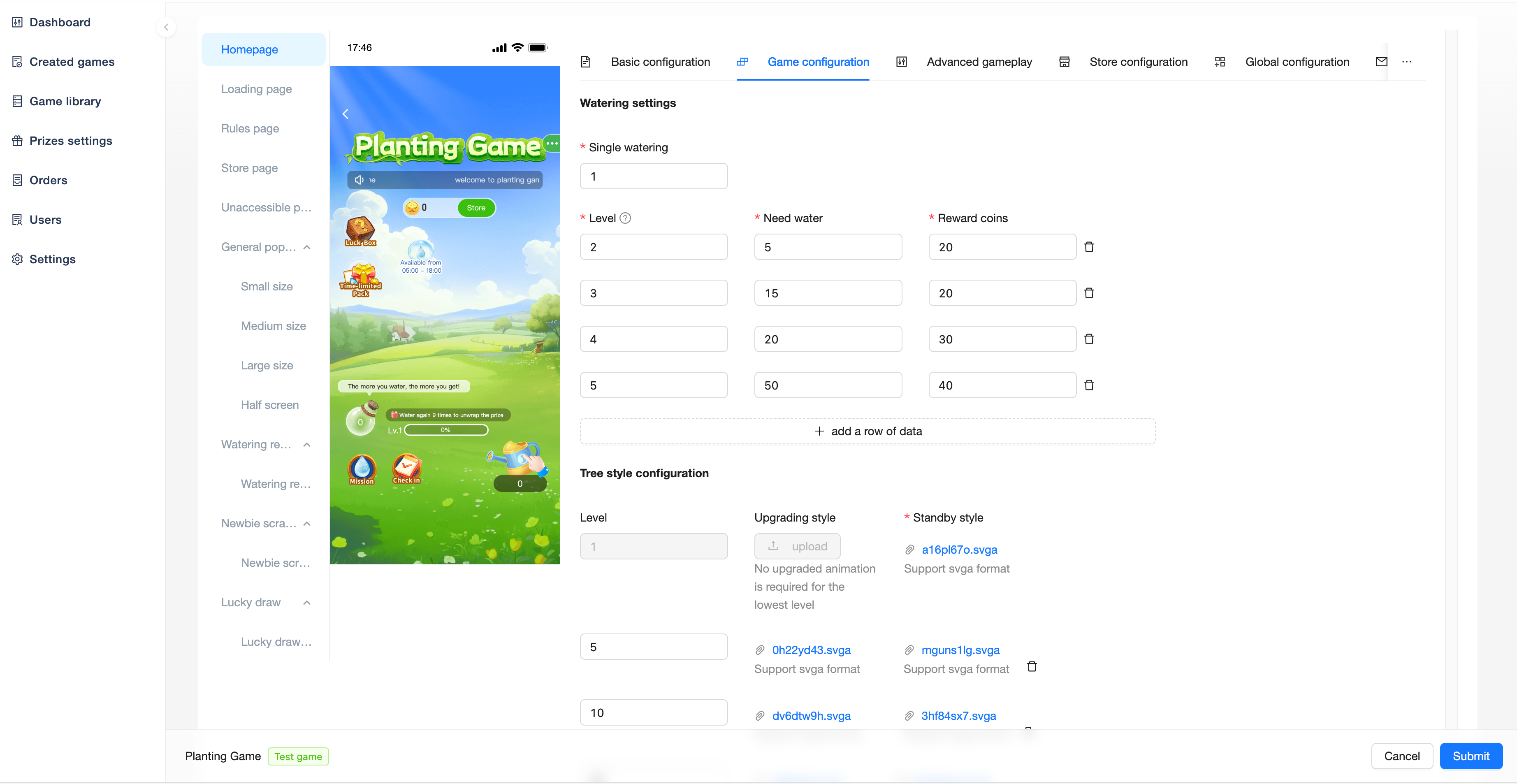
Single watering: The amount of water consumed by the user each time watering
Level, Need water, Reward coins: Used to configure the level to be upgraded to (default starts at Lv1), the water needed for upgrading, and the coins gained from upgrading
Indication on the image:
Upgrading from Lv1 to Lv2 requires 10 water and gains 1 coin
Upgrading from Lv2 to Lv3 requires 20 water and gains 2 coins
Upgrading from Lv3 to Lv4, from Lv4 to Lv5……from Lv9 to Lv10, requires 50 water and gains 5 coins per level upgrade
Upgrading from Lv10 to Lv11, from Lv11 to Lv12……from Lv49 to Lv50, requires 100 water and gains 10 coins per level upgrade
The current configuration can be upgraded up to Lv100, which can be increased at any time
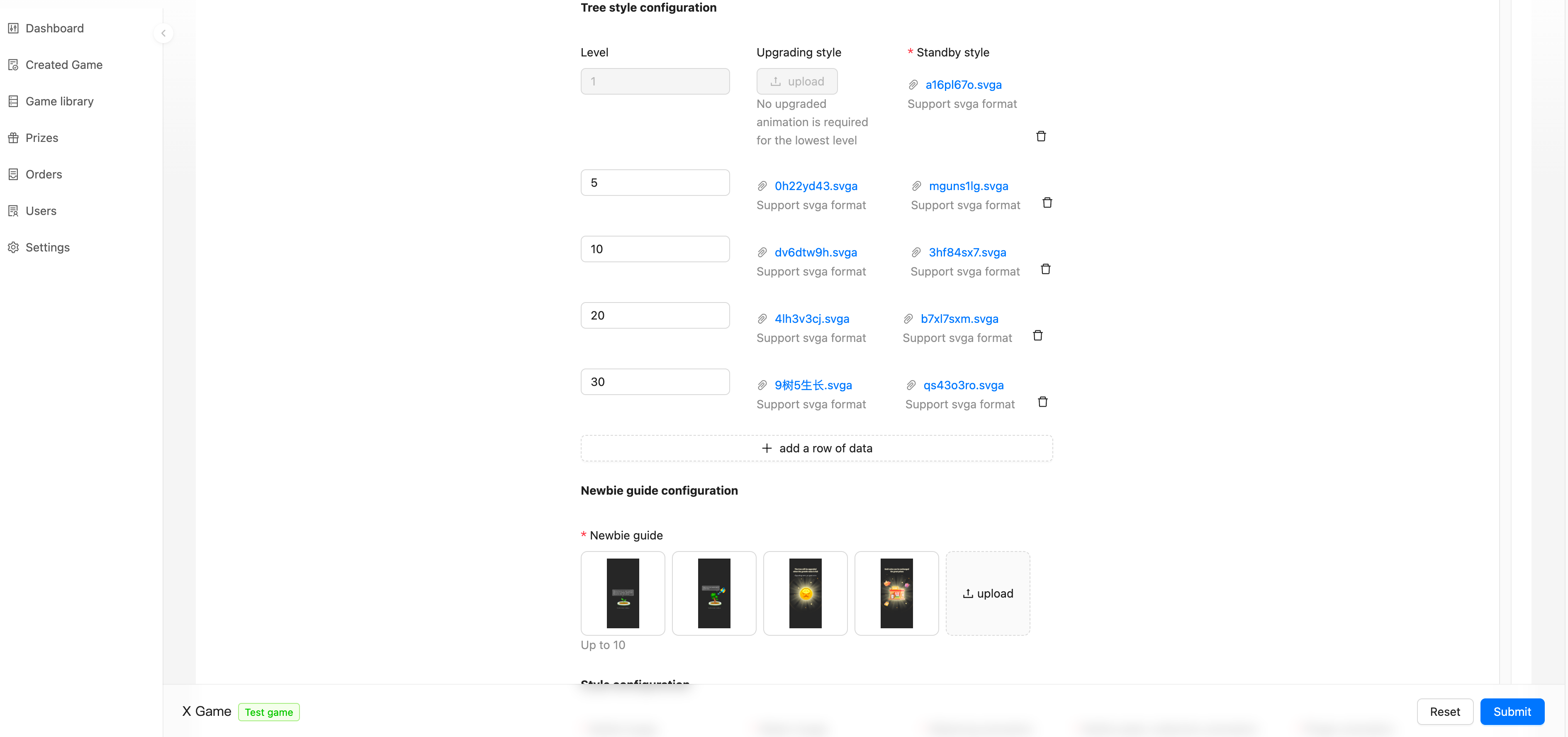
Tree style configuration: Customizable replacement of tree styles and upgraded animations for different levels
Newbie guide configuration: Customizable image content for newbie guide
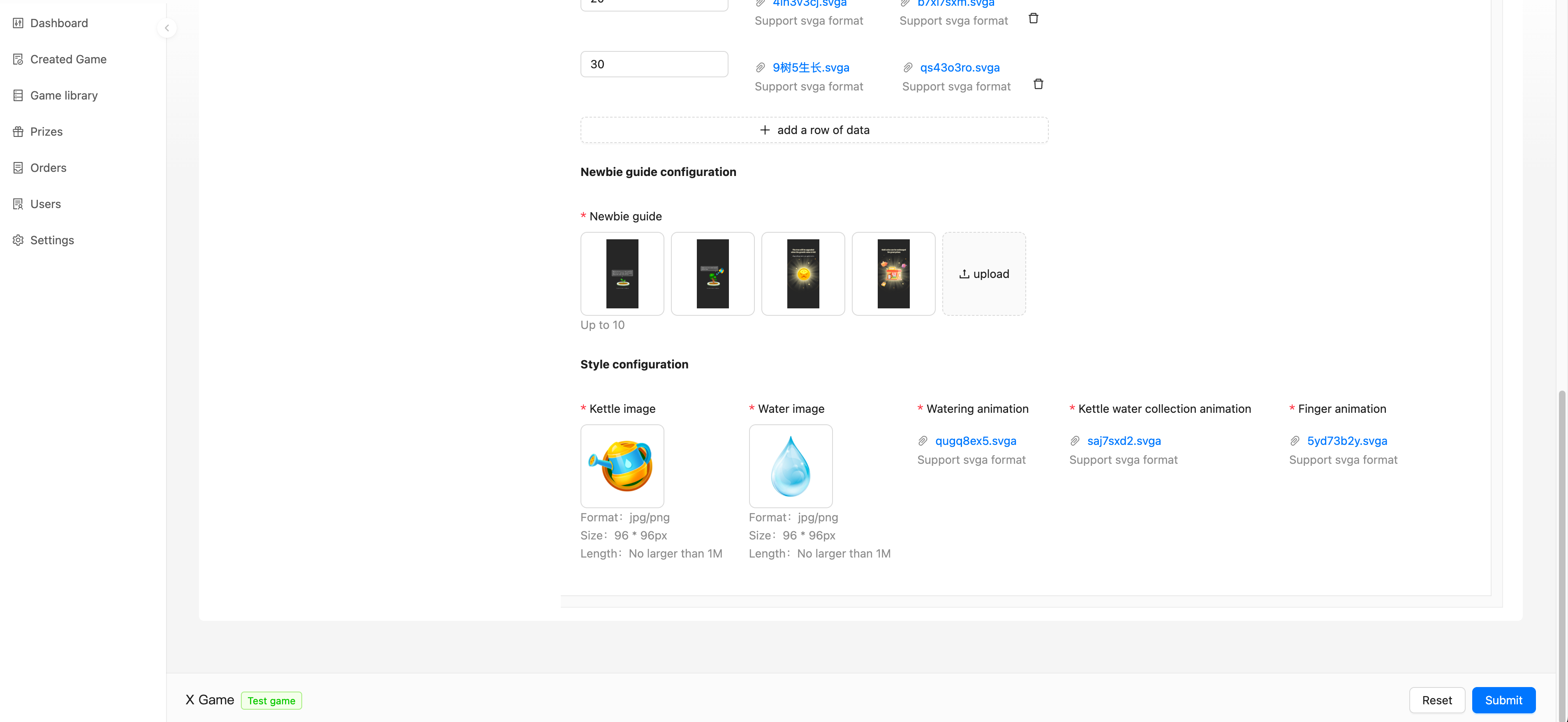
Style configuration: Custom configurable styles for water bottles, water, watering animations, etc.
 EGU
EGU
Advanced Gameplay
You can view the advanced gameplay types you have purchased and enable/configure them.
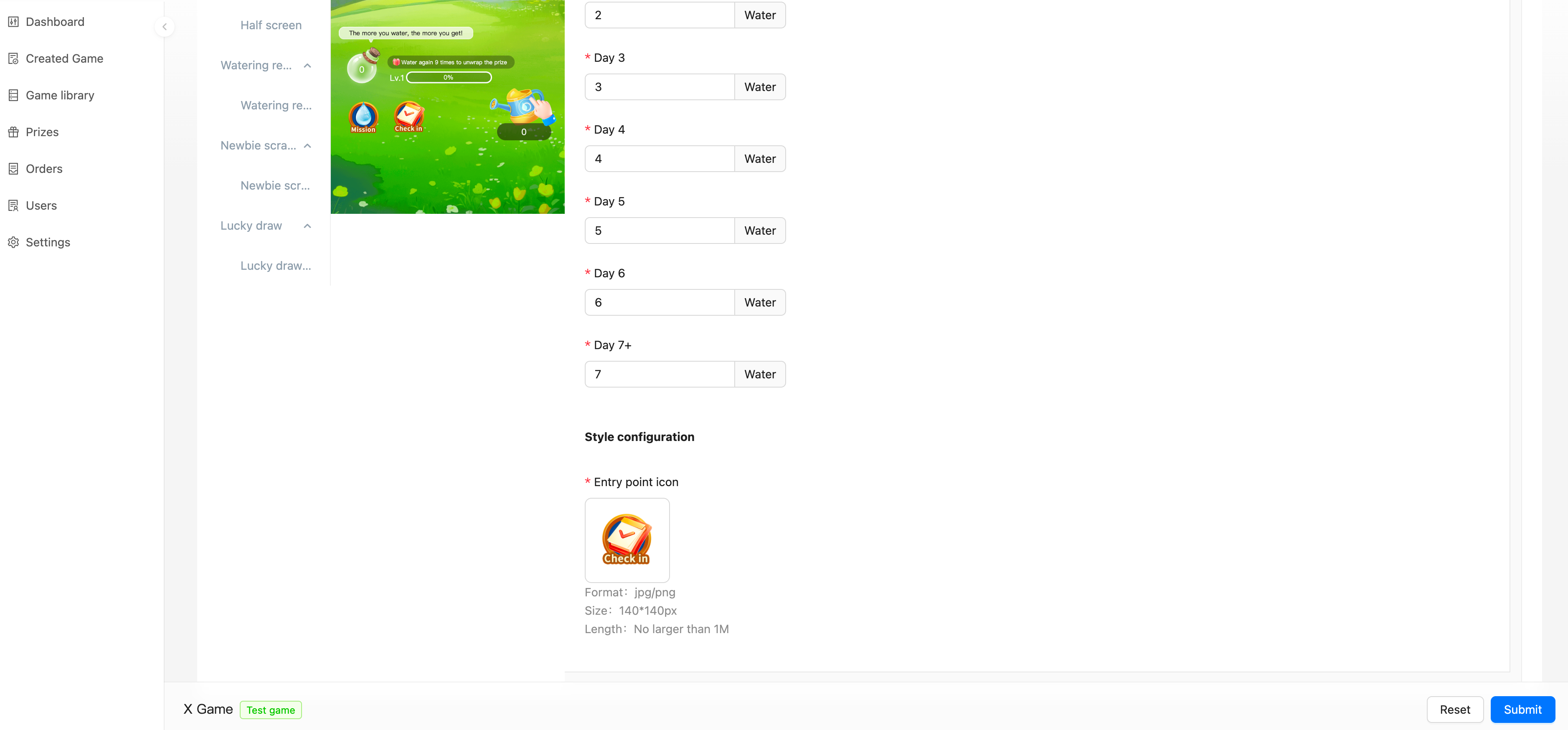
Check-in
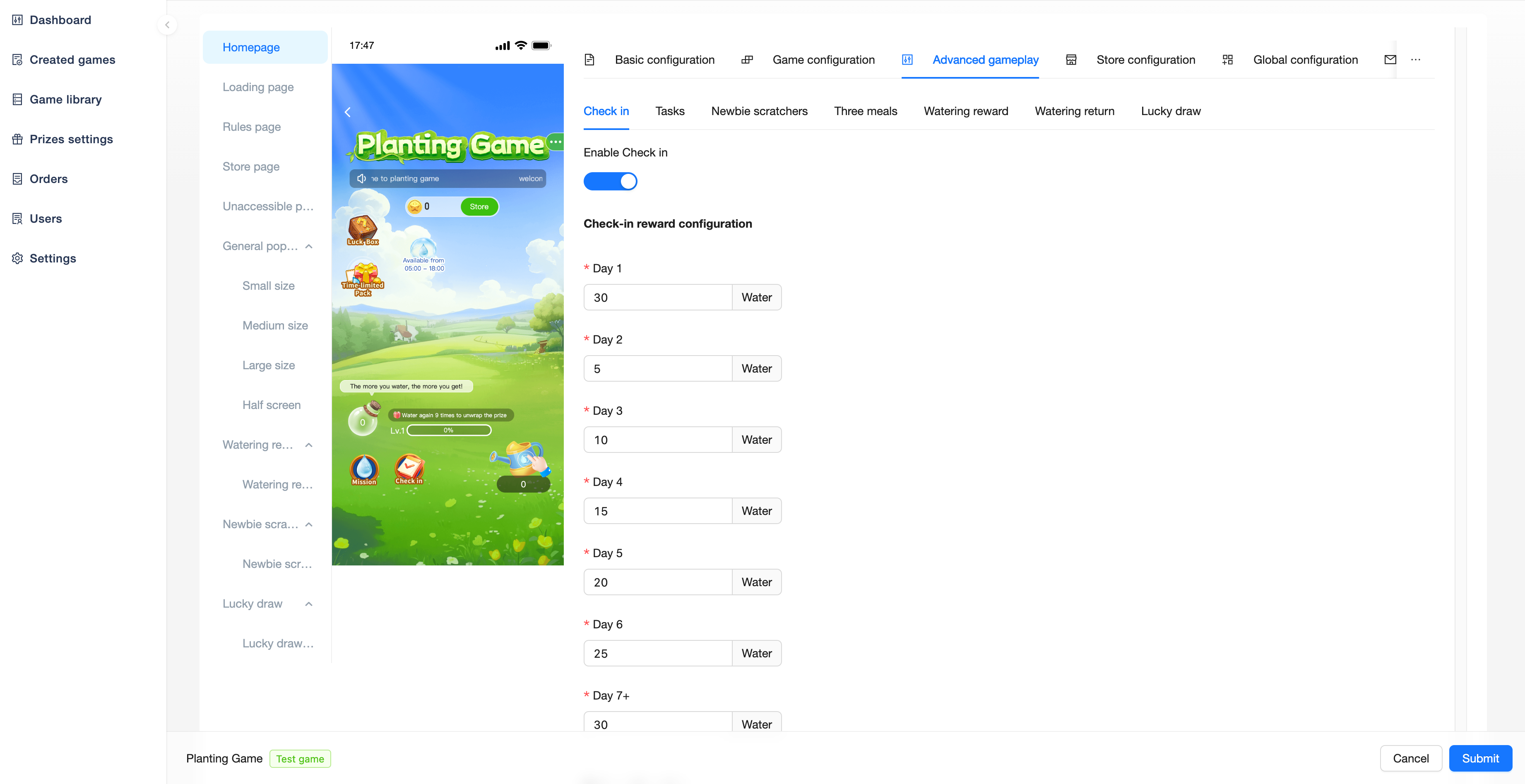
Users can get water by checking in daily and more by checking in consecutively. Get Day 7+ water for 7 consecutive days and above, restart from Day 1 after the check-in is interrupted.
Check-in reward configuration:
Configured get water for each day's check-in
Style configuration:
Entry point icon: Entry image
Tasks
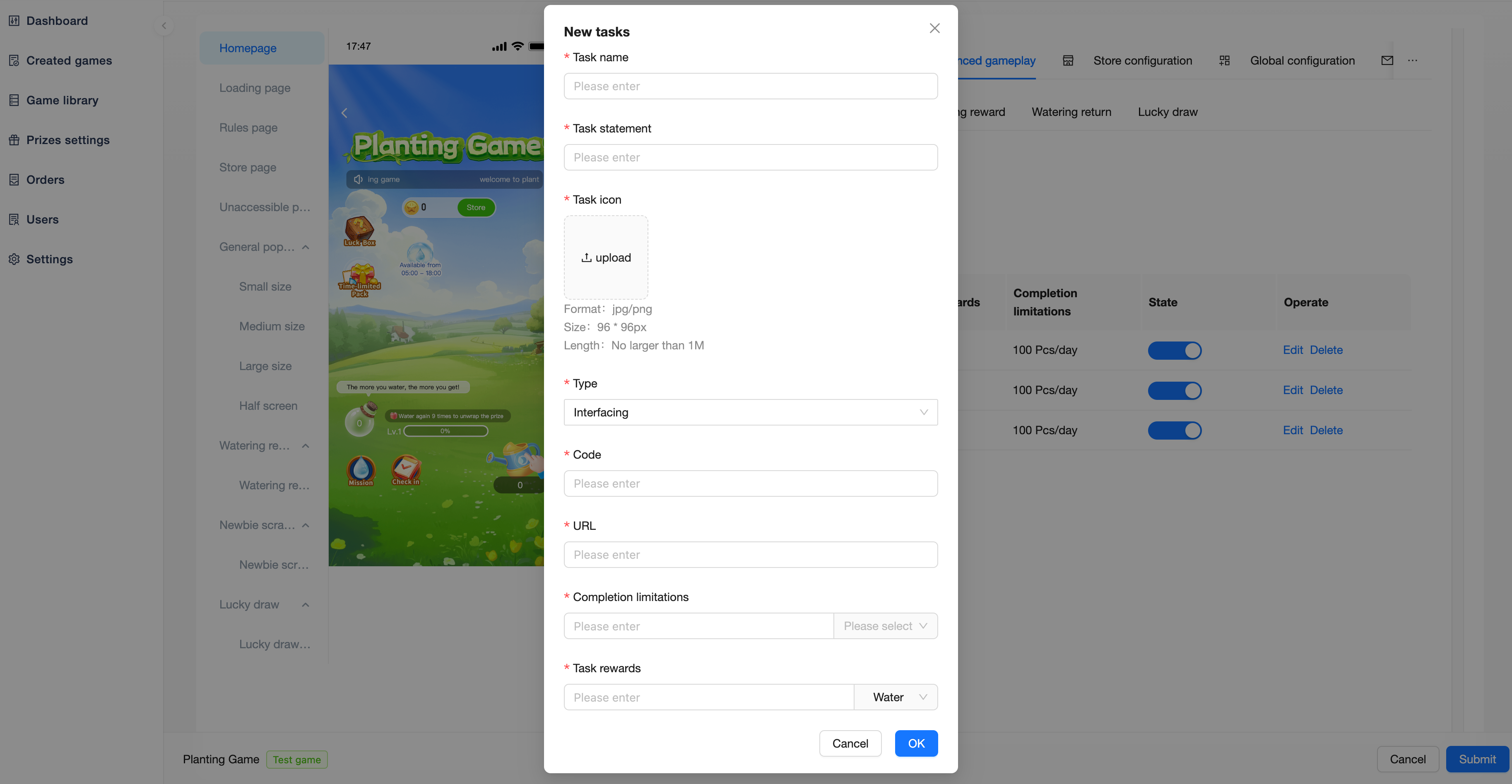
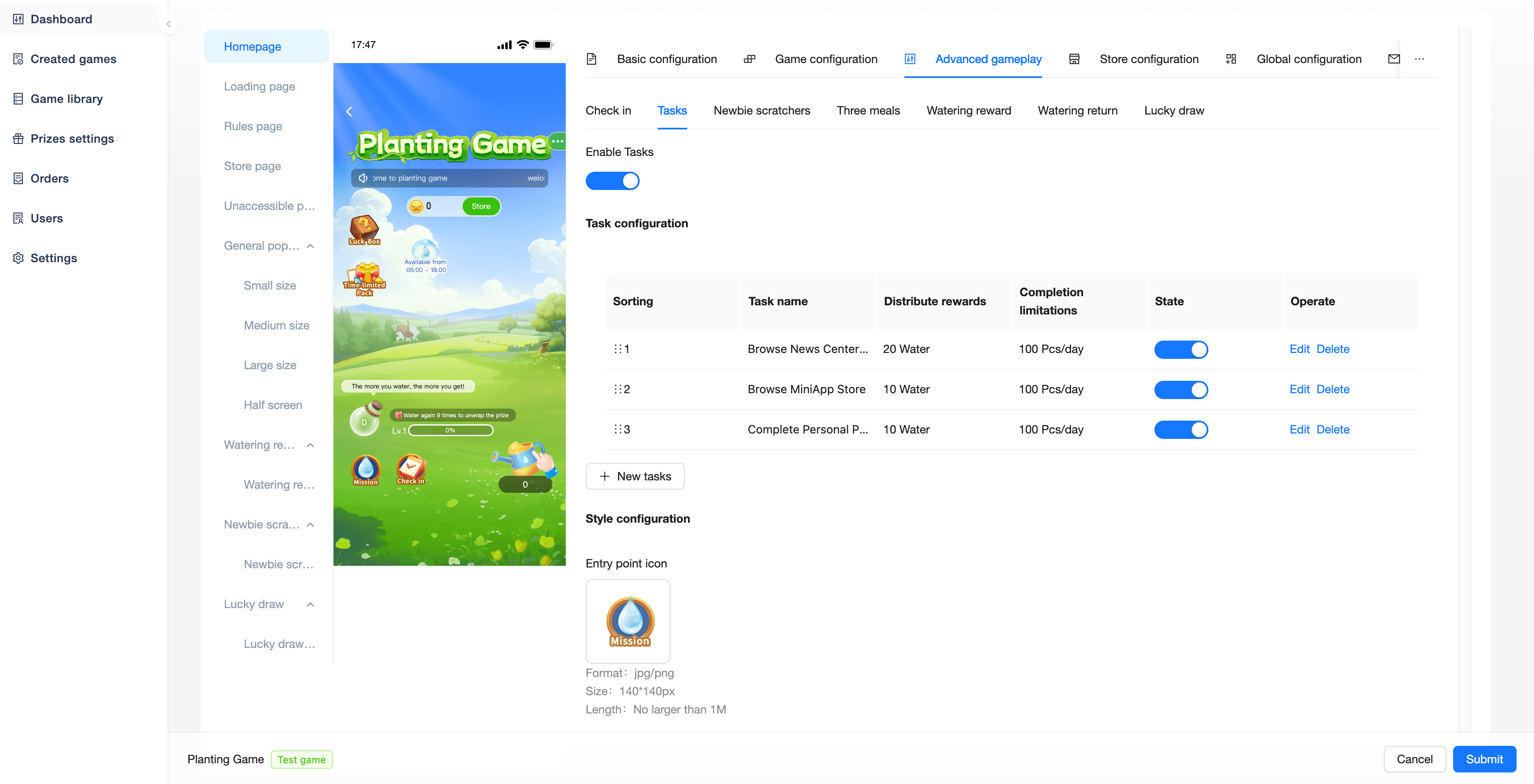
Users are rewarded with water or coins for completing specified tasks.
Task configuration:
Task name
Task statement
Task icon
Type
Jump link: The user clicks on the jump to complete
Interfacing: Through API connection, feedback whether the user has completed
Code: Only「Interfacing」type tasks need to be configured, used to uniquely identify tasks for API interfacing
After a user completes a task within the app, the UID and Code are transmitted to notify Game that a user has completed a particular task, and Game handles the distribution of rewards for task completion
URL: User clicks on task jump link
Completion limitations: The period limit that users can complete this task
Task rewards: The rewards the user can receive after completing the task
Style configuration:
Entry point icon: Task entry image
Newbie Scratchers
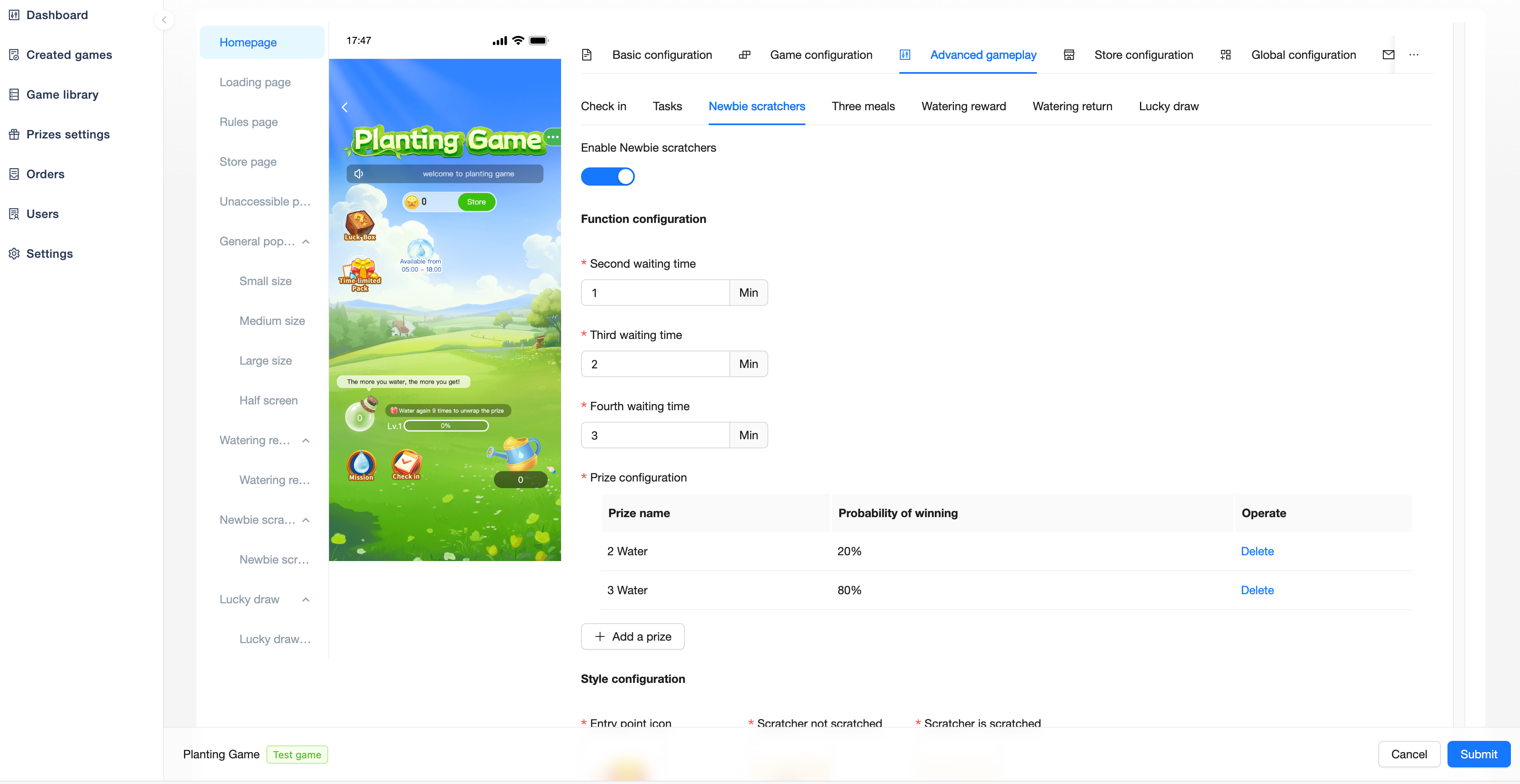
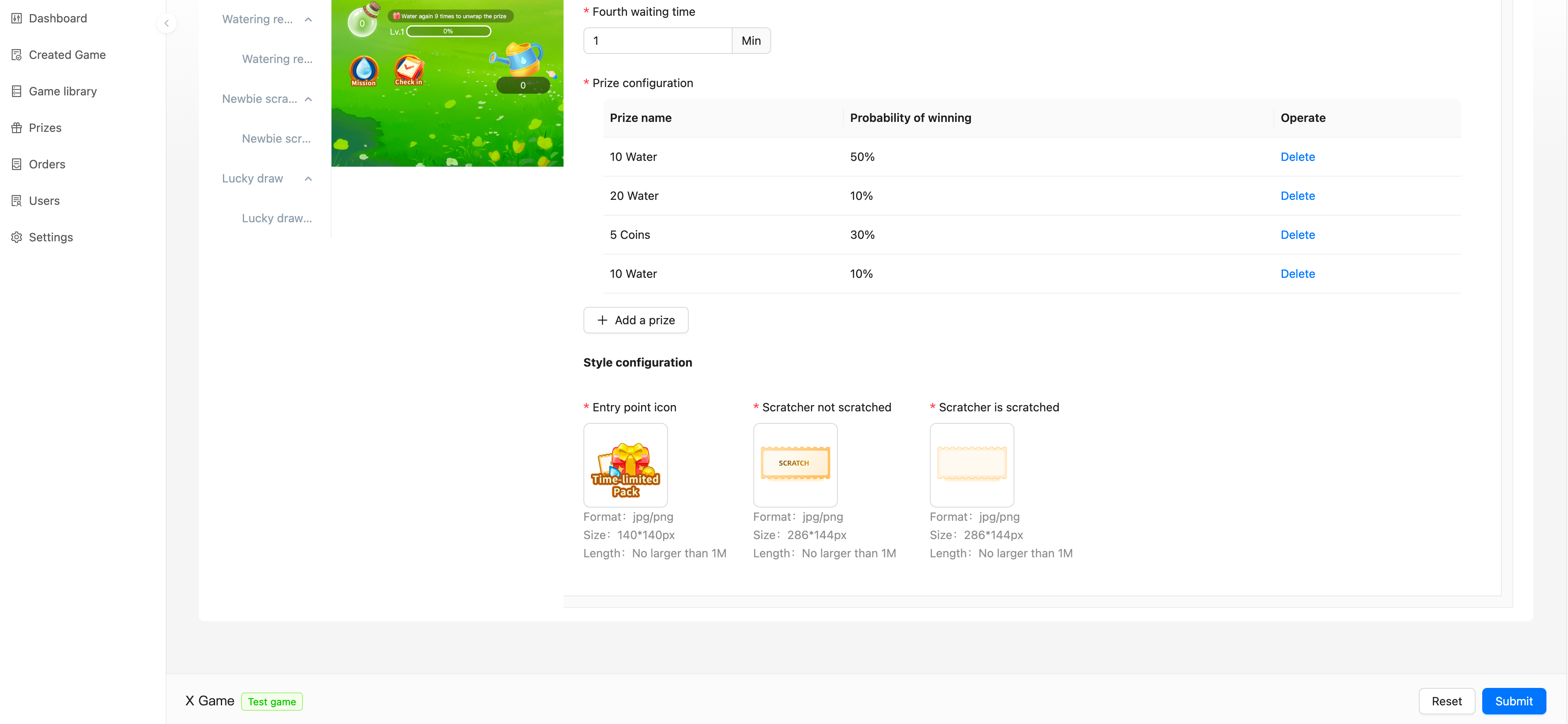
New users have 4 chances to get water or coins each time they scratch a card. After scratching a card, you need to wait for a certain period of time before you can scratch the next one.
Function configuration:
Second/Third/Fourth waiting time: Waiting time for the second/third/fourth card to be scratched respectively
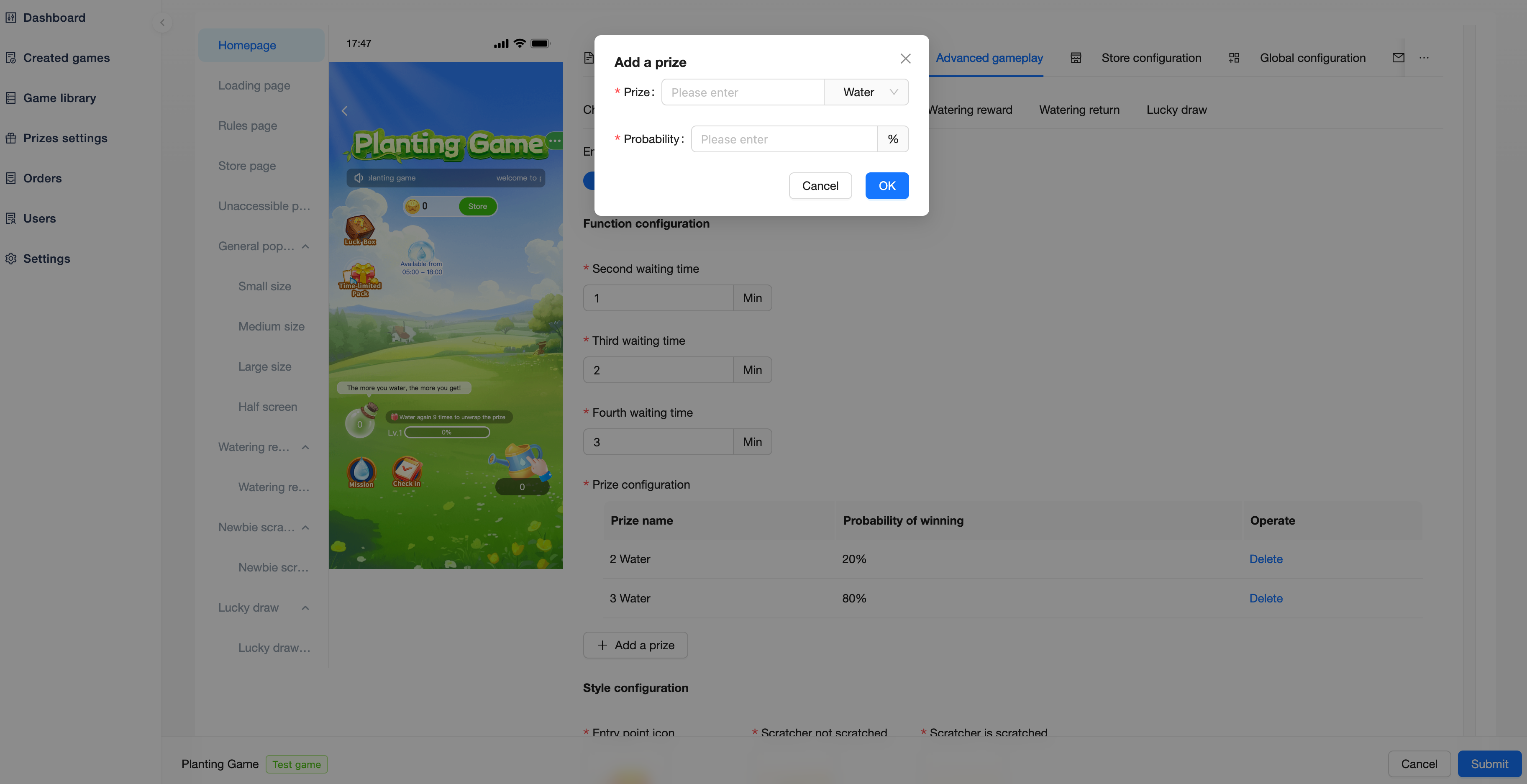
Prize configuration
Prize: Configure the value of water or coins reward
Probability: Probability of acquisition
When users draw prizes, the probability is random each time (10% does not mean that you will win 10 times out of 100 draws)
Style configuration:
Entry point icon: Entrance image
Scratcher not scratched: Unscratched scratcher image
Scratcher is scratched: Scratched scratcher image
Three Meals
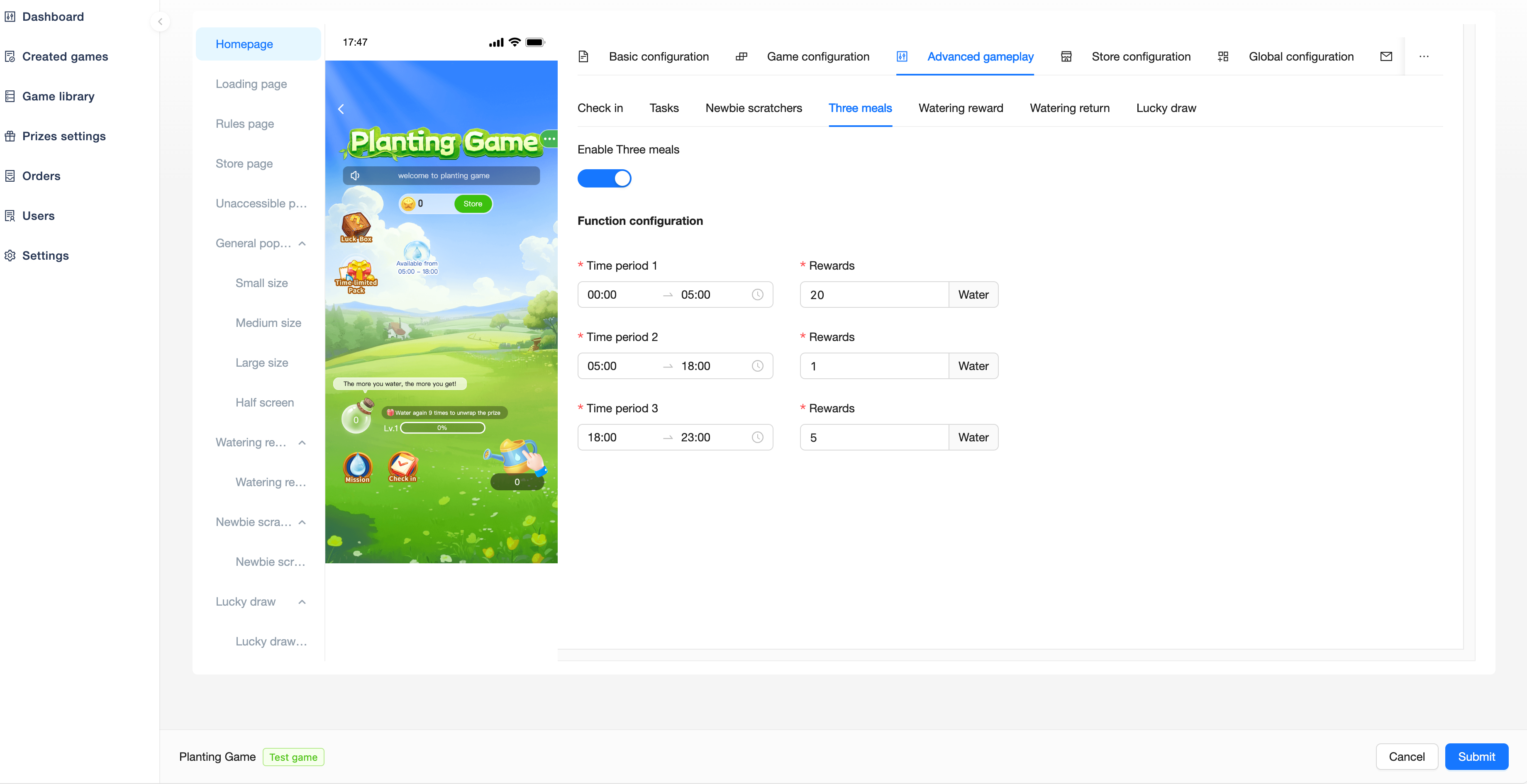
Users can collect water reward at 3 fixed time slots per day.
Function configuration:
Time period: Time period
Reward: Obtained water
Watering Reward
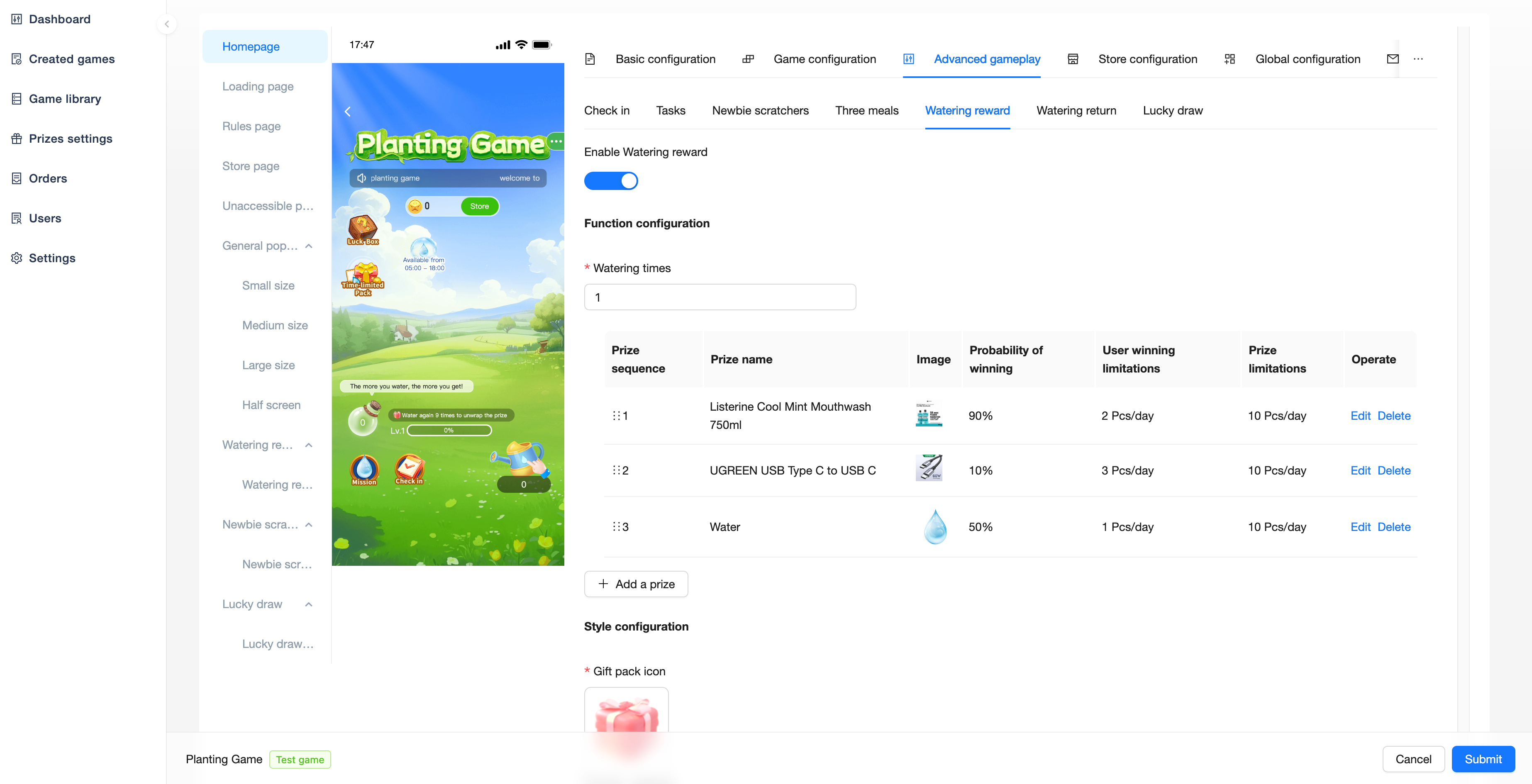
After the user reaches the set number of watering times, he/she can draw a prize.
Function configuration:
Watering times: How many times do users have to water before they can draw a prize
Prize: Can select created prize, water, coins values
Prize limitations: Number of prizes that can be drawn daily/weekly/monthly/permanently
Winning limitations: Number of draws a user can make daily/weekly/monthly/permanently
Probability of winning: Probability of winning the prize
When users draw prizes, the probability is random each time (10% does not mean that you will win 10 times out of 100 draws)
Watering Return
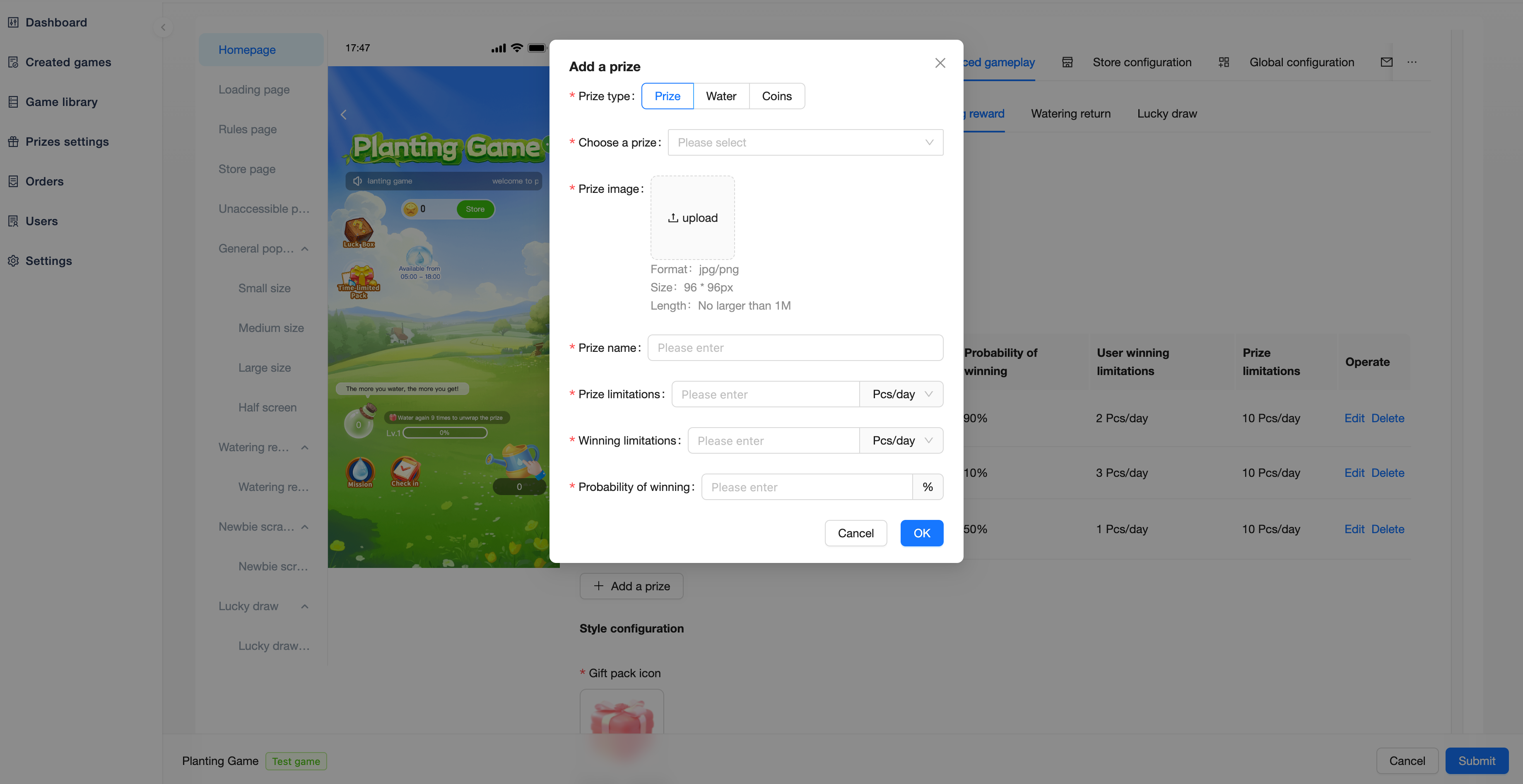
Part of the user's watering value for the day will be returned on the next day, the returned water needs to be collected manually.
Function configuration:
Refund ratio: Percentage of water returned
Tomorrow's available time period: Returned water in the next day's collectible time period
Style configuration:
Water bottle: The bottle style of returned water was produced on that day
Empty water bottle: Empty bottle images
Q
Lucky Draw
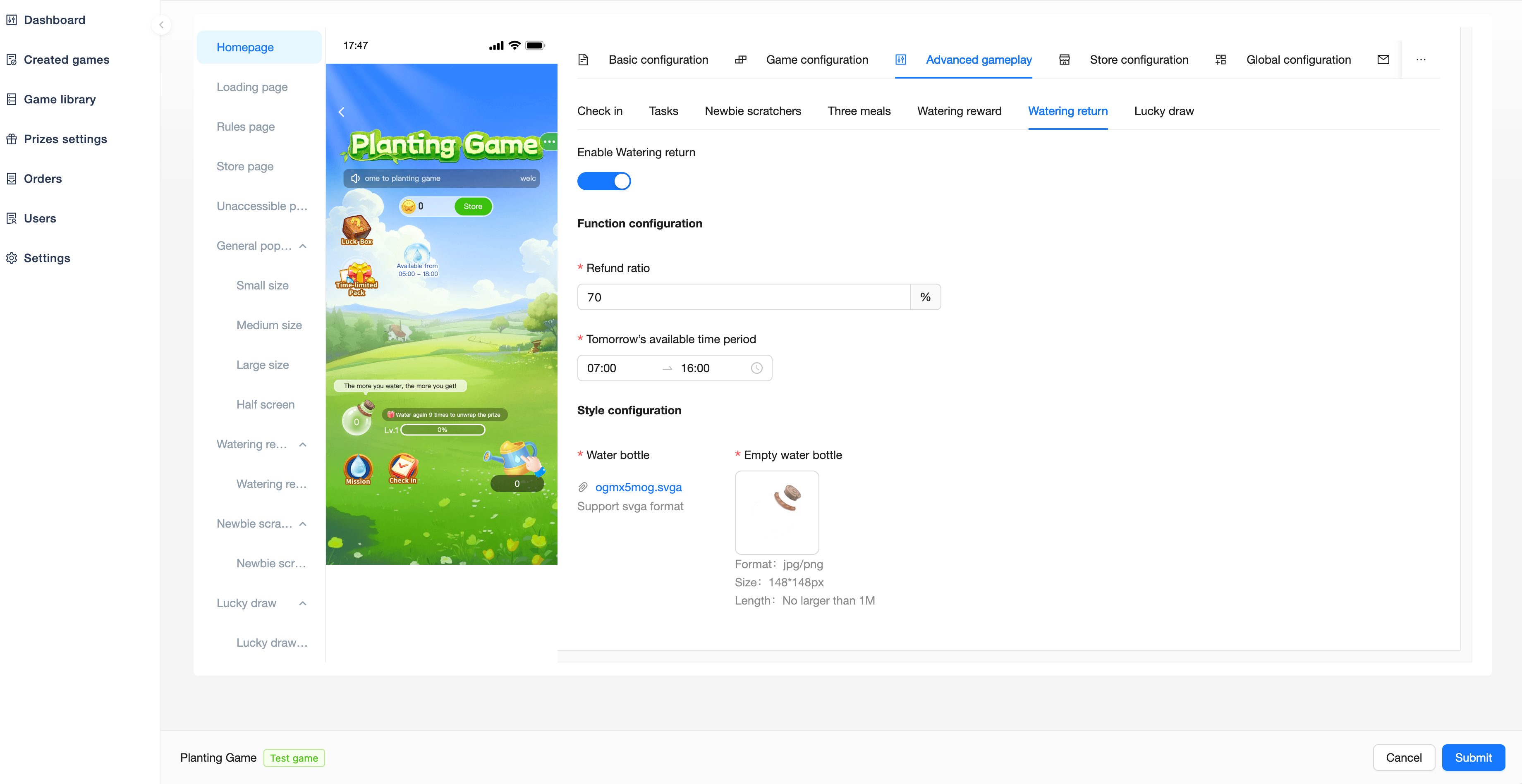
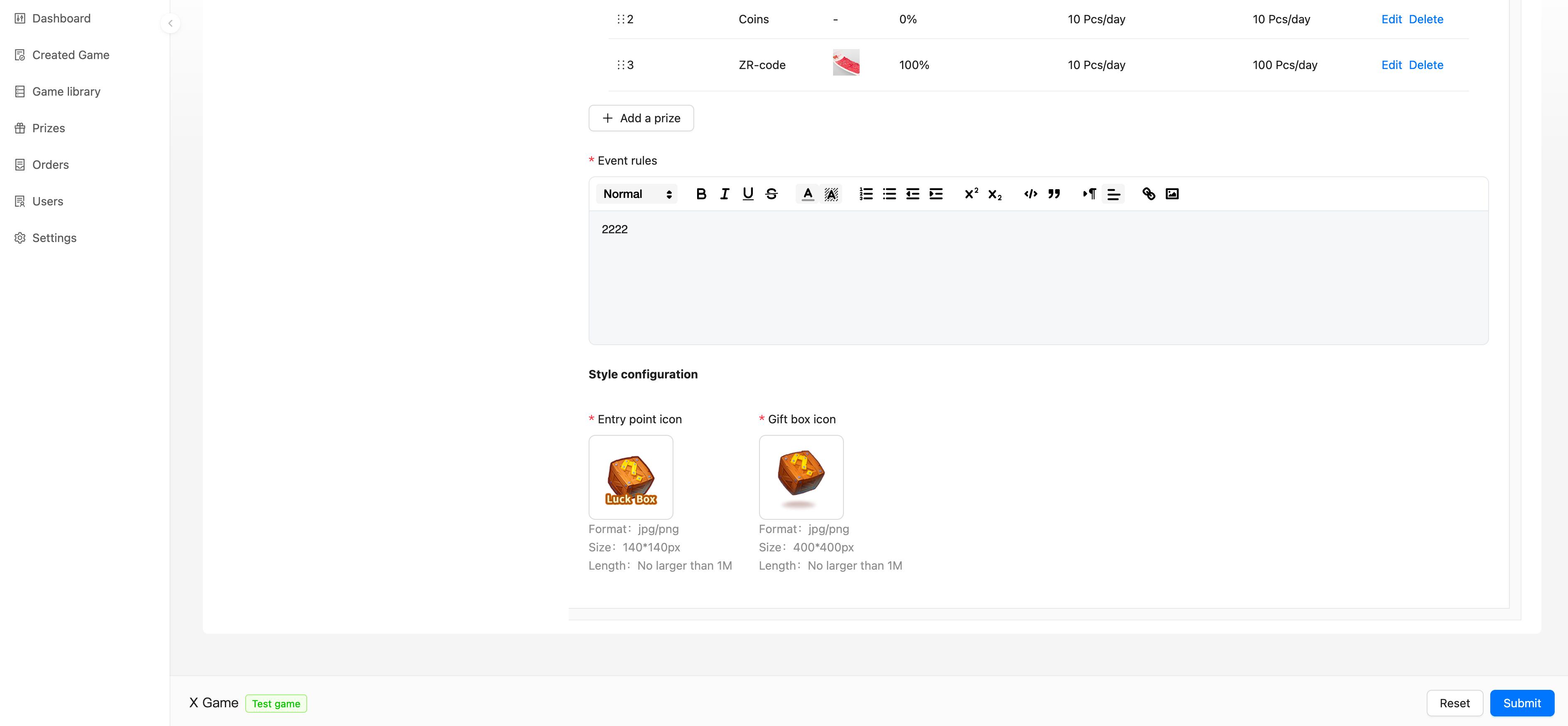
Users can participate in a Gift Box Lucky Draw with a probability of winning prizes.
Function configuration:
Event time: Time available for participation in the Gift Box Lucky Draw
Entry point display time: Display time of the Gift Box Lucky Draw entry
Free times: Number of free draws a user can get daily/weekly/monthly/permanently
User draw limitations: Limitation on the number of times a user can participate in the Lucky Draw daily/weekly/monthly/permanently
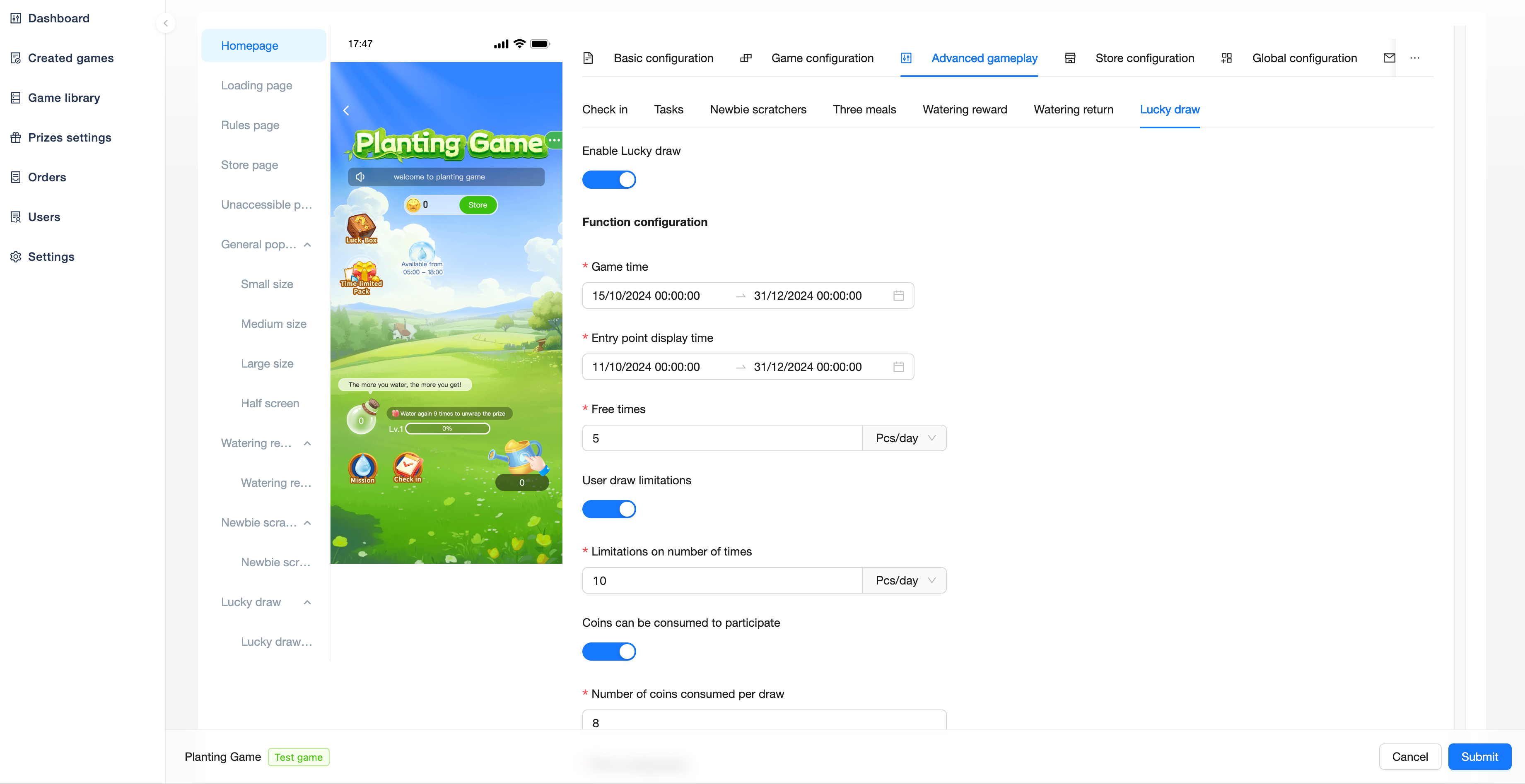
Coins can be consumed to participate: How many coins do users need to consume for a draw after they run out of free times
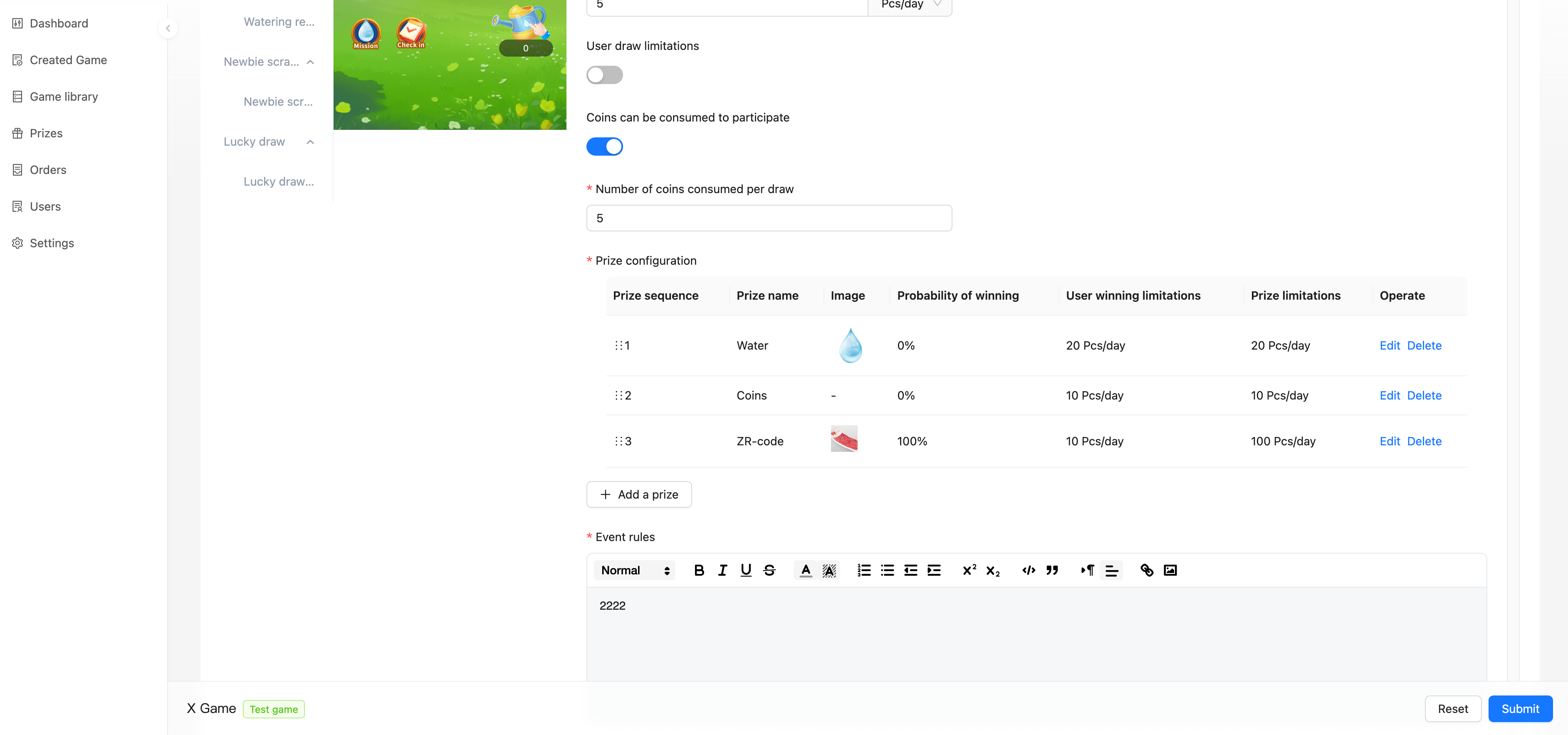
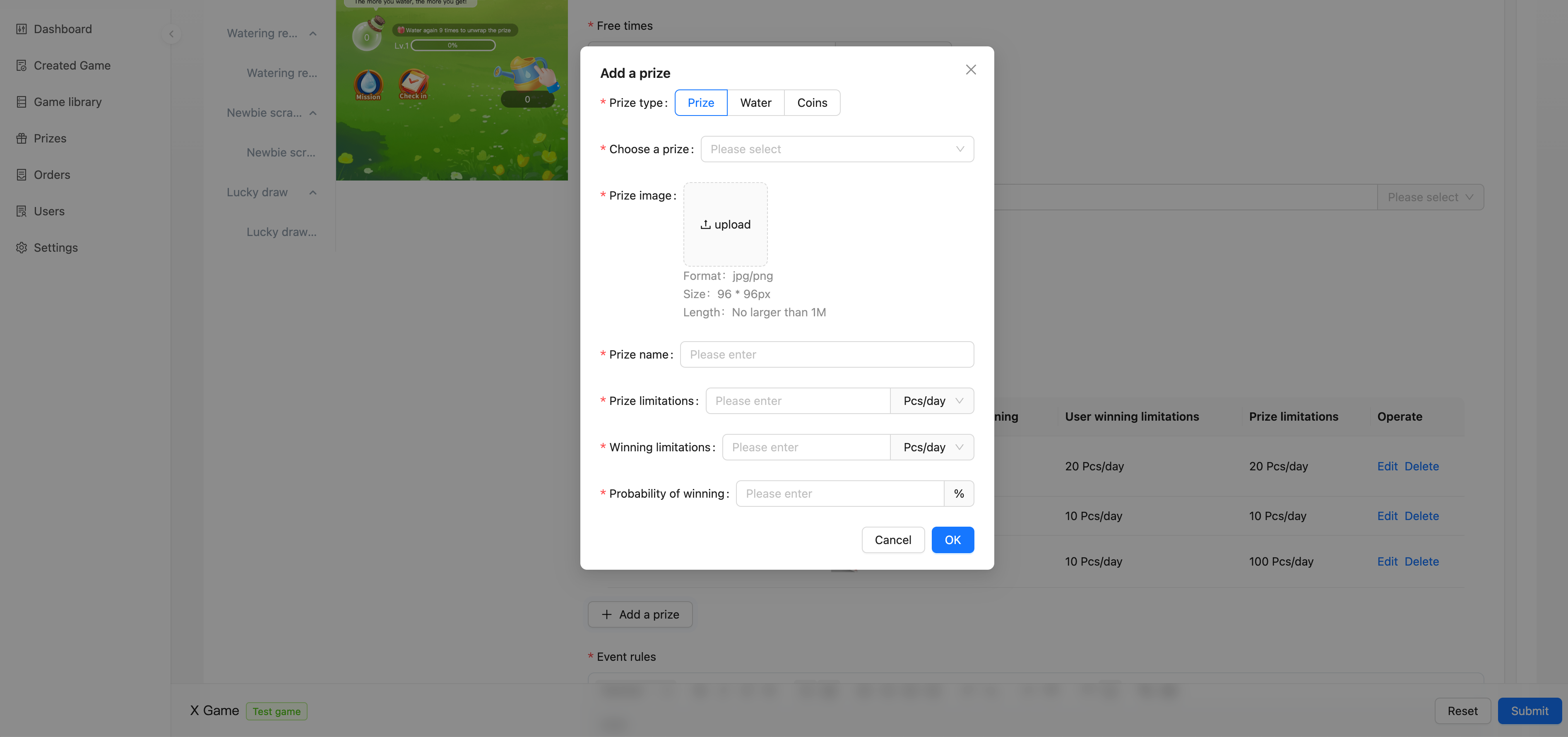
Prize configuration: Can select created prize, water, coins values
Prize limitations: Number of prizes that can be drawn daily/weekly/monthly/permanently
Winning limitations: Number of draws a user can make daily/weekly/monthly/permanently
Probability of winning: Probability of winning the prize
(10% does not mean that you will win 10 times out of 100 draws)
Style configuration:
Entry point icon: Entry image for the Gift Box Lucky Draw
Gift box icon: Image of the gift box within the Gift Box Lucky Draw pop-up window
Mall Configuration
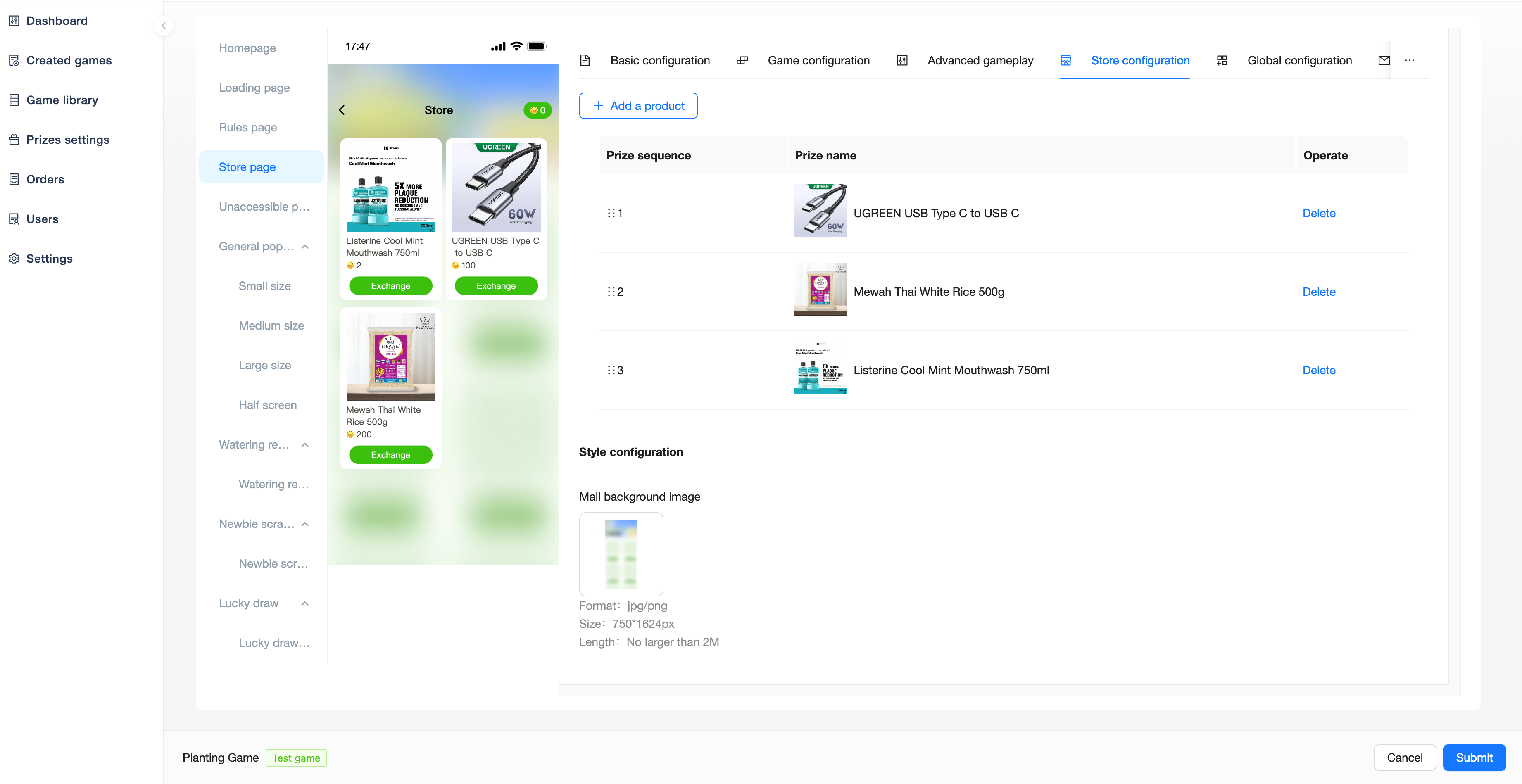
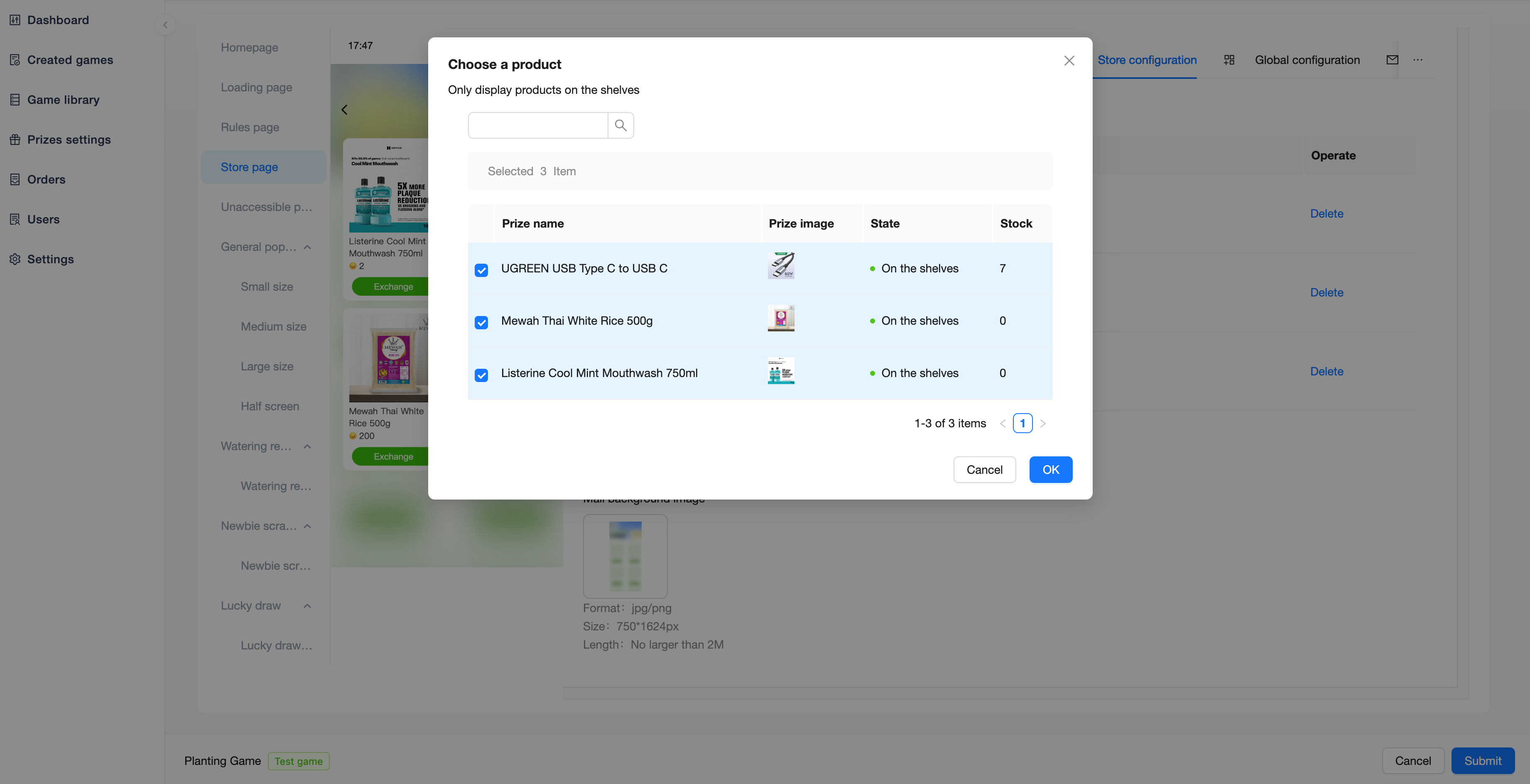
Users can redeem prizes through coins.
You can select the created prize configuration in the backend to display in the Mall page, and can modify the Mall background image to adjust the style.
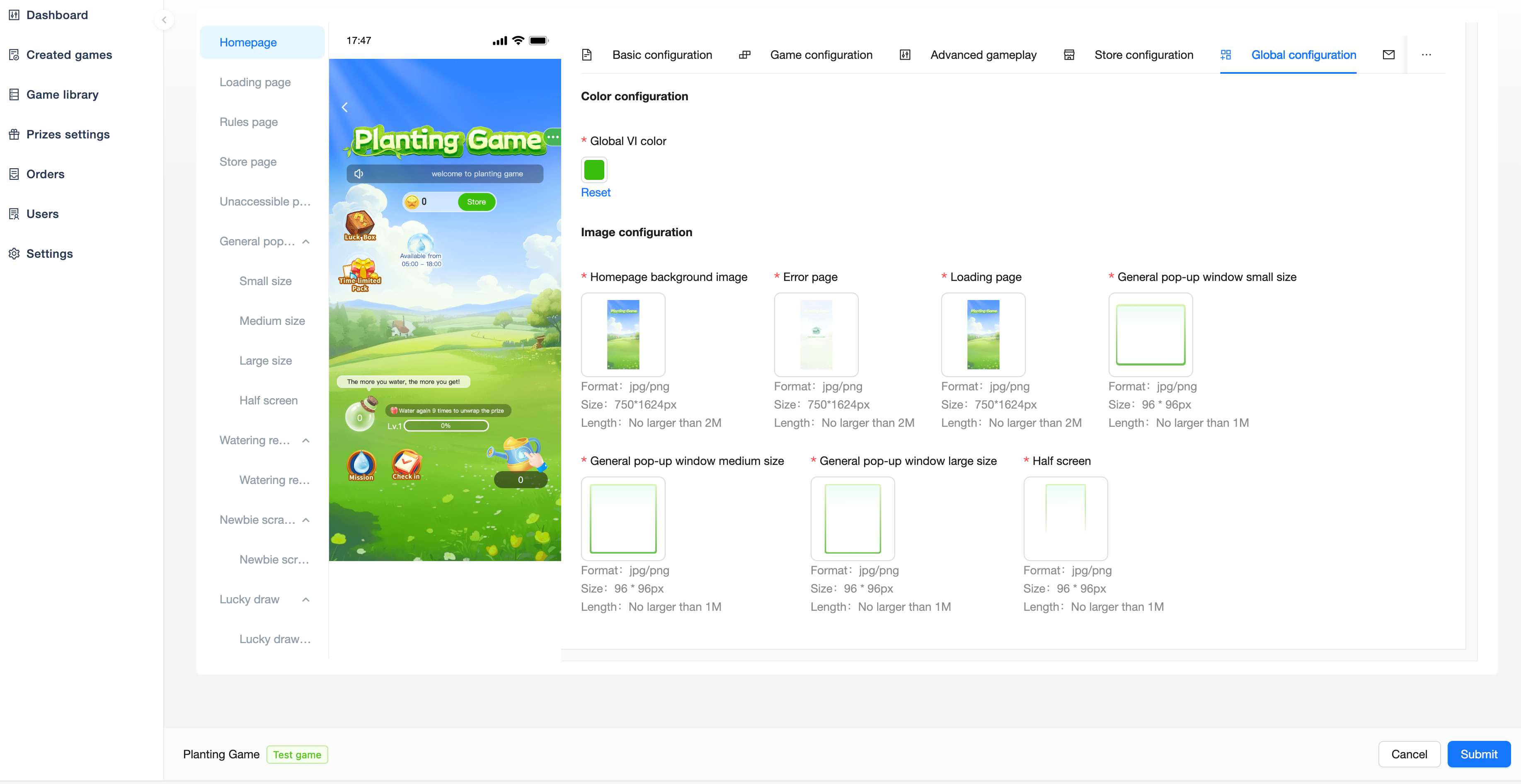
Global Configuration
You can modify the VI color, background image and other configurations to create a different game.
Share Configuration
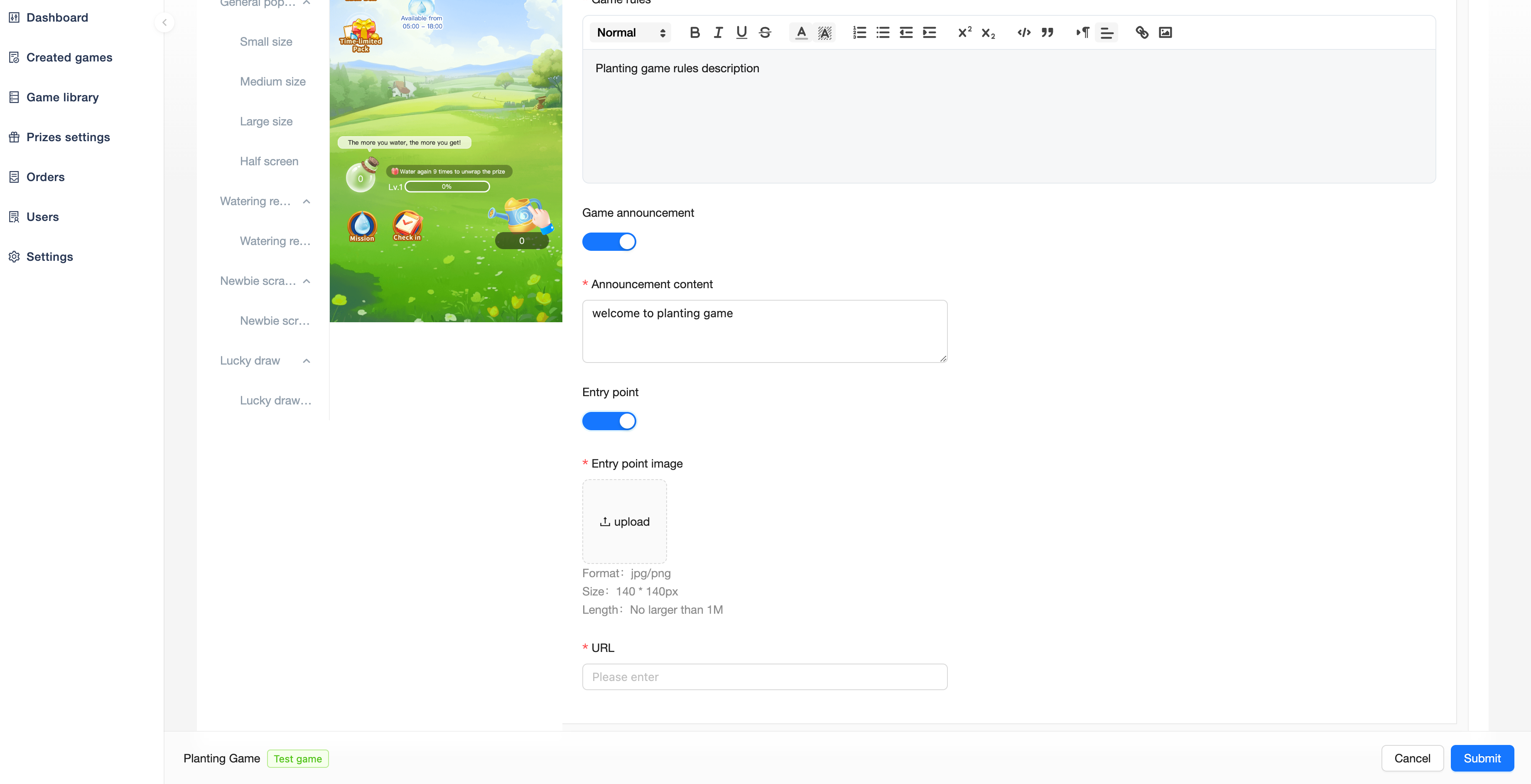
Users can share the activity to their friends, and can custom configure the sharing title, sharing description, sharing image.
If the H5 page is placed in the App in this way, you need to contact us to dock the sharing method of the App.