This document primarily introduces operations and permissions related to miniapp developers.
Developer roles on the SuperApp Business Application Platform can only be added through invitation.
1. Receiving the Invitation
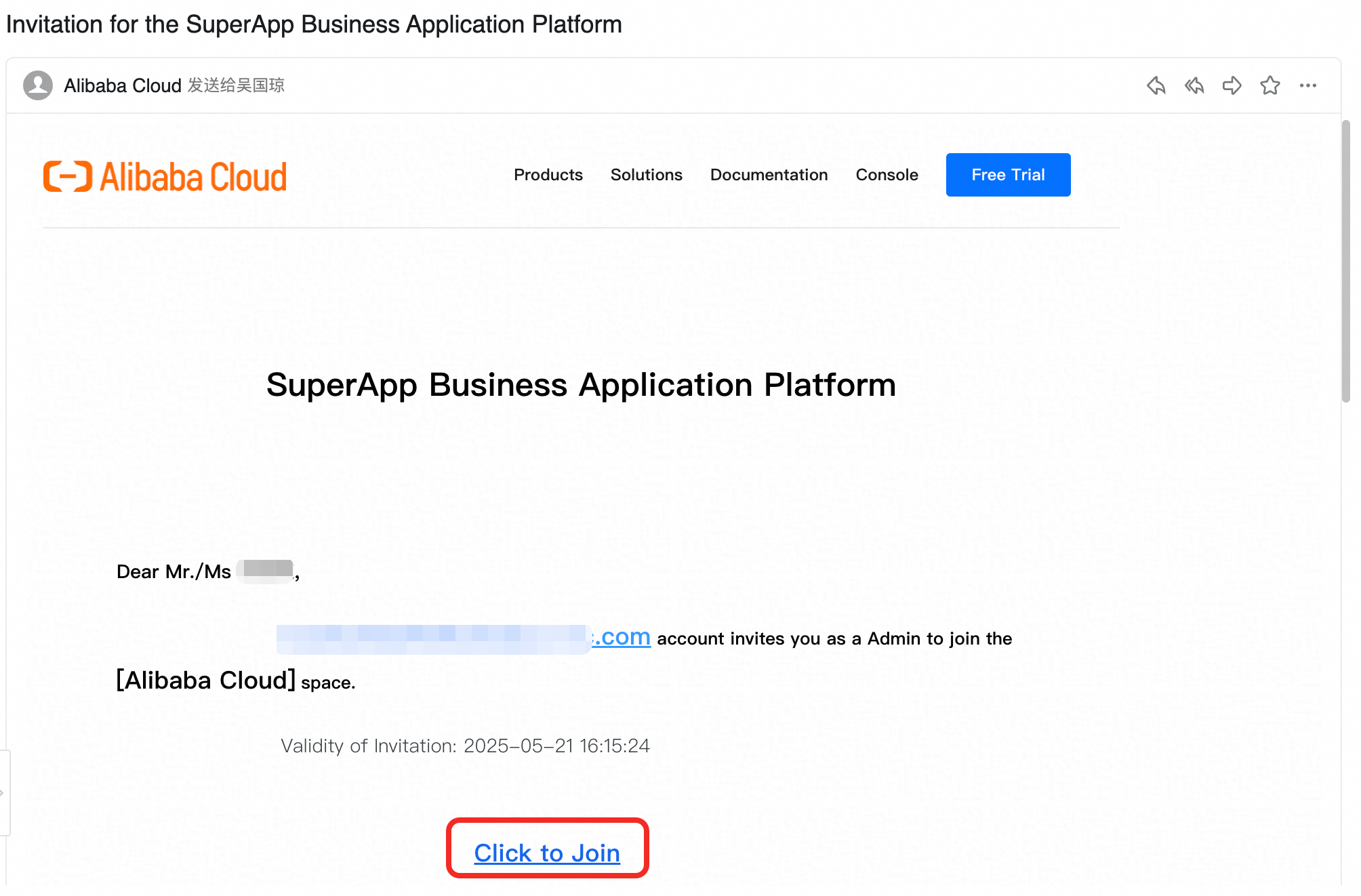
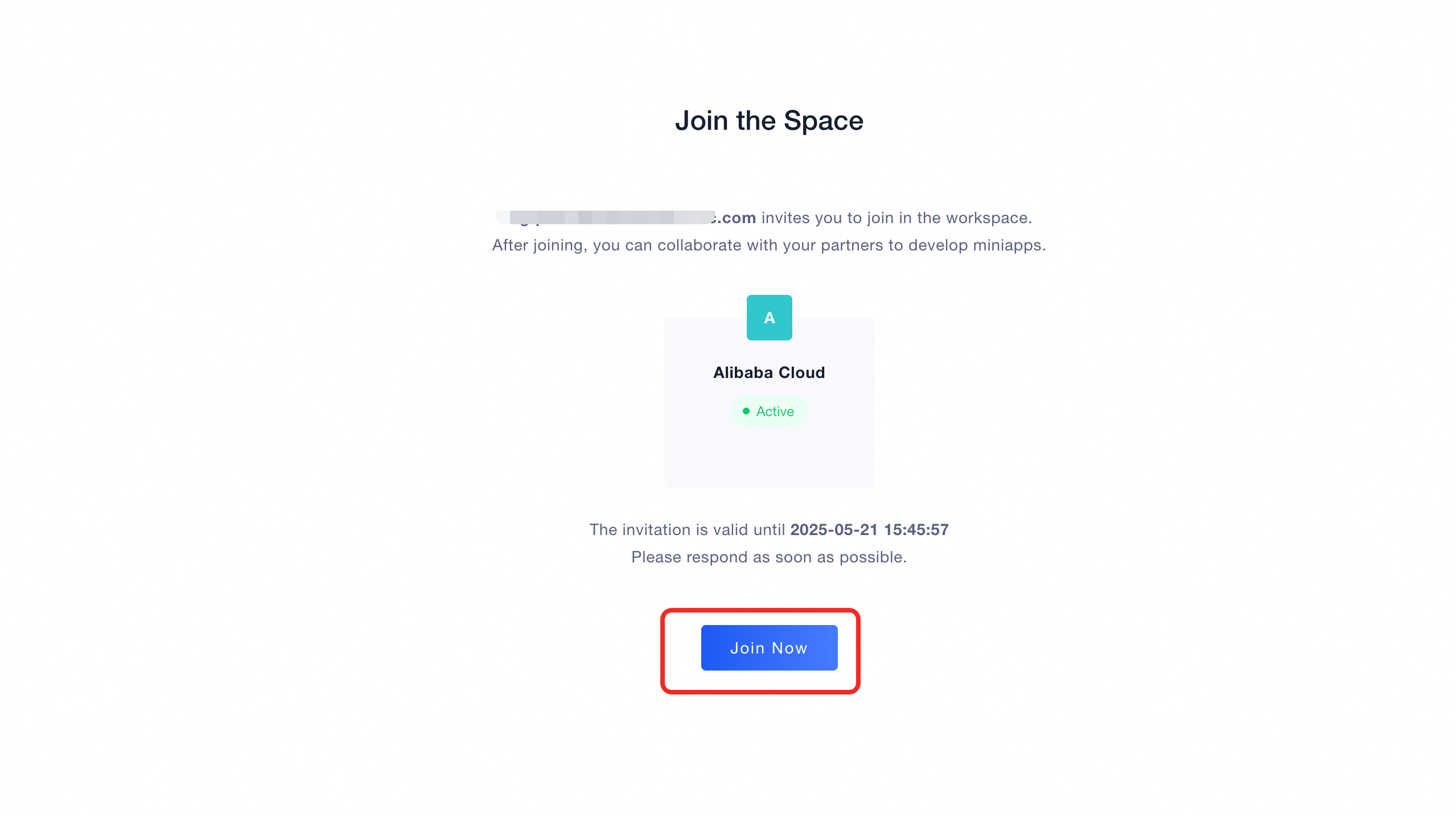
You will receive an email invitation. Click the 「Click to Join」 link in the email, confirm your details, and then click 「Join Now」 to access the SuperApp Business Application Platform..
Receiving an invitation does not mean you are registered. If this is your first time using the platform, you must complete the registration and login process before proceeding.
Make sure that the account you register with matches the email address used in the invitation. Each invitation link is valid for one email account only.
Invitation Email Page:
Join the space Page:
2. Login / Sign up
First-time Use of SuperApp
If you are using the 「SuperApp Business Application Platform」 for the first time, please sign up first.
Existing SuperApp Account
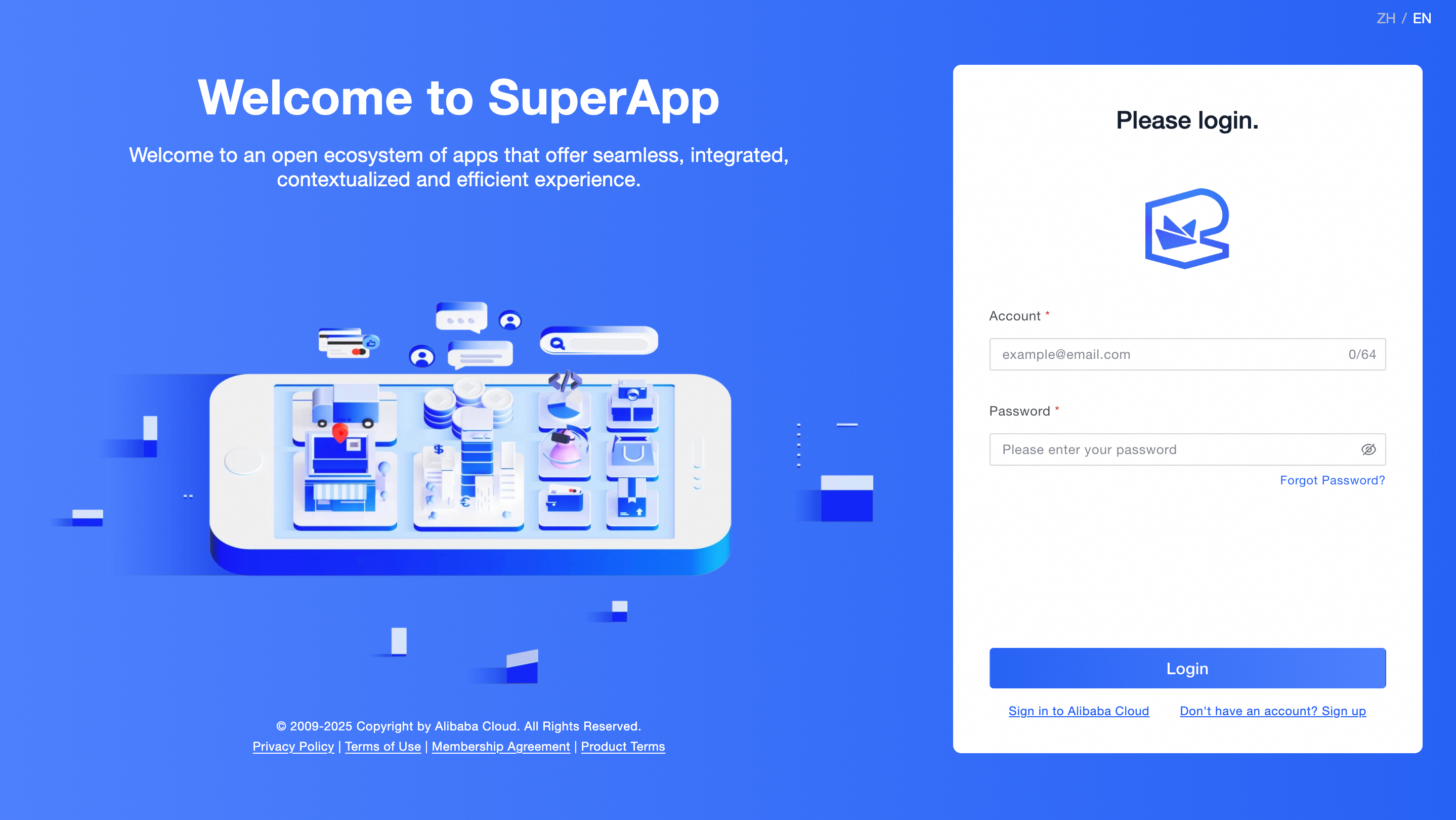
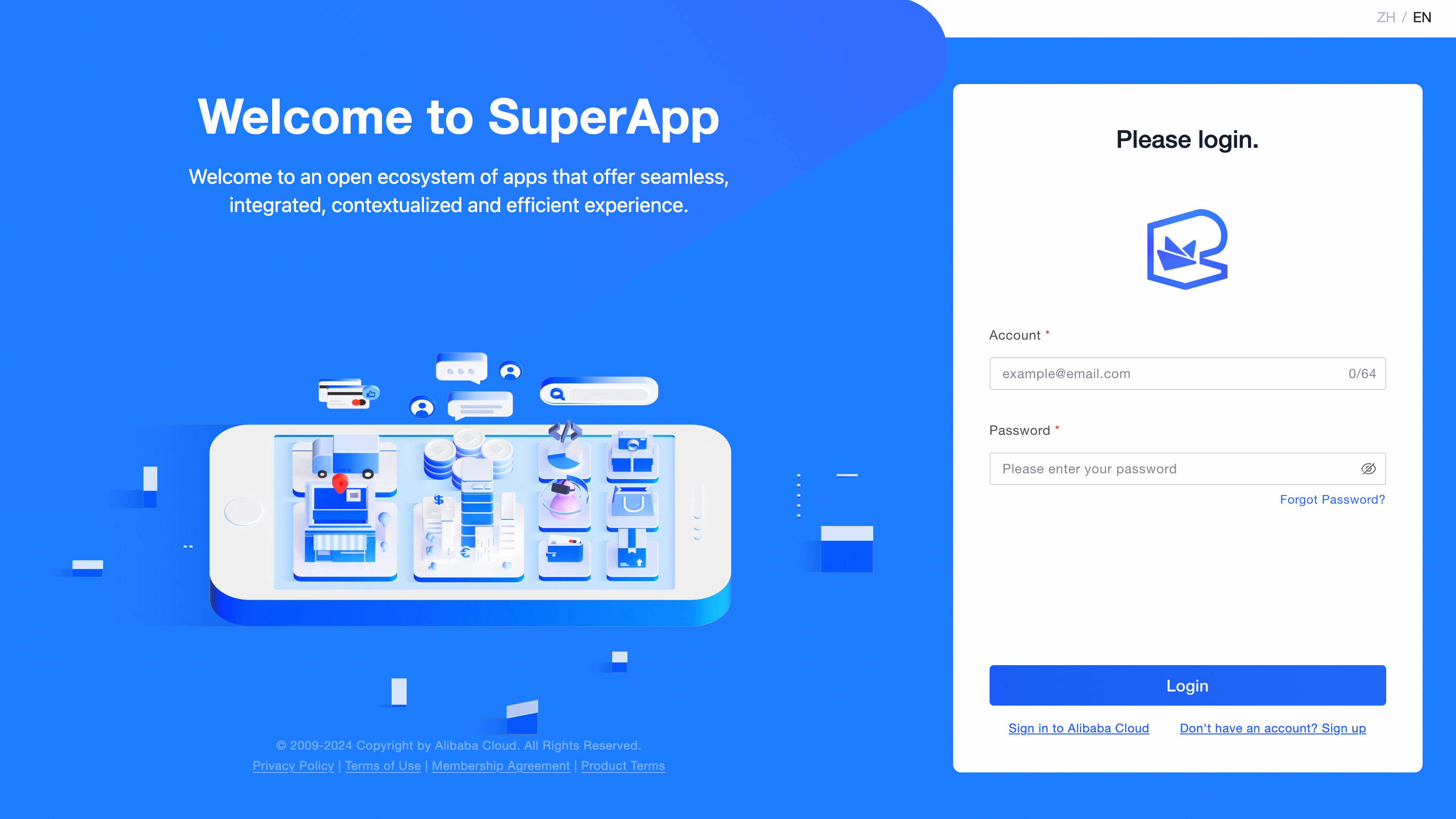
If you already have a 「SuperApp Business Application Platform」 account, please log in using your account and password.
Login Page:
Sign Up Page:
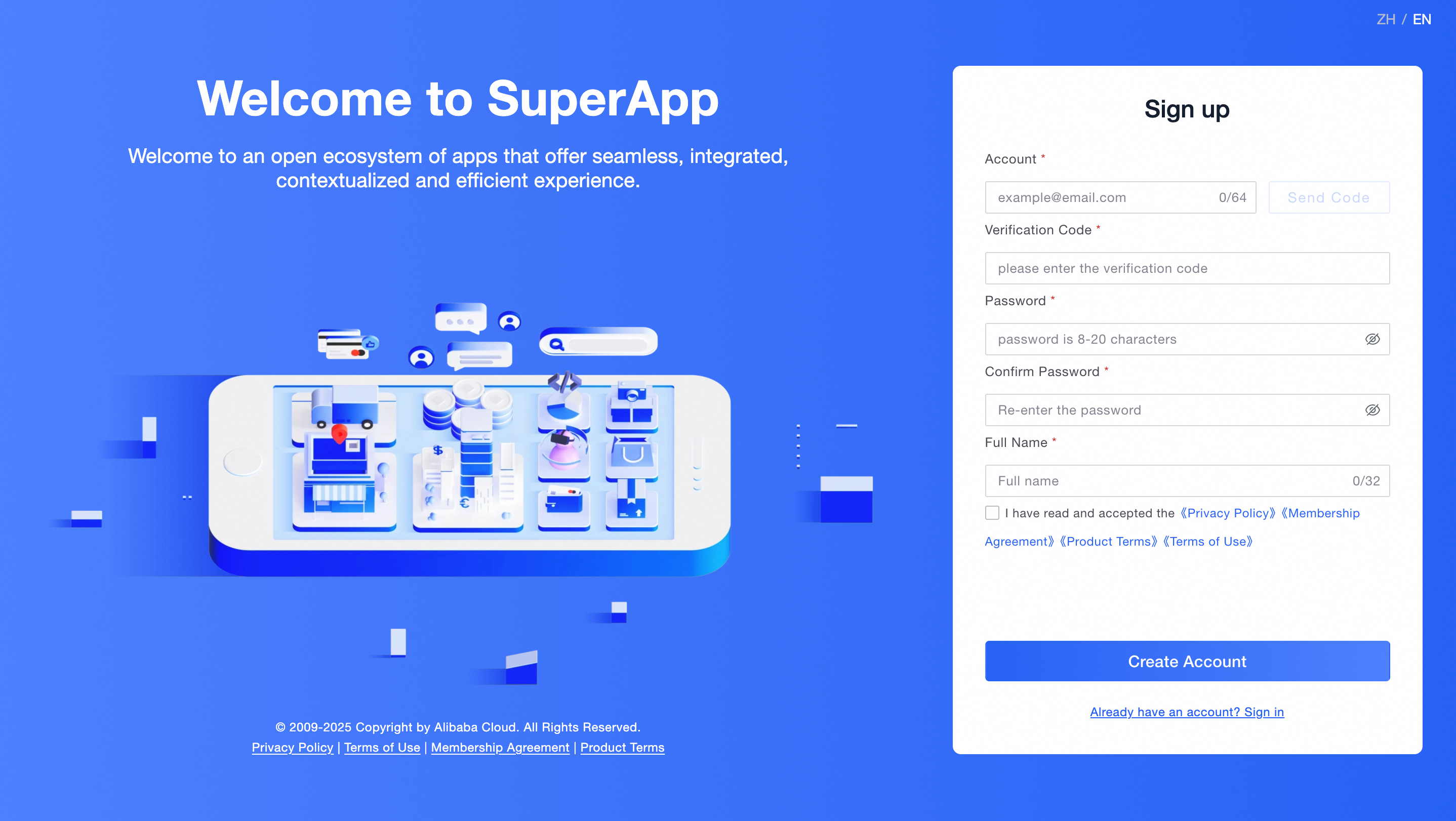
Create an account:
Your password must meet the following complexity requirements:
Password must contain at least one digit [0-9].
Password must contain at least one lowercase Latin character [a-z].
Password must contain at least one uppercase Latin character [A-Z].
Password must contain at least one special character like
! @ # & ( ).\.Password must contain a length of at least 8 characters and a maximum of 20 characters.
If you forget your password, click 「Forgot Password?」 on the logon page to reset the password.
If you have successfully registered or already have a SuperApp account, please enter your account and password to complete the login:
After logging in, you can start using the SuperApp Business Application Platform.