The WindVane VS Code extension lets you initialize a WindVane scaffolding project, build and package it, and publish the miniapp through Application Open Platform.
Procedure
-
In VS Code, click the Extensions icon in the left sidebar, search for
superapp, and install the SuperApp Miniapp Develop Tool extension. -
If your VS Code version supports Auto Update, enable it to keep the extension up to date.

-
Click the
 Extensions icon in the sidebar, go to SuperApp Miniapp Develop Tool, and select
  > Settings. Configure the following parameters.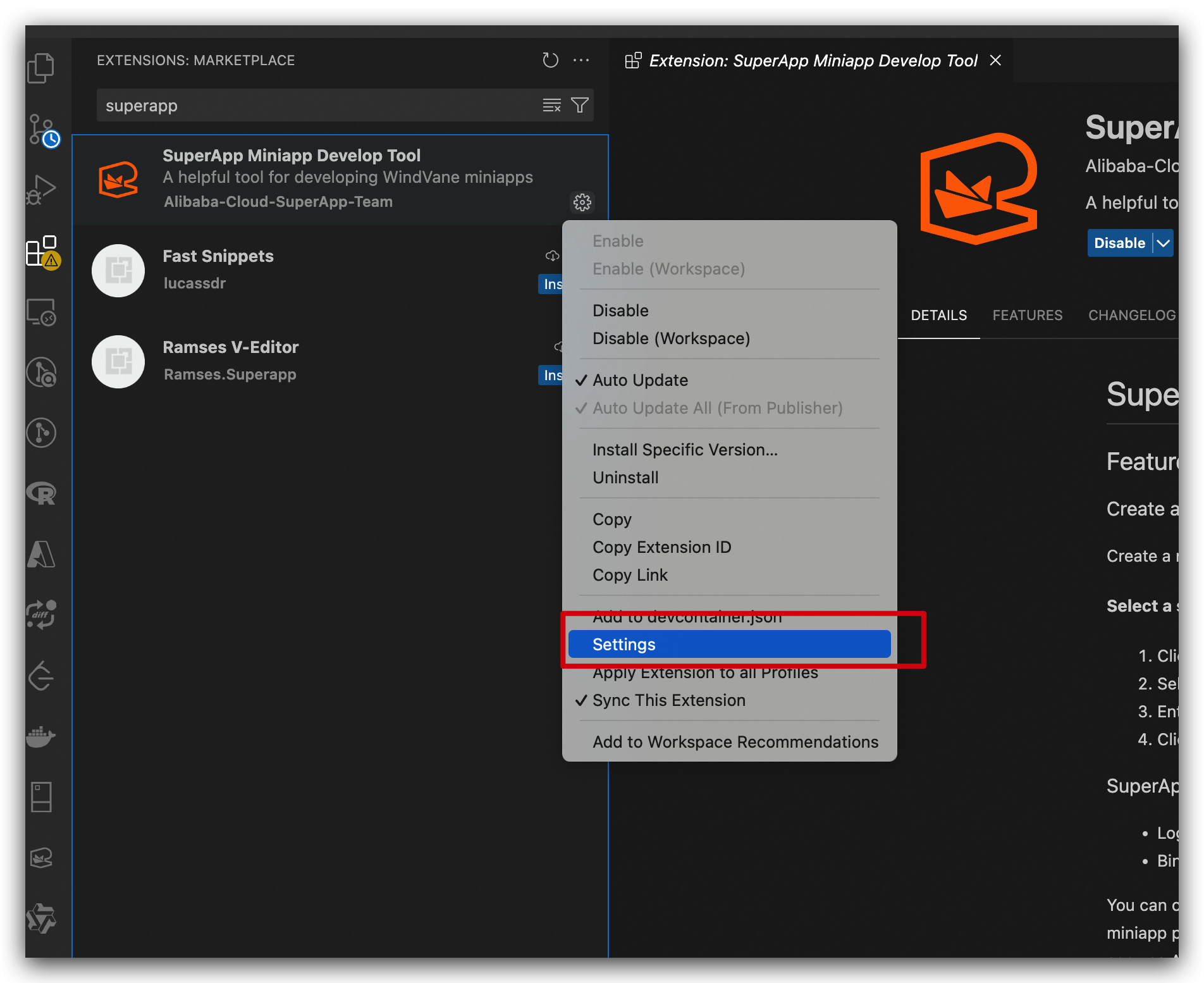
Parameter
Description
Build Path
Build artifact directory. Default:
dist.Env
Development environment.
Need Auth From App
When enabled, invoking client capabilities in the miniapp triggers an authorization prompt. When disabled, no authorization prompt is shown.
Password
Account password for Application Open Platform.
Username
Account username for Application Open Platform.
Adb Linux
Path to Android adb on Linux. Default:
~/Library/Android/sdk/platform-tools.Adb Mac
Path to Android adb on macOS. Default:
~/Library/Android/sdk/platform-tools.Adb Windows
Path to Android adb on Windows. Example:
D:\sdk\platform-tools. Required on Windows; otherwise the Android emulator cannot start.Emulator Linux
Path to Android emulator on Linux. Default:
~/Library/Android/sdk/emulator.Emulator Mac
Path to Android emulator on macOS. Default:
~/Library/Android/sdk/emulator.Emulator Windows
Path to Android emulator on Windows. Example:
D:\sdk\emulator. Required on Windows; otherwise the Android emulator cannot start.Sdk Manager Linux
Path to Android sdkmanager on Linux. Default:
~/Library/Android/sdk/tools/bin.Sdk Manager Mac
Path to Android sdkmanager on macOS. Default:
~/Library/Android/sdk/tools/bin.Sdk Manager Windows
Path to Android sdkmanager on Windows. Example:
D:\sdk\tools\bin. Required on Windows; otherwise the Android emulator cannot start.Avd Manager Linux
Path to Android avdmanager on Linux. Default:
~/Library/Android/sdk/tools/bin.Avd Manager Mac
Path to Android avdmanager on macOS. Default:
~/Library/Android/sdk/tools/bin.Avd Manager Windows
Path to Android avdmanager on Windows. Example:
D:\sdk\tools\bin. Required on Windows; otherwise an Android emulator cannot be created.Npm
Path to
npm.Start Command
Command to start the miniapp. Default:
npm start.