Query and export delivery reports in the Alibaba Cloud Short Message Service (SMS) console.
Query delivery reports
Log on to the SMS console. In the left-side navigation pane, choose .
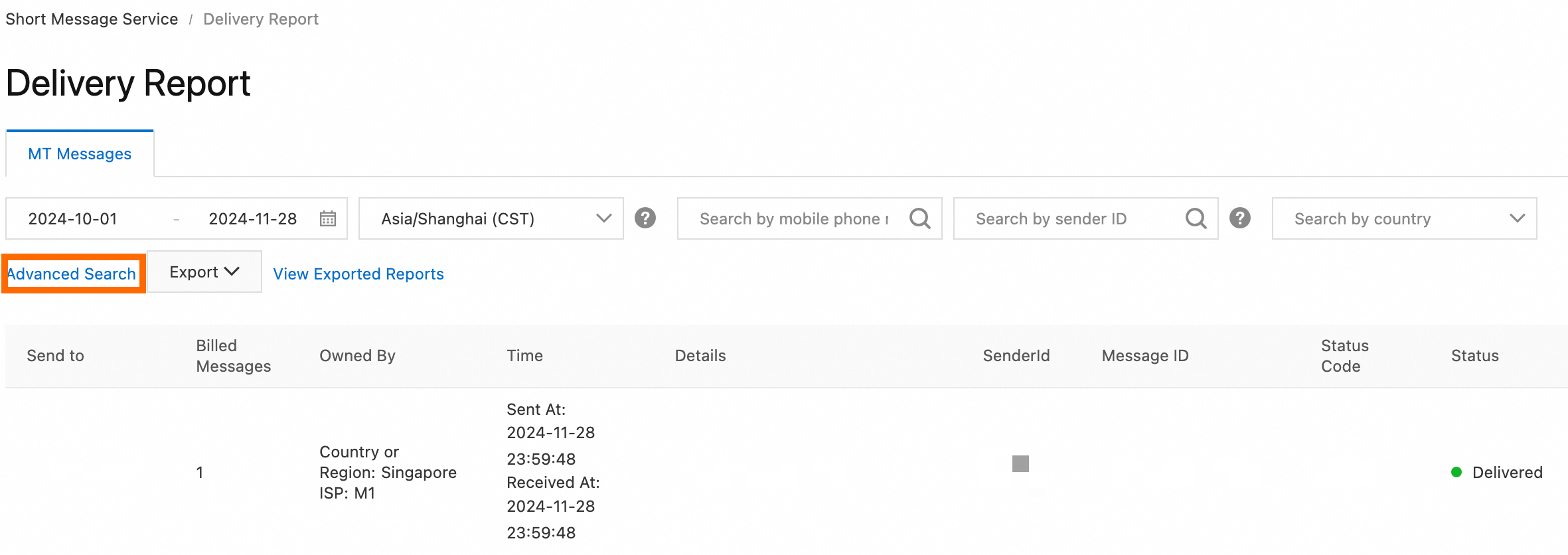
You can filter delivery reports by multiple conditions. Click Advanced Search to view all conditions.
-
Basic: Filter by delivery date, time zone, mobile number, sender ID, or destination country or region.
-
Advanced: Filter by Message Content, Carrier MCC & MNC, Delivery Status, Status Code, or Billed Messages.
-
Default time zone: UTC+8.
-
Time range limit: You can query delivery reports generated within the last 180 days.
Export delivery reports
-
Click to export the query results.
-
If the result set is too large to export at once, click ExportCreate Export Task to export full data.
Export Results
-
Configure the filter conditions as needed.
NoteIf the number of messaging records exceeds 50,000, add more conditions to narrow the results, or click Create Export Task to export full data.
-
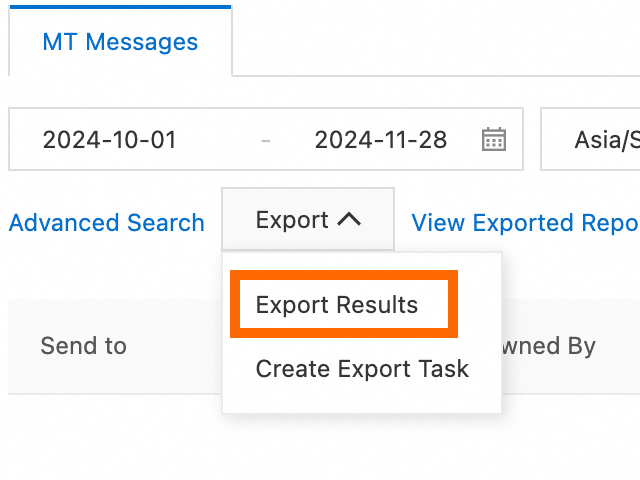
Choose Export > Export Results.
-
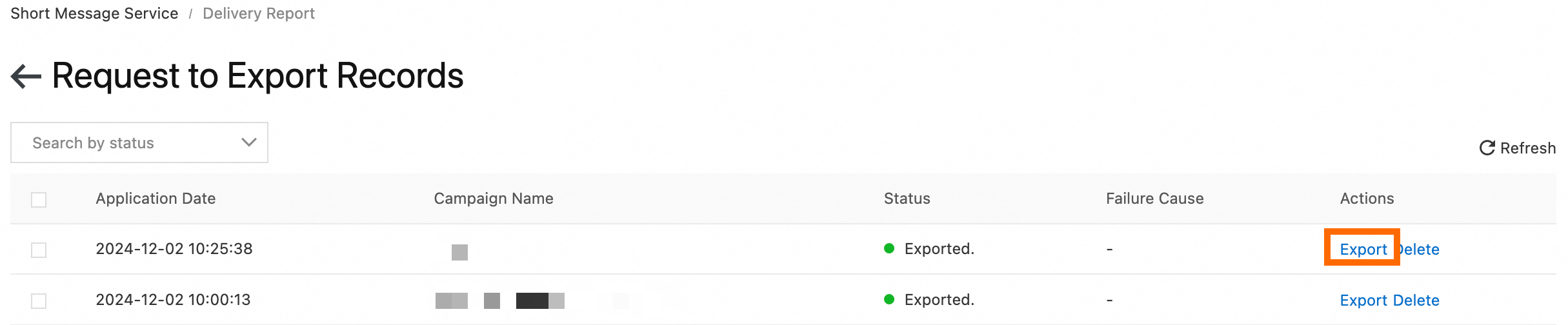
Click View Exported Reports. When the request enters the Exported state, click Export in the Actions column to download the reports.
Create Export Task
-
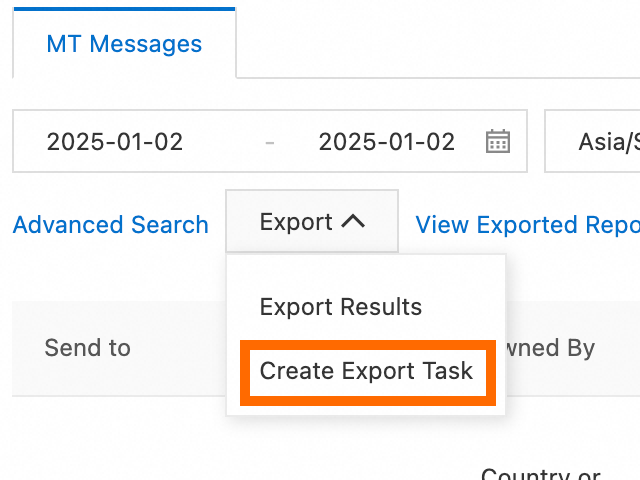
Choose Export > Create Export Task.
-
In the dialog box that appears, set Export Type, Date, Country/Region, and Sender ID, enter a task name, and then click OK.
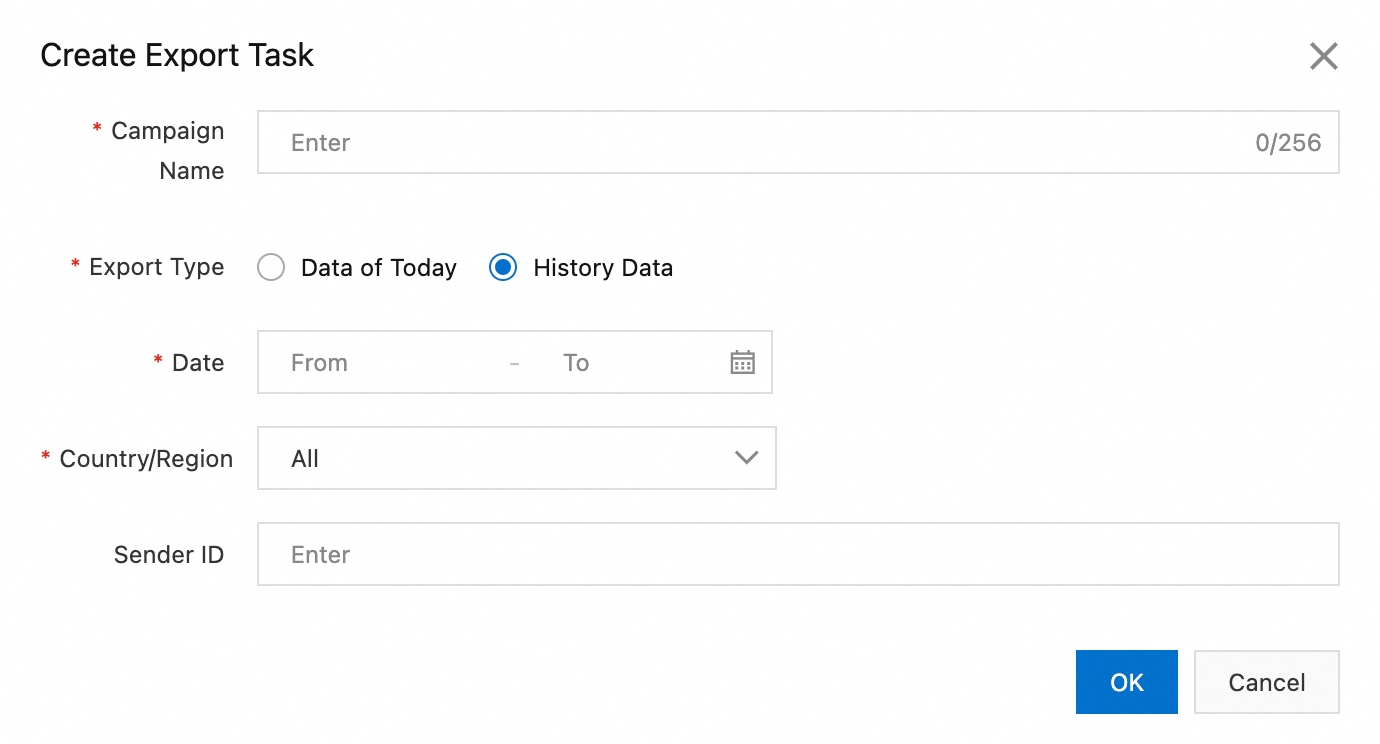
-
Click View Exported Reports. When the request enters the Exported state, click Export in the Actions column to download the reports.