You can configure a data transformation job to replicate each log entry in a source Logstore and distribute it to multiple destination Logstores based on content.
Use case
A data analytics company needs to replicate each log entry in a source Logstore and distribute it to two destination Logstores based on content. The transformation uses e_set to tag each log, e_split to split logs by tag, and e_output to route logs to the corresponding Logstores.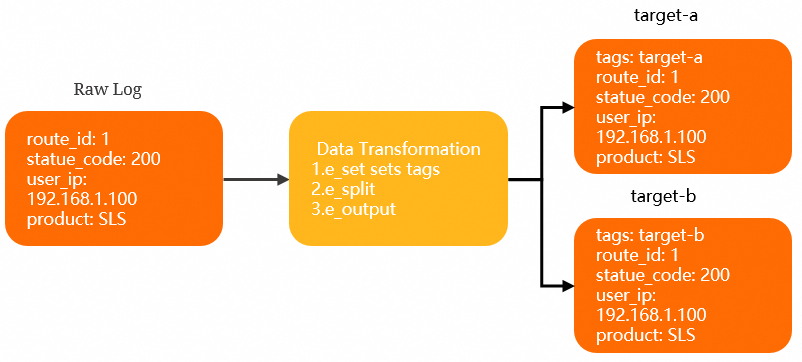 Before you begin:
-
Plan the capacity for destination Projects (target-a and target-b), including shard count. Performance guide.
-
Create the destination resources: the target-a Project with Logstore-a, and the target-b Project with Logstore-b. Manage Projects, Manage a Logstore.
Procedure
Log on to the Simple Log Service console.
In the Projects section, click the one you want.

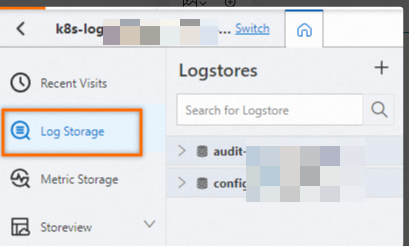
On the tab, click the logstore you want.
-
On the query and analysis page, click Data Transformation to enter data transformation mode.
-
In the Data Transformation editor, enter the following transformation script.
e_set("tags", "target-a,target-b") e_split("tags") e_if(op_eq(v("tags"), "target-a"), e_output("target-a")) e_if(op_eq(v("tags"), "target-b"), e_output("target-b")) e_drop() -
Click Preview Data.
Each original log is split into tagged entries. Logs tagged
target-aare routed to the target-a destination, and logs taggedtarget-bare routed to the target-b destination. -
Click Save as Transformation Job.
-
In the Create Data Transformation Job panel, configure the following parameters.
-
Configure the basic information.
Parameter
Description
Job name
Enter test.
Authorization method
Authorizes read access to the source Logstore. Select Default Role.
-
Configure the storage destination for target-a.
Parameter
Description
Destination name
Enter target-a.
Destination region
Select China (Hangzhou).
Destination project
Enter target-a.
Target store
Enter LogStore-a.
Authorization method
Authorizes write access to the target-a destination.
Select Default Role.
-
Configure the storage destination for target-b.
Parameter
Description
Destination name
Enter target-b.
Destination region
Select China (Hangzhou).
Destination project
Enter target-b.
Target store
Enter LogStore-b.
Authorization method
Authorizes write access to the target-b destination.
Select Default Role.
-
Configure the processing time range.
Parameter
Description
Time range
Select All to process data continuously from the start time.
-
-
Click OK.
Results
-
Open the target-a Project. On the tab, select Logstore-a to view the distributed data.
-
Open the target-b Project. On the tab, select Logstore-b to view the distributed data.