By default, ActionTrail only records events from the past 90 days for each Alibaba Cloud account. If you have not created a trail, you cannot trace events older than 90 days. This topic describes how to create a trail and collect events into the project associated with Log Audit Service for long-term storage and analysis.
Background information
When you deliver events using an Alibaba Cloud account, events related to the Alibaba Cloud account and all RAM users within the account are delivered. When you deliver events using a RAM user, you need to grant the RAM user permission to manage trails first. For more information, see Grant permissions to a RAM user.
How it works
When you create a trail and deliver it to Simple Log Service (SLS), events are stored in JSON format in the SLS Logstore. New events are usually delivered to your SLS Logstore within one minute, making it convenient for subsequent query and analysis.

1. Associate the project
ActionTrail logs are integrated into the project associated with Log Audit Service.
Log on to the Simple Log Service console. On the Audit & Security tab of the Log Application section , click Log Audit Service (New Version).
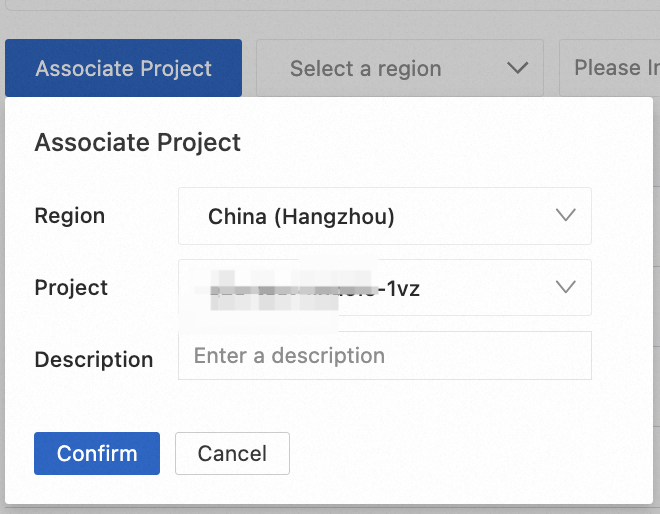
On the Log Audit (New Version) page, click Associate Project, configure the project in the dialog box, and then click Confirm.
2. Create a trail
Log on to the ActionTrail console. In the left navigation pane, click Trails, and then click Create Trail. On the Create Trail page, configure Basic Information and Event Delivery. For example, refer to the figure below, configure the trail name as
sample-production-actiontrail, and deliver events to the associated Simple Log Service projectsample-production-cn-shanghai.NoteActionTrail automatically creates a Logstore named
actiontrail_<trail name>.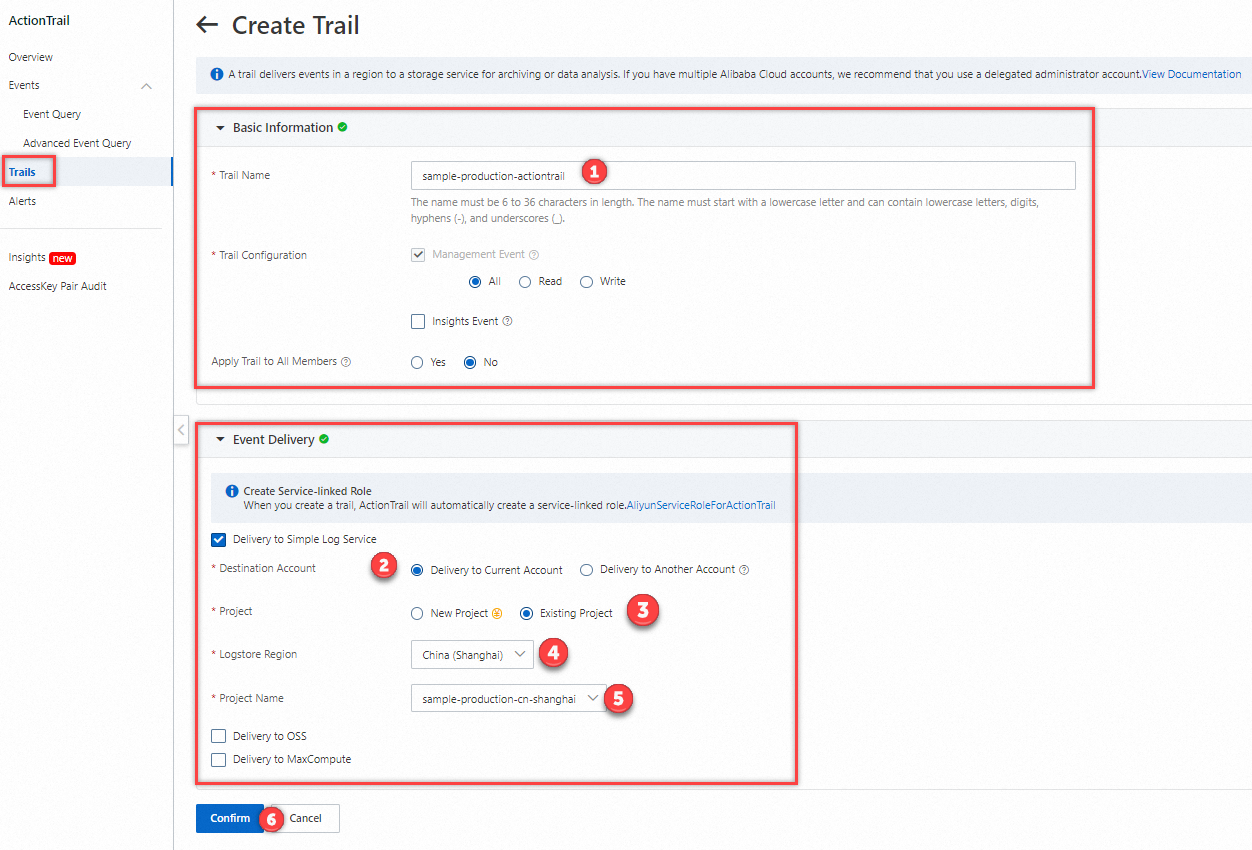
After the trail is successfully created, view the detailed configuration.

3. Verify collection results
On the Log Audit (New Version) page, click the name of the associated project.

On the Cloud Services tab, ActionTrail is enabled, click View.
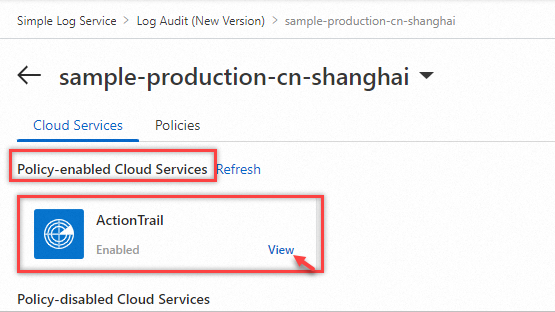
On the Query and Analysis > ActionTrail Logs page, the Logstore is
actiontrail_sample-production-actiontrail. Use Search syntax for query and analysis.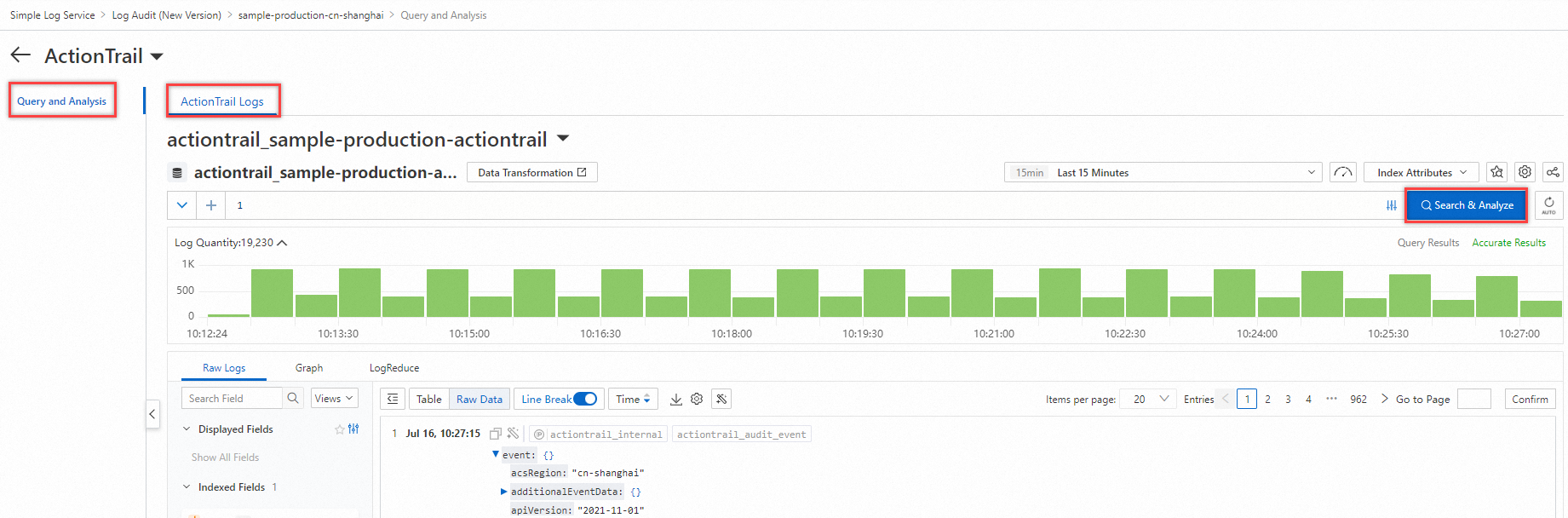
References
If you use RAM users to operate the new version of Log Audit Service, you need to use the Alibaba Cloud account to grant the RAM users the appropriate permissions. For more information, see Grant a RAM user the permissions to use the new version of Log Audit Service.
For the steps to view, create, change, and delete log audit rules, see Manage the collection rules of cloud services.
This topic uses ActionTrail access logs as an example. For information about other cloud product log information, such as log types, default project names, default Logstore names, and log billing, see Usage notes of cloud service log collection.