Terraform is an open-source tool for safely and efficiently previewing, provisioning, and managing cloud infrastructure and resources. You can use Terraform to create a Simple Log Service alert rule.
You can run the sample code in this tutorial with a single click.Run the sample code
Prerequisites
-
Simple Log Service is enabled. For more information, see Resource management overview.
-
To reduce security risks, use a RAM user with the minimum required permissions to complete this tutorial. For more information about creating a RAM user and granting permissions, see Create a RAM user and Grant permissions to a RAM user. Attach the following policy to the RAM user:
{ "Version": "1", "Statement": [ { "Effect": "Allow", "Action": [ "log:GetProject", "log:ListProject", "log:CreateProject", "log:DeleteProject", "log:UpdateProject", "log:GetLogStore", "log:GetLogStoreLogs", "log:GetLogStoreMeteringMode", "log:ListLogStores", "log:CreateLogStore", "log:PostLogStoreLogs", "log:UpdateLogStore", "log:GetDashboard", "log:CreateDashboard", "log:UpdateDashboard", "log:ListDashboard", "log:ListTagResources", "log:ListShards", "log:GetJob", "log:UpdateJob" ], "Resource": "*" }, { "Effect": "Allow", "Action": [ "log:GetProjectPolicy", "log:DeleteJob", "log:DeleteLogStore", "log:CreateJob" ], "Resource": "*" } ] } -
Prepare a Terraform environment. You can use one of the following methods to run Terraform.
Use Terraform in Terraform Explorer: Alibaba Cloud provides an online environment to run Terraform. You do not need to install Terraform. You can log on to use and try Terraform online. This method is suitable for scenarios where you want to try and debug Terraform quickly and conveniently at no cost.
Cloud Shell: Alibaba Cloud Cloud Shell has Terraform components pre-installed and identity credentials configured. You can run Terraform commands directly in Cloud Shell. This method is suitable for scenarios where you want to access and use Terraform quickly and conveniently at a low cost.
Install and configure Terraform on your local machine: This method is suitable for scenarios with poor network connectivity or when you need a custom development environment.
Some of the resources used in this tutorial incur fees. To avoid unexpected charges, clean up the resources when you no longer need them.
Step 1: Create a project and a Logstore
-
Create a working directory, and then create a file named main.tf in it. Copy the following code to the main.tf file.
variable "region" { default = "cn-hangzhou" } variable "email_list" { type = list(string) description = "The recipients of alert notifications." default = ["ali***@alibaba-inc.com", "tf-example@123.com"] } provider "alicloud" { region = var.region } resource "random_integer" "default" { min = 10000 max = 99999 } # A project. resource "alicloud_log_project" "example" { project_name = "project-name-${random_integer.default.result}" description = "tf actiontrail example" } # A Logstore. resource "alicloud_log_store" "example" { project_name = alicloud_log_project.example.project_name logstore_name = "logstore_example_${random_integer.default.result}" retention_period = 3 } -
Run the following command to initialize the Terraform runtime environment.
terraform initThe following output indicates a successful initialization.
Terraform has been successfully initialized! You may now begin working with Terraform. Try running "terraform plan" to see any changes that are required for your infrastructure. All Terraform commands should now work. If you ever set or change modules or backend configuration for Terraform, rerun this command to reinitialize your working directory. If you forget, other commands will detect it and remind you to do so if necessary. -
Run the following command to apply the configuration.
terraform applyWhen prompted to confirm, type
yesand press Enter. The following output indicates that Terraform created the resources:You can apply this plan to save these new output values to the Terraform state, without changing any real infrastructure. Do you want to perform these actions? Terraform will perform the actions described above. Only 'yes' will be accepted to approve. Enter a value: yes Apply complete! Resources: 3 added, 0 changed, 0 destroyed. -
Verify the result.
Command line
Run the following command in your working directory to view the details of the created resources:
terraform show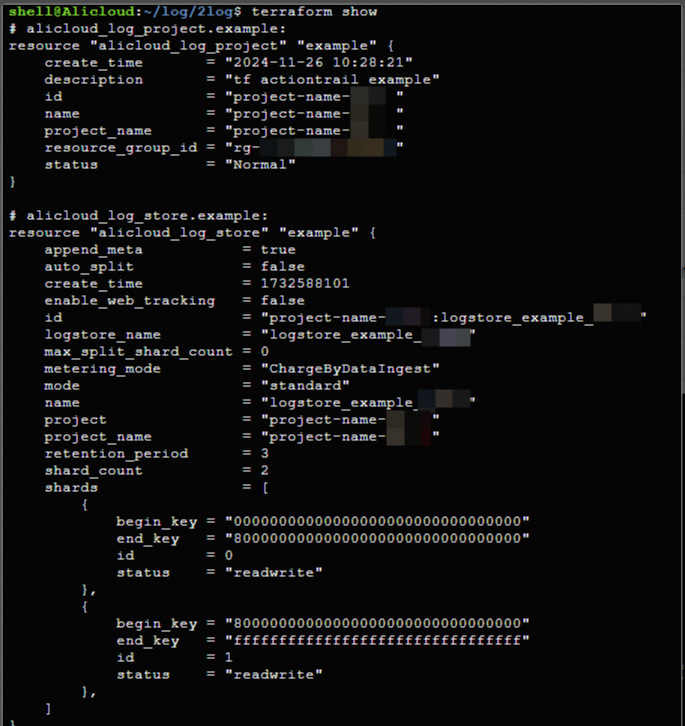
Console
-
Log on to the Simple Log Service console to view the created project.
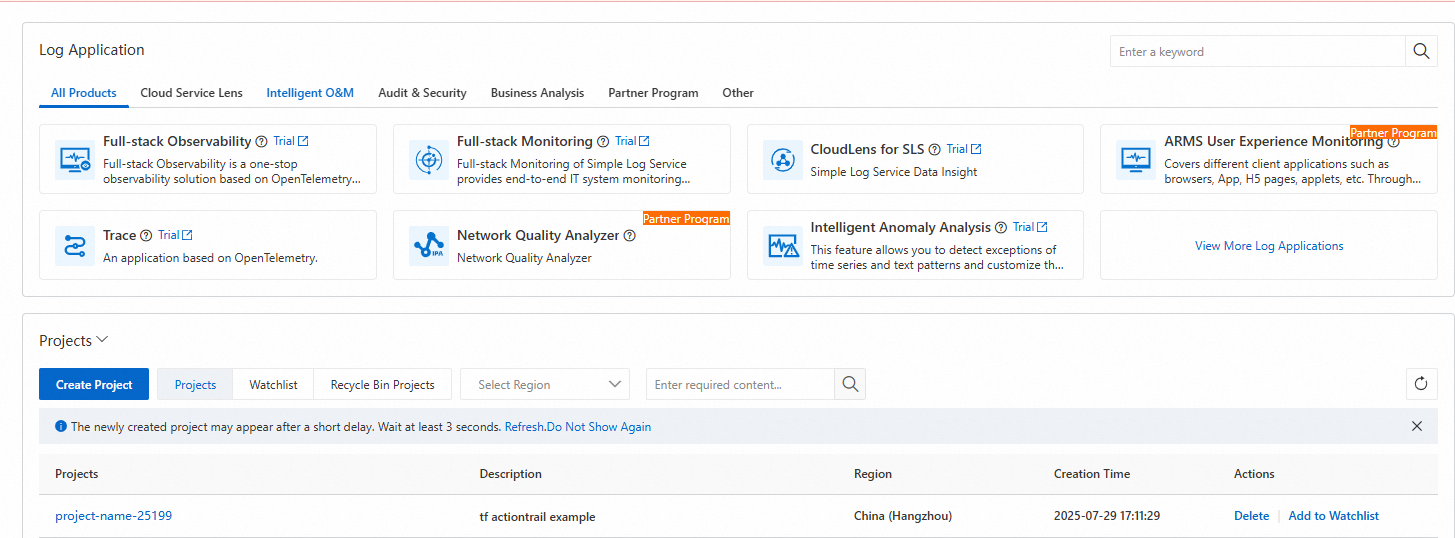
-
In the Projects list, click the name of the project you created, and then click Log Storage to view the created Logstore.
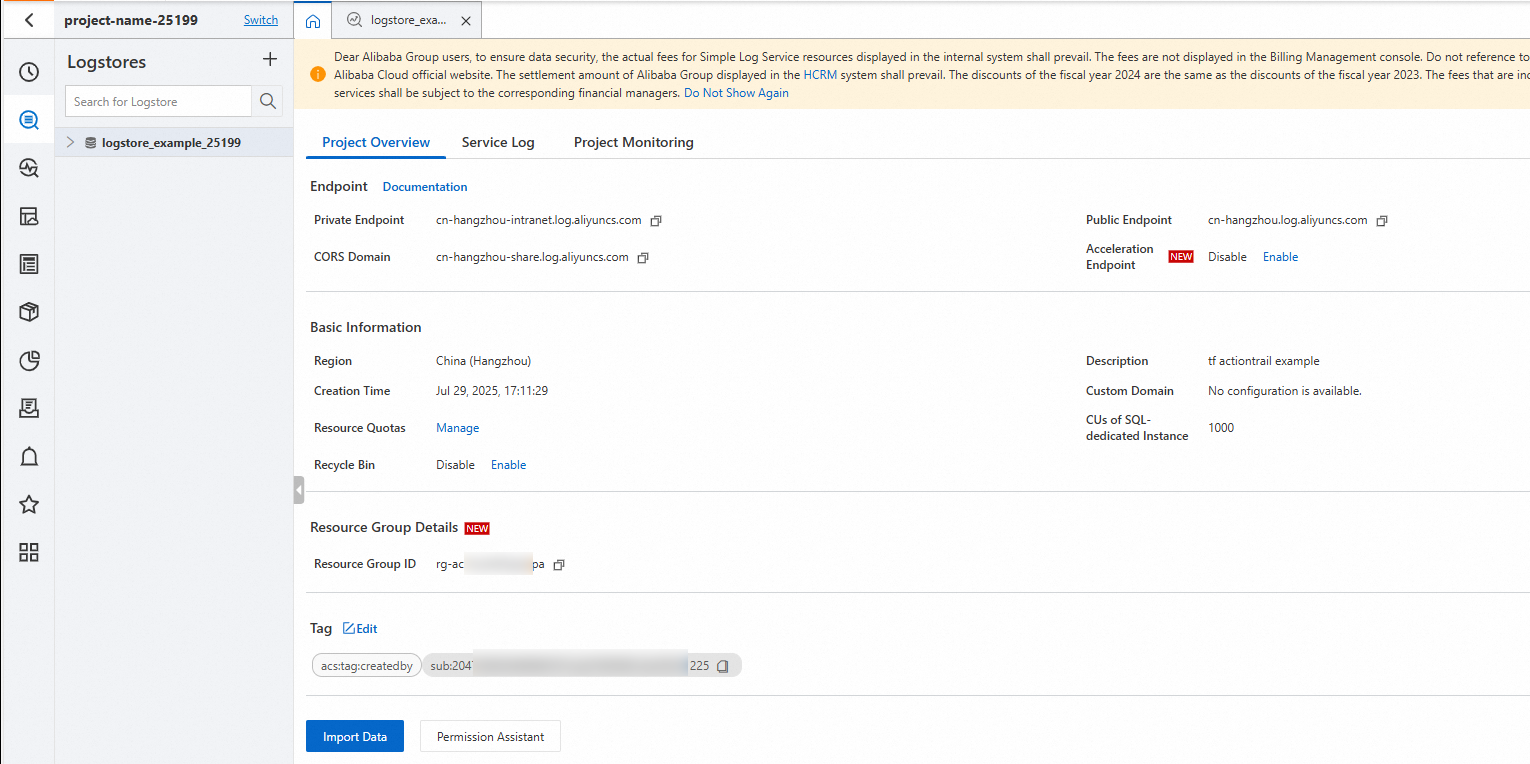
-
Step 2: Create an alert rule
-
Add the following code to the
main.tffile.# An alert rule. resource "alicloud_log_alert" "example" { project_name = alicloud_log_project.example.name alert_name = "alert_name_${random_integer.default.result}" alert_displayname = "alert_displayname_${random_integer.default.result}" condition = "count> 100" dashboard = "example-dashboard" schedule { type = "FixedRate" interval = "5m" hour = 0 day_of_week = 0 delay = 0 run_immediately = false } query_list { logstore = alicloud_log_store.example.name chart_title = "chart_title" start = "-60s" end = "20s" query = "* AND aliyun" } notification_list { type = "Email" email_list = var.email_list content = "alert content" } } -
Generate an execution plan to preview the changes.
terraform plan -
Run the following command to apply the changes.
terraform applyWhen prompted to confirm, type
yesand press Enter. The following output indicates that the alert rule is created:Apply complete! Resources: 1 added, 0 changed, 0 destroyed. -
Verify the result.
Command line
Run the following command in your working directory to view the details of the created resources:
terraform show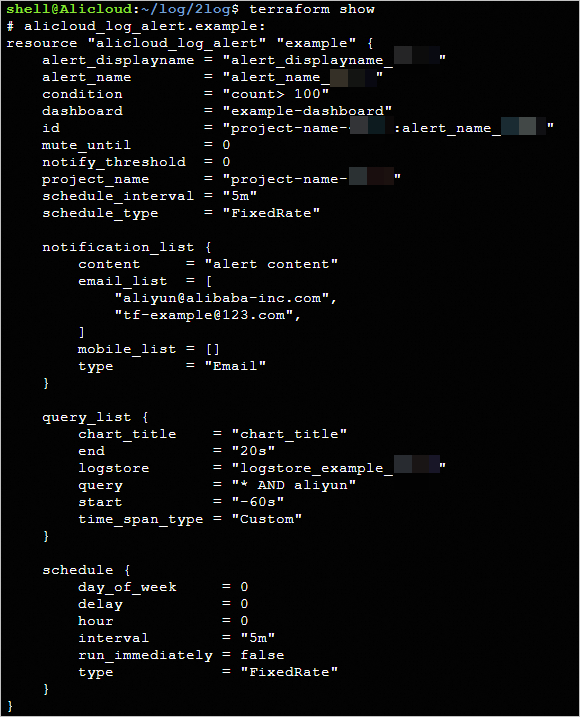
Console
Log on to the Simple Log Service console. In the Projects list, click the name of the project that you created, and then click Alerts to view the created alert rule.

Clean up resources
When you no longer need the resources, run the following command to destroy them. For more information about the terraform destroy command, see Common commands.
terraform destroyComplete example
You can run the sample code in this tutorial with a single click.Run the sample code
Sample code
For more examples, see Log Service (SLS) examples on GitHub.
Related documents
-
To learn about Terraform, see What is Terraform on Alibaba Cloud?.