This topic answers frequently asked questions about Agentic SOC and provides solutions to common issues.
Is Log Service required for integration?
Logs from Security Center modules are ingested into Agentic SOC by default. You do not need to enable the log analysis feature for Security Center.
To integrate Alibaba Cloud services other than Security Center, you must first enable Simple Log Service for each service.
Why can't I edit a data source?
The data source is associated with an access policy, and the access policy is enabled.
Resolution: Temporarily disable the access policy. Follow these steps:
On the Data Source tab, hover over the number in the Reference Count column to view the services that use the data source.

On the Service Integration tab, find the service and click Ingestion Settings. On the page that appears, disable the service.
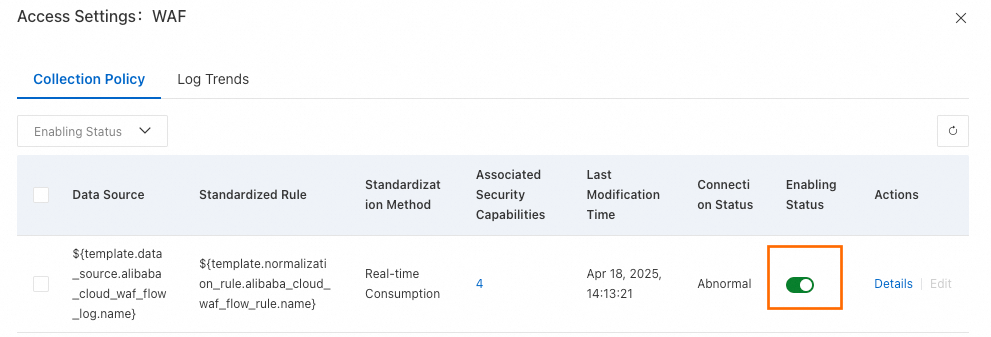
Access policy enablement failure
You may receive the following error message when enabling an access policy:
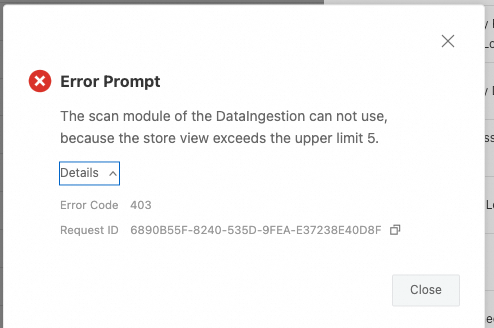
Cause:
The dataset (StoreView) specified for the standardization category/structure in the policy's standardization rule has reached its usage limit. Each dataset supports a maximum of 5 access policies using the scan query mode.
Resolution:
Change the standardization method for the current access policy to "real-time consumption".