If you want to access Alibaba Cloud DNS PrivateZone (PrivateZone) from your on-premises network, you must acquire or grant relevant permissions. Make sure that the on-premises network is associated with a Cloud Connect Network (CCN) instance that is attached to a Cloud Enterprise Network (CEN) instance.
Scenario 1: All instances belong to the same Alibaba Cloud account
The following table describes a scenario where the following instances belong to the same Alibaba Cloud: the CCN instance, the virtual private cloud (VPC) where PrivateZone is deployed, and the CEN instance. On the PrivateZone tab, click Authorize Now to complete the authorization.
You must authorize the Smart Access Gateway (SAG) instance only if this is the first time that you enable the PrivateZone service.
Resource | Account (UID) |
CEN instance | 111111 |
VPC | 111111 |
CCN instance | 111111 |
After you grant the permissions, the system automatically creates the AliyunSmartAGAccessingPVTZRole Resource Access Management (RAM) role. You can view the RAM role on the RAM Roles page in the RAM console.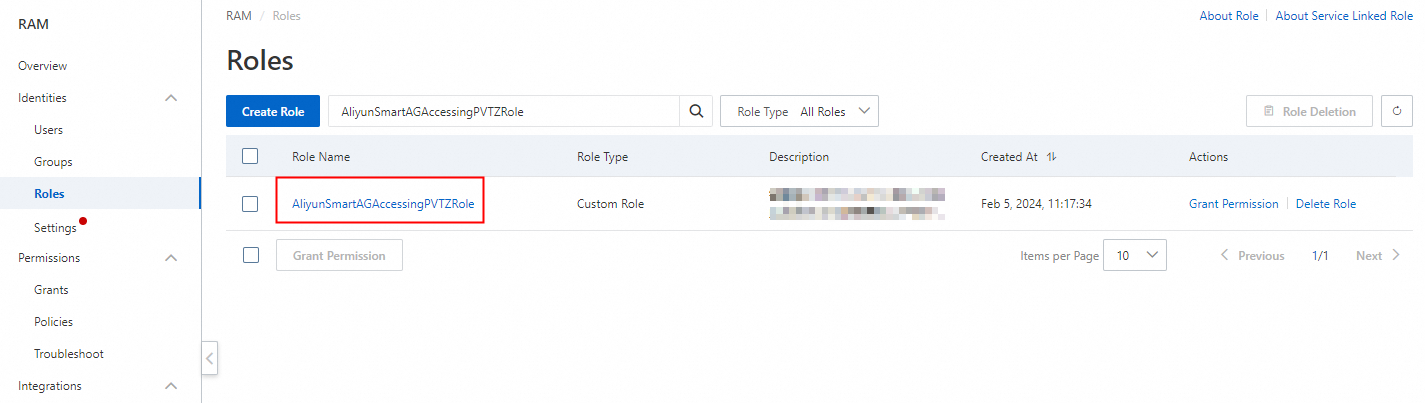
Scenario 2: CCN instance belongs to a different account
If the CEN instance and VPC belong to the same account but the CCN instance belongs to a different account, you must modify the RAM policy.
Resource | Account (UID) |
CEN instance | 111111 |
VPC | 111111 |
CCN instance | 333333 |
You must perform the following steps by using the Alibaba Cloud account to which the VPC belongs.
Log on to the CEN console.
Click the ID of the CEN instance.
On the tab, click the ID of the transit router that you want to manage.
Click the PrivateZone tab, click Authorize Now, and then complete the authorization.
NoteYou must authorize the SAG instance only if this is the first time that you enable the PrivateZone service.
Log on to the RAM console.
In the left-side navigation pane, click Roles.
Search for the RAM role AliyunSmartAGAccessingPVTZRole and click the role name.
Click the Trust Policy tab and click Edit Trust Policy.
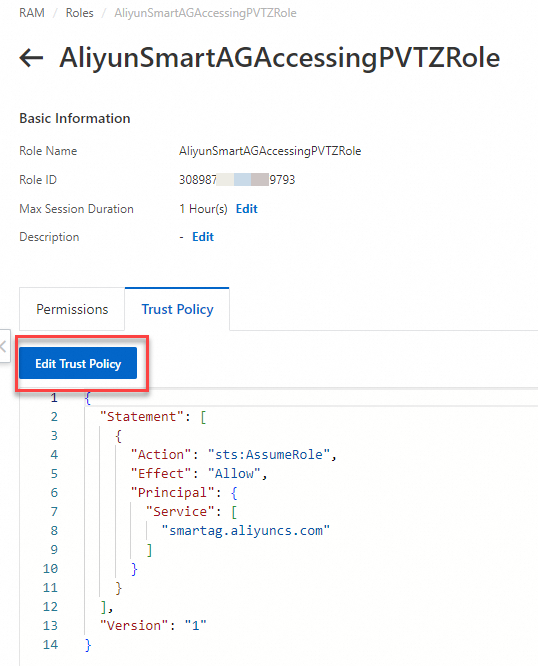
Add
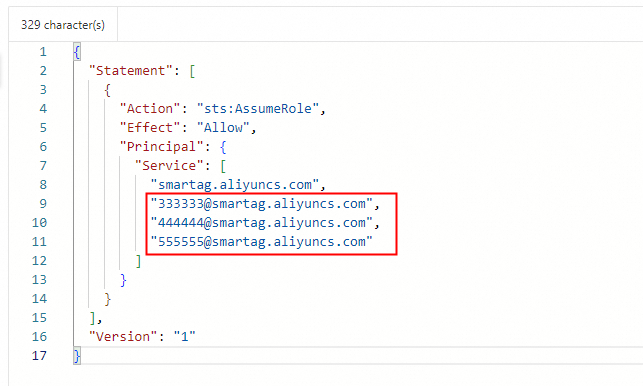
"The ID of the Alibaba Cloud account to which the CCN instance belongs@smartag.aliyuncs.com"to the Service parameter, and click Save trust policy document.
Scenario 3: CEN instance belongs to a different account
If the CCN instance and VPC belong to the same account but the CEN instance belongs to a different account, you must create a RAM policy by using the Alibaba Cloud account to which the VPC belongs.
Resource | Account (UID) |
CEN instance | 333333 |
VPC | 111111 |
CCN instance | 111111 |
Log on to the RAM console with the Alibaba Cloud account to which the VPC belongs.
In the left-side navigation pane, click Roles.
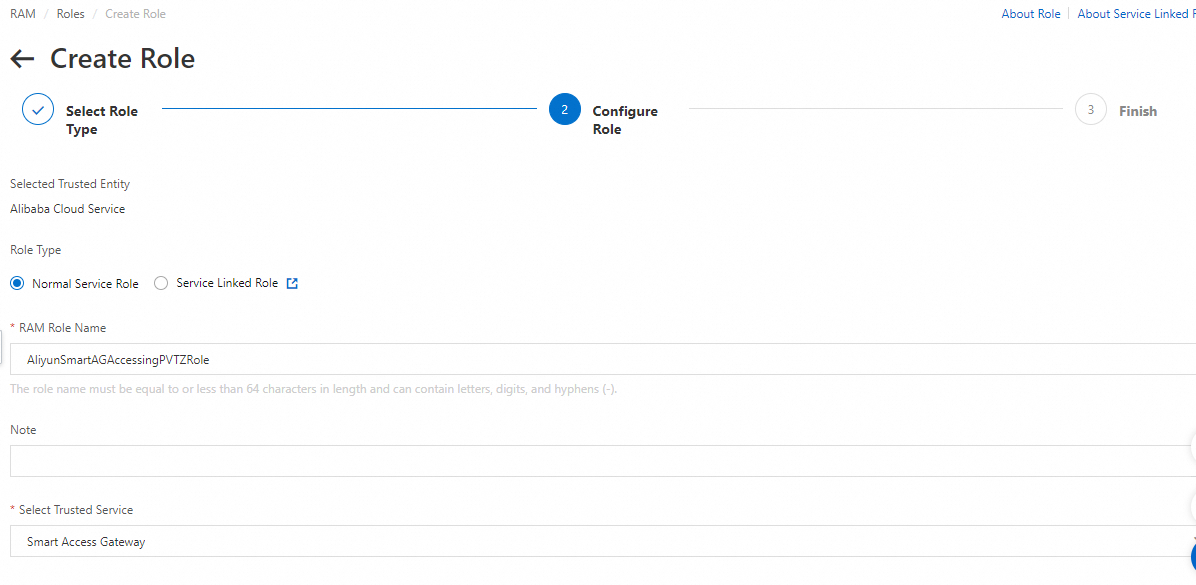
Configure the parameters and click Close. For more information, see Create a RAM role for a trusted Alibaba Cloud service.
Select Trusted Entity: Select Alibaba Cloud Service.
Role Type: Select Normal Service Role.
RAM Role Name: Enter AliyunSmartAGAccessingPVTZRole.
Select Trusted Service: Select Smart Access Gateway.
In the left-side navigation pane, click Roles, find the role that you created, and then click the name of the role in the Role Name column.
On the Permissions tab, click Grant Permission.
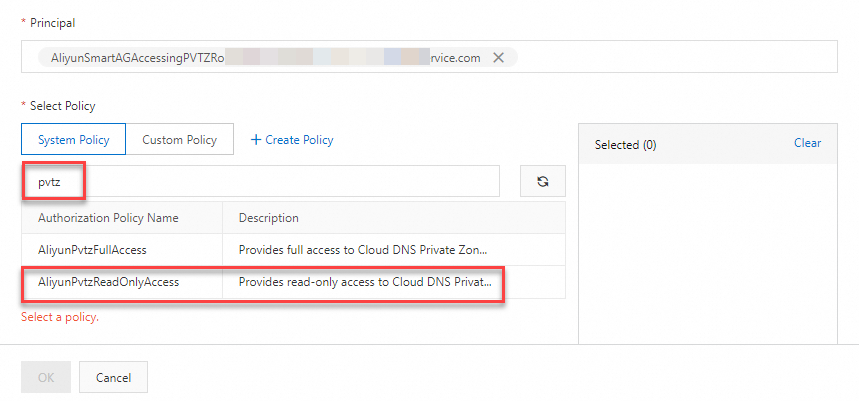
In the search box below System Policy, enter pvtz to search for the role, and click AliyunPvtzReadOnlyAccess to grant the RAM role read-only permissions on PrivateZone. Click OK. For more information, see Grant permissions to a RAM role.
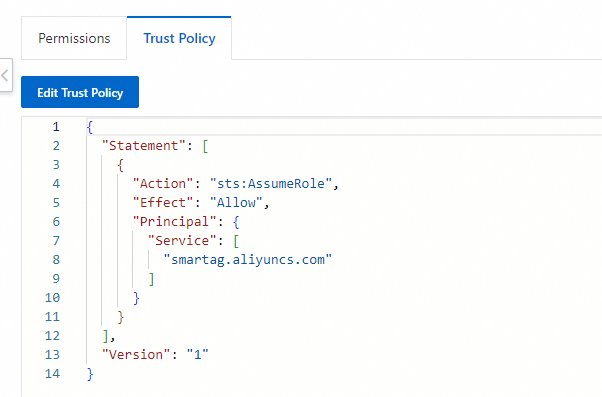
After you add the permissions, click the Trust Policy tab to view the information about the permissions.
Scenario 4: All the CEN instance, VPC, and CCN instance belong to different Alibaba Cloud accounts
If the CCN instance, CEN instance, and VPC belong to different Alibaba Cloud accounts, perform the following steps to grant the permissions:
Resource | Account (UID) |
CEN instance | 111111 |
VPC | 222222 |
CCN instance | 333333 |
Create a RAM role by using the Alibaba Cloud account to which the VPC belongs.
For more information, see Scenario 3: CEN instance belongs to a different account.
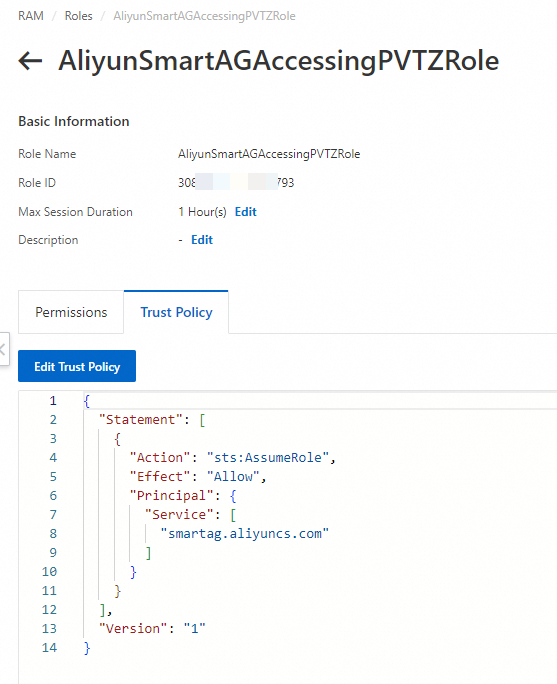
Add CCN to the RAM policy of the Alibaba Cloud to which the VPC belongs in the following format:
"The ID of the Alibaba Cloud account to which the CCN instance belongs@smartag.aliyuncs.com".For more information, see Scenario 2: CCN instance belongs to a different account.
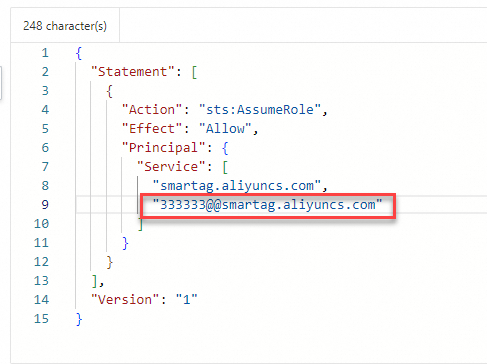
To allow multiple CCN instances that belong to different Alibaba Cloud accounts to use the PrivateZone service, add all CCN instances to the RAM policy, as described in the following table.
Resource | Account (UID) |
CEN instance | 111111 |
VPC | 222222 |
CCN instance | 333333 |
CCN instance | 444444 |
CCN instance | 555555 |