The dynamic-hz feature automatically adjusts the hz parameter (background task frequency) based on the current number of client connections. This prevents instances from slowing down or becoming unstable when the connection count grows large.
How it works
The hz parameter controls how many times per second Tair (Redis OSS-compatible) runs background tasks — such as closing timed-out client connections and evicting expired keys.
Each background task scans a number of connections equal to clients/hz. As connections grow, so does the per-task scan count. If an excessive number of connections are scanned in a task, the instance may slow down and become unstable.
dynamic-hz, introduced in Redis 5.0, addresses this by scaling hz up automatically as connections increase. When enabled, the value you set for hz becomes the baseline (stored as configured_hz), and Tair (Redis OSS-compatible) raises the effective hz value to keep per-task scan counts manageable.
The valid values for dynamic-hz are yes and no. The default is yes.
Prerequisites
Before you begin, ensure that you have:
A Tair (Redis OSS-compatible) instance running Redis 5.0 or later
Enable dynamic-hz
Log in to the console and go to the Instances page. In the top navigation bar, select the region of your instance, then click the instance ID.
In the left-side navigation pane, click Parameter Settings.
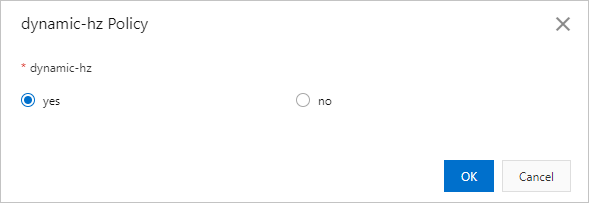
Find the dynamic-hz parameter and click Modify in the Actions column.
In the dialog box, set dynamic-hz to
yes, then click OK.
Verify the configuration
After enabling dynamic-hz, run the INFO command to confirm the settings took effect.
Check the output for these fields:
| Field | Description |
|---|---|
configured_hz | The baseline frequency you set for hz |
hz | The effective frequency after dynamic adjustment — increases with connection count |
If hz is higher than configured_hz under load, dynamic-hz is working as expected.
API reference
| API operation | Description |
|---|---|
| DescribeParameters | Queries the configuration and operational parameters of an instance |
| ModifyInstanceConfig | Modifies the parameter settings of an instance |
Next steps
Adjust the frequency of background tasks — configure the hz baseline value