This topic describes how to manually execute jobs and view the execution records on an ApsaraDB RDS for SQL Server instance.
Manually execute a job
Use the Microsoft SQL Server Management Studio (SSMS) client to connect to the RDS for SQL Server instance. For more information, see Connect to an ApsaraDB RDS for SQL Server instance.
In Object Explorer, choose . Then, right-click the job that you want to execute.
Click Start Job at Step.
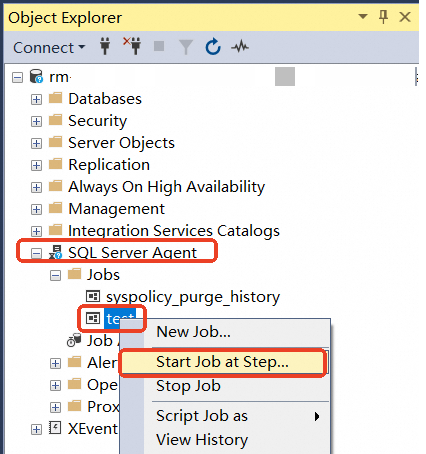
After the execution of the job is complete, the execution result is displayed.
View execution records
Use the Microsoft SQL Server Management Studio (SSMS) client to connect to the RDS for SQL Server instance. For more information, see Connect to an ApsaraDB RDS for SQL Server instance.
In Object Explorer, choose . Then, right-click the job whose execution records you want to view.
Click View History.
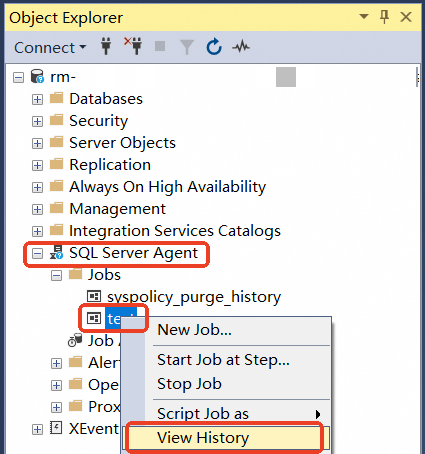
In the Log File Viewer, select the job to view its execution records.