This topic describes how to create, modify, and delete logins for an ApsaraDB RDS for SQL Server instance by using SQL statements.
Prerequisites
Your ApsaraDB RDS for SQL Server instance must run SQL Server 2012 or a later version.
Create a login
Run the following statement to create a login:
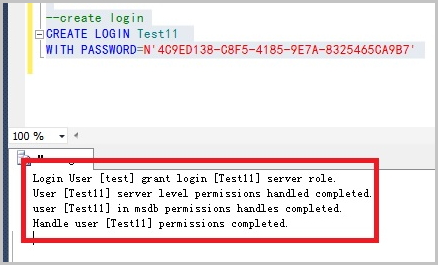
CREATE LOGIN Test11 WITH PASSWORD=N'4C9ED138-C8F5-4185-9E7A-8325465CA9B7'During creation, the login is granted server-level and database-level permissions. A confirmation message appears on the Messages tab, as shown in the following figure.
Modify a login
Run the following statement to modify a login:
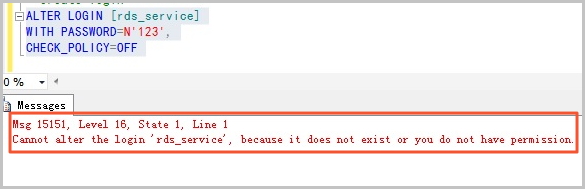
ALTER LOGIN Test11 WITH PASSWORD=N'123',CHECK_POLICY=OFFYou can modify only the logins that you created. Otherwise, the following error is returned:
Delete a login
Run the following statement to delete a login:
DROP LOGIN Test11Note
You can delete only the logins that you created. Otherwise, an error is returned.